Best Wireless Lavalier Microphones of 2026

The first time I played back a vlog shot on a windy boardwalk, all I could hear was wind. That's usually when people start hunting for a wireless lavalier — something small enough to clip to a collar that makes a voice sound present. The right one plugs into a phone, camera, or laptop and has you recording in a minute.

My team spent the past seven months clipping 12 of these to T-shirts, hoodies, and jacket lapels, and the differences showed up fast: how much background noise the noise cancellation actually removed, whether a battery survived a full afternoon, whether the signal held when the phone slid into a pocket, and how quickly each one got us recording. A mic that needs a firmware update and a menu dive before the first take stays in the bag.

The range printed on the box is worth ignoring; what matters is whether a mic reconnects on its own after you wander out of range and back. We also weighed what each kit includes against its price, since the accessories are where these separate.

The Best Wireless Lavalier Microphones

1

Hollyland Lark M2 Best Overall
96 /100
TKZ Score Outstanding

Key details

Battery Life
40 hours with case
Wireless Range
300 m
Transmitters
2
Receivers
Three (camera, USB-C, Lightning)
View on Amazon

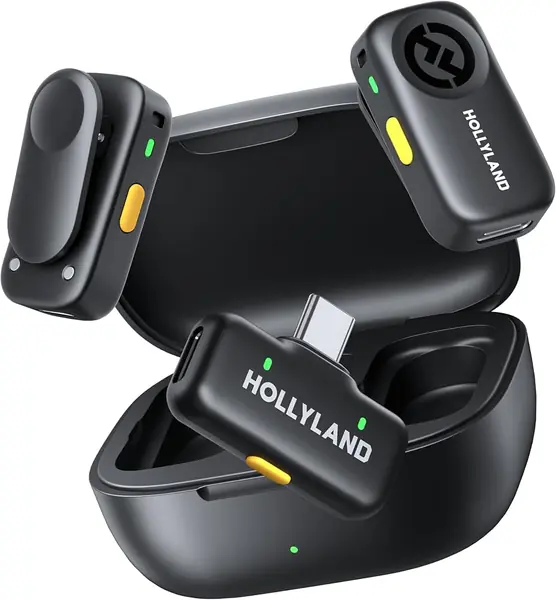
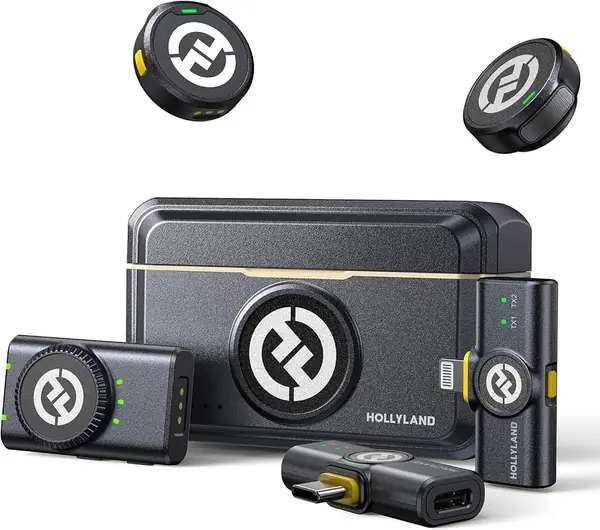
Every kit here works with a phone until it doesn't, and the reason is nearly always the receiver in the box. The Lark M2 skips that argument: the case holds three of them, one for a camera's 3.5mm jack, one for USB-C, and one for Lightning. Open the case, take the receiver that matches the device in your hand, and record.

We kept coming back to that during our testing. The transmitters are 9 grams with a magnet that holds through a shirt, plus a silicone necklace case for when a collar won't cooperate, and pairing is genuinely plug-and-play — no app, no menu, no holding two buttons down for three seconds. In a category where the first ten minutes are usually spent troubleshooting, spending them recording instead is worth paying for.

The audio is solid rather than exotic: 48kHz/24-bit at a 70dB signal-to-noise ratio, one-button noise cancelling on the transmitter, and a mono/stereo switch on the camera receiver that keeps two speakers on separate sides when you edit. Hollyland rates each transmitter at up to 10 hours and the case at 40 hours of total use, and quotes a 300 m range. One number to read carefully: the 10-hour figure is with noise cancelling switched off, so a long day with it on sends you back to the case sooner.

Pros

  • Three receivers cover phones and cameras
  • 9 g magnetic transmitters stay put
  • 40 hours of case power for long trips

Cons

  • Phone-only shooters pay for an unused camera receiver
Our verdict

We recommend the Lark M2 to anyone who moves between a phone and a camera — three receivers cover both, the magnets hold, and setup is genuinely plug-and-play.
Check Latest Price
2

DJI Mic Mini Best Ultralight Kit

95 /100
TKZ Score Outstanding

Key details

Battery Life
48 hours with case
Wireless Range
400 m
Transmitter Weight
0.35 oz
Noise Cancelling
Two levels
View on Amazon

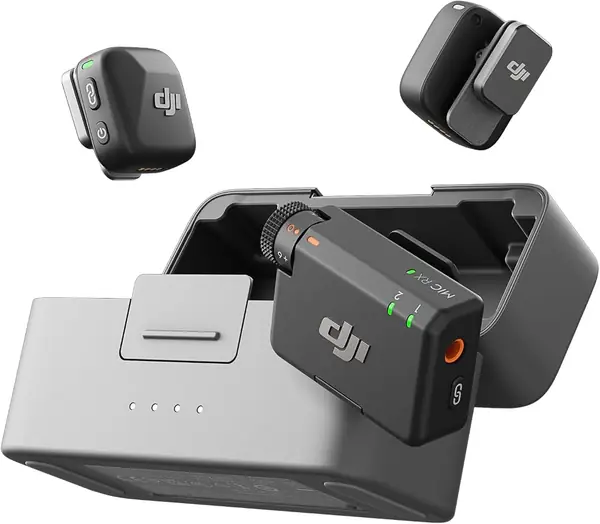
Ten grams is the pitch, and it holds up — clip a Mic Mini transmitter to a shirt and it disappears, which is the entire job of a lavalier. Two transmitters, a receiver, and a charging case come in below what our top pick costs, and the case carries the kit to a claimed 48 hours.

The range is the number that surprised us: 400 m, the longest in this group, and far more than a solo creator needs. It's also why the Mic Mini suits two-person shooting outdoors. On DJI's OsmoAudio cameras the transmitter connects directly with no receiver at all, so a whole piece of the kit vanishes from your bag if you already shoot on an Osmo Pocket or Action.

Audio is clean, noise cancelling has two levels — Basic indoors, Strong for street noise — and automatic limiting pulls the level down when someone laughs into the mic instead of letting it clip. The connector is the one thing to watch: the phone adapter in the box is USB-C, and a 3.5mm cable handles cameras. Everything else about the Mic Mini is set-and-forget.

Pros

  • 10 g transmitters disappear under a collar
  • 400 m range is the longest here
  • 48 hours of power with the case

Cons

  • Lightning iPhones need a separate adapter
Our verdict

For DJI camera owners and anyone who wants the lightest kit here, the Mic Mini is the easy call — just confirm your phone's connector first.

Check Latest Price
3

DJI Mic 3 Best for Multi-Mic Shoots

93 /100
TKZ Score Outstanding

Key details

Battery Life
28 hours
Kit Weight
7.8 oz
Audio Control
Adaptive gain, three voice tones
Multi-Mic Capacity
4 TX + 8 RX
View on Amazon

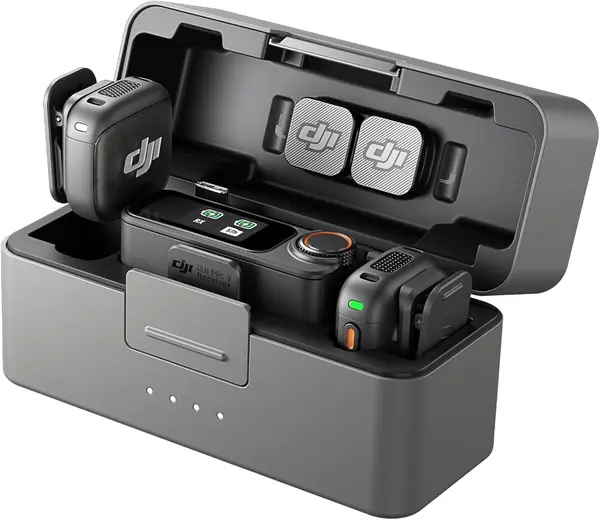
The Mic 3 is the most expensive kit on this page by a wide margin, and for a two-person interview it is more microphone than you need. Where it earns the money is scale: the receiver pairs with up to four transmitters and can sync to eight receivers, so a panel, a podcast with rotating guests, or a multi-camera day stops needing a workaround.

We noticed the gain handling first. Adaptive gain control rides the level between a whisper and a shout without anyone touching a dial, and three voice tones plus two noise-cancelling levels shape what comes out the other end. On a solo shoot that's a luxury; on a shoot with people who don't perform for a mic, it's the difference between one usable take and five.

Dual-band transmission is the other thing you're paying for, and it matters in a hotel ballroom or on a trade show floor where every other crew is on 2.4GHz. DJI rates the kit at 28 hours with the case, and the whole thing weighs 221 grams. The transmitters take DJI's magnetic clip or a plain magnet, and the case has room for the windscreens and cables.

The limits are price and connectors: a USB-C phone adapter in the box, no Lightning adapter, and a bill that only makes sense if you're recording more than two people. Get past those and it is the most capable kit here by a clear margin.

Pros

  • Pairs up to four transmitters at once
  • Adaptive gain handles whispers and shouts
  • Dual-band transmission resists crowded venues

Cons

  • No Lightning adapter included
  • Overkill for solo or two-person shoots
Our verdict

For panels, podcasts, and multi-camera days, the Mic 3 is the only kit here that scales past two speakers — buy it for that, not for a solo vlog.

Check Latest Price
4

Hollyland Lark A2 Best Budget Two-Person Kit

92 /100
TKZ Score Outstanding

Key details

Battery Life
42 hours with case
Transmitter Weight
0.3 oz
Receiver
USB-C
Audio Format
48kHz/24-bit
View on Amazon

The Lark A2's receiver is USB-C and nothing else. That rules it out for a Lightning iPhone and for any camera without a USB-C port, and it's the first thing to check. For a USB-C phone, an iPad, or a laptop, it's the best two-person value in this group.

In the box: two 8.5-gram transmitters, the receiver, and a charging case Hollyland rates at 42 hours of total use, with roughly 7 hours per transmitter or 9 with the power-saving mode on. Audio is 48kHz/24-bit with a 68dB signal-to-noise ratio and 120dB SPL handling, which is more headroom than any phone mic gives you.

The feature we care about most is the auto-limit. It steps the level down when a laugh or a shout would otherwise clip, and for run-and-gun shooting that's worth more than another equalizer preset. Noise cancelling is AI-driven and takes the edge off street noise; keep the furry windscreens on outdoors, where wind does more damage than traffic ever will.

Charging is the soft spot: sets have arrived refusing to take a charge, so run the case through a full cycle the day it lands and a second one before a shoot that matters. Treat that as the first thing you do with it, not the last.

Pros

  • Two 8.5 g transmitters and a 42-hour case
  • Auto-limit prevents clipping on sudden laughs
  • 48kHz/24-bit audio at a budget price

Cons

  • USB-C receiver only
Our verdict

We recommend the Lark A2 to anyone whose phone, tablet, and laptop are all USB-C: two speakers, 42 hours of case power, and clean audio for less than the DJI kits.

Check Latest Price
5

BOYA BY-V10 Best Single-Mic Starter

91 /100
TKZ Score Outstanding

Key details

Battery Life
9 hours
Wireless Range
328 ft
Transmitters
1
Connector
USB-C
View on Amazon

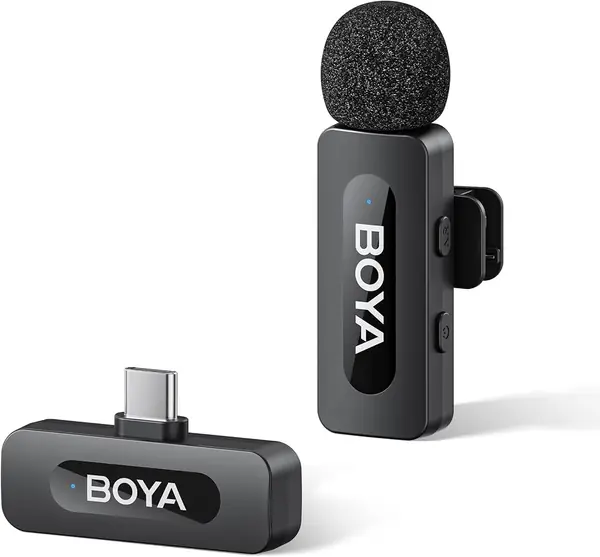
There's nothing to install. Plug the BY-V10's receiver into a USB-C phone and it's already paired — no app, no Bluetooth menu, no button held down for three seconds.

What arrives is one 10.5-gram clip-on transmitter, a foam windscreen, a charging cable, and a small bag. The single button switches noise reduction on and off, the battery is rated at 9 hours, and the quoted range is 328 feet, which is generous for a kit this cheap.

For solo voiceover, a talking-head vlog, or a walk-and-talk, that's all you actually need. The jump over a phone's built-in mic is immediate, because the capsule sits at your collar instead of at arm's length and the room falls away. What you give up is packaging: no case, so the transmitter charges over USB-C and rattles around a bag, the foam windscreen is a loose fit, and the status light sits on the face of the mic where a close shot can catch it.

The other boundary is the connector. The BY-V10 is USB-C, which covers an iPhone 15 or newer, a USB-C Android, and an iPad; a Lightning iPhone is out, and nothing in the box changes that.

Pros

  • Plug-and-play with no app or pairing
  • 10.5 g clip stays out of the shot
  • Nine hours on a single charge

Cons

  • Single transmitter only
  • No charging case included
Our verdict

For one person on a USB-C phone, the BY-V10 is the cheapest convincing step up from the built-in mic, and it works the second you plug it in.

Check Latest Price
6

PQRQP 3-in-1 Mini Mic Best for Budget Mixed-Device Kits

90 /100
TKZ Score Outstanding

Key details

Battery Life
10 hours each, 20 total
Wireless Range
328 ft
Transmitters
2
Receivers
One, for phone and camera
View on Amazon

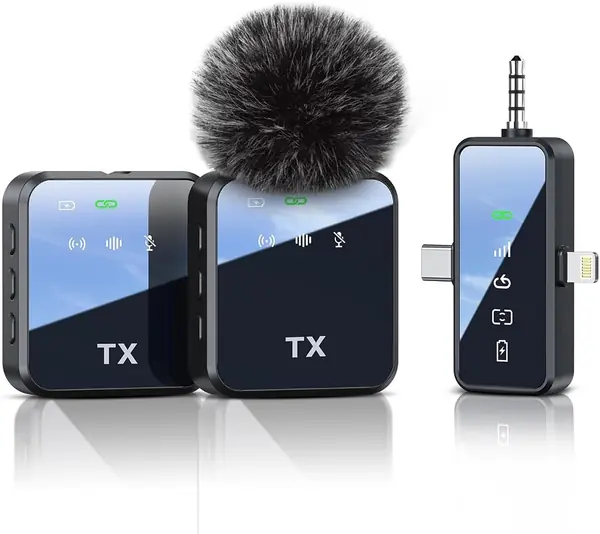
Two transmitters, a receiver that handles Lightning, USB-C, and a camera, and a price below every other two-person kit on this page — the PQRQP is the cheapest complete two-person kit here.

The receiver is the reason it works: one unit carrying the connectors for a Lightning iPhone, a USB-C phone, and a camera's 3.5mm input, so a creator who shoots both ways doesn't buy two systems. Audio is 48kHz/24-bit, range is quoted at 328 feet, and a charge is rated at 10 hours per mic, 20 across the pair. The receiver also shows battery state and carries volume buttons.

What we actually used was the mute — one press and both mics go quiet, which is the difference between a usable livestream and an apology. The reverb is a party trick unless you're filming someone singing, and it's a bonus rather than a reason to choose this one.

The trade is packaging and polish. There's no charging case, so each transmitter charges over the single USB-C cable, and the plastic is plain next to the Hollyland and DJI kits. Neither has bothered us in a bag, and the kit that travels loose is the one you actually take along.

Pros

  • One receiver covers Lightning, USB-C, and camera
  • Instant mute and battery indicator
  • Two transmitters in a budget kit

Cons

  • No charging case in the box
Our verdict

If you shoot on a phone one day and a camera the next, the PQRQP covers all three connectors with one receiver for less than most single-mic kits here.

Check Latest Price
7

NEEWER KM19 Best for On-The-Fly Tuning

89 /100
TKZ Score Excellent

Key details

Battery Life
30 hours
Wireless Range
100 m
Transmitter Weight
0.21 oz
App Control
Android only
View on Amazon

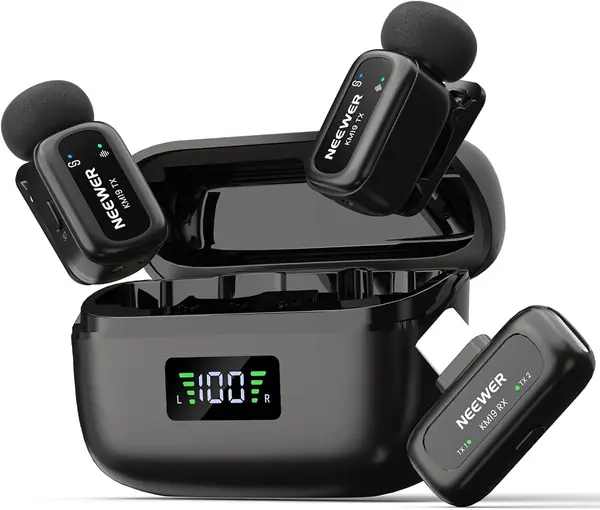
We tried the noise cancelling the crude way, with a desk fan pointed at the mic, and stepped through all three levels with one press each before muting it with a double press. That's the KM19 in miniature: the controls live on the hardware, and you never open an app to use them.

The hardware is dense for the money. Six-gram transmitters, a 3-gram receiver, 48kHz/24-bit at an 81dB signal-to-noise ratio, 120dB max SPL, and a stereo/mono switch that puts each mic on its own side so two speakers stay separable in the edit. The case is rated at 30 hours, range at 100 m, and the box includes two OTG adapters, windscreens, and a pouch.

The app is the catch: it controls the mic only on Android, and on iOS it records and little else. The build is the other catch — the case and cables are the cheapest parts of the kit, and audio has been known to drop out, so test both transmitters before a shoot you're being paid for.

Among the budget two-mic kits here, this is the one whose controls we actually used, and the only one that lets you step noise cancelling down instead of switching it off. That sounds like a small thing until you're recording next to a refrigerator.

Pros

  • Two transmitters, case, and 30-hour power
  • Three noise-cancelling levels on the hardware
  • Stereo mode keeps two speakers separate

Cons

  • App control works on Android only
  • Case and cables feel cheaply made
Our verdict

For Android users who want two mics, a charging case, and hardware controls instead of an app, the KM19 is the most capable budget kit here.

Check Latest Price

How We Chose and Tested the Best Wireless Lavalier Mics

We started by pulling every kit that could plausibly serve a solo creator or a two-person shoot: two transmitters, a receiver that works with a phone as well as a camera, and a charging case to carry it all. That filter eliminated anything locked to a single device type or dependent on a dongle you'd have to buy separately. Twelve kits made the cut, and we ran them for seven months, rotating them through the same shoots so each one met identical conditions.

Most of the testing happened where these mics actually live: a kitchen counter for talking-head demos, a breezy waterfront for walk-and-talks, and a backyard beside a running mower. We recorded the same paragraph on every mic with noise cancellation on and off, then listened back on headphones and noted whether a voice sounded natural or thin, whether a hiss sat underneath it, and how much of the mower came through. Every kit here claims 48kHz/24-bit capture, so that spec separated nothing — what separated them was whether the noise reduction smeared consonants.

Battery life we timed for real, charging each transmitter fully and letting it run until it died, measured against what an afternoon of shooting actually demands. We walked out of range and back to see which mics reconnected without a tap, tested the auto-limiting that's supposed to ride the gain when someone laughs or shouts, and checked whether a backup recording saved the take when the signal dropped. Clips went onto thin T-shirt collars to see if the mic sagged, cables got yanked, cases got dropped on a counter, and every kit got priced out by what's genuinely in the box.

How to Choose a Wireless Lavalier Microphone

Match the Receiver to Your Phone, Not the Box

Every kit on the shelf claims iPhone and Android support, and most mean it for one specific port. A Lightning iPhone needs a Lightning receiver or adapter, a USB-C phone needs USB-C, and a camera needs a 3.5mm jack. Our top pick puts all three receivers in the case; the DJI kits ship a USB-C phone adapter, which is exactly where a Lightning owner gets caught out.

Look at the port on your phone, then at what's actually in the box, and buy for the device you'll be holding next year as well as the one you have now. If you switch between a phone and a camera in the same week, pay for the kit that covers both rather than the adapter that might.

Decide How Many Voices You Record

One transmitter is enough for solo voiceover, a talking-head vlog, or a walk-and-talk, and the BY-V10 shows how little that has to cost. Two transmitters cover interviews, couples, and anyone who might hand a mic to a second person halfway through a shoot — which happens more often than most people plan for.

If you edit two speakers separately, look for a receiver that switches between mono and stereo. Stereo keeps each mic on its own side; mono sums them, which is fine for a single voice and simpler to work with.

Read Battery Numbers in Two Parts

Forty-two hours and nine hours describe different things: what the charging case adds versus what a single transmitter runs on its own. The per-transmitter figure is what gets you through one long day; the case figure is what gets you through a two-day trip without an outlet. Noise cancelling almost always shortens runtime, so treat the headline as a best case.

Charge the case fully the day it arrives. A set that refuses to take a charge shows up immediately, and the return window is shorter than your patience for a kit that dies mid-shoot.

Noise Cancelling and Limiting Do Different Jobs

Noise cancelling processes the voice to push the room down; limiting only steps in when something gets loud. For interviews and run-and-gun shooting the limiter earns its place first, because a laugh or a shout that clips is distortion you can't repair later. Adaptive or automatic gain goes further and rides the level between a whisper and a shout.

Wind is a separate problem with a separate fix. Use the furry windscreen outdoors — no amount of processing rescues a capsule that's being buffeted.

Weight and Mounting Decide Whether Anyone Sees It

Transmitters in this group run from 6 to 10.5 grams, and under about 10 grams a clip holds a shirt without dragging the fabric out of shape. Magnets are the faster mount and hold through most collars; a clip is more secure on a thin T-shirt that moves.

If the mic will be on camera, check where the indicator light sits and how firmly the windscreen fits before a formal shoot. Discretion beats the number on the scale — a 10-gram mic tucked under a collar looks better than a 6-gram one blinking at the lens.

Frequently Asked Questions

Final Verdict

We recommend the Hollyland Lark M2 for most people. Three receivers in one case mean the kit keeps working when you move from a phone to a camera, and the 9-gram transmitters are light enough to forget you're wearing them.

If every device you own is USB-C, the Hollyland Lark A2 does the same two-person job for less. And if your camera is already a DJI Osmo, the Mic Mini skips the receiver entirely.