Best Tablets with Keyboard for Work and Study of 2026

A tablet with a keyboard looks like the simplest two-in-one bargain going: one device for email in the morning, a movie in bed at night. Then you use one for a week and it comes down to what no listing mentions — whether the keyboard flexes on your lap, whether the case holds its angle on a couch cushion, whether the screen stays readable on a sunny porch.

I've returned two cheap tablet-and-keyboard bundles myself, both because the keyboard was the weak link. My team and I spent eight months with 12 of them, and the gap between a good one and a frustrating one rarely matched the numbers on the box. Memory padded with virtual RAM and the built-in assistant tools matter less than shoppers think; Widevine L1 support, which decides whether your streaming apps play in HD on that display you paid for, matters more.

What separates them is setup that takes minutes, not an evening, a battery that lasts a workday plus a flight, and a bundle that includes the mouse and stylus instead of selling them back. Each earned its spot that way.

The Best Tablets with Keyboard for Work and Study

1

TABWEE T90 Best Overall
86 /100
TKZ Score Excellent

Key details

RAM
24GB (8GB + 16GB virtual)
Screen
11 inches, 1920 x 1200
Storage
128GB, microSD expandable
Keyboard
Wireless keyboard, mouse, stylus included
View on Amazon

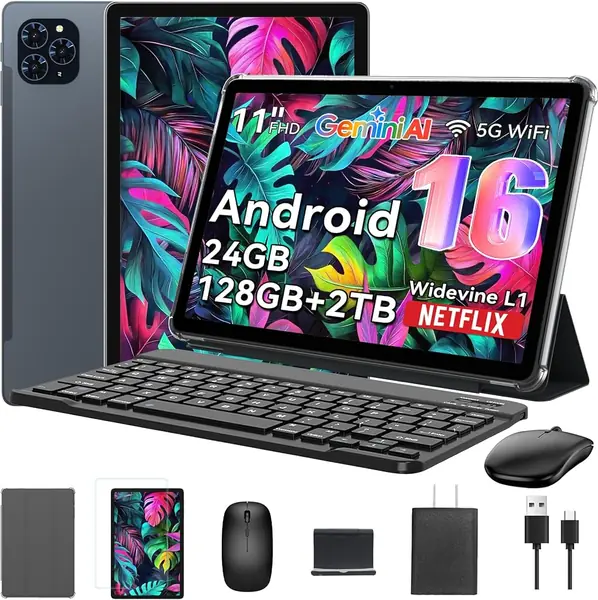
The 11-inch 1920x1200 screen is the first thing that separates the TABWEE T90 from the 10-inch 1280x800 bundles here. Text in a document or spreadsheet stays crisp, and the 16:10 shape gives you room for two apps without everything feeling cramped. We appreciate that the 128GB of onboard storage is double what the budget picks offer, and the microSD slot is there for offline video. The 24GB RAM headline is really 8GB of physical memory plus 16GB virtual, but that 8GB base is still the most sensible starting point in this group for Android multitasking.

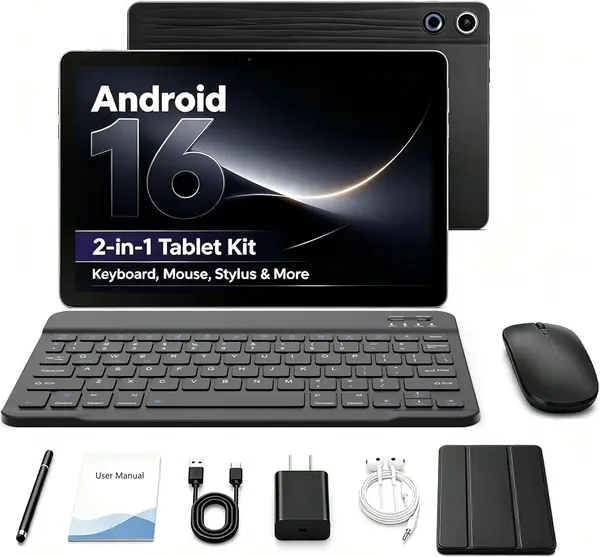
The bundle includes a wireless keyboard, mouse, and stylus, so the tablet turns into a desk setup without extra shopping. We like that the keyboard is separate: you can prop the tablet on its case for video and pull the keyboard closer when you need to type. It is not a laptop hinge, so this is a table-and-desk machine rather than something you balance on your knees.

The T615 processor is an everyday chip, not a gaming or video-editing engine. For email, docs, streaming, and class portals, it is the right balance of screen, storage, and portability. If you need a bigger canvas or more physical RAM, the 12.2-inch TABWEE T60 is the step up; if you want the lowest entry point, the EDUAITABLET is the budget alternative.

Pros

  • Sharp 11-inch 1920x1200 screen
  • 128GB storage plus microSD expansion
  • Complete keyboard, mouse, and stylus bundle

Cons

  • Wireless keyboard and mouse need separate charging
Our verdict

We recommend the TABWEE T90 as the best all-around keyboard tablet here: its 11-inch 1920x1200 screen and 128GB of storage make everyday typing and streaming feel less compromised than the budget 10-inch bundles.
Check Latest Price
2

TABWEE T60 Best Premium Display

85 /100
TKZ Score Excellent

Key details

RAM
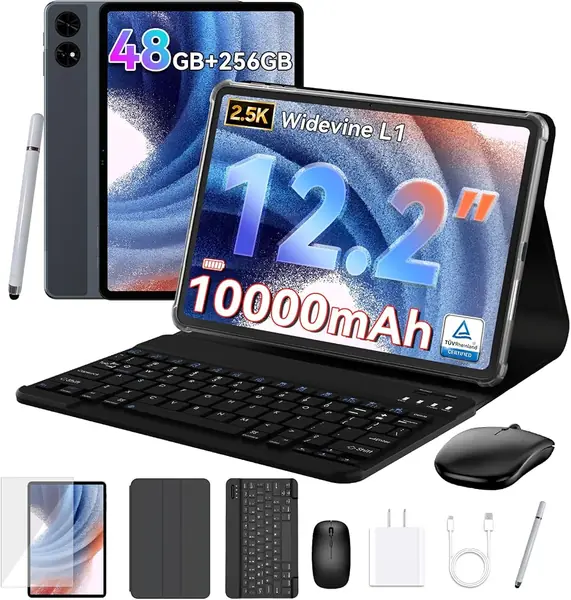
48GB (12GB + 36GB virtual)
Screen
12.2 inches, 2.5K
Storage
256GB
Warranty
4 years
View on Amazon

A 12.2-inch 2.5K screen is the reason the TABWEE T60 costs more than the rest of this group. The extra width makes split-screen work feel less cramped, and the 2560x1600 resolution keeps text and images sharp at a size where a 1280x800 panel would show its pixels. The 256GB of storage is generous for a tablet, and the 48GB RAM headline is 12GB physical plus 36GB virtual—still a serious amount of base memory for Android.

We choose the T60 when the tablet is the main screen for writing, photo review, or drawing, because the display and storage remove the two biggest compromises of the budget class. The magnetic keyboard, mouse, and stylus make it a credible desk setup, and the 10,000mAh battery is sized for a full day away from the charger. The four-year warranty is the other reason it earns the premium: for a device you plan to keep, that coverage is worth more than a small spec bump.

The trade-off is size. A 12.2-inch tablet is a two-hand device, and the case-and-keyboard setup is still not a laptop hinge, so it lives best on a desk or kitchen table. If you need something that disappears into a commuter bag, the 11-inch T90 is the easier carry; if you want the biggest canvas for the least money, the JJGJ 13-inch is the value alternative.

Pros

  • 12.2-inch 2.5K display for split-screen work
  • 12GB physical RAM and 256GB storage
  • 10,000mAh battery and four-year warranty

Cons

  • Highest price in this group
Our verdict

The TABWEE T60 is the premium choice for buyers who want a larger, sharper canvas and a long warranty; its 2.5K screen and 256GB storage justify the step up if you work with photos, notes, or split-screen apps.

Check Latest Price
3

JJGJ 13-Inch Best Big-Screen Value

84 /100
TKZ Score Excellent

Key details

RAM
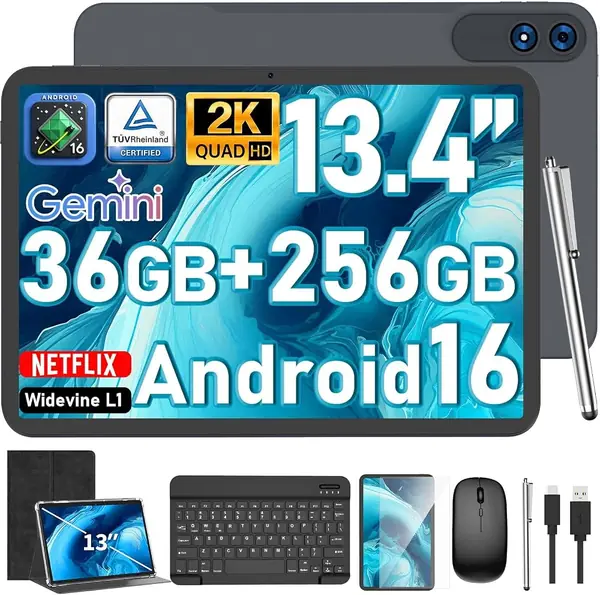
36GB (6GB + 30GB virtual)
Screen
13.4 inches, 1920 x 1200
Storage
256GB
Warranty
1 year
View on Amazon

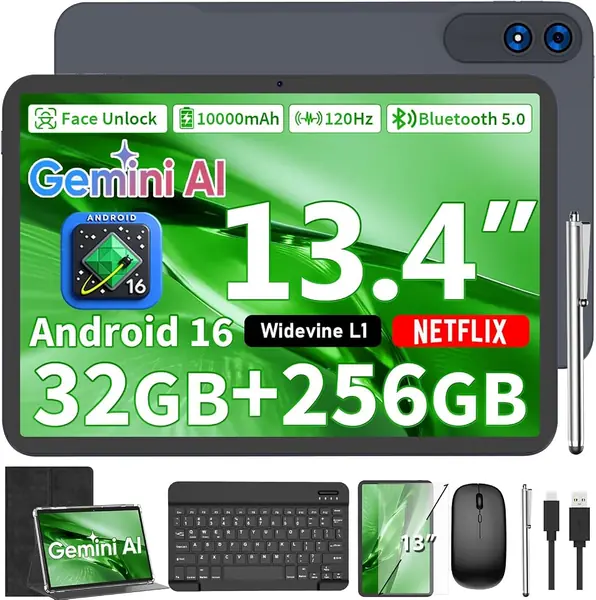
The 13.4-inch 1920x1200 screen is the reason the JJGJ belongs here: it is the least expensive way in this group to get a genuinely large canvas for spreadsheets, PDFs, and split-screen research. We like that it pairs that screen with 256GB of storage and a 120Hz refresh rate, which makes scrolling feel smoother than the 60Hz budget tablets. The 36GB RAM headline is 6GB physical plus 30GB virtual, so the 6GB base is the number to watch for Android multitasking.

The T615 processor is the same class as the T90 and T60, so it handles documents, streaming, and light games but is not a workstation for heavy apps. The included keyboard, mouse, stylus, and case make it a complete desk kit, and the large screen is genuinely useful when you need two windows side by side. We prefer it over the 11-inch T90 when the tablet will mostly stay on a desk and screen area matters more than portability.

The catch is the 6GB of physical RAM and the mixed performance in this size class; if you routinely keep many browser tabs open, the T60's 12GB base is the safer buy. The 13-inch body is also a two-hand carry, not a one-hand tablet, so it is best for a fixed desk or a dorm room rather than a daily commute.

Pros

  • 13.4-inch 1920x1200 screen at a midrange price
  • 256GB storage and microSD expansion
  • 120Hz display and complete keyboard bundle

Cons

  • Case-and-keyboard setup is not lap-stable
Our verdict

The JJGJ 13-inch is the big-screen value pick: it gives you a 2K canvas and 256GB of storage for significantly less than the premium 12.2-inch T60, and the included keyboard bundle makes it a credible desk machine.

Check Latest Price
4

EDUAITABLET 10-Inch Best Budget

83 /100
TKZ Score Excellent

Key details

RAM
16GB (4GB + 12GB virtual)
Screen
10.1 inches, 1280 x 800
Storage
32GB, microSD expandable
Battery
6,000 mAh
View on Amazon

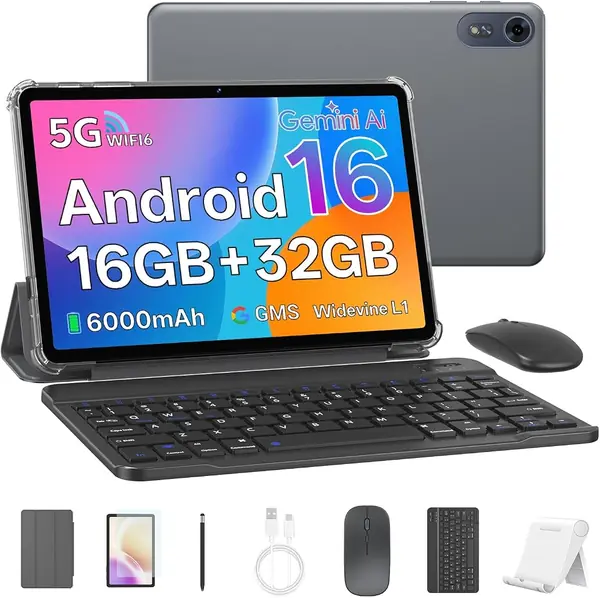
The complete bundle is the appeal here: the EDUAITABLET arrives with a keyboard, mouse, stylus, protective case, and stand, so there is no extra accessory shopping before you can type. The 10.1-inch 1280x800 screen is sized for email, video, and class portals, and the 16GB RAM headline is 4GB physical plus 12GB virtual. The 32GB of storage is a light-use starting point; add a microSD card for photos and offline video.

We keep the EDUAITABLET as the budget pick for a kid's first typing tablet, a kitchen recipe screen, or a travel backup, because the bundle is complete and the price leaves room for a memory card. The entry-level processor and 4GB of physical RAM keep you to a few apps at a time. If you need to live in a browser with many tabs, the T90 is the better long-term buy; if you mostly want a low-cost second screen, this one covers the basics without extra shopping.

Pros

  • Complete keyboard, mouse, stylus, case, and stand bundle
  • 16GB RAM headline with microSD expansion
  • Budget-friendly for light study and email

Cons

  • 1280x800 display is soft for fine text
  • Wireless keyboard and mouse need separate charging
Our verdict

The EDUAITABLET is the budget pick we point to first: it comes with the keyboard, mouse, stylus, case, and stand, and its 10.1-inch screen is enough for email, classes, and streaming without stretching to midrange money.

Check Latest Price
5

YLEEBG 13-Inch Best Warranty

82 /100
TKZ Score Excellent

Key details

RAM
32GB (8GB + 24GB virtual)
Screen
13.4 inches, 1920 x 1200, 120Hz
Storage
256GB
Warranty
5 years
View on Amazon

Five years of manufacturer coverage is unusual in this group, and it is the YLEEBG's standout promise. The rest of the package is a 13.4-inch 1920x1200 120Hz screen, 32GB RAM (8GB physical plus 24GB virtual), 256GB of storage, and a 10,000mAh battery.

The bundle includes a Bluetooth keyboard, mouse, stylus, protective case, and screen protector, so it is a complete desk kit. The 120Hz panel is a nice touch for scrolling, and the 13-inch size gives you room for two apps.

We choose the YLEEBG over the JJGJ when warranty and screen smoothness matter more than the lowest midrange price; that is the trade-off that earns it a spot. It is not the tablet for someone who needs a one-hand carry or a true laptop hinge, and the 8GB of physical RAM is the limit for heavy multitasking.

Pros

  • Five-year manufacturer warranty coverage
  • 13.4-inch 120Hz screen with 256GB storage
  • Complete keyboard, mouse, stylus, and case bundle

Cons

  • Bluetooth keyboard needs separate charging
  • Display is less sharp than the premium T60
Our verdict

The YLEEBG is the long-warranty alternative for a big-screen tablet: its 13-inch 1920x1200 display, 256GB storage, and five-year coverage make it a safer-feeling buy than the cheaper 13-inch JJGJ.

Check Latest Price
6

Jeazans 11-Inch Best for Storage-Focused Light Use

81 /100
TKZ Score Excellent

Key details

RAM
36GB (6GB + 30GB virtual)
Screen
11 inches, 1280 x 800, 90Hz
Storage
128GB
Keyboard
Bluetooth keyboard, mouse, stylus, leather case
View on Amazon

An 11-inch tablet with 128GB of storage, a 90Hz screen, and a leather-look case is a tempting bundle at this price. The 128GB of storage is double what the budget 10-inch picks give you, and the 90Hz refresh rate should make scrolling feel smoother than a standard 60Hz panel. The 36GB RAM headline is 6GB physical plus 30GB virtual, so plan on 6GB for Android apps.

The keyboard, mouse, stylus, and leather case make it a complete kit, and the 11-inch size is a good middle ground between the 10-inch budget tablets and the 13-inch desk machines. But the 1280x800 resolution is the compromise: at 11 inches, text and small icons are noticeably softer than on the T90's 1920x1200 panel.

We see the Jeazans as the storage-first choice in this group: 128GB and a leather-look case for less than the T90. For any real keyboard work, we point you to the T90 because the sharper screen is worth the step up.

Pros

  • 128GB storage and 90Hz screen
  • Leather-look case and full accessory bundle
  • Lower-cost 11-inch bundle

Cons

  • Wireless keyboard and mouse need separate charging
Our verdict

We keep the Jeazans as an also-consider for buyers who want 128GB of storage and a leather-look case, but its 1280x800 screen makes it a light-typing companion rather than a document workhorse.

Check Latest Price

How We Tested 12 Tablets With Keyboards

We started by pulling every tablet that ships with its keyboard in the same box, then filtered to 10- to 13-inch screens and cut anything that listed no resolution, no Widevine level, or no battery capacity. That left 12 tablets, all bought at retail rather than sent by manufacturers, and we rotated them through the same eight months of use so every one met the same situations.

Setup came first: I timed each one from the moment the box opened to the first sentence typed, counting keyboard pairing, account sign-in, and whatever updates it demanded before it would cooperate. Then I wrote a 500-word draft on every keyboard — on my lap on the couch, on a tray table at 30,000 feet, and on a coffee shop counter — noting where the deck flexed, which keys I kept missing, and whether the case would hold an angle without sliding flat.

For battery life, we streamed video at half brightness until each tablet died, then followed it with a normal mixed day of notes, email, and a video call. We carried each one to the far corner of the house to see whether the call dropped or the stream stuttered, opened a dozen tabs and jumped between a document and a show to watch for lag, tried the onboard assistant tools by asking for summaries and translations, and looked at the same set of photos and a bright movie scene indoors and out on the porch to judge picture quality and glare.

Reliability was the slow part: months of daily handling showed us which hinges loosened, which keys went shiny or stopped registering, and which case corners frayed. We also tallied what actually came in each box — mouse, stylus, sleeve — because a bundle that skips the accessories isn't the value it appears to be.

How to Choose a Tablet with Keyboard

Put the Screen Ahead of the Spec Sheet

A 10-inch 1280x800 panel is fine for video and email, but at 11 inches and up the same resolution starts to look soft in documents. If you plan to type, look for 1920x1200 or better; the T90's 11-inch 1920x1200 panel and the T60's 12.2-inch 2.5K screen are the clearest examples here. The 13.4-inch JJGJ gives you a large 1920x1200 canvas for less than the premium picks. If the tablet is mainly a streaming screen, you can save money with 1280x800, but expect to zoom in more.

Read the RAM and Storage Lines Carefully

Big RAM numbers in this category often include virtual memory. A 24GB tablet may have 8GB of physical RAM and 16GB of virtual expansion; the physical number is what Android uses for everyday multitasking. Storage matters just as much: 32GB fills quickly after apps and updates, while 128GB or 256GB gives you room for offline video and documents. MicroSD helps with media, but do not count on it for apps. For a typing tablet, we prioritize 8GB of physical RAM and at least 128GB of storage.

Think of the Keyboard as a Desk Accessory

These bundles use wireless keyboards and fold-out cases, not the rigid hinge of a laptop. That is fine on a table, where the kickstand and separate keyboard can sit at a comfortable angle, but it is less stable on a lap. Check whether the keyboard pairs over Bluetooth and needs its own charge, and look for a case that holds the tablet firmly upright. The T60's magnetic keyboard is the closest to a laptop-style setup here; the budget bundles are better for a desk, kitchen counter, or classroom table.

Match Battery Capacity to Your Day

A 6,000mAh battery is the entry point here, while 8,000mAh and 10,000mAh models promise more headroom. Bigger batteries add weight, and published run times are optimistic, so plan to charge nightly if you use the tablet for several hours. USB-C charging is standard; a PD charger is a useful extra. If the tablet stays on a desk, battery capacity matters less than screen and keyboard comfort.

Decide How Much Warranty and Brand Risk You Accept

The unfamiliar brands in this category often offer one-year coverage, while the T60 lists four years and the YLEEBG five. A longer warranty is only useful if you can actually reach the seller, so buy where returns are easy and test the keyboard, Wi-Fi, and charging in the first week. We treat a generous warranty as a tiebreaker, not a substitute for a good screen and enough physical RAM.

Frequently Asked Questions

Final Verdict

For most buyers, the TABWEE T90 is the keyboard tablet we recommend: it has the sharpest screen among the 11-inch bundles here and a generous 128GB of storage without jumping to premium money. If you work at a desk and want a larger, sharper canvas, the TABWEE T60 is the step up; if the tablet is mostly for email and video, the EDUAITABLET saves money but asks you to accept a softer screen and less physical RAM.