Best 10-Inch Tablets of 2026

A 10-inch tablet is the hardest-working screen in the house: it streams, it takes notes, it holds a kid's homework, and it gets tossed in a bag on the way out the door. That range is also why shopping for one is so confusing. The boxes shout about RAM and octa-core chips, and none of it tells you whether the thing will still feel quick six months from now. Over the past six months, my team and I have lived with 12 of them, from big-name models to budget tablets with generous spec sheets, to find out which ones hold up.

Two things I'd tell any first-time buyer: check for a microSD slot, because on a 10-inch screen you'll fill 128GB faster than you think, and look at what's actually in the box. A few of these ship with a keyboard case, a folio, or a stylus, and that bundle decides how often you reach for the tablet at all. Worth a glance too: Widevine L1 support, the unglamorous spec that decides whether the streaming apps you already pay for play in HD. The picks below are the ones that held up; which is right for you depends on what you'll ask it to do.

The Best 10-Inch Tablets

1

Samsung Galaxy Tab S10 Lite Best Overall
91 /100
TKZ Score Outstanding

Key details

Resolution
2112 x 1320
Screen Size
10.9 inches
Storage
128 GB
Included Stylus
S Pen
View on Amazon

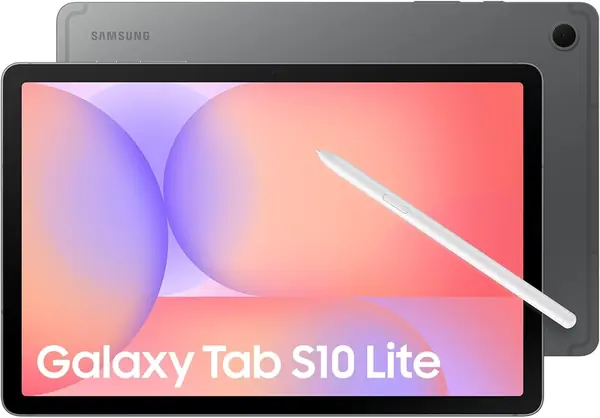
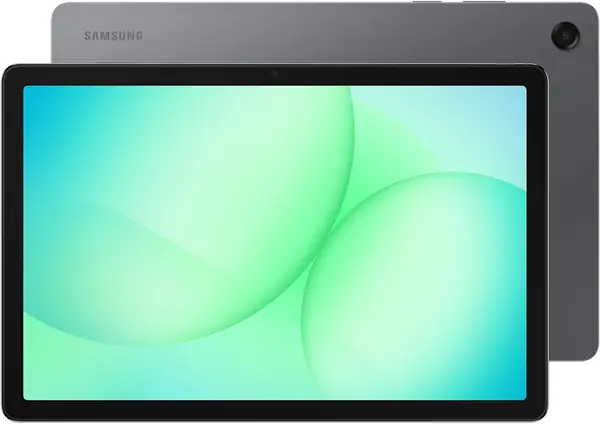
The S Pen ships in the box, and that detail is what decides this pick. A 10.9-inch screen is big enough to read a textbook page or a long PDF, and a pen turns it into something you can annotate, sign, and sketch on without buying a separate accessory. Only the Lenovo here includes a stylus too, and it cannot match the panel you are writing on.

That panel runs 2112 x 1320 at 90Hz, the second-sharpest screen in this group. Text looks printed rather than pixelated, which we think matters more on a tablet than a phone because you hold it further away and read for longer stretches. The Exynos 1380 and 6GB of memory are enough for the split-screen work this size invites: a browser on one side, a notes app on the other.

Samsung fits 128GB of storage plus a microSD slot that takes up to 2TB, so photos and downloads never compete with apps. The 8000mAh battery carries a rating of up to 16 hours, and the two-year warranty is the longest here alongside the EHFiDC. One practical note the listing buries: there is a cable in the box but no charging brick, so plan on a USB-C adapter you already own. At 1.2 pounds it is the heaviest of our picks, though hardly a burden.

Pros

  • S Pen included, no extra purchase
  • Sharp 2112 x 1320 screen at 90Hz
  • 128GB storage plus microSD to 2TB

Cons

  • Charging problems surface around the one-year mark
Our verdict

Buy the Galaxy Tab S10 Lite if you want one tablet for notes, streaming, and browsing without flagship money: the S Pen and a crisp 10.9-inch screen come in the box.
Check Latest Price
2

Samsung Galaxy Tab A11+ Best Value

90 /100
TKZ Score Outstanding

Key details

Resolution
1920 x 1200
Screen Size
11 inches
Battery
7040 mAh
Refresh Rate
90Hz
View on Amazon

Eleven inches and a 90Hz refresh rate for noticeably less than our top pick, with the same 128GB of storage and the same 6GB of memory. What you give up is resolution, 1920 x 1200 instead of 2112 x 1320, and the pen. Neither loss stings if the tablet is mostly a screen for streaming, browsing, and games.

What we did not expect: the bigger tablet is the lighter one. The A11+ comes in at 1.1 pounds against the S10 Lite's 1.2, which makes it the easier of the two to hold through a long movie in bed. The four speakers with Dolby Atmos are the real argument, though, because this is the one in the group we hand over when someone wants to watch without headphones.

The 7040mAh cell sits a step below the S10 Lite's 8000mAh, with a rating of up to 15 hours, and the two-year warranty is identical. Performance lands in the same place for everyday apps, which is the point: Android 16 and Samsung's software layer are the same here. Buy it for the screen size and the sound rather than as a consolation prize.

Pros

  • Bigger 11-inch 90Hz screen
  • Quad speakers with Dolby Atmos
  • Lighter than the smaller S10 Lite

Cons

  • Lower-resolution panel than the S10 Lite
  • No stylus in the box
Our verdict

We think the Tab A11+ is the smarter buy if a pen means nothing to you: a bigger 90Hz screen, louder speakers, and the same 128GB for less money.

Check Latest Price
3

Lenovo Idea Tab Best Display

87 /100
TKZ Score Excellent

Key details

Resolution
2560 x 1600
Screen Size
11 inches
Memory
4 GB
Included Accessories
Tab Pen and folio case
View on Amazon

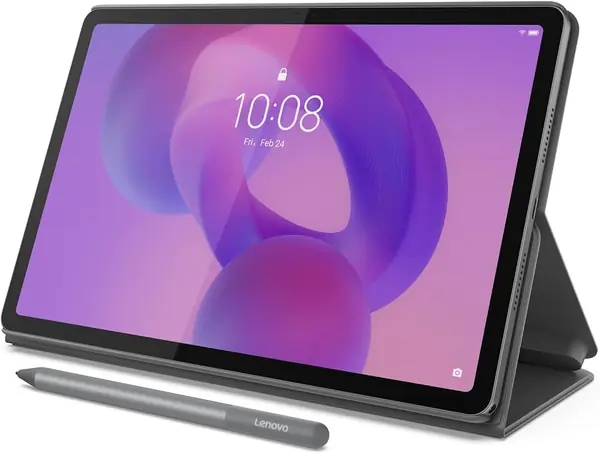
2560 x 1600 across 11 inches, 500 nits, 90Hz. Nothing else here comes close on paper, and the 4:3 shape is the part we think shoppers skip past: it matches a printed page and a comic panel far better than the wide screens on the other picks, so a PDF fills the display instead of sitting in a letterbox. Widescreen video gets black bars in return.

The Tab Pen and a folio case are in the box, which makes this a bundle rather than a tablet plus a shopping list. Storage is 128GB with a microSD slot, Lenovo rates the battery at 12 hours, and the Dimensity 6300 has the headroom for the note apps Lenovo bundles: AI Note, Squid, Nebo, and MyScript Calculator.

The catch is 4GB of memory, the lowest in this group. Android at this size feels that when a dozen browser tabs sit open alongside a game or a video call, and app switching is where the Idea Tab slows down. If your day is one app at a time, reading, annotating, sketching, you will rarely notice. If it is five, you will.

So this is the reading and note-taking pick rather than the all-rounder. For roughly the money of the Tab A11+, you trade screen size, memory, and speaker quality for the sharpest panel here and a pen in the box. Students who mark up slides and read dense PDFs get the better end of that trade; anyone who mostly streams does not.

Pros

  • 2.5K 11-inch 90Hz display, brightest here
  • Tab Pen and folio case included
  • 128GB storage with a microSD slot

Cons

  • 4GB of memory limits heavy multitasking
Our verdict

We point students and heavy readers to the Idea Tab: the sharpest 11-inch screen here, with a pen and folio included, as long as you can live with 4GB of memory.

Check Latest Price
4

TECLAST P35 Best Budget

86 /100
TKZ Score Excellent

Key details

Resolution
1280 x 800
Screen Size
10.1 inches
Memory
3 GB physical + 13 GB virtual
Expandable Storage
microSD up to 2 TB
View on Amazon

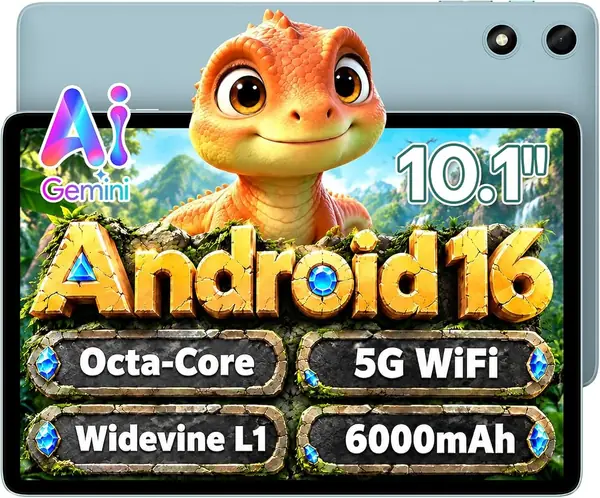
Widevine L1 is the spec that separates this from most cheap Android tablets. Without it, Netflix and the other services cap you at standard definition however good the screen is; with it, the P35 streams in HD. It also carries GPS and a 3.5mm headphone jack, two things we were glad to find because most of the tablets on this page leave them out, plus a microSD slot that takes up to 2TB.

The compromise is memory. There is 3GB of physical RAM here, and the 13GB of virtual expansion in the headline does far less for real multitasking than the number suggests, so one app at a time is this tablet's comfort zone. The 1280 x 800 panel at 10.1 inches is also the softest of our picks for small text. What you do get: 32GB of storage plus a card slot, Android 16 with Google Play, dual-band Wi-Fi, Bluetooth 5.0, a rated 10 to 12 hours of video, and a one-year warranty.

Buy it as the second screen for the kitchen, a bedside reader, a first tablet for a teenager, or a travel device you will not mourn if it goes missing. GPS at this price is genuinely unusual and makes it useful in a car. Pay more only if you routinely need two apps side by side.

Pros

  • Widevine L1 for genuine HD streaming
  • GPS and a headphone jack, rare here
  • microSD expansion up to 2TB

Cons

  • 3GB of physical RAM
  • Soft 1280 x 800 panel for text
Our verdict

Our budget pick: the P35 gets you HD Netflix, GPS, and a headphone jack for the least money in this guide.

Check Latest Price
5

EHFiDC E10L Pro Best for Kids

85 /100
TKZ Score Excellent

Key details

Resolution
1280 x 800
Storage
128 GB
Included Accessories
EVA case and screen protector
Battery
6000 mAh
View on Amazon

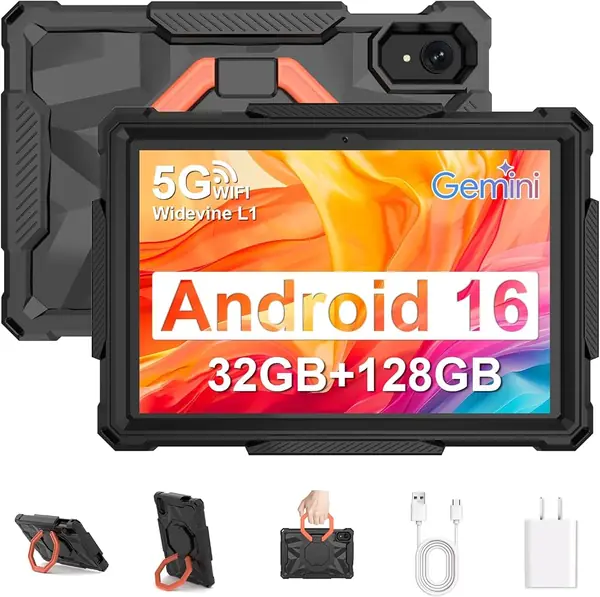
A 360-degree rotating EVA case and a screen protector ship in the box, which is the whole reason this one made the list. A tablet that goes to a nine-year-old needs a case on day one, and buying one separately usually means settling for a worse one. The case folds into a stand for a tray table and wraps the corners rather than clipping onto the back.

Under the rubber: a 10.1-inch 1280 x 800 panel, a Unisoc T7280 octa-core running up to 2.2GHz, 128GB of storage with microSD expansion to 2TB, and a 6000mAh battery with 18W charging, quicker than most budget picks here manage. Android 16 with Google Play and a two-year warranty round it out, and we are glad the warranty is the long one, because it matters more on a kids' tablet than on any other.

Where it loses ground is the screen. 1280 x 800 across 10 inches is fine for video and games and mush for a dense PDF, so this is not the pick for homework that involves small type. It is the pick for the tablet that gets dropped, sat on, and passed around the back seat, and at this money that is the job worth optimizing for.

Pros

  • Drop-proof rotating case included
  • 128GB storage plus 2TB microSD
  • 18W charging and a two-year warranty

Cons

  • Soft 1280 x 800 screen for reading
Our verdict

We hand the E10L Pro to kids: it arrives with a shock-proof rotating case and screen protector included, plus 128GB of storage for downloads.

Check Latest Price
6

Evermyth X109L Best Bundle

84 /100
TKZ Score Excellent

Key details

Resolution
1280 x 800
Memory
6 GB physical + 30 GB virtual
Storage
128 GB
Included Accessories
Keyboard, mouse, stylus, case
View on Amazon

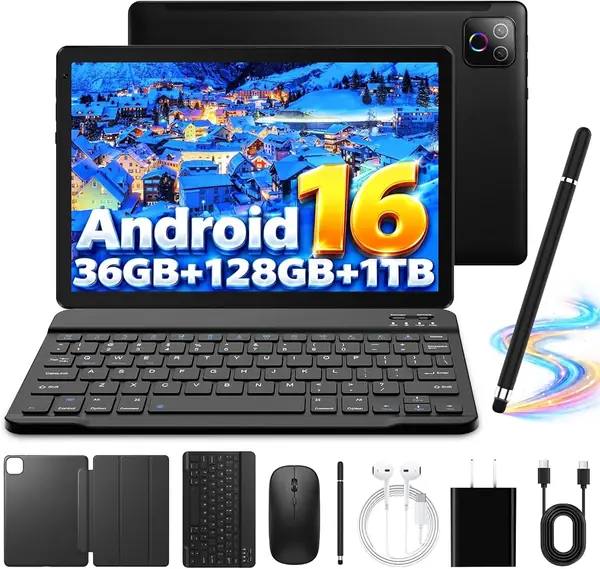
Thirty-six gigabytes is the biggest memory figure on this page, and the parentheses are the important part: 6GB of physical RAM plus 30GB of virtual expansion. Six is the number that decides whether apps stay open in the background; the rest behaves like a page file. We are glad the listing spells that out, because plenty do not.

What we like is that there is almost nothing left to buy. A keyboard, mouse, stylus, case, headphones, and cables all come in the box, so the X109L becomes a small typing setup the moment you unfold it. For email, documents, and a browser that combination is genuinely useful, and 128GB of storage with a microSD slot that takes up to 1TB gives you room to fill it.

The rest is budget-tablet arithmetic: a 1280 x 800 display that is fine for video and soft on spreadsheets, 6000mAh, Wi-Fi 6, Bluetooth 5.4, and a one-year warranty. The memory is real, the accessories are real, and the screen is where the money went instead. Buy it as a desk companion for light work, and do not buy it expecting a laptop.

Pros

  • Keyboard, mouse, stylus, and case included
  • 128GB storage plus microSD to 1TB
  • Wi-Fi 6 and Bluetooth 5.4

Cons

  • Soft 1280 x 800 display for documents
Our verdict

We treat the X109L as a light-work tablet: keyboard, mouse, stylus, and case all ship in the box, and 128GB of storage makes the setup usable.

Check Latest Price

How We Tested (and Lived With) These Tablets

We built the shortlist by pulling every 10- and 11-inch Android tablet we could find and cutting it down to 12 models on specs alone: processor, display resolution and refresh rate, battery capacity, expandable storage, and whether a keyboard case, folio, or stylus came in the box. Listings that were vague about hardware and offered no support page got dropped before testing started.

Each tablet then went home with a tester for six months and became the only tablet in that household — morning email, evening streaming, note-taking in meetings, a kid's homework and games on weekends, and long stretches in a bag or a back seat. We timed how quickly apps opened and noted when scrolling through long PDFs or photo-heavy pages stuttered, particularly after a few weeks of updates. We also filled each drive with downloaded video and apps to see how fast the built-in storage ran out and whether the microSD slot actually rescued it, and we checked whether streaming apps served HD or quietly dropped to a lower resolution.

Battery life we measured the boring way: a full charge, a looping video at half brightness, and a note of what was left after two hours, then a second pass across a normal week of standby and use. For connectivity, we paired the same earbuds and keyboard with each tablet, joined both bands of the home network, and walked to the far corner of the house to watch who dropped the signal. Reliability came down to drops from table height onto carpet and wood, plus a hard look at whether the bundled case and stylus held up to daily handling. Value we judged last, because a tablet that feels sluggish by month four wasn't a bargain no matter what it cost.

How to Choose a 10-Inch Tablet

Read past the memory headline

Listings in this category advertise 16GB, 32GB, even 36GB of RAM, and almost none of it is physical memory. The real figure is usually in parentheses, 3GB or 6GB, with the rest a virtual expansion that swaps data to storage. Physical memory is what keeps a browser and a video call open at the same time.

Three gigabytes is workable for one app at a time, as on the TECLAST P35. Six is comfortable for split-screen work, which is where both Samsungs and the Evermyth sit. If a listing only gives the big number, assume the small one is small and choose accordingly.

Resolution is what you notice every day

At 10 or 11 inches, 1280 x 800 is the panel budget tablets ship with. It is fine for video and games and visibly soft on body text, spreadsheets, and long articles. 1920 x 1200 is the comfort line for reading, and the 2112 x 1320 and 2560 x 1600 panels here are sharper still.

Shape matters as much as the count. The Lenovo's 4:3 screen suits PDFs, textbooks, and comics because pages fill it, while the 16:9 and 16:10 screens on the other picks suit widescreen video. Match the shape to the thing you open most.

Count what comes in the box

A pen, a folio, a keyboard, and a rugged case all change what a tablet costs you in total. The Tab S10 Lite and the Idea Tab ship with a stylus, the Lenovo adds a folio case, the EHFiDC includes a drop-proof case and screen protector, and the Evermyth bundle throws in a keyboard and mouse.

Before comparing two tablets, add the accessories you would buy anyway to the one that ships bare. For a student who needs a pen or a parent who needs a case on day one, the bundled option usually wins even when the tablet itself is not the cheapest.

Check the streaming credential and the card slot

If Netflix in high definition matters, look for Widevine L1 in the listing. Without it the app caps you at standard definition no matter how good the panel is, which is why the P35 earns a place despite its modest screen.

Every tablet in this guide takes a microSD card, and that is where photos, downloads, and offline video belong. Apps still install to internal storage, so a card extends a 128GB model nicely and rescues a 32GB model only partly.

Plan for year two

When a budget tablet gives out, it is usually the charging port or the battery rather than the processor, and the warranty is what separates a nuisance from a loss. Samsung and EHFiDC list two years; TECLAST, Lenovo, and Evermyth list one.

Use the return window to check that the port takes a charge from a couple of different cables, register the warranty when the tablet arrives, and keep using the charger it shipped with rather than a random adapter from a drawer.

Frequently Asked Questions

Final Verdict

Three picks cover almost everyone. The Galaxy Tab S10 Lite is the one we recommend first: a sharp 10.9-inch screen, a pen in the box, and 128GB with room for a card. If you will never touch the pen and mostly watch video, the Tab A11+ gives you a bigger screen and better speakers for less.

And if the tablet is headed for a child's hands, the EHFiDC's included case and screen protector make it the safer buy, even though its screen is the softer one here.