Best 11-Inch Tablets of 2026

An 11-inch tablet is the size where a device stops being a big phone. It's wide enough to read a full magazine page or run a video call and a notes app side by side, and small enough to slide into a tote without a second thought. What you're buying is the 80 percent of computing that doesn't need a keyboard: email, streaming, homework, recipes, and a fair amount of actual work.

I've kept one on my kitchen counter for two years — it's what I grab when opening a laptop feels like too much. Over the past six months, my team and I have lived with 12 different 11-inch tablets, from the biggest names to budget brands you've never heard of. What separated them was rarely the spec sheet; it was how each one behaved on day 40.

Here's what first-time buyers miss: Widevine L1 support is what lets streaming apps play in high definition, and it's buried at the bottom of the listing. Bundled cases and pens are the other wild card — some are genuinely useful, some fight you every time you open them. The picks below are the ones that held up.

The Best 11-Inch Tablets

1

Apple iPad 11-inch (A16) Best Overall
95 /100
TKZ Score Outstanding

Key details

Display
11-inch Liquid Retina
Storage
128GB
Chip
A16
Weight
1.05 lb
View on Amazon

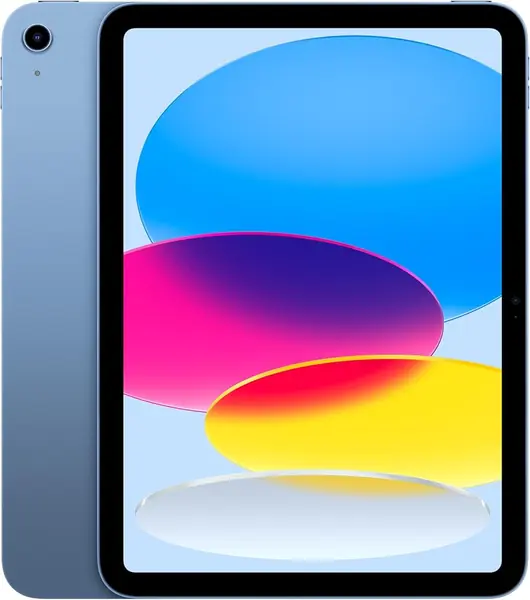
The iPad is the most expensive tablet on this page, and it is still the one we point almost anyone toward. The A16 chip keeps split-screen browsing, a video call, and a half-finished document running without the pauses that show up further down this list, and the 11-inch Liquid Retina panel is the one we reach for at night — True Tone warms the white point as the room dims, so a long read at midnight does not glare back at you.

At 1.05 pounds and a little over a quarter-inch thick, it disappears into a tote next to a notebook. The practical advantage is software: the apps you want for study or work are built for this screen rather than stretched phone layouts, and Scribble turns any text field into a handwriting box once a Pencil is paired. Charging is quick enough that a top-up before a flight is not a project.

What you pay for is headroom and support rather than generosity. The Pencil and a keyboard are extras, and if notes and PDFs are the whole job, the Lenovo Idea Tab bundles both a pen and a case for a lot less. The iPad earns its price when the tablet has to run everything well and keep running it. Set it up the day it arrives, too: a unit that freezes or stalls during setup is worth exchanging instead of troubleshooting.

Pros

  • Fast A16 chip with no visible slowdown
  • Sharp Liquid Retina display with True Tone
  • Light at 1.05 pounds for one-handed reading
  • Apps built for tablets, not stretched phones

Cons

  • Highest price in this group
  • 128GB with no memory card slot
Our verdict

We recommend the iPad to anyone who can stretch to the price: it is the fastest, smoothest 11-inch tablet here, and the safest bet for study and light work.
Check Latest Price
2

Lenovo Idea Tab Best for Students

91 /100
TKZ Score Outstanding

Key details

Display
11-inch 2.5K, 90Hz
Storage
256GB
Memory
8GB
In The Box
Tab Pen and folio case
View on Amazon

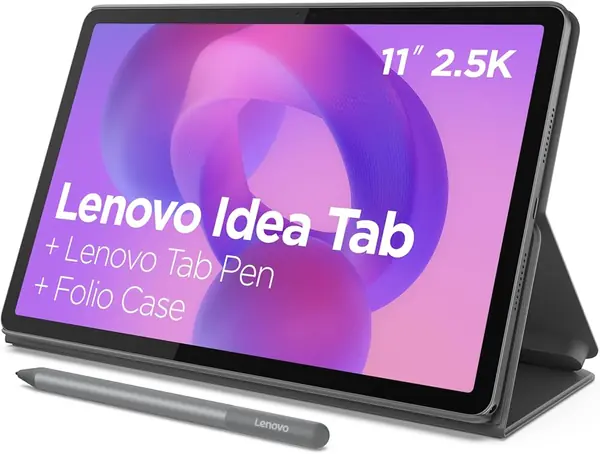
Open the Lenovo box and the Tab Pen and the folio case are already inside. For a student setup that is the whole appeal: the tablet, the thing you write with, and the thing that props it up arrive together, with no second order showing up two days later. The folio folds into a stand, and the four learning apps Lenovo includes — Lenovo AI Note, Squid, Nebo, and MyScript Calculator — cover notes, sketches, and math without a subscription.

The 11-inch 2.5K screen is the sharpest display in this group, and the 90Hz refresh is what we noticed first: a long PDF scrolls smoothly instead of smearing, and 2560 x 1600 keeps text crisp at half brightness. The Dimensity 6300 and 8GB of memory handle split-screen notes with a video in the corner without complaint. The microSD tray is there, but card support is the one item worth verifying before you count on it; 256GB onboard covers most people anyway.

Two things to plan around. There is a charging cable in the box but no wall adapter, so put a USB-C charger on the list. And Wi-Fi 6 is on board, but a tablet that keeps dropping its connection is worth exchanging inside the return window rather than living with. Neither is a dealbreaker, and both are cheaper to discover in week one than in week six.

Pros

  • 2.5K 90Hz display, sharpest in this group
  • Tab Pen and folio case included
  • 8GB of memory and 256GB of storage

Cons

  • No wall charger in the box
  • Wi-Fi dropouts show up on some units
Our verdict

For anyone who wants to write on the screen, we hand over the Idea Tab: the pen, the case, and a 2.5K display arrive together for a midrange price.

Check Latest Price
3

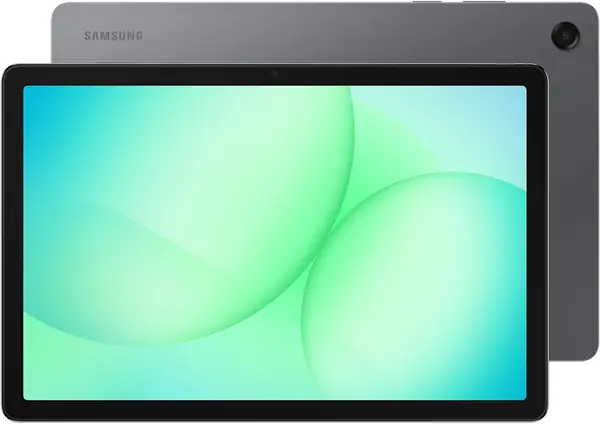
Samsung Galaxy Tab A11+ Best Value

90 /100
TKZ Score Outstanding

Key details

Display
11-inch, 1920 x 1200, 90Hz
Storage
128GB
Memory
6GB
Battery
7040 mAh
View on Amazon

The Galaxy Tab A11+ is the household tablet of this group, and that is why we keep recommending it: an 11-inch 1920 x 1200 screen at 90Hz, four speakers with Dolby Atmos, straightforward Android 16, and a two-year manufacturer warranty, for around half what the iPad costs. It is the one we hand to a kid or a grandparent without a tutorial — text scales up, the interface is ordinary Android, and nothing needs explaining twice.

Day to day, the MediaTek octa-core and 6GB of memory cover streaming, a browser with a few tabs open, and a video call at the same time. Heavy split-screen work is where it thins out, and that is the honest limit of the chip rather than a flaw in the screen. Storage is 128GB with a microSD slot behind it, which matters more here than on the iPad because it is how you keep a downloaded library from filling the thing up.

Samsung's 15-hour battery figure is a best case, not a promise — a bright screen and a long movie will eat into it. What we appreciate is that nothing feels like a corner was cut for the price: the frame is slim enough to hold one-handed, the speakers are genuinely usable for a film, and the warranty runs twice as long as most of this group's.

Pros

  • 11-inch 90Hz screen and quad Dolby Atmos speakers
  • Two-year manufacturer warranty
  • microSD slot for a downloaded library
  • Android 16 with a familiar interface

Cons

  • Charging can stall partway through a charge
  • Panel trails the Lenovo's 2.5K resolution
Our verdict

If the tablet lives on the couch and gets passed around, this is the one we point to: a big 90Hz screen, four speakers, and a two-year warranty at the value end.

Check Latest Price
4

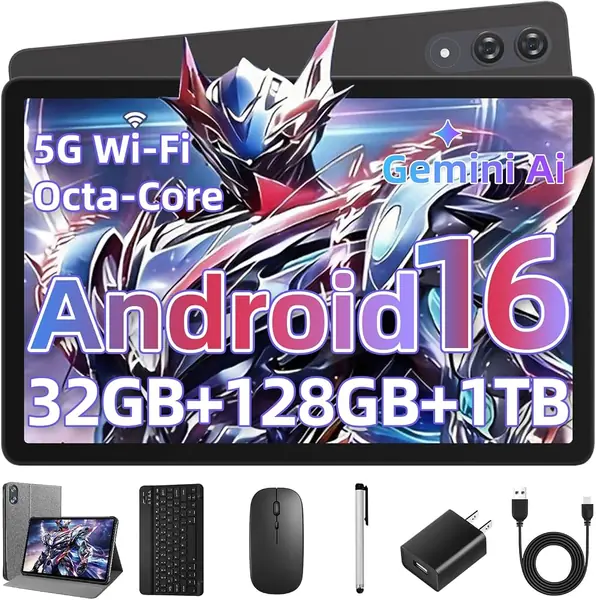
UBDXBD 11-Inch Tablet with Keyboard Budget Keyboard Setup

87 /100
TKZ Score Excellent

Key details

Display
11-inch, 1920 x 1200, 90Hz
Storage
128GB
Memory
8GB plus 24GB virtual
Battery
8000 mAh
View on Amazon

A 1920 x 1200 IPS panel at 90Hz is not what we expect from the budget end of this list, and it is the first thing that stands out. Text is clean, video looks like video rather than a smear, and Widevine L1 means Netflix and Prime stream in HD instead of dropping to a low-resolution tier, which is not a given on tablets at this price. At 300 nits it is an indoor screen; a sunny patio will wash it out.

The bundle carries the rest of the pitch: a Bluetooth keyboard, a wireless mouse, a leather case, and a charger in the box. Set up as a small laptop, it holds a document and a browser window at once. The 32GB memory headline is 8GB of physical memory plus 24GB of virtual memory, which is storage doing an impression of RAM; treat it as an 8GB tablet and it behaves predictably. The Unisoc T615 is a light-duty chip and feels like one once several apps are open.

What we like most is where the savings landed — the screen and the accessories rather than the battery, an 8000 mAh cell that is larger than the Galaxy Tab A11+'s. This is a newer name with a shorter history behind it than Samsung or Lenovo, so open it, pair the keyboard, and run your usual apps inside the return window rather than after it closes.

Pros

  • 1920 x 1200, 90Hz display at a budget price
  • Keyboard, mouse, case, and charger included
  • Widevine L1 for HD streaming
  • 8000 mAh battery, larger than the Samsung's

Cons

  • 32GB memory headline is really 8GB
  • Modest T615 chip for heavy multitasking
Our verdict

We like this bundle for a homework station or a travel keyboard setup: everything you need arrives in the box, and the screen is far better than the price suggests.

Check Latest Price
5

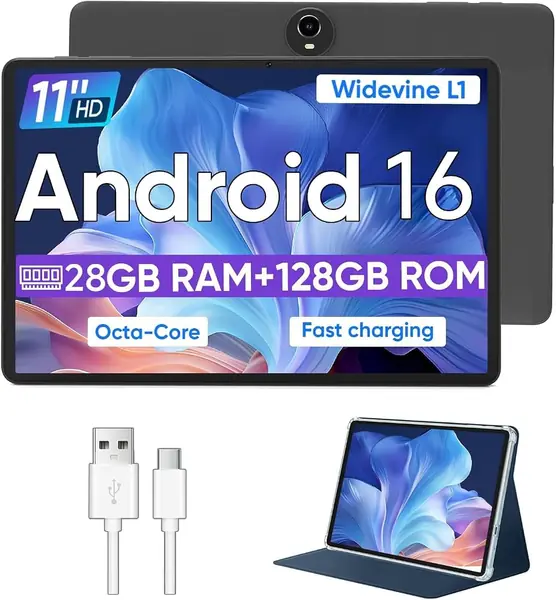
WXUNJA 11-Inch Android 16 Tablet Best for Kids and Dashboards

82 /100
TKZ Score Excellent

Key details

Display
11-inch, 1280 x 800
Storage
128GB
Memory
4GB plus 24GB virtual
Battery
8000 mAh
View on Amazon

The 1280 x 800 screen is the first thing you notice and the last thing you stop noticing. Stretched across 11 inches, it leaves text soft at the edges and small interface labels fuzzy enough to need a second look — fine for a video at arm's length, and the wrong panel for reading or note-taking.

What it does have is a price nothing else here touches, and more hardware than that price suggests: an 8000 mAh battery, 128GB expandable by microSD, a 3.5mm headphone jack, GPS, and a case in the box. The 28GB memory figure is 4GB of physical RAM plus 24GB of virtual memory, so plan on 4GB — enough for one app at a time and not for split-screen work. We treat the Unisoc T606 as a light-duty chip: it streams, it browses, it does not multitask.

Where it earns its place is in the jobs nobody wants to spend much on: a kid's first tablet, a wall-mounted dashboard, a bedside streaming screen. Test the Wi-Fi in the first few days, because a connection that drops and needs reconnecting is the thing to catch while the return window is still open.

Pros

  • Cheapest 11-inch tablet in this group
  • 8000 mAh battery and microSD expansion
  • Case, headphone jack, and GPS included

Cons

  • 1280 x 800 panel is the softest here
  • 4GB of physical memory limits split-screen use
Our verdict

We keep this one on the list for the jobs where a cheap, tough 11-inch screen makes sense: a kid's first tablet or a kitchen dashboard, not a study machine.

Check Latest Price

How We Chose and Tested the Best 11-Inch Tablets

We started by pulling every 11-inch model we could find, the major brands and the smaller names that undercut them, and ranked them by price, storage, and warranty length. Anything that didn't state a software update commitment got set aside. That left 12 tablets, which we bought at retail so nobody could send us a hand-tuned unit.

Those 12 moved between our desks, kitchen counters, and couch cushions for six months. They came on commutes, propped up for recipes, got handed to kids for homework, and flew carry-on. We kept notes on which ones we reached for and which stayed in a drawer.

Battery life got measured two ways: a video looped at fixed brightness until the tablet died, plus a running log of real screen-on time. For performance, we kept a dozen browser tabs open, ran a video call alongside a notes app in split screen, and timed app launches on day one and again in month five. Screen quality we judged by reading outdoors at noon and watching dark scenes after the lights went out. Wi-Fi we tested by walking to the far corner of the house and out to the backyard, streaming while a laptop pulled down a large file.

Reliability showed up in small things: whether a tablet woke from sleep on the first press, whether apps crashed when we jumped between them, and whether Bluetooth headphones and casting held their connection. We also counted what came in the box, whether the keyboard cases stayed attached after a month of opening and closing, whether storage could be expanded, and whether streaming apps actually played in high definition.

How to Choose an 11-Inch Tablet

Resolution separates them, not screen size

The diagonal is the one number every 11-inch tablet shares; the pixels behind it are where the differences sit. A 2560 x 1600 panel like the Lenovo Idea Tab's makes a PDF page look like paper, 1920 x 1200 is comfortable for streaming, browsing, and most reading, and 1280 x 800 stretched across 11 inches goes soft on text and small labels.

If you read or take notes, buy 1920 x 1200 or better. If the tablet is a kitchen video screen, the cheaper panel is a fair trade. A 90Hz refresh is the bonus you notice every time you scroll.

Read the memory spec twice

Budget listings add virtual memory to physical memory in the headline, so a tablet advertised at 28GB can be carrying 4GB of real RAM with 24GB borrowed from storage. Find the physical number before you compare anything else.

As a rule, 8GB handles split-screen apps comfortably, 6GB is fine for streaming plus a browser, and 4GB reloads apps whenever you switch back to them. Virtual memory is not nothing, but it does not multitask like real memory, and no processor makes up the difference.

Price the accessories into the decision

The pen and the keyboard are where a budget tablet stops being a bargain. The Lenovo Idea Tab ships with its Tab Pen and folio case, the UBDXBD bundle adds a keyboard, mouse, and case, and Apple's Pencil and keyboard are add-ons. Add up what you actually need before comparing the tablets themselves.

Then look for a wall adapter in the box list. The Idea Tab includes a charging cable but no charger, which is a small annoyance on day one and a real one on a trip.

Test it in the first month

Budget tablets rarely publish how long they will receive software updates, so warranty length and the return window are the real safety net: Samsung covers the Galaxy Tab A11+ for two years, while Lenovo and Apple list one.

Use the first weeks to run the battery down twice, confirm charging does not stall partway through, and try Wi-Fi in the room where the tablet will live. A fault found in week one is an exchange; the same fault in month five is a repair.

Frequently Asked Questions

Final Verdict

The iPad is the tablet we tell most people to buy. It is the fastest thing here, the screen holds up for reading and video, and the apps are built for it rather than adapted to it — the premium buys headroom you notice every time you open three things at once.

If a pen matters and Apple's price does not, the Lenovo Idea Tab is the better buy: a 2.5K screen, Tab Pen, and folio case in one box. And if the tablet is a shared screen for streaming, games, and homework, the Galaxy Tab A11+ covers that for about half the money.