Best 13-Inch Tablets of 2026

Thirteen inches is where a tablet stops being a big phone and starts standing in for a laptop. That's enough screen to keep a document and a browser side by side, and enough room to sketch a full page without pinching — though on the wrong model it's also enough weight to make you set it down after twenty minutes. What you're really buying at this size is a display you'll sit with for hours, plus the keyboard, stand, or pen that keeps it earning its spot on the couch.

I've used a 13-inch tablet as my around-the-house computer for a couple of years, and the gap between a great one and a mediocre one rarely shows up on a spec sheet. Two things matter more than most shoppers expect: whether the screen stays readable while you scroll, and whether the pen and keyboard come in the box or cost extra. We've spent the past six months with eight of them, from budget Android slates to premium models, and the differences were sharper than I expected.

The picks below are the ones we kept reaching for after the testing period ended — for note-taking, streaming, split-screen work, and the sheet music stand in the corner of my living room.

The Best 13-Inch Tablets

1

iPad Air 13-inch (M4) Best Overall
92 /100
TKZ Score Outstanding

Key details

Display
13-inch Liquid Retina
Storage
256GB
Weight
1.36 lb
Chip
Apple M4
View on Amazon

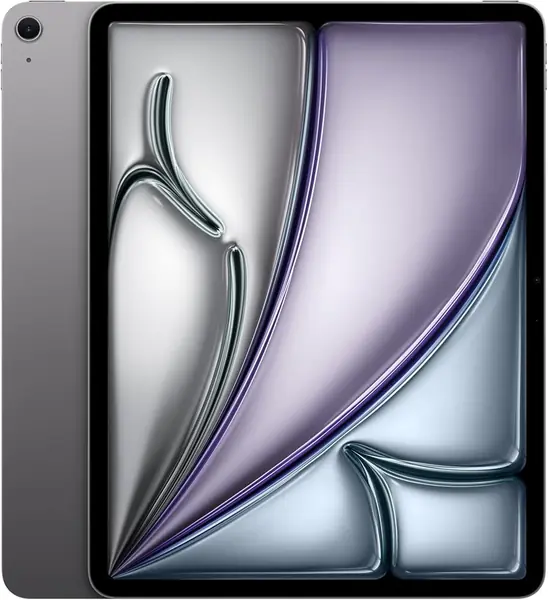
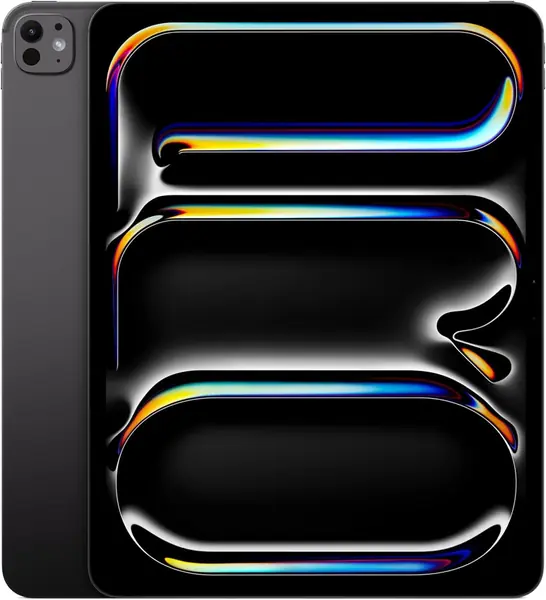
The 13-inch iPad Air is the tablet we reach for when an 11-inch screen feels cramped but a laptop is more than you need. The extra canvas changes the work: two apps sit side by side, a magazine page arrives without pinching, and video feels less like a phone. At 1.36 pounds it is light enough to move around the house, though this is still a two-hand tablet for long reading sessions.

The Liquid Retina display is bright, sharp, and comfortable for documents, and True Tone takes the edge off long reading sessions. The M4 chip is the bigger surprise in daily use: apps open quickly, split view stays smooth, and Apple Intelligence features do not make the tablet strain. We compared it with the iPad Pro, and the Air gives up the XDR panel and ProMotion, not the sense of speed.

Battery life held up through our mix of writing, streaming, and email, though heavy video calls will send you for the charger sooner. Touch ID is quick, Wi-Fi 7 is welcome, and iPadOS makes the larger screen feel useful rather than stretched. If your work depends on HDR grading or the fastest refresh, the Pro is the step up; for everyone else, the Air is the sensible landing point.

Pros

  • Large 13-inch canvas for split-screen apps
  • M4 speed in a 1.36-pound body
  • Bright Liquid Retina display with True Tone
  • All-day battery for mixed use

Cons

  • Premium price compared with Android 13-inch tablets
Our verdict

We recommend the iPad Air 13-inch as our best all-around pick for most people: the M4 chip and 13-inch canvas cover work and streaming without the Pro's price.
Check Latest Price
2

iPad Pro 13-inch (M5) Best for Creative Work

91 /100
TKZ Score Outstanding

Key details

Display
13-inch Ultra Retina XDR
Storage
256GB
Weight
1.28 lb
Chip
Apple M5
View on Amazon

The 13-inch iPad Pro is the tablet that makes a 13-inch screen feel like a professional monitor. The Ultra Retina XDR display brings the brightness and contrast that change photo editing and HDR video, and the 1.28-pound body is thin enough to slide into a bag without a second thought.

We think the M5 chip is the reason to choose this model. Apps launch instantly, large files open without drama, and the 12MP front camera, LiDAR scanner, and Face ID make it a more capable workstation than the Air. The catch is that most people never use this headroom; for email, streaming, and notes, the Air is the smarter buy.

Battery life depends on the workload. Writing and browsing stretched through a full day, while long video exports and bright-screen editing ate into it. The Pro is at its best on a desk with a keyboard and Pencil nearby, and it is overkill as a couch tablet. That is not a flaw so much as the boundary of who should buy it.

Pros

  • Ultra Retina XDR display with ProMotion
  • M5 chip for demanding creative apps
  • Thin 1.28-pound body with Face ID

Cons

  • Premium price compared with the iPad Air
Our verdict

We recommend the iPad Pro 13-inch for creative professionals who need the XDR display and M5 headroom; most casual buyers get better value from the Air.

Check Latest Price
3

Lenovo Idea Tab Pro Best Android for Students

90 /100
TKZ Score Outstanding

Key details

Display
12.7-inch 3K LCD
Storage
128GB
Weight
1.4 lb
Processor
MediaTek Dimensity 8300
View on Amazon

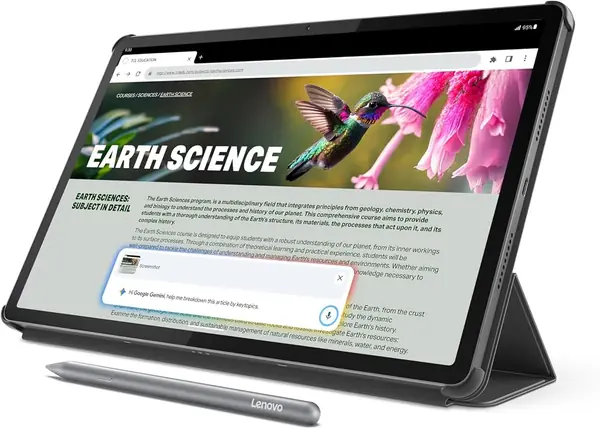
At 12.7 inches, the Lenovo Idea Tab Pro is a hair smaller than a true 13-inch tablet, but the 3K panel gives it the same desk-size feel. The 2944 x 1840 resolution is sharp enough for split-screen notes, PDFs, and sheet music, and the included folio case makes it feel like a package rather than a tablet plus a shopping list.

The Dimensity 8300 is the part that surprised us. Android apps open quickly, the 90Hz screen scrolls smoothly, and the quad JBL speakers are good enough for a lecture or a show without headphones. The 10,200mAh battery and 45W charging are welcome, though the 1.4-pound body is best rested on a desk for long note-taking sessions.

What sells it is the bundle and the software experience: the pen is included, the folio protects the screen, and Android handles multitasking better here than on the budget 13-inch clones. This is the Android pick for students, with one caveat: if you need a true 13-inch canvas or a 120Hz panel, look at the iPad Air or the 13.4-inch Android models instead.

Pros

  • Crisp 12.7-inch 3K display
  • Dimensity 8300 performance
  • Pen and folio case included
  • 45W charging and 10,200mAh battery

Cons

  • 128GB storage fills quickly
Our verdict

We recommend the Lenovo Idea Tab Pro to students and note-takers who want a sharp near-13-inch Android screen, an included pen, and strong performance without iPad pricing.

Check Latest Price
4

TECLAST T65 Best Budget with LTE

87 /100
TKZ Score Excellent

Key details

Display
13.4-inch 120Hz IPS
Storage
128GB
Battery
8,000mAh
Connectivity
4G LTE
View on Amazon

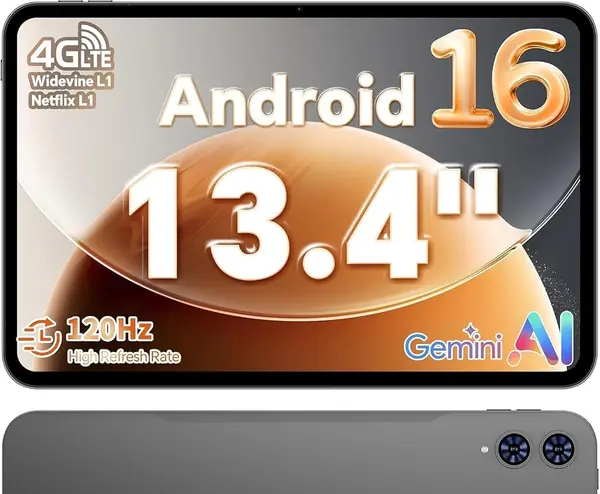
A 13.4-inch 120Hz screen, 4G LTE, GPS, and an 8,000mAh battery for budget-tablet money is the T65's pitch. The 720g body and 8.5mm chassis make it easier to carry than most 13-inch tablets, and the 3.5mm headphone jack is a small but welcome holdout.

The T65 earns its place as the budget LTE pick. The 1920 x 1200 IPS panel is bright enough for indoor streaming, the 120Hz refresh rate keeps scrolling smooth, and the T7280 octa-core chip handles Android apps and sheet music without the stutter we expected from this class. It is not a gaming tablet, but it is a very good media and study companion.

Android 16 with Google Mobile Services is familiar, and the microSD slot gives you room for downloaded movies and music. The T65 is at its best as a travel screen or a sheet-music reader; the big canvas is the point.

Pros

  • 13.4-inch 120Hz IPS screen
  • 4G LTE and GPS built in
  • Light 720g body with headphone jack

Cons

  • Battery life is inconsistent
  • No keyboard or stylus included
Our verdict

We recommend the TECLAST T65 as our budget 13-inch LTE pick for streaming, sheet music, and light work.

Check Latest Price
5

VekfulPC T60 Pro Best Android 2-In-1 Kit

86 /100
TKZ Score Excellent

Key details

Display
13.4-inch 120Hz IPS
Storage
256GB
Battery
10,000mAh
Warranty
4 years
View on Amazon

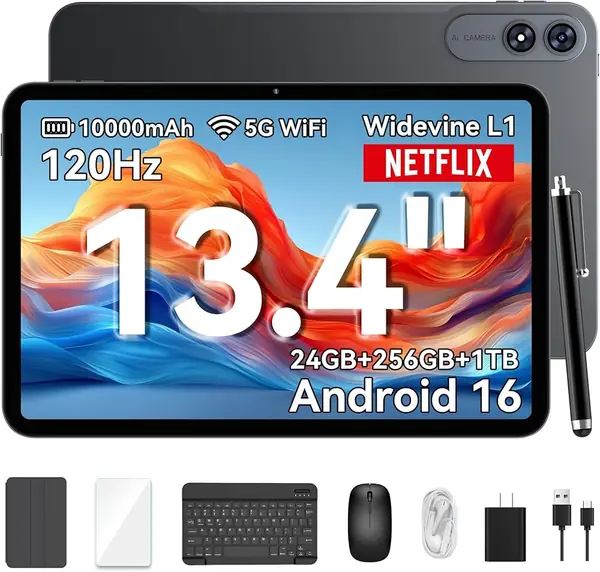
The VekfulPC T60 Pro arrives with the keyboard, mouse, stylus, case, screen protector, and even earphones, plus a four-year warranty. That completeness is why it earns a spot: you can take it out of the box, prop it up, and start typing without another order.

The 13.4-inch 120Hz screen is bright and smooth, and the T7280 octa-core chip with 8GB of physical RAM handles browsing, documents, and streaming without the sluggishness of the cheapest T615 tablets. The 256GB storage and 10,000mAh battery give it more headroom than the budget 13-inch crowd, and 18W charging is quicker than the bare-minimum chargers in some kits.

We like it best as a desk tablet for a small business, a student on a budget, or a household that wants one shared screen with a keyboard. It is not an iPad replacement for creative apps, and the T7280 chip is best for everyday work rather than demanding games. The four-year warranty makes the gamble easier to take.

Pros

  • Complete keyboard, mouse, stylus kit
  • 10,000mAh battery with 18W charging
  • Four-year warranty
  • 256GB storage

Cons

  • Heavy at 748 g for handheld use
Our verdict

We recommend the VekfulPC T60 Pro to shoppers who want a complete Android 2-in-1 kit and a long warranty rather than the fastest chip.

Check Latest Price
6

QDDQ 13.4-Inch 2-in-1 Best for Budget Home Use

81 /100
TKZ Score Excellent

Key details

Display
13.4-inch 120Hz IPS
Storage
256GB
Battery
10,000mAh
Included
Keyboard, mouse, stylus
View on Amazon

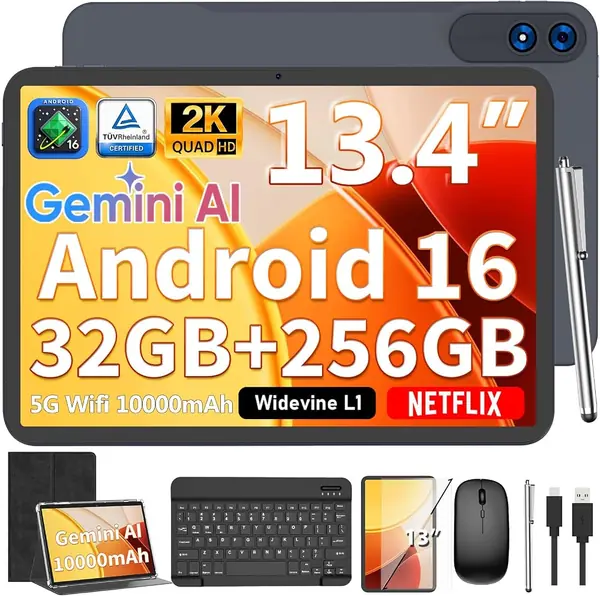
The QDDQ 13.4-inch 2-in-1 is the kitchen-table tablet that arrives ready to work: keyboard, mouse, stylus, case, and screen protector are in the box, along with a 10,000mAh battery. The 13.4-inch 1920 x 1200 screen at 120Hz is the headline, and it gives you a lot of canvas for the money.

The T615 octa-core chip sets the ceiling. Streaming, email, split-screen browsing, and light document work are fine; heavy games and serious video editing are not. The 256GB storage is generous for the class, and the 120Hz panel makes scrolling feel smoother than the resolution alone suggests.

We think this is the right pick if you want a big secondary screen for the house, a travel keyboard kit, or a first tablet for a student who does not need iPad apps. The 10,000mAh battery and included accessories make it a useful package, and the 13.4-inch canvas is the reason to choose it over a smaller budget tablet.

Pros

  • 13.4-inch 120Hz screen
  • 10,000mAh battery
  • Keyboard, mouse, stylus, and case included
  • 256GB storage

Cons

  • Only 8GB physical RAM behind the 32GB claim
Our verdict

We recommend the QDDQ 13.4-inch 2-in-1 to budget shoppers who want a giant screen, keyboard, mouse, and stylus in one box.

Check Latest Price

How We Tested 13-Inch Tablets

We started by pulling every tablet in the 12.7- to 13.4-inch range from manufacturer spec pages and major retailers, then filtered for what's actually in stock, what ships with a keyboard or stylus in the box, and a price spread wide enough to be useful both to someone shopping on a budget and someone shopping at the top. That left eight units, which we used daily for six months.

They lived where tablets actually live: on the couch during evening streaming, propped on a kitchen counter for recipes and video calls, on a tray table through two flights, on a piano bench for sheet music, and in meetings for handwritten notes. We set each one up from the box ourselves and timed how long it took to clear setup and pair the accessories.

For speed and performance, we kept the same twenty browser tabs open, switched between four apps mid-task, exported a short video, and played a game for half an hour, noting stutter and heat. Screen size and quality were judged side by side: scrolling the same page at 60Hz and 120Hz, reading a PDF in split screen, and checking glare on a sunny patio. For quality, we held each tablet by one corner and pressed on the back to listen for creaks, and we weighed value by what actually shipped in the box.

Battery life was measured by streaming video at half brightness until each tablet died, then leaving it unplugged overnight to see how much charge it lost by morning. Bluetooth got tested the mundane way: we paired headphones, a speaker, and a keyboard, walked a room away, and counted how often each had to reconnect.

How to Choose a 13-Inch Tablet

Start with the size you can hold

Every tablet here is in the 13-inch class, but the range runs from 12.7 inches to 13.4 inches. That difference matters less than weight: the iPad Pro is 1.28 pounds, the iPad Air is 1.36 pounds, and the 13.4-inch Android models run around 720 to 748 grams, or about 1.6 pounds. We put weight first because a 13-inch screen is a two-hand or desk device for long sessions.

If you mostly read in bed, pick the lightest model you can afford and add a stand. If the tablet stays on a desk for split-screen work, the extra screen area is worth the weight.

Look at physical RAM, not the expanded number

Budget Android listings advertise 32GB or 36GB of RAM, but those figures combine physical memory with virtual memory. The QDDQ, for example, pairs 8GB of physical RAM with 24GB of virtual RAM. Virtual memory helps with app switching, but it does not make a T615 chip behave like an M4 or a Dimensity 8300.

We check the physical RAM figure and the processor model before comparing anything else. For everyday streaming and browsing, 8GB physical is workable. For heavier multitasking, choose the Lenovo Idea Tab Pro or an iPad.

Decide whether the bundle is the point

Several budget 13-inch tablets arrive with a keyboard, mouse, stylus, and case. That kit can turn a tablet into a light work machine for email, notes, and spreadsheets, and the VekfulPC T60 Pro is the most complete example here. The catch is that bundled peripherals are a convenience, not the reason to choose a tablet.

We like a bundle when you need occasional typing and do not want to shop for accessories. If typing is your main job, spend the budget on the tablet and software first, then add the keyboard you actually want.

Check battery and charging for your day

Battery capacity is not the same as endurance. The 10,000mAh Android models have an advantage on paper over the 8,000mAh TECLAST T65, but screen brightness, refresh rate, and the chip all change the result. Charging speed matters too: the Lenovo supports 45W charging, the VekfulPC 18W, and the iPad models rely on USB-C charging.

We look at how the tablet will leave the house. If it travels, favor a larger battery and a charger you already own. If it stays on the couch, all-day battery claims are easier to meet.

Pick the software before the spec sheet

iPadOS gives you the largest app library for tablet-optimized creative work, and the iPad Air and iPad Pro are the strongest choices here for drawing, editing, and note apps. Android gives you more flexibility on storage, file management, and LTE hardware at a lower price, but the app experience varies by device.

We start with the three apps you use most and confirm they work well on the platform. The Lenovo Idea Tab Pro is the most polished Android option in this group; the budget models are best for media, browsing, and light productivity.

Frequently Asked Questions

Final Verdict

For most people, the iPad Air 13-inch is the 13-inch tablet we recommend. It has the screen size that makes split view useful, the M4 speed to keep up with work and entertainment, and a 1.36-pound body that is still manageable. The iPad Pro is the better tool for creative professionals who need the XDR display and extra headroom, while the Lenovo Idea Tab Pro is the Android choice for students who want an included pen and a sharp 3K screen.

If your priority is a big screen and LTE for the least money, the TECLAST T65 is the budget pick. If you want a complete keyboard-and-stylus kit, the VekfulPC T60 Pro or QDDQ 13.4-inch 2-in-1 makes more sense than stretching for an iPad you will not use to its potential.