Best Android Tablets with a Stylus for Notes and Art

On an Android tablet, the stylus is either the whole point or an afterthought, and the product photos won't tell you which. A pen that trails your handwriting by a quarter second makes note-taking a chore; one that keeps up turns a mid-priced tablet into a notebook you never have to hunt for. Over the past six months, my team and I have lived with 12 Android tablets with styluses, and the difference showed up in the first five minutes of writing.

Screen size mattered less than I expected. What separated the picks was speed, battery life that survives a full day of classes or a long flight, and software that doesn't stutter three weeks in. Several of these also arrive with a keyboard, mouse, or folio case, which quietly changes the value math.

One thing worth knowing before you shop: storage is the spec sellers inflate and the one you can fix cheapest, since most of these take a microSD card. RAM and refresh rate you can't add later, so buy those up front. The picks below are the ones that held up to real note-taking, streaming, and the boring in-between stuff.

The Best Android Tablets with a Stylus for Notes and Art

1

Lenovo Idea Tab Best Overall
93 /100
TKZ Score Outstanding

Key details

Display
11 in 2560 x 1600, 90Hz
Storage
256 GB
Included Pen
Lenovo Tab Pen
Weight
1.1 lb
View on Amazon

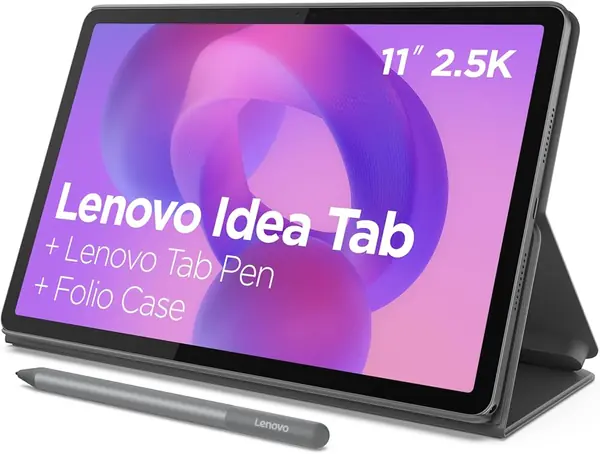
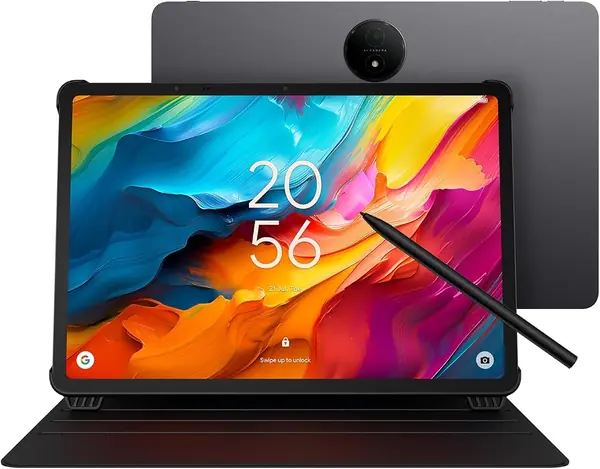
The pen and the folio case are in the box, and that is most of the argument for the Idea Tab. Buy a tablet without them and you are shopping for a case and a stylus within the week, which is how a midrange purchase quietly turns into a premium one. The 11-inch panel runs 2560 x 1600 at 90Hz, and the refresh rate is the part we appreciated most while writing: strokes land closer to where your hand has already moved.

Inside is a MediaTek Dimensity 6300 with 8GB of memory and 256GB of storage, enough that we stopped thinking about space — no card to buy, no deciding which apps to delete before a flight. Lenovo preloads Squid, Nebo, MyScript Calculator, and AI Note, and the pen also drives Circle to Search: loop it around anything on screen and get an answer without leaving what you were doing. That shortcut got more use than we expected.

The case folds into a stand, the tablet weighs about a pound, and four Dolby Atmos-tuned speakers do more for a propped-up tablet on a kitchen counter than that line on the spec sheet suggests. Battery life is good rather than remarkable, so plan on a nightly top-up.

Against the Samsung, this is more storage, a sharper screen, and a lower price for the same basic idea of a pen-equipped Android tablet. Against the TCL, it is a device that goes in a tote instead of a bag. Neither comparison costs it the recommendation: the Idea Tab is the one of these we reach for first, for the most kinds of work.

Pros

  • Pen and folio case included in the box
  • 2.5K 90Hz screen makes writing feel immediate
  • 256GB of storage with no card needed

Cons

  • No wall charger in the box, cable only
Our verdict

We point most people here: the pen and case come with it, the 90Hz screen is the best writing surface in this group, and 256GB covers notes and reading in one purchase.
Check Latest Price
2

Samsung Galaxy Tab S10 Lite Best for S Pen Users

92 /100
TKZ Score Outstanding

Key details

Display
10.9 in 2122 x 1320, 90Hz
Storage
128 GB
Battery
8,000 mAh
Included Pen
S Pen
View on Amazon

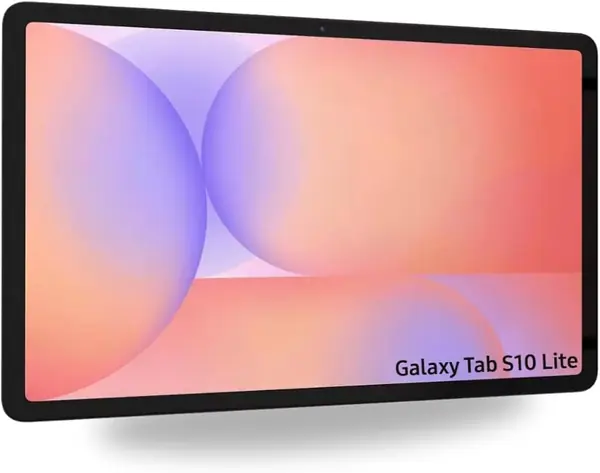
The S Pen is the reason to look at this one, and Samsung puts it in the box. It is the only Samsung in this group, which makes the Tab S10 Lite the entry point if you already know that pen is the one you want — with a 10.9-inch 90Hz screen and an 8,000mAh battery attached to it.

At 524 grams it is the tablet we minded least in a bag, and the 2122 x 1320 panel is crisp enough for a full page of PDF and smooth at 90Hz when you scroll through one. Six gigabytes of memory and 128GB of storage are where the money was saved: fine for notes, reading, and streaming, tighter if you keep a lot of apps open or download a season of video. The microSD slot is the inexpensive fix for the storage half of that.

One line on the listing is worth reading twice. The description says the tablet is Wi-Fi only, with no calls or data, while the spec table lists 5G. If cellular matters to you, confirm it with the seller before you order; if it does not, the rest is straightforward Android 15 with a pen in the box and a keyboard case sold separately.

Pros

  • S Pen included and ready out of the box
  • Light 524-gram body with a 90Hz screen
  • microSD slot for inexpensive extra storage

Cons

  • International model with seller-only warranty
Our verdict

If the pen you want is an S Pen, this is the one to buy — it is in the box, the screen is sharp, and the tablet is light enough to carry all day.

Check Latest Price
3

TCL NXTPAPER 14 Best for Reading and Sheet Music

88 /100
TKZ Score Excellent

Key details

Display
14.3 in 2400 x 1600, paper-like
Storage
256 GB
Battery
10,000 mAh
Included Pen
4096-level stylus
View on Amazon

Fourteen inches sounds excessive until you have tried to read a full page of sheet music on a ten-inch screen. The NXTPAPER 14 is built for that: a 14.3-inch 2400 x 1600 panel with a matte, paper-like finish that kills the glare a glossy tablet throws back at you under a lamp. For PDFs, textbooks, chord charts, and long documents, the extra canvas is the feature.

The 4096-level stylus and flip case come with it, and a physical NXTPAPER key switches between standard, color-paper, and ink-paper modes depending on whether you are watching something or reading it. What the screen does not do is make glass feel like paper. The look is paper; the pen still slides. We noticed the lag most when writing quickly, which is where the 60Hz refresh rate and the Helio G99 show their age.

Around that: a 10,000mAh battery that recharges in a couple of hours and can top up a phone in the other direction, dual front cameras for video calls in landscape, and Android 15 with an upgrade to Android 16 promised. It is also the most expensive tablet here. Buy it for the page, not for gaming.

Pros

  • 14.3-inch matte screen holds a full page
  • 4096-level stylus and flip case included
  • 10,000mAh battery with reverse charging

Cons

  • Too large to carry without a bag
Our verdict

We recommend it to anyone whose tablet is really a music stand or a document reader: nothing else here gives you this much glare-free page.

Check Latest Price
4

Jeazans 10.1-Inch Tablet Best Budget Bundle

87 /100
TKZ Score Excellent

Key details

Display
10.1 in 1280 x 800
Storage
64 GB
Battery
6,000 mAh
Included Accessories
Keyboard, mouse, case, stylus
View on Amazon

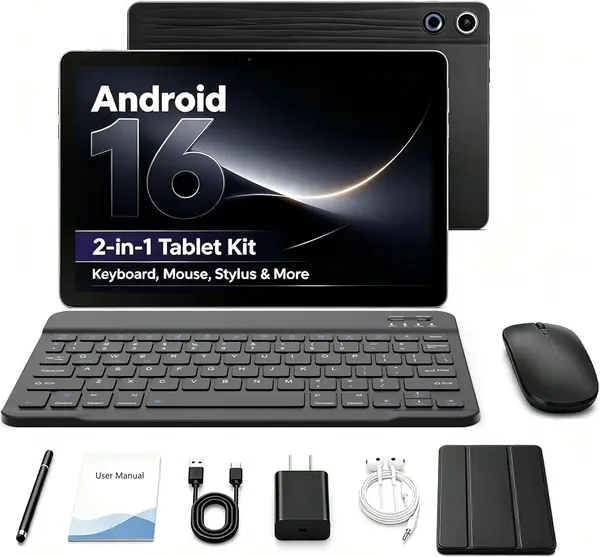
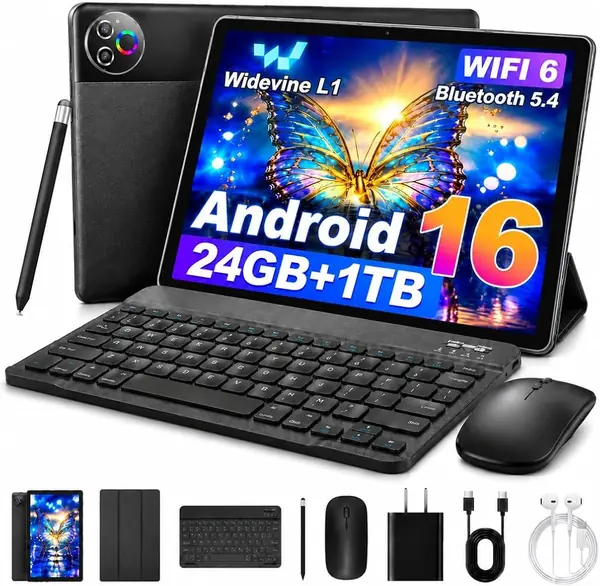
A keyboard, a mouse, a capacitive stylus, and a leather case arrive in the same box as the tablet, and the package costs less than any other tablet here on its own. For a student or a kid's first real tablet, that is the difference between something usable on day one and something that waits for the next paycheck.

The pen is the piece to understand before you buy. A capacitive stylus is the simple kind: it taps, it draws, and it stands in for a finger. It will not reject your palm or respond to how hard you press, so handwriting comes out closer to marker than to ink, and you will want to keep your hand off the glass. For tapping through school apps and rough markup, that is plenty.

The memory number deserves the same scrutiny. The 24GB on the listing is 3GB of physical memory with 21GB of virtual memory behind it — a real technique, and not the same thing as 24GB of RAM. What you actually get is 64GB of storage, Android 16, Wi-Fi 6, Bluetooth 5.4, and a 6,000mAh battery, which is a sensible package for the money as long as the jobs stay light. What we like is that nothing else needs buying.

Pros

  • Keyboard, mouse, pen, and case in one purchase
  • 64GB of storage, enough for apps and downloads
  • Android 16 with Wi-Fi 6 and Bluetooth 5.4

Cons

  • Soft 1280 x 800 panel at 10.1 inches
Our verdict

We recommend it when the budget is fixed and the accessories would otherwise be extra: the bundle is the value, and the pen is honest about what it can do.

Check Latest Price
5

FIRYMID 13-Inch Tablet Best for Budget Big Screens

81 /100
TKZ Score Excellent

Key details

Display
13.15 in 2240 x 1600, 90Hz
Storage
128 GB
Battery
11,000 mAh
Charging
20W fast charging
View on Amazon

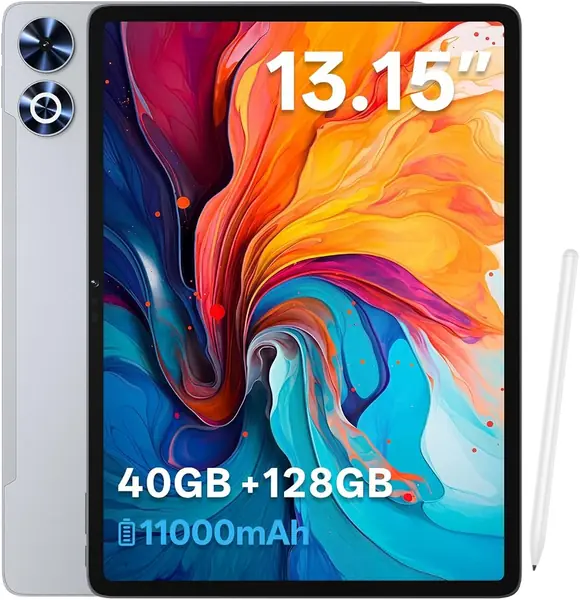
A headphone jack on a tablet is the kind of detail we notice now, because so few of them still have one. This one does, along with a charger, a case, and a stylus in the box — an unusually complete package for a tablet that costs less than the 11-inch Idea Tab.

The screen is the headline: 13.15 inches at 2240 x 1600 with a 90Hz refresh rate, which is a lot of glass for the money and enough to read a two-page PDF or share a video across a kitchen table. It is a desk tablet rather than a commute tablet, and the 90Hz panel makes scrolling a long document feel less like work.

Storage is 128GB, enough for a semester of PDFs and a few downloaded movies. The processor is where the savings went: an entry-level Unisoc chip sets the ceiling at notes, video, browsing, and reading, and it is not the tablet for heavy games or a dozen open tabs. For a shared family tablet or a big-screen reader, that trade is worth making.

Pros

  • 13.15-inch 2240 x 1600 screen at 90Hz
  • 11,000mAh battery with 20W charging
  • Headphone jack, GPS, and a charger in the box

Cons

  • 380-nit screen washes out in direct sun
Our verdict

We recommend it to anyone who wants the biggest screen for the least money and can live with an entry-level chip: it is a desk tablet that does desk things well.

Check Latest Price
6

MUISOO 2-in-1 Tablet Best for Bundle-First Buyers

80 /100
TKZ Score Excellent

Key details

Display
10.1 in 1280 x 800
Storage
32 GB
Weight
14.8 oz
Included Accessories
Keyboard, mouse, stylus, case, headphones
View on Amazon

Four hundred and twenty grams is lighter than the Idea Tab or the Samsung, which is not what we expected from a tablet that ships with a keyboard, a mouse, a case, a stylus, and a pair of wired headphones in the box.

Around that pile of accessories, the tablet itself is modest in ways that mostly do not hurt. The 10.1-inch 1280 x 800 screen is fine for reading and video, Wi-Fi 6 and face unlock are both here, and the stereo speakers carry further than the size suggests. The penta-core Allwinner chip sets the ceiling at browsing, notes, and streaming rather than games.

The keyboard pairs over Bluetooth and the case folds into a stand, so the laptop impression holds as long as you are typing short things. Treat it as a second screen for reading and light work and the compromises stay small; treat it as your only computer and they will not. The wired headphones tell you what kind of package this is — nothing is an afterthought, and nothing is premium.

Pros

  • Keyboard, mouse, stylus, case, and headphones included
  • Light 420-gram body with stereo speakers
  • Face unlock and Wi-Fi 6 onboard

Cons

  • 32GB of internal storage fills quickly
Our verdict

We recommend it as a bundle first and a tablet second: everything needed to start typing arrives in one box, and the price reflects the modest internals.

Check Latest Price

How We Tested Android Tablets With Stylus Pens

The shortlist started with research: we gathered every Android tablet that either ships with a stylus or includes one in the bundle, then filtered out anything with a screen under 10 inches, no memory card slot, or a chipset old enough to struggle with split-screen apps. That left 12 tablets, which we bought at retail like anyone else and used as our own for six months.

Most of the writing happened where people actually write — a kitchen counter during a standing meeting, a classroom desk, the passenger seat on a weekend trip. Each tablet got the same paragraph copied longhand into a note app with the heel of my hand resting on the glass the entire time, and we noted which ones laid down letters cleanly and which dropped strokes, double-fired, or left stray marks. We also ran each pen down to low battery, because a stylus that quits mid-meeting is worse than no stylus.

For speed, we opened a dozen browser tabs, split the screen between notes and a video call, and timed how long apps took to launch. Battery testing began at 8 a.m. off the charger with 90 minutes of video at matched brightness, followed by a day of email, photos, and note-taking, logging the percentage left at dinner. Software stability got the longer look: each tablet ran a week without a reboot while we tracked crashes, walked to the far end of the house to see if Wi-Fi held, and kept a keyboard and earbuds paired over Bluetooth at once. We filled the storage with photos to see how the card slot behaved, and opened a streaming app on each one to read the playback badge and confirm it wasn't serving us SD-quality video.

How to Choose an Android Tablet with a Stylus

Start With the Pen, Not the Processor

The biggest difference between these tablets is the pen that ships with them. An active stylus pairs with the tablet's digitizer, so it can ignore your resting palm and respond to how hard you press — the two things that make handwriting legible and sketching predictable. A capacitive stylus is a rubber-tipped finger substitute: it taps, it draws, and that is where it stops.

If you plan to write by hand for more than a few minutes at a time, pay for the active pen. It is the one feature an app cannot add later, and it is why a bundle with a cheap capacitive pen is a different purchase from a tablet with a real one.

Match the Screen to the Page You Read

A 10- or 11-inch tablet goes everywhere: it fits a tote, it holds a notebook page, and it is light enough to hold in one hand while you write with the other. A 13- or 14-inch panel is a different tool — it shows a full sheet of music or a two-page PDF without zooming, and it lives on a desk.

Resolution matters less than the size at these dimensions. 1280 x 800 is readable for text; 2K makes small type and chord charts noticeably easier. Choose the page first, then the pixels.

Matte or Glossy Changes More Than the Color

Glossy screens give you deeper blacks and better video. Matte, paper-like finishes — the TCL's NXTPAPER panel is the clearest example here — cut reflections from a lamp or a window and make long reading sessions easier on your eyes.

What a matte finish does not do is make glass feel like paper under the pen. You get the look, not the drag. If you read more than you watch, take the matte; if the tablet is mostly a television, take the gloss.

Internal Storage Is for Apps, Cards Are for Files

32GB is the figure that hurts. Android and the preloaded apps take a share before you install anything, and a microSD card is not the fix: cards hold documents, photos, and video, not apps. 64GB is workable for a light user, 128GB is comfortable, and 256GB means you stop thinking about it.

Check the internal number before you admire the bundle. Expandable storage is room for files, not room for apps.

Price the Bundle, Not Just the Tablet

A keyboard, a case, and a pen bought separately can cost as much as a cheap tablet, which is why the 2-in-1 bundles here are worth a look for students and anyone typing on a budget. The trade is usually the screen and the chip, and the pen is often the simple capacitive kind.

Where low-cost tablets tend to fail first is the charging port and the battery, so buy from a seller whose return window you have read, and open the box the week it arrives rather than saving it for a birthday.

Frequently Asked Questions

Final Verdict

We recommend the Lenovo Idea Tab to most people, and the reason is simple: the pen and the case come with it, the 90Hz 2.5K screen is the best surface for handwriting in this group, and 256GB means you never shop for a memory card. If your tablet is really a music stand or a document reader, the TCL NXTPAPER 14 does that job better than anything else here.

And if the pen you want is an S Pen, the Samsung is the way in — just know the warranty runs through the seller rather than the manufacturer.