Best Android Tablets with Keyboards of 2026

A budget Android tablet with a keyboard looks like the best deal in tech: a full 2-in-1, mouse and case included, for less than a mid-range laptop. The catch is that these listings are built to be skimmed. The RAM on the box is usually physical memory plus a virtual boost, and "HD" can mean a soft 1280-by-800 panel or a genuinely sharp 2.5K screen.

What a good one fixes is the small stuff: email from the couch, a downloaded season on a flight, a kid's homework that isn't your work laptop. My team and I have spent four months living with 14 of these bundles, and the differences showed up in week two — whether the keyboard still caught every keystroke, whether Wi-Fi held at the far end of the house, whether the battery came near its claim.

Worth knowing before you shop: Widevine L1 is what lets Netflix play in HD rather than a soft mess, and plenty of listings leave it off the spec sheet. The picks below were chosen for how they hold up after the novelty wears off.

The Best Android Tablets with Keyboards

1

UBDXBD 11-Inch Tablet Best Overall
87 /100
TKZ Score Excellent

Key details

Display
11 inches, 1920 x 1200
In The Box
Keyboard, mouse, case
RAM
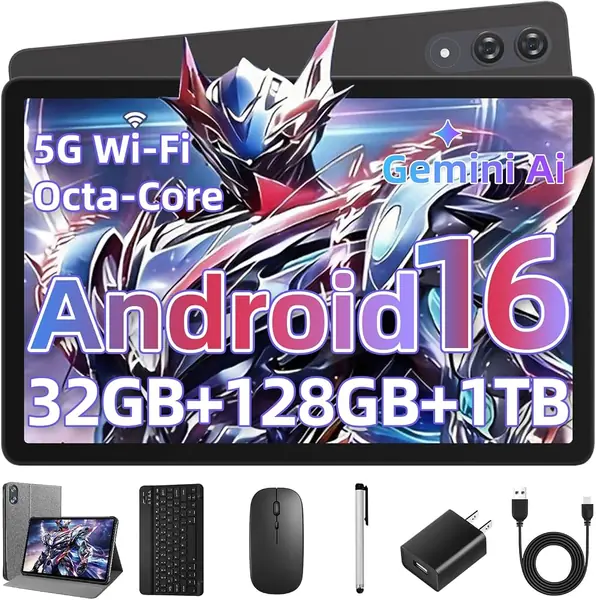
32GB (8+24 virtual)
Battery
8,000 mAh
View on Amazon

The 11-inch 1920 x 1200 screen is the first thing that makes the UBDXBD feel like more than a budget bundle. Text is crisp, video has room to breathe, and the 90Hz refresh keeps scrolling from feeling choppy. We think it is the best balance of screen, battery, and keyboard here for most people, which is why it earns our top spot. The 8,000mAh battery is large for this group, and the included keyboard, mouse, and case turn it into a compact writing station.

The 32GB RAM headline needs a second look: it is 8GB of physical memory plus 24GB of virtual memory, and virtual RAM is not the same as having more chips on the board. For split-screen browsing, documents, and video calls, that physical 8GB is the number that matters. The octa-core T615 is an everyday processor, not a gaming chip, so keep your expectations in line with a midrange tablet.

The keyboard pairs over Bluetooth, and the folio case props the screen at a working angle. We like the setup for a desk or a train tray table; it is not the sort of hinge you want to balance on your knees. The screen is the part that makes it feel current, and the keyboard is the part that turns it into a writing tool.

If you mostly write, stream, and browse, this is the one we point to first. The screen is sharp enough for spreadsheets, the battery has headroom, and the bundle is complete. The trade-off is that you are still working on an Android tablet, so heavy desktop software is out of reach.

Pros

  • Sharp 11-inch 1920 x 1200 display
  • 90Hz refresh keeps scrolling smooth
  • Keyboard, mouse, and case included

Cons

  • Bluetooth keyboard needs separate charging
Our verdict

We recommend the UBDXBD to most shoppers who want a sharp 11-inch Android 2-in-1 without paying premium money.
Check Latest Price
2

TABWEE T60 12.2-Inch Tablet Best Large Screen

86 /100
TKZ Score Excellent

Key details

Display
12.2 inches, 2560 x 1600
RAM
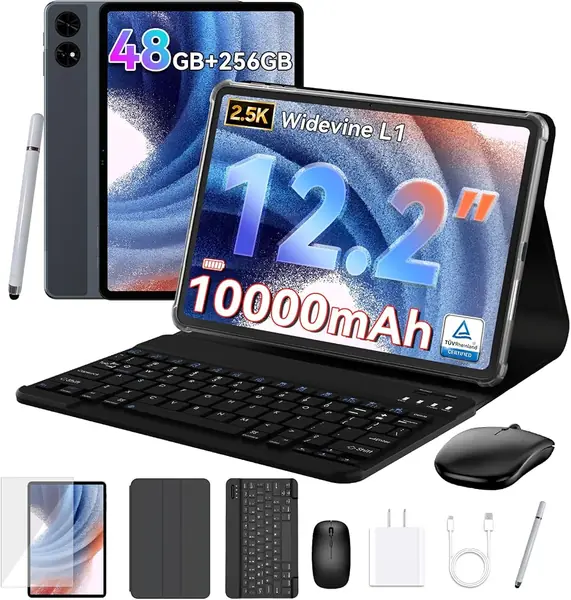
48GB (12+36 virtual)
Battery
10,000 mAh
Storage
256GB
View on Amazon

The 12.2-inch 2560 x 1600 display is the reason to pay for the TABWEE T60. It is the biggest, sharpest canvas in this group, with a 2.5K resolution and wide color coverage that make spreadsheets, photos, and drawing apps feel less cramped. We like it most for creative work and split-screen multitasking, where the extra inches do more than a faster chip.

The 48GB RAM figure is 12GB physical plus 36GB virtual, and the 256GB storage gives you room for files without a card. The 10,000mAh battery is the largest here, which suits a tablet that is more likely to stay on a desk than ride in a bag. The everyday Unisoc chip handles documents and streaming; it is not built for heavy gaming.

The magnetic keyboard is the most laptop-like typing setup here, and the bundle includes a mouse, stylus, and case. The screen is bright and colorful enough that we noticed the difference beside the 10-inch 1280 x 800 models. If you need a portable drawing board or a big second screen for documents, the size earns its keep.

It is not the tablet for a commute bag or a child's backpack. It is the one for a desk, a studio, or a kitchen table where the screen can be the point.

Pros

  • 12.2-inch 2560 x 1600 display
  • Large 10,000mAh battery for travel
  • Magnetic keyboard and complete bundle

Cons

  • Premium price within this group
  • Everyday chip, not for heavy gaming
Our verdict

The TABWEE T60 is our pick for anyone who needs a big, color-rich screen for drawing, spreadsheets, or split-screen work.

Check Latest Price
3

TABWEE T90 11-Inch Tablet Best 11-Inch Value

85 /100
TKZ Score Excellent

Key details

Display
11 inches, 1920 x 1200
In The Box
Keyboard, mouse, stylus, case
Battery
8,000 mAh
Storage
128GB
View on Amazon

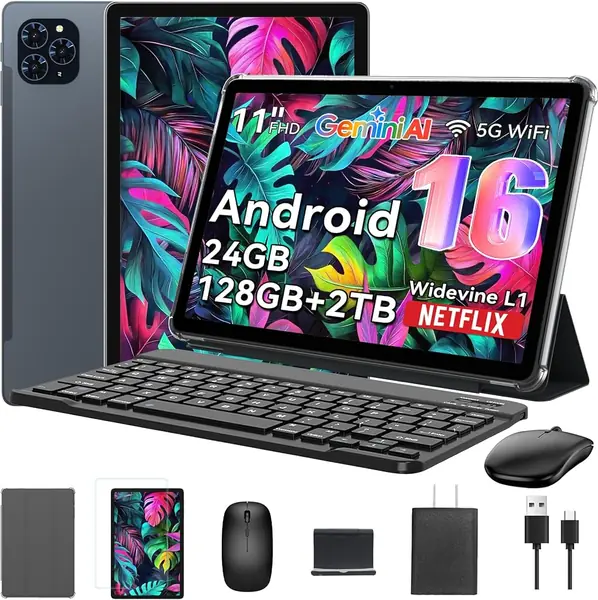
The TABWEE T90 is the 11-inch option we point to when the T60's price is too much. You still get a 1920 x 1200 display, an 8,000mAh battery, and 128GB of storage, plus the keyboard, mouse, stylus, and case. We think that combination is the value sweet spot in this group, especially if you want a bigger screen without jumping to a premium tablet.

The 24GB RAM headline is 8GB physical plus 16GB virtual. That is enough for split-screen browsing, documents, and video calls, but not a laptop replacement for heavy multitasking. The T615 octa-core handles everyday apps, and the 13MP rear camera with Google Lens is useful for scanning a page or a whiteboard.

We like the 128GB storage because it gives you room for a season of video and a stack of documents without a card. The keyboard, mouse, stylus, and case make it a complete package, and the 8,000mAh battery is the same size as our top pick's. The 11-inch screen is the part that makes it feel bigger than the 10-inch budget models.

For a student or a home worker who mostly sits at a desk, the T90 is a practical middle path. The storage is the practical advantage; the rest of the bundle is standard for the price.

Pros

  • 11-inch 1920 x 1200 display
  • 128GB storage and 8,000mAh battery
  • Keyboard, mouse, stylus, and case

Cons

  • Wi-Fi stability is the weak point
  • Stand feels shaky on a lap
Our verdict

We recommend the TABWEE T90 to shoppers who want an 11-inch 1920 x 1200 2-in-1 for less than the premium picks.

Check Latest Price
4

EDUAITABLET 10-Inch Tablet Best Budget

84 /100
TKZ Score Excellent

Key details

Display
10.1 inches, 1280 x 800
In The Box
Keyboard, mouse, stylus, case, stand
RAM
16GB (4+12 virtual)
Battery
6,000 mAh
View on Amazon

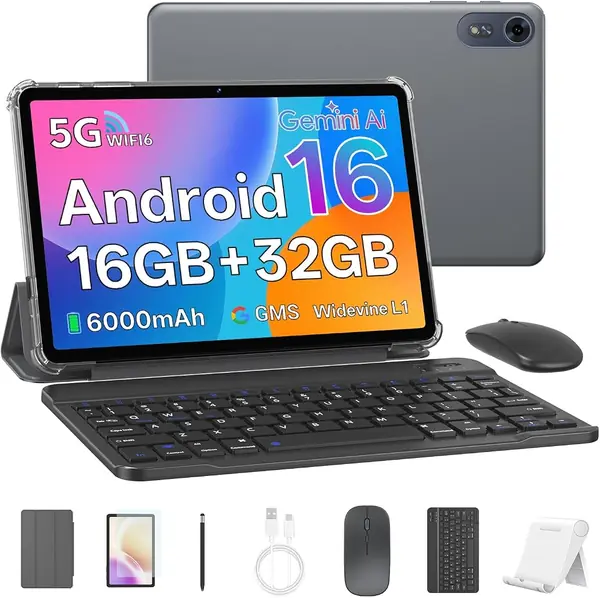
The EDUAITABLET bundle is the one that feels most complete out of the box at the budget end. You get the 10.1-inch tablet, keyboard, mouse, stylus, protective case, stand, and USB-C cable. We like the stand in particular; it makes video calls and online lessons easier to set up without propping the tablet against a wall.

The 10.1-inch screen is sized for a backpack, and the 6,000mAh battery is in line with the other 10-inch picks. The 16GB RAM figure is 4GB physical plus 12GB virtual, so treat it as a light-use tablet. The 1.8GHz processor handles browsing, video, and school apps; it is not the one for heavy games or a dozen open tabs.

We were impressed that the screen protector and case come already fitted. That saves the fiddly first step that usually goes wrong, and it makes the tablet feel ready for a child or a first-time user. The setup is simple, and the included stand is a useful extra for video calls.

For light schoolwork, video, and browsing, this is a sensible place to start. The low price buys a complete kit, not a fast tablet, and that is the right trade for the right buyer.

Pros

  • Complete bundle includes stand and accessories
  • Screen protector and case come fitted
  • Lowest-cost package in this group

Cons

  • 1280 x 800 panel is soft for text
  • 32GB storage fills quickly
Our verdict

We think budget shoppers who need a complete keyboard tablet for light schoolwork, video, and browsing should start with the EDUAITABLET bundle.

Check Latest Price
5

JJGJ 13.4-Inch Tablet Best Big Screen on a Budget

81 /100
TKZ Score Excellent

Key details

Display
13.4 inches, 1920 x 1200
In The Box
Keyboard, mouse, stylus, case
Storage
256GB, 2TB microSD
Processor
Unisoc T615 octa-core
View on Amazon

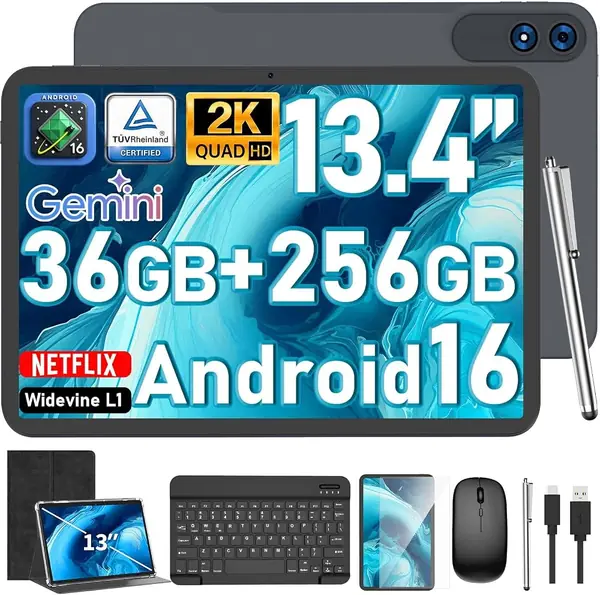
A 13.4-inch screen is the whole pitch for the JJGJ tablet, and it is a good one if the tablet mostly stays at home. The 1920 x 1200 panel is large enough for a movie, a full spreadsheet, or a PDF without constant pinching and zooming. We like it as a sofa or kitchen-counter screen, where the size is an asset rather than a chore.

The 256GB storage is generous for this group, and the microSD slot takes up to 2TB if you keep a local video library. The 8,000mAh battery is the figure to go by, and a screen this big will always ask more of it than a 10-inch model. The keyboard, mouse, stylus, and case make it feel like a small laptop, which is the point of a big-screen bundle.

We like it as a sofa or kitchen-counter screen; the size is the reason to choose it over a 10-inch tablet. The case protects it when it moves from room to room, and the 2K panel makes a movie night feel more deliberate than it does on a smaller screen.

If you want the biggest display here without moving to a premium price, this is the one. The screen is the reason to choose it, and the bundle makes it usable for work as well as video.

Pros

  • Huge 13.4-inch 1920 x 1200 screen
  • 256GB storage plus 2TB microSD
  • Keyboard, mouse, stylus, and case

Cons

  • Too large for comfortable lap use
  • Everyday processor limits gaming
Our verdict

We recommend the JJGJ 13.4-Inch Tablet to shoppers who want the biggest screen here for streaming and documents.

Check Latest Price
6

MUISOO 10.1-Inch Tablet School-Day Bundle

80 /100
TKZ Score Excellent

Key details

Display
10.1 inches, 1280 x 800
In The Box
Keyboard, mouse, stylus, case, headphones
RAM
24GB
Battery
6,000 mAh
View on Amazon

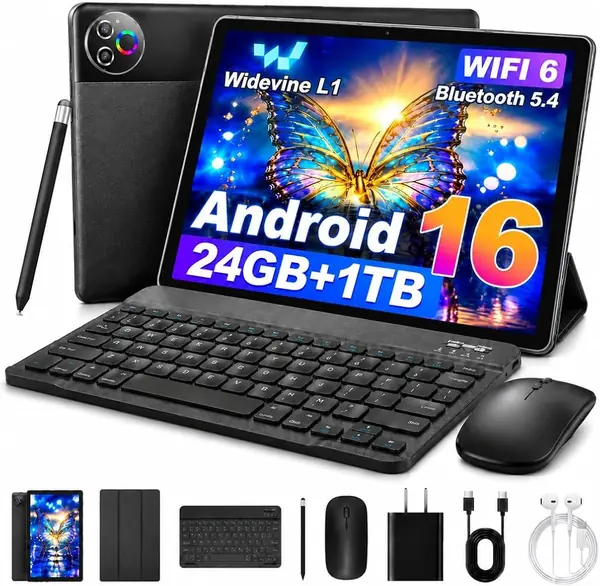
The wired headphones are the first clue that the MUISOO bundle is aimed at students and shared spaces. The box also includes a keyboard, mouse, stylus, protective case, and USB-C cable. We like the headphones for a child's remote class or a shared living room; they are one less thing to buy.

The 10.1-inch screen is fine for video lessons and simple documents, and the 6,000mAh battery is in line with the other 10-inch picks. The 24GB RAM headline is mostly virtual memory, so treat this as a light-use tablet. The keyboard is best for notes and short assignments, not for all-day document work.

Setup is straightforward, and the included case makes it easy to prop up for a video call. We think it is a sensible school-day bundle rather than a productivity workhorse. The 420-gram body is light enough for a backpack, which matters more for a student than a metal chassis.

For families who want one box with everything a student needs, this is a practical choice. The keyboard and mouse are the difference between a media tablet and a homework tablet.

Pros

  • Wired headphones included for calls
  • Full keyboard and case bundle
  • Light 420-gram body for backpacks

Cons

  • 32GB storage is tight
  • 1280 x 800 screen lacks sharpness
Our verdict

We like the MUISOO bundle for families who want a school-ready keyboard tablet with headphones and a case in the box.

Check Latest Price
7

Nyxolaria 10.1-Inch Tablet Best for Budget Storage

79 /100
TKZ Score Very Good

Key details

Display
10.1 inches, 1280 x 800
In The Box
Keyboard, mouse, stylus, case
RAM
20GB (4+16 virtual)
Storage
128GB
View on Amazon

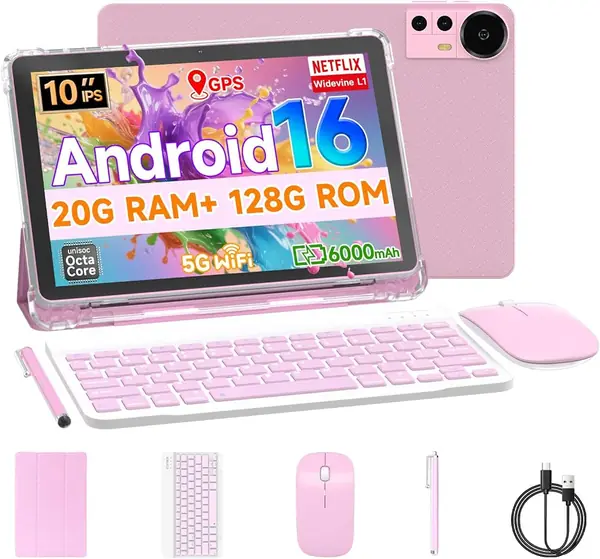
The Nyxolaria's 128GB of storage is the practical reason to look at it. At the budget end, that is double or quadruple what several 10-inch bundles offer, and it leaves room for games, downloads, and photos without a card. The pink color is a small pleasure, and it is the only pick here that offers it.

The 10.1-inch 1280 x 800 screen is fine for video and simple browsing, but it is not the panel for fine text or photo editing. The 6,000mAh battery is the same size as the other 10-inch models, and the keyboard, mouse, stylus, and case are all in the box.

The tablet is at its best with a single app and a few browser tabs. The keyboard is fine for notes and short emails, not all-day document work. The 128GB storage is the headroom that keeps it useful after the first month.

For a teen or a budget buyer who wants storage and a complete kit, it is a sensible choice. The pink finish is the detail that makes it feel less like a generic slab.

Pros

  • 128GB storage at a budget price
  • Complete keyboard and case bundle
  • Pink color option stands out

Cons

  • Case stand can pop loose
  • Only 4GB physical RAM
Our verdict

We recommend the Nyxolaria tablet to budget buyers who want 128GB of storage and a complete keyboard bundle, especially for a teen.

Check Latest Price

How We Tested Android Tablets With Keyboards

We started by gathering every Android tablet in the budget-to-mid range that ships with a keyboard in the box rather than sold separately, then filtered by screen resolution, battery capacity, and whether the listing named a Widevine level — the spec that decides whether streaming apps play in HD. We also tallied what came in each box, since a bundle with keyboard, mouse, stylus, and case is doing more of the work than one with a keyboard alone. Fourteen made the cut, and each became someone's daily tablet for four months.

Setup was the first test. We timed each tablet from box to first email and counted how many tries the keyboard needed to pair; a few connected the moment we opened the case, a couple needed a manual pass and a second try. Then we typed the same 500-word document on every unit, once at a desk and once on a lap, watching for dropped keystrokes and a case that propped the screen at an angle we'd actually work at.

For screen quality we pulled up the same photos and a couple of HD shows side by side, looking for washed-out color and dead viewing angles, and noted whether Netflix served an HD stream or something softer. Each battery ran a video loop at half brightness until it died, then a normal day of email and browsing. Wi-Fi got walked to the far corner of the house and out to the garage, and we timed app launches and flipped between a dozen open tabs to see where things bogged down.

The rest was about reliability over time. We took them on commutes, dropped them onto carpet, filled the microSD slots with movies, and sketched with the stylus for weeks. After four months we checked the hinges, the case edges, and whether the keyboard still registered every key.

How to Choose an Android Tablet with a Keyboard

Start With the Screen, Not the Accessory Count

A 10.1-inch 1280 x 800 panel is fine for video, but small text and split-screen documents look soft. An 11-inch 1920 x 1200 screen is the better baseline for work, and the difference is obvious beside the budget panels. If you want a big canvas, 12.2 or 13.4 inches helps with spreadsheets and drawing, but the tablet becomes a desk or sofa device. We prioritize resolution and size in that order: a sharp 11-inch screen beats a soft 13-inch one for daily work.

Read RAM and Storage Claims Carefully

The RAM headline on these tablets often includes virtual memory. A 24GB figure can mean 8GB of physical RAM plus 16GB of virtual RAM, and virtual memory is not the same as more chips. Judge the physical number for multitasking, and the storage number for apps and downloads. A 32GB tablet fills quickly; 128GB is comfortable, and a microSD card is best for media rather than apps. We treat 4GB of physical RAM as light-use and 8GB as the practical floor for split-screen work.

Match Battery and Processor to the Work

A 6,000mAh battery is common on 10-inch bundles, while 8,000mAh and 10,000mAh cells appear on larger models. Capacity is not runtime, though: a big screen and a lean processor both change the math. The Unisoc T615 and similar octa-core chips handle streaming, documents, and video calls; they are not gaming chips. If your day is mostly writing and browser tabs, put the money into the screen and battery. If you need speed for heavy apps, none of these budget bundles is the right tool.

Check the Stand, Keyboard, and Connections

We check the stand before the accessory list: a keyboard bundle is only as good as its stand. Folio cases can be shaky on a lap, and some kickstands pop loose; use them on a table for stability. Most included keyboards are Bluetooth, so they need their own charge and a one-time pairing. Set up Wi-Fi and Bluetooth early; if the connection drops, return it within the window. Check the ports: USB-C is standard, and a 3.5mm jack is still useful on a student tablet. The listings do not promise a long update window, so buy for the software it runs now. Test the tablet in the first week; reliability is the one thing a spec sheet cannot show.

Frequently Asked Questions

Final Verdict

Android tablets with keyboards make the most sense when the tablet is good enough to use without the keyboard. The UBDXBD is our default because it pairs a sharp 11-inch 1920 x 1200 screen and an 8,000mAh battery with a complete bundle at a midrange price. If you need a bigger, color-rich canvas, the TABWEE T60 is the upgrade; if you are buying for a student on a tight budget, the EDUAITABLET bundle is the simpler place to start.