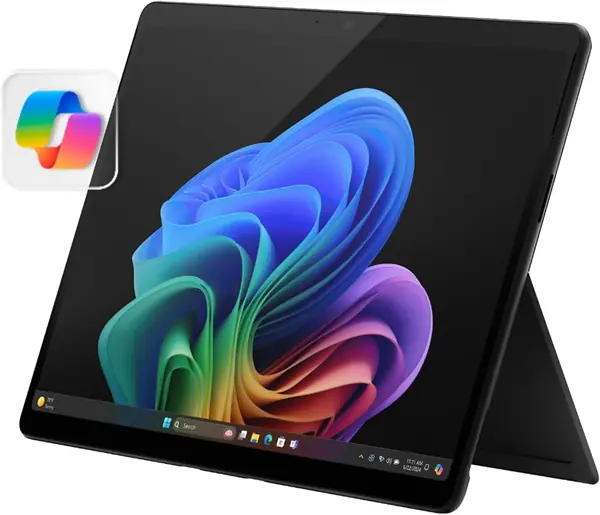
Best OLED Tablets of 2026

Every tablet looks great under store lights. Turn them off and OLED is the one that still looks great: its pixels shut off individually, so dark scenes go truly black instead of glowing charcoal. That's why people hunt these down for movies, photo editing, and reading in bed. The catch is that a gorgeous panel tells you nothing about the rest of the tablet.

That's where the real differences show up. Two tablets can share the same stunning screen and feel like different products a week later — one lasts a cross-country flight, the other hunts for a charger by midafternoon; one has storage you'll never fill, the other sends you to the cloud by month two. We've spent nine months with seven of these, and the ones that held up had a lot more going for them than contrast.

One thing worth knowing before you shop: the number that matters most in daily use isn't the contrast ratio, it's how the screen handles a sunlit room. The picks below earned their spots on the fundamentals — picture, speed, endurance, storage, and how well they work with the pens, keyboards, and apps you already own.

The Best OLED Tablets

1

Samsung Galaxy Tab S11 Best Overall
92 /100
TKZ Score Outstanding

Key details

Display
11-inch Dynamic AMOLED 2X
Storage
128GB, microSD slot
Refresh Rate
60Hz
Weight
1.1 lb
View on Amazon

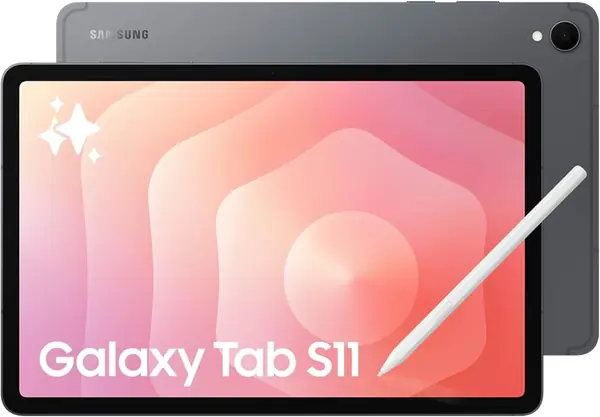
Pen support is common on tablets; a pen in the box is not. Samsung includes the S Pen with the Galaxy Tab S11, so handwritten notes, PDF markup, and sketching are part of what you're buying rather than an upgrade, and that more than any single specification is why it's the tablet we recommend first.

The 11-inch Dynamic AMOLED 2X panel earns the format. At 2560 x 1600 in a 16:10 shape it's equally comfortable showing a widescreen movie and a two-column document, and it does the thing OLED is famous for: blacks that disappear into the bezel, so letterboxed video and dark-mode reading look clean rather than gray. Small text stays crisp at arm's length, which matters more on a tablet than a phone because you hold it farther from your eyes.

Refresh rate is where the compromises live. This panel runs at 60Hz, and beside the 120Hz Galaxy Tab S10+ and the iPad Pro's ProMotion display, scrolling and pen strokes look a beat less fluid, most noticeable when you're flicking through a long document. It never got in the way of video or note-taking for us, and it's a big part of why this tablet costs so much less than the other premium picks here.

The rest of the hardware is quietly practical. At 1.1 pounds it's comfortable to hold one-handed, the IP68 rating means a splash by the sink isn't a crisis, 12GB of RAM keeps app switching quick, and the microSD slot turns 128GB into as much storage as you want to buy cards for. On a flight, a card full of downloaded movies is the whole pitch: nothing extra to purchase, nothing extra to pack.

Pros

  • S Pen included instead of sold separately
  • Crisp, rich 11-inch Dynamic AMOLED 2X panel
  • microSD slot lifts 128GB of built-in storage

Cons

  • 60Hz refresh rate trails the 120Hz picks
  • Battery endurance varies from unit to unit
Our verdict

We recommend the Tab S11 to most people because the S Pen comes in the box, a microSD card handles storage, and the AMOLED screen holds up beside tablets that cost far more.
Check Latest Price
2

Apple iPad Pro 11-inch (M5) Best Display

91 /100
TKZ Score Outstanding

Key details

Display
11-inch Ultra Retina XDR
Storage
256GB
Refresh Rate
ProMotion
Weight
15.7 oz
View on Amazon

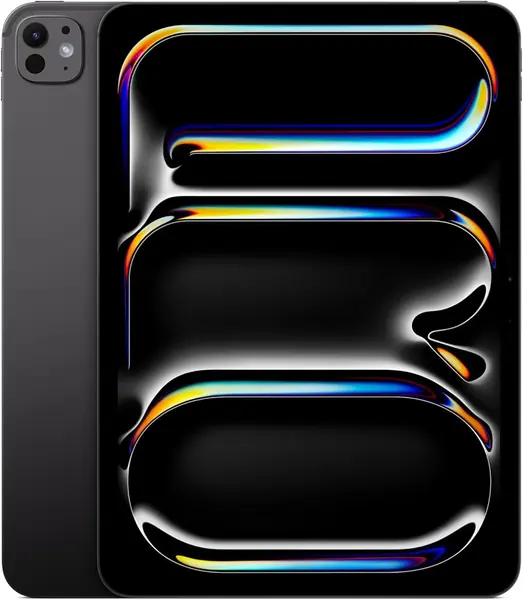
The display is the entire argument. Apple's Ultra Retina XDR panel on the 11-inch iPad Pro is the brightest, highest-contrast screen in this group, with ProMotion smoothing every scroll, P3 covering color-critical work, and True Tone quietly rebalancing white as you move from a lamp-lit desk to a window. Watch an HDR movie on it and the format finally looks deliberate; draw on it and the ink keeps up.

The M5 chip is more than most tablet work asks for, which is the point. Pro apps, Apple Intelligence features, and iPadOS 26's windowing all run on a fanless slab this thin without the hesitation you brace for. Storage starts at 256GB, double the Tab S11's base, and Wi-Fi 7 with Apple's N1 chip keeps large transfers moving.

The detail that improves daily life most is smaller than any of that: the 12MP front camera sits on the landscape edge, so video calls frame you the way a laptop does instead of cropping you into a narrow vertical strip. LiDAR, a 12MP rear camera, and Face ID round out a package that behaves like a computer when you need it to.

What you're paying for is the screen and the ecosystem, and both only pay off if you use them. If your photos, notes, and messages already live in iCloud, the way this tablet picks up where your phone left off is the real luxury. If they don't, the Samsung does the same streaming and email job for a lot less.

Pros

  • Ultra Retina XDR panel with ProMotion
  • M5 chip handles pro apps and AI features
  • Landscape 12MP front camera frames calls properly

Cons

  • Highest price in this group
  • Benefits hinge on staying inside Apple's ecosystem
Our verdict

We point Apple loyalists and anyone who draws or edits on a tablet to the iPad Pro: the screen is the best here, and for creative work it's worth stretching for.

Check Latest Price
3

Samsung Galaxy Tab S10+ Best Big Screen

90 /100
TKZ Score Outstanding

Key details

Display
12.4-inch AMOLED 2X
Storage
256GB
Refresh Rate
120Hz
Weight
1.3 lb
View on Amazon

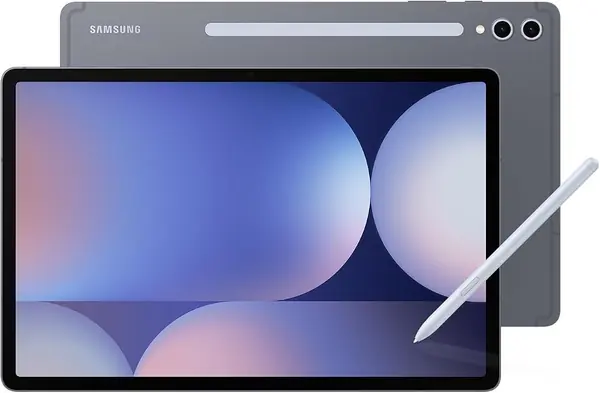
Twelve point four inches is a lot of OLED. The Galaxy Tab S10+ has the biggest screen in this roundup short of the Surface Pro, and its 16:9 shape means a widescreen movie fills the panel edge to edge with barely a black bar, the closest thing here to carrying a small TV.

The 2800 x 1752 resolution paired with a 120Hz refresh rate is the part we appreciate most. Text is dense enough for a full PDF page, and the faster panel makes split-screen work feel like moving windows rather than dragging them. Two apps side by side genuinely fit, which is more than you can say for an 11-inch screen once a keyboard is attached.

The pricing is where it gets awkward. This is a 2024 tablet selling for as much as the current iPad Pro, and what justifies the number (12GB of RAM, 256GB of storage, Dolby Atmos speakers, a 10,090mAh battery) is solid rather than astonishing in 2026. It earns its place for one specific buyer: someone who wants the biggest OLED picture available and refuses to buy a Windows machine to get it.

Two practical notes. At 1.3 pounds it's a lap-and-kickstand tablet, tiring to hold one-handed for long stretches. And a dead-on-arrival unit is the failure worth guarding against, so buy where returns are simple and run a full setup, a charge cycle, and a Wi-Fi connection before that window closes.

Pros

  • Biggest OLED screen in this group
  • 120Hz panel keeps scrolling and split-screen smooth
  • 256GB of storage and the S Pen included

Cons

  • 1.3 pounds is heavy for handheld reading
  • Premium price for a previous-generation tablet
Our verdict

We recommend the Galaxy Tab S10+ to anyone who wants the largest OLED screen here without buying a Windows machine, as long as the weight and the previous-generation price don't put them off.

Check Latest Price
4

Microsoft Surface Pro (2024) Windows Productivity

83 /100
TKZ Score Excellent

Key details

Display
13-inch OLED touchscreen
Storage
256GB SSD
Refresh Rate
60Hz
Memory
16GB RAM
View on Amazon

This isn't really an iPad competitor; it's a Windows 11 PC you can hold. The 13-inch OLED touchscreen runs 2560 x 1600 at a 1M:1 contrast ratio, and the device weighs 895 grams: heavy next to a Galaxy Tab, light next to a laptop.

That's the trade we keep coming back to. If your work lives in desktop software, a real spreadsheet model, an industry-specific Windows app, a VPN that only speaks corporate, this is the only tablet here that won't send you hunting for a workaround. The 12-core Snapdragon X Elite and 16GB of RAM handle everyday multitasking without complaint, and 65W fast charging makes a lunchtime top-up meaningful.

Windows on ARM is the catch. Some programs don't run natively, and others go through emulation and feel a step slower, so if one specific piece of software is the reason you're looking at this, confirm ARM support before you order. Ports are scarce at a single USB-C, which adds a hub to the list, and the Flex Keyboard that turns it into a laptop is a separate purchase, an odd omission for something sold as a 2-in-1.

Where it pays you back is endurance and screen. The 14-hour battery claim covers a day of documents and browser tabs, and the OLED makes long reading sessions pleasant rather than merely possible. What it isn't is a couch tablet: at 895 grams it wants the kickstand and a table. As the one device here that replaces a laptop and a tablet at once, though, it has no rival in this group.

Pros

  • Runs full Windows 11 and desktop software
  • 13-inch OLED with 1M:1 contrast
  • All-day battery claim with 65W fast charging

Cons

  • Flex Keyboard sold separately
  • Some Windows apps run through ARM emulation
Our verdict

We recommend the Surface Pro to anyone whose work genuinely needs Windows: it's a desktop operating system on a lovely OLED screen, provided your apps run on ARM and you budget for the keyboard.

Check Latest Price

How We Tested the Best OLED Tablets

We started with research instead of shopping: gathering every current tablet built around an OLED panel, dropping anything with less than 128GB of storage, then weighing specs and price to reach a shortlist. Seven made the cut and came into my home and my bag for nine months, spanning 11-inch slates up to a 13-inch tablet that converts into a laptop. Each one served as my daily tablet for at least three weeks before I wrote anything down.

Those weeks were deliberately ordinary. Each tablet came on my commute for streamed and downloaded shows, sat on the couch arm for dark-room movie nights, and got carried to a bright window at midday so I could see how badly reflections washed out the picture. I took meeting notes with every stylus, ran a browser and a document side by side, edited photos, and played games until slowdown or heat made itself known.

Battery testing ran the same script every time: a looped video at identical brightness until the tablet died, with the percentage logged every half hour, plus an overnight idle check to catch anything draining in sleep. For durability I dropped each one into a bag with keys and a metal water bottle, wiped the glass with the same cloth to see how stubborn fingerprints were, and pressed the corners to feel for flex.

Reliability and compatibility took the longest to judge. Every few weeks I reopened the same handful of apps to see whether they still launched quickly, whether the tablet woke from sleep on the first press, and whether my pen and keyboard case kept working after updates. Value came down to what's in the box and what the next storage tier costs, since a screen this good fills up fast with downloaded shows and photos.

How to Choose an Oled Tablet

Know Which OLED You're Getting

OLED on a tablet buys deep blacks in a dark room, contrast that makes letterboxed movies look intentional, and off-axis viewing that doesn't wash out when two people share a screen. Brands name it differently: Samsung sells AMOLED 2X, Apple's panel is Ultra Retina XDR, Microsoft just says OLED, and the real-world gap between them is narrower than the marketing suggests.

Refresh rate changes daily use more than the panel badge does. The 120Hz Galaxy Tab S10+ and the iPad Pro's ProMotion scroll and ink noticeably smoother than the 60Hz Tab S11. If you read and stream, 60Hz is fine; if you write or sketch most days, pay for the faster panel.

Match the Size to How You Hold It

A tablet that lives on the coffee table isn't earning its price. The 11-inch Tab S11 at 1.1 pounds is the one you can hold one-handed in bed; the 12.4-inch Tab S10+ and the 13-inch Surface Pro are lap and desk machines that happen to be thin.

Size also decides whether split-screen work is usable. Two apps at once need width, which is why the S10+ handles it and an 11-inch slate forces you to choose. Be honest about carrying it before you fall for the bigger panel.

Budget for What's in the Box

Stylus support is close to universal; a stylus in the box is not. Samsung bundles the S Pen with both the Tab S11 and the Tab S10+, Microsoft sells the Surface Pro Flex Keyboard separately, and the iPad Pro's typing setup is an add-on. Add those to the total before you compare, because a tablet that arrives complete is worth more than one that needs three accessories to do what you bought it for.

The Operating System Outlasts the Hardware

Android gives you more hardware variety and, on the Tab S11, expandable storage. iPadOS has the deeper catalog of apps built for a tablet and the strongest record of keeping older devices current. Windows on the Surface Pro runs desktop software, with the caveat that ARM chips still send some programs through emulation.

Pick by the two or three apps you can't work without, a note app, a drawing app, one piece of job-specific software, and the choice usually makes itself.

Read Battery Claims Carefully

A bigger battery doesn't automatically mean longer runtime. The 12.4-inch 120Hz panel in the Tab S10+ draws more than the 11-inch 60Hz screen in the Tab S11, which is why capacity alone settles nothing. Battery endurance is the spec that varies most across this group, in both directions, so plan for a midday top-up on heavy days instead of planning around an all-day claim.

Frequently Asked Questions

Final Verdict

The Galaxy Tab S11 is the OLED tablet we point most people toward. The S Pen comes in the box, a microSD card solves storage, the IP68 rating handles real life, and the AMOLED panel is close enough to the expensive screens that you won't feel deprived.

Spend more only if the screen itself is the hobby. The iPad Pro has the best display here and is the right call inside Apple's ecosystem; the Galaxy Tab S10+ is the one for the biggest picture. The Surface Pro is for people who need Windows, full stop.