Best Tablets for Students of 2026

A tablet is the one screen a student carries everywhere — to a 9 a.m. lecture, to the library at midnight, to the couch for a show. The pitch is a lighter bag and one device that handles everything; the letdown, on a lot of budget models, is a stylus that trails behind your handwriting and a battery that dies before your afternoon seminar. I've moved my own notes from paper to screen and back again more than once, so I know what makes a student quietly give up on one.

What separates the keepers isn't the spec sheet — it's whether the pen keeps up with fast notes, whether the screen stays readable under fluorescent light, and whether the thing still feels quick in month four. My team and I spent six months living with 12 tablets the way a student would: note-taking in class, split-screen reading, video calls on campus Wi-Fi, and long evenings that drained the battery to nothing. A few came with a pen and keyboard in the box, which quietly changes the value math.

The picks below are the ones that held up — for the note-taker, the reader, the streamer, and the student who just wants one device that makes it to dinner.

The Best Tablets for Students

1

Lenovo Idea Tab Best Overall
94 /100
TKZ Score Outstanding

Key details

Display
11-inch 2.5K, 90Hz
Battery
26.7 Wh
Memory & Storage
8 GB RAM, 256 GB storage
In The Box
Tab Pen and folio case
View on Amazon

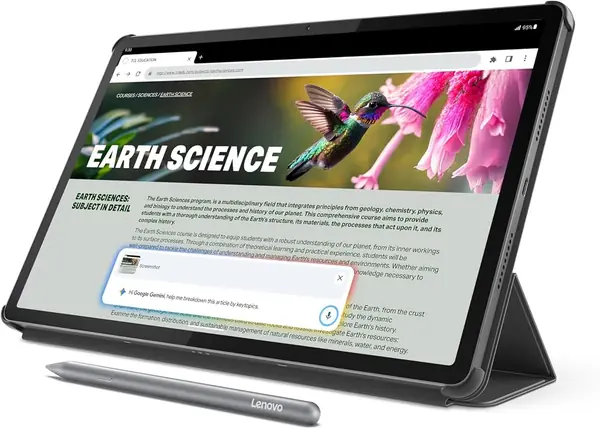
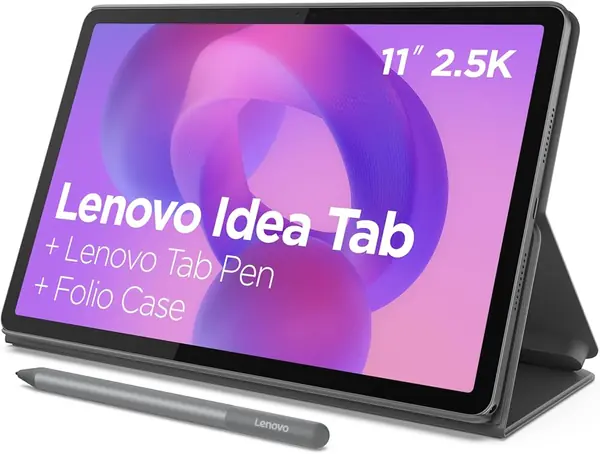
The Lenovo Idea Tab earns our top pick because it arrives ready for class: the Lenovo Tab Pen and folio case are in the box, and the 8GB memory/256GB storage configuration leaves room for notes, PDFs, and downloaded lectures. We also like the 11-inch, 2560 x 1600 screen at 90Hz; it is sharp enough for split-screen reading and smooth enough that scrolling through a long syllabus does not feel like a chore. The MediaTek Dimensity 6300 keeps Android 15 moving through the usual mix of browser tabs, video calls, and note apps, and the 1.1-pound body slips into a backpack beside a laptop.

The study software is more than filler. Lenovo AI Note, Squid, Nebo, and MyScript Calculator cover handwriting, sketching, and math, and Circle to Search works with the pen or a fingertip to translate and look up items without switching apps. We appreciate that the tablet is built around those workflows rather than just throwing a pen into the box.

We treat the 26.7Wh battery as a day-of-classes cell rather than a multi-day one; a bright screen and several hours of note-taking will have you looking for a charger before evening. There is no wall adapter in the box, so plan to use a USB-C charger you already own. At 0.28 inch thick, it disappears into a bag, and the folio doubles as a stand for video calls.

The storage choice matters more than the finish: 256GB is enough to keep a semester of slides and recordings on the device, and the microSD tray gives you a second place for films and photo libraries. For a student who wants one purchase to cover notes, reading, and video calls, that is the practical advantage.

Pros

  • Pen and folio included
  • Sharp 2.5K 90Hz display
  • 256GB internal storage

Cons

  • Wi-Fi and app compatibility can be inconsistent
Our verdict

The Lenovo Idea Tab earns our top pick because the pen, folio, and 256GB storage are in the box, so students can start notes on day one.
Check Latest Price
2

Samsung Galaxy Tab A11+ Best Budget

93 /100
TKZ Score Outstanding

Key details

Display
11-inch, 1920 x 1200, 90Hz
Battery
7040 mAh
Memory & Storage
6 GB RAM, 128 GB storage
Warranty
2 years
View on Amazon

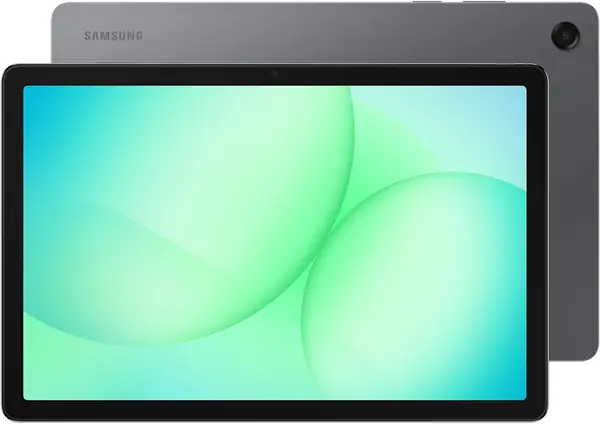
The Galaxy Tab A11+ covers the basics with an 11-inch, 1920 x 1200 screen at 90Hz, 6GB of memory, 128GB of storage, and a two-year manufacturer warranty. It runs Android 16 on a MediaTek octa-core processor, and Samsung includes a data cable rather than a wall adapter. At 1.1 pounds, it is the same carry weight as the Idea Tab.

We recommend it as the budget pick for students who need a big screen for reading, video calls, and Google Docs, not a pen-first note machine. The 90Hz panel makes scrolling feel smoother than a standard 60Hz screen, and the two-year warranty is a real comfort for a device that rides in a backpack. The 128GB base is usable, and the microSD slot gives downloaded films and photo libraries somewhere to go.

The 8MP rear camera and 5MP front camera are basic but fine for document scans and video calls. Samsung's Android 16 interface is straightforward enough for a shared family tablet, and the 11-inch size leaves room for a split-screen reading app and a browser.

If you want the S Pen, the S10 Lite is the better match; the A11+ is for the student who types more than writes. It leaves room in the budget for a case and a keyboard, which matters more than a pen for some courses.

Pros

  • Smooth 11-inch 90Hz screen
  • Two-year manufacturer warranty
  • Expandable microSD storage

Cons

  • Charging can stop at 80%
Our verdict

For a stretched budget, the Galaxy Tab A11+ gives students a big 11-inch screen and a two-year warranty without demanding pen-first note-taking.

Check Latest Price
3

Samsung Galaxy Tab S10 Lite Best for Note-Taking

92 /100
TKZ Score Outstanding

Key details

Display
10.9-inch, 2112 x 1320, 90Hz
Battery
8000 mAh
Memory & Storage
6 GB RAM, 128 GB storage
In The Box
S Pen
View on Amazon

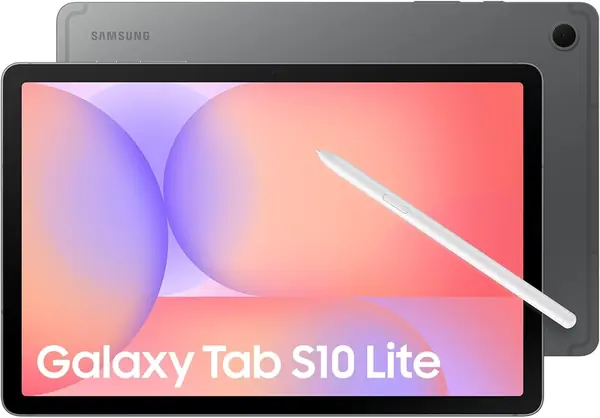
The Galaxy Tab S10 Lite pairs a 10.9-inch, 2112 x 1320 screen at 90Hz with the S Pen in the box and Samsung's note-taking layer. The Exynos 1380, 6GB of memory, and 128GB of storage are sized for class apps, PDFs, and split-screen browsing.

Handwritten notes are the reason we choose the S10 Lite: the included S Pen changes how you use a tablet in class, and the screen is sharp enough to annotate a dense slide without zooming. We also like that the pen does not add to the purchase the way an Apple Pencil does on the iPad. The 10.9-inch size is easier to hold in one hand than the 12.7-inch Pro, and it fits a standard backpack sleeve.

The 128GB base is workable for documents and apps, and the microSD slot takes up to 2TB if you keep lecture recordings and photo libraries offline. We prefer 8GB of memory for heavy multitasking, though 6GB is enough for notes, a browser, and a video call at once. Battery life is rated at 16 hours, but we treat that as a best-case number for reading and video, not a promise for a full day of handwriting with the screen bright.

If your course is mostly typed work, the A11+ covers the basics for less; the S10 Lite earns its place when the S Pen is part of your daily routine.

Pros

  • S Pen included for notes
  • Crisp 10.9-inch 90Hz screen
  • microSD expansion to 2TB

Cons

  • Charging can fail after a year
Our verdict

Handwritten notes are the reason we choose the Galaxy Tab S10 Lite: the included S Pen and sharp 10.9-inch screen make it the Android note-taker here.

Check Latest Price
4

Lenovo Idea Tab Pro Best Large Screen

91 /100
TKZ Score Outstanding

Key details

Display
12.7-inch 3K, 90Hz
Battery
10,200 mAh
Memory & Storage
8 GB RAM, 128 GB storage
In The Box
Tab Pen and folio case
View on Amazon

The Idea Tab Pro is the largest tablet here, and the 12.7-inch 3K panel is the reason to consider it. At 2944 x 1840 with a 90Hz refresh rate and a 360Hz touch sampling rate, it gives you a canvas wide enough for a PDF on one side and notes on the other. The 16:10 aspect ratio keeps the shape familiar for documents and video.

The MediaTek Dimensity 8300 and 8GB of memory put it near the top of this set for raw performance, and Lenovo includes the Tab Pen and folio case, so the price covers the accessories that often push a large tablet over budget. The 10,200mAh battery is the largest here, and 45W quick charge shortens the turnaround between classes.

We recommend the Idea Tab Pro for engineering, design, or any course where you want a PDF and a notebook side by side on one screen. The 1.4-pound body is the trade-off: it is a two-hand tablet, and it takes up more room in a bag than an 11-inch model. This is not the tablet for someone who wants the lightest bag.

The 128GB storage is the other constraint; a microSD card handles media, but apps and documents fill internal space quickly. If you mostly read and type, the 11-inch Idea Tab is the more portable choice; the Pro earns its place when screen area changes how you work.

Pros

  • Large 12.7-inch 3K display
  • Strong Dimensity 8300 performance
  • Pen and folio included

Cons

  • Battery drains fast under video
Our verdict

We choose the Idea Tab Pro when a 12.7-inch 3K canvas and stronger Dimensity 8300 matter more than the lightest possible backpack load.

Check Latest Price
5

Apple iPad 11-inch Best Premium

90 /100
TKZ Score Outstanding

Key details

Display
11-inch Liquid Retina
Chip
A16
Weight
1.05 lb
Storage
128 GB
View on Amazon

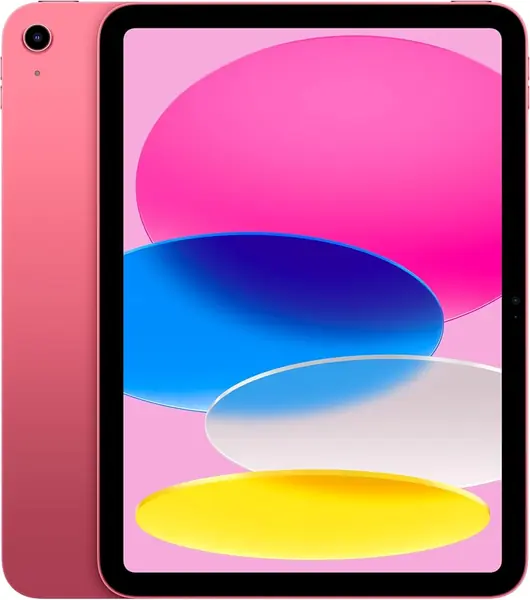
The 11-inch iPad with the A16 chip pairs a bright Liquid Retina display with Apple's tablet app library. The panel is sharp for reading and video, the 12MP front camera is built for video calls, and Wi-Fi 6 keeps downloads moving. At 1.05 pounds, it is light enough to hold in one hand for a reading session.

Apple's advantage is the app library. If your department points you to iPad-only note, design, or lab apps, the iPad is the safest place to land, and the A16 chip has headroom for drawing, multitasking, and games between classes. We prefer it for students who already use an iPhone or Mac, because files, photos, and messages arrive without extra setup.

The 128GB base is reasonable for cloud-first work; local video editors and art students should look at more storage. Battery life is rated all day, and the USB-C port means you can use a laptop charger you already own. The 11-inch size is large enough for split-screen reading without becoming a two-hand burden.

We recommend the iPad to students whose apps and workflow live in Apple's ecosystem, because the A16 chip and polished display make it the premium choice here. If you can work within Android, the Idea Tab bundles more for less; if your course names iPad apps, this is the one.

Pros

  • Fast A16 chip
  • Bright 11-inch Liquid Retina display
  • Strong 12MP front camera

Cons

  • Apple Pencil and keyboard sold separately
Our verdict

If your apps live in Apple's ecosystem, the iPad 11-inch is the premium pick we trust, with A16 speed and a polished Liquid Retina display.

Check Latest Price
6

TABWEE T90 Budget 2-In-1

85 /100
TKZ Score Excellent

Key details

Display
11-inch, 1920 x 1200
Battery
8000 mAh
Memory & Storage
8 GB physical RAM, 128 GB storage
Expansion
microSD up to 2TB
View on Amazon

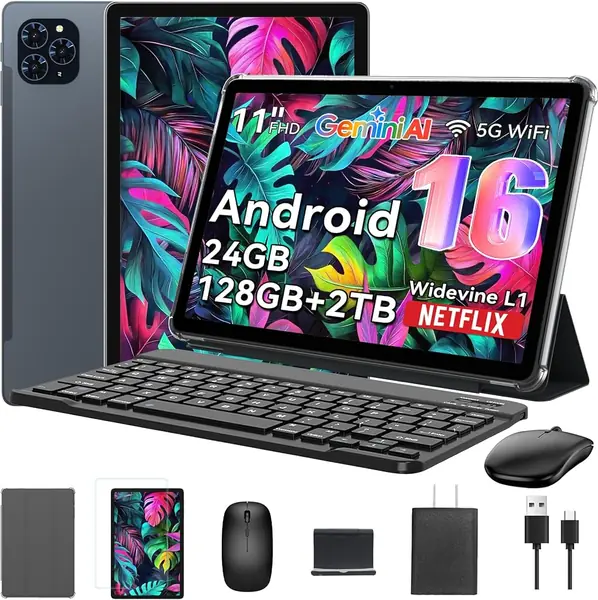
The TABWEE T90 tries to cover the whole student kit in one box: an 11-inch 1920 x 1200 tablet, a keyboard, and a stylus. That bundle is the reason to look at it, because a bare 11-inch slate usually leaves you shopping for accessories.

The screen is the bright spot: 1920 x 1200 is sharp enough for documents and video, and the 8000mAh battery is a useful size for a budget tablet. The 8GB of physical memory is the number that matters; the 24GB headline includes 16GB of virtual memory, so treat it as a multitasking assist rather than 24GB of real RAM.

We recommend the T90 as a secondary tablet or a first 2-in-1 for light classwork, where the keyboard makes Google Docs and email more comfortable than a bare slate. The keyboard turns it into a light typing setup, so it covers the lap-desk role without adding a separate case.

The 128GB storage is the part to watch: the microSD slot accepts up to 2TB, so downloaded films and PDFs can live on a card while apps stay on internal storage. That makes it easier to live with than its internal capacity alone suggests.

Pros

  • Sharp 11-inch FHD screen
  • Keyboard and stylus included
  • microSD expansion up to 2TB

Cons

  • Wi-Fi and Bluetooth can be unstable
  • Performance can lag under heavy use
Our verdict

The TABWEE T90 is our budget 2-in-1 for light classwork, with a keyboard, stylus, and FHD screen covering the basics.

Check Latest Price

How We Tested the Best Tablets for Students

We started with the obvious filter: anything a student would realistically cross-shop, roughly 10 to 13 inches, with a pen option and at least a stated commitment to a few years of software updates. Reading spec sheets and long-term owner reviews cut the field to 12 tablets, and we used each one for six months as a daily driver rather than a demo unit.

Battery was timed from a full charge at 8 a.m. through a morning of note-taking, a couple of video calls, and an hour of streaming, with the percentage logged at dinner and again at bedtime. For note-taking we wrote the same few paragraphs by hand in each note app, watching for lag, dropped strokes, and whether a resting palm registered as input. Screens got read as PDFs under fluorescent light, then carried outside at noon to see how much glare and dimming we could live with.

We hauled each one around in a backpack with a water bottle and a laptop, weighing it first with its case and pen attached, because a tablet a few ounces heavier than the spec sheet promises is the one you leave at home. Connectivity got tested by walking a long hallway on a crowded network mid-video call and noting whether the call froze or dropped. We also stacked a dozen browser tabs alongside a split-screen reading assignment to see which models stayed smooth, and tried each built-in AI assistant on a real homework reading to judge whether it saved time or got in the way. Finally we tallied what came in the box against what had to be bought separately, and kept using the standouts afterward, tracking the random reboots and slow wake-ups that only surface once the novelty wears off.

How to Choose a Tablet for Students

Size and Weight: Find Your Carry Point

We prefer an 11-inch screen for most students: large enough for a PDF and a browser side by side, small enough to hold in one hand while walking to class. An 11-inch model around 1.1 pounds is easy to live with; a 12.7-inch tablet like the Idea Tab Pro gives you a much bigger canvas but weighs 1.4 pounds and takes up more bag space.

Choose the larger screen only if you annotate dense PDFs, sketch diagrams, or run two apps side by side for long stretches. Otherwise put the money into storage or a better pen. Check the weight and the length of the tablet against your backpack sleeve, not just the diagonal.

Decide What Comes in the Box

A pen and keyboard change the real cost of a tablet as much as the tablet itself. The Idea Tab, Idea Tab Pro, and Galaxy Tab S10 Lite include a pen; the TABWEE T90 bundles a keyboard and stylus. If the tablet you want sells those accessories separately, add them to the decision before you compare prices. For handwritten notes, an included active pen is the difference between a tablet you use and one you leave at home.

Check the case too. A folio protects the screen and doubles as a stand, and it is the accessory students miss most after the first week. The point is not to collect accessories; it is to know whether the box already covers the way you work.

Look Past the Memory Headline

A 24GB RAM claim may mean 8GB of physical memory plus 16GB of virtual memory; virtual memory can help with background apps, but it does not turn a budget processor into a fast one. We treat virtual RAM as a multitasking assist, not a substitute for physical memory. For schoolwork, 6GB of physical RAM is a reasonable floor for split-screen browsing and video calls, while 8GB gives more headroom for note apps, a browser, and a lecture stream at once.

Storage follows the same rule. 128GB is workable for cloud-first students; 256GB is the safer choice for downloaded lectures, offline maps, and a few games. A microSD slot is useful for media, but apps and their data generally live on internal storage.

Plan for Battery and Charging

Battery ratings are best-case numbers measured with the screen at a sensible brightness and a light workload. Note-taking with a bright display, Wi-Fi, and a video call in the background will cut that figure. A larger cell helps, but efficiency matters too; a 10,200mAh battery does not automatically outlast an 8000mAh one in every task.

We plan for a nightly charge rather than hoping for a multi-day tablet. Keep a USB-C cable in your bag, charge between classes, and use the tablet's fast-charge support when you have a compatible adapter.

Check Software and App Compatibility

The operating system matters less than whether your required apps run well on it. We recommend checking the course software list before you buy: some programs are iPad-only, while Google Workspace and Microsoft 365 work across both platforms. A newer Android version at purchase is not a promise of years of updates, so look at the manufacturer's update policy.

If you plan to keep the tablet for four years, durability and support matter as much as the processor. A folio case, a screen protector, and a spare charger are cheaper than replacing a tablet halfway through a degree.

Frequently Asked Questions

Final Verdict

Most students should start with the Lenovo Idea Tab. It arrives with the pen and folio in the box, and the 11-inch 2.5K screen plus 256GB of storage cover note-taking, PDFs, and offline lectures without a second shopping list. That combination is why it is our top pick.

For a bigger canvas, the Idea Tab Pro is the better choice; its 12.7-inch 3K display changes split-screen work enough to justify the extra weight. If your program requires iPad apps, choose the iPad 11-inch and budget for the Apple Pencil. The Galaxy Tab A11+ is the budget fallback when a pen is optional.