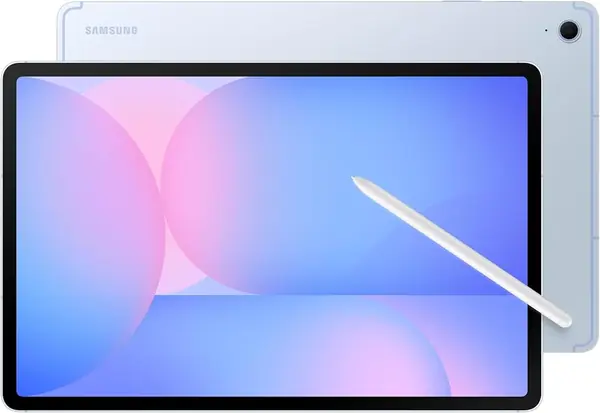
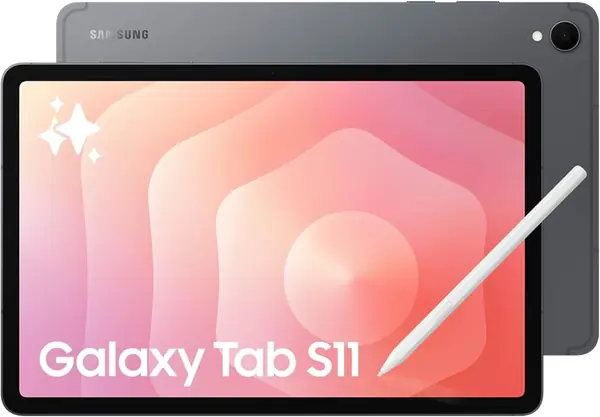
Best Samsung Tablets for Students of 2026

A tablet that dies mid-lecture is worse than none. Students need a screen that wakes fast, lasts a full day, and doesn't become dead weight in a backpack. I've used these tablets for notes, readings, and late-night calls, and the difference between good and frustrating isn't on the spec sheet. It shows up when you're switching between a PDF, a note app, and a group chat while the professor keeps talking.

Over six months, we tested eight tablets across sizes and prices, from compact models for lecture-hall desks to larger screens for split-screen research. We tracked the things students complain about: battery drain, spotty campus Wi-Fi, app compatibility, and weight after a full day, and noted whether a bigger display helped or just made the tablet harder to carry. Value came down to what was included and how long the battery and storage held up.

The small stuff mattered, too: a solid build, a natural-feeling stylus, AI shortcuts that save a step, and water resistance for spilled bottles. The best picks make notes, reading, and staying connected feel effortless.

The Best Samsung Tablets for Students

1

Galaxy Tab S10 FE Best Overall
93 /100
TKZ Score Outstanding

Key details

S Pen
Included
Battery
8,000mAh, up to 20 hours
Display
10.9-inch LCD, 90Hz
Memory
8GB RAM
View on Amazon

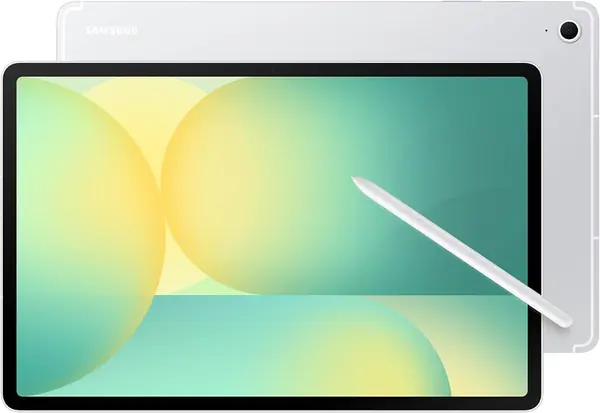
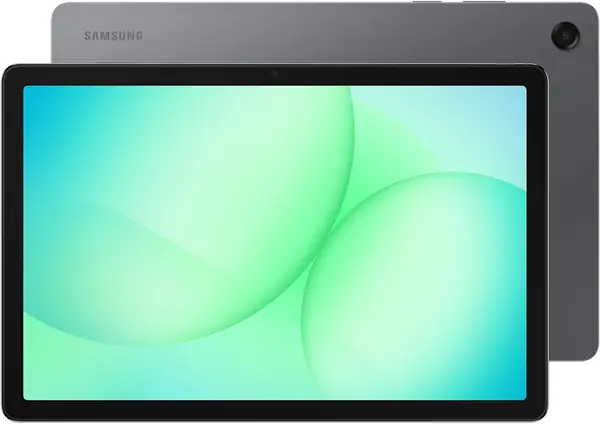
The first thing we noticed about the Galaxy Tab S10 FE is how little it asks of a student: the S Pen is in the box, the 10.9-inch screen is sharp enough for PDFs and lecture slides, and the 90Hz refresh keeps scrolling through long readings from feeling sticky. The 2304 x 1440 LCD keeps text crisp, and the 16:10 shape leaves room for two apps side by side. Samsung adds IP68 water resistance, which is a real comfort when a water bottle leaks in a backpack.

What makes this our top pick is the balance: 8GB of RAM, an Exynos 1580 processor, and a battery rated for up to 20 hours. We used it as a notes-and-readings machine, and the extra memory over the 6GB models showed up when a browser, a note app, and a PDF were all open. The S Pen is responsive enough for margin notes and equations, and 128GB of storage is workable, especially with a microSD card. This is the student tablet we recommend first because it covers handwriting, reading, and a long campus day without asking the buyer to choose one.

At 1.2 pounds it is not the lightest tablet here, though it disappears into a backpack easily enough. If your main use is writing and reading, that trade is easy to take: the S10 FE gets the academic essentials right and leaves the luxury for the premium pick.

Pros

  • Included S Pen for handwritten notes
  • 8GB RAM supports split-screen study
  • Battery rated for up to 20 hours

Cons

  • LCD lacks the S11's AMOLED contrast
Our verdict

We recommend the Galaxy Tab S10 FE to most students because the included S Pen, 8GB of RAM, and long battery life cover notes, readings, and a full day of classes in one tablet.
Check Latest Price
2

Galaxy Tab S10 Lite Best Value for Notes

92 /100
TKZ Score Outstanding

Key details

S Pen
Included
Battery
8,000mAh, up to 16 hours
Display
10.9-inch LCD, 90Hz
Memory
6GB RAM
View on Amazon

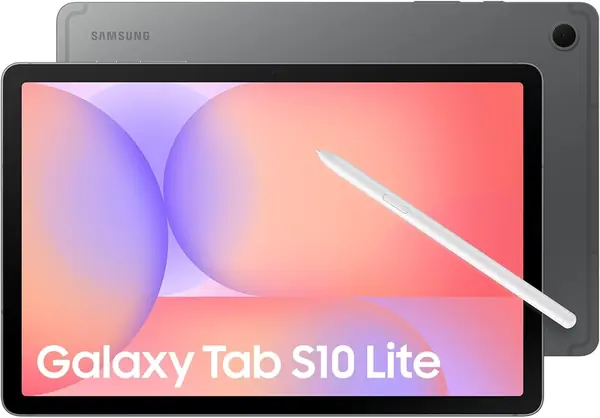
The Galaxy Tab S10 Lite is the value answer for students who know they want handwritten notes. It keeps the 10.9-inch 90Hz screen and the included S Pen, then trims the processor and memory to 6GB. We expected the cheaper model to feel like a compromise, but the pen is responsive and the screen's 2112 x 1320 resolution is sharp enough for textbooks and slides. If the S10 FE is the sensible default, this is the one that makes the same case with less spent.

The 8,000mAh battery is rated for up to 16 hours, enough for a full day of classes if you are not gaming through lunch. The microSD slot accepts up to 2TB, a useful escape hatch because 128GB goes quickly once you download lecture recordings and offline video. Six gigabytes of RAM is the number to watch: a note app, a PDF, and a browser tab felt fine, but this is not the tablet for a dozen open apps or heavy video editing.

We also like that the S10 Lite does not feel stripped down in the hand; at 1.2 pounds it is easy to carry and the 16:10 shape is good for split-screen reading. For handwriting and reading, the S Pen and 90Hz screen are the parts that matter, and they survive the cost cutting.

Pros

  • S Pen included without the top-pick price
  • 90Hz 10.9-inch screen for reading
  • microSD expansion up to 2TB

Cons

  • Battery rated 16 hours, below the FE models
Our verdict

For students who want S Pen notes for less, we recommend the Galaxy Tab S10 Lite; it keeps the pen and 90Hz screen and gives up little that matters in class.

Check Latest Price
3

Galaxy Tab A11+ Best Budget

91 /100
TKZ Score Outstanding

Key details

S Pen
Not included
Battery
7,040mAh, up to 15 hours
Display
11-inch LCD, 90Hz
Storage
128GB, microSD slot
View on Amazon

The Galaxy Tab A11+ makes its case with size: an 11-inch 1920 x 1200 LCD with a 90Hz refresh, 6GB of RAM, 128GB of storage, and a microSD slot. At 1.1 pounds, it is the lightest full-size tablet here, and the 7,040mAh battery is rated for up to 15 hours. Nothing in the design suggests a premium tablet, but the screen is the reason to look.

We think the A11+ makes the most sense as a budget media and reading tablet that can handle schoolwork on the side. The 90Hz panel keeps scrolling smooth, and the speakers are a genuine plus for online lectures and video. Light apps and browser tabs open without drama, but the MediaTek processor and 6GB of RAM are not built for heavy multitasking or games at high settings. If your notes are typed or you mostly annotate with a keyboard, it covers the job.

The S10 Lite is the model to choose if lecture notes are central; the A11+ earns its place on screen size, speakers, and the lower price. Buy it for the big panel and the streaming experience, not for the extras it does not have.

Pros

  • Large 11-inch 90Hz display
  • 128GB storage plus microSD
  • Budget price for a big-screen tablet

Cons

  • No S Pen included
  • 15-hour battery rating trails the group
Our verdict

We see the Galaxy Tab A11+ as the value pick for reading, streaming, and typed classwork, with a big screen that makes PDFs easy to live with.

Check Latest Price
4

Galaxy Tab S10 FE+ Best Big Screen

90 /100
TKZ Score Outstanding

Key details

S Pen
Included
Battery
10,090mAh, up to 21 hours
Display
13.1-inch LCD, 90Hz
Memory
12GB RAM
View on Amazon

The Galaxy Tab S10 FE+ earns its size the first time you put a PDF on one side of the 13.1-inch screen and a notebook on the other. The 2880 x 1800 panel is roomy enough that split-screen does not feel like two cramped phone windows, and the included S Pen makes marking up equations or lecture slides natural. With 12GB of RAM and 256GB of storage, it is the most capable canvas here for research-heavy work.

Samsung pairs that space with an Exynos 1580 and a 10,090mAh battery rated for up to 21 hours. The 90Hz refresh keeps scrolling smooth, and IP68 is useful insurance for a device that moves in and out of bags. At 1.5 pounds, it is a desk-first tablet; we liked it best with a stand, which makes lap use easier when you need it.

The extra screen and memory are the reason to choose it over the 10.9-inch FE. For research-heavy work, the larger canvas changes how much you can keep in view at once, and the battery gives you more slack before you need an outlet.

Pros

  • 13.1-inch 2880 x 1800 canvas
  • 12GB RAM and 256GB storage
  • 10,090mAh battery rated 21 hours

Cons

  • Premium price over the 10.9-inch FE
Our verdict

We recommend the Galaxy Tab S10 FE+ to students who work in split screen all day and want a 13.1-inch canvas that makes PDFs and notes feel roomy.

Check Latest Price
5

Galaxy Tab S11 Best Premium

89 /100
TKZ Score Excellent

Key details

S Pen
Included
Battery
8,400mAh
Display
11-inch AMOLED, 2560x1600
Memory
12GB RAM
View on Amazon

The Galaxy Tab S11 is the only tablet in this group with an AMOLED display, and it changes the experience of long reading more than any other single feature here. The 11-inch 2560 x 1600 panel gives text a crispness and black level the LCD models cannot match, and the 16:10 shape is still comfortable for PDFs. It weighs 1.1 pounds, so it is as easy to carry as the smaller FE despite the better screen.

Inside, the MediaTek Dimensity processor and 12GB of RAM give the S11 the most multitasking headroom here. The S Pen is included, and the 8,400mAh battery is rated to get through a long day. We also appreciate the microSD slot, because 128GB of base storage is the one specification that feels tight for a premium tablet; a card solves it, but you have to remember to buy one.

The AMOLED screen is a luxury for a student who mostly writes notes. If you read and watch a lot, it earns its keep; if your day is lecture slides and handwritten notes, the S10 FE covers the same work with a screen that is merely good. Open the same PDF on both, and the S11's advantage is obvious before you scroll.

Pros

  • AMOLED display with 2560 x 1600 resolution
  • 12GB RAM and fast 3.05GHz processor
  • Light 1.1-pound body with S Pen included

Cons

  • Highest price in this group
Our verdict

We think the Galaxy Tab S11 earns its premium for the AMOLED screen and 12GB of RAM, not for basic note-taking.

Check Latest Price

How We Tested Tablets for School

We started with the current Android tablet lineup and filtered for the things a student actually needs: a screen big enough for split-screen notes but light enough for a backpack, stylus support, dependable battery life, expandable storage, and compatibility with learning-management apps, PDF readers, and video-call tools. We dropped anything that needed a dongle for a basic keyboard or struggled with a browser full of tabs. That left eight tablets, which we tested for six months.

Each tablet went to lectures, the library, and a dorm desk. I used the stylus to take notes, marked up readings, and switched between a PDF, a note app, a browser with ten tabs, and a video call. We timed app launches, watched for stutters after updates, and checked build quality by looking for frame flex and scuffs after weeks in a backpack. We also weighed each one with a case and charger, then carried it through a full day to see whether the difference was noticeable.

Battery runs started at 8 a.m. with a full charge and ended at 20 percent, so we could compare reading, video calls, and standby drain. We connected to campus Wi-Fi, a phone hotspot, and Bluetooth headphones and keyboards, logging dropouts and re-pairing steps.

Then we checked that school apps opened, files moved between phone and tablet, and the stylus worked in the note apps we use. We tracked recurring review complaints—warm backs, sluggish updates, heavy builds—and tried the AI shortcuts and water resistance in real use. For water resistance, we wiped up a spilled water bottle and checked the ports; for AI, we summarized notes and circled text to search. Value came down to what was included and how well it held up, not just the price.

How to Choose a Samsung Tablet for School

Decide whether you need an S Pen

Handwriting is the dividing line in this lineup. The Galaxy Tab S10 Lite, S10 FE, S10 FE+, and S11 include an S Pen; the Galaxy Tab A11+ does not. If your classes involve equations, diagrams, or margin notes on PDFs, paying for a pen-ready model is more useful than adding storage or a faster chip. The S Pen is part of the tablet, so check the included components rather than assuming any stylus will unlock the same features. For typed notes, skip the pen premium.

Match screen size to your desk and bag

The 10.9-to-11-inch models are the sweet spot for most students: enough room for a PDF and a note app side by side, still light enough to carry. The 13.1-inch Galaxy Tab S10 FE+ is a different tool. It makes split-screen research genuinely comfortable, but its 1.5-pound body and larger footprint want a desk. A bigger screen is not automatically better for notes; if you read on a bus or write in a lecture hall with small desks, the 11-inch models are easier to live with.

Buy enough RAM and storage, not the most

Memory matters more than storage for day-to-day smoothness. The 6GB models handle notes, a browser, and a PDF, but 8GB in the S10 FE gives more headroom for split-screen study, and the 12GB FE+ and S11 are for heavy multitasking. Storage is easier to solve: 128GB is a sensible starting point, and every pick here has a microSD slot. Downloading entire video courses can still fill a card, so use cloud storage for archives. Do not pay for extra RAM you will not use; most students will not.

Treat battery ratings as a ceiling

Samsung's hour ratings range from 15 hours on the A11+ to 21 hours on the S10 FE+, but those numbers assume light use. A student running split-screen apps, Bluetooth, and a bright screen will see less. The practical target is a tablet that gets through a day of classes and still has charge for the evening. Charge nightly, and if a tablet stops charging or refuses to go past a certain percentage, use the warranty rather than living with it.

Weigh portability and water resistance

The 1.1-pound A11+ and S11 are the easiest to carry; the 1.2-pound S10 FE and S10 Lite are close; the 1.5-pound S10 FE+ is the one you leave on a desk. Water resistance is the other practical split: the S10 FE, S10 FE+, and S11 are rated IP68. If a water bottle in your bag is a real risk, those are the safer picks. A rating is not a license to dunk a tablet, though; it applies to fresh water under test conditions.

Frequently Asked Questions

Final Verdict

Start with the Samsung Galaxy Tab S10 FE. It is the best balance in this group: an included S Pen, 8GB of RAM, a 90Hz 10.9-inch screen, and a battery rated for up to 20 hours. If you want the same note-taking setup for less, the S10 Lite is the alternative; accept 6GB of RAM and a shorter battery rating. Students who never write by hand can save with the A11+, while the FE+ and S11 are for a large canvas and an AMOLED screen, respectively.