Best Tablets for Seniors of 2026

My mother called me twice last winter about the same tablet: once because an update prompt wouldn't go away, once because she couldn't find the photos my sister had sent. Neither was a hardware problem, but both would have been fixed by a tablet that expects less of the person holding it. What you want is big readable text, a home screen that stays put, a battery that survives a week of crosswords, and a video call that connects on the first try.

Here's what surprised me after six months with 12 of these: the fastest processor was rarely the one that felt fastest. Screen brightness, text size, and the number of steps between turning on and seeing a grandchild's face mattered far more. Battery life decided whether a tablet got used or left in a drawer, and expandable storage turned out to matter too, mostly for photos.

The picks below range from a locked-down setup that can't really go wrong to a full tablet you can grow into. What they share is that nobody in our group felt foolish using one.

The Best Tablets for Seniors

1

Samsung Galaxy Tab A11+ Best Overall
91 /100
TKZ Score Outstanding

Key details

Screen
11 inches, 1920 x 1200, 90Hz
Battery
7040mAh, 15 hours
Storage
128GB, microSD
Weight
1.1 lb
View on Amazon

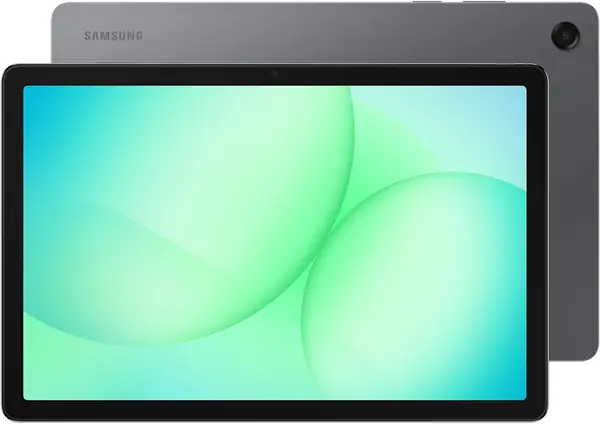
The 11-inch screen is the reason this Samsung earns the default recommendation. At 1920 by 1200, it gives large text and video calls enough room to breathe, and the 90Hz refresh keeps scrolling from looking jumpy. For an older adult who reads news, does puzzles, or wants a face on the other end of a call to be more than a thumbnail, that extra canvas matters more than a slim bezel.

We also like how little translation the rest of the tablet requires. It runs Android 16 with Samsung's familiar One UI, so Gmail, YouTube, WhatsApp, and the family's preferred video-call app are all within reach. The quad speakers are loud enough for a kitchen table, and the two-year warranty is longer than most budget tablets offer.

The 6GB of memory and 128GB of storage are generous for this price bracket, and the microSD slot means a card can hold years of photos without a subscription. Battery life is rated at 15 hours, enough for a day of reading, calls, and a movie. If it seems to stop charging at 80%, check Samsung's battery-protection setting before assuming the port is bad; that setting is easy to switch on and easy to forget.

Pros

  • Large 11-inch 1920 x 1200 screen
  • 128GB storage plus microSD
  • Two-year Samsung warranty
  • Familiar Android 16 and Samsung One UI

Cons

  • No wall charger in the box
  • Heavy for one-handed reading
Our verdict

We recommend the Samsung Galaxy Tab A11+ as the best all-around pick here for seniors, thanks to its large, sharp screen, familiar Android apps, generous storage, and two-year warranty.
Check Latest Price
2

GrandPad Best Purpose-Built for Seniors

90 /100
TKZ Score Outstanding

Key details

Screen
8 inches, 1920 x 1200
Battery
8 hours
Weight
13.4 oz
Plan
Required
View on Amazon

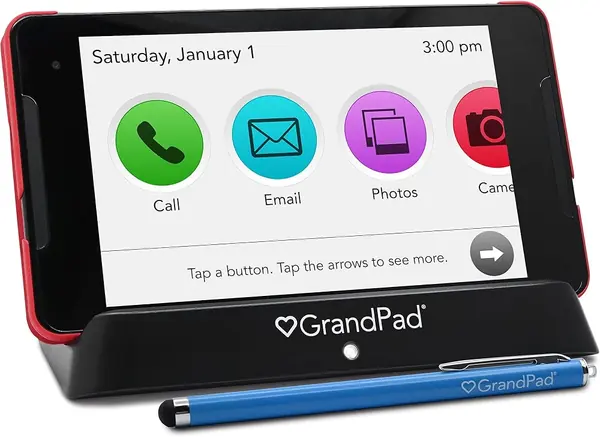
The first thing a family has to accept with GrandPad is that it is a subscription, not a one-time tablet purchase. The plan is what pays for the private network, the U.S.-based support line, and the family companion apps that let you load contacts and share photos without walking anyone through a settings menu.

What you get for that commitment is the most coherent senior tablet here. The home screen uses large icons, calling is a single button, and the private network blocks spam and scams before they reach the screen. Family members can upload photos and videos from their own phones, and the images show up as a screensaver; that turns the tablet into a shared family album rather than another device to check. The wireless charging cradle and protective case are included, which removes two common points of failure.

The 8-inch display is sharp at 1920 by 1200, and the front camera is wide enough for a video call at arm's length. The 380-gram body is light enough to hold through a call, and the included stylus helps with small buttons. 911 calling is available with select plans, so confirm that detail before you rely on it. The GrandPad is the one for a family that wants the thing to arrive configured and stay simple.

Pros

  • Managed setup with family photo sharing
  • Private network blocks spam and scams
  • Wireless charging cradle included
  • Large icons and one-button calling

Cons

  • 8-inch screen may be small for low vision
Our verdict

We recommend GrandPad for families who want a managed, scam-resistant tablet with human support and a setup that arrives ready to use.

Check Latest Price
3

TECLAST T65 Best for Low Vision

89 /100
TKZ Score Excellent

Key details

Screen
13.4 inches, 1920 x 1200, 120Hz
Battery
8000mAh, 11 hours
Storage
128GB, 1TB microSD
Weight
1.59 lb
View on Amazon

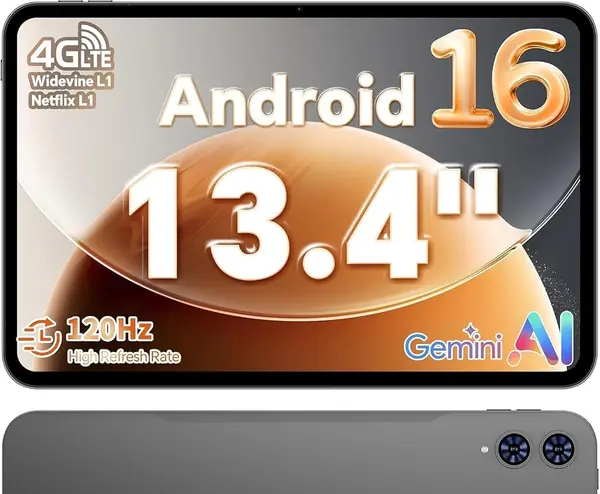
A 13.4-inch screen changes what a tablet can do for someone with low vision: it turns a phone-sized app into something closer to a large-print page. The T65 pairs that panel with a 1920 by 1200 resolution and a 120Hz refresh rate, so text is crisp and scrolling stays smooth instead of smearing.

We like the T65 most as a tabletop machine for reading, watching, and video calls. The 128GB of storage holds a lot of books, photos, and downloaded shows, and the microSD slot takes up to 1TB more. The 8000mAh battery is rated for 11 hours, and the stereo speakers are loud enough that you do not have to hold the tablet close to hear a call. The 4G option is useful if the tablet will travel to a place without reliable Wi-Fi, but confirm the carrier and band support before you count on it.

The screen is the point, and it makes the T65 the best choice here for someone whose main complaint is that everything on a phone is too small. Pair it with a stand and a stylus if the tablet will be used for crossword puzzles, sheet music, or reading in a chair. The 120Hz panel also makes photos and video look smoother, which is a nice bonus for a device that will spend a lot of time showing family pictures.

Pros

  • Huge 13.4-inch 120Hz screen
  • 128GB storage plus 1TB microSD
  • 8000mAh battery rated for 11 hours
  • 4G option for travel

Cons

  • Heavy at 720 grams
  • No fast charging
Our verdict

We recommend the TECLAST T65 for anyone who needs the biggest, sharpest reading screen here and will use it mostly at a table.

Check Latest Price
4

Jeazans X10 Pro Best for Keeping Charged

88 /100
TKZ Score Excellent

Key details

Screen
10.1 inches, 1280 x 800
Battery
6000mAh, 5 hours
Storage
64GB, 1TB microSD
Dock
Speaker and wireless charging
View on Amazon

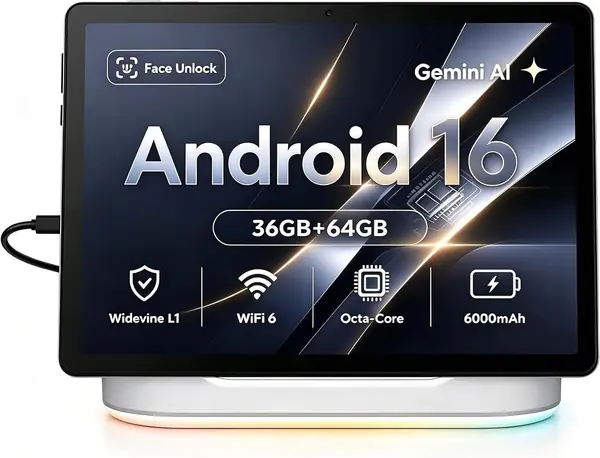
The dock is the feature that makes this Jeazans tablet interesting for an older adult: it turns charging into a drop-in habit instead of a cable hunt. Set the tablet on the magnetic dock and it charges while acting as a speaker, a desk clock, and a digital photo frame.

We like the idea of a tablet that lives on a bedside table or kitchen counter and stays visible. The 10.1-inch screen is fine for large icons, photos, and video calls, and the 64GB of storage plus microSD expansion leaves room for a family photo album. The dock's speaker is louder and fuller than the tablet's own speakers, which helps on video calls and when watching a show from across the room.

The catch is that this is a less-established brand, so buy from a seller with a clear return window and set it up early. The Android 16 software and Wi-Fi 6 are current, and the 8-core processor is enough for email, streaming, and calls. As a docked family hub, it makes more sense than as a travel tablet; the photo-frame mode and clock are the kind of small conveniences that keep a tablet in view instead of in a drawer.

Pros

  • Magnetic charging dock with speaker
  • Doubles as photo frame and clock
  • 64GB storage plus 1TB microSD
  • Android 16 and Wi-Fi 6

Cons

  • 5-hour battery away from dock
  • 1280 x 800 screen is soft for small text
Our verdict

We recommend the Jeazans X10 Pro for a bedside or kitchen-counter tablet that stays charged and doubles as a photo frame and clock.

Check Latest Price
5

Samsung Galaxy Tab A7 Lite Best Compact

87 /100
TKZ Score Excellent

Key details

Screen
8.7 inches, 1340 x 800
Battery
5100mAh
Storage
32GB, microSD
Weight
13 oz
View on Amazon

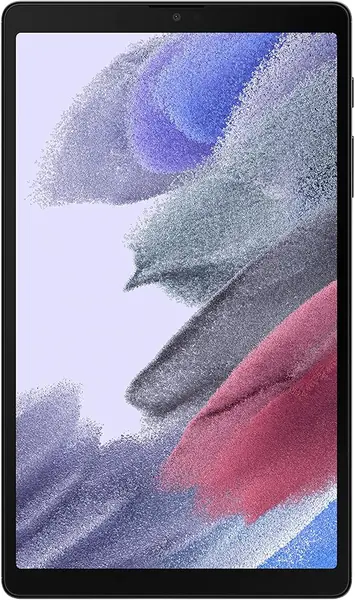
The A7 Lite is the one to choose when a large tablet is too much to hold. At 8.7 inches and just under 13 ounces, it fits in one hand and sits comfortably on a lap or a small side table, which matters for someone who reads in bed or takes the tablet from room to room.

We like the metal frame and the familiar Samsung software. The 1340 by 800 screen is bright enough for indoor use, and the Dolby Atmos stereo speakers are a step above the usual budget tablet. The 5100mAh battery is rated for long use, and the microSD slot lets you add storage without paying for a bigger model. The 3GB of RAM is enough for a few apps at a time, not for heavy multitasking. The 2MP front camera is the weak spot: it is fine for a quick check-in, but it is not the sharpest for long video calls.

The 8.7-inch screen is the trade-off. It is easy to hold, but small for long articles, puzzles, or anyone who needs larger text. If that is the main use, the 11-inch Samsung is the better fit. The A7 Lite earns its place as a compact, familiar tablet for calls, email, and a little reading. It is also the least expensive Samsung here, which makes it a low-risk way to stay in the family's familiar ecosystem.

Pros

  • Compact 8.7-inch body at 12.96 ounces
  • Metal frame and Dolby Atmos speakers
  • MicroSD expansion
  • Familiar Samsung software

Cons

  • Older Android 11 software
  • 32GB base storage fills quickly
Our verdict

We recommend the Samsung Galaxy Tab A7 Lite for older adults who want a light, familiar tablet for calls and simple apps, not a big-screen reading device.

Check Latest Price
6

TECLAST P35 Best Budget

86 /100
TKZ Score Excellent

Key details

Screen
10.1 inches, 1280 x 800
Battery
6000mAh, 10-12 hours video
Storage
32GB, 2TB microSD
RAM
3GB physical
View on Amazon

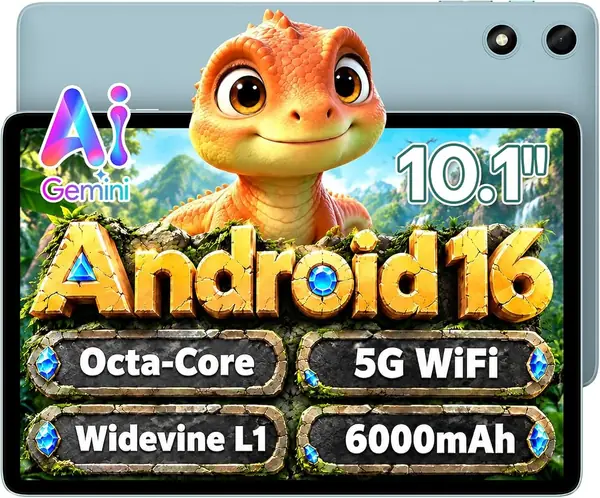
The P35 is the budget Android tablet we point to when the priority is a Google Play tablet that does the basics without a premium price. It has a 10.1-inch HD IPS screen, stereo speakers, and full access to the Play Store, so Gmail, YouTube, WhatsApp, and a video-call app are all available.

We like the Widevine L1 support for streaming services in HD, and the 6000mAh battery is rated for 10 to 12 hours of video playback. The microSD slot accepts up to 2TB, which is a practical way to add storage for photos and downloaded shows. The 10.1-inch size is a good middle ground: bigger than a phone, but not the enormous tabletop slab of the 13.4-inch Teclast. The HD IPS panel is not as sharp as the Samsung's, but large icons and video are comfortable, and the low blue-light mode is a small plus for bedtime reading.

The P35 is at its best with a handful of everyday apps, a video call, and a streaming service. We also like the face unlock for quick access, though it is convenience rather than security. For a first tablet or a spare that lives in the kitchen, it covers the essentials.

Pros

  • Full Google Play and Widevine L1
  • 10.1-inch HD IPS screen
  • Up to 2TB microSD expansion
  • 10-12 hours video playback

Cons

  • Only 3GB physical RAM
  • 32GB storage fills quickly
Our verdict

We recommend the TECLAST P35 as the budget Android pick for simple apps and video calls, provided you keep expectations modest.

Check Latest Price
7

Amazon Fire HD 10 Best for Amazon Households

85 /100
TKZ Score Excellent

Key details

Screen
10.1 inches, 1080p
Battery
13 hours video
Storage
32GB
Apps
Amazon Appstore
View on Amazon

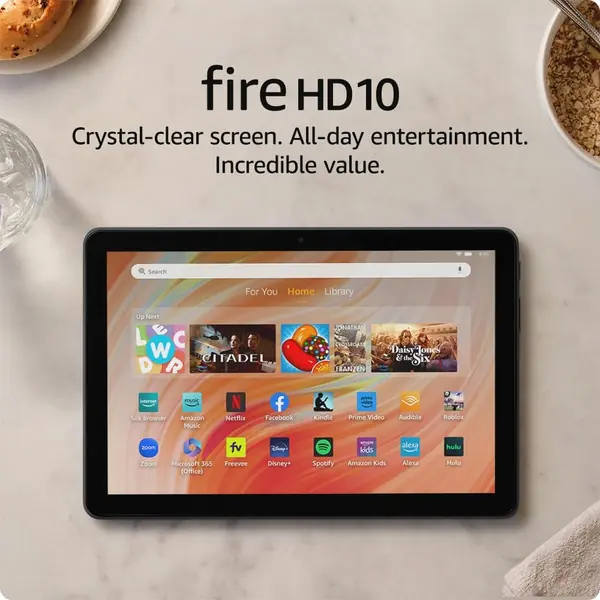
The Fire HD 10 is the easiest tablet here to hand to someone who mostly wants to watch Prime Video, read, and make the occasional video call. It has a 10.1-inch 1080p screen, a simple Fire OS interface, and a 13-hour battery rating for video playback.

We like the big, bright screen and the low-friction setup for Amazon households. If the family already uses Prime Video, Amazon Photos, and Alexa, the tablet feels familiar from the first minute. The 5MP front camera is better than the 2MP cameras on many budget tablets, and the 3GB of RAM is enough for streaming and light browsing.

The 5MP front camera is better than the 2MP cameras on many budget tablets, and the 13-hour battery rating is enough for a day of video. This is a like-new refurbished unit, so it arrives tested and backed by the same limited warranty as a new device; the condition is worth checking, but it is not a reason to rule it out.

For an Amazon household that mostly streams, reads, and calls, the Fire HD 10 is a simple, affordable 10-inch tablet with a good screen. It is the easiest one here to recommend to someone who already lives in Amazon's world.

Pros

  • 10.1-inch 1080p screen
  • 13-hour battery rating
  • 5MP front camera
  • Simple Fire OS for Amazon households

Cons

  • Amazon Appstore only
  • 32GB storage fills quickly
Our verdict

We recommend the Amazon Fire HD 10 for Amazon households that want a simple, affordable 10-inch tablet for streaming, reading, and video calls.

Check Latest Price

What Six Months With 12 Tablets Taught Us

To build the shortlist, I started with more than 30 tablets and cut anything with a screen smaller than 8 inches, since squinting at a cramped display defeats the purpose. From there I filtered on battery capacity, storage and expandability, current availability, and review patterns that pointed to reliability problems or frustrating setup, which left 12. I noted up front which ones need a paid plan to work at all, because that changes the real cost of ownership.

Then I handed them over. Testers ranged from 64 to 83, some shopping for themselves and some whose adult children set the tablet up, and each lived with one for six months. We timed how long it took to get from unboxing to a first video call without help, and counted how many times they had to ask a family member for assistance. After that, the tablets went where they actually go: video calls from the couch, reading in bed at night, recipes propped on the kitchen counter, photo slideshows in the afternoon, and a great many crosswords.

We judged speed by how quickly apps opened and whether switching between a call and the photo gallery stuttered, and we noted whether voices came through clearly without headphones. Display quality meant reading a news article in a sunlit room and again at the dimmest setting after dark. Battery life came down to charging on Sunday and seeing when the tablet died. For reliability, they rode in tote bags, got knocked off side tables onto carpet, and had to wake up the next morning. We checked compatibility by connecting each to an existing email account, a Bluetooth speaker, and a two-year-old home Wi-Fi network. Value was the last tally: what a given tablet did, weighed against a subscription if one was required.

How to Choose a Tablet for an Older Adult

Start With the Setup You Can Support

The tablet is only as easy as the account behind it. Decide who will create the Google or Amazon account, install the video-call app, and add family contacts before the device is handed over. A mainstream Android tablet gives you the widest app choice, while a senior-focused tablet like the GrandPad trades some flexibility for a managed setup and a simpler home screen. If the family cannot provide regular tech support, pay for the simpler path rather than the more powerful tablet.

Match Screen Size to Eyesight and Hand Strength

For reading, puzzles, and video calls, a 10-inch screen is the practical minimum, and 11 inches is more comfortable. A 13.4-inch tablet like the TECLAST T65 is the best choice here for low vision, but it weighs 720 grams and belongs on a stand. At the other end, the 8.7-inch Galaxy Tab A7 Lite is easy to hold but small for long articles. Choose the largest screen the person can comfortably support, not the largest screen in the listing.

Check the Video-Call Hardware and the App Store

A front camera and speakers matter more than a rear camera for this buyer. Look for a 5MP front camera or better, and check that the family's video-call app is available in the tablet's app store. Fire OS uses Amazon's store rather than Google Play, so a Fire tablet can be a poor fit if the family relies on Google apps. The TECLAST P35 and Samsung models here have Google Play; the GrandPad uses its own curated setup.

Treat Battery and Charging as a Routine

A tablet that needs a cable every night is a tablet that ends up in a drawer. Look for at least 10 hours of rated battery life, and consider a dock or wireless charging cradle if the person is likely to forget. The Jeazans X10 Pro's dock keeps it charged on a counter, and the GrandPad includes a wireless charging cradle. A long battery rating helps, but the charging habit matters more.

Decide Who Owns the Warranty and Support

Buy a U.S. version with a clear warranty if the tablet will be someone's main device. International models can lack domestic warranty coverage, and renewed tablets may carry a shorter guarantee. The Samsung Galaxy Tab A11+ has a two-year manufacturer warranty, while the GrandPad includes U.S.-based support as part of its plan. Check the return window and test the screen, charging port, and video call before it closes.

Frequently Asked Questions

Final Verdict

Start with the Samsung Galaxy Tab A11+. It is the best balance of a large, sharp screen, familiar Android apps, generous storage, and a two-year warranty, and it does not lock you into a subscription. If the priority is the simplest possible setup, choose GrandPad and accept the plan; if the person needs the largest text, choose the TECLAST T65 and give it a stand. The A11+ remains the default for most families.