Best Lenovo Tablets of 2026

The job a tablet actually does is unglamorous: a recipe propped against the backsplash, a semester of lecture notes, a kid kept quiet on a four-hour flight. What spoils it is rarely the processor — it's a screen that washes out at an angle, a battery that quits by midafternoon, or a slab heavy enough that you stop reaching for it. Over eight months, my team and I worked through 12 Lenovo tablets to find the ones you'll still want to carry.

The spec sheet won't tell you which numbers you'll actually feel. Memory and storage tiers matter more than the chip's name once you're running notes in one window and a video in the other, and a sharper, smoother screen is the upgrade you notice every time you unlock the thing. Weight cuts both ways: a big display is a joy on a desk and a chore in one hand.

Below are the ones that earned a permanent spot on my desk, plus the lighter, cheaper models that make sense if you mostly read, stream, and jot the occasional note.

The Best Lenovo Tablets

1

Lenovo Idea Tab Best Overall
91 /100
TKZ Score Outstanding

Key details

Weight
1.1 lb
Display
11 in, 2560 x 1600, 90 Hz
Memory And Storage
8 GB / 256 GB
In The Box
Tab Pen and folio case
View on Amazon

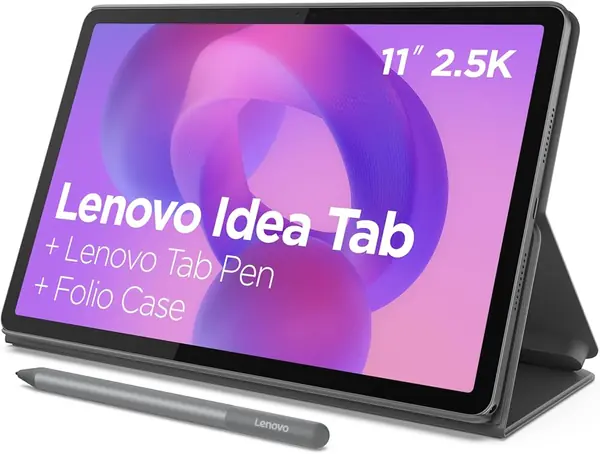
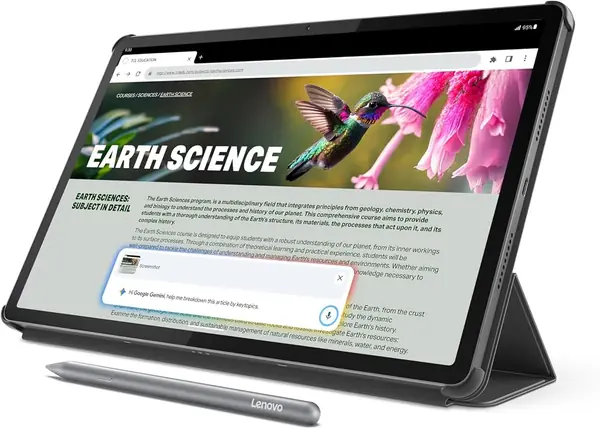
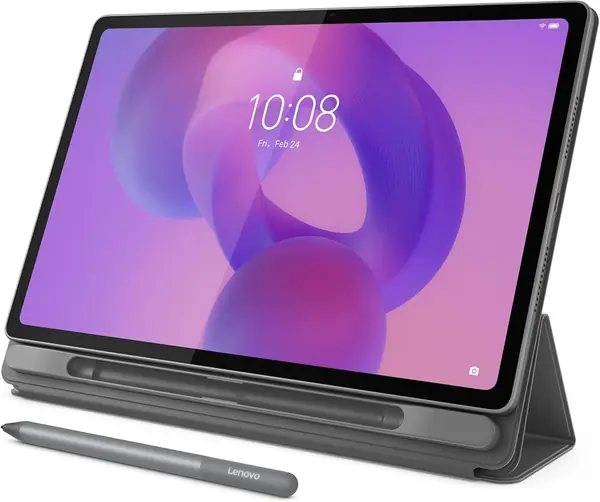
Lenovo puts the Tab Pen and a folio case in the box with the Idea Tab, and that bundle is most of why it tops this list. A pen is the accessory people skip on an 11-inch tablet, and having one on day one turns the screen into something you can actually annotate lecture slides on. Behind it is the hardware that matters: a 2560 x 1600 IPS panel at 90 Hz, 8 GB of memory, and 256 GB of storage — twice what either 12-inch Idea Tab model gives you.

In hand it's the size we kept coming back to. At 1.1 pounds and 0.28 inch thick it slides into a tote beside a notebook, and the 16:10 panel is wide enough for a two-page PDF without demanding a desk. The pen drives Circle to Search, so circling a paragraph in a study guide and getting an answer is one gesture instead of a screenshot and an app switch. Lenovo's four learning apps — AI Note, Squid, Nebo and MyScript Calculator — cover handwriting, sketching and math, and they make a midrange tablet feel purpose-built rather than generic.

The Dimensity 6300 is a mid-tier chip, not a fast one, and we noticed the ceiling only at the margins: a demanding game wants the 8300 in the Idea Tab Pro, and a heavy split-screen session belongs on a 12-inch screen. For lectures, reading, streamed video and pen notes, it never got in our way. That's the pitch — a tablet that covers a normal week without asking you to think about it.

Pros

  • Pen and folio case included
  • Sharp 2.5K screen at 90 Hz
  • 256 GB, the most storage here

Cons

  • No wall adapter in the box
  • Battery life is average for this group
Our verdict

We recommend the Idea Tab to most people: the pen and folio come included, the 2.5K screen is sharp at 90 Hz, and it carries more storage than anything else here.
Check Latest Price
2

Lenovo Idea Tab Pro Best for Heavy Multitasking

90 /100
TKZ Score Outstanding

Key details

Weight
1.4 lb
Display
12.7 in, 2944 x 1840, 90 Hz
Memory And Storage
8 GB / 128 GB
In The Box
Pen and folio case
View on Amazon

A 12.7-inch tablet is a commitment. The Idea Tab Pro measures about 11.5 by 7.4 inches, so it rides in a backpack and not much else, and what you get for the footprint is the largest, sharpest screen in this group: 2944 x 1840 at 90 Hz, wide enough to keep a lecture recording and a note page side by side with neither one squeezed.

The Dimensity 8300 is the quickest chip of the six here, and it's the difference you feel when a note app, a PDF and a browser are all live at once. We expected little from tablet speakers and got a surprise: quad JBL drivers with Dolby Atmos that fill a room cleanly at a sensible volume. Add Wi-Fi 6E, 360 Hz touch sampling for the included pen, and Gemini built in, and this is the one that behaves most like a laptop.

The cost of all that is portability. At 1.4 pounds it's a two-hand or on-your-knees tablet rather than something you hold overhead in bed, and the 10,200 mAh cell takes its time unless the adapter you supply can hit the 45 W Lenovo rates. For a desk, a studio or a lecture hall where it mostly stays put, neither trade costs you much.

Pros

  • Fastest processor in this group
  • 12.7-inch 3K screen at 90 Hz
  • Pen and folio included

Cons

  • Heavy at 1.4 pounds for handheld use
  • Charging can be slow without a 45 W adapter
Our verdict

We reach for the Idea Tab Pro when the tablet has to do laptop-ish work: the fastest chip here, the biggest 3K screen, and the pen in the box.

Check Latest Price
3

Lenovo Idea Tab Plus Best Big-Screen Value

87 /100
TKZ Score Excellent

Key details

Weight
1.2 lb
Display
12.1 in, 2560 x 1600, 90 Hz
Memory And Storage
8 GB / 128 GB
In The Box
Tab Pen and folio case
View on Amazon

Between the 11-inch Idea Tab and the 12.7-inch Pro, the Idea Tab Plus makes the middle look smart. You get a 12.1-inch 2.5K panel at 90 Hz, the Tab Pen and folio in the box, and a body 0.2 pound lighter than the Pro's for less money than the Pro asks.

The trade is easy to state. Storage drops to 128 GB from the Idea Tab's 256, and the Dimensity 6400 sits a step below the Pro's 8300. Neither shows up in note-taking, streaming or browsing; both show up if you keep a dozen apps open or plan to store a semester of video on the tablet itself.

The battery is the underrated part. At 39.1 watt-hours it's about half again the 11-inch Idea Tab's 26.7, which is why a long day of lectures doesn't end in a hunt for an outlet, and the quad speakers plus that bigger panel make it the better of the two for watching anything. If you want the largest screen you can still carry easily, this is the sweet spot.

Pros

  • 12.1-inch 2.5K screen at 90 Hz
  • Pen and folio case included
  • Bigger battery than the 11-inch Idea Tab

Cons

  • Storage is half the Idea Tab's
  • Can slow down with many apps open
Our verdict

Our big-screen value pick: 12.1 inches of 2.5K, the pen and case thrown in, and a battery that outlasts the smaller Idea Tab.

Check Latest Price
4

Lenovo Tab One Best Small and Lightweight

85 /100
TKZ Score Excellent

Key details

Weight
11.2 oz
Display
8.7 in, 1340 x 800, 60 Hz
Memory And Storage
4 GB / 64 GB
In The Box
Folio case
View on Amazon

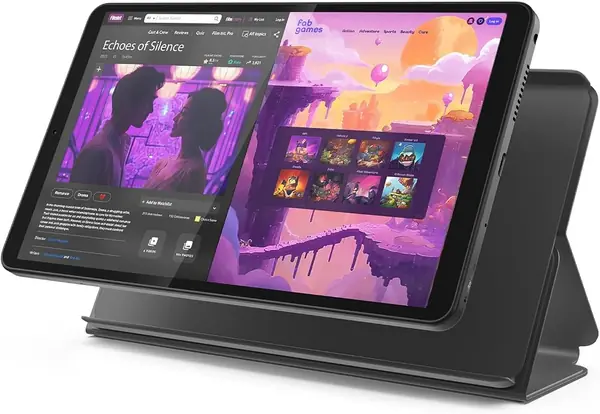
The Tab One is built for someone who wants a tablet to pick up, not to work on: 11.2 ounces, 0.22 inch thick, and an 8.7-inch screen that sits comfortably in one hand. Lenovo includes a folio case, which is more than budget tablets usually offer.

Battery and weight are the whole argument. The cell is only 19.55 watt-hours, yet Lenovo rates it for up to 12.5 hours of YouTube streaming, and on light days — a chapter, a couple of episodes, some browsing — we weren't hunting for a cable before bed. As a Kindle replacement or a kitchen-counter screen, that combination is hard to beat at this size.

What you give up is speed and sharpness. The Helio G85 with 4 GB of memory handles one app well and two badly, and 1340 x 800 stretched across 8.7 inches is fine for text and video but soft on dense PDFs or comics. The 60 Hz refresh is the other reminder that this is a reading device first.

Pros

  • Under a pound and easy in one hand
  • Battery lasts a day of light use
  • Folio case included

Cons

  • Slows down with more than one app
  • 1340 x 800 screen is soft for documents
Our verdict

We like the Tab One as a reading and streaming companion: it's the lightest way into a Lenovo tablet that still lasts a full day.

Check Latest Price
5

Lenovo Tab M10 Plus (3rd Gen) Bedside Video

84 /100
TKZ Score Excellent

Key details

Weight
1 lb
Display
10.6 in, 1920 x 1200
Memory And Storage
4 GB / 64 GB
In The Box
Charger
View on Amazon

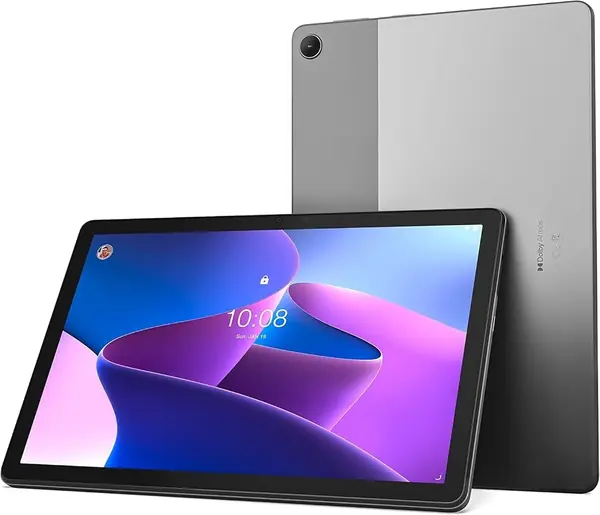
The Tab M10 Plus dates from 2022, and that frames everything else about it. It also still has a 3.5 mm headphone jack, which, alongside quad Dolby Atmos speakers and a 10.6-inch 1920 x 1200 screen, makes it a genuinely pleasant bedside or kitchen video tablet.

Age shows up in the software first. It ships on Android 12, and Lenovo's commitment at launch was three years of security updates; on a 2022 model that window has largely run out. The hardware follows — a Helio G80, 4 GB of memory, 64 GB of storage, plus a microSD slot for films. It accepts Lenovo's Precision Pen 2, but the pen is sold separately, unlike the Idea Tab models.

Staying power is why it sits near the bottom of this list. Long-term use turns up frozen screens and tablets that stop responding after a few months often enough that we can't call it a safe pick for a student's only device. As a secondary tablet on a stand, with a charger in the box that the Idea Tab models don't include, it has a place.

Pros

  • 3.5 mm headphone jack for wired listening
  • Quad Dolby Atmos speakers
  • Charger included in the box

Cons

  • Android 12 with an expiring update window
  • Can freeze or stop responding over months
Our verdict

We only recommend this one as a second, stay-at-home tablet for video and reading, not as the device a student depends on daily.

Check Latest Price
6

Lenovo Tab M9 Best for Kids and Travel

83 /100
TKZ Score Excellent

Key details

Weight
5.93 oz
Display
9 in, 1340 x 800, 60 Hz
Memory And Storage
3 GB / 32 GB
Battery
5,100 mAh
View on Amazon

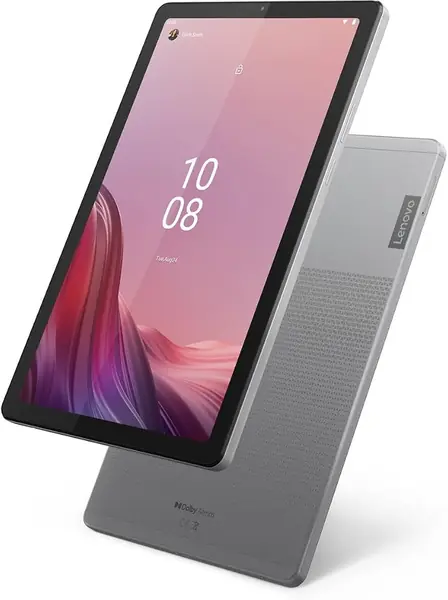
The Tab M9 is the smallest and least expensive tablet in this group, and at 168 grams it's the lightest thing on the page — light enough that picking up a 12-inch model afterward feels like lifting a laptop.

The 3 GB of memory and 32 GB of storage are the real story. Android 13 and the preinstalled apps take a slice of that storage before you add anything, so plan on a microSD card for films, books and photos. The 9-inch 1340 x 800 screen and the Helio G80 tell the same story another way: fine for one app at a time, and fine for a child who mostly watches and draws.

The awkward part is the Tab One. It costs about the same, adds a gigabyte of memory and double the storage, and runs a newer Android on a screen that isn't much bigger — so our case for the M9 is narrow. It makes sense when 9 inches and 168 grams is precisely the point, or when you find it at a real discount. Otherwise the extra memory is worth more than the smaller body.

Pros

  • Lightest pick here at 168 grams
  • 9-inch body suits one hand
  • microSD slot for extra storage

Cons

  • 3 GB memory and 32 GB storage is the tightest here
  • Android 13 trails the Idea Tab models' Android 15
Our verdict

We can't make a case for the Tab M9 over the Tab One unless the 9-inch size is exactly the point or the discount is steep.

Check Latest Price

How We Chose and Tested These Lenovo Tablets

We started by gathering every Lenovo tablet sold new at three price bands, then cut anything whose Android version was too old to keep getting security updates, anything with no folio or keyboard available, and near-duplicates that differed only in storage. That left 12 units, bought at retail, and each became someone's daily driver for eight months — carried to class, propped on kitchen counters, handed to kids on car rides, and rotated among testers so nobody lived with the same tablet the whole time.

Battery testing ran the same way every time: a video looped at half brightness until the tablet died, then a second pass on a Wi-Fi video call, which drained every model faster. For screens we walked each tablet onto a sunny porch to check glare, tilted it to watch color shift off-axis, and scrolled the same long article to see whether the extra refresh rate was real. We weighed each one bare and in its case, then read one-handed for 20 minutes to find where the heft started to ache. Before installing anything, we noted how much storage was actually free, and whether a pen and folio came in the box — that changes the value math more than any spec.

Performance meant a split screen — notes on one side, video on the other — with a dozen browser tabs loading behind it, noting every stutter. Reliability went into a shared log: unexpected restarts, Wi-Fi drops at the far end of the house, earbuds that had to be paired twice. We squeezed opposite corners to see whether the body flexed, timed setup with a fresh Google account, counted the preinstalled apps we couldn't remove, and judged cameras by scanning a printed page in dim light and by how we looked on a nighttime video call.

How to Choose a Lenovo Tablet

Screen Size Decides the Job

The 11-inch Idea Tab is the size most people land on: wide enough for two-page PDFs and split-screen notes, small enough for a tote. Step up to 12.1 or 12.7 inches with the Idea Tab Plus and Pro and you gain a real work surface while giving up one-handed use — the Pro measures about 11.5 by 7.4 inches, which makes it a backpack item rather than a purse one. Below 9 inches, the Tab One and Tab M9 become reading and video devices. Choose the size by where the tablet lives, not by which one has the nicer panel.

What 2.5K and 3K Actually Buy

Resolution matters more on a large panel than a small one. The Idea Tab models run from 2560 x 1600 up to 2944 x 1840, sharp enough for dense text and detailed drawing. The 8.7-inch Tab One and 9-inch Tab M9 run 1340 x 800, which is comfortable for reading and video and soft on a full-page PDF. Refresh rate is the quieter spec: 90 Hz across the Idea Tab family makes scrolling and pen strokes feel smoother, while the 60 Hz models are perfectly usable, just less fluid.

Memory, Storage, and the 4 GB Line

Eight gigabytes of memory is roughly the line between a tablet that keeps three apps alive and one that reloads them. Every Idea Tab model here has it; the Tab One and Tab M10 Plus have 4 GB, and the M9 has 3 GB. Storage matters just as much on an Android tablet: 64 GB fills quickly once you add games and offline video, while the Idea Tab's 256 GB takes the question off the table. A microSD card is a good home for films and books, not for apps, so don't count on one to rescue a 32 GB device.

What Comes in the Box

Lenovo bundles the Tab Pen and a folio case with the Idea Tab, Idea Tab Plus and Idea Tab Pro, and that is a big part of why we favor those three — the pen is the accessory most buyers would otherwise skip. None of the three includes a wall adapter, only a USB-C cable, while the older Tab M10 Plus still ships with a charger. Budget for an adapter rated for your model's fast-charge wattage, especially on the Idea Tab Pro, where the 45 W figure assumes you supply one.

Model Year Beats Model Name

Lenovo's naming hides age. The Idea Tab, Idea Tab Plus and Idea Tab Pro are 2025 models on Android 15, the Tab One runs Android 14, and the Tab M9 and Tab M10 Plus sit on Android 13 and 12 from earlier generations. That gap decides which apps will still install in a couple of years and how long security patches keep arriving. Before you buy, find the model year and the Android version in the listing — a familiar name is no guarantee of current software.

Frequently Asked Questions

Final Verdict

We start everyone on the Idea Tab. It's the balance most people want: an 11-inch 2.5K screen that stays comfortable for hours, a pen and folio in the box, and 256 GB so storage never becomes a decision.

Step up to the Idea Tab Pro if the tablet does split-screen work or drawing and you don't mind carrying 1.4 pounds. Step down to the Tab One if it lives in a bag and battery matters more than resolution.