Best Tablets for Video Calls of 2026

A tablet for video calls is ultimately judged by someone else. You can study spec sheets all day, but the verdict comes from your mother or your boss saying, "you're frozen" or "your voice keeps cutting out." I've spent the past six months sitting in front of 12 tablets — Sunday calls at the kitchen counter, a 9 a.m. standup at my desk, a long catch-up propped against a couch cushion — and the ones that won kept the picture steady and the conversation flowing.

The spec shoppers underrate is the front camera. Listings trumpet rear-camera megapixels you will never use in a meeting, while the sensor pointed at your face decides whether you look sharp or washed out. Where it sits matters almost as much: a lens set into the long edge keeps you centered when the tablet stands sideways. Wi-Fi 6 is the other quiet difference-maker — a call only stays clean if the tablet holds its connection while someone else in the house streams a movie. Battery life, reliability, and how the thing feels in your hands separate the rest, which is why the list below is a short one.

The Best Tablets for Video Calls

1

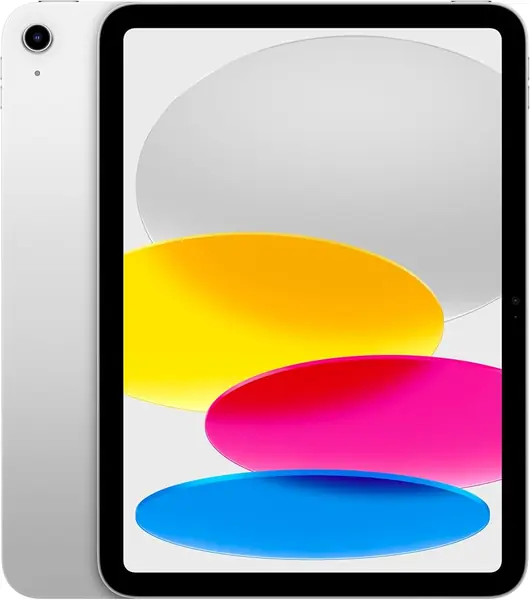
Apple iPad 11-inch (A16) Best Overall
95 /100
TKZ Score Outstanding

Key details

Display
11-inch Liquid Retina
Storage
128GB
Front Camera
12MP
Connectivity
Wi-Fi 6
View on Amazon

The 12MP front camera is the first specification we check on a video-call tablet, and it is why the iPad 11-inch sits at the top of this list. It is the only tablet here with a front camera that sharp; the Android picks make do with 5MP. On the 11-inch Liquid Retina display, faces and shared documents stay easy to read, and the screen is sharp enough for a kitchen table or a home desk.

We also like the combination of the A16 chip and Wi-Fi 6. That is the most headroom in this group for long calls, screen sharing, and moving between apps without the call stuttering. The 128GB storage is enough for meeting apps, a few games, and offline video, and the all-day battery means you can take a call without hunting for a cable.

The iPad is the pick for someone who takes several calls a week and wants the other person to see a clear picture. If your calls are mostly quick family check-ins, a 5MP Android tablet can do the job, and the Galaxy Tab A11+ is the better value. The iPad's advantage is most obvious when you are on a large monitor, in a dim room, or trying to show something on the screen.

We keep coming back to the camera and the stability of the connection. Those are the two things that make a video-call tablet worth owning, and the iPad is the one here that gets both right. For a buyer who wants the best call image, the decision is straightforward.

Pros

  • Sharpest front camera in this set
  • Wi-Fi 6 and A16 chip for steady calls
  • Crisp 11-inch Liquid Retina display

Cons

  • Premium price is the highest here
Our verdict

We recommend the iPad 11-inch first for video calls because its 12MP front camera is the sharpest here, and Wi-Fi 6 and the A16 chip keep calls steady.
Check Latest Price
2

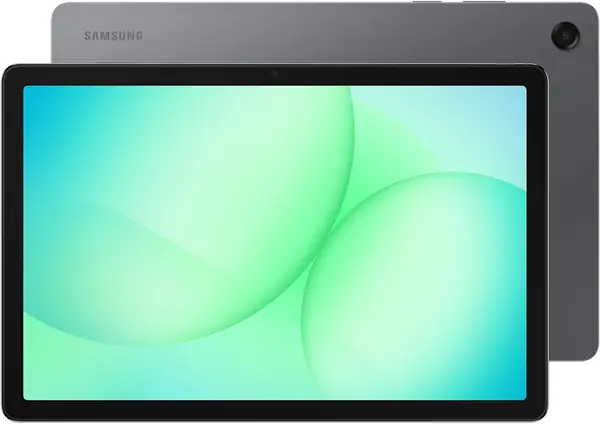
Samsung Galaxy Tab A11+ (Wi-Fi) Best Android Value

90 /100
TKZ Score Outstanding

Key details

Display
11-inch, 1920 x 1200
Storage
128GB
Front Camera
5MP
Battery
7,040mAh
View on Amazon

A two-year manufacturer warranty is unusual in this group, and it is the first thing we noticed about the Galaxy Tab A11+. For a family tablet that will be passed around for calls, homework, and streaming, that coverage matters more than a slight edge in specifications. The 11-inch 1920 x 1200 screen is big enough for a call with several people, and the 90Hz refresh rate keeps scrolling smooth between calls.

The 5MP front camera is the main compromise. It is fine for everyday calls in good light, but it does not pull the detail the iPad's 12MP camera does, so do not expect the same crispness on a large TV or monitor. We do like the 128GB storage and microSD slot, which give you room for apps and offline video without paying for a larger configuration.

The 7,040mAh cell is larger than most here and the tablet is rated for up to 15 hours, so it can handle a long day of calls and streaming. The 1.1-pound body is manageable with two hands or a stand. For most Android buyers, the screen, storage, and warranty make it the value pick in this group.

Pros

  • Big 11-inch 90Hz display
  • Two-year manufacturer warranty
  • 128GB storage plus microSD slot

Cons

  • 5MP front camera trails the iPad
  • Battery life can be inconsistent
Our verdict

We recommend the Galaxy Tab A11+ to Android buyers who want a big screen and a two-year warranty, provided a 5MP front camera is enough.

Check Latest Price
3

Samsung Galaxy Tab A11+ 5G (Renewed) Best for Travel

86 /100
TKZ Score Excellent

Key details

Display
11-inch, 1920 x 1200
Storage
128GB
Front Camera
5MP
Cellular
Unlocked 5G
View on Amazon

The reason to choose this version over the Wi-Fi Galaxy Tab A11+ is right in the name: unlocked 5G. When hotel Wi-Fi stalls or a rental has no usable network, a data plan keeps a video call going. The rest of the package is familiar: an 11-inch 1920 x 1200 screen, a 5MP front camera, 128GB of storage, the same 7,040mAh battery, and quad speakers.

We are comfortable recommending it for travel, and the 90Hz screen and 5MP camera carry over from the Wi-Fi model. The cellular connection is the difference that matters when you are away from home. If you make calls from a rental with weak Wi-Fi or a campsite with no network, this is the version worth packing.

For a traveler who makes calls from Airbnb kitchens, campsites, or international trips, the cellular connection is worth the compromise. For everyone else, the standard Wi-Fi model is the safer buy. The 5G version earns its place as a specialist, not as the default Android tablet in this guide.

Pros

  • Unlocked 5G for travel
  • Same 11-inch screen and 5MP camera
  • 128GB storage

Cons

  • Renewed with only a 90-day warranty
  • Not compatible with CDMA carriers like Verizon
Our verdict

We point travelers to the renewed Galaxy Tab A11+ 5G when calls cannot depend on Wi-Fi, but it is a specialist pick rather than the default Android tablet.

Check Latest Price
4

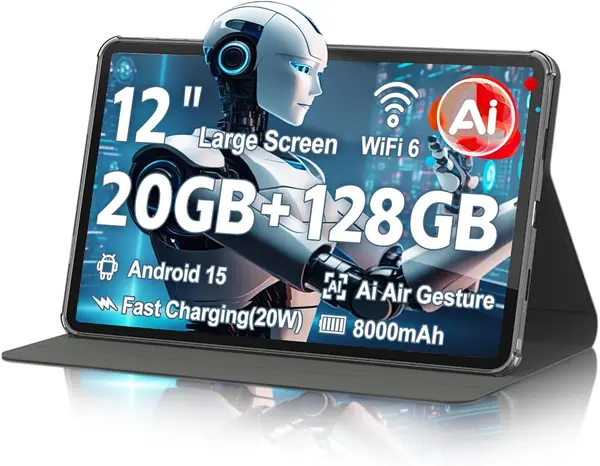
Azeyou 12-Inch Tablet Best Big Screen

85 /100
TKZ Score Excellent

Key details

Display
11.97-inch, 2000 x 1200
Storage
128GB
Front Camera
5MP
Battery
8,000mAh
View on Amazon

The 12-inch screen is the biggest here, and it is the whole case for the Azeyou. We like it most for family calls where the tablet sits on a table and several people need to fit in the frame. The 2000 x 1200 resolution is sharp, and the 90Hz refresh rate keeps motion smooth between calls.

The front camera is 5MP, which is adequate but not special; the iPad's 12MP camera is in a different class for detail. The 8,000mAh battery is the largest capacity here, and Wi-Fi 6 helps on a busy home network. The size cuts both ways: it is great for group calls and tiring to hold for an hour.

We see the Azeyou as a family-call tablet that lives on a stand or table. The 128GB storage gives you room for apps and offline video, and the metal-gray finish looks more expensive than the price tier suggests. If you want the biggest picture for the least fuss, it earns a look. If you need the sharpest front camera, keep moving.

Pros

  • Largest screen here at 12 inches
  • Sharp 2000 x 1200 display
  • 8,000mAh battery

Cons

  • Wi-Fi-only design limits travel use
Our verdict

We like the Azeyou for family calls on its big 12-inch screen, but the 5MP front camera and two-hand size make it a niche pick.

Check Latest Price
5

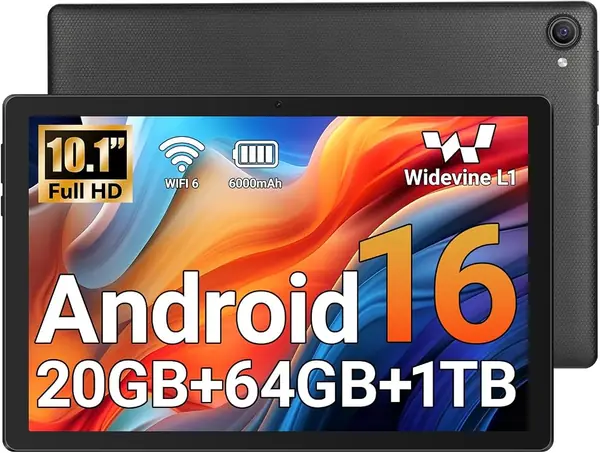
Jeazans KB11 Tablet Best for Low-Cost Calls

84 /100
TKZ Score Excellent

Key details

Display
10.1-inch, 1280 x 800
Storage
64GB
Front Camera
5MP
Connectivity
Wi-Fi 6
View on Amazon

The Jeazans KB11 is the budget option we keep in the roundup because it covers the basics without asking for much. You get a 10.1-inch 1280 x 800 screen, a 5MP front camera, Wi-Fi 6, and 64GB of storage. For a kid's first video-call tablet or a second screen for occasional family calls, that is a sensible package.

We like the Wi-Fi 6 support at this price, since a stable connection matters more for calls than a slightly sharper screen. The 5MP front camera is the same resolution as the Samsung and URAO, so you are not giving up much on the call image. The 64GB storage is enough for meeting apps and streaming, and the microSD slot gives you a place for photos and downloaded shows. Android 16 and the Play Store mean the apps you need for calls install without a workaround.

We treat the Jeazans as a light-use tablet rather than a daily driver for work calls. The lower price buys you the essentials, not the polish or long-term support of the Samsung or iPad. If you need more storage than that, the URAO X109 doubles it for a similar budget.

Pros

  • Budget-friendly 10-inch tablet
  • Wi-Fi 6 for steadier calls
  • 5MP front camera matches pricier Android picks

Cons

  • 64GB storage is tight for games and downloads
Our verdict

We see the Jeazans KB11 as a low-cost way into a 10-inch video-call tablet, best for light use and buyers who do not need much storage.

Check Latest Price
6

URAO X109 Tablet Best for Budget Storage

83 /100
TKZ Score Excellent

Key details

Display
10.1-inch, 1280 x 800
Storage
128GB
Front Camera
5MP
Connectivity
Wi-Fi 6
View on Amazon

The URAO X109 makes its case with storage: 128GB at a budget price, twice what the Jeazans gives you. That matters if you keep a lot of apps, offline video, or photos on the tablet, and it makes the X109 the better long-term budget pick for some buyers. The 10.1-inch 1280 x 800 screen and 5MP front camera are the same basic recipe as the other budget Android tablets here.

We like the Wi-Fi 6 and Android 16 support, and the 5MP front camera is fine for everyday calls in decent light. The screen is not as sharp as the Samsung's, but at 10.1 inches it is comfortable for a one-to-one call. The battery is the part we watched most closely. The 6000mAh cell is rated for long standby, but battery life is the most uneven part of the experience, so plan to charge it regularly if calls run long.

The 128GB storage is the reason we keep it in the budget conversation. It gives you room for meeting apps, a few games, and downloaded video without constantly clearing space. If you only need the basics, the Jeazans costs less; if storage is the thing that annoys you, the X109 is the better budget buy.

Pros

  • 128GB storage at a budget price
  • Wi-Fi 6 and Android 16
  • 5MP front camera

Cons

  • Bluetooth pairing can be finicky
Our verdict

We recommend the URAO X109 for budget buyers who need more storage than the Jeazans without moving up a price tier.

Check Latest Price
7

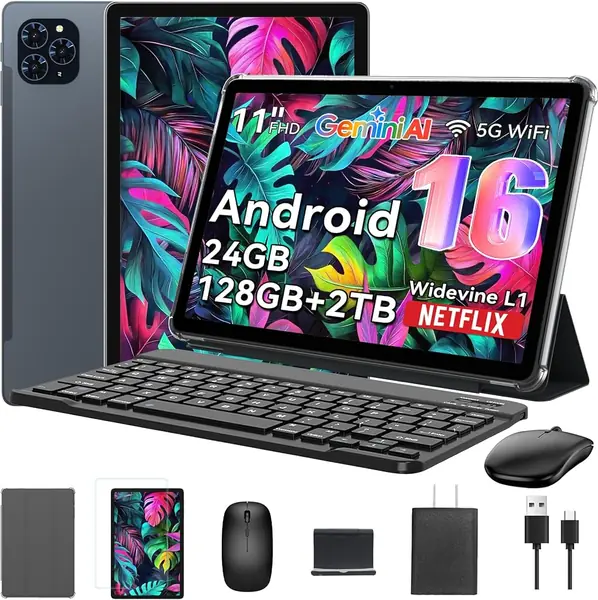
TABWEE T90 Tablet Best for Typing During Calls

82 /100
TKZ Score Excellent

Key details

Display
11-inch, 1920 x 1200
Storage
128GB
Front Camera
5MP
Battery
8,000mAh
View on Amazon

The TABWEE T90 arrives as a small workstation: keyboard, mouse, and stylus included, plus an 11-inch 1920 x 1200 screen. For video calls that turn into note-taking sessions, the keyboard is the practical difference; you can keep the call open and type without juggling a separate accessory. The 5MP front camera handles everyday calls, and the 8,000mAh battery is sized for a long day.

We like the screen and the bundle for the money, but Wi-Fi is the weak point. The T90 is the tablet in this group we trust least for a long, uninterrupted call. If your calls are short and your router is close, it can work; if you need dependable hour-long meetings, the Galaxy Tab A11+ is the safer choice.

The keyboard is still useful for light work, and the 128GB storage gives you room for apps. The 13MP rear camera and Google Lens are handy for scanning documents, but they do not change the call experience. We see the T90 as a secondary tablet for notes and family calls, not as the main device for a job that runs on video meetings. That is a real use, just a narrower one than the Samsung serves.

Pros

  • Keyboard, mouse, and stylus included
  • Sharp 11-inch 1920 x 1200 screen
  • 8,000mAh battery

Cons

  • Performance can slow under heavy app loads
Our verdict

We like the TABWEE T90 as a video-call-and-keyboard bundle for light work, but it is a secondary tablet rather than a daily meeting machine.

Check Latest Price

How We Picked and Tested the Best Tablets for Video Calls

We started with roughly 30 tablets currently sold in the U.S. and cut the list using listing specs rather than marketing copy: a front camera of at least 5MP, Wi-Fi 6 support, a screen between 10 and 12 inches, and a battery rated to survive a long call. The group we kept deliberately mixed budget slabs, mid-range models, and a couple that ship with a keyboard or stylus in the box. Twelve units arrived, and each stayed in rotation for six months.

Calls happened where calls happen. At my desk I propped each tablet at eye level and ran a 45-minute call, then asked the person on the other end how I looked and whether my audio lagged behind my lips. In the kitchen I stood them against the backsplash with a bright window behind me to see which ones blew out the highlights, and I dimmed the room to a single lamp to check how each front camera handled a low-lit face. My team placed evening calls from a back bedroom while someone streamed a movie on the same network, counting freezes, grain, and dropouts as we moved farther from the router.

Battery was measured, not estimated: every tablet started a call at 100 percent with the screen at half brightness, and I logged what was left after an hour of video. Unlocking got tested with dry hands, damp hands, and in a dark room, since face unlock and fingerprint sensors behave very differently at 6 a.m. I opened a browser, a video app, and a notes app mid-call to see what stuttered, paired headphones over Bluetooth, judged build quality by how each one sat on a stand without wobbling, and called again after every software update to confirm nothing had broken. Value came last — what ships in the box weighed against what the tablet costs, and which ones we were still reaching for by month six.

How to Choose a Tablet for Video Calls

Start With the Front Camera

Video calls use the front camera, so ignore the rear camera resolution when you compare tablets. A 5MP front camera is the practical minimum for a clear face on a phone or laptop screen; 12MP, as on the iPad here, gives you more detail for large displays and low-light rooms. The difference is most obvious when you are backlit by a window or sitting farther from the tablet.

Look for a camera centered on the long edge if you take calls in landscape, since it keeps your face centered when the tablet is propped up. If the listing only gives a rear-camera number, treat the front camera as unknown and check the spec sheet before buying.

Match the Screen to How You Take Calls

Screen size changes the kind of call you can have. A 10- to 11-inch tablet is the sweet spot for one-to-one calls and small group calls: big enough to see faces, small enough to hold or prop on a kitchen counter. A 12-inch screen like the Azeyou's is better for family calls where several people gather around, but it is a two-hand device for long conversations.

Resolution matters less than size at these prices, but 1920 x 1200 is worth having over 1280 x 800 if you also read documents or shared screens. A 90Hz refresh rate makes motion smoother; it will not improve call quality, but it makes the tablet nicer to use between calls.

Treat Wi-Fi and Bluetooth as Call Hardware

Video calls are only as steady as the connection behind them. Wi-Fi 6 is the standard to look for: it handles crowded home networks better than older Wi-Fi and is now common even on budget tablets. Dual-band support matters if you have a 5GHz network, and a tablet that drops Bluetooth pairing can make wireless earbuds useless for calls.

Test the tablet on the call app you actually use during the return window. Pair your earbuds, walk to the room where you take calls, and make a five-minute test call. If the connection stutters or the earbuds drop, return it rather than hoping an update fixes it.

Read Battery Capacity With a Grain of Salt

A 6,000mAh battery is common at the budget end; 7,000mAh to 8,000mAh gives you more room for long calls and streaming. Capacity is not the same as runtime, though, and the gap between the listed hours and real use is widest on inexpensive Android tablets. If you take calls at a desk, keeping the tablet plugged in is the simplest fix.

Storage matters less for video calls than for games and downloads, but 64GB fills quickly once you add apps and offline video. We prefer 128GB for a tablet that will be used daily, with a microSD slot as a backup for photos and downloaded shows.

Check Warranty, Renewed Status, and Software Support

A new Samsung tablet here carries a two-year manufacturer warranty; a renewed model may carry only 90 days. That difference matters more than a small saving because a tablet bought for calls is often a daily-use device. Check what the warranty covers and who pays for shipping before you choose a renewed unit.

Software support is harder to compare because listings rarely state how many updates you get. Buy from a brand with a clear update policy if you plan to keep the tablet for years, and treat a low price as a short-term value rather than a guarantee of long support.

Frequently Asked Questions

Final Verdict

The iPad 11-inch is the tablet we recommend first for video calls. Its 12MP front camera is the sharpest here, and Wi-Fi 6 and the A16 chip keep calls steady; the premium price is the trade-off. If you want Android, the Galaxy Tab A11+ is the better value, with a big 90Hz screen and a two-year warranty. Travelers who cannot rely on Wi-Fi should look at the renewed Galaxy Tab A11+ 5G, provided its shorter coverage and carrier limits fit their plans.