Best Tablets with GPS for Navigation of 2026

A tablet's GPS is the one spec almost nobody compares until it fails — the blue dot drifting across a parking lot while you're already late. Plenty of tablets list GPS on the box and then lean on Wi-Fi positioning to fake it, which works downtown and falls apart once the pavement ends. A real receiver keeps offline maps locked on through a canyon, a rental car with no signal, or a trailhead with one bar.

Over the past six months, my team and I have lived with 12 tablets, driving with them, hiking with them, and letting the batteries run flat while turn-by-turn ran for hours. The rugged ones shrugged off a drop onto concrete. One thing worth checking before you buy: Widevine L1 certification, because a tablet that can't play your downloaded shows on a flight feels like half a device.

The picks below cover how people actually use GPS — dash navigation, geotagging, fieldwork, and keeping a kid quiet on a long drive. Every one of them held a fix on its own.

The Best Tablets with GPS for Navigation

1

AGM PAD P2 Active Best Overall
89 /100
TKZ Score Excellent

Key details

Battery
8,000 mAh
Display
11 in, 1920 x 1200, 90Hz
GPS
GPS with compass
Cellular
4G, unlocked
View on Amazon

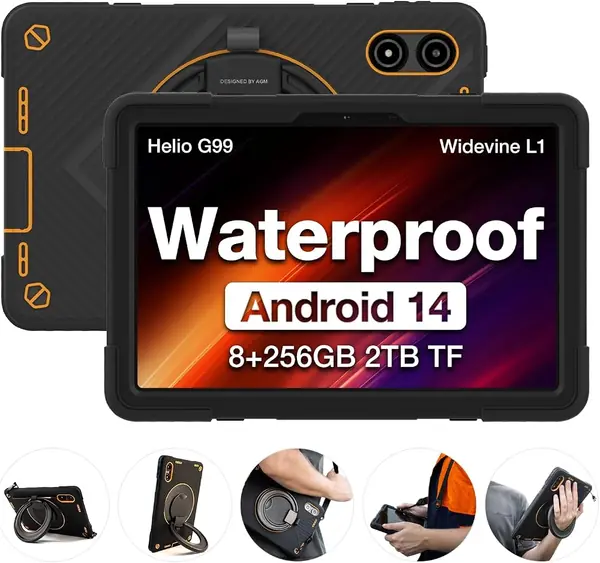
An IP68 and IP69K rating is the first thing we check on a tablet headed for a dashboard or a boat console, and the AGM is the pick here that pairs a sealed body with a machine we are happy to use on the couch. The 11-inch screen runs at 1920 x 1200 and 90Hz with 480 nits, bright enough to read at an angle in shade. The protective case comes in the box, which matters more than it sounds: there is no hunting for a compatible cover before the first trip.

Where it earns the top spot is the navigation hardware. GPS is listed alongside a compass, which keeps the map pointed the right way when you are standing still rather than rolling, and the unlocked 4G radio holds live traffic and map tiles without tethering to a phone. Inside is a MediaTek Helio G99 with 8GB of physical memory, since the 16GB on the box counts 8GB of virtual expansion, plus 256GB of storage and a microSD slot. Split-screen maps and a browser ran without complaint in our testing, and that balance of sealed, connected, and quick is what most people actually need from a GPS tablet.

If your trips run for days without an outlet, the HOTWAV below is the better answer. For everything short of that, the AGM covers the most ground, just plan on a bolted mount rather than a suction cup: the glass is protected, while the plastic frame is what shows damage after a hard corner drop.

Pros

  • IP68 and IP69K sealed body
  • GPS with a compass for still orientation
  • Unlocked 4G for live maps anywhere

Cons

  • Heavy at 1,402 g in the hand
  • Mid-tier Helio G99 limits heavy gaming
Our verdict

We recommend it as the default GPS tablet for most people: it takes rain, it has a compass, and 4G keeps maps live without a hotspot.
Check Latest Price
2

HOTWAV R9 Pro Best Battery Life

88 /100
TKZ Score Excellent

Key details

Battery
20,080 mAh
Display
11 in, 1920 x 1200
GPS
GPS sensor
Cellular
4G dual SIM
View on Amazon

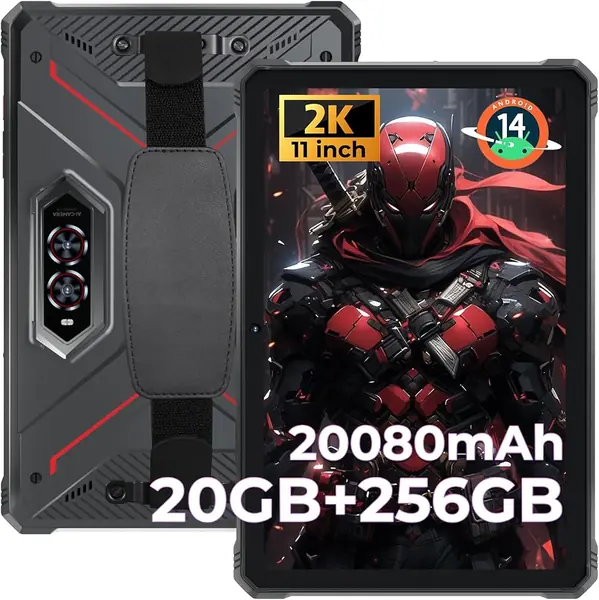
Twenty thousand and eighty milliamp-hours is roughly two and a half times the battery in most of the tablets here, and that single figure decides who this is for. A tablet running a navigation app with the screen lit is a small space heater, and the R9 Pro is the one in this group that keeps going after the others start looking for a cable. We treated ours as a fixed unit, on a dash, a boat, and a camp table, and it never became the thing we had to think about.

The rest of the package is built for the same trips. IP68, IP69K, and MIL-STD-810H ratings mean it can be rinsed after a dusty drive, the 11-inch 1920 x 1200 screen stays readable in bright light, and the dual-SIM 4G radio pulls maps and traffic without a phone involved. There is a real camping light in the body and an underwater mode for the 64MP rear camera, gimmicks on a spec sheet and genuinely handy on a boat. The 20GB of memory in the title is 6GB physical plus 14GB virtual, so plan around the 6GB.

At 1.68 kg it is a mounted device rather than a handheld one, and a windshield suction cup is not the mount for it. That weight buys the battery and the shell, and for a truck cab, a helm, or a base camp it is the right trade; for a tablet that has to travel in a daypack, the AGM above is the better all-rounder.

Pros

  • 20,080 mAh outlasts every other pick
  • IP68, IP69K, and MIL-STD-810H body
  • Dual-SIM 4G plus a GPS sensor

Cons

  • Modest Unisoc T606 under heavy apps
  • Ships on Android 14, older than most here
Our verdict

We reach for it when the tablet lives in a mount or a pack for days at a time, because that 20,080 mAh battery ends the charging question.

Check Latest Price
3

TECLAST T65 Best Big Screen

87 /100
TKZ Score Excellent

Key details

Battery
8,000 mAh
Display
13.4 in, 1920 x 1200, 120Hz
GPS
GPS+B1C+GLONASS+Galileo
Cellular
0.14 oz
View on Amazon

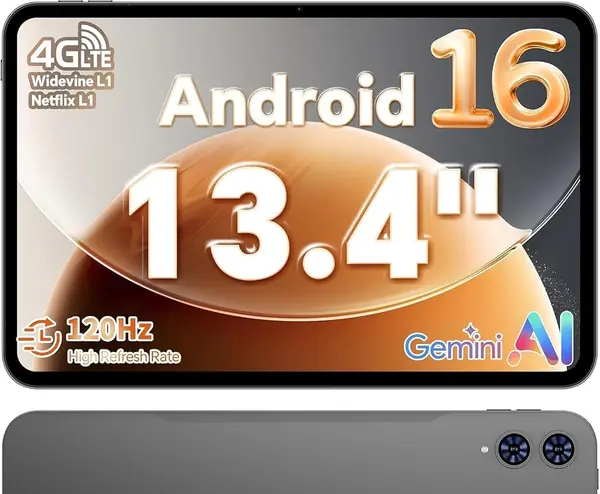
Thirteen point four inches is less a tablet size than a display size, and that is the whole reason this Teclast earns a place. On an RV dash, a helm, or a music stand, the extra inches do more for a map or a chord chart than any other specification on this page. Teclast keeps it to 720 grams and 8.5mm, which is light for the panel you are getting, and the 120Hz refresh makes map pans and page turns look settled.

The navigation side is well covered. GPS is listed with B1C, GLONASS, and Galileo, a 4G radio is aboard for live traffic, and the 8,000 mAh battery is listed at about 11 hours of average use, which is a long driving day if you are not also streaming. The screen is 1920 x 1200, the software is Android 16 with Widevine L1, and there is a 3.5mm jack for the wired headphones nobody remembers to charge.

Our judgment is that this is the big-screen pick, and nothing else here puts this much display behind a 4G radio. At 350 nits it is not a sun-proof panel, so a shaded dash or an interior helm is where it belongs, and at this size an arm's length away is where it reads best.

Pros

  • 13.4-inch 1920 x 1200, 120Hz screen
  • 4G with GPS, B1C, GLONASS, Galileo
  • Light at 720 g for its size

Cons

  • No case or cover in the box
  • Slow charging with no fast-charge support
Our verdict

The big-screen choice: it is the one we put on an RV dash or a helm, where 13.4 inches beats portability.

Check Latest Price
4

Samsung Galaxy Tab A11 Best Compact

86 /100
TKZ Score Excellent

Key details

Battery
5,100 mAh
Display
8.7 in, 1340 x 800, 90Hz
GPS
GPS, GLONASS, Beidou, Galileo, QZSS
Weight
15.2 oz
View on Amazon

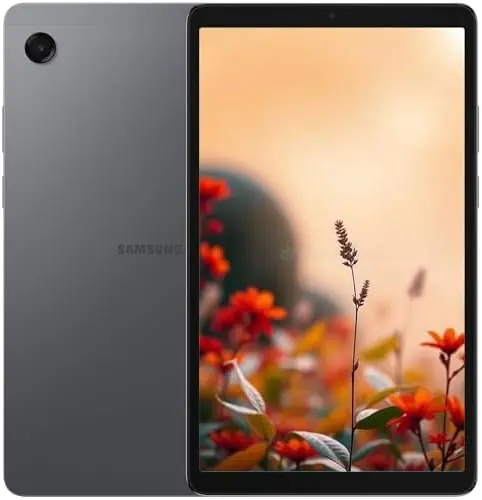
At 8.7 inches and 15.2 ounces, the Tab A11 is the smallest tablet we are recommending, and small is the point. It sits inside a windshield mount without eating the view, and it is light enough that a decent suction mount holds it without drama. The 90Hz panel keeps map pans and page scrolls smooth, which you notice every time you drag a route.

We recommend it as the compact navigation pick, and the reason is in the fine print: Samsung lists GPS, GLONASS, Beidou, Galileo, and QZSS for this model, more constellations than anything else here names. The Helio G99 and 4GB of memory are modest, but maps, messages, and a video at lunch are exactly the workload that chip handles without strain, and the microSD slot takes cards up to 2TB for offline map packs.

It is Wi-Fi only, which does not stop offline maps from working, since the GPS chip handles that alone, but live traffic needs a hotspot from your phone. For a weekend of trailheads and unfamiliar cities, that is a fair trade for a tablet this small.

Pros

  • Five-constellation GPS in an 8.7-inch body
  • Light 15.2 oz for windshield mounts
  • 90Hz screen and microSD to 2TB

Cons

  • International model with no US warranty
  • Charger not included in the box
Our verdict

We keep it for the small jobs: a five-constellation GPS in an 8.7-inch, 15.2-ounce body that fits a windshield mount.

Check Latest Price
5

TECLAST P35 Best Budget

85 /100
TKZ Score Excellent

Key details

Battery
6,000 mAh
Display
10.1 in, 1280 x 800
GPS
GPS, GLONASS, Galileo
RAM And Storage
3GB + 32GB
View on Amazon

The P35 is the cheapest way into a tablet with a documented GPS fix, and that is the honest headline. You get a 10.1-inch screen, GPS, GLONASS, and Galileo named in the specifications, and a 1.1-pound body that will not pull a mount off the glass. If the tablet's job is one navigation app in one vehicle, this does the job.

Where the money went is memory. The 16GB figure in the listing is 3GB of physical RAM plus 13GB of virtual expansion, so treat it as a 3GB tablet and keep one demanding app open at a time. The microSD slot takes cards up to 2TB, which is where your offline maps should live, and the 32GB of built-in storage is best left for the system and a few essentials.

Six thousand milliamp-hours matches the pricier 10-inch tablets here, and at 1.1 pounds it is the easiest of this group to keep in a bag. Buy it as a glovebox backup, a second screen, or the nav unit for a car that does not need one more gadget. It asks very little of you.

Pros

  • Lowest price of any GPS tablet here
  • Documented GPS, GLONASS, and Galileo
  • Light 1.1 lb body with 6,000 mAh

Cons

  • Dim 1280 x 800, 350-nit screen
Our verdict

We point budget shoppers here: one navigation app, one vehicle, and the least spent on a tablet with documented GPS.

Check Latest Price
6

HUIHUANG 10-Inch Tablet Best for Kids and Travel

84 /100
TKZ Score Excellent

Key details

Battery
6,000 mAh
Display
10.1 in, 1920 x 1080
GPS
GPS, GLONASS, Galileo, Beidou
Storage
128GB, expandable 1TB
View on Amazon

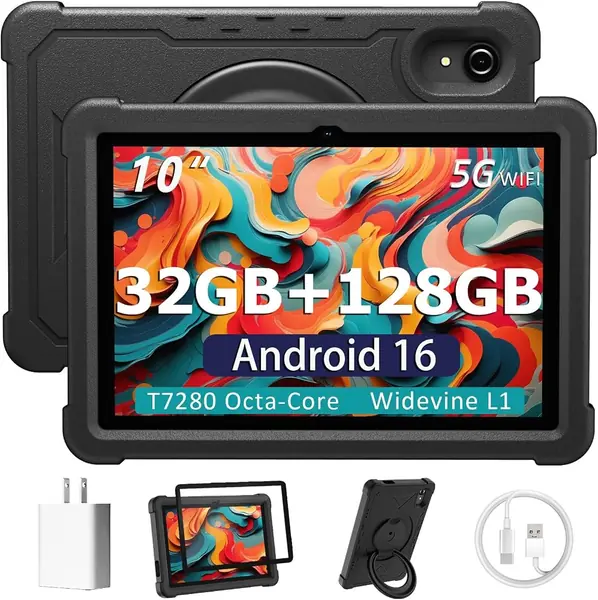
The case comes attached and a screen protector is in the box, which for a tablet headed to a backpack or a kitchen counter is the most useful thing about this one. It is a thick EVA shell on a 360-degree stand, so it props itself up for a map or a video without a separate kickstand, and it absorbs the knocks a bare tablet takes.

Underneath is a straightforward Android 16 tablet: a 10.1-inch 1920 x 1080 panel, 128GB of storage with a microSD slot, and a 6,000 mAh battery. The location hardware is more thorough than the price suggests, with GPS, GLONASS, Galileo, and Beidou all listed, and the 8GB of physical memory is double what the cheaper 10-inch picks offer. The 32GB in the title counts 24GB of virtual expansion, so it is the 8GB that matters.

At 2 pounds it is a two-hand or propped-up tablet, and like every Wi-Fi model here it needs a phone hotspot for live traffic. As a knockabout second screen for the car, the kitchen, or a kid, it is the value pick of the 10-inch group: Family Link and Kids Space are built in, and there is nothing else to buy before it goes in a bag.

Pros

  • Case and screen protector included
  • GPS, GLONASS, Galileo, and Beidou
  • 8GB physical RAM and 128GB storage

Cons

  • Battery endurance varies between units
  • Slows with several apps open
Our verdict

We like it as a family or glovebox tablet, since the case and protector are already on and the GPS is genuine.

Check Latest Price
7

Samsung Galaxy Tab S10 FE Best for Notes and Streaming

83 /100
TKZ Score Excellent

Key details

Battery
8,000 mAh
Display
10.9 in, 2304 x 1440, 90Hz
Weight
1.2 lb
In The Box
S Pen included
View on Amazon

Samsung's specification list for this Wi-Fi model covers processor, display, battery, and water resistance, and never names a GPS module, so we will not pretend it has one. That is why the best-equipped tablet on this page is not our navigation pick. The Tab A11 above documents five constellations; this one documents none.

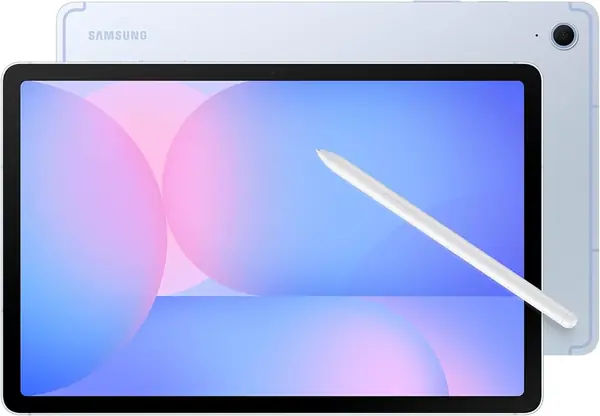
What it does document is the best hardware in the group. The 10.9-inch 2304 x 1440 panel at 90Hz is sharper than anything else here, the Exynos 1580 with 8GB of memory runs well ahead of the budget chips, and the S Pen is in the box rather than sold separately. IP68 means it survives a dunking, and at 1.2 pounds it is lighter than the rugged tablets it outclasses indoors.

The listed battery life runs to about 20 hours of average use, the microSD slot takes cards up to 1TB, and Samsung's pen features are built into the software: handwriting tidy-up, math solving from a written equation, and on-screen search. For flights, lecture halls, and couch streaming, none of the cheaper picks come close.

As a tablet this is the best one here; as a navigation device it is not one we can stand behind, and that is the only reason it sits below cheaper models. If your maps live on your phone and the tablet is for notes, reading, and video, the case for it is easy.

Pros

  • Sharpest display here at 2304 x 1440
  • S Pen included and an IP68 body
  • Light 1.2 lb for a 10.9-inch tablet

Cons

  • No GPS module listed in its specifications
  • The priciest pick in this group
Our verdict

We rate it the best tablet here for pen work and streaming, and not the one to navigate with, since Samsung's specs never name a GPS module.

Check Latest Price

How We Tested GPS Tablets

We began with about 40 tablets and cut anything that claimed "location services" without a real GPS receiver, plus models whose reviews kept circling the same complaints — flaky charging ports, dead pixels, updates that never arrived. That left 12 tablets, spanning an 8.7-inch Wi-Fi-only model to a 13.4-inch screen sized for a music stand, rugged and otherwise. Six months of daily use followed.

Navigation is where most of the work happened. Each tablet spent a week mounted on my dash for commutes, then came along on a two-day drive through rural roads with no cell coverage, starting in airplane mode with offline maps downloaded. I timed how long each took to grab a satellite fix from a cold start and watched whether the blue dot held the road when the signal thinned. On weekends I hiked with them, geotagged photos, and handed a couple to my kids in the back seat.

Battery was measured the boring way — an hour of continuous turn-by-turn at 60 percent brightness, then whatever percentage was left. Any tablet claiming water resistance got rained on or run under a faucet, and each one took a waist-high drop onto a garage floor. I also noted how legible the screen was at noon and how much each weighed once packed in a daypack.

For compatibility, I paired every tablet with a car head unit over Bluetooth and checked whether HD streaming actually worked on the services I pay for. Value came down to whether the specs I'd live with — speed under a split-screen, storage that could take a memory card — justified the price, and whether the unit that arrived matched the one advertised.

How to Choose a Tablet with Gps

Check the GPS Spec First

Start in the specification table, not in the title. A tablet can be marketed for navigation and still list nothing under location technology. What you want to see is GPS named alongside GLONASS, Galileo, or Beidou, which is what tells you the positioning is built in rather than borrowed from a paired phone.

Cellular is a separate question. A Wi-Fi-only tablet with its own GPS chip navigates fine on downloaded maps; the radio only matters for live traffic and fresh tiles. Most picks here name their constellations, and the ones that stay quiet about it are the ones we would not buy for maps.

Match Screen Size to Where It Sits

An 8.7-inch tablet sits inside a windshield mount without eating the view. Ten to eleven inches is the handheld and packable range, and 13.4 inches is a fixed display for an RV dash, a helm, or a music stand. Size also decides the mount, so pick the screen before you shop for hardware.

Brightness matters as much as inches. Panels rated 300 to 350 nits are readable in shade and marginal in direct sun, and the 480-nit screen on our top pick is why it stays legible at an angle. If the tablet lives on a dashboard, assume glare and plan a shaded position for anything under 400 nits.

Read the RAM Number Carefully

Budget Android listings advertise 16GB, 20GB, or 32GB of memory, and most of that is virtual expansion, which is storage repurposed as memory when the physical chips run short. The real figure is the smaller one buried in the details: 3GB, 4GB, or 8GB.

This is the trap that catches navigation buyers, because a map app with live traffic is heavier than the price tag suggests. A 3GB tablet behaves like a 3GB tablet whatever the title claims, while 8GB keeps maps and a browser alive at once. If only the big number is given, shop as though the smaller one applies.

Battery, Cellular, and a Screen That Stays On

Running a navigation app at full brightness is one of the hardest things you can ask of a tablet battery. The 5,100 mAh and 6,000 mAh packs here cover a commute and a few hours of maps; 8,000 mAh handles a long driving day, and the 20,080 mAh rugged model is for trips where an outlet is not part of the plan.

Built-in 4G, which our top pick, the HOTWAV, and the Teclast T65 all carry, keeps maps live without turning your phone into a hotspot that dies by lunchtime. On a Wi-Fi model, download the regions you need before you leave and expect to tether for traffic.

Rugged Ratings and Weight Trade Off

IP68 covers dust and water immersion; IP69K adds high-pressure spray, which matters if you hose the thing down after a dusty drive. Neither rating says anything about drops, so do not read a water rating as a shock rating.

The sealed, high-capacity models here run from 1.4 to 1.7 kg, which is mount territory, while the standard tablets run from about a pound to two. Decide whether the tablet gets carried or bolted down before you choose, because that single answer eliminates half this list.

Frequently Asked Questions

Final Verdict

Most people should buy the AGM PAD P2 Active. It is the best balance here of a sealed body, a documented GPS with a compass, and an unlocked 4G radio, and it is a capable Android tablet once the maps are closed.

If the tablet has to run a map for days without an outlet, the HOTWAV R9 Pro's 20,080 mAh battery earns its 1.68 kg. If it has to disappear into a glovebox between trips, the 8.7-inch Galaxy Tab A11 is the one that fits.