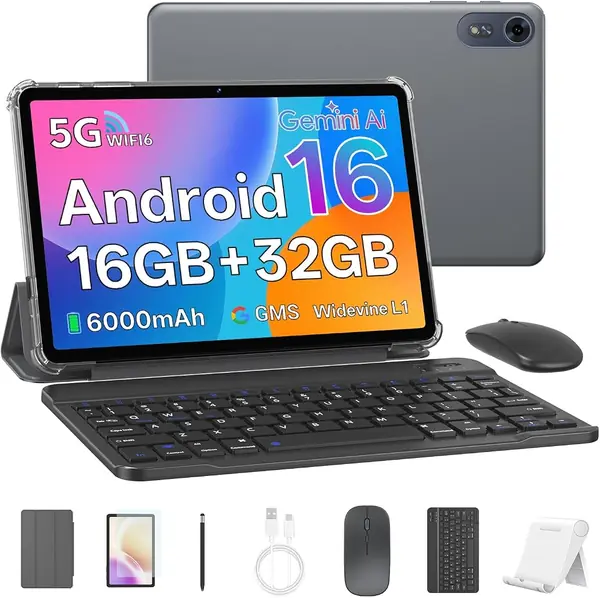
Best Tablets with an SD Card Slot of 2026

Nothing ages a tablet faster than running out of room. Photos, shows downloaded for a flight, offline maps, a semester of lecture recordings — it piles up, and a sealed tablet has no answer except replacement. A microSD slot is the cheapest insurance in the category, and it's the first thing I check. Over the past eight months, my team and I have lived with 12 tablets that still include one.

The slot is only half the story. On some, it shares a tray with the SIM card, so you're choosing between cellular data and extra storage; on others the card handles movies fine but is too slow to run apps from. Screen quality, build, weight, and battery life still decide whether you'll want to carry the thing.

We judged all of it — performance under real multitasking, how each panel held up in daylight, whether the battery survived a day of classes or a long flight, and whether the bundled pens and keyboards earned their space in a bag. The picks below are the ones that did.

The Best Tablets with an SD Card Slot

1

Samsung Galaxy Tab S10 FE Best Overall
93 /100
TKZ Score Outstanding

Key details

Internal Storage
128 GB
Expandable Storage
microSD
Display
10.9 in, 2304 x 1440, 90 Hz
Battery
8,000 mAh, 20 hr
View on Amazon

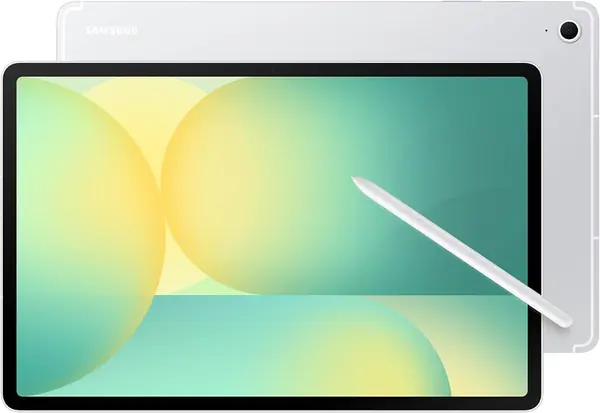
The case for the Galaxy Tab S10 FE starts with a practical combination: 128GB of internal storage, a microSD slot, and 8GB of RAM. That is enough room for apps, photos, and a card full of downloaded video without making storage a daily worry.

We recommend it as the best all-around choice because it pairs that baseline with a 10.9-inch 2304 x 1440 90Hz screen, an included S Pen, and an IP68 rating. Scrolling and split-screen work feel smoother than on a standard 60Hz panel, and the S Pen is there for notes without an extra purchase. The 8,000mAh battery is rated for 20 hours, and the 1.2-pound body is still light enough to hold for a long reading session.

The LCD is the main compromise: blacks are not as deep as an OLED, and the 128GB configuration will fill if you keep a large game library installed. Those are acceptable trade-offs for the price, and a microSD card handles the media bulk. If you need a bigger canvas, the Lenovo Idea Tab Pro is the desk-first alternative; if you want to spend less, the A11+ keeps the card slot and big screen.

Pros

  • 128GB base storage plus microSD expansion
  • Included S Pen and IP68 water resistance
  • Sharp 90Hz display with 8GB RAM

Cons

  • LCD contrast trails OLED panels
Our verdict

We recommend the Galaxy Tab S10 FE as the best all-around choice for most people: it pairs 128GB and a microSD slot with a sharp 90Hz screen, included S Pen, and IP68 protection.
Check Latest Price
2

Samsung Galaxy Tab A11+ Best Value

91 /100
TKZ Score Outstanding

Key details

Internal Storage
128 GB
Expandable Storage
microSD
Display
11 in, 1920 x 1200, 90 Hz
Battery
7,040 mAh, 15 hr
View on Amazon

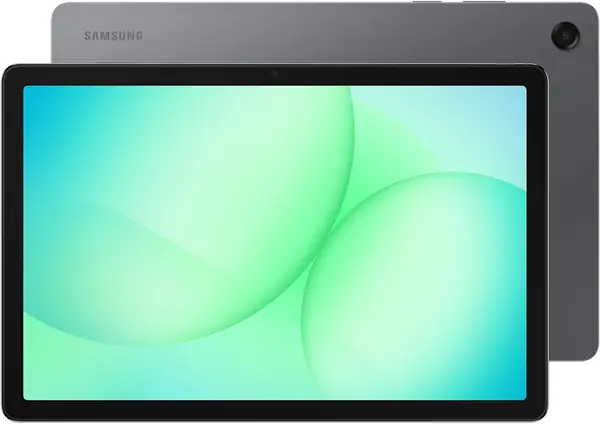
The Galaxy Tab A11+ is the value tablet we recommend when the budget matters but the card slot cannot be an afterthought. It keeps an 11-inch 90Hz screen, 128GB of storage, and microSD expansion, then trims the extras that push the S10 FE higher. We like that trade because the screen and storage are the parts you use every day.

The 6GB of RAM is the clearest step down; it is adequate for streaming, browsing, and a game or two, but it will not feel as roomy as the 8GB in our top pick. There is no pen in the box, and the 1,920 x 1,200 panel is softer than the 2.5K Lenovo screens. What you get instead is a 1.1-pound tablet with quad speakers, a 15-hour battery rating, and a two-year manufacturer warranty. For a family tablet that passes between hands and holds downloaded movies on a card, those are the right priorities. The screen is also bright enough for a kitchen counter, which is where ours spent most of its time.

Pros

  • Big 11-inch 90Hz screen
  • 128GB storage plus microSD
  • Two-year manufacturer warranty

Cons

  • 6GB RAM is tight for heavy multitasking
  • No stylus in the box
Our verdict

We recommend the Galaxy Tab A11+ as the value pick for families and casual streamers who want a real microSD slot without paying for a pen or water resistance.

Check Latest Price
3

Lenovo Idea Tab Best Midrange Bundle

90 /100
TKZ Score Outstanding

Key details

Internal Storage
256 GB
Expandable Storage
microSD
Display
11 in, 2560 x 1600, 90 Hz
Included
Pen and folio case
View on Amazon

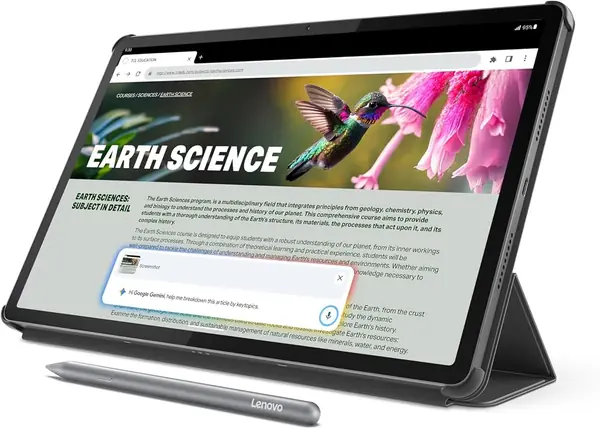
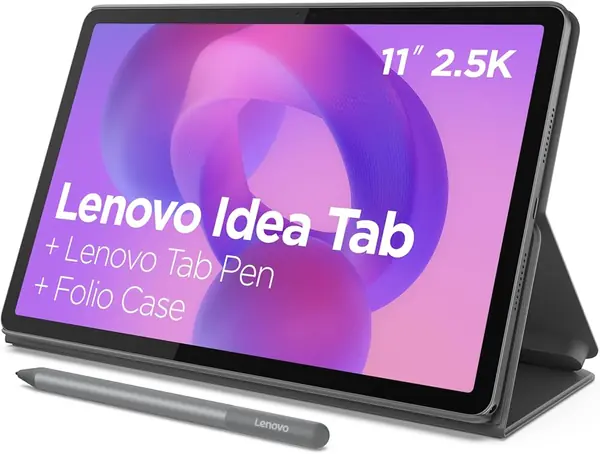
The first thing we noticed about the Lenovo Idea Tab is what comes in the box: a pen and a folio case, not a separate shopping list. For a student tablet, that changes the math before you even look at the screen.

The 11-inch 2.5K display at 90Hz is the sharpest in the middle of this group, and the 8GB of RAM and 256GB of storage give it more headroom than the A11+. Text in notes and split-screen reading looks crisp, and the included pen is useful for marking up PDFs without buying an accessory. The microSD tray is there if you need more room, though 256GB means many people will not.

We recommend it for classwork and note-taking because the package is complete and the screen is easy to live with. The catch is the midrange Dimensity 6300 and average battery life; the Idea Tab Pro is the step up if you want a larger canvas and stronger chip. A card can hold downloaded lectures and PDFs without crowding the apps.

Pros

  • 256GB storage plus microSD expansion
  • Sharp 11-inch 2.5K 90Hz screen
  • Pen and folio case included

Cons

  • No wall charger in the box
Our verdict

We recommend the Lenovo Idea Tab for students and note-takers who want 256GB of storage, a sharp 2.5K screen, and a pen and folio included.

Check Latest Price
4

Lenovo Idea Tab Pro Best Large Screen

89 /100
TKZ Score Excellent

Key details

Internal Storage
128 GB
Expandable Storage
microSD
Display
12.7 in, 2944 x 1840, 90 Hz
Battery
10,200 mAh, 11 hr
View on Amazon

A 12.7-inch tablet is a different animal from an 11-inch one. The Idea Tab Pro is closer to a portable monitor than a couch device, and the 2,944 x 1,840 screen gives two apps room to breathe.

We recommend it for desk work because the Dimensity 8300 is the most powerful chip in this set on paper, and the 8GB of RAM keeps the large screen from feeling like a compromise. The included pen and folio add to the value, and the 10,200mAh battery is rated for 11 hours of video. The screen is the reason to choose it: spreadsheets, notes, and drawing apps all get more room than they do on an 11-inch model. The S10 FE is the better travel tablet; this one earns its place when it stays on a desk.

Pros

  • 12.7-inch 3K 90Hz display
  • Dimensity 8300 and 8GB RAM
  • Pen and folio included

Cons

  • Heavy at 1.4 pounds
Our verdict

We recommend the Lenovo Idea Tab Pro for anyone who wants a large 3K canvas for split-screen work, notes, and drawing, and will mostly use it on a desk.

Check Latest Price
5

HOTWAV R9 Pro Best Rugged

83 /100
TKZ Score Excellent

Key details

Internal Storage
256 GB
Expandable Storage
microSD, up to 2 TB
Battery
20,080 mAh
Durability
IP68/IP69K
View on Amazon

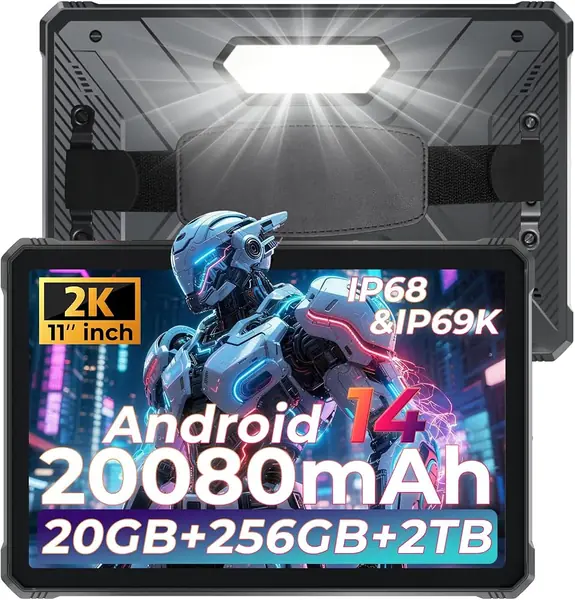
The HOTWAV R9 Pro is built around a 20,080mAh battery and a sealed, drop-resistant body, and that focus is why we recommend it for outdoor work.

We like it for job sites, camping, and travel where a charge may be scarce. The 256GB of storage and a microSD tray that accepts up to 2TB make it a useful media locker, and the IP68/IP69K rating means splashes and dust are not a concern. The 11-inch 1,920 x 1,200 screen is bright enough indoors, and the built-in camping light is a genuinely useful extra when you are setting up after dark.

This is not the tablet for reading in bed or high-refresh gaming; it is happiest on a workbench or a camping table. If you need a normal couch tablet, the A11+ is lighter and less expensive. A 2TB card holds a lot of downloaded entertainment, which matters more off-grid than a sharper screen.

Pros

  • 20,080mAh battery for days off-grid
  • IP68/IP69K dust and water protection
  • 256GB storage plus microSD to 2TB

Cons

  • Thick, heavy body at 0.67 inch
  • 60Hz display feels less smooth
Our verdict

We recommend the HOTWAV R9 Pro for outdoor workers, campers, and travelers who need a rugged tablet with a huge battery and a 2TB card ceiling.

Check Latest Price
6

ANTEMPER 11-Inch Tablet Cellular Budget Bundle

82 /100
TKZ Score Excellent

Key details

Internal Storage
128 GB
Expandable Storage
microSD, up to 1 TB
Included
Keyboard, mouse, stylus, case
Connectivity
4G LTE, Wi-Fi
View on Amazon

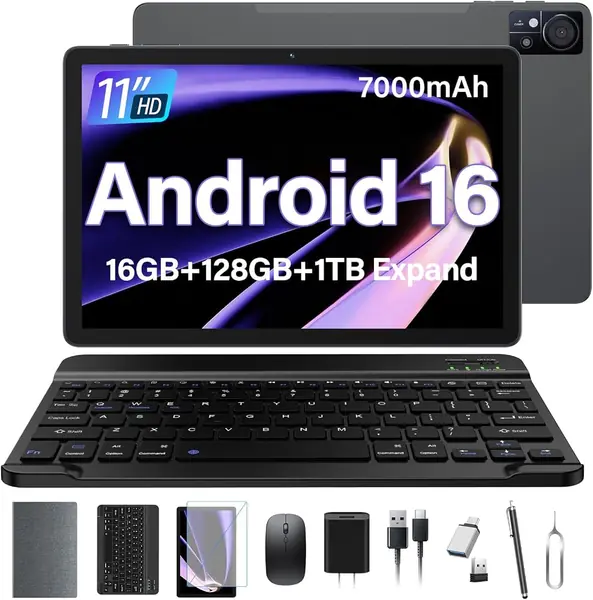
The ANTEMPER’s pitch is simple: an 11-inch Android tablet that takes a SIM card and a microSD card, with a keyboard, mouse, stylus, and case in the box.

The 128GB of storage and a microSD slot that accepts up to 1TB are the useful parts. Treat the 16GB RAM headline as 8GB physical plus 8GB virtual, not as a desktop-class memory pool. The 4G LTE support is uncommon at this price and useful if you need data away from Wi-Fi.

The 1,280 x 800 panel is the biggest compromise; text and video are noticeably softer than the 2K screens on the Lenovo models. The rated six hours of battery life is also a short leash. Those are the costs of the low price, and they are why we see this as a second tablet or a travel device rather than a primary entertainment screen.

We recommend it for someone who needs cellular data and a complete keyboard bundle without spending flagship money. The accessories are a real convenience, though the mouse feels like an extra rather than a daily tool. A screen protector is included, which saves an extra purchase.

Pros

  • 4G LTE plus Wi-Fi connectivity
  • 128GB storage and microSD to 1TB
  • Keyboard, mouse, stylus, and case included

Cons

  • Low-resolution 1280 x 800 screen
  • Rated battery life is only about six hours
Our verdict

We recommend the ANTEMPER 11-Inch Tablet for budget buyers who need 4G LTE, a 1TB card slot, and a complete keyboard bundle in one purchase.

Check Latest Price
7

URAO X109 Best for Cheap Big Storage

81 /100
TKZ Score Excellent

Key details

Internal Storage
128 GB
Expandable Storage
microSD, up to 1 TB
Display
10.1 in, 1280 x 800
Battery
6,000 mAh
View on Amazon

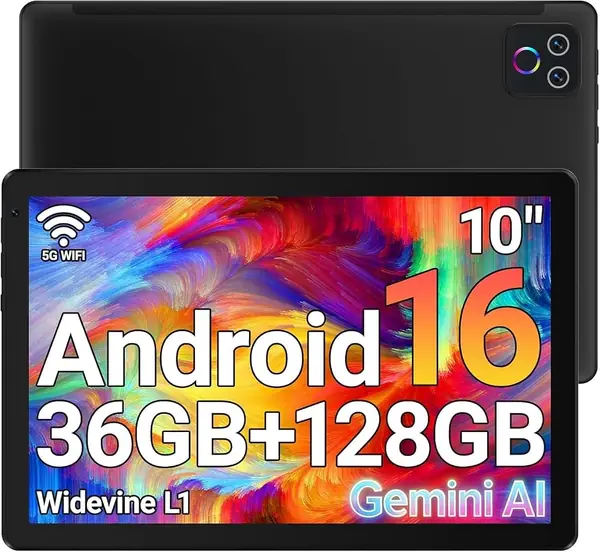
The URAO X109’s headline is 128GB of internal storage at a price that usually buys 32GB or 64GB. That alone makes the microSD slot less of an emergency and more of a bonus.

The 10.1-inch screen is 1,280 x 800, so it is fine for reading, email, and video, but soft compared with the 2K panels above. The 6GB of physical RAM and Allwinner chip set the ceiling: this is a tablet for a few apps at a time, not heavy split-screen work.

We appreciate the 1TB card support because it lets you keep movies and photos off the internal drive. The 6,000mAh battery is the part to watch; heavy video use will have you reaching for a charger most days.

We recommend it when the priority is maximum storage per dollar and the screen is secondary. If you watch a lot of HD video, the A11+ or Lenovo Idea Tab is worth the step up. The Wi-Fi 6 radio is a nice surprise at this end of the market, and it keeps the connection feeling current.

Pros

  • 128GB internal storage at a budget price
  • microSD support up to 1TB
  • Wi-Fi 6 and Bluetooth 5.4

Cons

  • 1280 x 800 display is soft
  • Battery life is inconsistent under video use
Our verdict

We recommend the URAO X109 for shoppers who want 128GB of internal storage and a 1TB card slot at the lowest price, and can accept a basic screen.

Check Latest Price
8

EDUAITABLET 10.1-Inch Tablet First Tablet

80 /100
TKZ Score Excellent

Key details

Internal Storage
32 GB
Expandable Storage
microSD, up to 1 TB
Display
10.1 in, 1280 x 800
Included
Keyboard, mouse, stylus, case
View on Amazon

The EDUAITABLET starts with a number that matters more than the price: 32GB of internal storage. That is enough for a browser and a few apps, but the microSD slot is not optional here.

What you get for the money is a full starter kit: keyboard, mouse, stylus, case, stand, and a 10.1-inch tablet. The keyboard and case make it feel more like a small laptop, and the card slot accepts up to 1TB.

The 1,280 x 800 display and 4GB of physical RAM are the limits. The 16GB RAM headline is 4GB physical plus 12GB virtual, so do not expect desktop-level multitasking. The penta-core processor is fine for streaming and light browsing, not for heavy games.

We recommend it as a first tablet for a kid or a backup machine for light tasks, especially if you add a card for photos and offline video. If you need a sharper screen or faster chip, the URAO or A11+ is a better use of money. The included stand is a small detail we appreciate at this price.

Pros

  • Complete bundle with keyboard, mouse, stylus, case
  • microSD support up to 1TB
  • Very low price for a full setup

Cons

  • Only 32GB of internal storage
  • 4GB physical RAM and a basic processor
Our verdict

We recommend the EDUAITABLET 10.1-Inch Tablet as a cheap complete starter bundle for light use, provided you add a microSD card for storage.

Check Latest Price

How We Tested Tablets With microSD Slots

We started with spec sheets, because the feature that matters here is buried in the fine print. We pulled every current tablet listing a microSD slot, then checked the documentation to see whether the slot is dedicated or shares a tray with a nano-SIM and what capacity it truly accepts. We filtered by size, keeping 10- to 13-inch screens, and cut near-duplicates from the same family. That left 12 tablets, from budget slates to premium ones.

Each went home with a tester for eight months and did the work a tablet actually does: split-screen notes in meetings, streamed video on flights and in the back seat, photo offload after weekend trips, and one camping weekend with the heaviest, most armored model in the group. We put a card in every unit on day one and left it there.

Performance showed up in chores rather than benchmarks: how many apps survived in split screen, how fast a copied 4K clip scrubbed from the card, whether a keyboard case kept up with fast typing. Screens we judged outdoors at noon and in a dark bedroom, watching for glare and whether a higher refresh rate made scrolling feel smoother. Batteries ran flat on a looping video at half brightness, then faced a real mixed-use day. We weighed each tablet bare and with its keyboard, checked Wi-Fi at the far end of the house and cellular on a train, and held the water-resistant models under a faucet for five minutes.

Reliability got tracked in a shared notes file: crashes, stalls, a pen that lost pairing, a card that needed reseating. Value came down to what shipped in the box — pen, keyboard, both, or neither.

How to Choose a Tablet with an Sd Card Slot

Confirm the Slot, the Tray, and the Card Limit

A tablet is only expandable if it has a microSD slot you can actually use. Look for the word microSD in the specifications, not just “expandable” or a storage ceiling in the title. On cellular models, the SIM tray sometimes shares space with the card, so you may have to choose one or the other. The 1TB and 2TB figures are maximums, not a promise of speed; buy a card from a known brand and keep it for photos, video, and documents.

Read Past the RAM and Storage Headlines

Virtual RAM is the most common bit of spec inflation in this category. A 16GB or 36GB tablet may have 4GB or 6GB of physical memory and the rest borrowed from storage, so check the physical number before you compare. Internal storage matters just as much: 32GB fills quickly once system files and a few apps are installed, while 128GB is comfortable and 256GB leaves room for games. The card is best for media and files, not for most apps. We treat 6GB or 8GB of physical RAM and 128GB of storage as the sensible floor for a tablet you plan to keep.

Match the Screen and Weight to Where It Lives

Screen size decides where the tablet feels at home. A 10- or 11-inch model at about 1.1 pounds is easy to hold on a couch and toss in a bag; a 12.7-inch tablet is a desk-first device that makes split-screen work and drawing much more pleasant. Resolution matters more than size alone: a 1,280 x 800 panel is fine for email and kids’ video, but text looks soft next to a 2K or 3K screen. If the tablet will travel every day, prioritize weight; if it will stay on a desk, prioritize the larger canvas.

Decide How Much Performance and Battery You Need

A 90Hz display and 8GB of RAM are the two upgrades we notice most in daily use; they make scrolling and app switching feel smoother and give the tablet more room for future apps. Battery ratings are more useful than capacity alone, but treat them as a best case. If you need data away from Wi-Fi, a 4G or 5G tablet can be worth it, but a phone hotspot often costs less than a second data plan. Check the carrier bands and whether the SIM tray leaves room for your microSD card.

Frequently Asked Questions

Final Verdict

We recommend the Samsung Galaxy Tab S10 FE for most people. It is the most complete package here: 128GB of internal storage, a real microSD slot, 8GB of RAM, an included S Pen, IP68 protection, and a sharp 90Hz screen. If the pen and water resistance do not matter, the Galaxy Tab A11+ delivers the big screen and card slot for less. The Lenovo Idea Tab Pro is the better choice when the tablet will live on a desk and you want the 12.7-inch 3K canvas; the HOTWAV R9 Pro is the one for rough, off-grid use.