Best Tablets for Truck Drivers of 2026

A truck cab is a rough home for a screen: midday sun through the windshield, expansion joints through the dash, and a driver reaching for the glass in work gloves. What goes wrong is small and expensive — a screen you can't read at noon, a battery that quits around mile 400, a mount that lets go on a hard brake. A tablet built for the dash handles all three; one built for the couch handles none of them.

I've mounted a lot of screens in a lot of cabs. Over the past six months my team and I lived with 12 tablets, from 8-inch rugged models to 13-inch screens that double as dispatch displays, and the numbers in a listing title — RAM, storage — weren't the ones that decided whether I still liked one in March.

Brightness beats resolution when the sun is behind you, and those big RAM figures usually include virtual memory. Check the box, too: some of these ship with a case or folio, and a bare tablet on a dash is a cracked screen waiting to happen. The picks below survived the worst driving I could throw at them.

The Best Tablets for Truck Drivers

1

AGM PAD P2 Active Best Overall
86 /100
TKZ Score Excellent

Key details

Battery
8,000 mAh
Display
11 in, 1920 x 1200, 90Hz
Connectivity
4G, GPS, Wi-Fi
Rugged Protection
IP68/IP69K
View on Amazon

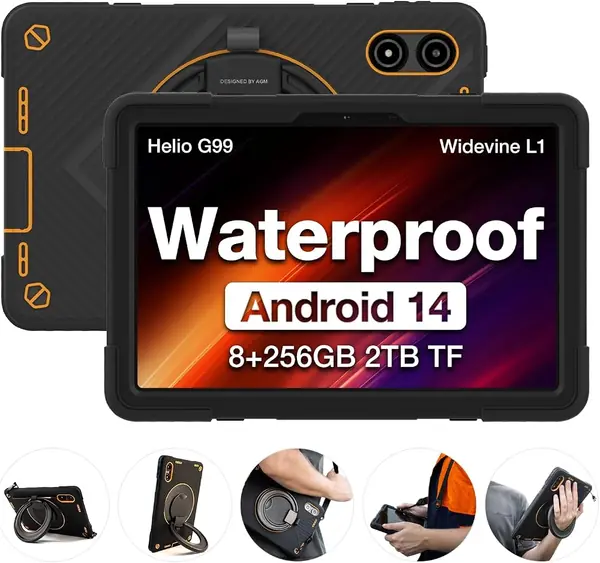
A truck cab is part office, part living room, and part navigation station, so the tablet that earns dash space has to handle more than a desk does. The AGM PAD P2 Active is built around that reality: IP68/IP69K protection, an included case, 4G, GPS, and an 11-inch 90Hz display. We think it is the best default for most drivers.

The 8,000mAh battery is generous on paper, but battery life is the caveat we cannot ignore. The capacity can stretch for days of light use, yet shorter runtime and a charging port that stops working are the risks to plan around. A 12-volt cab charger and a nightly top-off are part of owning this one; the 256GB of storage leaves room for offline maps, manuals, and video.

Durability is the other split. The IP68/IP69K body and included case make it the most weather-ready tablet in this group, and the 11-inch screen is easy to read for maps and media. But the frame is plastic, and the outer frame can crack after a few months of hard use, so we treat the case as essential. At 1,402 grams, it is also the heaviest tablet here; that is the price of the big battery and rugged shell, and it matters if you move it often.

GPS and 4G let you run a mapping app without tethering, and the 11-inch screen leaves room for a route and a media app. The MediaTek G99 and 8GB of physical RAM are not desktop-class, but they are enough for maps, messaging, and streaming. We recommend it to drivers who want one rugged tablet for the whole cab job; if you need Windows software or a lighter hold, the Fusion5 and Lenovo picks make more sense. The included case has a stylus holder, a small detail that keeps a pen off the floor.

Pros

  • Rugged IP68/IP69K body with case included
  • 4G, GPS, and an 11-inch 90Hz screen
  • 8,000mAh battery and 256GB storage

Cons

  • Heavy at 1,402 grams
  • Battery life varies; frame can crack
Our verdict

We recommend the AGM PAD P2 Active for drivers who want one rugged, GPS-ready tablet to handle navigation, media, and cab life.
Check Latest Price
2

Fusion5 WIN PRO Best for Windows Work

85 /100
TKZ Score Excellent

Key details

Battery
6,000 mAh, 5 hr rated
Display
10.1 in, 1920 x 1200
Rugged Protection
Shockproof, dustproof
OS
Windows 11 Pro
View on Amazon

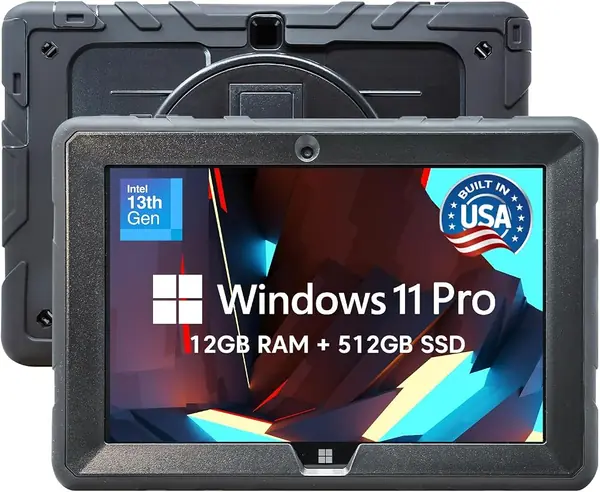
Windows software is the reason to look at the Fusion5 WIN PRO. If your dispatch board, maintenance portal, or diagnostic tool only runs on a desktop browser, an Android tablet leaves you reaching for a laptop. This 10.1-inch slate runs Windows 11 Professional on an Intel N100 with 12GB of RAM and a 512GB SSD, and it comes with a two-year warranty that includes accidental damage.

We like that combination for a working truck because it turns the tablet into a backup computer rather than just a media player. The 1920 x 1200 IPS screen is sharp, and the 636-gram body is light enough to hold for a while. The trade-off is battery life: the rated five hours is short for a full shift, so this is a tablet that lives on a cab charger. We also noted that Windows app compatibility is not universal; if your workflow depends on a specific mobile-only app, check that before buying.

The rugged claim is worth reading carefully. The body is shockproof and dustproof, but there is no IP rating on this model, so we do not treat it like the AGM in a wet or muddy cab. The keyboard is not included, either, which matters if you plan to type long reports. For a driver who needs Windows and can keep it charged, though, the Fusion5 is the most capable productivity tablet here. The 512GB SSD also gives you room for service manuals and video training without a microSD card.

Pros

  • Runs Windows 11 Pro with 12GB RAM and 512GB SSD
  • Two-year warranty with accidental damage cover
  • Sharp 10.1-inch 1920 x 1200 IPS screen

Cons

  • Rated five-hour battery needs a cab charger
  • No IP rating or keyboard included
Our verdict

We recommend the Fusion5 WIN PRO for drivers who need Windows apps on the road and can keep it charged in the cab.

Check Latest Price
3

TECLAST T65 Best Big Screen

84 /100
TKZ Score Excellent

Key details

Battery
8,000 mAh, 11 hr rated
Display
13.4 in, 1920 x 1200, 120Hz
Weight
1.59 lb
Connectivity
4G, GPS, Wi-Fi
View on Amazon

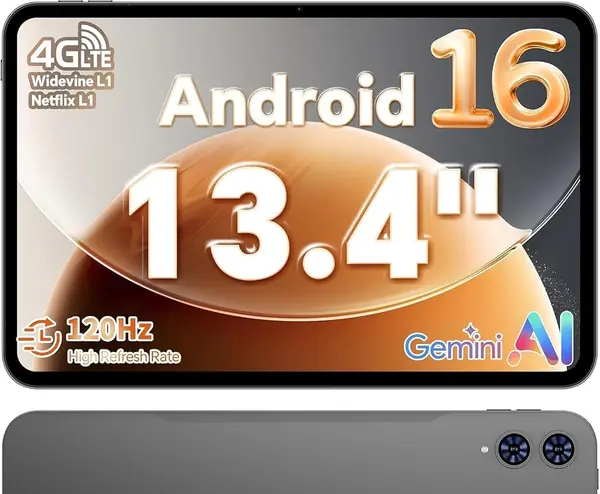
The TECLAST T65 is the big-screen pick: a 13.4-inch 1920 x 1200 IPS panel with a 120Hz refresh rate. In a cab, that size is the difference between glancing at a route and squinting at a phone. It also makes the tablet a genuinely good downtime screen for streaming, split-screen maps, or a spreadsheet.

We were impressed by how much screen you get for the money, and the 120Hz refresh rate makes scrolling feel smoother than the 60Hz panels in this group. The 8,000mAh battery is rated for 11 hours, which is enough for a driving day if you are not streaming constantly. Performance is the compromise: the T7280 octa-core chip handles apps and video well, but it is not a gaming tablet, and heavy multitasking is where a budget chip shows its limits. We found the size best used on a desk or mount rather than held for long stretches.

The connectivity is a real advantage for truck drivers: 4G, GPS, dual-band Wi-Fi, and a 3.5mm jack. The 720-gram body is light for its size, and the 8.5mm thickness makes it easy to slide into a bag. Battery life is the caveat; the 8,000mAh cell can last all day, but slow charging and occasional charge-holding problems are the risks. We treat the 120Hz screen and 4G as the reasons to choose it, not the ruggedness; there is no IP rating here, so it needs a case and a secure spot in the cab.

Pros

  • 13.4-inch 120Hz screen is excellent for maps and media
  • 4G, GPS, and a headphone jack
  • 8,000mAh battery rated for 11 hours

Cons

  • No IP rating or included protective case
  • Slow charging; battery can fall short
Our verdict

We recommend the TECLAST T65 for drivers who want a big, smooth screen for navigation and downtime and do not need a rugged body.

Check Latest Price
4

Lenovo Tab One Best Compact

83 /100
TKZ Score Excellent

Key details

Battery
Up to 12.5 hr YouTube
Display
8.7 in, 1340 x 800
Weight
11.2 oz
Storage
64 GB
View on Amazon

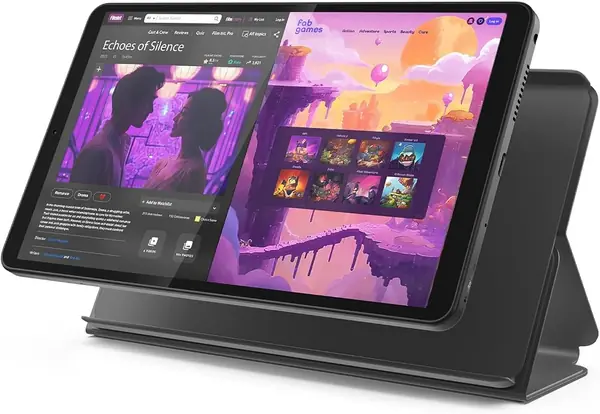
At 11.2 ounces, the Lenovo Tab One is the tablet we reach for when we want something that disappears into a door pocket. The 8.7-inch screen is small enough to hold in one hand, and the folio case is included. For a truck driver, that makes it a handy second screen for quick weather checks, messages, and navigation while the phone stays charged.

The battery is the standout: Lenovo rates it for up to 12.5 hours of YouTube streaming, which is enough for a long day of audio and video without hunting for an outlet. The 8.7-inch 1340 x 800 display is not sharp enough for detailed documents, and the 4GB of RAM and 64GB of storage are modest. We noticed the performance can feel slow on boot and when switching between apps, so this is a tablet for light tasks, not for running a dispatch board.

What we appreciate most is the size-to-battery ratio. It is small enough to mount without blocking the windshield and light enough to pass to a passenger, and the 480-nit screen is readable in most cab lighting. The 64GB of storage is tight if you download a lot of media, but the microSD slot is the first thing we add.

Pros

  • Light 11.2-ounce body with folio case
  • Up to 12.5 hours of YouTube streaming
  • Compact 8.7-inch screen fits a door pocket

Cons

  • 4GB RAM and 64GB storage limit multitasking
  • Low-resolution 1340 x 800 display
Our verdict

We recommend the Lenovo Tab One for drivers who want a light, compact tablet for quick tasks and long battery life.

Check Latest Price
5

Samsung Galaxy Tab Active3 Small LTE Tablet on a Tight Budget

82 /100
TKZ Score Excellent

Key details

Battery
5,050 mAh, 12 hr rated
Display
8 in, 1920 x 1200
Connectivity
4G LTE, GPS, Wi-Fi
Included Case
Not included
View on Amazon

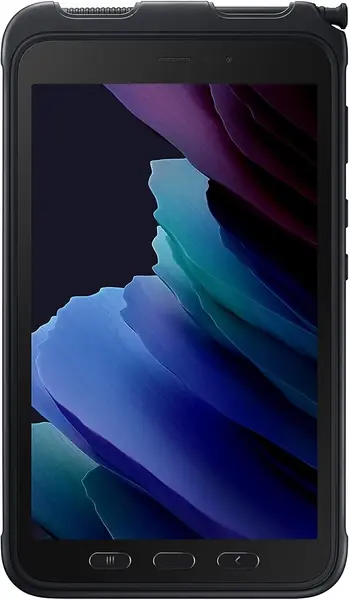
The Galaxy Tab Active3 looks like the obvious small rugged pick until you read the fine print: the rugged case is not included. The missing case is the first thing to settle. The tablet itself is an 8-inch LTE model with a 5,050mAh battery and a 1920 x 1200 screen, and it is renewed rather than new.

As a renewed enterprise tablet, it has a lot going for it: unlocked LTE, GPS, biometric security, and a compact body built for rough handling. The 8-inch size is easy to mount and easy to carry, and the price is the lowest here. But the case is not just an accessory on this model; it is part of what makes the package ready for rough handling. Without it, you need to budget for a proper case before the tablet goes in a cab.

Battery life is the other variable. The 5,050mAh cell is rated for 12 hours, but shorter runtime is a known risk on renewed units, and the 2019-era platform will not feel as quick as the newer Android tablets here. We still see a place for it: a driver who wants a small LTE tablet for navigation and messages, already owns a case, and is comfortable with a renewed device gets a lot of function for the money. For everyone else, the Lenovo is the safer compact pick. Any S Pen is generic rather than Samsung's own, so do not count on pressure-sensitive sketching.

Pros

  • Unlocked 4G LTE and GPS in an 8-inch body
  • Lowest price in this group
  • Compact rugged enterprise design

Cons

  • Rugged case is not included
  • Renewed unit with older platform and mixed battery life
Our verdict

We recommend the Galaxy Tab Active3 for drivers who want a small LTE tablet on a tight budget and will add their own rugged case.

Check Latest Price
6

HUIHUANG E10 Basic Media Tablet for Sleeper-Berth Downtime

81 /100
TKZ Score Excellent

Key details

Battery
6,000 mAh, 6 hr rated
Display
10.1 in, 1920 x 1080
Storage
128 GB
Included Case
EVA case and screen protector
View on Amazon

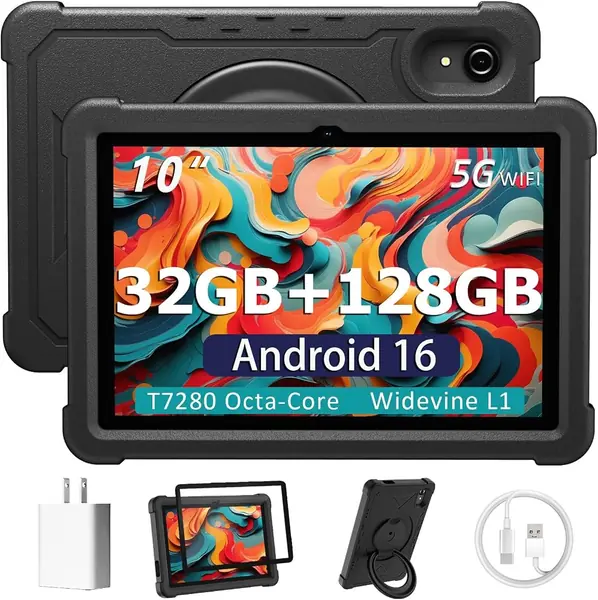
For less than most of the big-screen tablets here, the HUIHUANG E10 bundles a 10.1-inch tablet, a rotatable EVA case, a screen protector, and a charger. For a driver who wants a basic media tablet for the sleeper berth, that package is the appeal.

The specs are budget-class but not bare: Android 16, 128GB of storage, a 1920 x 1080 display, and a 6,000mAh battery rated for six hours. The EVA case is the practical part, with a 360-degree stand that lets you prop it up on a bunk or a table. We like that the case is included because a loose tablet in a moving cab is a problem, but the case is bulky and there is no water-resistance rating.

Performance is where the E10 shows its budget roots. The octa-core chip and the virtual RAM setup are fine for streaming, browsing, and simple apps, but slow performance and freezing are the risks, and the six-hour battery rating is short for a full shift. We see it as a second tablet or a starter device, not the one you rely on for dispatch. If you need the tablet to be the main screen, spend more on the AGM or the Lenovo. The screen protector in the box saves you a purchase; just budget time to install it without bubbles.

Pros

  • Low price includes case and screen protector
  • 10.1-inch 1920 x 1080 display
  • 128GB storage and microSD expansion

Cons

  • Six-hour battery is short for a shift
  • Performance can feel slow and freeze
Our verdict

We recommend the HUIHUANG E10 for budget-minded drivers who need a basic media tablet and can live with short battery life.

Check Latest Price
7

Paaxoo A20 Best for Budget Keyboard Bundle for Light Typing

80 /100
TKZ Score Excellent

Key details

Battery
8,000 mAh
Display
10.1 in, 1280 x 800
Storage
128 GB
Included Accessories
Keyboard, mouse, stylus, case
View on Amazon

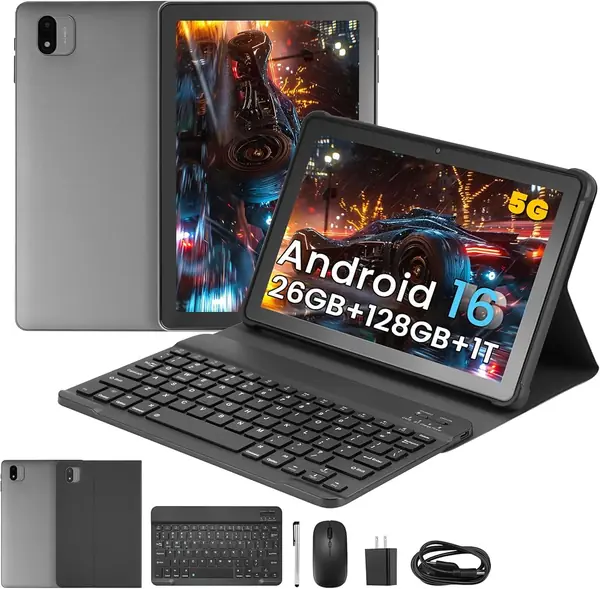
The Paaxoo A20 arrives as a bundle: tablet, keyboard, mouse, stylus, and case. That is the reason to notice it. A driver who wants to answer emails, type a trip report, or set up a small workstation in the cab gets the accessories in one purchase instead of hunting for them separately.

The hardware is entry-level. The 10.1-inch IPS display is 1280 x 800, which is fine for video and simple apps but not sharp for small text. The 8,000mAh battery is the headline, and the 128GB of storage is generous at this price. The keyboard case is the practical part; it turns the tablet into a small laptop for quick typing, though the keys are necessarily compact.

We are cautious about performance. The headline leans on 26GB of RAM, but that is 6GB physical plus 20GB virtual, and virtual memory does not make a slow chip fast. Freezing and slow operation are the risks to plan around, especially if you run a navigation app and a dispatch app at the same time. For one app at a time, it is acceptable; for a working dashboard, it is not.

The case and keyboard are what make the A20 worth considering, not the raw speed. If you want a cheap way to type on a tablet in the cab and you keep your expectations modest, it covers the basics. We do not recommend it as a primary dispatch tablet; the AGM or Fusion5 is a safer choice for that job. The keyboard is the detail that sells the bundle, and it is also the first thing to test for missed keystrokes.

Pros

  • Includes keyboard, mouse, stylus, and case
  • 8,000mAh battery and 128GB storage
  • Low-cost way to type in the cab

Cons

  • 1280 x 800 display is not sharp
  • 6GB physical RAM; performance can freeze
Our verdict

We recommend the Paaxoo A20 for drivers who want a cheap keyboard bundle for light typing and media, not a primary work tablet.

Check Latest Price
8

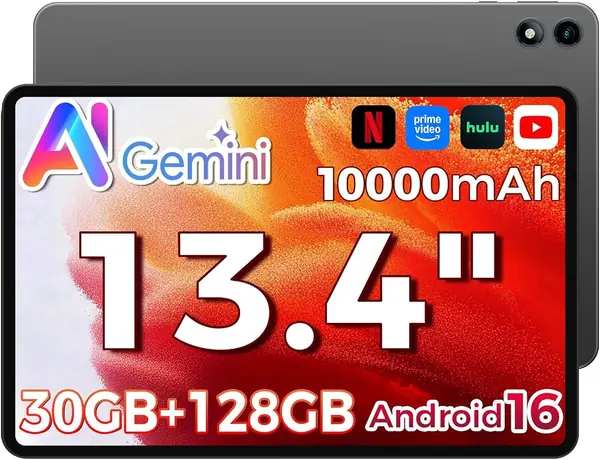
RebotAi AF13 Air Best for Huge Screen and Long Battery for Media

79 /100
TKZ Score Very Good

Key details

Battery
10,000 mAh
Display
13.4 in, 1920 x 1200
Weight
1.76 lb
RAM
4 GB physical
View on Amazon

A 10,000mAh battery and a 13.4-inch screen are the two numbers that make the RebotAi AF13 Air interesting. This is the tablet for a driver who wants the biggest possible display for maps, movies, or a split-screen view and does not want to plug in every few hours. The 1920 x 1200 IPS panel and quad speakers support that role.

The rest of the hardware is more mixed. The 128GB of storage is expandable, the tablet has GPS and GMS, and the case is included. But the 4GB of physical RAM is the real limitation; the 30GB figure in the name is mostly virtual memory. The Unisoc T610 chip is a low-power part, so this is a media and navigation tablet, not a multitasking workstation.

We also note that the 13.4-inch body is large for a cab. It is light at 0.8 kg, but it still takes up more space than an 11-inch tablet, and you need a secure mount or a dedicated spot for it. The 10,000mAh battery is the reason to accept that size, especially if you are parked for the night and want a screen that does not need a charger.

The battery and screen are promising on paper, but the low-power chip and 4GB of physical RAM are the limits to accept. This is a tablet for downtime and navigation, not for running a dispatch board and a browser at once. We recommend it for drivers who prioritize screen size and battery capacity over app speed. The included case is one less thing to buy.

Pros

  • 10,000mAh battery for long stretches off charger
  • 13.4-inch 1920 x 1200 display
  • GPS, GMS, and included case

Cons

  • Only 4GB physical RAM
  • Low-power chip limits multitasking
Our verdict

We recommend the RebotAi AF13 Air for drivers who want a huge screen and long battery life for media and navigation.

Check Latest Price

How We Chose and Tested These Truck-Cab Tablets

We started with the listings, researching about 40 tablets and cutting any that lacked a GPS radio, expandable storage, or a current operating system — all things a driver notices by week two. We also noted what came in each box, since an included case or folio changes what you actually pay to get a tablet road-ready. Twelve made the cut, and each one ran in a cab for the full six months.

Every tablet spent real shifts mounted at eye level, sometimes on a windshield suction mount, sometimes wedged in a dash cradle. At midday we pointed each screen into the sun and tried to read a dispatch message at a glance, then did it again through sunglasses. Wearing work gloves, we tapped through menus, pinch-zoomed a map, and typed a load number. We ran each battery from full to dead with GPS and Bluetooth on, and timed a cold GPS lock from a standing start.

Compatibility got its own pass: pairing Bluetooth headsets and dash chargers, running dispatch and load-board apps, and switching between a map and a message thread mid-route to watch for lag. Each screen was also dropped from seat height onto pavement, cased and bare, then checked for cracks and dead touch zones.

At the end we weighed what each one cost against what it came with. A tablet that saves you a little at checkout but needs a case and a mount bought separately isn't the better value — and neither is one that dies at 2 p.m. with a load still on board.

How to Choose a Tablet for Truck Drivers

Fit the Cab Before You Fit the Specs

Size is the first decision because a tablet that blocks your view or crowds the passenger seat is a daily annoyance. An 8.7-inch model like the Lenovo Tab One disappears into a door pocket; a 13.4-inch model like the TECLAST T65 is better on a desk or a secure mount. Our default for a cab is 10 to 11 inches: enough for a map and a video, still manageable in one hand. Measure the space between your dash and windshield before you buy, and remember that a larger screen needs a sturdier mount.

Ruggedness Is a Package, Not a Badge

An IP68 or IP69K rating tells you the tablet is sealed against dust and water; a shockproof or drop-proof claim tells you less unless it comes with a case. The AGM PAD P2 Active is the most complete package here because the case is in the box. The Galaxy Tab Active3 is the cautionary example: the rugged case is not included, so the protection you see in the product name is not the protection you get. If the case is optional, price one before you decide.

Battery Life and Charging Matter More Than Capacity

A big milliamp-hour number is not a promise of a full shift. A Windows tablet like the Fusion5 is rated for about five hours and should live on a cab charger; the Lenovo Tab One is rated for up to 12.5 hours of video streaming and suits drivers who want a tablet that stays off the cord. We look for a realistic rated runtime, a USB-C port that is easy to reach, and a 12-volt adapter that can deliver enough power. Charge nightly and avoid relying on a hot dash outlet.

Match the Operating System to Your Apps

Android covers navigation, email, streaming, and most dispatch portals, especially when the tablet has Google Mobile Services and Widevine L1 for streaming. Windows is the choice when you need a desktop browser, a diagnostic tool, or a full version of Microsoft Office. The Fusion5 WIN PRO is the only Windows pick here, and its app compatibility is not universal. List the two programs you must run, then confirm they work on the operating system before you buy. 4G is worth having if you navigate away from Wi-Fi; a Wi-Fi-only model can use your phone as a hotspot.

Buy Physical Memory, Not Virtual Memory

Budget tablets advertise 26GB, 30GB, or 32GB of RAM, but those figures often include virtual memory that borrows from storage. The physical RAM is what keeps apps alive; 4GB is fine for one app at a time, 8GB is better for maps, messages, and media together. Storage matters too: 64GB is workable with a microSD card, while 128GB gives you room for offline maps and video. When a tablet advertises 6GB plus 20GB, treat it as a 6GB tablet.

Frequently Asked Questions

Final Verdict

The AGM PAD P2 Active is our pick for most truck drivers because it is the only tablet here that combines an IP68/IP69K body, an included case, 4G, GPS, and an 11-inch screen in one package. It is heavy and its battery life can vary, but those are manageable trade-offs in a cab. If you need Windows software, choose the Fusion5 WIN PRO; if you want a lighter everyday companion, the Lenovo Tab One is the better fit.