Best Styluses for iPad of 2026

The quickest way to waste money on an iPad stylus is to buy one that almost works with your tablet. A pencil that pairs but drops tilt or palm rejection feels fine for ten minutes, then ruins a page of notes. I use an iPad for meeting notes, PDF markup, and sketches I rarely finish, and over the past six months my team and I worked through 12 styluses to separate the ones that last from the ones that impress for a week.

What separates them usually isn't the headline spec. Every box screams fast charging, but what matters is whether the battery survives a full day of classes and whether the stylus stays stuck to the magnetic edge of my iPad instead of rolling around a tote bag. Palm rejection and tilt sensitivity are things you feel every minute — write with your hand resting on the glass and a stylus without them turns your handwriting into scribble.

Some of these cost less than lunch; a couple cost real money and earn it. The picks below are the ones we kept reaching for, sorted by who they're for.

The Best Styluses for iPad

1

Penlike iPad Stylus Best Overall
97 /100
TKZ Score Outstanding

Key details

Charging Time
15 minutes
iPad Compatibility
iPad models from 2018 to 2026
Battery Life
Up to 9 hours
Tip Size
1.5 mm
View on Amazon

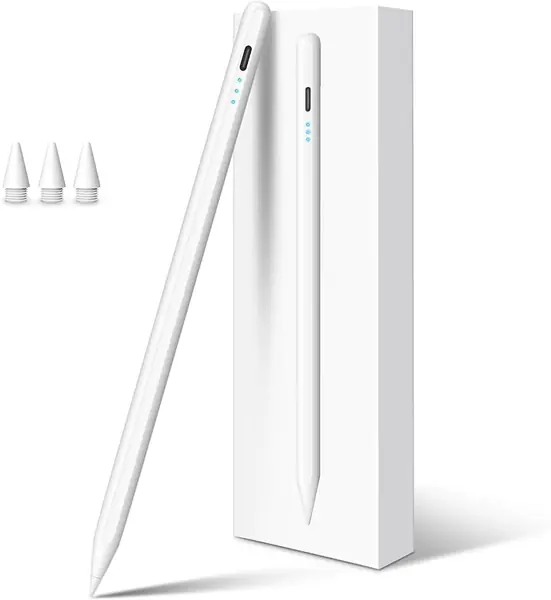
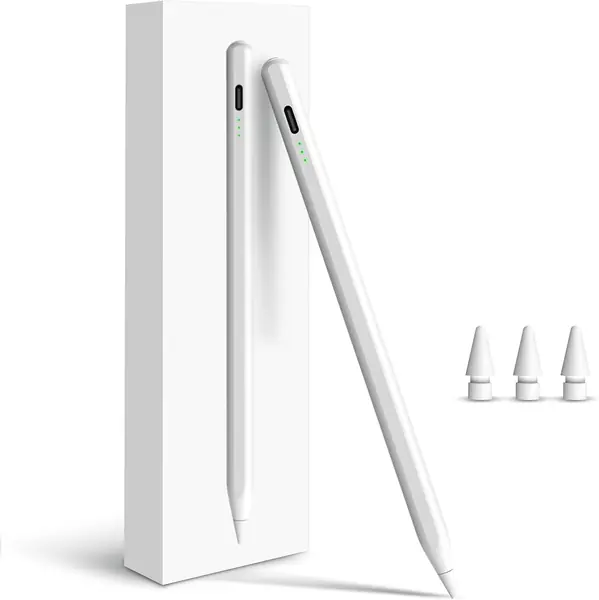
Set the Penlike next to the Apple Pencil (USB-C) and the comparison stops being close on paper: palm rejection, tilt sensitivity, a magnet that parks it on the iPad's edge, and a USB-C port that fills the battery in 15 minutes, for a fraction of what Apple charges. What makes it our top pick isn't any single one of those. It's that nothing on the list is missing, which is rare at the bottom of the price range.

The compatibility list is the longest here, running from the 6th-generation iPad through the M5 Pro and the newest mini. That matters more than it sounds. If the tablet you write on is a hand-me-down, a school-issued 9th generation, or an iPad you plan to keep another four years, this pen doesn't quietly fall out of support halfway through its life. The listed runtime is 9 hours, and it sleeps after five idle minutes; you tap the end to wake it, a small friction worth accepting in exchange for never finding it dead.

In hand it's a 16-gram aluminum barrel at 6.3 inches, close enough to a wooden pencil that you stop thinking about it, and a pen you notice is a pen you put down. The magnet only holds the pen rather than charging it, so the cable is part of the routine instead of an emergency. At this weight and length it disappears into the hand, which is the highest compliment we can pay a stylus.

Pros

  • Covers every iPad from 2018 through the M5 Pro
  • Fills in 15 minutes and runs about 9 hours
  • Tilt and palm rejection at the lowest price tier

Cons

  • No pressure sensitivity, so shading is tilt-only
Our verdict

Our pick for most people: palm rejection, tilt, and fast charging across every iPad since 2018, at the lowest price tier in this guide.


Check Latest Price
2

Apple Pencil Pro Best for Artists

96 /100
TKZ Score Outstanding

Key details

iPad Compatibility
iPad Pro M4/M5, Air M2/M3/M4, mini (A17 Pro)
Weight
0.68 oz
Charging
Magnetic, on the iPad's edge
Pressure Sensitivity
Yes, plus tilt
View on Amazon

Pressure sensitivity is the one thing the rest of this list cannot do. Press the Pencil Pro harder against the glass and the line thickens; ease off and it fades. Every third-party pen here reads only the angle of the tip. Add squeeze, barrel roll, and haptics that confirm a tool change without looking up, and you have a pen built for people who make marks for a living.

Pairing and charging both happen on the iPad's edge, which is the workflow we prefer: you set the pen down, it tops up, and you never think about a cable again. The flat edge stops it rolling off a desk, and at 0.68 ounces it's light enough to forget about two hours into a session. The people who complain that it feels like a plastic wand have not held this one.

For drawing, sketching, lettering, or painting, it is the only pen on this page that behaves like a real drawing tool, and the premium is easy to justify against the hours you'll put in. For handwriting alone you're paying for tools you won't touch, and the same meeting notes come out of pens that cost far less.

The catch is the model list, the shortest here: the M4 and M5 iPad Pro, the M2 through M4 Air, and the newest mini. It is the easiest pen on this page to buy for the wrong iPad, so check Settings, then General, then About before you order. If your tablet isn't on that list, the Apple Pencil (USB-C) or a third-party pen is your answer, and no gesture will change that.

Pros

  • Pressure, tilt, squeeze, and barrel roll
  • Charges and pairs on the iPad's edge
  • Feels like a real pencil on paper

Cons

  • Magnetic grip can slip, which cuts the charge
Our verdict

Buy it if you draw: pressure, squeeze, and barrel roll are tools no other pen here has, and they justify the premium.

Check Latest Price
3

Apple Pencil (USB-C) Best for Note-Taking

95 /100
TKZ Score Outstanding

Key details

iPad Compatibility
iPad Pro M4/M5, Pro 12.9 (3rd-6th gen), plus more models
Weight
0.88 oz
Charging
USB-C cable
Pressure Sensitivity
No, tilt only
View on Amazon

This is the Apple Pencil without pressure sensitivity, and that absence decides who should buy it. We think it's the right pen for notes, markup, and signing documents, and the wrong one for anyone who shades by pressing harder, because no amount of precision makes up for a pen that can't feel your hand.

What's left is still the good part of Apple's engineering: tilt sensitivity for angled strokes, low latency, the kind of precision that makes handwriting look like handwriting, and it works in the built-in apps without a pairing dance. Students annotating readings, teachers marking up PDFs, and anyone signing forms will never miss the feature they never had.

The thing to know before you order is how it charges. It clings to the iPad's edge magnetically, but the power comes over USB-C, so it does not top up just by sitting there the way a Pencil Pro does. Assume otherwise and you'll spend a week convinced yours is broken. Check your generation against Apple's list as well, since this pen covers a different set of iPads than the Pro does.

Pros

  • Apple's own precision and low latency
  • Tilt sensitivity for shading and highlights
  • Pairs and charges over any USB-C cable

Cons

  • No pressure sensitivity, tilt only
  • No magnetic charging on the iPad's edge
Our verdict

The right Apple Pencil for notes, markup, and signing, provided you don't need pressure sensitivity and you check your model first.

Check Latest Price
4

KEEPRO iPad Stylus Best for Students

94 /100
TKZ Score Outstanding

Key details

Charging Time
30 minutes
iPad Compatibility
iPad models from 2018 to 2026
Battery Life
Up to 10 hours
Extras
One-click undo, battery percentage
View on Amazon

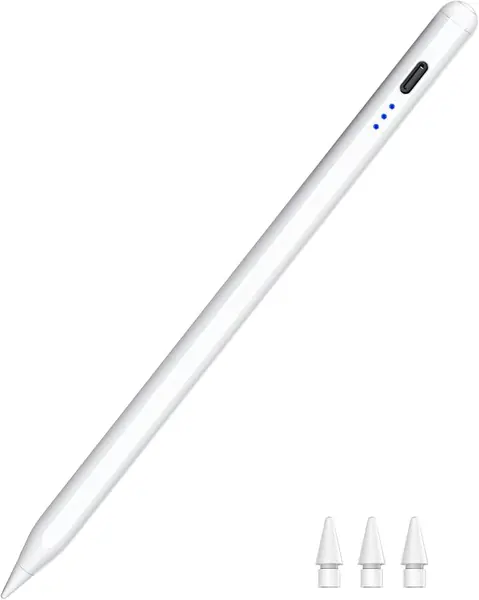
The KEEPRO's party trick is a button on the barrel that undoes your last stroke. One click, no trip to the toolbar, no two-finger tap. On paper that sounds like a small thing. In practice, the interruption of reaching for undo is exactly what breaks the rhythm of a page of lecture notes, and a pen that removes it earns its place in a backpack.

Our verdict is that this is the note-taker's pen in this group. It also pairs over Bluetooth, which puts a battery percentage in the iPad's status bar instead of three ambiguous lights, so you know whether you have 80 percent or 20 before a seminar starts. Neither feature shows up on most pens in this price range, and both change how often you get caught out.

The rest is competent rather than flashy: tilt sensitivity, palm rejection, up to 10 hours of use, and Apple Pencil-compatible tips with three spares in the box. That last detail is the one we care most about on a pen that lives in a bag, because the tip is what fails first and a replacement should not mean a new pen.

Pros

  • One-click undo saves fumbling for the toolbar
  • Battery percentage in the iPad's status bar
  • Reaches 80 percent in 15 minutes, runs 10 hours

Cons

  • Full charge takes 30 minutes, the slowest here
  • Undo button only works after Bluetooth pairing
Our verdict

We recommend it to students and anyone who fills pages: one-click undo and a battery percentage earn its place.

Check Latest Price
5

STYLUSHOME 2-in-1 Stylus Best Dual-Tip Design

93 /100
TKZ Score Outstanding

Key details

Charging Time
10 to 13 minutes
Weight
0.56 oz
Battery Life
Up to 9 hours
Tip Design
1.5 mm active tip plus rubber stylus
View on Amazon

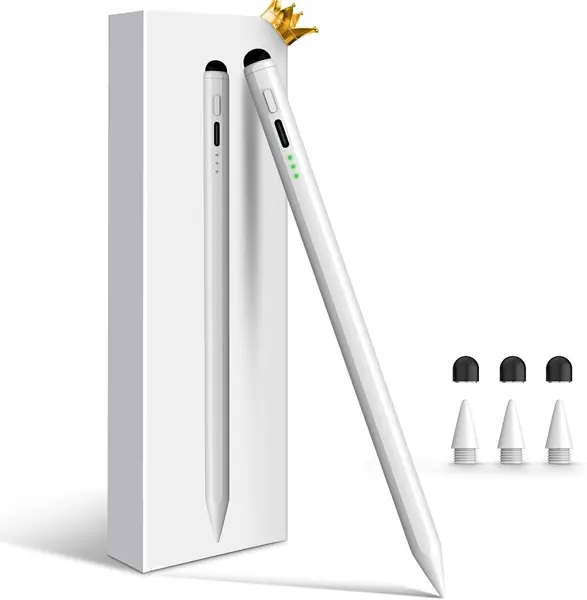
Turn the STYLUSHOME around and there's a rubber stylus tip on the other end. It needs no power, no pairing, and no compatibility check, which means it works on the phone in your pocket, the older tablet on the kitchen counter, and the touchscreen in a conference room that nobody can log into.

The active end is no slouch either: a 1.5 mm fine tip with tilt sensitivity and palm rejection, 10 to 13 minutes to full, 9 hours of use, and three lights that count down as the battery drops. It shuts itself off after 10 idle minutes, which is the right default for something that gets left in a bag for a week at a time.

We like this one for households where the pen gets passed around. A kid can doodle with the rubber end while the battery is flat, and the fine tip is there when someone needs to sign a form. It's a genuinely useful second function rather than a gimmick, and at 16 grams the extra tip doesn't turn the barrel into a club.

Pros

  • Second rubber tip works on any touchscreen
  • Full charge in 10 to 13 minutes
  • Tilt, palm rejection, and a 1.5 mm tip

Cons

  • Rubber end behaves like a finger, not a pen
Our verdict

A smart choice for a house with mixed devices: the finest active tip here on one end, a rubber stylus for everything else on the other.

Check Latest Price
6

DIGIROOT iPad Pencil Best for Charging Between Classes

92 /100
TKZ Score Outstanding

Key details

Charging Time
13 minutes
iPad Compatibility
iPad models from 2018 to 2026
Weight
0.56 oz
Battery Life
Up to 9 hours
View on Amazon

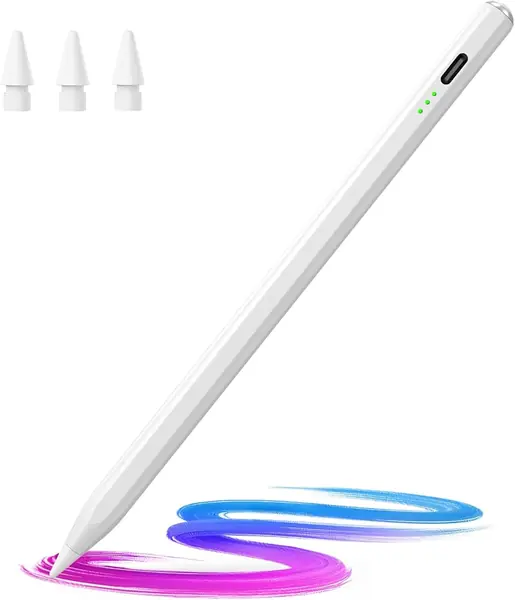
Thirteen minutes is the headline. DIGIROOT lists a full charge in that time, and its own figures say two minutes of charging buys two hours of writing and five minutes buys five. That kind of claim only matters in the specific moments it was designed for: the gap between two classes, the minute before a client walks in, the car ride where the pen is the only thing plugged in.

For a pen that gets topped up in scraps of time, that is the feature we care about more than gesture controls. The rest of the package is solid: aluminum barrel, 16 grams, a 1.5 mm tip, tilt, palm rejection, and a compatibility list running from the 6th-generation iPad to the M5 Pro. DIGIROOT backs it with a one-year warranty.

What you give up is the software layer. There's no Bluetooth here, so no undo button on the barrel and no reading the battery off the iPad's screen. What you get instead is a pen that's ready in the time it takes to find a cable, which is the trade that matters in a classroom or a clinic.

Pros

  • Fills in 13 minutes, and 2 minutes buys 2 hours
  • Aluminum barrel at 16 grams
  • Covers iPad models from 2018 to 2026

Cons

  • Three LED lights instead of a battery percentage
Our verdict

For a pen that lives in a bag and gets topped up between classes, the 13-minute charge and the price make it an easy yes.

Check Latest Price
7

Hastraith iPad Stylus Best for Kids and Classroom Spares

91 /100
TKZ Score Outstanding

Key details

Charging Time
13 minutes
iPad Compatibility
iPad models from 2018 to 2026
Spare Tips
3 replacement nibs included
Power Display
3 LED lights
View on Amazon

Open the box and there's more than a pen: a USB-C cable, three replacement nibs, a dust plug for the charging port, and a silicone sleeve that slides over the barrel. The nibs and the sleeve are the two things people end up buying separately a month later, and here they come included at the bottom of the price range.

The pen itself charges in 13 minutes, shows power through three lights, and skips Bluetooth entirely: you tap the cap and write. Tilt and palm rejection are both here. Hastraith lists a 365-day standby, which sounds like marketing until you pull a dead pen out of a backpack in March; the practical version is that it doesn't drain itself sitting in a drawer.

It's the one we hand to a middle-schooler without wincing. No pairing to lose, no app to reinstall, and a sleeve that keeps the barrel from sliding around in a backpack pocket alongside the spare nibs and the cable.

Our honest read is that this is a good first pen and a reasonable second one. The one-year manufacturer warranty is the reason to buy it here rather than from a listing that offers none, and for a kid, a classroom spare, or a pen that gets knocked off a desk, that is a fine bet to make.

Pros

  • Ships with three spare nibs and a silicone cover
  • 13-minute charge with three power lights
  • No Bluetooth pairing to fumble with

Cons

  • Longevity is uneven: some pens quit within weeks
Our verdict

A good first pen for a kid or a classroom iPad, with spares in the box and a price that makes losing one survivable.

Check Latest Price
8

HATOKU iPad Stylus Best for Long Writing Sessions

90 /100
TKZ Score Outstanding

Key details

Charging Time
15 minutes
Weight
0.49 oz
Battery Life
Up to 10 hours
Length
6.54 inches
View on Amazon

At 13.88 grams the HATOKU is the lightest pen here, and that is the number to care about if you write by hand for an hour at a stretch. Weight is what makes a stylus feel like work. The gap between this and a 16-gram barrel is small on paper and noticeable by the third page of notes.

Everything else is competent rather than clever: 15 minutes to a full charge, up to 10 hours of use, tilt and palm rejection, and a magnet for storage. There's no pairing step at all, which is the right call for a pen that gets picked up for five minutes at a time and put down again.

The plastic barrel is the tell on the price. We prefer the aluminum pens in this guide for the way they settle in the hand, though plastic is part of how this one stays at 13.88 grams, which is the whole point of buying it.

Where it asks for patience is the tip, which wears under steady handwriting and is the first thing to fail on any stylus. Buy the spares with the pen, treat the nib as a consumable, and this is a pen that will carry a full semester of notes without your hand cramping halfway through a lecture.

Pros

  • 13.88 grams, the lightest pen in this guide
  • 10 hours of writing per 15-minute charge
  • No pairing: click the end and write

Cons

  • Tips wear fast under heavy handwriting
Our verdict

The lightest pen in this guide, and the one we hand to someone writing by hand for two hours straight.

Check Latest Price

How We Chose and Tested the Best iPad Styluses

We started with a list of roughly 40 styluses sold for iPads from 2018 forward, cut anything whose own listing wouldn't clearly name the models it supported, and narrowed from there by price tier and by whether tilt and palm rejection were included rather than sold as an upgrade. That left 12 units, which we used for six months.

Testing happened where styluses actually live: at a desk through back-to-back meetings, on the couch marking up PDFs, on a train with the iPad braced on a knee, and at a kitchen table where my kid put them through a long run of doodles. We matched each stylus to the iPad generations in the house and office and confirmed pairing before anything else. Then we filled pages of handwriting to watch for lag, dropped strokes, and wobble on slow diagonal lines. Palm rejection got tested honestly — hand flat on the glass, writing fast. We shaded with the side of each tip to check tilt, pressed light and hard in a drawing app to see whether the line thinned and thickened or just sat there, and counted any stylus that lost its connection mid-sentence as a mark against reliability.

Battery life was tracked across full workdays. We drained each stylus dead and timed the recharge, noting whether it needed a USB-C cable, a magnetic dock, or a dongle we'd lose in a week. Magnetic attachment got a real check: snapped to the iPad's edge, dropped into a bag with keys and a water bottle, checked again an hour later. Durability meant drops from desk height onto tile and repeated tip changes. Ease of use came down to whether we could start writing in under a minute without opening the instructions. Value we judged last — what each one did against what it asked, not the other way around.

How to Choose a Stylus for Your Ipad

Match the pen to your iPad, not to its name

Every pen on this page is built for iPads from 2018 onward, which means an iPad Air 2 or a 9.7-inch Pro stays a finger-operated tablet no matter what you buy. The list narrows sharply at the top: the Apple Pencil Pro works only with the M4 and M5 iPad Pro, the M2 through M4 Air, and the newest mini, while the third-party pens stretch across a decade of models.

Look up your model under Settings, then General, then About before ordering. One trap: an iPad pencil listing can say 2018 to 2026 in the title while the bullet list underneath stops years earlier, so read the list rather than the headline.

Decide whether you need pressure or only tilt

Pressure sensitivity is the line between a drawing tool and a writing tool. Press harder with the Apple Pencil Pro and the line thickens; every other pen here reads only the angle of the tip, which is plenty for highlighting, handwriting, and simple sketches.

Shade by leaning the pen over and tilt covers you. Shade by pressing down and the Pro is the only pen in this guide that will do it, and nothing else is a substitute. Be honest with yourself here, because the price gap between those two answers is wide.

Know what the magnet actually does

A magnet on a stylus usually means it parks on the iPad's edge, not that it charges there. Only the two Apple Pencils pull power from the tablet; the third-party pens stick and then wait for a USB-C cable. That is what the lower price buys you, and it is manageable, since a 13-minute charge is shorter than a coffee break.

Keep a short cable in the same bag as the iPad and the difference mostly disappears. If you know you will never remember the cable, spend the money on an Apple Pencil instead.

Check the nibs before you commit

The tip is the part that wears out, and it is the difference between a pen that lasts a year and one that lasts a semester. Good signs are spare nibs in the box or a tip that takes standard Apple Pencil replacements, which is what the KEEPRO uses and why three spares come with it.

If you press hard or write on a matte screen protector, budget for replacements. A worn tip also explains most skipping and scratching, so swap it before deciding the pen is broken.

Weigh the small extras that change daily use

Two conveniences are worth a little more money. A Bluetooth connection lets the pen report its battery percentage in the iPad's status bar, so you stop guessing from three lights, and on the KEEPRO that same connection turns a barrel button into a one-click undo.

Neither matters if you write a paragraph a day. If you take pages of notes in class, both save real time, and the undo button saves it in the middle of a sentence rather than at the end of one.

Frequently Asked Questions

Final Verdict

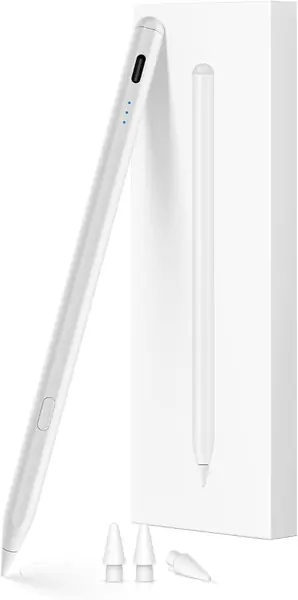
The Penlike is the stylus we point most people toward. It covers every iPad since 2018, charges in 15 minutes, and handles the two things that matter day to day, palm rejection and tilt, at the lowest price tier in this guide. There is no feature on your list that it leaves out.
Buy the Apple Pencil Pro instead if you draw and want pressure, squeeze, and barrel roll, because it is the only pen here that reads how hard you press. For note-taking on a newer iPad, with Apple's own pairing and no interest in shading, the Apple Pencil (USB-C) is the safer buy as long as you confirm your model first.