Best Kindles of 2026

I put off buying an e-reader for years, convinced a screen could never feel like a book, until a 900-page hardcover ate my entire carry-on and I gave in. The switch stuck, and I haven't bought a paperback since. What nobody tells a first-time buyer is that the decision is less about the screen than everything around it: whether it slips into a coat pocket, whether the battery quits mid-chapter, and whether it still feels good in one hand at midnight.

Readability comes down to light more than resolution, and a warm, adjustable front light is the difference between a pleasant 1 a.m. chapter and a flashlight to the face. Page-turn speed and a menu you can work out without a manual matter more than storage, since most of us never fill 16GB with books. We've spent six months reading on nine of these, in bed, on planes, and on a sunny park bench, and the gap between models is narrower than the price tags suggest, so the picks below come down to which tradeoffs you actually want.

The Best Kindles

1

Kindle Paperwhite (2024) Best Overall
93 /100
TKZ Score Outstanding

Key details

Display
7-inch glare-free
Storage
16GB
Battery Life
Up to 12 weeks
Front Light
White to amber
View on Amazon

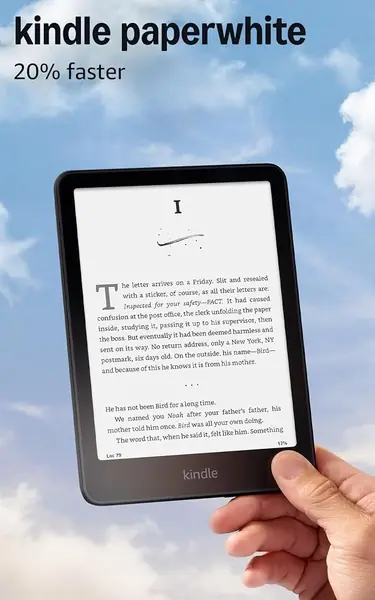
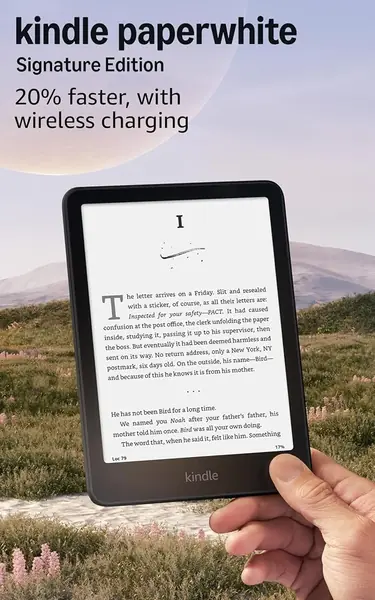
Seven inches doesn't sound like a big step up from six until you're three chapters into a book and realize you're tapping the page less often. That extra inch is why the Paperwhite is the model we hand to friends who ask: more lines on the page, wider margins for the type, and a reading rhythm that feels closer to a hardcover than the base Kindle does.

It also asks very little of you. The front light slides from white to amber, so the same screen that's readable on a sunny platform at noon isn't throwing blue light at you at midnight, and the twelve-week battery rating holds up if you read the way the rating assumes — half an hour a day with the light low. Hold it one-handed in bed for an hour and the thin body earns its keep; that matters more than any number on the box.

Our one real annoyance is the box: a USB-C cable and no wall adapter, so the phone charger you already own becomes the Kindle charger. And a share of units turn up with a dead pixel or a warm cast across the bottom of the screen, which is worth checking in the first week while returns are still easy.

Against the Signature Edition you give up storage and wireless charging; against the Colorsoft you give up color. Neither of those changes how a novel reads.

Pros

  • 7-inch screen shows noticeably more text per page
  • Front light shifts from white to amber for night reading
  • Thin enough to hold one-handed for hours

Cons

  • Some units arrive with dead pixels or a warm screen cast
Our verdict

This is the Kindle we tell most people to buy: a big, warm-lit screen and a long battery, without paying for color or a pen.
Check Latest Price
2

Kindle (2024) Best Budget

92 /100
TKZ Score Outstanding

Key details

Display
6-inch glare-free
Storage
16GB
Battery Life
Up to 6 weeks
Front Light
Adjustable brightness, dark mode
View on Amazon

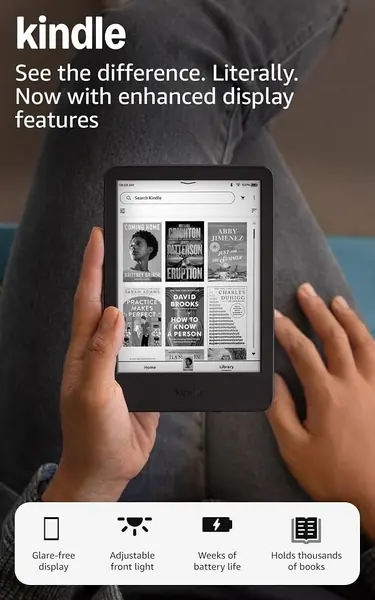
The gap between this Kindle and the Paperwhite is the whole decision. For a good deal less you get the same store, the same library, and the same distraction-free reading in a body that genuinely disappears into a coat pocket.

What you give up is mostly page. Six inches instead of seven means fewer words before a tap, and the front light is adjustable white with dark mode rather than the Paperwhite's white-to-amber range — the one thing we notice at bedtime. Storage isn't the issue: 16GB holds thousands of books, more than most people will load in a decade.

Most people who read for twenty minutes before sleep will never miss the extra inch, and the smaller body is easier to hold one-handed on a crowded train. We point first-time buyers, and anyone adding a second Kindle for a kid, here before they spend more — the reading experience is the same, just in a tighter package.

Pros

  • Lowest price of any Kindle in this group
  • Six-inch body fits a coat pocket
  • 16GB holds thousands of books

Cons

  • Battery life falls well short of six weeks with heavy reading
Our verdict

Buy it if you want to spend as little as possible and read in short bursts; the smaller screen and plain white light are the trade you're making.

Check Latest Price
3

Kindle Paperwhite Signature Edition (2024) Best for Wireless Charging

91 /100
TKZ Score Outstanding

Key details

Display
7-inch glare-free
Storage
32GB
Front Light
Auto-adjusting
Charging
Wireless charging
View on Amazon

The Signature Edition is the Paperwhite for people who don't want to think about the device at all: 32GB that no library will fill, a front light that adjusts itself from a dim train carriage to a bright kitchen, and wireless charging that lets it top up on the pad you already keep by the door. In daily use we stopped noticing the auto brightness entirely, which is the highest compliment that feature can get.

Underneath it's the same 7-inch display and the same quick page turns as the standard Paperwhite, which is the point — the extra money goes to the things around the screen, not to a better screen. Battery life is the least of your concerns here, and it charges quickly when it finally runs down.

The one thing to inspect is the screen. A yellow tint along the bottom edge shows up on a share of units, and the fix is a return rather than a setting, so look closely in the first week. The rest is the Paperwhite you already know: crisp text, fast page turns, and a body that slips into a bag.

The 2026 Signature Edition adds an aluminum body and a replaceable battery for the same money. If neither of those matters to you, this one has the longer record behind it.

Pros

  • 32GB leaves room for a very large library
  • Auto-adjusting light handles changing rooms
  • Wireless charging means no cable to hunt for

Cons

  • Some units show a yellow tint along the bottom edge
  • Same screen and speed as the cheaper Paperwhite
Our verdict

We recommend it to readers who keep a Kindle for years: wireless charging, 32GB, and a self-adjusting light remove the small frictions without changing how it reads.

Check Latest Price
4

Kindle Colorsoft (2024) Best Color Screen

90 /100
TKZ Score Outstanding

Key details

Display
7-inch color
Storage
16GB
Battery Life
Up to 8 weeks
Lock Screen
No ads
View on Amazon

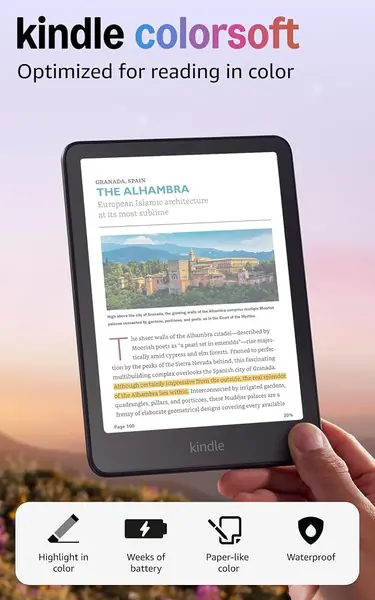
Color on an e-reader is a narrow pleasure and a real one: a cover that looks like the cover, a fantasy map with actual green in it, a highlight you can color-code by mood. This is the color Kindle we recommend, and it's the one we hand to comics readers first.

What surprised us is how normal it feels to read a novel on it. The page is the same size as the Paperwhite's, the text is sharp enough to forget about, and the battery still runs for weeks. The compromise is contrast: the color layer sits over the black-and-white e-ink, so type reads a shade softer than on a Paperwhite, and the palette is pastel rather than tablet-bright. For plain fiction that's a trade with no payoff.

Battery is the second compromise. Eight weeks is the rating, but color pages and a bright front light pull it down quickly, and this is the model in our group most likely to want a charger mid-trip. Give it more slack than you give a Paperwhite.

Where it earns its place is everything illustrated — comics, cookbooks, travel guides, kids' books — and in highlighting. Five shades turn a dense history or a textbook into something you can navigate, which is a working feature rather than a cosmetic one.

Pros

  • Color covers, comics, and five highlight shades
  • Same 7-inch page size as the Paperwhite
  • Sold without lock-screen ads

Cons

  • Text looks softer than on the Paperwhite
  • Color pages and bright light drain the battery faster
Our verdict

We recommend the Colorsoft to readers whose shelves hold comics, cookbooks, or maps; the color earns its premium there and nowhere else.

Check Latest Price
5

Kindle Scribe (2026) Best for Note-Taking

87 /100
TKZ Score Excellent

Key details

Display
11-inch glare-free
Storage
32GB
Pen
Included, never needs charging
Weight
14.1 oz
View on Amazon

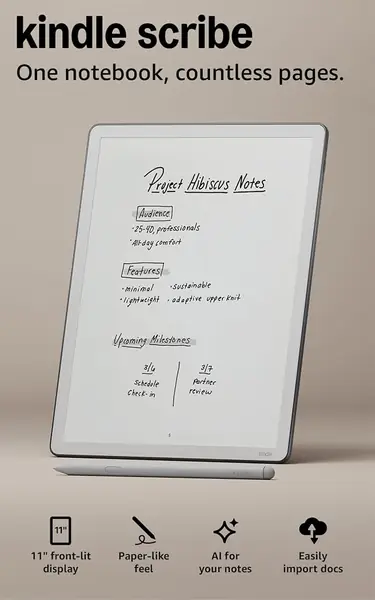
The first thing we did with the Scribe was write on it, and the textured surface is what sells it: the pen drags just enough to feel like pencil on paper instead of skating across glass. If you annotate books, mark up PDFs, or keep a notebook open all day, that feel is the reason to pay for this one.

There's a lot of screen to work with. Eleven inches at 400g and 5.4mm thick is light enough to hold but wide enough that you'll want two hands for a chapter, and the included pen never needs charging — one less cable in the bag. Turned sideways, it reads something like a paperback spread.

The note tools are where the money goes. Handwriting converts to typed text, notes sync to cloud services, and the notebook can be searched or summarized. The interface is the weak spot: moving between a book, a note, and your library can feel slow, and the navigation takes a week to stop being annoying.

It's also the biggest and most expensive Kindle here, and the least useful if you only read. We like it as a notebook that happens to have a very good library attached; as a pure e-reader it's a lot of glass to hold up in bed.

Pros

  • Pen-on-paper writing feel
  • 11-inch screen suits PDFs and margin notes
  • Included pen never needs charging

Cons

  • Most expensive Kindle in this group
  • Switching between notes and books can feel slow
Our verdict

The Kindle for someone who writes as much as they read — the paper-like pen feel is worth the size, the weight, and the price.

Check Latest Price
6

Kindle Paperwhite (2026) Best for Bath and Pool

86 /100
TKZ Score Excellent

Key details

Display
7-inch glare-free
Storage
16GB
Battery Life
Up to 12 weeks
Water Resistance
Waterproof design
View on Amazon

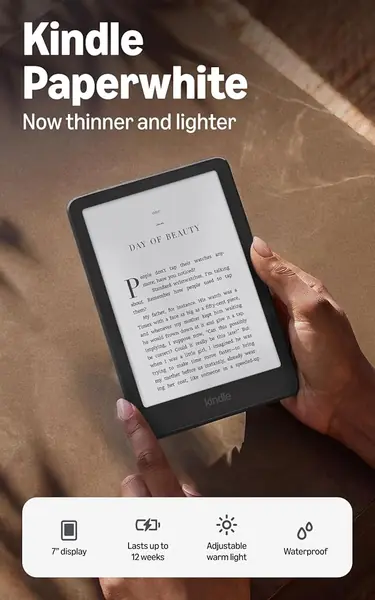
The newest Paperwhite is thinner, lighter, and waterproof, and it costs the same as the one we recommend. On paper it should be the default pick, and we expect it will be before long.

It keeps what matters — the 7-inch glare-free display, the warm light, the twelve-week rating — and adds a battery you can replace by opening the back panel. That's a genuinely useful change for anyone who keeps a reader for six or seven years, and it's the kind of thing we wish every Kindle here offered.

What it doesn't have yet is a long record. The model is new enough that the pattern of real-world use hasn't settled; the 2024 Paperwhite has years of it. Nothing we've seen worries us — the warm light, thin body, and quick page turns all check out — we just don't have the same confidence behind it.

So our recommendation stays with the 2024 model, with one exception: for the bath and the pool, this is the Paperwhite to buy. The rest of us can wait a year for the record to fill in.

Pros

  • Waterproof design for pool and bath reading
  • Thinner and lighter than the previous Paperwhite
  • Replaceable battery extends its useful life

Cons

No notable drawbacks to flag.

Our verdict

A thinner, lighter, waterproof Paperwhite at the same price as our top pick — we just want a longer record before we move it up.

Check Latest Price
7

Kindle Paperwhite Signature Edition (2026) Premium Feel

85 /100
TKZ Score Excellent

Key details

Display
7-inch, edge-to-edge
Storage
32GB
Lock Screen
No ads
Body
Aluminum
View on Amazon

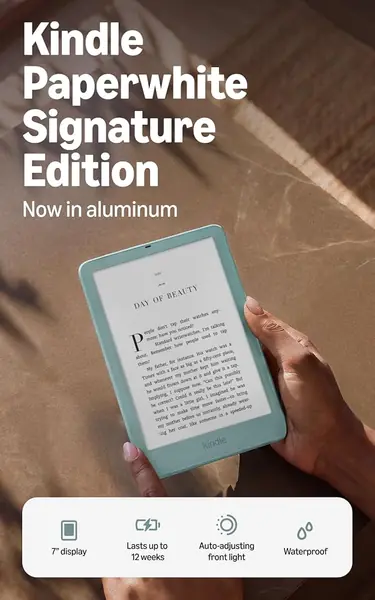
The aluminum back is the first thing we noticed, and it changes the feel more than a material swap usually does: cooler, stiffer, less like a plastic slab. The Seaglass Green wraps around the front edge of the frame, so the color isn't just a patch on the back.

Around that body you get the full Paperwhite package — the 7-inch display, warm light, waterproofing, twelve weeks of battery, double-tap page turns, and the replaceable battery — plus the two things that separate it: no lock-screen ads and 32GB of storage. Those are the upgrades that matter after the novelty wears off, when there's no ad to swipe past before your page and storage you'll never think about again.

What it doesn't give you is a better read. The display is the same size as the standard Paperwhite's, so the extra money goes to materials, storage, and the ad-free lock screen rather than to the page itself. Buy it because you want the object, not because you expect the words to look different.

Pros

  • Aluminum body feels sturdier than plastic
  • No lock-screen ads and 32GB of storage
  • Waterproof with a warm, auto-adjusting light

Cons

  • Noticeably heavier in hand than the smaller Kindles
Our verdict

We recommend it to readers who keep a device for years and want it to feel like an object worth keeping, not to anyone shopping on value.

Check Latest Price

Six Months, Nine E-Readers, and a Very Long Reading List

We started with every model in the current lineup plus a few previous-generation units still selling at a discount, then narrowed by screen size, storage, front-light design (cool only, warm adjustable, or auto-adjusting), and whether a model was pitching a color screen, pen input, or both. That left nine e-readers. Each one went home with a tester who used it as their only device for two weeks at a stretch before swapping.

In practice that meant a bedside table, a crowded train, a two-hour flight, and a bench in the park. We read in a dark bedroom at the lowest brightness, outdoors at noon, and one-handed while holding a coffee, and we slid each device into a jacket pocket and a small tote to see which ones came along and which stayed home. We also handed each one to someone who does not consider themselves tech-savvy and watched, without helping, as they tried to find a book and change the font size.

Battery claims got a real test: we charged to 100 percent on a Friday and logged the percentage every night across a week of 45-minute sessions with Wi-Fi on, noting which models barely moved and which lost a quarter of their charge. For the screen, we read the same two chapters in direct sun and with the lights off, checking whether the warm setting looked warm or just dim and whether the text stayed crisp at small sizes. We timed page turns and how long the store took to load, typed searches on the on-screen keyboard to see if it kept up, and kept a running note of what annoyed us by week two, whether that was a slow wake-up, a finish that collected fingerprints, or a settings menu that buried the brightness slider.

Finally, value: we weighed what each model adds over the base option, things like warm light, extra storage, a color screen, or pen support, and asked whether we would pay for that ourselves.

How to Choose a Kindle

Screen size: six, seven, or eleven inches

Six inches fits a coat pocket and disappears in one hand; seven inches is the sweet spot for anyone who reads for an hour or more at a stretch, because more words per page means fewer taps and a rhythm closer to a printed book. Eleven inches, on the Scribe, is a different object — it's for people who write on the page as well as read it. If you read in bed, one-handed, the smaller Kindle is genuinely easier to live with; if you read at a desk or on a commute with a bag, take the seven.

Color is a comic-book feature, not an upgrade

The trap is buying color for novels. The Colorsoft's color layer sits over the same e-ink, which costs a little contrast — text reads softer than it does on a Paperwhite — and the palette is pastel rather than tablet-bright. What color is genuinely good for is illustrated reading: comics, cookbooks, travel guides, and color-coded highlighting. If a good share of what you read has pictures, the premium is worth it. If not, you're paying more for a softer page.

Why the battery never lasts the advertised weeks

Those twelve-week figures assume roughly half an hour of reading a day with wireless off and the front light low. Turn the light up, page through color artwork, or leave Wi-Fi on, and a Kindle rated for months will want a charger inside a few weeks. That doesn't make the ratings dishonest; it makes them a best case. If you read two hours a night, plan on charging weekly and choose a model on its screen rather than its battery number.

Waterproofing depends on the model, not the brand

If a bath, a pool, or a beach is part of your reading life, look for a waterproof design stated in the listing — the 2026 Paperwhite and the 2026 Signature Edition both state it, and the earlier Paperwhites don't claim it, so don't assume. It isn't worth changing models over for most people, but it is the one feature that changes where the device can go. Read in bed and on the train, and you can put the difference toward storage instead.

Storage, ads, and the choices you can't change later

Storage isn't upgradeable, but 16GB holds thousands of books, so it only matters if you keep comics or large PDFs. Lock-screen ads deserve more attention than they get: models sold without them say so in the listing, and when a listing is silent you should expect to swipe past an ad before you reach your page. Wireless charging is the one convenience worth paying for if you already own a charging pad — you stop thinking about cables entirely.

Frequently Asked Questions

Final Verdict

The Kindle Paperwhite (2024) is the one we recommend to nearly everyone: a seven-inch screen, a warm light, and weeks of battery, without paying for color or a pen. Move to the base Kindle only if budget is the deciding factor, and to the Colorsoft only if illustrated books are a real share of your reading.
The Scribe is a different purchase — a notebook that happens to read — and we recommend it on those terms. And if the bath is where you do your best reading, the 2026 Paperwhite's waterproofing settles it.