Best Kindle Alternatives of 2026

For a year, my bedtime reading happened on a phone held four inches from my face, and I blamed the book for how tired I was. It wasn't the book — it was the backlight, the notifications, and the doom-scroll one swipe away. An E Ink screen fixed all three: paper-like text, no alerts, and a battery measured in weeks.

The reader everyone defaults to isn't the only option anymore, and the alternatives have gotten genuinely good — waterproof models for the tub, pocket-sized ones that weigh less than a set of keys, color E Ink for comics, buttons for anyone who needs to feel the page turn. I've read on a dozen of them over eight months, and what separated them rarely showed up on a spec sheet: whether the front light goes warm enough for a dark bedroom, where the buttons land under your thumb, and how the screen handles direct sun.

Storage is the spec shoppers overrate; the front light is the one they underrate. A few of the smallest readers skip it entirely — fine at a bus stop, rough at midnight. The picks below sort that out, from tub-proof to pocketable to full color.

The Best Kindle Alternatives

1

Kobo Clara BW Best Overall
90 /100
TKZ Score Outstanding

Key details

Storage
16 GB
Screen Size
6 inches
Front Light
ComfortLight PRO
Waterproofing
IPX8
View on Amazon

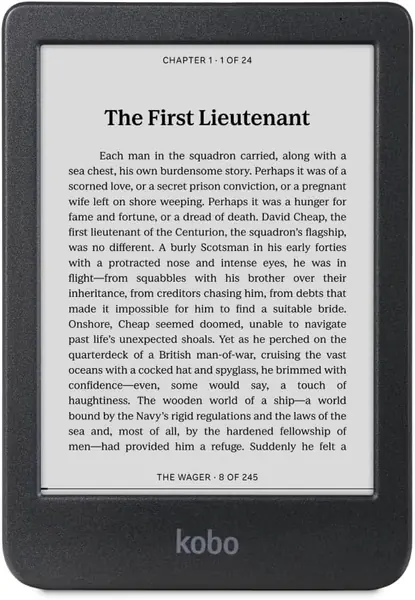
If you're replacing a Kindle and want the swap to be uneventful, start here. The Clara BW looks and feels like the reader you already know — a 6-inch screen, 6.14 ounces, a soft-touch back — but it opens EPUB files natively, borrows library books through OverDrive, and doesn't put an ad on your lock screen. What settled it for us is how little you surrender. The Carta 1300 display stays crisp in direct sun, ComfortLight PRO slides from cool white to amber so a late chapter doesn't light the room, and the whole thing is IPX8 rated, good for 60 minutes in up to 2 meters of water.

At 6.3 by 4.41 inches and a third of an inch thick it disappears into a coat pocket, and the body is light enough to hold one-handed on a crowded train. Kobo rates the 16GB at up to 12,000 books or 75 audiobooks, and Bluetooth means you can pair earbuds for those. We were also glad to see recycled and ocean-bound plastic in the shell and a device built to be repaired rather than sealed — unusual in a category that treats glue as a design principle.

The "weeks of battery" claim holds with the light low and Wi-Fi off; leave the front light high and sync switched on and you'll charge far more often, which is true of every reader on this page. Dark mode helps at night, and page turns are quick enough that you stop noticing them, which is the highest compliment an e-reader can earn.

Pros

  • Native EPUB and built-in library borrowing
  • IPX8 waterproof for baths and pools
  • ComfortLight PRO shifts warm for night reading

Cons

  • Touchscreen only, no page-turn buttons
  • Can crash or freeze mid-book
Our verdict

This is the Kindle alternative we recommend to most people: a crisp, waterproof 6-inch screen, native EPUB and library borrowing, and no Amazon account behind it.
Check Latest Price
2

Kobo Libra Colour Best for Comics and Note-Taking

87 /100
TKZ Score Excellent

Key details

Storage
32 GB
Screen Size
7 inches
Waterproofing
IPX8
Display
Color E Ink Kaleido 3
View on Amazon

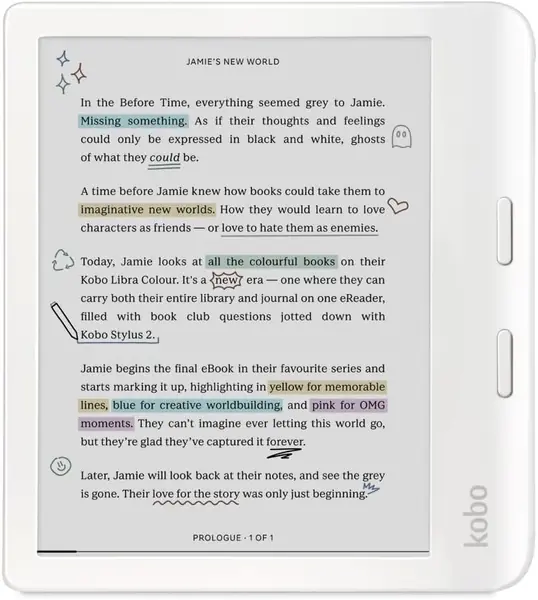
Comics, cookbooks, and highlighted study notes are the reason to pay for this one. The Libra Colour puts a 7-inch Kaleido 3 color panel behind a wide bezel with two physical page buttons, and the screen rotates so left- and right-handed readers both get a thumb on them. Highlights come in several colors, and the Kobo Stylus 2 turns a margin into a notebook.

In the hand it's 7.05 ounces and 7 inches across, which makes it a bag reader rather than a pocket one, and the asymmetric shape gives your thumb somewhere to sit. IPX8 waterproofing and 32GB of storage are both here, along with Bluetooth for audiobooks. The buttons are the part we kept coming back to: they click cleanly, and you can flip which one turns forward.

The trade is sharpness. A color layer sits over the E Ink panel, so black text looks slightly softened and grainy next to the Clara BW's pure black, and you notice it most on a plain novel read in bright light. We think the color earns its price on graphic novels, illustrated guides, and markup, and it's a tax on everything else. One more thing to know before you commit: screen faults, including a line of dead pixels, have shown up after a year of use, so buy where returns are simple.

Pros

  • 7-inch color E Ink for comics and covers
  • Page buttons that rotate with the screen
  • Waterproof with 32GB of storage

Cons

  • Color layer softens black text
  • Stylus sold separately for markup
Our verdict

Buy the Libra Colour if you read comics, annotate PDFs, or refuse to give up page buttons; it is the most capable reader in this group, and priced like it.

Check Latest Price
3

PocketBook Verse Best for Offline Libraries

83 /100
TKZ Score Excellent

Key details

Storage
8 GB
Screen Size
6 inches
File Formats
25 formats
Memory Card Slot
microSD
View on Amazon

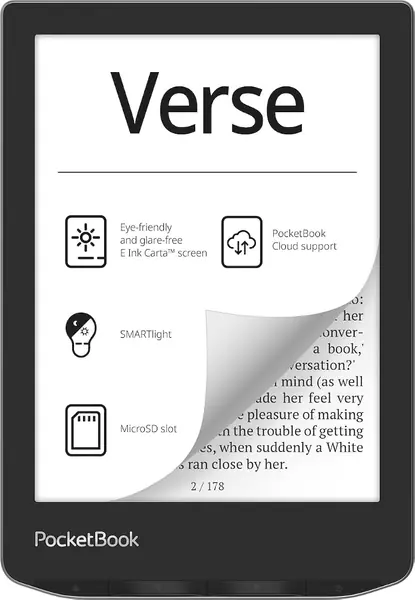
Twenty-five file formats, a memory card slot, and no account required — this is the reader for someone with a folder of EPUBs rather than a wishlist. Copy books over USB or drop them on a card and it opens EPUB, FB2, DOC, DJVU, PDF, JPEG, and the CBZ and CBR files comics come in, with no conversion step in sight.

What we appreciate most is how little it asks of you. There's no store to sign into and no sync nagging at setup: load the files, read them. The 6-inch Carta screen and SMARTlight handle brightness and color temperature separately, so you can pull a white page down toward amber in bed, and PocketBook backs the hardware with a two-year warranty, the longest stated on any reader here.

Around that, the rest is sensible rather than generous. Inside, 8GB holds several thousand books and the card slot takes the overflow, and 11 pre-installed dictionaries are there if you read in more than one language. Battery life is the least fussy thing about it — a week or more between charges is realistic — so the Verse ends up being the reader you think about least, which suits a device whose whole appeal is staying out of the way.

Pros

  • Opens 25 formats, including comic files
  • No store account or sign-in required
  • Memory card slot for extra storage

Cons

  • Least crisp screen of the 6-inch picks
  • Software can feel glitchy
Our verdict

The PocketBook Verse is the pick for people who own their files: 25 formats, a memory card slot, and no store account standing between you and the books you already have.

Check Latest Price
4

XTEINK X4 Pro Best Pocket-Sized with a Front Light

82 /100
TKZ Score Excellent

Key details

Storage
16 GB
Screen Size
4.3 inches
Weight
2.5 oz
Front Light
Warm and cool
View on Amazon

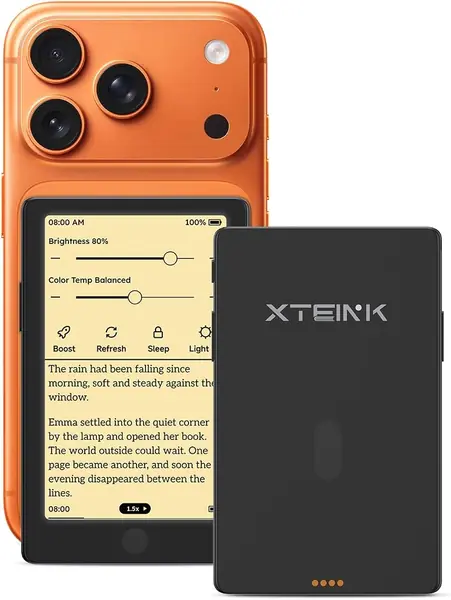
The first thing we did with the X4 Pro was slide it into a shirt pocket, where it disappeared: 5.95 millimeters thin, 72 grams, shorter than a phone. That's the entire pitch — a 4.3-inch E Ink screen with warm and cool front lighting, touch and gesture input, and two physical page buttons in something you forget you're carrying.

The screen is where the size shows. It's paper-feel and glare-free, and the dual-tone light goes amber enough to read in bed without waking anyone, but a 4.3-inch page holds so much less than a 6-inch one that you'll be turning pages constantly — a real cost over an hour-long sitting and no cost at all in a five-minute queue. Books arrive through the XTEINK app over Wi-Fi, in EPUB, MOBI, PDF, and TXT.

Battery is the piece to watch. The 1,100mAh cell and low-power design are quoted as weeks of reading, and a bright front light is what pulls that down toward days. We also like how little it invites you to do: no storefront to browse, no notifications, just the page you left. As a second device for commutes and lunch breaks, that focus is the whole appeal.

Pros

  • Front light with warm and cool tones
  • Fits a shirt pocket at 72 grams
  • Touch, gestures, and physical page buttons

Cons

  • Some units fail within weeks
  • Stock software feels unfinished
Our verdict

If you want a reader that vanishes into a pocket and still lights up at night, this is the one — buy it somewhere with a generous return window.

Check Latest Price
5

Nook GlowLight 4 (Renewed) Best for Budget Page Buttons

81 /100
TKZ Score Excellent

Key details

Storage
32 GB
Screen Size
6 inches
Resolution
300 dpi
Page Buttons
Yes
View on Amazon

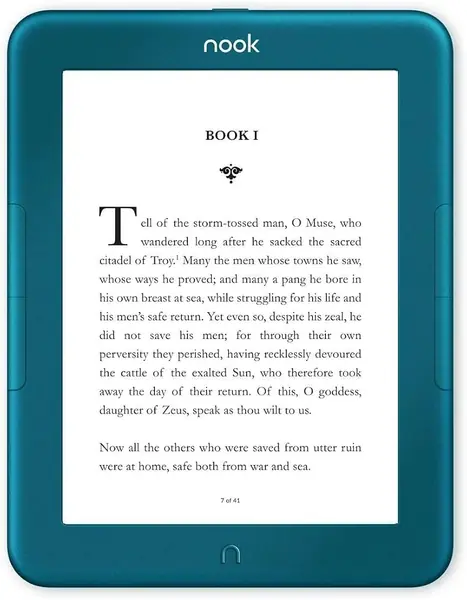
The GlowLight 4 is the least expensive way to get a 300-dpi, 6-inch screen with physical page buttons in this group. Barnes & Noble's reader carries 32GB, an always-on ambient front light, and two chunky side buttons that click through pages without touching the glass — a combination no other 6-inch pick here pairs at this price.

Held for an hour, it's a comfortable, plainly built device, and the ambient light is the detail we appreciated most: a sensor reads the room and eases the front light up as the light drops, so nobody is dragging a slider at bedtime. At 5.95 ounces with a soft-touch finish it reads one-handed without complaint, and EPUB is the native format, so books load from a cable without conversion.

Every unit on this listing is renewed, which is why the price lands where it does, and ten minutes on arrival covers you: charge it fully, sideload one book over the cable, page through a hundred pages, and look along the front light for bright spots at the edges while you're still inside the return window.

Pros

  • 300-dpi screen with physical page buttons
  • 32GB of storage
  • Ambient light adjusts to the room

Cons

  • Page turns and menus can feel slow
Our verdict

The GlowLight 4 is the budget pick for button lovers: a 300-dpi screen, 32GB, and an ambient light for less than any other 6-inch reader here with page buttons.

Check Latest Price
6

XTEINK X3 Best for Commutes and Daylight

80 /100
TKZ Score Excellent

Key details

Storage
16 GB
Screen Size
3.7 inches
Weight
2.05 oz
Page Turning
Gyroscope and buttons
View on Amazon

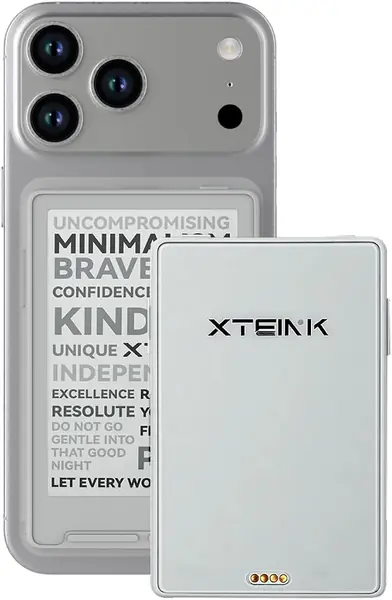
Fifty-eight grams. That number explains the X3 better than any feature list — lighter than a deck of cards, thin enough to live in a pocket you forget about, and the reader that actually gets carried when nothing else does. Whether that's worth it depends entirely on when you read, because this is a morning-commute and lunch-break device by design.

The 3.7-inch screen is small, and the trade is page turns: at a readable font size you're pressing a button or tilting the device constantly. The gyroscope turn is the odd feature we ended up using most, a small tilt advancing the page with the hand already holding it, and the side buttons click cleanly when you'd rather not move at all. Around that you get 16GB of storage, a card reader in the box, and an adhesive metal ring that lets the whole thing ride on the back of a phone case.

Battery is quoted at ten hours, the shortest claim in this group and about right for a device this small; charging is a magnetic pogo pin, so there's no port to wear out and no cable to hunt for. As a second reader that goes everywhere, or a first reader for someone who lost the habit somewhere around chapter three, it does more than its size suggests.

Pros

  • 58 grams and genuinely pocket-sized
  • Gyroscope and button page turns
  • 16GB plus a card reader in the box

Cons

  • Unlit screen means daylight reading only
  • Thin shell feels fragile in a bag
Our verdict

Buy the X3 for the pocket and the price: at 58 grams it goes everywhere, and it's the reader most likely to get you reading more than you do now.

Check Latest Price

How We Tested the Best E Ink Readers

We started with every current E Ink reader we could get hands on — big-name 7-inch models, budget 6-inchers, a couple of palm-sized devices — and filtered out anything with a dead ebook store, no way to sideload a library loan, or a price that didn't make sense. That left 12 readers, which we've been living with for eight months.

Each one went into daily rotation. I read in bed with the lights off to see how far down the front light dims and whether the warm setting actually turns amber; I read on a sunny train platform to watch for glare and washed-out text. Two waterproof models came into the bathtub, where I checked the port seals and dried them off afterward. I turned pages one-handed with a coffee mug in the other hand, noting where the physical buttons landed and whether a thumb could reach them without a stretch — and on the models with no front light at all, I noted whether a dim living room was still comfortable. Finish and color options got written down too, since these live on coffee tables.

Battery life was logged rather than guessed: same book, same font size, light at 50 percent, checking the percentage every few days until the charge died. I sideloaded identical EPUB files and borrowed the same library title on each device, timing how long it took to sync and whether it reopened where I'd left off. Screen quality got judged on small type and on a graphic novel — the color model included, to see whether the tint muddied the panels.

Hardware held up or it didn't: two readers developed a creaky back panel, one button went mushy, and every device took a waist-high drop onto hardwood plus a week in a bag with keys. We weighed the results against price, since a waterproof shell or a color screen is worth real money to some readers and nothing to others.

How to Choose a Kindle Alternative

Start With Your Bookstore, Not the Screen

None of these readers can open a Kindle book. Amazon's DRM keeps purchases inside Amazon's apps and hardware, so changing brands means changing stores, and that decision comes before any specification. Look at where your library already lives. Books bought from Kobo or Barnes & Noble load on the matching device; DRM-free EPUBs, Project Gutenberg downloads, and Standard Ebooks load almost anywhere. Before buying, search the store you're considering for two or three titles you actually want. Catalogs differ most on new releases and narrow genres, and the gap is invisible on a spec sheet.

Match the Screen to Where You Read

Size decides where a reader lives. A 3.7- or 4.3-inch screen goes in a shirt pocket; 6 inches fits a coat pocket or a small bag; 7 inches wants a tote. Smaller isn't automatically worse — a pocket reader gets used in queues and waiting rooms where a bigger device stays home. The cost is page turns: at a comfortable font size, a 4.3-inch screen holds far less text than a 6-inch one, so you press or tap several times as often. That's nothing over a five-minute session and genuinely tiring over an hour.

Front Lighting Is the Feature You Can't Add Later

E Ink is reflective, which is why it looks like paper in sunlight and why an unlit screen is unreadable in a dark room. A front light — LEDs around the edge of the panel rather than behind it — is what makes bedtime reading possible, and no clip, case, or app adds it afterward. Look for two things: adjustable brightness and a warm or amber setting, which removes the blue-heavy cast that keeps people awake. The cheapest pocket readers skip lighting entirely, which is fine for a commute and useless on a nightstand.

Weigh Waterproofing, Buttons, and Battery Claims

An IPX8 rating means 60 minutes in up to 2 meters of water — enough for a bathtub or a poolside splash, and worth paying for if you read near water. Physical page buttons matter more than they sound: they keep your thumb off the screen and work with wet or gloved hands. Treat any "weeks of battery" claim as a best case measured with Wi-Fi off and the light low; front lighting, wireless sync, and audiobooks all pull it down. Storage rarely limits text — 16GB holds thousands of novels — but comics and PDFs do, so a card slot or 32GB helps if you read those.

Frequently Asked Questions

Final Verdict

The Kobo Clara BW is the one we point most people to. It's a crisp 6-inch screen with warm and cool lighting, IPX8 waterproofing, 16GB, Bluetooth for audiobooks, and native EPUB with library borrowing built in — everything a Kindle does for a reader, minus the Amazon account, at a midrange price for this group.

Buy the Kobo Libra Colour instead if you read comics, mark up PDFs, or want physical page buttons under your thumb; the 7-inch color panel and stylus support justify the jump. And if the reader has to live in a shirt pocket, the XTEINK X4 Pro is the one that fits and still lights up at night.