Best iPad Pro Keyboard Cases of 2026

A keyboard case promises to turn your iPad into a laptop for the price of an accessory. The catch is that you're bolting a hinge, a keyboard, and usually a trackpad onto a tablet built to be thin, and the wrong case leaves the whole thing heavier, floppier, and more fragile than it started.

Over the past six months we've lived with 12 of them, from slim folios that only cover the screen to floating cantilever stands and 360-degree swivel hinges. We drafted on planes and answered email in bed, watching for what quietly ruins the experience: a hinge that sags under a finger tap, a trackpad that lags a beat behind the cursor, a backlight that flattens the battery before lunch.

One thing worth knowing before you shop: fit is generation-specific. "iPad Pro 11-inch" has described several different shapes over the years, so match the model number, not just the screen size. Get that part right and the rest comes down to how the keys feel under your fingers, which is where these picks split.

The Best iPad Pro Keyboard Cases

1

Apple Magic Keyboard 11-inch (M4/M5) Best Overall
89 /100
TKZ Score Excellent

Key details

Compatibility
iPad Pro 11-inch (M4/M5)
Weight
1.6 lb
Keyboard
Backlit scissor keys with function row
Trackpad
Glass trackpad with haptic feedback
View on Amazon

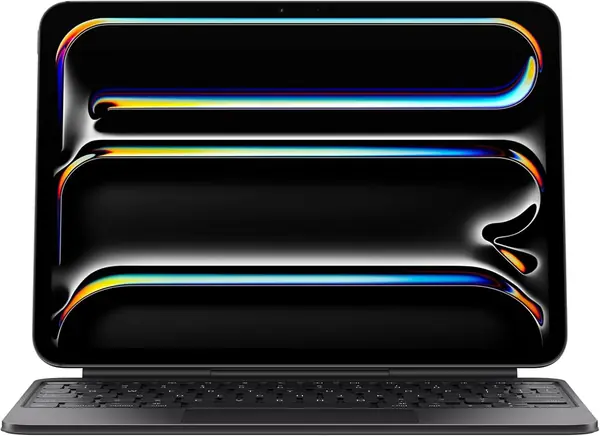
The typing is what sells the Apple Magic Keyboard. The scissor keys have a crisp, quiet stroke, and the function row puts brightness, volume, and media controls within reach without a trip to the screen. The glass trackpad adds haptic feedback, so taps and drags feel closer to a MacBook than to the plastic trackpads on most third-party cases. For a current 11-inch iPad Pro, that combination is why we recommend it first.

The two-cantilever hinge is the other half of the experience. It holds the screen at a wide range of angles and folds into a front-and-back cover when you are done. We like the USB-C pass-through port, which lets you charge the iPad without reaching for an adapter. The case feels rigid in a way that cheaper folios do not, and that rigidity is most of why it costs what it does.

The backlighting is even, and the key spacing is comfortable for touch typing. We also appreciate that the case protects both sides of the iPad when closed, which is not a given among folios. The trackpad is the part we miss when we switch back to a cheaper case.

Pros

  • Crisp scissor keys and a function row
  • Glass haptic trackpad feels MacBook-like
  • USB-C pass-through and front/back protection

Cons

  • Heavy at 1.6 pounds
  • Magnetic hold can feel top-heavy
Our verdict

For a current 11-inch iPad Pro, this is the keyboard case we recommend first: the typing and trackpad feel justify the premium.
Check Latest Price
2

ESR Shift Keyboard Case (13-inch Pro) Best for 13-Inch Pro

88 /100
TKZ Score Excellent

Key details

Compatibility
iPad Pro 13-inch (M5/M4)
Stand
20°–75° landscape; portrait mode
Weight
2.09 lb
Trackpad
112 x 70 mm click-anywhere
View on Amazon

Most cases here stop at the 12.9-inch Pro, so the ESR Shift earns attention simply by fitting the 13-inch M4 and M5. That matters because the 13-inch is a different size and model number, not a renamed 12.9. If you have the newer 13-inch, your choices are thin enough that compatibility alone is a feature.

The keyboard detaches, which lets you pull the iPad free for reading or drawing without wrestling the whole folio. The 112 x 70 mm trackpad is the largest here, and the extra surface makes spreadsheet work less fussy. We like that it switches between portrait and landscape, a rare trick on a keyboard case. For a current 13-inch Pro, that combination makes it the one to beat.

The stand adjusts from 20 to 75 degrees, so you can stand it up for a video call or lay it back for sketching. The pencil holder keeps the Pencil with the case, and the backlight is a single color rather than the RGB rainbow on some rivals. That restraint suits the ESR's more businesslike look.

Pros

  • Fits the 13-inch iPad Pro M4/M5
  • Large 112 x 70 mm trackpad
  • Detachable keyboard and portrait mode

Cons

  • 950 grams is heavy
  • Magnet connection can loosen
Our verdict

Buy the ESR Shift if you own the 13-inch iPad Pro M4 or M5; its big trackpad, detachable keyboard, and portrait mode make it the one to beat.

Check Latest Price
3

typecase Edge Keyboard Case (12.9) Best Magic-Style Value

87 /100
TKZ Score Excellent

Key details

Compatibility
iPad Pro 12.9-inch (3rd–6th gen)
Stand
Floating cantilever
Weight
1.65 lb
Backlight
11 colors, 3 brightness levels
View on Amazon

The typecase Edge is the closest thing here to a Magic Keyboard for a 12.9-inch Pro. The floating cantilever arm lifts the screen off the keyboard and holds it at a range of angles, which feels more adjustable than a folio propped in a groove. It gives the iPad that laptop-like hover without the Apple badge.

The click-anywhere trackpad is the other draw, and the 11-color backlight with three brightness levels is more playful than the single-color keys on the Apple. The 78-key layout is familiar, and the magnetic clasp gives the Pencil a defined spot. It fits the 12.9-inch Pro from the 3rd through 6th generation, not the 13-inch M4/M5, so check your model before ordering.

For a 12.9-inch Pro, this is the Magic-style case we recommend when you want the look and feel without Apple pricing. The magnetic clasp gives the Pencil a defined spot, and the 78-key layout is familiar enough that we stopped thinking about it after a day. It is a convincing impersonation, not a compromise.

Pros

  • Floating cantilever stand adjusts smoothly
  • Click-anywhere trackpad and 11-color backlight
  • Costs less than Apple's Magic Keyboard

Cons

  • 750 grams adds noticeable weight
  • Magnet can let the iPad shift
Our verdict

The typecase Edge is how we get a Magic Keyboard-style stand and trackpad onto a 12.9-inch Pro without paying Apple money.

Check Latest Price
4

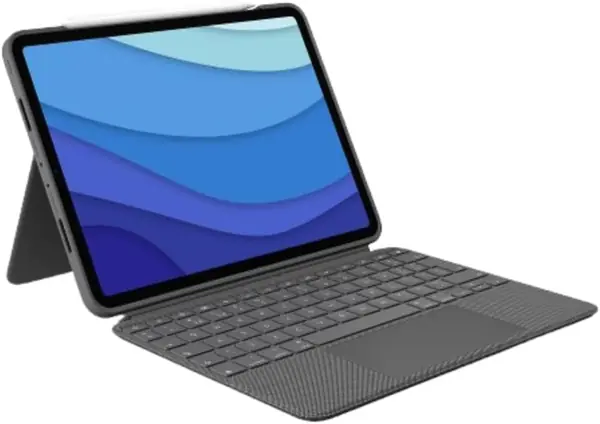
Logitech Combo Touch (11-inch Pro) Best for Older 11-Inch Pro

86 /100
TKZ Score Excellent

Key details

Compatibility
iPad Pro 11-inch (1st–4th gen)
Stand
10°–60° kickstand
Weight
1.3 lb
Connection
Smart Connector
View on Amazon

The Combo Touch takes a different approach from the folio cases here. It pairs through the Smart Connector, so there is no Bluetooth pairing step and no separate keyboard battery to charge. For an older 11-inch Pro, that makes it our pick: you snap the iPad in and start typing.

The kickstand pulls out from the back and holds the screen at a wide range of angles, while the keyboard detaches when you want to sketch or watch a movie. The full row of shortcut keys is the detail that keeps us using it, because volume and playback controls are always one tap away. The backlight adjusts across 16 levels, which is more range than most rivals offer.

This case fits the 11-inch Pro from the 1st through 4th generation, so it is not the one for a current M4 or M5. The protective shell wraps the corners and feels sturdier than a slim folio. If your iPad lives on a desk or in a bag rather than in your hand all day, that trade is easy to make.

Pros

  • No Bluetooth pairing or separate charging
  • Detachable keyboard and adjustable kickstand
  • Full row of shortcut keys

Cons

  • At 1.3 pounds, it is bulky
  • Case edges can wear over time
Our verdict

An older 11-inch iPad Pro is best served by the Logitech Combo Touch, which pairs through the Smart Connector and doubles as a kickstand case.

Check Latest Price
5

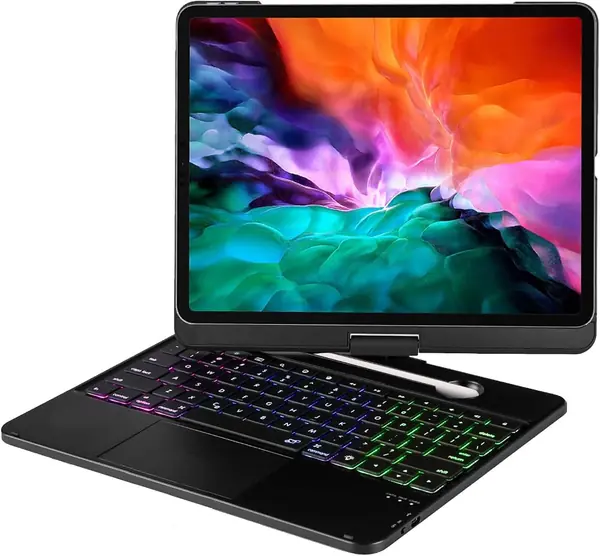
LENRICH Rotating Keyboard Case (12.9) Best Rotating Stand

85 /100
TKZ Score Excellent

Key details

Compatibility
iPad Pro 12.9-inch (3rd–6th gen)
Stand
360° swivel, 180° lay-flat
Backlight
RGB
Warranty
5 years
View on Amazon

The LENRICH's party trick is the hinge. The screen rotates a full 360 degrees and lays flat at 180, so you can flip from landscape typing to portrait reading without pulling the iPad out. For presentations, that is more useful than another degree of tilt.

The keyboard is a Bluetooth model, so it charges separately, but battery life is one of the stronger parts of the package. The keys have a quick, light action and the trackpad handles the usual gestures. We charged it infrequently and never felt like the keyboard was the weak link.

The hard polycarbonate shell wraps the 12.9-inch Pro securely and includes auto sleep/wake. The hinge feels stiff enough to hold its position, which is exactly what you want when the screen is hanging out to the side. The five-year warranty is unusually long for this category and takes some of the risk out of the moving parts.

For a 12.9-inch Pro that moves between a desk, a counter, and a conference table, the LENRICH is the rotating case we recommend. The 360-degree hinge is the reason to choose it over a standard folio, and the long warranty is the reason we are comfortable doing so.

Pros

  • 360-degree swivel and 180-degree lay-flat
  • Long battery life in daily use
  • Hard shell protects the 12.9-inch iPad

Cons

  • Heavy base makes it desk-first
  • Bluetooth pairing can be finicky
Our verdict

When the screen needs to swing around for a demo, the LENRICH is the rotating case we reach for.

Check Latest Price
6

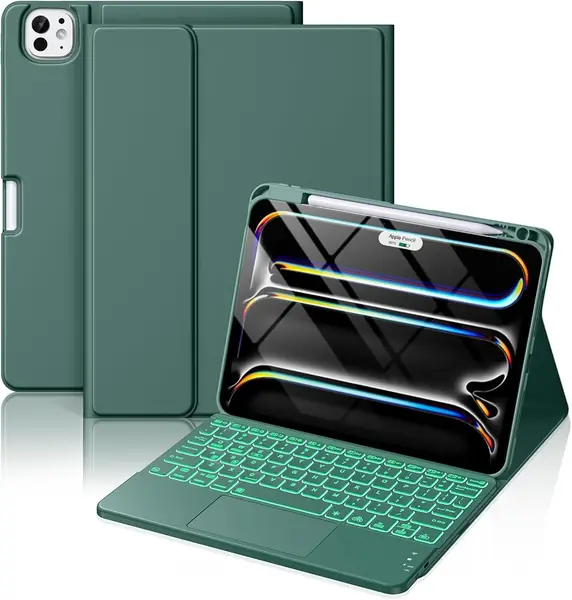
Hamile Keyboard Case (11-inch Pro) Best Budget

84 /100
TKZ Score Excellent

Key details

Compatibility
iPad Pro 11-inch (M5/M4)
Stand
3 viewing grooves
Keyboard
Detachable, 7-color backlit
Battery
500 mAh
View on Amazon

A current 11-inch Pro does not have to mean a premium case. The Hamile covers the M4 and M5 models and gives you a detachable backlit keyboard, a trackpad, three viewing grooves, and a stylus holder. The 500 mAh battery is the same capacity as the pricier Harvopu, so the savings do not come from a smaller battery.

That makes it the budget pick we recommend for a current 11-inch Pro, provided the snug fit does not bother you. The iPad goes in tightly, and the edges need a gentle hand the first few times. The keyboard is magnetic and detachable, so you can pull it free for tablet mode.

The stain-resistant folio is a practical touch for commuters, and the seven backlight colors are easy to cycle through. We like the three grooves because they let you choose a typing angle without a kickstand poking into your lap. It is not the most refined case here, but it covers the essentials for a fraction of the Apple's price.

Pros

  • Very affordable for a current 11-inch Pro
  • Detachable backlit keyboard with trackpad
  • Three viewing angles and a stylus holder

Cons

  • Magnetic keyboard can slide when carried
  • Bluetooth pairing can drop
Our verdict

The Hamile is the budget keyboard case we recommend for a current 11-inch Pro, provided a tight fit and a sliding keyboard do not put you off.

Check Latest Price
7

edaiser Swivel Keyboard Case (13/12.9) Best for Two Pro Sizes

83 /100
TKZ Score Excellent

Key details

Compatibility
iPad Pro 13-inch M5/M4; 12.9-inch 3rd–6th
Stand
360° rotation, 180° lay-flat
Trackpad
Multi-touch
Backlight
7 colors, 3 brightness levels
View on Amazon

Few cases here cover both the current 13-inch Pro and the older 12.9, and the edaiser does. That alone makes it worth a look for a household with two iPad Pro generations, or for anyone who has not decided which one to keep. It also fits the 13-inch Air, though this guide is focused on the Pro.

The 360-degree rotation and 180-degree lay-flat design are the main event. The screen swings around for portrait reading or a client demo, and the pencil holder keeps the Pencil with the case. The seven backlight colors and three brightness levels are easy to live with, and the multi-touch trackpad handles the usual gestures.

The edaiser earns a place as an also-consider rather than a top pick because the fit is not as planted as the best cases here. If you want one rotating case for two Pro sizes, it is a practical choice. The 83-key layout gives you a few more keys than the 78-key models here, and the pencil holder keeps the Pencil with the case.

Pros

  • Fits 13-inch M4/M5 and 12.9-inch Pro
  • 360-degree rotation with pencil holder
  • 83-key backlit layout with trackpad

Cons

  • Heavy and bulky for travel
  • iPad can feel loose in the holder
Our verdict

The edaiser makes sense if you split time between a 13-inch M4/M5 and an older 12.9-inch Pro and want one rotating case for both.

Check Latest Price
8

Harvopu Keyboard Case (12.9) Budget 12.9-Inch Pro

82 /100
TKZ Score Excellent

Key details

Compatibility
iPad Pro 12.9-inch (3rd–6th gen)
Stand
3 viewing angles
Keyboard
Detachable, 7-color backlit
Battery
500 mAh
View on Amazon

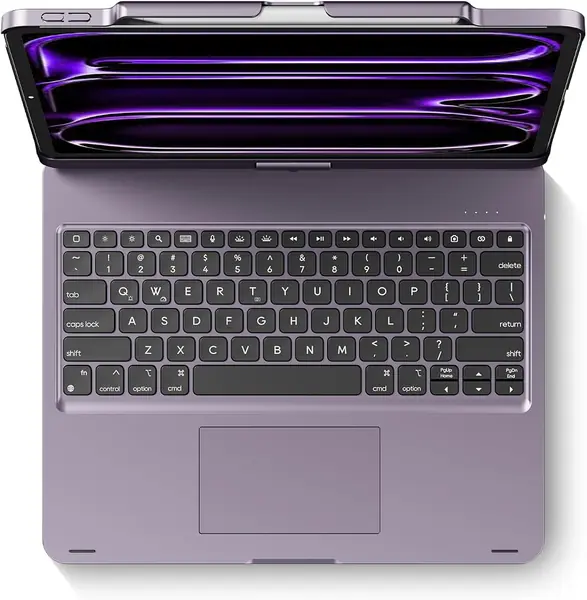
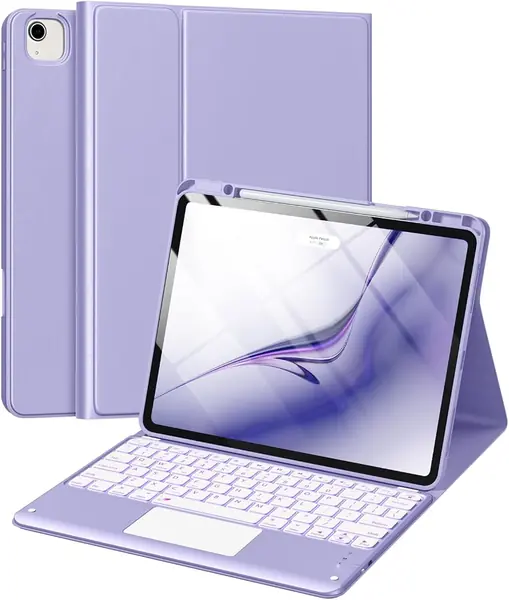
Purple is not the reason to buy a keyboard case, but it is the first thing you notice about the Harvopu. Under the finish is a familiar detachable folio design with a backlit keyboard, a trackpad, and three viewing angles. It is a budget option, and it looks less generic than the black cases that dominate this group.

The keyboard is backlit in seven colors and the trackpad handles taps and swipes. The 500 mAh battery is the same capacity as the Hamile's, so you are not giving up much on paper. Three viewing angles let you choose between typing and watching, and the folio cover protects the screen when closed.

It fits the 12.9-inch Pro from the 3rd through 6th generation, but not the 13-inch M4/M5. The case is aimed at the big-screen iPad, so the footprint is wide and the stand takes up space on a small tray table. The purple finish is a nice change from black, and the folio cover protects the screen when closed.

For a 12.9-inch Pro on a tight budget, the Harvopu is the one we point to. It gives you the essentials without the Apple tax, and the purple finish is the detail that makes it feel less like a generic black case. It is not the lightest or most planted option here, but it is the least expensive way into a big-screen keyboard case.

Pros

  • Low-cost way to add a keyboard to a 12.9
  • Detachable backlit keyboard with trackpad
  • Three viewing angles and a slim folio

Cons

  • At 2.1 pounds, it is heavy
  • Magnet can let the keyboard shift
Our verdict

The Harvopu is the low-cost way to add a backlit keyboard and trackpad to a 12.9-inch Pro, with the bulk that implies.

Check Latest Price

How We Tested These Keyboard Cases

We built the shortlist from cases that name the exact iPad generation they fit, not just a screen size, then narrowed by price range and by what a buyer actually gets: a real trackpad, backlit keys, a keyboard that pulls off, a stand that lifts the tablet above the desk. That left 12 cases, used with 11-inch and 13-inch tablets over six months at the kitchen table, on the couch, on airplane tray tables, and in a coffee shop for a full workday.

We typed the same 600-word draft on each one and noted where we made mistakes — keys too small, too stiff, or too mushy to feel. With the trackpad we dragged the cursor across a long document, scrolled a spreadsheet with two fingers, and checked for palm jumps during fast typing. We also ran the backlight at full for a full workday to see how fast each drained, logging how many days passed before the keyboard itself needed a charge.

Sturdiness came next: we tapped the top corners of the screen and watched for hinge sag, typed a paragraph with the case balanced on our knees, and knocked each one off a couch arm onto a rug. We rotated the swivel models through full turns until the hinge either loosened or held, pulled the magnetic keyboards off and reattached them to check how quickly they re-paired, and weighed each one loaded with a tablet. Appearance counted for something, too: fingerprints, fabric versus plastic, and whether a color looked as good in person as it did in the listing.

By the end, the question was always the same: did the extras — a 360-degree hinge, eleven colors of backlight, a stylus loop — earn the weight and the money they added to a device you carry every day?

How to Choose an Ipad Pro Keyboard Case

Start With the Exact iPad Pro Model

Apple has used the same 11-inch and 12.9-inch names across generations that do not share dimensions. The current 11-inch M4/M5 needs a case cut for models A2836, A2837, A3006, A3357, A3358, or A3359; the 13-inch M4/M5 needs A2925, A2926, A3007, A3360, A3361, or A3362. Older 12.9-inch Pro models use a different shell entirely. Check Settings > General > About before you buy. The Apple Magic Keyboard is the cleanest match for the current 11-inch, while the ESR Shift is one of the few cases here cut for the 13-inch M4/M5.

Choose a Stand You Can Type On

A keyboard case lives or dies by its hinge. A folio with three grooves is light and simple, but it needs a flat surface and can bounce when you type hard. A floating cantilever, like the typecase Edge or Apple Magic Keyboard, lets you set the screen angle more precisely and keeps the keyboard flat. A 360-degree swivel, like the LENRICH, is the one to pick for presentations or portrait reading. If you work on a couch, favor a rigid base over a narrow groove; if you work at a desk, the extra bulk is easier to accept.

Weigh Typing Feel Against Travel Weight

The best keyboard for you is the one you will actually type on. Scissor keys with a short, crisp stroke are easier to live with than flat membrane keys, and a backlight matters if you write on planes or in dim rooms. Trackpad size is the other divide: the ESR Shift's 112 x 70 mm surface is generous, while the Apple's glass haptic pad feels more precise. Then look at the scale. The Logitech Combo Touch is 1.3 pounds, the Apple is 1.6 pounds, and the Harvopu is 2.1 pounds. A heavier case can feel more stable, but it turns the iPad into a laptop-weight package.

Check Power, Protection, and Pencil Storage

A Bluetooth keyboard cover carries its own battery, usually around 500 mAh in this group, and needs a separate charging cable. The Logitech Combo Touch is different: it draws power through the iPad's Smart Connector, so there is no pairing step and no keyboard battery to remember. The Apple Magic Keyboard adds a USB-C pass-through port for charging the iPad. Look for a hard shell or reinforced corners if the iPad travels in a backpack, and check that the Pencil holder leaves the charging side exposed. A loop that only holds the Pencil is not the same as one that lets it charge.

Frequently Asked Questions

Final Verdict

The Apple Magic Keyboard is the case we recommend first for a current 11-inch iPad Pro because its keys, haptic trackpad, and pass-through charging make the iPad feel like a small laptop. If you own the 13-inch M4 or M5, buy the ESR Shift instead; it is one of the few current fits and adds portrait mode. For an older 11-inch Pro, the Logitech Combo Touch's Smart Connector and kickstand are the better match. Start with your model number, then choose the hinge you will actually use.