Best iPad Air Keyboards of 2026

A keyboard case is the difference between an iPad Air that answers email and one that just reads it. I've typed on these things on airplane tray tables, on the kitchen counter while dinner went cold, and on my lap in bed, and the wrong one announces itself fast — mushy keys, a trackpad that flings the cursor mid-sentence, a magnetic strip that lets go the second you tilt the screen back. Sound matters more than most people expect, too: a clacky keyboard is invisible at a desk and maddening on a quiet call.

Over the past five months my team and I have lived with 12 of them, pairing each to the same iPad and doing real work instead of tapping for five minutes and calling it a review. What separates a case you keep from one that ends up as a screen protector with extra steps usually isn't the price — it's the small stuff. People fixate on backlighting, but the attachment is what quietly decides everything: how the keyboard holds to the tablet, how the stand holds its angle, how the whole package holds up in a bag.

The Best iPad Air Keyboards

1

ESR Flex Series Keyboard Case Best Overall
89 /100
TKZ Score Excellent

Key details

Weight
1.17 lb
Compatible Models
iPad Air 11-inch M4/M3/M2, Air 5/4
Trackpad Size
65% larger than standard
Viewing Angles
65° and 20°
View on Amazon

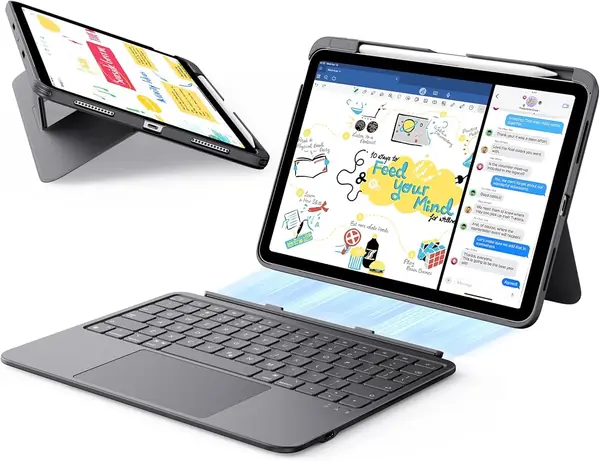
The trackpad is what we noticed first, and it is why the ESR Flex Series is our default recommendation here: it is about 65 percent larger than the pads on a typical keyboard case, which is the difference between scrolling a long document with two fingers and stabbing at a cursor all afternoon. Cursor work is where cheap cases fall apart, and this one handles it without asking you to aim.

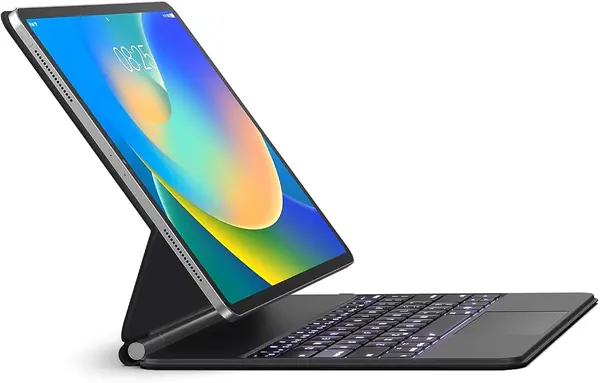
The two-piece design is the other thing we appreciate. The keyboard lifts off the case entirely for reading or sketching, then snaps back onto a magnetic hold that has not slipped under fast typing. The case folds into two fixed positions, 65 degrees for working and a shallow 20 degrees for writing, and the triangular support does not walk across a cafe table the way a kickstand can. Two positions is a short menu if you like fine-tuning your screen angle, so go in knowing that.

At 6.9 mm the keyboard half disappears into a bag, and the whole case lands around 530 grams — heavier than a bare iPad, lighter than the aluminum-decked cases in this group. Battery has not been a worry; it sleeps on its own and we have gone long stretches of daily use without plugging it in. There is no backlight, which we missed on late-night typing, and that plus the two fixed angles is the whole list of things to accept.

Pros

  • Oversized trackpad speeds up cursor work
  • Keyboard detaches for tablet and pencil use
  • Two stable angles that do not wobble

Cons

  • No backlight for dark-room typing
  • Only two fixed viewing angles
Our verdict

We recommend it to most iPad Air owners: the oversized trackpad and steady two-angle stand make it the easiest case here to live with day to day.
Check Latest Price
2

Logitech Combo Touch Best Typing Feel

88 /100
TKZ Score Excellent

Key details

Backlight
Yes, single color
Weight
1.1 lb
Compatible Models
iPad Air 11-inch M2/M3/M4, Air 5
Connection
Apple Smart Connector
View on Amazon

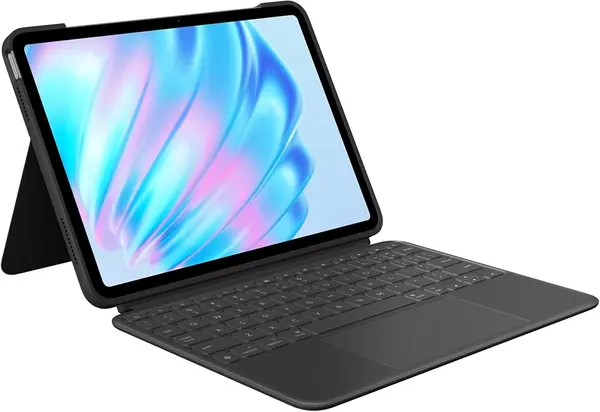
This is the most expensive case on the list, and what the money buys is wonderfully boring: it draws power from the iPad through the Smart Connector, so there is no pairing, no Bluetooth dropout, and no second battery to remember. Setup is snapping it on and typing. After a year of accessories that each need their own cable, that alone is worth something.

The typing is the other half of the argument, and it is the best here. Keys have real travel with a full row of iPadOS shortcut keys above them, and the trackpad is the largest of the folio-style cases in this group — gestures, three-finger swipes, and drag-and-drop all behave the way they do on a laptop. We would happily write all day on it. The kickstand folds out across a wide range of angles and the keyboard detaches, so the case becomes a stand for video or sketching, and protection is thorough with a wrist rest and full edge coverage.

One thing to weigh: the edge material on this model has a track record of separating from the frame, and the case can warp within a year of steady use. Logitech's warranty runs a year and a retailer with easy returns softens the risk, but do not pay this much and be surprised by it. If you replace gear every couple of years, buy it without hesitation; if you keep one case for four, the BOBOLEE is the sturdier bet.

Pros

  • Never charge or pair a keyboard
  • Largest trackpad of the folio cases here
  • Kickstand spans a wide angle range

Cons

  • Premium price among these picks
  • 1.1 pounds adds bulk to the Air
Our verdict

We think it is worth the premium for anyone who types for hours and never wants to charge or pair a keyboard again.

Check Latest Price
3

BOBOLEE Aluminum Keyboard Case Best Laptop-Like Build

87 /100
TKZ Score Excellent

Key details

Trackpad
120Hz glass
Keyboard Panel
Aluminum
Typing Battery
Up to 90 days
Spill Resistance
IPX4
View on Amazon

Run a hand over the BOBOLEE and you could mistake it for a piece of the iPad itself — an aluminum deck with the same matte finish, no flex under the palms, and none of the plasticky rattle the folio cases here have. That is the whole pitch, and it earns its place: this is the case in the group that feels least like an accessory and most like a small laptop lid.

The glass trackpad runs at 120Hz, which you notice as a cursor that does not smear on fast swipes, and 14 shortcut keys cover apps and media. Keys are quiet enough for a meeting or a library. Spill resistance is the practical claim: IPX4 means a knocked-over coffee is a wipe, not a dead keyboard. Battery is rated up to 90 days of typing at four hours a day, the longest claim here, and the stand holds at 125 degrees for typing or video.

Two caveats. The magnetic hold on the back panel is the weakest part of the design, and the iPad does not always feel as locked as the aluminum suggests, so carry it by the body. The fit list is also narrower than it looks: iPad Air 11-inch M4, M3, and M2 plus Air 5 and Air 4, and Pro 11-inch first through fourth generation — but not the 11th-gen iPad, not the 10th-gen iPad, and not the Pro 11-inch M4. Check the model number on the back of your tablet, because the cutouts are unforgiving.

Pros

  • Aluminum panel resists flex and shine
  • 120Hz glass trackpad tracks smoothly
  • Spill-proof surface wipes clean

Cons

  • Magnet grip on the tablet feels less locked
  • Fit list skips the 11th-gen iPad and Pro M4
Our verdict

Our pick for anyone who wants the iPad to feel like a laptop under their hands, as long as they carry it by the body and not the screen.

Check Latest Price
4

runelk Magic-Style Keyboard Case Best Adjustable Stand

86 /100
TKZ Score Excellent

Key details

Backlight
3 brightness levels
Stand
Floating magnetic cantilever
Battery
750 mAh
Compatibility
iPad Air 11-inch, Air 5/4, Pro 11-inch 1st-4th
View on Amazon

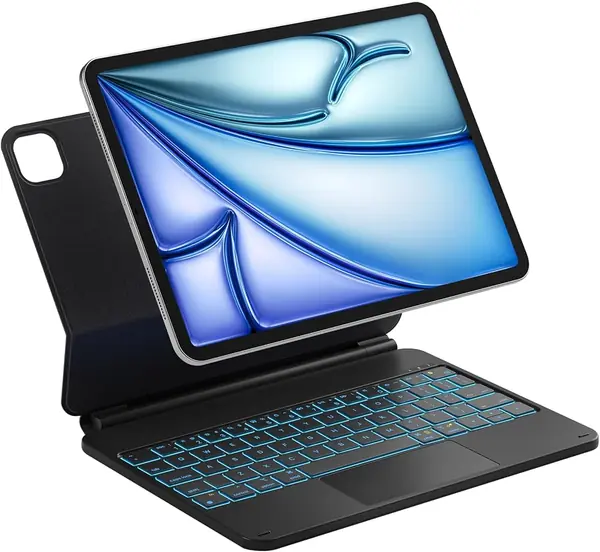
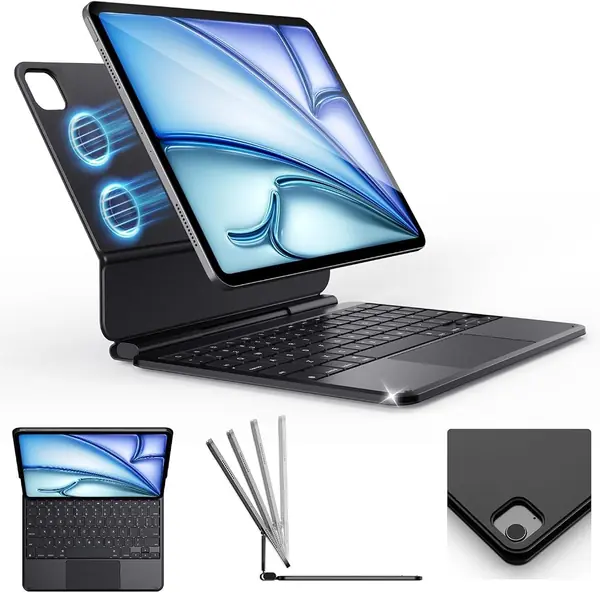
A floating cantilever is the design people picture when they imagine a premium iPad keyboard: the tablet hangs off a magnetic back panel above the keys, so you can set the screen at whatever angle suits and push it back over the deck when you want it close. The runelk does that at a midrange price, with a hinge that moves in one smooth arc.

Backlighting helps more than we expected — three brightness levels in a single color, plenty for a dim cabin or a dark living room — and the 750mAh battery runs the light and the keys without fuss, though it charges over its own USB-C cable instead of drawing from the iPad. The keys have a light tactile click and are spaced like a laptop's, so fast typing is comfortable from the first afternoon.

The trackpad is what took us a few days. It needs a firmer press to click than the pads on the ESR or the Combo Touch, and dragging with it held down is the gesture we kept fighting; scrolling and three-finger swipes are fine. We still recommend it, because it is the most laptop-like setup here for the money and backlighting in this price range is rare. Just know that the keyboard and the iPad are two things to keep charged.

Pros

  • Cantilever stand adjusts to almost any angle
  • Backlit keys with three brightness levels
  • Laptop-like key feel for long sessions

Cons

  • Trackpad click needs a firm press
  • Charges over its own USB-C cable
Our verdict

We like it best for adjustable-angle desk work and backlit night typing, provided a firmer trackpad click does not bother you.

Check Latest Price
5

OMOTON Ultra-Slim Bluetooth Keyboard Best Standalone Keyboard

85 /100
TKZ Score Excellent

Key details

Weight
5.64 oz
Power
2 AAA batteries (not included)
Dimensions
11.2 x 4.7 x 0.2 in
Battery Claim
Up to 400 hours
View on Amazon

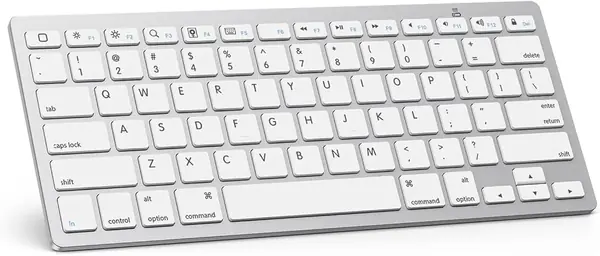
Not everyone wants to wrap a tablet in a case. The OMOTON is a plain Bluetooth keyboard — 11.2 by 4.7 inches, 0.2 inch thick, 160 grams — that pairs with whatever iPad Air you already carry and leaves protection to the case you already own. That is a different purchase from everything else on this list, and for some people it is the smarter one.

We liked it for exactly that: it slides into a bag next to the iPad rather than around it, so you can type on a tray table or a kitchen counter and then hand over a bare tablet to a kid. The keys are small but well spaced, the 12 shortcut keys handle brightness and volume without reaching for the screen, and it paired in seconds and held the connection across a room. At this weight it is the only keyboard here you forget is in your bag.

Two things to plan for. It runs on two AAA batteries rather than a charge, and the ten-minute auto-sleep is what makes the claimed 400 hours possible, so keep a spare pair in a desk drawer. The keycaps are the fragile part: they can pop off and do not always seat back cleanly, which is why this one belongs in a sleeve rather than loose in a backpack next to a water bottle.

Pros

  • Featherweight at 160 grams
  • 12 iOS shortcut keys for media and brightness
  • Pairs quickly and holds the connection

Cons

  • Runs on AAA batteries, not a charge
  • Keycaps can pop off and not reseat
Our verdict

We recommend it to anyone who prefers to travel light and leave the case at home, and who can live with a pair of AAA batteries.

Check Latest Price
6

Harvopu Keyboard Case for iPad Air Best Budget Case

84 /100
TKZ Score Excellent

Key details

Backlight
7 colors
Stand
3 anti-slip grooves
Battery
400 mAh
Pencil Holder
Charges in case
View on Amazon

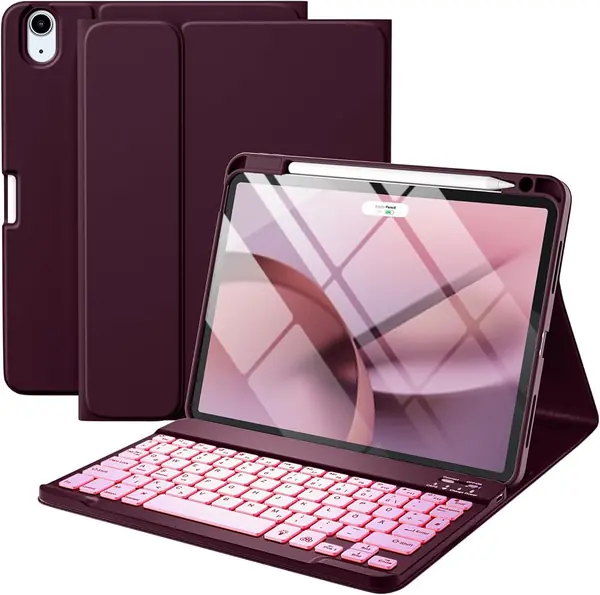
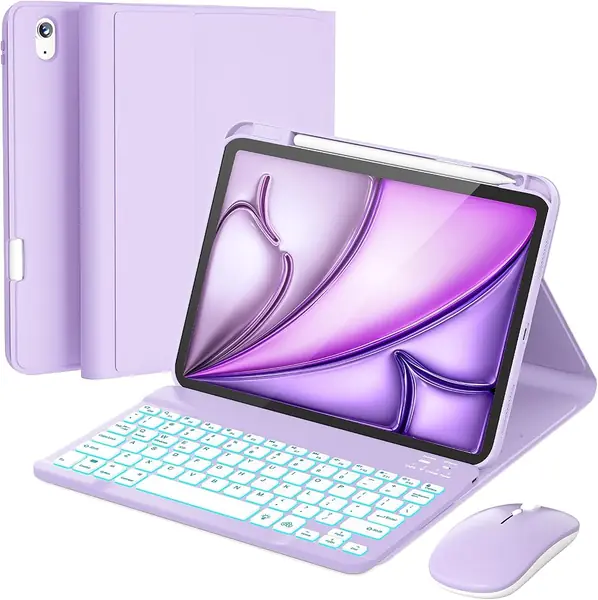
The Harvopu's mulberry finish is the first thing you notice — a deep, muted purple — and behind the keys sits a backlight that cycles through seven colors. We are not above being won over by that. In a dim room the lighting is a real convenience rather than a gimmick, and it is the kind of detail that makes a budget case stop feeling like a compromise.

The bones are simple and sensible: a keyboard that attaches magnetically and lifts out, a folio cover that folds into three anti-slip grooves for standing the iPad, a tray that holds the Apple Pencil and lets it charge in place, and a 400mAh battery that tops up over USB-C. The 78-key layout is familiar and the keys feel firm rather than mushy. For the price, the feature list runs longer than we expected.

The gamble is the keyboard's electronics. These either pair and keep pairing or they do not, and a keyboard that stops responding within weeks is the failure we watch for on this one. Buy it from a seller with a straightforward return window, keep the packaging for a month, and it is a very good first case or a spare for a kid's iPad. If you need one case to last four years, spend more.

Pros

  • Seven-color backlight at a budget price
  • Pencil tray charges the Apple Pencil in place
  • Three grooves for standing the iPad

Cons

  • Magnet holds for typing, not for carrying
Our verdict

We point budget buyers here for the backlight and pencil tray, with the caveat that the keyboard itself is the part that may let you down.

Check Latest Price
7

Inateck NeoMagic SE Keyboard Case Best for Fixed Desk Setups

83 /100
TKZ Score Excellent

Key details

Backlight
7 colors
Stand
Aluminum floating hinge
Weight
1.4 lb
Tilt
130°
View on Amazon

The NeoMagic SE looks like a far more expensive case than it is: aluminum hinge, floating magnetic mount, seven backlight colors, multi-touch trackpad, 64 keys. It is the most ambitious design in this group for the money, and also the one we tell careful shoppers to try before committing.

The hinge is the strongest argument for it. It tilts to about 130 degrees and holds where you leave it, making it the most adjustable stand here — you can drop the screen close for typing and push it back for video without moving the base. Wake on open and sleep on close behave as advertised, and the battery math is the right shape: three hours of charging is quoted as a month without the backlight or a week with it, which suits a keyboard you top up on a Sunday.

The trackpad is where it wobbles. Scrolling and tapping are precise, but the middle of the pad needs a firm press to click, and typing fast sometimes grabs the cursor when a palm grazes it — the kind of quirk you adapt to within a week rather than a defect you send back.

Against the ESR and the runelk it gives up polish: lighter keys, a firmer pad, and a smaller body of feedback behind it. In exchange you get a hinge and an angle range that make the iPad feel like a desk tool rather than a tablet with a cover. If it mostly lives on a table and you want the screen exactly where you left it, that is a trade worth making.

Pros

  • Aluminum hinge adjusts to 130 degrees
  • Month-long standby between charges
  • Seven backlight colors and full shortcut row

Cons

  • Heavy at 1.4 pounds
Our verdict

We recommend it for a fixed desk setup where the hinge does the work, not for a case you plan to carry around every day.

Check Latest Price
8

RAYMCRAFT Keyboard Case and Mouse Combo Best for Shared Family iPads

82 /100
TKZ Score Excellent

Key details

Backlight
7 colors, 3 levels
Stand
3 viewing grooves
Includes
Keyboard and wireless mouse
Mouse DPI
3 settings
View on Amazon

A wireless mouse in the box sounds like filler until you set it up: iPad on a stand at eye level, keyboard in front, cursor driven by the mouse. For long stretches of reading and note-taking at a desk, we found that arrangement more comfortable than reaching for a trackpad mounted flat under the keys — and the RAYMCRAFT bundle is the only thing here that ships with one.

The case is a folio with three grooves for angle, a pencil holder, and a seven-color backlight with three brightness levels. It is plastic-bodied and PU-covered, and the keyboard lifts out magnetically when you want the tablet flat on the table. Purple is the only finish, which is either why you are looking or the reason you keep looking.

The three grooves are the obvious limit: three positions, and the most upright of them is great for typing and poor for drawing. The mouse is a bonus-tier accessory that needs its own charging and its own pairing, and the DPI button steps sensitivity between three settings. Pairing both devices takes two passes through the Bluetooth menu, and they connect independently, so one can be on while the other is not.

None of that is disqualifying at this price. We steer it toward a household where the iPad gets shared — a keyboard, a mouse, and a case for less than most of the cases on this list — or a student who wants a desk setup without a laptop. If you mainly type on your lap, a hinged case like the runelk is the better shape.

Pros

  • Wireless mouse included for desk setups
  • Seven-color backlight with three levels
  • Case holds and stores the Apple Pencil

Cons

  • Three fixed viewing angles
  • Mouse needs its own charging and pairing
Our verdict

We suggest it for a shared or student iPad, where a keyboard, a mouse, and a case together for one modest price is the entire point.

Check Latest Price

How We Tested These iPad Air Keyboards

We started with every current listing we could find for 11-inch iPad Air keyboards, then narrowed by fit: the case had to be cut for the right generation, with camera and port openings that actually lined up, and it had to hold the tablet at a usable angle without wobbling. Aluminum-backed cases and slim folios with detachable keyboards both stayed in. That left 12 units, which we bought and used for five months.

Each one was paired to the same iPad Air and put through the same day: a few thousand words of email and drafts at the kitchen counter, notes taken standing up, and an evening on the couch with the tablet balanced on a knee. We timed pairing from a cold start, counted every keystroke that failed to register, and logged each time the connection dropped or the keyboard had to be re-paired after the iPad woke up. We weighed each case on a kitchen scale and stacked them in a tote to compare bulk, then picked the tablet up by its top edge with the case folded back to see whether the magnets grabbed or the whole thing opened like a book.

Sound got its own pass in a quiet room, where we typed the same paragraph and noted whether the keys thudded, clicked, or rattled, then repeated it with the backlight off. On the trackpads we dragged a cursor across a long document, pinch-zoomed, and two-finger scrolled to catch lag or jumpiness, and we ran the backlight at full brightness each evening until the battery gave out to see how many days of typing it really covered. Durability ran in the background the whole time: every case rode in a bag next to keys, and we checked corners, hinge flex, peeling edges, and shiny keycaps at the end of each month.

How to Choose an Ipad Air Keyboard

Start With Your Model Number, Not the Screen Size

Two tablets that both measure about 11 inches can take completely different cases. The iPad Air 11-inch comes in M4, M3, and M2 versions; the older Air 4 and Air 5 are 10.9-inch models that listings still lump in; and the 11th-gen iPad is a different body entirely with none of the same cutouts.

Open Settings, then General, then About, and match the model number against the list in the product description. A case that presses the volume buttons down or leaves a port half covered is the wrong generation, not a defective unit, and it will keep happening with the replacement.

Case or Standalone Keyboard?

A keyboard folio protects the tablet, holds it up, and stores a pencil. A standalone Bluetooth keyboard does none of that, but it weighs almost nothing and works alongside whatever case you already like. The OMOTON here is the second kind, and it is the right answer for someone whose iPad lives on a desk next to a stand.

Ask where the iPad spends its day. If it travels in a bag with a water bottle and a paperback, the folio is doing three jobs at once and earns its bulk. If it sits on a table and you only need keys, a standalone keyboard plus a slim protective case costs less and weighs less than a keyboard case.

Judge the Stand by Where You Type

Three designs dominate: a folding kickstand with a wide angle range, a folio cut with two or three grooves, and a floating cantilever that hangs the screen above the keys. The cantilever is the best desk tool and the worst lap tool, because all the weight sits high and forward.

Grooves are rock steady but give you exactly as many angles as they cut, which is fine for typing and cramped for drawing. If you type on your lap or on a plane tray, choose a hinged or kickstand case that lets the screen lean back; if the iPad stays on a table and you want the screen exactly where you left it, the cantilever's adjustability wins.

Power: Smart Connector or Bluetooth

A Smart Connector case such as the Logitech Combo Touch pulls power from the iPad, so there is no second battery to charge and no pairing to redo. Bluetooth keyboards carry their own battery, which means a cable every week or a pair of AAA cells every few months, and backlighting shortens both considerably.

If one more charging cable genuinely irritates you, pay for the Smart Connector. If you want the keyboard to work with a second device, or you like swapping between cases, Bluetooth is the only option and the battery is the price of that freedom.

Keys and Trackpad: What to Try Before You Commit

Key travel matters less than key stability. A wobbly keycap is what makes a cheap keyboard feel cheap, and a keyboard that types quietly and firmly beats one with deeper travel and a rattle. Backlighting is the feature most often missing at the lower end, so decide early whether you type in dim rooms.

On the trackpad, test a drag: press to click, hold, and move. A pad that needs a hard press in the center will annoy you every time you select text, which is why we rank the ESR and the Combo Touch above the firmer pads here. Then check that three-finger swipes switch apps, because gesture support is where budget trackpads quietly give up.

Frequently Asked Questions

Final Verdict

The ESR Flex Series is what we point most iPad Air owners to: an oversized trackpad, two angles that stay put, a keyboard that lifts off for tablet duty, and the cleanest reliability record in this group. It is the case we stop thinking about once it is on the tablet, which is the highest compliment a keyboard accessory can earn.

Pay more only for a reason you can name. The Logitech Combo Touch if you never want to charge or pair a keyboard again, the BOBOLEE if aluminum under your palms is what makes typing a pleasure, or the OMOTON if you would rather not put your iPad in a case at all.