Best iPad Air 11-Inch Keyboards of 2026

The iPad Air 11-inch is a wonderful little computer until you need to type anything longer than a password. I spent a year pecking out emails on the glass before I bought a keyboard case, and the change wasn't typing speed—it was whether I bothered to bring the iPad with me at all. That's the real question with any of these: does it make you want to use the tablet, or does it turn it into a cramped little laptop you'd rather leave home?

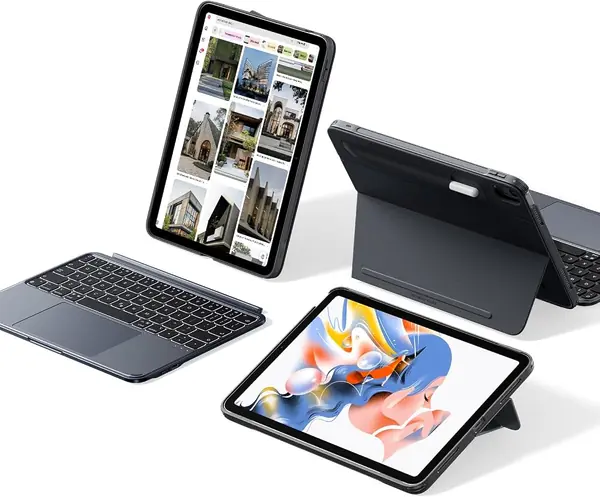
The choice that shapes everything else is whether the keyboard detaches and how the whole thing stands up. A magnetic folio that comes off lets you lay the screen flat for drawing; a hinged case holds it at whatever angle you leave it, closer to a laptop. Backlighting and a usable trackpad matter more than you'd think, too.

My team and I have spent the past six months typing on 12 of these in coffee shops, on trains, and on the couch, and the differences came down to the hinge, the keys, and how well the magnets held. The picks below are the ones I'd hand to a friend without a caveat.

The Best iPad Air 11-Inch Keyboards

1

Apple Magic Keyboard Best Overall
89 /100
TKZ Score Excellent

Key details

Compatibility
iPad Air 11-inch (M2, M3, M4) and Air 4th/5th gen
Weight
2.14 lb
Connection
Smart Connector
Function Row
14 keys
View on Amazon

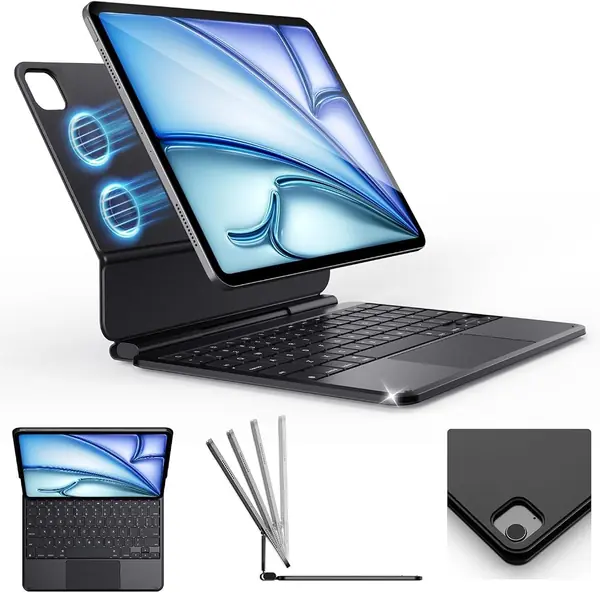
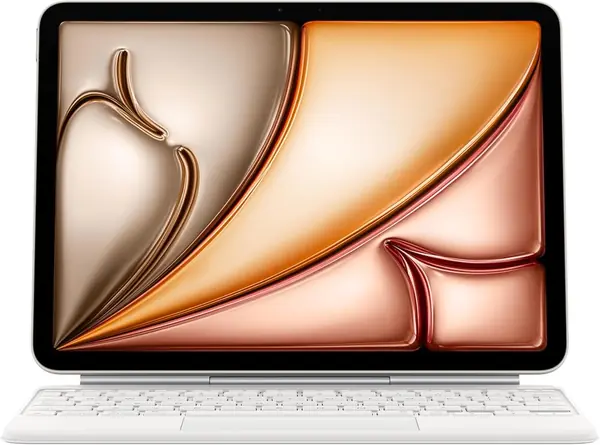
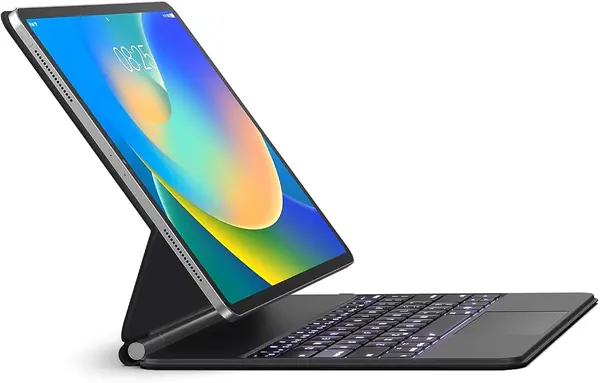
Apple's Magic Keyboard is the most laptop-like experience in this group. The iPad snaps onto the back magnetically, the two-cantilever hinge holds the screen at a usable angle, and the keyboard runs off the Smart Connector instead of Bluetooth.

The typing is the reason to pay attention. The keys have a crisp, short throw we settled into quickly for long writing sessions, and the 14-key function row is genuinely useful for brightness, volume, and media controls. The trackpad is large enough for iPad gestures without feeling like it belongs on a smaller laptop.

The hinge is the design detail that earns its keep. Because the screen floats above the keys rather than sitting in a slot, the whole thing feels steadier on a lap than most folio cases here. The iPad also folds closed with front and back protection, and the USB-C pass-through means you can charge the tablet without unplugging the keyboard.

The 2.14-pound weight is the trade-off. Picking up the iPad by a corner turns it into a small laptop, so this is a case for someone who uses the keyboard most days rather than a tablet-first reader. The extra rigidity is what buys the stable hinge and the laptop feel.

What settles it for us is how little thought the Magic Keyboard demands. Open it, type, close it, and the iPad is charged and ready for the next session. A lighter case or a more adjustable stand is easy to find; the everyday smoothness of this one is harder to match.

Pros

  • No pairing or keyboard charging
  • Stable two-cantilever hinge
  • Excellent typing and trackpad

Cons

  • No keyboard backlight
  • Premium price
Our verdict

We recommend the Magic Keyboard to anyone who wants the cleanest typing and trackpad experience and can accept a premium price.
Check Latest Price
2

Harvopu Keyboard Case Best Budget

88 /100
TKZ Score Excellent

Key details

Compatibility
iPad Air 11-inch M4/M3/M2 and Air 5/4
Battery
400mAh
Stand
3 viewing grooves
Keyboard
Detachable, 7-color backlit
View on Amazon

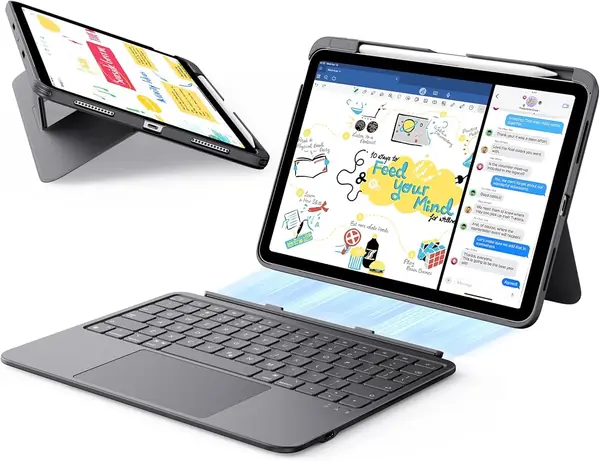
The Harvopu case is what a budget keyboard folio should be: a protective cover, a detachable backlit keyboard, and a pencil holder for a fraction of what the Apple costs. The 400mAh battery and Bluetooth pairing cover the basics, and the seven backlight colors are a nice surprise at this end of the market. We also like the three grooves inside the cover because they give you a few stand angles without a complicated hinge. The keys are small but usable, and the whole thing folds shut like a normal folio.

The compromises show up in daily handling. The magnetic keyboard is easy to lift out, but it can slide on a soft surface, so we keep it on a table for longer typing sessions. The case protects the back and edges, and the folio closure keeps the screen covered in a bag. The pencil tray keeps the Apple Pencil from rolling away and leaves the charging side accessible. For schoolwork, email, and occasional documents, it covers the job and leaves room in the bag for a stylus.

Pros

  • Detachable backlit keyboard
  • Pencil holder and three stand grooves
  • Very low price for the feature set

Cons

  • Bluetooth pairing can drop
  • Cutouts can be imprecise
Our verdict

We recommend the Harvopu to anyone who wants a backlit, detachable keyboard for occasional typing without spending much.

Check Latest Price
3

runelk Magic-Style Keyboard Best Apple-Style Value

87 /100
TKZ Score Excellent

Key details

Compatibility
iPad Air 11-inch M4/M3/M2 and Air 5/4
Battery
750mAh
Trackpad
Multi-touch
Backlight
3 brightness levels
View on Amazon

The runelk case is the closest thing here to a Magic Keyboard clone. It uses a magnetic back cover and a floating cantilever stand, so the iPad hovers over the keys instead of sitting in a groove.

The backlight is where it pulls ahead of Apple. Three brightness levels are enough for a dim airplane cabin or a dark bedroom, and the 750mAh battery gives it a useful reserve. The multi-touch trackpad handles two- and three-finger gestures cleanly, and the synthetic leather cover feels more substantial than the price suggests. We also appreciate that the magnets make it easy to pull the iPad off for tablet use and snap it back for typing.

The keyboard charges separately over USB-C, which is normal for Bluetooth cases but still one more cable to remember. The 64-key layout is tighter than a full-size deck, and the right-hand keys took us a little recalibration. The trackpad is responsive for gestures, though the click mechanism takes more pressure than a laptop's.

For buyers who want the floating look, backlit keys, and a trackpad at a midrange price, this is our favorite compromise. It gets the everyday typing and viewing experience close enough that we stop thinking about the Apple version.

Pros

  • Floating Magic Keyboard-style stand
  • Backlit keys with three brightness levels
  • 750mAh battery and multi-touch trackpad

Cons

  • Trackpad click takes firm pressure
  • Compact 64-key layout
Our verdict

We recommend the runelk to anyone who wants the floating Magic Keyboard look and a backlight for much less than Apple charges.

Check Latest Price
4

ESR Flex Keyboard Case Best Lightweight

86 /100
TKZ Score Excellent

Key details

Compatibility
iPad Air 11-inch M4/M3/M2 and Air 5/4
Weight
1.17 lb
Thickness
6.9 mm
Viewing Angles
65° and 20°
View on Amazon

At 530 grams, the ESR Flex is the case we reach for when the iPad leaves the desk. The keyboard is 6.9 mm thick and detaches completely, so you can read or sketch with a bare tablet and snap the deck back when it is time to type. That combination makes it our favorite lightweight option in this group.

The stand uses a triangular support with two positions: 65 degrees for typing and watching, 20 degrees for sketching. Both felt stable on a table, and the larger trackpad is a real improvement over the tiny pads on budget cases. The keyboard has a quiet, soft click that is easy to live with in a coffee shop, and the 78-key layout covers the essentials without crowding the deck. The detachable keyboard also means you can leave it behind for a reading day, which is flexibility a fixed folio cannot offer. The two-position design is the catch—there is no middle recline for sofa use—but the low weight is the payoff.

Pros

  • Ultra-light 530-gram design
  • Detachable keyboard for tablet mode
  • Large trackpad and stable two-angle stand

Cons

  • Limited to two viewing angles
Our verdict

We recommend the ESR Flex to anyone who carries an iPad Air all day and wants a keyboard that disappears when it's time to read.

Check Latest Price
5

BOBOLEE Aluminum Keyboard Best Aluminum Build

85 /100
TKZ Score Excellent

Key details

Compatibility
iPad Air 11-inch M4/M3/M2 and Air 5/4
Battery
Up to 90 days typing
Trackpad
120Hz glass
Material
Aluminum panel
View on Amazon

The BOBOLEE's aluminum panel is the first thing you notice. It feels closer to a laptop deck than the plastic-covered folios here, and the matte finish resists the shine that shows up on less expensive cases.

The glass trackpad is the detail that makes it feel expensive. Gestures track smoothly, the 120Hz surface is quick under a finger, and the 14 shortcut keys cover the apps and media controls we use most. The three-level white backlight is easy to read in a dim room, and the spill-resistant deck is a sensible touch for a case that will live near a coffee cup.

Battery life is the quiet advantage. The keyboard is rated for up to 90 days of typing at four hours a day, with up to a year of standby, and it stayed paired and ready through our normal week. That is the kind of spec that matters less on a desk and more in a backpack, where a dead keyboard is just extra weight.

This is a desk-first case. The single stand angle and white-only backlight keep it from being the most flexible option, but the aluminum surface and glass trackpad make it the one we choose for long writing sessions at a table. If you mostly type in one place, that trade is easy to take.

Pros

  • Aluminum panel feels rigid and resists shine
  • Smooth 120Hz glass trackpad
  • Long 90-day typing battery

Cons

  • Magnet can shift under hand pressure
Our verdict

We recommend the BOBOLEE to anyone who wants a sturdy, laptop-like deck for desk work and does not need a lot of stand positions.

Check Latest Price
6

Logitech Combo Touch Best Kickstand Flexibility

84 /100
TKZ Score Excellent

Key details

Compatibility
iPad Air 11-inch M2/M3/M4 and Air 5
Weight
1.1 lb
Connection
Apple Smart Connector
Modes
Detachable keyboard, kickstand
View on Amazon

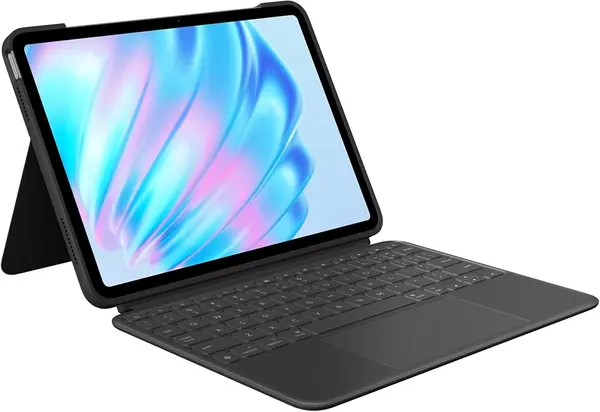
The Combo Touch takes a different approach from the Magic Keyboard: the iPad sits in a protective case with a kickstand, and the keyboard attaches to the front edge and lifts away when you want a tablet. That makes it the most flexible case here for watching video, sketching, and typing in the same afternoon.

The Smart Connector is the feature we appreciate most. There is no Bluetooth pairing and no separate keyboard battery to charge; the iPad powers the keys and trackpad directly. The backlit keys are comfortable for long sessions, and the large trackpad supports the same gestures as a laptop. The kickstand also gives you a wider range of angles than a folio with fixed grooves.

The trade-off is bulk. At 1.1 pounds, the case makes the iPad Air feel more like a small laptop, and it is at its best on a tray table or desk where the kickstand can do its job. On a lap, the extra mass is noticeable. For a flexible kickstand setup with no keyboard charging, it is our pick.

Pros

  • Smart Connector power, no keyboard charging
  • Detachable keyboard and adjustable kickstand
  • Backlit keys and large trackpad

Cons

  • Edge trim can separate over time
Our verdict

We recommend the Combo Touch to anyone who wants a detachable kickstand keyboard and prefers Smart Connector power to Bluetooth.

Check Latest Price
7

ZAGG Rugged Book Best Rugged Protection

83 /100
TKZ Score Excellent

Key details

Compatibility
iPad Air 11-inch M4/M3/M2
Weight
1.8 lb
Battery
Up to 2 years
Drop Protection
Up to 6.6 feet
View on Amazon

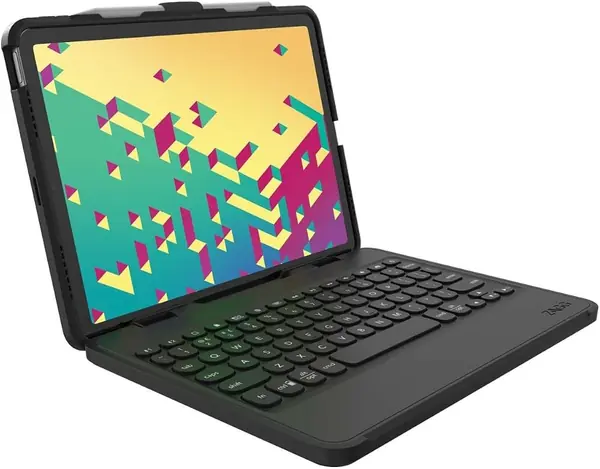
The Rugged Book is the case we pick when the iPad is going into a backpack with a water bottle, a laptop, and a child's lunchbox. ZAGG rates the shell for drops up to 6.6 feet, and the polycarbonate-and-silicone build feels like a protective bumper around the tablet. The keyboard is detachable, backlit in seven colors, and can pair with a second device, which makes it useful for switching between an iPad and a phone.

The typing experience is closer to a laptop than most folios here, with crisp keys and a stable magnetic hinge. The battery is rated to last up to two years between charges, depending on backlight use, and the sleep/wake feature keeps it from draining in a bag. The built-in pencil holder is a good detail for commuters who do not want to dig through a bag for a stylus. The keyboard detaches for tablet use, so the rugged shell can stay on while the deck comes off. This is a protection-first case, not the lightest or the slimmest. That is the right trade for travel and kids; it is not the one for a slim everyday carry.

Pros

  • 6.6-foot drop protection
  • Laptop-style backlit keys
  • Up to two years between charges

Cons

  • Hinge can be stiff to open and close
  • Heavy at 1.8 pounds
Our verdict

We recommend the ZAGG Rugged Book to anyone who prioritizes drop protection and does not mind a heavier, stiffer case.

Check Latest Price
8

ESR Shift Keyboard Case Best for Portrait Workflows

82 /100
TKZ Score Excellent

Key details

Compatibility
iPad Air 11-inch M4/M3/M2 and Air 5/4
Weight
1.23 lb
Trackpad
112 × 70 mm
Stand
20°–75°, portrait
View on Amazon

The Shift earns its place with one trick the Flex cannot match: it rotates between landscape and portrait, so the iPad can stand upright for reading a long PDF or a sheet-music app. The stand also adjusts from 20 to 75 degrees, which covers typing, sketching, and video watching.

The click-anywhere trackpad is another strong point. At 112 by 70 mm, it is large enough for gestures without turning the case into a laptop, and the backlit keys are easy to find in a dark room. The detachable keyboard and reinforced corners make it a better travel companion than the price suggests. The 560-gram weight is manageable in a bag, and the case protects the back and edges when the keyboard is off.

This is not the simplest case to fold. The magnetic keyboard can shift when you fold the case back, which is the kind of thing you notice when you switch between tablet and typing modes often. We treat it as a case for readers and note-takers who want portrait mode, not a lap desk for all-day typing.

Pros

  • Portrait and landscape stand
  • Large click-anywhere trackpad
  • Reinforced corners and backlit keys

Cons

  • Keyboard can shift when folded back
Our verdict

We recommend the ESR Shift to anyone who reads or annotates in portrait mode and wants a larger trackpad.

Check Latest Price
9

NOKABO Swivel Keyboard Best for Shared Screens

81 /100
TKZ Score Excellent

Key details

Compatibility
iPad Air 11-inch M4/M3/M2 and Air 5/4
Trackpad
Built-in
Backlight
7-color
Rotation
360°
View on Amazon

The NOKABO is the budget case for people who want the 360-degree swivel trick: flip the iPad into portrait for a recipe or a shared screen, then spin it back to landscape for typing. The hinge feels surprisingly smooth for the price, and the rainbow backlight and trackpad make it feel more complete than a plain folio. We did not expect the swivel to feel this solid at this price; it moves with enough resistance to stay where you put it. We think it is the best value here if portrait mode is a priority.

The plastic shell is less rigid than the aluminum or rugged cases here, which is the main reason it stays home more often than the others. The keyboard connects over Bluetooth and needs its own charge, and the case fits a long list of iPad models, so check your exact generation before ordering. The trackpad handles basic gestures, and the pencil holder keeps the Apple Pencil close without covering the charging side. For a second iPad around the house or a student who wants flexibility, it is an easy case to like.

Pros

  • 360-degree swivel hinge
  • Trackpad and rainbow backlight
  • Low price for the feature set

Cons

  • Bulky plastic shell
  • Keyboard can stop connecting over time
Our verdict

We recommend the NOKABO to anyone who wants a low-cost swivel case and can accept a bulkier plastic build.

Check Latest Price

How We Tested the Best iPad Air 11-Inch Keyboards

We started with the listings that genuinely fit the 11-inch Air across the M2, M3, and M4 generations plus the fourth and fifth gen, and cut anything that quietly required a Pro or an older 10.9-inch body. From there we weighed price against the features that change daily use—magnetic detachable keyboards, backlit keys, trackpad size, a pencil holder or kickstand—and bought 12 to test over six months.

Each one got the same first hour: out of the box, timed from unboxing to typing a full sentence, with a note on whether we needed the instructions to pair it. Then the fit test—pressing the iPad into the magnets, lifting it by the screen to see whether the keyboard dangled, giving it a gentle shake, and carrying it by the keyboard half to check the hinge held. We typed pages of the same document on every model, watching for mushy keys and missed keystrokes, and aimed the cursor at small buttons to see whether it landed where we meant; palm rejection got checked by resting both hands on the deck mid-sentence.

Battery logs ran with backlighting on, counting days between charges instead of trusting the box. Durability was the backpack test—each case rode to work with a laptop, keys, and a water bottle—and we looked for worn hinges, scuffed edges, and keys gone shiny. The rest came from living with them: which ones we reached for on a train or at the kitchen counter, and which ones stayed in the drawer.

How to Choose an Ipad Air 11-Inch Keyboard

Fit Comes Before Features

Check the model number in Settings before you buy. The 11-inch Air M4, M3, and M2 and the 10.9-inch Air 4th and 5th generation share a similar footprint, but cutouts for the camera, USB-C port, and buttons vary. Match your exact model to the case's compatibility list, and do not assume a broad “fits iPad Air” claim covers every generation. A case that also lists the iPad 10th or 11th generation is not automatically wrong, but verify your model. Fit also matters at the Apple Pencil edge: a holder should leave the magnetic charging side clear.

Decide How Much Trackpad You Need

The trackpad is the feature that most changes how an iPad feels. A large glass pad with gesture support can replace a mouse for documents and spreadsheets, while a small plastic pad is fine for cursor placement and little else. Key layout matters too: a 64-key deck is more compact than a 78-key one and may drop dedicated function keys. If you type all day, spend on the pad and key feel; if you write occasional email, backlighting is the better place to put the budget. We prioritize a responsive pad over a long feature list.

Match the Stand to Where You Work

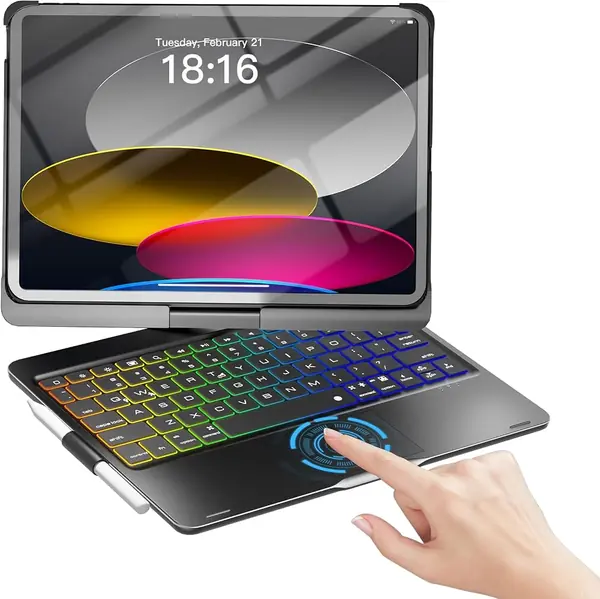
Three designs cover most situations. A cantilever hinge floats the screen above the keys and feels best on a lap, a folio with grooves is lighter and less expensive but offers fewer angles, and a kickstand or swivel case is the most flexible on a table. If you sketch, a low angle matters; if you share a screen, a rotating hinge helps. Think about the surface you use most. A magnetic keyboard deck can slide on a soft lap, while a stiff hinge becomes a daily annoyance on a commute.

Weigh the Whole Package

Case weight matters more than keyboard weight. The iPad Air is light until you add a 2.14-pound Magic Keyboard or a 1.8-pound rugged case; the lightest picks here land near 530 grams. Bluetooth keyboards need their own charging and pairing, while Smart Connector models draw power from the iPad and wake with it. Backlighting and a trackpad both cost battery. If the case lives in a bag, choose the lighter design and accept fewer features; if it lives on a desk, the extra heft buys stability.

Protection, Hinges, and Longevity

Drop protection is worth paying for when the iPad travels in risky places. A rugged shell with a high drop rating can survive a backpack or a child's hands, but the hinge and edge trim are usually the first parts to wear. Aluminum panels resist flex and stay looking new; plastic folios are lighter but show scuffs. Check how the case holds the iPad at the corners and how the hinge feels before you commit. We treat a stiff hinge as a daily annoyance, not a break-in period.

Frequently Asked Questions

Final Verdict

Buy the Apple Magic Keyboard if the iPad Air is your daily writing machine. The Smart Connector takes charging and pairing out of the routine, and the rigid hinge makes lap typing feel more settled than the folio alternatives. If you carry the iPad all day, the ESR Flex is the better fit: it is much lighter and detaches for reading, though you give up angle adjustment. For drop protection, the ZAGG Rugged Book is the one we hand to a child or toss in a travel bag.