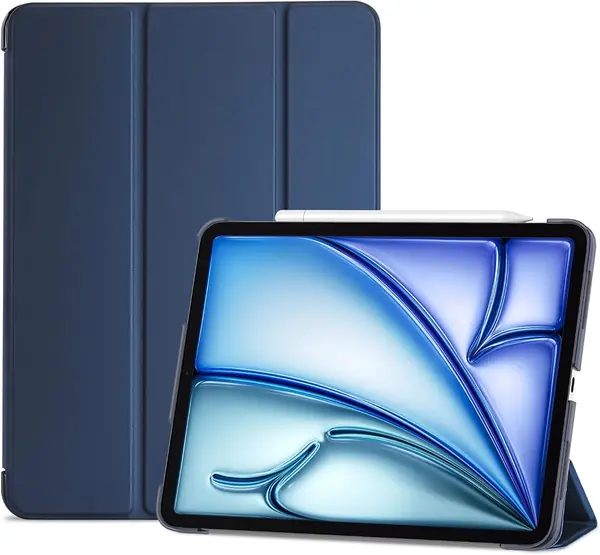
Best iPad Air 11-Inch Cases of 2026

An iPad Air is thin enough that you forget it's in your bag — until a corner of that aluminum takes a dent. A good case is the cheapest insurance you'll ever buy for a $600 tablet, and the best ones don't turn a sleek slab into a brick. They add a stand, somewhere to park the Apple Pencil, and a flap that wakes the screen when you open it.

We've lived with 14 of these cases over the past five months, and the field sorted itself out quickly. Fit came first: these tablets share a 10.9- and 11-inch footprint across several generations, so a case cut for the wrong one pinches the buttons or slides the camera off-center.

After that it was the small stuff — a stand that holds its angle while you're cooking, magnets that don't let go in a tote bag, a cover that still sits flat after months of folding. Thickness, meanwhile, is the thing shoppers overrate; slim shells have survived drops that chunky ones didn't. The picks below are the ones I kept reaching for.

The Best iPad Air 11-Inch Cases

1

ZUGU Case for iPad Air 11 inch Best Overall
96 /100
TKZ Score Outstanding

Key details

Compatible Models
iPad Air 11-inch M4/M3/M2; Air 10.9-inch 5th/4th gen
Stand
8-angle magnetic
Pencil Support
Holder with charging
Drop Protection
5 ft
View on Amazon

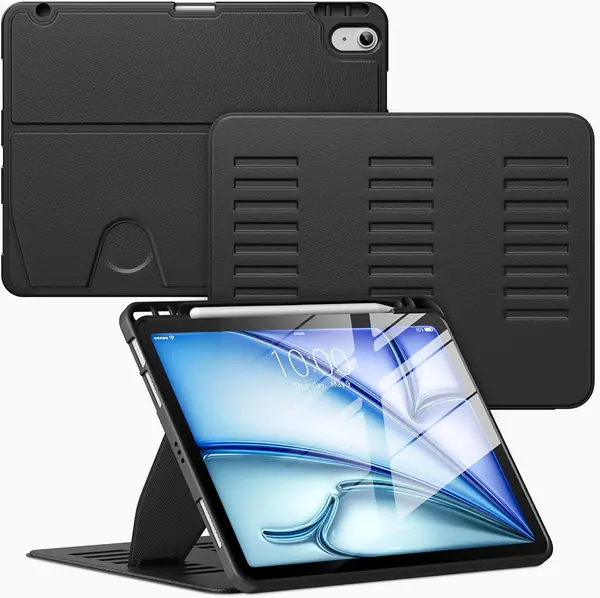
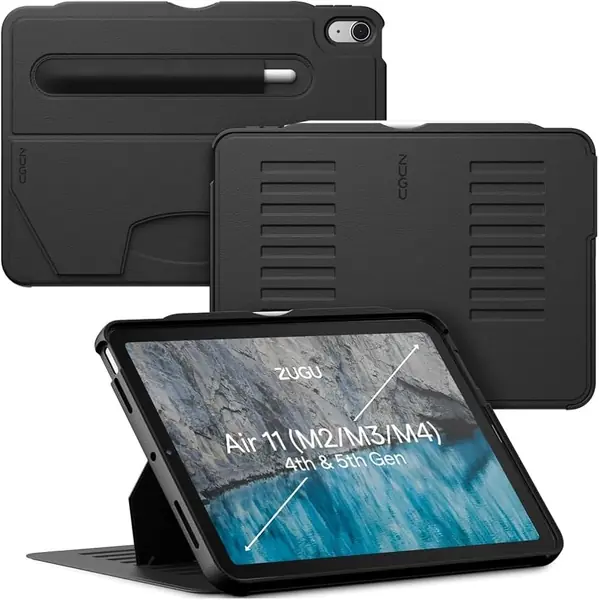
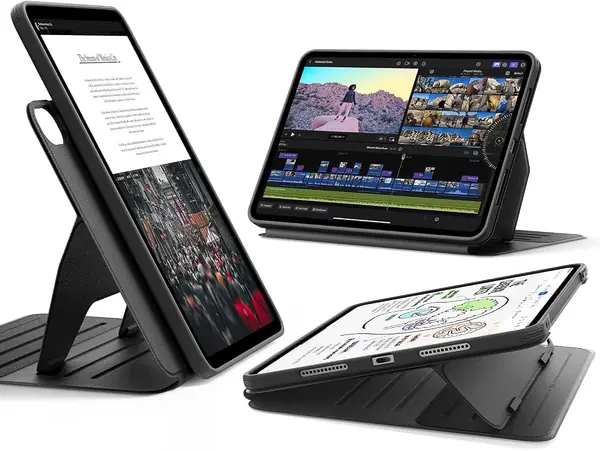
Eight angles sounds like overkill until you use an iPad on a couch, at a desk, and on a kitchen counter in the same afternoon. The ZUGU's magnetic stand is the feature that sets it apart here: it locks into a position instead of depending on a folded flap to find its balance. That matters most when you're tapping the screen, not just watching video.

The rest of the case supports that stand. ZUGU rates it for 5-foot drops, gives the Apple Pencil a holder designed for charging, and lists fit for the 11-inch M2/M3/M4 Air plus the 10.9-inch 4th and 5th gen. We like that one case covers both generations a household might own, and the magnetic closure keeps the front cover from flapping open in a bag. The materials feel more substantial than the price-leader folios here, which is exactly what we want in a case that is also a stand.

We don't think every buyer needs this much case. If the iPad mostly stays on a desk and you never use a pencil, a cheaper folio will do the job. But when we want the tablet to stay where we put it for drawing, typing, or a video call, the ZUGU is the one we reach for.

Pros

  • Magnetic stand locks into eight positions
  • Rated for 5-foot drop protection
  • Pencil holder supports charging

Cons

  • Heavier than slim folios at 371 g
Our verdict

For most iPad Air owners, the ZUGU is the case we point to: a stable eight-angle stand, strong magnets, and real drop protection in one package.
Check Latest Price
2

ESR Shift Case for iPad Air 11 inch Best Adjustable Stand

95 /100
TKZ Score Outstanding

Key details

Compatible Models
iPad Air 11-inch M4/M3/M2; Air 10.9-inch 5th/4th gen
Stand
9 angles, portrait and landscape
Weight
14.6 oz
Cover
Removable magnetic
View on Amazon

The Shift's cover comes off. That sounds like a small thing until you want to hold the iPad without a folded flap swinging under your hand; the magnetic back case stays on for protection while the front cover detaches. The stand is the other half of the pitch: nine positions, including portrait and landscape, with two support brackets rather than a single magnet.

We think this is the most flexible case here for desk work. The brackets lock into grooves in the base, so the iPad doesn't slide down when you tap at a steep angle, and the portrait position is genuinely useful for reading or a video call. It feels like a well-finished case: the cover lines up cleanly, the magnets are strong, and the cutouts leave the ports and buttons accessible.

It suits a desk, a kitchen counter, or a hotel room where you want the screen at a specific angle. If you mostly carry the iPad in a tote and rarely use a stand, the extra hardware is not buying you much. For drawing, typing, or following a recipe with wet hands, the detachable cover is the part that changes how you use it.

Pros

  • Nine stand angles in two orientations
  • Removable magnetic cover
  • Stable bracket stand

Cons

  • Heavier than most folios at 415 g
  • Premium price next to budget cases
Our verdict

We put the ESR Shift first for desk work: nine angles, portrait or landscape, and a cover that detaches for handheld use.

Check Latest Price
3

ESR Rebound Case for iPad Air 11 inch Best Slim Everyday Case

94 /100
TKZ Score Outstanding

Key details

Compatible Models
iPad Air 11-inch M4/M3/M2; Air 10.9-inch 5th/4th gen
Stand
Two-way trifold
Weight
8.82 oz
Pencil Support
Pencil Pro/USB-C charging
View on Amazon

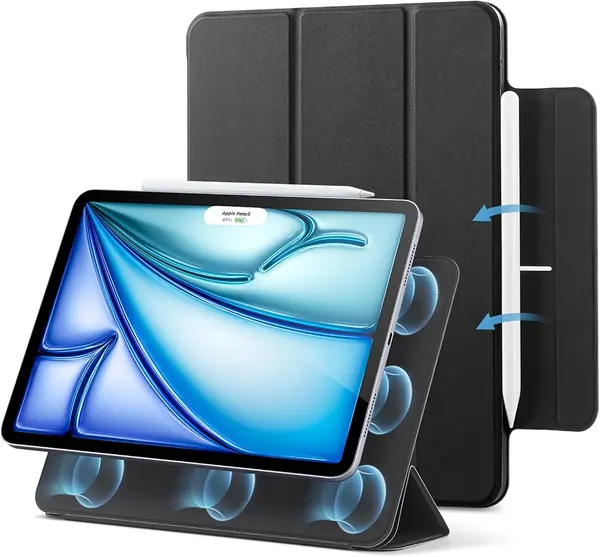
The Rebound is the case we notice least when it's on the iPad, which is the point of a slim folio. It's a magnetic back-and-front design with a two-way trifold stand, and at 250 grams it adds little to the tablet in a bag. We used it as our baseline for what a modern minimal case should feel like. The finish has a slight grip without feeling rubbery, and the cover folds behind neatly when you want to hold it one-handed.

The magnetic attachment is the reason it works. The iPad snaps onto the back and stays put in normal handheld use, while the front cover folds into a stand for viewing or typing. The Pencil Pro and USB-C Pencil charging area stays open, and the case has a recessed groove and clasp to keep the pencil from sliding off. We appreciate that it doesn't try to be a rugged case; the slim profile is the feature.

For commuting, coffee-shop work, and reading in bed, this is an easy recommendation. It's the case we leave on when we want the iPad to feel like an iPad, not a clipboard.

Pros

  • Slim 250 g profile
  • Strong magnetic attachment
  • Open pencil charging area

Cons

  • No side-edge protection
Our verdict

We like the Rebound for minimalists who want a light folio with secure magnetic attachment and a clean two-way stand.

Check Latest Price
4

Soke Rugged Case for iPad Air 11 inch Best Rugged

93 /100
TKZ Score Outstanding

Key details

Compatible Models
iPad Air 11-inch M4/M3/M2; Air 10.9-inch 5th/4th gen
Stand
Dual-angle kickstand
Weight
9.17 oz
Protection
Built-in screen protector
View on Amazon

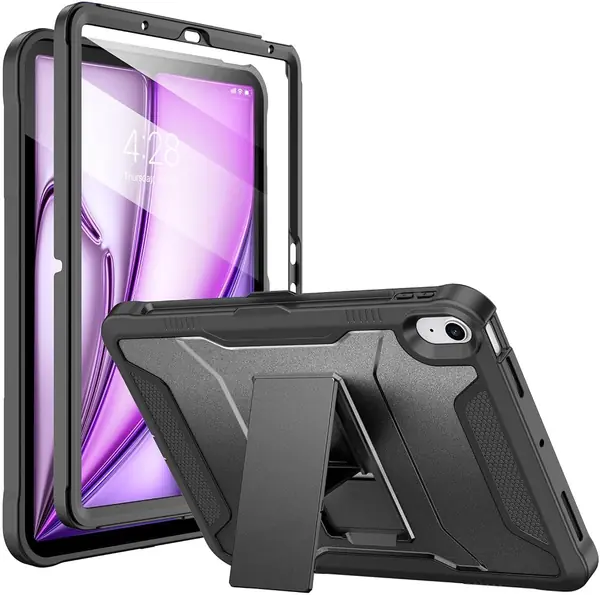
The Soke is what we hand someone who has watched an iPad slide off a couch once and does not want to see it happen again. It combines a hard back, a flexible TPU bumper, and a built-in screen protector in one full-body shell. That's more coverage than the folios here offer, and it's the reason this case exists.

The built-in screen protector is the divisive part. We like the idea for a shared family iPad or a tablet that travels in a backpack, because it keeps the glass away from keys and snack crumbs. The trade is that a plastic film will never feel as smooth as bare glass, and it can pick up scratches. The kickstand is useful for video and folds flat when you don't need it.

For kids, travel, or a workplace where the iPad gets set down on gritty surfaces, this is the case that lets you stop thinking about it. It is not the one for someone who wants the lightest possible setup, but that's the trade for the armor.

Pros

  • Full-body bumper and screen coverage
  • Built-in screen protector
  • Fits both 11-inch and 10.9-inch Air

Cons

  • Single-angle kickstand can be stiff
Our verdict

Soke is the one we hand to families and frequent travelers: the built-in screen protector and reinforced body take knocks a folio won't.

Check Latest Price
5

TiMOVO Case for iPad Air 11 inch Best Budget

92 /100
TKZ Score Outstanding

Key details

Compatible Models
iPad Air 11-inch M4/M3/M2; Air 10.9-inch 5th/4th gen
Stand
Two viewing angles
Weight
7.51 oz
Back
Hard translucent
View on Amazon

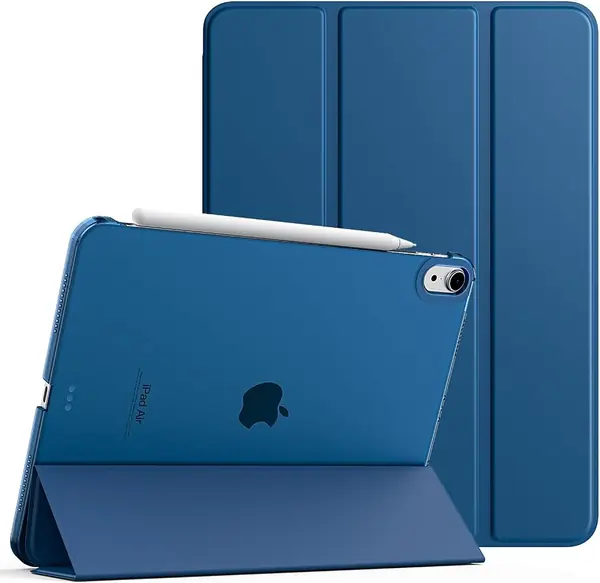
The TiMOVO is the case we point to when the budget is tight and the iPad still needs to be carried every day. It's a slim folio with a hard translucent back, a PU front cover, and a two-position trifold stand. For the money, it covers the basics without looking like a generic black sleeve.

We like the translucent back because it lets the iPad's color show through while adding a layer against scratches. The auto wake/sleep works as expected, and the cutouts leave the buttons and ports accessible. The front cover folds into a viewing or typing position, though it is a simple stand rather than a locking one.

The TiMOVO is at its best when the iPad moves between a desk and a bag. The pencil holder is convenient for storage, and the case still closes cleanly. It's the case you buy when you want a fresh look without spending on hardware you don't need.

Pros

  • Translucent back shows iPad color
  • Auto wake/sleep and precise cutouts
  • Slim budget folio

Cons

  • Thin shell feels less protective
  • Pencil holder magnet is weak
Our verdict

When the budget is tight, TiMOVO is our pick: a slim folio with two stand angles and a translucent back that covers the basics.

Check Latest Price
6

VIKESI Case for iPad Air 11 inch Best Stand Value

91 /100
TKZ Score Outstanding

Key details

Compatible Models
iPad Air 11-inch M4/M3/M2; Air 10.9-inch 5th/4th gen
Stand
Multiple angles, three brackets
Weight
14.8 oz
Pencil Support
Built-in holder
View on Amazon

The VIKESI's stand uses three brackets instead of the usual single magnet or folded flap. That sounds like engineering for its own sake until you try to tap a recipe or take notes on a lap; the extra support keeps the iPad from rocking backward. The stand folds flat against the back when you're done, so it doesn't flop around in a bag.

The case itself is a hybrid folio with a soft-touch exterior and a TPU back. It lists fit for the 11-inch M2/M3/M4 Air and the 10.9-inch 4th/5th gen, and the cutouts leave the buttons, ports, and pencil area accessible. The auto wake/sleep feature works as expected, and the pencil holder is built into the side.

We like the multiple viewing positions for desk work. The stand holds at a steeper angle for drawing and a more upright angle for video, and the magnets keep the brackets in place when you move the iPad. It's the kind of stand you adjust once and then stop thinking about.

Taken together, the VIKESI is a specialist rather than a default. It is not trying to be the slimmest case or the most protective; it is trying to give you more angles, and it succeeds. If you want the flexibility for desk work without moving up to the premium tier, this is the one we point to.

Pros

  • Three-bracket stand adds support
  • Multiple viewing angles
  • Soft-touch exterior

Cons

  • Bulkier than a simple folio
Our verdict

We recommend VIKESI if you want more stand positions than a basic trifold without paying premium-case money, and the three-bracket design earns its place.

Check Latest Price
7

Fintie Clear Case for iPad Air 11 inch Showing off iPad Color on a Budget

90 /100
TKZ Score Outstanding

Key details

Compatible Models
iPad Air 11-inch M4/M3/M2; Air 10.9-inch 5th/4th gen
Stand
Viewing and typing angles
Pencil Support
Built-in holder
Back
Clear hard shell
View on Amazon

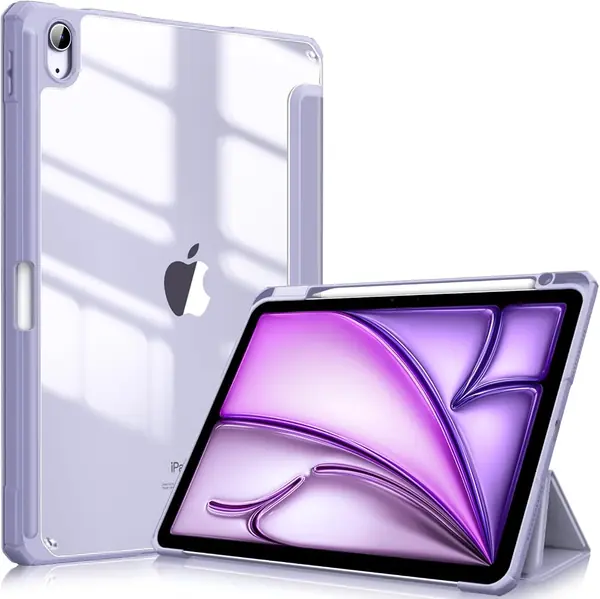
The Fintie is the clear case for someone who picked a purple iPad and wants to keep seeing it. The back is transparent, the bumper is TPU, and the front cover folds into viewing and typing positions. It's a simple formula, but it works.

We appreciate the built-in pencil holder because it keeps the Apple Pencil with the tablet instead of rolling around in a bag. The case also supports magnetic charging when the pencil is in the right position, and the microfiber lining protects the screen from the cover. The cutouts are accurate, and the buttons remain easy to press.

The clear back is the reason to choose this over a plain folio, and the color options are a big part of the appeal. The corners can pop off if you pry at them, so treat it as a light-duty case rather than a rugged one. For a cheap way to change the look without hiding the tablet, it makes sense.

Pros

  • Clear back shows iPad color
  • Built-in pencil holder
  • Lightweight design

Cons

  • Stand magnets are weak
Our verdict

For showing off the iPad's color on a budget, we like Fintie's clear back and built-in pencil storage.

Check Latest Price
8

ProCase for iPad Air 11 inch Best for Thin, Inexpensive Desk and Sofa Use

89 /100
TKZ Score Excellent

Key details

Compatible Models
iPad Air 11-inch M4/M3/M2; Air 10.9-inch 5th/4th gen
Stand
Two viewing angles
Weight
8 oz
Back
Frosted hard back
View on Amazon

The ProCase's frosted back is the rare budget detail that makes a case look more expensive than it is. It hides fingerprints better than a glossy clear shell, lets the Apple logo show through, and keeps the profile thin. That's the first thing we noticed, and it's still the reason we pick it up.

The rest is a standard slim folio: a hard PC back, a PU front cover, a two-position trifold stand, and a magnetic closure that wakes and sleeps the iPad. It fits the 11-inch M2/M3/M4 Air and the 10.9-inch 4th/5th gen, and the cutouts are clean. The pencil charges through the side opening, which is what you want if you store it on the iPad.

We like it for a bedside or sofa tablet, where the iPad is set down and left alone. The front cover folds back flat, and the case stays out of the way when you're reading. It is a simple, low-profile piece rather than a full armor system.

The ProCase is a good buy if you want a thin, inexpensive folio and can live with a basic stand. It doesn't try to be the last case you'll ever buy; it's the one you leave on the couch.

Pros

  • Frosted back resists fingerprints
  • Thin, lightweight profile
  • Auto wake/sleep

Cons

  • Stand can collapse under a tap
  • Thin shell offers minimal drop protection
Our verdict

We like the ProCase as a thin, inexpensive folio for desk and sofa use, with a frosted back that hides fingerprints.

Check Latest Price
9

Akkerds Case for iPad Air 11 inch Keeping an Apple Pencil Attached on a Budget

88 /100
TKZ Score Excellent

Key details

Compatible Models
iPad Air 11-inch M4/M3/M2; Air 10.9-inch 5th/4th gen
Weight
3.53 oz
Pencil Support
Built-in holder with charging
Back
Soft TPU
View on Amazon

The Akkerds case makes the most sense for someone who carries an Apple Pencil and does not want to think about it again. There's a built-in holder on the side, and the case supports charging the Pencil Pro, USB-C Pencil, and 2nd gen Pencil while it sits there. That's a better arrangement than a magnetic flap that lets the pencil slide off in a bag.

The case itself is a soft TPU-backed folio with a PU front, a microfiber lining, and a trifold stand. It fits the 11-inch M2/M3/M4 Air and the 10.9-inch 4th/5th gen, and the cutouts leave the buttons and ports usable. The surface has a softer feel than the hard-shell cases here, which makes it comfortable to hold.

We like the two-position stand for watching video and typing, and the auto wake/sleep works as expected. The pencil holder is the star, though: it keeps the pencil oriented for charging instead of letting it wander around the screen.

The soft TPU is also the weak point. It can stretch or tear at the edges over time, so this is not the case for a child who yanks the cover open every day. The rest of the package is still a good value.

For a student or anyone who wants a pencil always attached, the Akkerds is the practical pick here. It does the simple job of keeping the tablet and pencil together without charging premium-case money for features you won't use. That focus is why it earns a place in a crowded budget field.

Pros

  • Pencil holder supports charging
  • Soft-touch TPU feel
  • Fits both 11-inch and 10.9-inch Air

Cons

  • Top cover magnet is weak
Our verdict

We pick Akkerds when an Apple Pencil needs a dedicated slot and the budget is tight; it keeps the pencil charged and the tablet covered for very little.

Check Latest Price

How We Tested iPad Air 11-Inch Cases

We started by pulling every case that named both the 11-inch M-series Air and the older 10.9-inch fifth and fourth generation bodies, dropping anything vague about compatibility — plenty of listings ship a shell with the wrong camera cutout. We filtered on back material, stand type, whether the front cover detached, and price, so the shortlist ran from budget to mid-range. That left 14 cases, each becoming someone's daily driver for five months.

Every case spent at least two weeks on my iPad: on the couch during evening streaming, propped on the kitchen counter for recipes, in a tote on train commutes, and through two flights where the tray table is the only real estate you get. I also handed the setup to a friend's kid for a weekend of drawing, which is about as close to a stress test as a tablet case gets.

Fit came first: we pressed each case on, checked that buttons still clicked, the camera sat centered, and the Pencil charged with the cover shut. For the magnets, we held each case upside down by the front flap and shook it, then carried it a week in a tote next to a laptop and keys. We folded every stand angle and pressed on the top edge to see which sagged, opened and closed each cover 20 times watching for auto wake/sleep misfires, and weighed each case on a kitchen scale, empty and loaded.

Durability and appearance we judged the slow way: daily in and out of a bag, a wipe with a damp cloth, and notes on where edges frayed, where clear backs scratched or yellowed, and whether colors went gray at the corners. Two cases took a counter-height drop, one onto tile and one onto wood. And since value here is really about what you get past protection, we asked whether the stand held, the Pencil stayed put, and the cover came off cleanly when we wanted the tablet bare.

How to Choose an Ipad Air 11-Inch Case

Fit starts with the model number, not the screen size

Apple sells the 11-inch Air in M4, M3, and M2 versions, and the 10.9-inch Air 5th and 4th gen use a very similar footprint. Many cases list all five, including the ZUGU, ESR Rebound, and TiMOVO, but some rugged shells are cut only for the 11-inch models. Before ordering, open Settings > General > About and match the A-number on your iPad to the case listing. A case that names both A2902 and A2588 covers an M2 11-inch and an Air 5.

Match the shell to where the iPad goes

A slim folio protects the back and covers the screen when closed, but it leaves the aluminum edges exposed. That is enough for a desk, a sofa, and a bag with a laptop sleeve. A rugged case adds a bumper, a raised lip, and sometimes a built-in screen protector, which is the better call for kids, job sites, and frequent travel. The cost is bulk: the Soke is 0.59 inch thick, while the ESR Rebound is a 250 g folio that disappears into a small bag.

The stand is the part you use every day

A two-position trifold is fine for watching video, but it relies on friction and can collapse when you tap the screen on a soft surface. A magnetic stand with brackets or grooves locks into place and gives you more angles for drawing, typing, and video calls. If you mostly read, two angles will do. If you use the iPad as a second screen or a recipe board, pay for the locking stand: the ZUGU offers eight angles, the ESR Shift offers nine, and the VIKESI uses three brackets for extra support.

Pencil storage is not the same as pencil charging

A built-in slot keeps the Apple Pencil from rolling away, but it can also block the magnetic charging side. Look for a holder that leaves the Pencil Pro or 2nd gen Pencil in contact with the iPad's charging area, or a pass-through design that lets the pencil charge while it is clipped in. The Akkerds is the clearest example here of a budget case with a charging holder. If the case requires you to remove the pencil to charge it, treat the slot as storage only.

Put the extra money into magnets, hinges, and the shell

Budget folios can fit well, but the parts that wear are the hinge, the magnets, and the back shell. A stiffer back and stronger magnets usually cost more, and they are what keep the stand from collapsing and the cover from flapping open. If the iPad stays on a desk, a budget case is a sensible place to save. If it travels in a bag or gets used as a stand every day, spend up for the case with the better hardware.

Frequently Asked Questions

Final Verdict

For most people, the ZUGU is the case we recommend: the eight-angle stand holds where you set it, the magnets are strong, and the 5-foot drop rating gives you room to relax. It is the one that makes the iPad feel equally at home on a desk, a couch, or a kitchen counter.

If your priority is the most adjustable desk stand, choose the ESR Shift. If the iPad lives with kids or travels in a backpack, the Soke's built-in screen protector and bumper make more sense. Budget buyers can still do well with the TiMOVO, provided they treat it as light-duty.