Best Rugged iPad Cases for 10Th and 11Th Gen of 2026

An iPad rarely dies from anything that happens on its screen. It dies in the bottom of a backpack, off the edge of a kitchen counter, or in the hands of a 7-year-old who is certain they're being careful. A rugged case is cheap insurance for a several-hundred-dollar tablet, and the ones that actually work are still holding their shape months later.

I've owned cases that felt like armor in the hand but turned out to be a nuisance — buttons that needed two thumbs, a hand strap that stretched out by week three, a kickstand that collapsed every time I tapped the screen. Our team spent the past four months living with 12 rugged cases to sort out which ones earn their bulk. Built-in screen protection is where cheap models give themselves away: film that sits too close to the glass muddies the display and picks up smudges that won't wipe off.

Those four months covered kitchen counters, backpacks, a job site, and more than one drop that made me wince. The picks below are the ones I'd hand to a kid, a contractor, or a frequent flier without a second thought.

The Best Rugged iPad Cases for 10Th and 11Th Gen

1

SUPCASE Unicorn Beetle Pro Best Overall
93 /100
TKZ Score Outstanding

Key details

Weight
6.6 oz
Compatibility
iPad 10th gen and A16 11th gen
Kickstand
45° and 30° angles
Drop Protection
MIL-STD-810G certified
View on Amazon

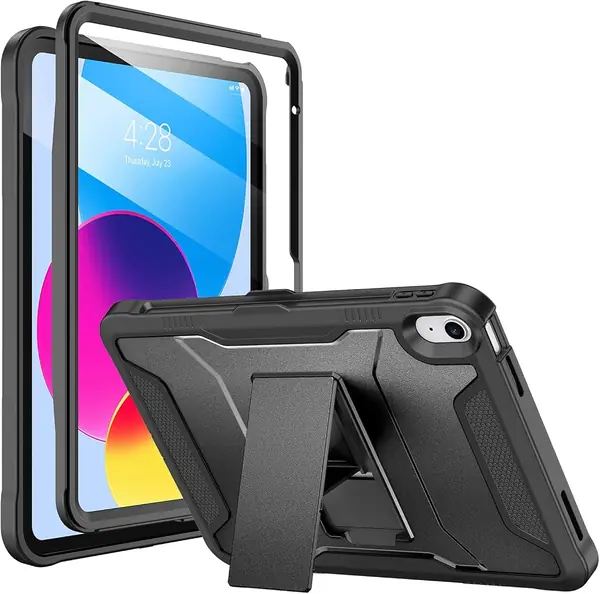
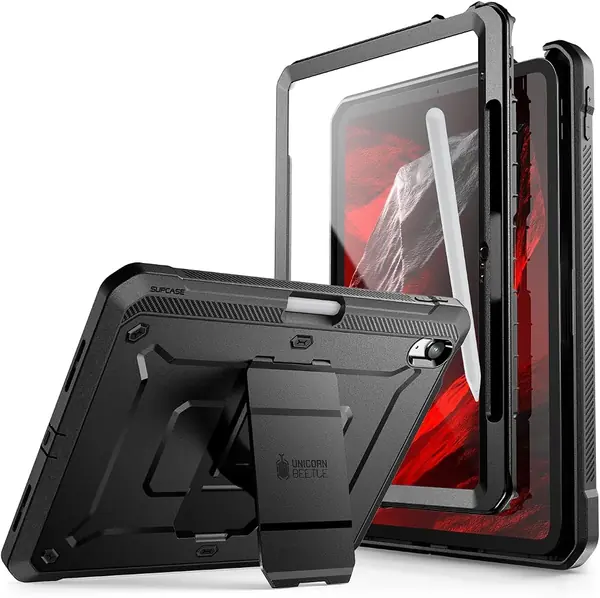
The first thing we check on a rugged case is whether the protection claim has a standard behind it. The SUPCASE Unicorn Beetle Pro carries MIL-STD-810G Method 516.7 certification, and it pairs that with a built-in screen protector, so the iPad gets front and back coverage without a separate glass sheet. The shell is polycarbonate over a TPU bumper, which is the combination we trust for absorbing a corner hit without turning the whole case into a hard brick.

That certified protection is why the Unicorn Beetle Pro is our top pick. It gives you the serious drop rating and a built-in shield, but at 187 g it stays lighter than most of the full-body bundles here. We also like the kickstand: it pops out to a 45-degree viewing angle or flips for a 30-degree typing position, and the pencil holder keeps the Apple Pencil from rolling around in a bag. For a case that lives in a backpack or on a desk, this is the balance we want.

The fit is precise around the buttons, speakers, and charging port, and the case snaps together without a wrestling match. The built-in screen protector is the reason there is no separate glass to align, and we prefer that for a case this protective. The plastic shield will not feel as slick as a bare display, but that is the trade-off for front coverage that is always in place.

Pros

  • Certified MIL-STD-810G drop protection
  • Built-in screen protector and kickstand
  • Lighter than most full-body cases

Cons

  • Plastic screen protector feels less slick than glass
  • Screen protector can sit uneven at a corner
Our verdict

We recommend the Unicorn Beetle Pro as the default rugged case for the iPad 10th and A16 11th gen: certified drop protection, a built-in screen protector, and a stable kickstand in a lighter package.
Check Latest Price
2

SEYMAC Stock Rugged Case Best with Hand and Shoulder Straps

92 /100
TKZ Score Outstanding

Key details

Weight
12.7 oz
Compatibility
iPad 10th gen and A16 11th gen
Protection
Full-body, built-in screen protector
Carry
360° hand strap, shoulder strap
View on Amazon

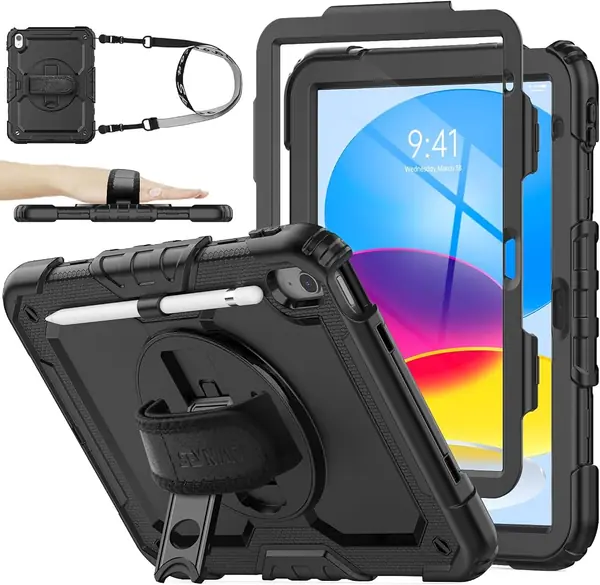
A hand strap and a shoulder strap are the reason to look at the SEYMAC Stock. The case bundles a 360-degree rotating hand strap and stand with a detachable shoulder strap, plus a built-in screen protector and a pencil holder. That turns the iPad into something you can carry over a shoulder or hold one-handed while reading, which is more than most rugged shells here offer.

The rest of the package is familiar but well executed: a soft silicone exterior, a hard inner shell, port plugs, and precise cutouts. We like the grip of the silicone on a table, and the rotating stand moves between portrait and landscape without feeling loose. The straps make the case easier to manage when you are carrying the tablet from room to room.

We put the SEYMAC just behind the SUPCASE because the frame is the question mark. The front and back pieces can fail to lock together, and that is the seam you need solid in a drop. If yours snaps down firmly, the SEYMAC gives you the full carrying bundle: hand strap, shoulder strap, and stand. If it does not, return it before the iPad goes in.

Pros

  • Hand and shoulder straps included
  • Full-body shell with built-in screen protector
  • 360° rotating stand and pencil holder

Cons

  • Noticeably heavier than the top pick
Our verdict

We recommend the SEYMAC Stock when you want a full-body rugged case with a hand strap and shoulder strap built in; just check that the front frame locks down before you trust it.

Check Latest Price
3

OtterBox Defender Series Best for Maximum Drop Protection

91 /100
TKZ Score Outstanding

Key details

Weight
1.01 lb
Compatibility
iPad 10th gen and A16 11th gen
Drop Protection
2x MIL-STD-810G standard
Stand
Four-position
View on Amazon

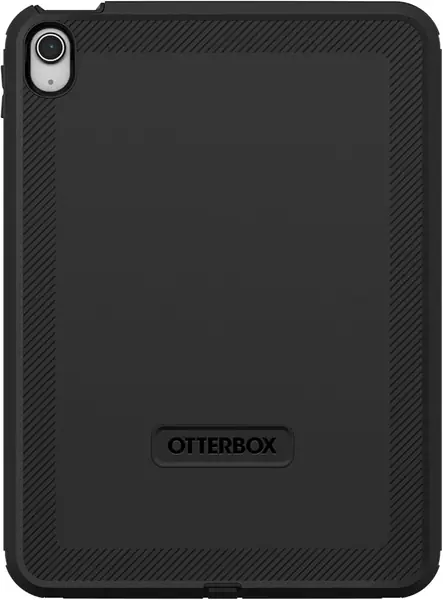
OtterBox's Defender is the most recognizable name in rugged iPad cases, and the hardware explains why. It uses a hard inner shell, a soft outer slipcover, a built-in screen protector, port covers, and a four-position stand, with a claim of twice the military drop standard. The case also has Apple Pencil storage and dual lanyard attachment points.

We recommend the Defender when the iPad's main job is to survive. It has the most defensive multi-layer build here, and the port covers are a real advantage in dust, crumbs, and grime. The catch is the stand: it can stick or feel floppy, and it is the piece we trust least. If you rarely prop the iPad up, that trade-off is easier to take.

The Defender is also one of the heaviest cases in this group. That is a real cost, but it buys the closest thing here to a dedicated work shell. The built-in screen protector and pencil storage keep it practical, and the water-repellent finish helps with splashes. For a tablet that gets knocked around more than it gets propped up, the Defender makes sense.

Pros

  • Twice the military drop standard
  • Multi-layer shell with port covers
  • Built-in screen protector and pencil storage

Cons

  • Costs more than the other picks
Our verdict

We recommend the Defender for iPad owners who put drop protection above all else; its multi-layer shell and port covers are the most serious defense here.

Check Latest Price
4

AZZSY Heavy Duty Case Best Budget

90 /100
TKZ Score Outstanding

Key details

Weight
11.3 oz
Compatibility
iPad 10th gen and A16 11th gen
Protection
Shockproof PC and silicone
Kickstand
Built-in
View on Amazon

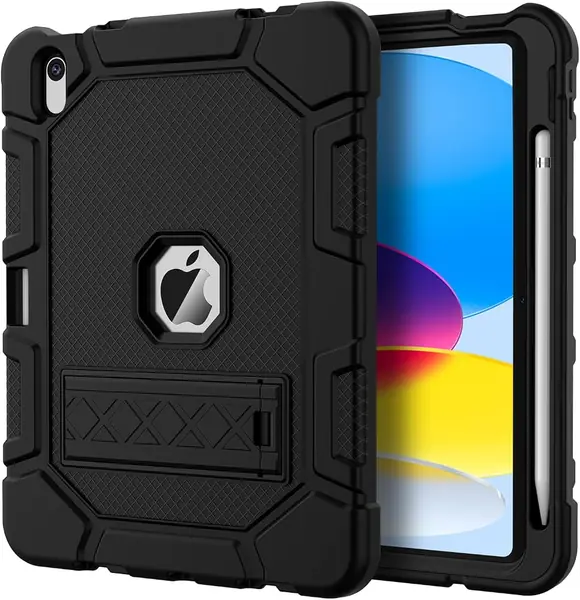
The AZZSY is the case we point to when the budget is the first decision. It still gives you a heavy-duty PC and silicone body, a built-in kickstand, and an Apple Pencil holder, so the basics of a rugged case are here. For a tablet that mostly moves between a desk, a couch, and a backpack, that is enough.

What you get is a heavy-duty shell, not a stripped-down toy. The kickstand pops out for video and folds away flat, and the pencil holder keeps the Apple Pencil from getting lost. We also found the case easy to put on and take off, which matters when you need to clean the screen or swap a screen protector. The 0.32 kg weight keeps it from feeling like a brick.

The AZZSY is a simpler shell than the SEYMAC or BATYUE, and it does not feel as armored as the OtterBox. We think that is a fair trade for the lower price. If you want a kickstand and a pencil holder without paying for a full carrying system, this is the one we reach for.

Pros

  • Budget-friendly rugged protection
  • Built-in kickstand and Pencil holder
  • Easy to install and remove

Cons

  • Kickstand is a basic pop-out design
Our verdict

We recommend the AZZSY as the budget rugged case for iPad 10th and A16 11th gen owners who want a kickstand and Pencil holder without paying for extras they do not need.

Check Latest Price
5

BATYUE Heavy-Duty Case Best for Kids and Classrooms

89 /100
TKZ Score Excellent

Key details

Weight
1.23 lb
Compatibility
iPad 10th gen and A16 11th gen
Protection
Four-layer, built-in screen protector
Carry And Stand
360° stand, handle, shoulder strap
View on Amazon

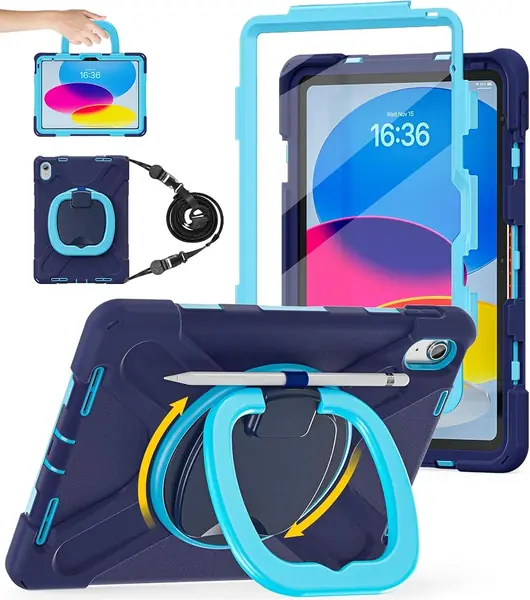
The BATYUE looks like the case you buy when the iPad is shared. It combines a four-layer shell with a built-in screen protector, a 360-degree rotating stand and handle, a shoulder strap, and a pencil holder. That is a lot of hardware, but it is aimed at a specific kind of use: a tablet that gets carried, propped up, and handed between people.

The soft silicone outer layer is the part that makes it comfortable to hold, and the handle is the feature kids reach for. The stand rotates between portrait and landscape, and the shoulder strap lets a child carry the iPad across a room without gripping the screen edges. The cutouts line up cleanly, and the buttons stay easy to press through the silicone.

We like it most for kids and classrooms because the case gives a child a way to carry the iPad without gripping the screen edges. The stand stays put on a table, and the built-in protector takes the worry out of a shared tablet. For an adult who mostly uses the iPad on a desk, the BATYUE is more case than you need.

Pros

  • Built-in screen protector included
  • Rotating handle and shoulder strap
  • Kid-friendly full-body coverage

Cons

  • Heavier than the other picks
Our verdict

We recommend the BATYUE for families and classrooms where the iPad gets passed around: the built-in screen protector, rotating handle, and shoulder strap make it easy to carry and hard to drop.

Check Latest Price
6

ProCase Rugged Case Best for Light One-Handed Use

88 /100
TKZ Score Excellent

Key details

Weight
12.7 oz
Compatibility
iPad 10th gen and A16 11th gen
Protection
Triple-layer PC and TPU
Carry And Stand
Hand strap, shoulder strap, 360° stand
View on Amazon

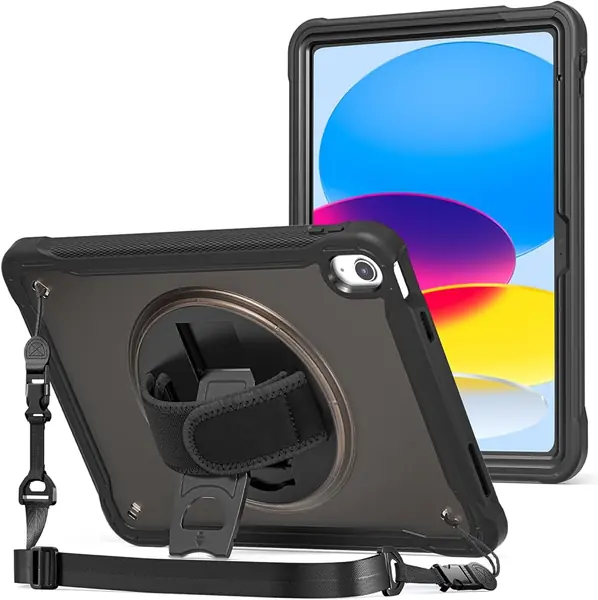
The ProCase Rugged Case is a lighter alternative to the heaviest full-body bundles, and it still gives you a hand strap and shoulder strap. The translucent frosted back lets the tablet's color show through, and the 0.36 kg build is easier to hold than the BATYUE or OtterBox. We like that combination for everyday carry, where you want protection without a case that feels like a toolbox.

It still covers the working parts: a triple-layer PC and TPU body, a 360-degree rotating kickstand, a hand strap, a shoulder strap, and a pencil holder. The hand strap is centered on the back, which makes one-handed reading feel secure, and the shoulder strap is removable when you do not need it. The stand rotates between portrait and landscape, and the cutouts leave the buttons and ports accessible.

We rank the ProCase below the main picks because it is less armored than the full-body cases with built-in screen protection. If you already use your own screen protector or you prefer a lighter case with straps, it is a sensible middle path. The translucent back is also the nicest-looking option here, which counts for something on a tablet you carry every day.

Pros

  • Lighter than the heaviest bundles
  • Hand and shoulder straps included
  • Translucent back shows tablet color

Cons

  • Kickstand can be stiff to deploy
Our verdict

We recommend the ProCase for comfortable one-handed use: the hand strap, shoulder strap, and translucent back make it a practical rugged shell for everyday carry.

Check Latest Price
7

Soke Rugged Full-Body Case Budget Screen Coverage

87 /100
TKZ Score Excellent

Key details

Weight
8.47 oz
Compatibility
iPad 10th gen and A16 11th gen
Protection
Full-body, built-in screen protector
Kickstand
Dual-angle
View on Amazon

The Soke does the one thing budget rugged cases often skip: it includes a built-in screen protector along with a hard PC back and a flexible TPU bumper. That gives the iPad front and back coverage without a separate glass purchase. The case also has a dual-angle kickstand, precise cutouts, and a place for the Apple Pencil.

The kickstand is the feature we use most on a case like this, and the Soke's dual-angle design is enough for watching video or propping the iPad up for a recipe. The cutouts line up with the buttons and ports, and the TPU bumper has enough give to absorb a knock without making the case hard to hold.

The everyday annoyances are real. The port cover is stiff enough to be fiddly, and the case is not as easy to live with as the top picks. Those are the reasons it stays an also-consider rather than a main pick.

We keep the Soke as an also-consider for budget buyers who want a built-in protector and do not need the case to do everything. The surprise is the weight: at 0.24 kg, it is one of the lightest full-body cases here and does not make the iPad feel like a clipboard. If you want the easiest long-term ownership, the SUPCASE or SEYMAC is the smoother choice.

Pros

  • Built-in screen protector
  • One of the lightest full-body cases
  • Dual-angle kickstand

Cons

  • Kickstand can be stiff and fragile
  • Case can be hard to open for cleaning
Our verdict

We recommend the Soke only for budget shoppers who want a built-in screen protector and can accept a few everyday compromises; the top picks are easier to live with.

Check Latest Price

How We Tested Rugged iPad Cases

We started with roughly 40 listings and cut anything that didn't name the exact iPad generation it fit, anything that claimed drop protection without covering the corners or the screen, and anything priced like a premium case that shipped without a screen protector or a strap. That left 12 cases, which we used daily for four months.

Fit came first. Each case went on and came off at least a dozen times while we timed the install, checked that the camera, ports, and speaker cutouts lined up, and noted whether the buttons still clicked without a fight. We slid a pencil into every holder to confirm it stayed put and kept charging, then carried each case one-handed on walks and up a ladder to see how the hand straps and shoulder straps behaved after an hour of use.

For protection, we dropped each case from about four feet onto a concrete garage floor and a hardwood stair, then checked the corners for cracks and the tablet for damage. Kickstands went onto an airplane tray table, a kitchen counter, and a stroller canopy, where we counted how many times each one slipped or folded shut on its own. Screen protectors were smeared with jam and sunscreen, wiped, and inspected for grit trapped underneath.

Over the four months we watched for scuffs, loosening hinges, stretched straps, and dust creeping in behind the film. We also tallied what came in the box against the price, since a case that throws in a screen protector and a strap is a different value proposition than one that sells them separately.

How to Choose a Rugged Ipad Case

Match the Case to Your iPad's Model Number

Rugged cases are molded for a specific tablet, so the model number is the first thing to check. The picks here fit the 10.9-inch iPad 10th gen (A2696, A2757, A2777) and the 11-inch iPad A16 11th gen (A3354, A3355, A3356). A case for one generation will not fit the other, even though both are sold as 10.9- or 11-inch iPads. Write the number down before you shop, and treat any listing that does not name your model as a no.

Look for a Standard, Not Just Thick Corners

A thick bumper is easy to mold and hard to judge. A useful rugged case also tells you what standard it meets, such as MIL-STD-810G, and how many layers it uses. The SUPCASE Unicorn Beetle Pro is the clearest example here: its drop rating is certified, and it adds a built-in screen protector. The OtterBox Defender claims twice the military drop standard and adds port covers. We prioritize a stated drop standard and front coverage over a vague heavy-duty label.

Decide How Much Bulk You Will Carry

Weight is where the rugged case becomes a daily annoyance or a daily reassurance. The cases here run from 187 g to 0.56 kg, and the difference is obvious in one hand. If you read in bed or carry the iPad in a tote, a lighter shell like the SUPCASE or ProCase makes more sense. If the tablet lives with kids, in a classroom, or in a workshop, the extra mass of the BATYUE or OtterBox buys coverage you may be glad to have.

Test the Stand and Straps Before You Rely on Them

Stands and straps are the features that separate a rugged case from a sealed brick, but they are also the parts most likely to disappoint. Open and close the kickstand several times, check that it locks at the angle you need, and make sure it does not sag under the iPad's weight. If you carry the tablet around, a hand strap or shoulder strap is worth more than another viewing angle; the SEYMAC Stock and BATYUE include both.

Plan for Installation, Cleaning, and Screen Protector Care

Multi-layer cases can be fussy to install, and a built-in screen protector needs a clean start. Wipe the iPad screen, remove lint, and snap the case closed evenly around all four corners. Every few weeks, take the case apart and clean the inside; grit trapped against the screen is worse than no protector. If the case already has a built-in plastic shield, do not add a glass protector on top—stacking them can hurt touch response and make the screen harder to read.

Frequently Asked Questions

Final Verdict

For most people, the SUPCASE Unicorn Beetle Pro is the rugged iPad case we recommend first. It has certified drop protection, a built-in screen protector, and a kickstand that does not turn the iPad into a brick. If you need to carry the tablet hands-free, choose the SEYMAC Stock for its hand and shoulder straps; if maximum defensive coverage matters more than a fussy stand, the OtterBox Defender is the premium step up.