Best iPad Air Keyboard Cases of 2026

Adding a keyboard to an iPad Air is the moment the tablet stops being a streaming screen and becomes the thing you draft emails on. The trouble is you're always trading something: the slimmest folios pack flat but type like wet sponges, and the ones that feel like a real laptop add bulk you notice by noon. A good case splits that difference for the way you actually work.

We've spent six months with 12 of them, and the differences that matter aren't printed on the box. Connectivity is the sneaky one: some keyboards pair over Bluetooth and carry their own battery, which means another cable and a pairing dance when you switch devices, while others pull power from the iPad the moment the magnets snap shut. Trackpad size matters more than photos let on, too.

Those months also sorted the sturdy from the merely pretty — frayed corners, floppy hinges, shiny keycaps, and the handsomest ones weren't the survivors. What follows runs from a folio light enough to forget to a setup that stands in for a laptop.

The Best iPad Air Keyboard Cases

1

ESR Flex Series Keyboard Case Best Overall
89 /100
TKZ Score Excellent

Key details

Compatible Models
iPad Air 11-inch M4/M3/M2, Air 5th/4th gen
Weight
1.17 lb
Trackpad
Extra-large, multi-touch
Viewing Angles
Two (65° and 20°)
View on Amazon

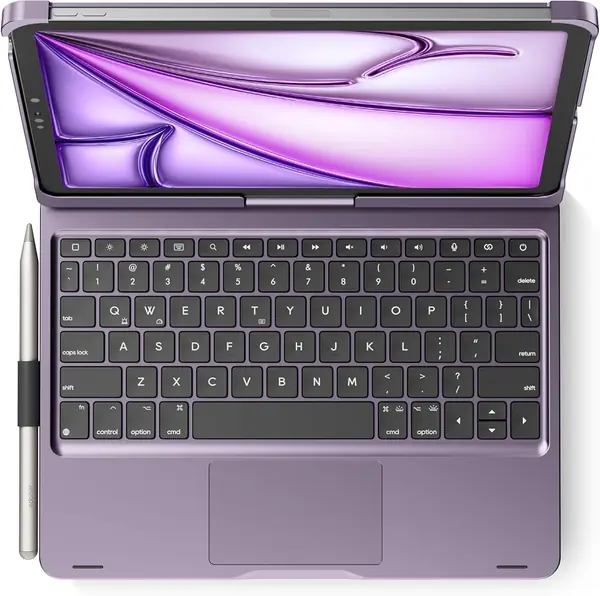
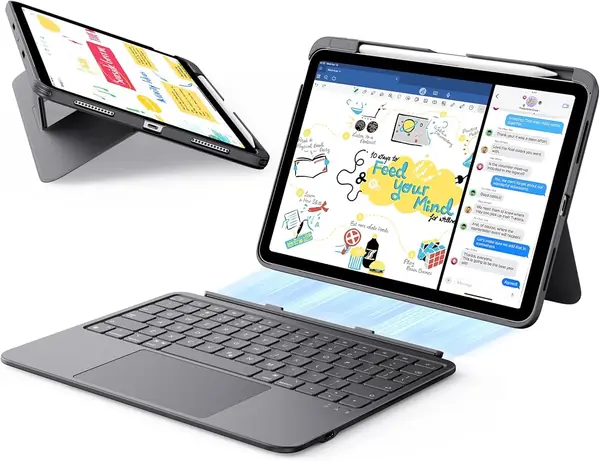
The keyboard on the Flex Series is a separate 6.9 mm slab that snaps onto the case magnetically and lifts off when you want the iPad alone, and the whole kit comes in at 530 grams. That's the trick the rest of this list is chasing: a keyboard case light enough that you stop deciding whether to bring it.

We think it's the best default here because nothing else balances the three things that actually matter — weight, a usable trackpad, and a stand that doesn't wobble — this evenly. Apple's Magic Keyboard weighs nearly twice as much, and the aluminum BOBOLEE is a desk tool by comparison. The Flex goes into a tote with a charger and a paperback and you forget it's in there.

The trackpad earns its space. ESR quotes a pad 65 percent larger than a standard keyboard's, and the extra area shows up in three-finger swipes and in selecting a line of text without a second pass. It's glass with an anti-glare, anti-fingerprint coating, which matters more than it sounds on a case you'll use in a car, a cafe, or a dim living room.

Two fixed angles cover the common cases — 65 degrees for typing and watching, 20 for sketching. The keyboard charges on its own USB-C cable rather than drawing from the iPad, so it's one more thing to top up before a trip. What we didn't expect is how well the triangular support holds on a lap; the groove-style cases can't do that.

Pros

  • Detachable keyboard converts it to a plain folio
  • 530 g kit is easy to carry all day
  • Large glass trackpad for gestures and text selection

Cons

  • Two fixed angles, no portrait mode
Our verdict

We recommend the Flex Series to almost everyone: it's the lightest case here that still gives you a real trackpad and a steady stand.
Check Latest Price
2

Apple Magic Keyboard Best Premium

88 /100
TKZ Score Excellent

Key details

Compatible Models
iPad Air 11-inch (M2, M3, M4), Air 4th/5th gen
Weight
2.14 lb
Hinge
Two-cantilever, adjustable angle
Charging
USB-C pass-through
View on Amazon

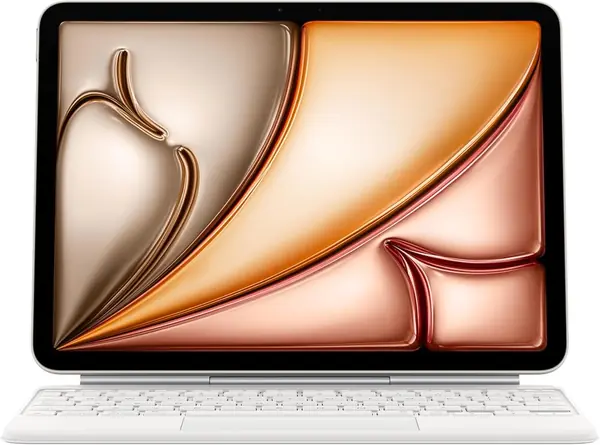
This is the most expensive case here by a wide margin, and it's the only one that costs about as much as a budget tablet. The two-cantilever hinge is what you're paying for: it holds any angle you set, lifts the screen clear of the keys, and stays where you put it. There's a full 14-key function row up top and a trackpad that behaves like a laptop's.

Nothing to charge, nothing to pair. The Magic Keyboard draws power through the iPad's connector, so a weekend away doesn't add another cable, and its USB-C port passes charging through so the iPad can stay plugged in while the keyboard is attached. It goes on magnetically and comes off in one motion when you want to draw.

If typing is the reason your iPad leaves the house, this is the one we recommend, and the money is easier to justify than the price suggests: the keys have the most travel here, the deck doesn't flex under a heavy hand, and the whole thing folds into something that feels like a small laptop rather than a tablet with a cover.

It covers the front and back but doesn't wrap the edges, so treat it as scratch protection rather than drop protection. And there's no backlight at all — in a dim room or on a night flight you're typing by feel, which is a strange thing to accept at this price. If you work in the dark often, the runelk gets you lit keys for far less.

Pros

  • Best typing feel of the cases here
  • No separate charging or pairing to manage
  • Hinge holds any angle you set

Cons

  • 2.14 pounds, about double a bare iPad Air
  • No backlight at any price
Our verdict

Buy this one if you type more than you draw and want the best keys in this group, and accept that you're paying for the hinge.

Check Latest Price
3

runelk Magic-Style Keyboard Case Best Magic Keyboard Alternative

87 /100
TKZ Score Excellent

Key details

Compatible Models
iPad Air 11-inch M4/M3/M2, Air 4/5, Pro 11-inch (1st-4th gen)
Stand
Magnetic floating cantilever
Battery
750 mAh
Backlight
Single color, 3 levels
View on Amazon

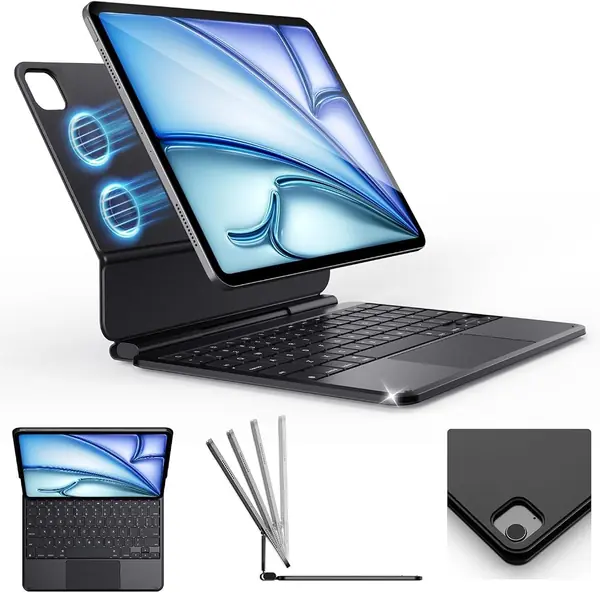
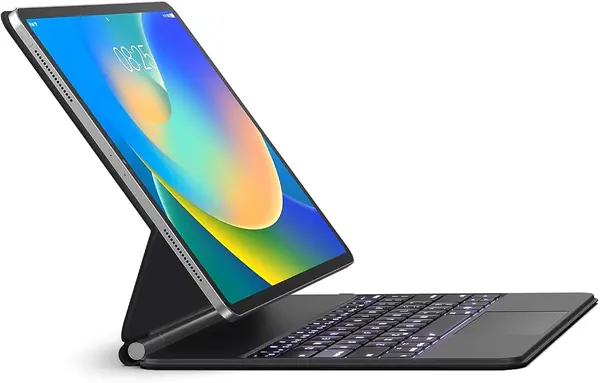
Apple's floating hinge is the shape everyone here copies, and this is the best copy in the set: a magnetic back plate, a cantilever stand that lifts the screen clear of the keys, a real multi-touch trackpad, and a backlight with three brightness levels. We recommend it to anyone who wants that laptop posture without paying first-party prices.

Setup is a Bluetooth pairing and nothing else, and the keys have enough travel that an hour of typing doesn't turn into a hunt for rhythm. The vegan leather wrap looks better than the money suggests, and the stand holds its angle when you push the screen back. It behaves like a much more expensive case right up until you press the trackpad.

Which is the compromise. The trackpad click needs a firm, deliberate press, and dragging a window or selecting a paragraph takes more thumb than it should. Tapping and two-finger scrolling are fine. If your day is text and taps, you won't mind; if you drag files around, the Apple trackpad is the one that won't wear you out.

The magnet holds the tablet for typing but isn't something to carry the case by with the screen open, so close it before you hook a finger through. Sized against the Pro 11-inch as well as the Air, it's also the pick here for anyone juggling both tablets.

Pros

  • Floating cantilever stand in Apple's style
  • Backlit keys with three brightness levels
  • Trackpad and gestures work smoothly
  • Costs a fraction of the Apple pick

Cons

  • Trackpad click is stiff for dragging
  • Keyboard needs its own charging cable
Our verdict

Our pick for anyone who wants Apple's floating-hinge ergonomics without Apple money, as long as a stiff trackpad click doesn't bother you.

Check Latest Price
4

BOBOLEE Aluminum Keyboard Case Best Laptop-Style Build

86 /100
TKZ Score Excellent

Key details

Compatible Models
iPad Air 11-inch M4/M3/M2, Air 5/4, Pro 11-inch (1st-4th gen)
Trackpad
120 Hz glass
Battery Claim
Up to 90 days typing
Keyboard Panel
Aluminum
View on Amazon

Open this one and the iPad stops feeling like a tablet. The panel is aerospace-grade aluminum that stays matte and resists the shine plastic decks develop, the trackpad is glass with a 120 Hz sampling rate, and there are 14 shortcut keys for volume, media, and brightness.

The spill claim is the detail that surprised us: BOBOLEE rates the deck IPX4, which turns a knocked-over coffee into a wipe rather than a dead keyboard. The part that matters day to day, though, is rigidity. An aluminum deck doesn't flex, so the keys stay under your fingers where you expect them, and the stand sets to about 125 degrees, which puts the screen at a comfortable height for reading documents.

The stand is magnetic rather than hinged, and that's the trade. On a desk it's solid, with no wobble when you tap the screen; on a cushion or a lap it can shift, so this is a case for people who work at a table. If you type in bed, one of the groove designs is steadier.

We recommend it for desk-heavy days, and the two-year warranty is the longest in this group. Check the model list before you order, though: it fits the Air 11-inch and Pro 11-inch up to the fourth generation, and BOBOLEE is explicit that it doesn't fit the base iPad or the Pro 11-inch M4.

Pros

  • Aluminum deck stays rigid under typing
  • Glass trackpad with 120 Hz sampling
  • IPX4 spill resistance
  • Two-year manufacturer warranty

Cons

  • Not for base iPad or Pro 11-inch M4
  • Aluminum adds noticeable heft
Our verdict

We point desk workers here: the aluminum deck and glass trackpad make the iPad feel like a small laptop, and the spill rating is real insurance.

Check Latest Price
5

Harvopu Keyboard Case for iPad Air Best Budget

85 /100
TKZ Score Excellent

Key details

Compatible Models
iPad Air 11-inch M4/M3/M2, Air 5th/4th gen
Stand
Three anti-slip grooves
Battery
400 mAh
Backlight
Seven colors
View on Amazon

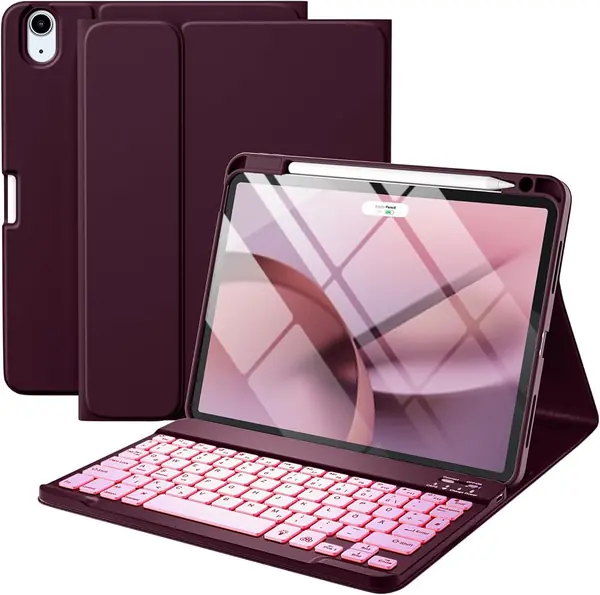
Cheap enough to try and good enough to keep: this is our budget pick, and it arrives with a detachable backlit keyboard, a pencil tray that charges the Apple Pencil, and three anti-slip grooves for the stand.

The detachable part is what makes it worth more than the price. The keyboard is held on by magnets and comes off completely, so the iPad turns into a tablet for drawing or reading without a case swap. Seven backlight colors are a small pleasure on a night train, and the pencil tray means the Pencil charges instead of sitting loose in a pocket.

Three grooves beat a two-angle stand for finding something workable on a tray table, and the TPU shell takes a knock without cracking. The keyboard is the part to be careful with: units can stop responding or fail within the first month of light use, so buy it somewhere the return is easy and pair it the day it arrives.

That's the calculation with a case this cheap — you're accepting a shorter expected life for a fraction of the money. The color range is the widest here, which matters more than reviewers of keyboard cases usually admit.

Pros

  • Seven backlight colors at a budget price
  • Pencil tray holds and charges the Pencil
  • Three grooves give real angle choice
  • Keyboard detaches for tablet mode

Cons

  • Cutouts can sit slightly off the buttons
Our verdict

We recommend it as a first keyboard case or a second one for a student — a lot of function for very little money, with a keyboard that may not last.

Check Latest Price
6

edaiser Swivel Keyboard Case Best for Portrait Mode

83 /100
TKZ Score Excellent

Key details

Compatible Models
iPad Air 11-inch M4/M3/M2, Air 4/5, Pro 11-inch (1st-4th gen)
Weight
1.3 lb
Battery Claim
180 hours typing, backlight off
Rotation
360° swivel, 180° lay-flat
View on Amazon

Read in bed, sketch on the couch, or hand the iPad across a table, and you want portrait. The edaiser swivels a full 360 degrees in its holder, so the screen turns from landscape to portrait without unclipping anything, and it lays flat at 180 for two people looking at the same thing. There are 78 keys and a multi-touch trackpad underneath.

We recommend it to anyone whose iPad is more sketchbook than laptop, because the swivel is the one feature the other picks can't match and it feels engineered rather than tacked on — stiff at first, in the way you want a hinge to be stiff, so the screen doesn't drift while you draw. The backlight runs seven colors at three brightness levels, and edaiser rates the battery at 180 hours of typing with the light off.

The tablet is held by edge clips rather than a full shell, and it can work loose over time, so press it firmly into the frame when you fit it, check the corners after a few weeks, and close the case before you pick it up by the screen. Those are the habits this design asks for, and they're worth it for a hinge nothing else here has.

Pros

  • 360-degree swivel to portrait and back
  • Lays flat at 180 degrees for sharing
  • Seven backlight colors at three levels
  • Trackpad with multi-finger gestures

Cons

  • 1.3 pounds, heavier than the tablet
  • Charging can stop working after a few months
Our verdict

Choose this one if you read or sketch in portrait; the swivel is genuinely useful and nothing else here offers it.

Check Latest Price
7

ZKTUYU Keyboard Case for iPad Air Trying the Format

82 /100
TKZ Score Excellent

Key details

Compatible Models
iPad Air 11-inch M4/M3/M2, Air 5th/4th gen
Keyboard
Detachable Bluetooth
In The Box
Case, keyboard, USB cable
Case Material
Synthetic leather, TPU shell
View on Amazon

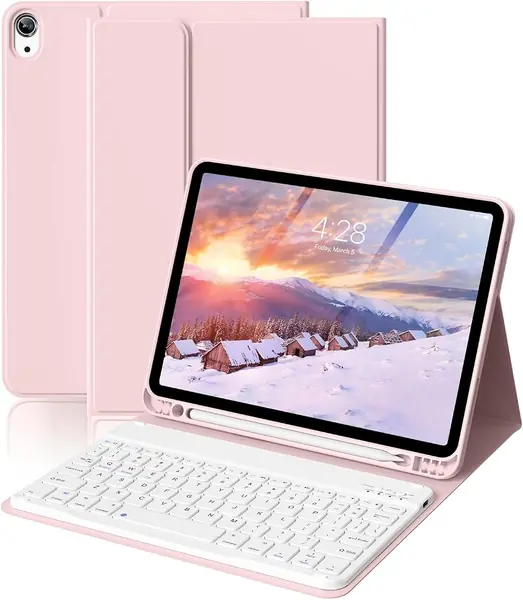
The lowest price here buys the least, and it's honest about it: a folio with a detachable Bluetooth keyboard, a pencil slot, a magnetic multi-angle stand, and auto sleep/wake. That's the whole package — case, keyboard, charging cable, and a user guide.

What you get for that is sensible. The outside is synthetic leather over a soft TPU shell with a honeycomb grid inside, which is the same basic construction as cases costing several times more, and the keyboard lifts out so the iPad can be a tablet again. For email, notes, and a document here and there, it's enough.

We think of it as a trial purchase. If you're not sure a keyboard case suits how you use the iPad, this is the cheapest way to find out, and it's also the right pick for a kid or a spare tablet that only types occasionally. Pair it the day it arrives, type a full page, and give it a week before you decide whether the format suits you.

Pros

  • Lowest entry point of the cases here
  • Detachable keyboard for tablet mode
  • Auto sleep/wake saves the battery

Cons

  • Magnetic stand holds at fewer angles
Our verdict

Try a keyboard case with this one if you're unsure about the whole idea, then upgrade once you know you'll type daily.

Check Latest Price

How We Chose and Tested iPad Air Keyboard Cases

We started with research rather than a shopping cart, reading through listings for cases built for the 11-inch iPad Air across the last several generations and filtering out anything that fit only one model year. From what was left, we picked a spread of prices and formats — slim folios, detachable magnetic keyboards, aluminum-topped designs, backlit models — so the pool looked like the shelf does. Twelve made the cut.

Then we lived with them for six months. Each case got time on a lap on the couch, on a coffee shop table, on a tray table at 30,000 feet, and on a desk through full workdays, and each was carried loose in a tote alongside keys and a water bottle. We timed setup from unboxing to first keystroke and counted how many attempts pairing took. For responsiveness, we typed the same 1,000-word draft on every keyboard, noting dropped letters, mushiness, and keys that needed a harder press, then ran identical trackpad gestures: two-finger scroll, three-finger swipe, and dragging a selection across a single word.

Magnets got rougher treatment. We held each case upside down by the iPad and shook it, then tapped hard at the screen to see whether the viewing angle drifted. Bluetooth models were logged until their batteries died; the ones that draw power from the iPad were watched for any charging at all. Fit was checked at the camera, the ports, and the Pencil slot, then checked again a month later to see if the shell had stretched. Appearance was judged in daylight and in a dark room with the backlight on, since fingerprints and light bleed both look worse than the product photos suggest. Value came last: we weighed the price against how much of each case we actually wanted to keep using.

How to Choose an Ipad Air Keyboard Case

Start With the Model Number, Not the Product Name

The iPad Air 11-inch has been sold in several generations, and the listings prove fit with model numbers rather than marketing names: A2902 and A2903 for the M2 Air, A3266 and A3267 for the M3, A3459 for the M4, plus the older 10.9-inch Air 4th and 5th generation. You'll find yours under Settings, then General, then About.

If you own the 13-inch iPad Air, none of the cases here will fit. You need a case listed for that size specifically, and most keyboard cases are built for the 11-inch body, so check before you fall for a design.

Detachable Keyboard or a Fixed Laptop Deck

There are two families here. The classic keyboard folio — the ESR Flex, the Harvopu, the ZKTUYU — has a keyboard that lifts off completely, so the iPad becomes a tablet for drawing or reading without a case swap, and it's the lightest way to add keys. Floating cantilever designs like Apple's and the runelk keep the screen up on a hinge and behave much more like a laptop.

The cantilever buys posture and costs weight, and it rarely gives you a clean tablet mode. If you draw, read, or hand the iPad to someone else more than half the time, buy detachable.

The Stand Decides Where You Can Work

A grooved stand is a desk tool. Three grooves give you angles, but on a cushion or a train tray the tablet tips back, which is why we treat groove designs as table-only. A hinged kickstand or cantilever holds its angle on a lap, and a 360-degree swivel like the edaiser's adds portrait — worth having if you read comics, mark up PDFs, or take notes upright.

Decide where you actually type before you count angles. A case that offers five angles on a table is less useful than one that holds a single angle on your knees.

Trackpad, Backlight, and What a Battery Claim Means

A trackpad is the difference between using the iPad and reaching over it. It's the feature worth protecting: without one, selecting text means lifting a hand to the screen every time. Backlighting matters only if you work in dim rooms, and it's missing from the most expensive pick here, so don't assume price buys it.

On power, Bluetooth keyboards charge on their own cable, while models that draw from the iPad through its connector never need charging at all. Treat a 90-day battery claim as hours-per-day math and assume it's measured with the backlight off.

Weight Is What Decides Whether It Leaves the House

A keyboard case is the heaviest accessory most people buy for an iPad, and the spread in this group is wide: 530 grams for the ESR Flex, 1.3 pounds for the edaiser, 2.14 pounds for the Apple Magic Keyboard. Compare total kit weight rather than keyboard thickness.

If the case lives on a desk, weight costs you nothing and a rigid deck is worth the heft. If it goes into a bag every morning, that figure matters more than any other specification on the page.

Frequently Asked Questions

Final Verdict

For most people the ESR Flex Series is the case to buy: light enough to carry daily, detachable when you want a tablet, steady at two angles, and fitted with a trackpad that handles real work.

The Apple Magic Keyboard earns its price only if typing is the main job and you can live without a backlight. If you read or sketch in portrait, start with the edaiser instead — the swivel is the one thing nothing else here does.