Best iPad Keyboard Cases of 2026

A keyboard case is supposed to turn your iPad into a laptop. The wrong one turns it into a brick: twice as heavy, wobbling on your knees, and mysteriously dead every time you open it. I've owned enough of them to know the difference hides in details the product photos never show — how the stand holds, how the keys connect, and whether the battery still takes a charge in month six.

My team and I spent eight months living with 12 of them, snapping them on and off, stuffing them into tote bags, and typing on planes, kitchen counters, and the least stable surface of all, my lap. Fit was the sneaky one. A case cut for the wrong iPad generation seems fine right up until the camera or charging port doesn't line up.

Something shoppers overrate: a rainbow of backlight colors. Something they underrate: a trackpad that doesn't skip. The picks below are the ones that survived, including a couple I'd hand to a student or a frequent flyer without a second thought.

The Best iPad Keyboard Cases

1

ESR Flex Best Overall
91 /100
TKZ Score Outstanding

Key details

Weight
1.17 lb
Backlight
Single color
Viewing Angles
65° and 20°
Keyboard Thickness
6.9 mm
View on Amazon

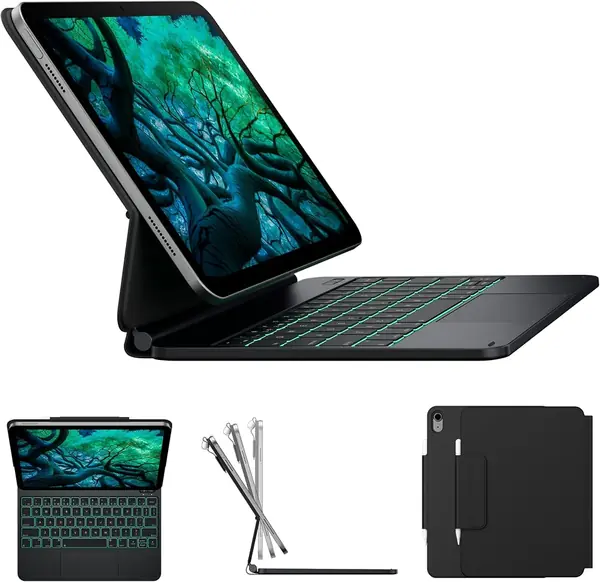
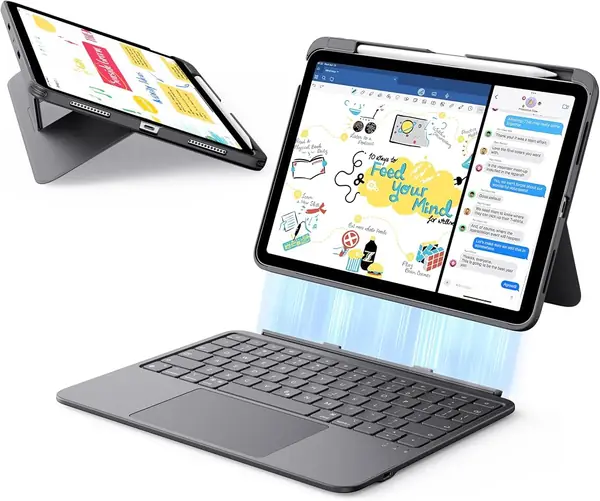
Five hundred and thirty grams is the number we keep coming back to. Plenty of cases here type well enough; the Flex is the one that doesn't turn an iPad into a brick, and the difference shows up every time you pull it out of a bag. The keyboard is 6.9 mm thick and lifts off magnetically, so the iPad becomes a tablet again without a wrestling match.

The trackpad is the other reason it stays on our desk. It's a big pad for a case this size — ESR puts it about two-thirds larger than the ones on standard keyboard cases — and the extra width is what lets you drag a window across the screen in one motion instead of three. The stand is a folding triangle rather than a hinge, and it sets up flat and steady, with no rocking when you type fast and a low position that's comfortable for sketching on screen.

Battery life has been the quiet win. We charge it every few weeks rather than every few days, and the keyboard's charge shows up in the iPad's battery widget, so there's no guessing before a trip. Keys are well spaced for a deck this thin, the shortcut row handles brightness and media, and the whole thing folds shut like a hardcover — no strap, no flap, no fuss.

Pros

  • Light enough to carry every day
  • Large, responsive trackpad
  • Stand sits flat without wobbling

Cons

  • Only two stand angles
  • Single-color backlight
Our verdict

Our top pick for most people: a case light enough to carry, with a trackpad wide enough to work in and a stand that doesn't wobble.
Check Latest Price
2

Logitech Combo Touch Best Premium

90 /100
TKZ Score Outstanding

Key details

Weight
1.26 lb
Keys
78, backlit
Use Modes
Four
Power
Smart Connector, no charging
View on Amazon

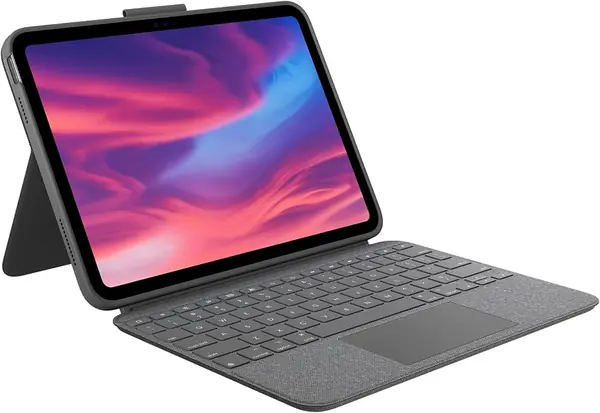
The best thing about the Combo Touch is what it doesn't have: a battery. It draws power through the iPad's Smart Connector, so there's no pairing screen, no charging cable in your bag, and no keyboard that quits halfway through a paragraph. Open the case and it's awake and connected.

The keys are the closest thing here to a laptop. There are 78 of them, backlit, well spaced, with a full function row that adds dedicated screenshot and dictation keys. The trackpad is big and the gestures land cleanly, which matters more on an iPad than on a Mac, because you're using it to switch apps constantly. The kickstand folds out of the back panel and holds anywhere in its arc, so you can push the screen back for a video and pull it upright to type.

The woven cover has taken knocks without marking, and the corners hold the iPad tight — tight enough that we don't pop it out casually. Plan on leaving it in the case and pulling from a corner when you do, rather than levering the tablet out by the screen.

This is the case we reach for when the iPad is standing in for a laptop: email, a document, a spreadsheet you actually edit. Type on it for an afternoon and the keyboard stops being a compromise you make for portability.

Pros

  • No charging or pairing to manage
  • Full-size backlit keys with extra shortcuts
  • Kickstand holds any angle

Cons

  • Premium price
Our verdict

Worth the premium if you want laptop-grade keys and a trackpad that never needs charging or pairing.

Check Latest Price
3

typecase Touch Best 360° Rotation

89 /100
TKZ Score Excellent

Key details

Weight
1.43 lb
Backlight
11 colors
Hinge
360° rotating
Use Modes
7
View on Amazon

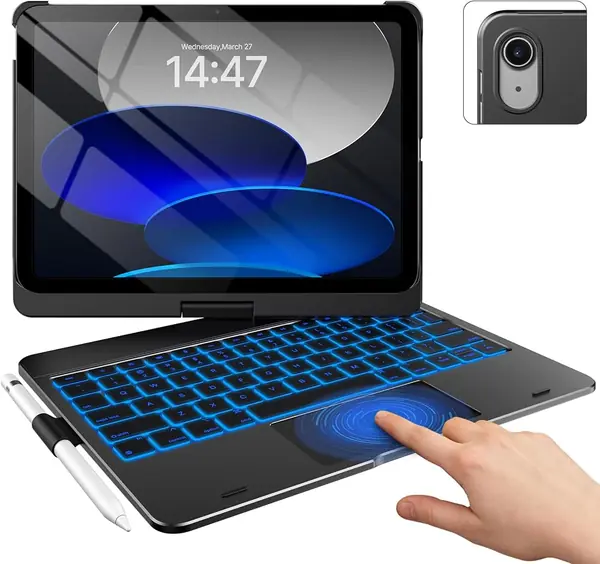
The hinge is the whole idea here. The Touch mounts the iPad on a rotating collar inside a hard-shell case, so the screen swings from laptop position to flat against the keyboard without the tablet ever leaving the case. That's a move you make a dozen times a day — pass the screen across the table, flip it back to type — and it usually involves prying an iPad out of a magnetic stand.

We like it more than we expected to. The seven modes are really three: typing, watching, and tablet with the screen folded back, and the third is why this one stays out on the counter. There's no disassembly to read a recipe or hand the iPad to a kid. The shell covers the back and corners, the keys are well spaced for a deck this size, and the eleven-color backlight with a shortcut row is more fun than a case needs to be.

The rotating collar is why the screen can swing all the way around: the iPad sits above the hinge rather than clipped into a base. The wide shell keeps the whole thing steady on a table, and charging is an occasional USB-C errand rather than a nightly habit — with the backlight low, the keyboard has never run out mid-sentence on us.

For a case that spends as much time folded back as it does upright, the swivel earns its ounces. If the iPad rarely leaves a desk, the floating stand on the typecase Edge puts the screen at a better height for typing.

Pros

  • Screen rotates 360° inside the case
  • Hard shell covers back and corners
  • 11-color backlight with shortcut row

Cons

  • Top-heavy on a lap
Our verdict

Buy it if you flip between typing and holding the iPad all day — the screen spins around without coming off the case.

Check Latest Price
4

typecase Edge Best Laptop-Style Stand

88 /100
TKZ Score Excellent

Key details

Weight
1.54 lb
Backlight
11 colors, 3 levels
Keys
64
Stand
Floating magnetic cantilever
View on Amazon

Screen height is the detail that separates the Edge from a folding folio. The iPad hangs off a magnetic cantilever above the keyboard, so the top of the display sits closer to eye level instead of a few inches off the desk. Spend an hour answering email in that position and the difference in your neck is obvious.

The magnet is the part we watch. Set the stand down on a table and the iPad stays exactly where you put it; tilt the screen well past upright, or knock the table, and it can slide on the pad. That's the one place where the Edge gives ground to a hinged case, and it's why this one lives on a desk rather than in a bag. What it does well, it does beautifully: the floating stand puts the screen up, the keyboard deck sits flat, and the whole assembly closes like a leather-bound notebook.

The trackpad is good — palm rejection keeps the cursor still while you type — and the eleven-color backlight with three brightness levels is the nicest keyboard lighting in this group. Typing itself is comfortable, the keys are shallow but crisp, and the shortcut row is all there. If the iPad mostly lives on a table, this is the case that makes it feel like a small laptop, and the stand is the reason.

Pros

  • Floating stand raises the screen
  • Bright 11-color backlight
  • Trackpad has palm rejection

Cons

  • Compact 64-key layout
  • Heavy at 700 g
Our verdict

The case that puts the screen up at laptop height; keep it on a table and the magnetic stand holds.

Check Latest Price
5

Hamile Keyboard Case Best Budget

87 /100
TKZ Score Excellent

Key details

Backlight
7 colors
Keys
78
Battery
420 mAh
Viewing Angles
3 grooves
View on Amazon

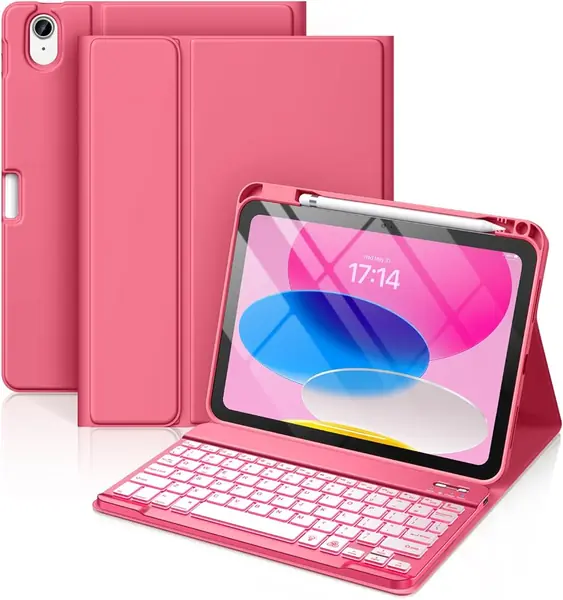
There's a version of this purchase that costs almost nothing, and the Hamile is the best example of it. The folio is PU leather over a soft frame, the keyboard is a slim Bluetooth board that snaps out magnetically, and the lid wakes the iPad when you open it. Nothing about it feels expensive; nothing about it feels broken either.

The stand is three grooves, and they work. The iPad drops into any of the three and stays there, which is more than the price suggests. The keyboard is backlit in seven colors, pairs once over Bluetooth, and holds a charge long enough that we stopped thinking about it.

Where it gives ground is time. The keys are the part to watch — a slim membrane board in a case at this price is where a press or a space bar goes first. We mind less than you might think: this is the case we hand to a student or a kid getting their first keyboard, where replacing it in a couple of years is part of the plan rather than a disaster.

Pros

  • Backlit keys at a budget price
  • Three stable viewing grooves
  • Pencil slot and auto sleep/wake

Cons

  • No trackpad for cursor work
  • Exterior scratches easily
Our verdict

Our budget pick: backlit keys, three stand angles and a pencil holder for a fraction of what the premium cases cost.

Check Latest Price
6

ZAGG Rugged Book Drop Protection

86 /100
TKZ Score Excellent

Key details

Weight
1.8 lb
Battery
Up to 2 years between charges
Drop Protection
Up to 6.6 feet
Multi-device Pairing
Two devices
View on Amazon

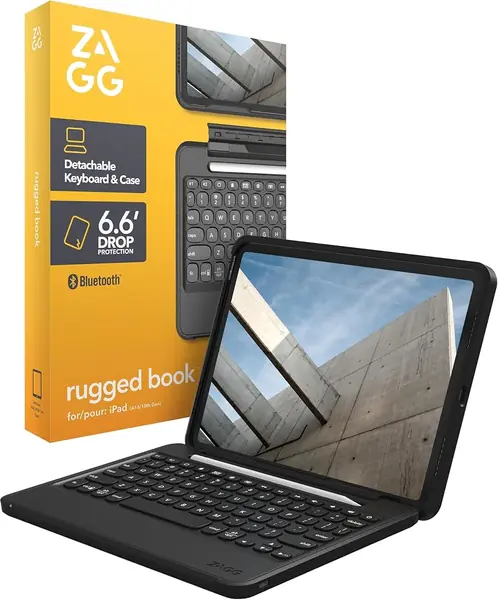
Six point six feet is the claim, and the Rugged Book is the only case here that makes one. Polycarbonate over soft silicone, a raised edge around the screen, and a hinge that folds the keyboard back behind the tablet — this is a case designed around the moment an iPad leaves a hand.

The keyboard is the pleasant surprise. ZAGG fits laptop-style keys with real travel, the backlight runs seven colors, and the rechargeable battery is rated to last up to two years between charges with the backlight off. We haven't owned one long enough to confirm a two-year figure, but the low-power design shows in how rarely it asks for a cable. It also pairs with two devices at once, which is more useful than it sounds when a work iPad and a phone share a desk.

Where it asks for patience is the hinge. It's stiff when new, and the iPad can pop out of the holder if you open the lid by the screen instead of the base. Open it from the keyboard side with both hands and it behaves; a case that folds flat into a stand and absorbs a drop is making a trade, and we accept it for a kid's iPad while grumbling about it on our own.

Pros

  • 6.6 feet of drop protection
  • Laptop-style keys with real travel
  • Up to two years between charges

Cons

  • Heavy at 1.8 pounds
  • Keyboard only, no trackpad
Our verdict

Built for drops and backpacks, with laptop-style keys — as long as you can live with a stiff hinge.

Check Latest Price
7

Apple Magic Keyboard Folio Best for Desk Typing

85 /100
TKZ Score Excellent

Key details

Weight
1.96 lb
Design
Two-piece magnetic
Dimensions
10.22 x 7.68 x 0.89 in
Function Row
14 keys
View on Amazon

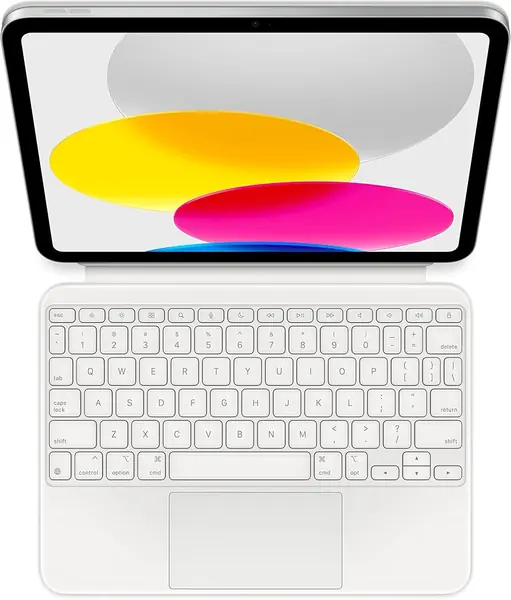
Apple's keyboard is the reference point for this whole category, and it still feels like it: firm, quiet keys, a 14-key function row, and a trackpad that moves a cursor the way iPadOS expects. Snap it on and it's already connected — no pairing screen, no Bluetooth menu, no battery gauge to watch.

The design is two pieces: a magnetic back panel that doubles as an adjustable stand, and a keyboard that lifts off when you want the tablet alone. That's more flexible than a one-piece folio — hold the screen in one hand with the keyboard left on the desk, or push it back to sketch.

The back panel covers the back, and that's about the extent of it: there's no lip or flap over the screen edges, so we treat it as a desk case or a sleeve case rather than something to trust in a tote with keys in it. It's also the most expensive pick here by a wide margin.

Where it earns its keep is work. Split-screen, a long document, a spreadsheet you're rewriting — the Folio makes the iPad feel like a tool instead of a tablet, and it does it without a charging cable. If it leaves the house every day, the Logitech Combo Touch does the same job with a case around it.

Pros

  • Refined keys and a precise trackpad
  • Nothing to charge or pair
  • Adjustable magnetic stand

Cons

  • Two pieces separate in a bag
  • Heaviest pick at 1.96 pounds
Our verdict

The best typing experience here, and nothing to charge — worth it if the iPad has a permanent spot on a desk.

Check Latest Price
8

Wenlaty Keyboard Case First Laptop Setup

84 /100
TKZ Score Excellent

Key details

Weight
1.8 lb
Backlight
7 colors
Hinge
360° rotating
Charging
USB-C, 2 hours
View on Amazon

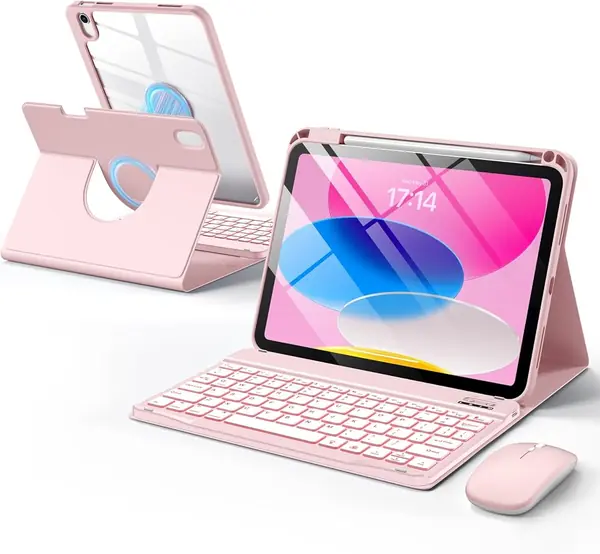
The mouse is the reason to look at this one. Almost every case here turns an iPad into a laptop; the Wenlaty also puts a small wireless mouse in the box, with three DPI settings and its own rechargeable battery. For a first setup — a kid, a student, a second desk — that's one less thing to buy on the way home.

The case is a two-in-one: a clear hard back that grips the iPad and a soft folio the keyboard sits in, with a 360-degree hinge between them, so the screen turns from typing to drawing to held-in-hand without coming apart. The keyboard is backlit in seven colors and pairs over Bluetooth; both it and the mouse charge over USB-C.

What surprised us is how quickly it stops feeling like a tablet. With the mouse paired, cursor, scroll and drag become ordinary — the gestures that are awkward with a finger stop being part of the job. The hinge holds the screen where you leave it, and the clear back shows off the color of the iPad underneath.

We like it as a bundle more than as a case: one purchase, one setup, and a complete little workstation at the end of it. That's a good deal for a kid's desk or a kitchen table where everything can live in one place.

Pros

  • Wireless mouse included
  • 360° rotating detachable case
  • Seven-color backlit keyboard

Cons

  • Heavy at 1.8 pounds
Our verdict

A keyboard, a mouse and a rotating case in one box — the setup to buy for a child's first laptop-style iPad.

Check Latest Price

How We Tested the iPad Keyboard Cases

We started by pulling together every keyboard case we could find for the current 11-inch iPad and the 10.9-inch model before it, then narrowed by price, by whether the keyboard detaches magnetically or folds permanently into the cover, and by connection type — Smart Connector versus Bluetooth. Twelve made the cut, from slim folios to rugged two-piece designs, and each one became our only keyboard for eight months.

Fit came first. I snapped each case on, checked that the camera and charging port lined up, that the magnets held when I turned the tablet upside down, and that the pencil slot didn't sit on top of the volume buttons. Then I paired every keyboard and watched what happened after a week of idleness — some woke instantly, others needed re-pairing or ate the first few keystrokes while they caught up.

Battery was the slow one. I charged each to full, ran the backlight at its brightest, and typed a normal workday's worth of words a day until the keyboard quit, noting how many days that took and how much charge it lost sitting overnight. For weight, I weighed tablet and case together, then carried each one in a single hand on a twenty-minute walk.

Durability and daily function got messier treatment: every case rode in a tote bag beside keys and a water bottle, hinges were folded and unfolded more times than I can count, and each one hit the carpet from coffee-table height. We typed a paragraph on the couch, on a train tray table, and on a lap, wiped each case weekly with a damp cloth to see which finishes showed smudges, and finished by asking the plain question every shopper asks: does this one earn its price?

How to Choose an Ipad Keyboard Case

Match the Case to the Model Number

Every case we recommend is cut for the iPad 10th generation (A2696, A2757, A2777) and the iPad A16 11th generation (A3354, A3355, A3356), which share a body, so one case fits both. Nothing here fits an iPad Air, mini or Pro — the dimensions and the camera cutout differ, and a case that's close will cover a lens or refuse to latch.

Before you order, read the model number in Settings, General, About, or off the small etching on the back. It's the one check that ruins an iPad case with keyboard if you skip it, and it takes less time than the return.

Decide Whether You Need a Trackpad

These cases come in two flavors: a folio with a keyboard and a groove or two, and a laptop-style case with a trackpad. The difference is what your hands do. Notes, email and chat are fine with keys alone and a finger on the screen; spreadsheets, long documents and anything with a cursor in it are miserable without a pad.

Trackpad support arrived with iPadOS 13.4, so any iPad running a current iPadOS will handle one. Pad size is what we notice most day to day — dragging a window across the screen takes one gesture on a wide pad and three on a narrow one.

Weigh It Before You Commit

The cases here range from 530 grams to 1.96 pounds, and the numbers decide how the thing gets used. Our daily picks sit between 530 and 650 grams. Past 700 grams a case stops traveling and starts living on a table, which is right for a desk machine and wrong for a backpack.

Weigh the case and keyboard together rather than the tablet alone, and remember that a rugged shell buys protection and mass in the same purchase.

Choose a Stand That Matches How You Sit

Grooves, a folding kickstand, a rotary hinge and a floating cantilever are four answers to the same question. Grooves are the simplest and cheapest, holding the iPad at two or three fixed angles. A folding kickstand sets up continuously and sits flat on a desk. A rotary hinge lets the screen turn to face away from the keyboard, which is what you want if the iPad gets passed around. A floating cantilever lifts the screen to laptop height but depends on a magnet, so it wants a table underneath.

Lap use is the tiebreaker: grooves and hinged cases survive a couch better than a cantilever does.

Know What You're Charging

Two kinds of power, two habits. A Smart Connector keyboard draws current from the iPad, so there's no battery, no pairing and no cable — but it works only with the tablet it's attached to, and it leans on the iPad's own battery. A Bluetooth keyboard pairs once and charges over USB-C every few weeks, and the backlight is what drains it fastest.

If you want to pull the keyboard off and use it across the room, or pair it to a phone as well, Bluetooth is the only way; the ZAGG Rugged Book pairs with two devices at once.

Frequently Asked Questions

Final Verdict

The ESR Flex is the keyboard case we recommend to most people. At 530 grams it's the lightest of the trackpad cases here, the pad is wide enough to work in, and the stand sits flat without a wobble — the three things that decide whether a case gets used or ends up in a drawer.

Spend more only for a specific reason: the Logitech Combo Touch if you never want to think about charging or pairing, the typecase Touch if the screen needs to spin around a dozen times a day, the ZAGG Rugged Book if the iPad travels in a bag with everything else. For everyone else, the Flex is the answer.