Best Gooseneck Tablet Holders of 2026

A gooseneck tablet holder promises to float your screen exactly where you want it. The reality, as anyone who's owned one knows, is a slow collapse: you position it, look away for twenty minutes, and the tablet has crept down to rest on your sternum. What separates a holder you keep from one that ends up in a drawer comes down to how much the arm resists bending once it's set and how hard the clamp bites.

My team spent four months with 14 holders, clamped to bed frames, kitchen counters, and a treadmill rail. A few held their position for weeks without a nudge; others sagged before I finished a chapter, and price barely predicted which. Worth knowing, too: check the clamp's jaw depth against the thickest surface you'll grip, since a holder that hugs a thin side table often won't close around a squat spin-bike rail.

The picks below are the ones that still hold, whether the tablet lives by your bed, at the kitchen counter, or on the handlebars of something that goes nowhere.

The Best Gooseneck Tablet Holders

1

Lamicall Gooseneck Tablet Holder Best Overall
93 /100
TKZ Score Outstanding

Key details

Device Fit
4.7-13 in
Clamp Opening
0.2-3.15 in
Rotation
360 degrees
View on Amazon

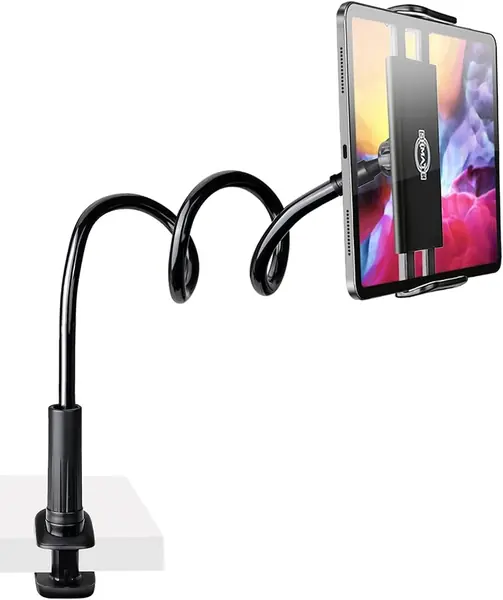
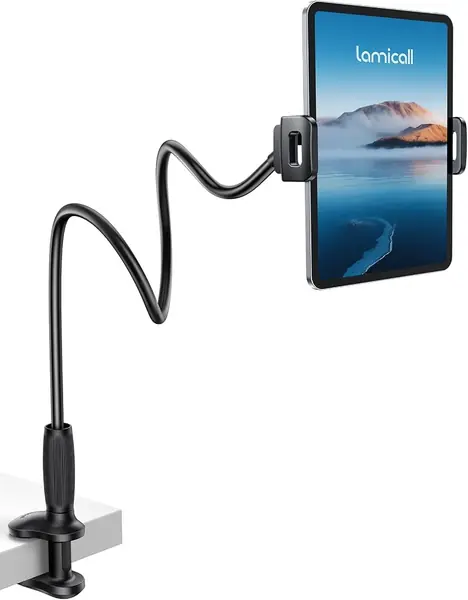
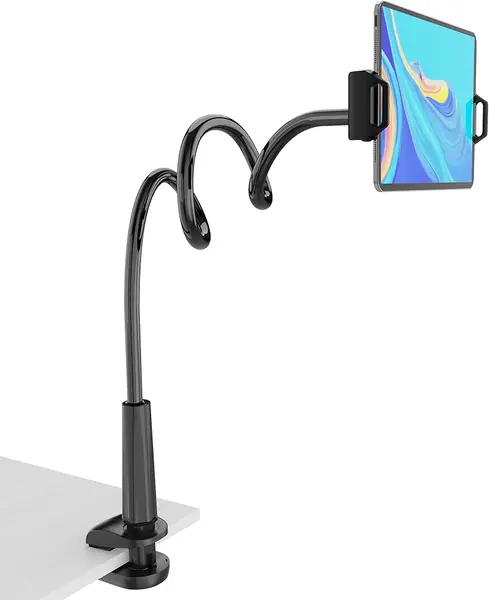
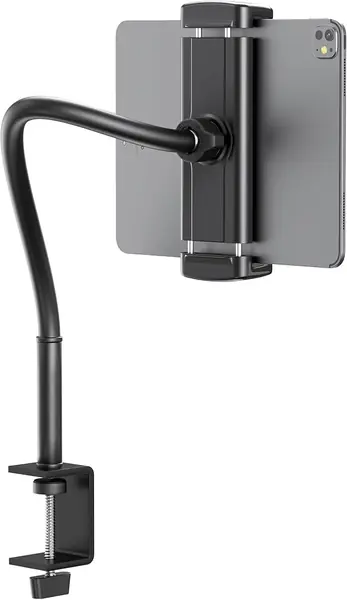
The tapered arm is what sets the Lamicall apart from the straight goosenecks crowded around it. It is wider where it meets the clamp and narrows toward the tablet cradle, which gives the base more material to resist the shiver you feel when you tap a suspended screen. The clamp opens from 0.2 to 3.15 inches, so it can bite a thick headboard or a thin desk edge, and the 360-degree cradle flips between portrait and landscape without unclamping. We noticed the difference at the clamp first: the wide base sits flat against furniture instead of rocking on a narrow bite.

That combination makes this the one we recommend first for most people. It fits 4.7- to 13-inch devices, covering everything from a Kindle to a 13-inch iPad, and the spring cradle holds a bare tablet without covering the screen edges. We trust it with a 10-inch tablet at reading height; a phone feels almost overbuilt in it. The non-slip pads are a small thing that matters on painted furniture, because you do not have to crank the clamp down to keep it from walking.

Where it asks something of you is the mounting surface. The clamp needs a lip or edge to close around, so a flush wall or a very shallow shelf is out. On a bed frame, a desk, or a side table with a real edge, it is the most settled holder here, and the wide clamp means you do not have to hunt for a thin rail. That practicality is why it stays our first recommendation.

Pros

  • Tapered base cuts down arm shake
  • Wide clamp fits thick and thin edges
  • Holds 4.7- to 13-inch tablets and phones

Cons

  • Some bounce when tapped firmly
Our verdict

For most beds and desks, the Lamicall is the gooseneck tablet holder we recommend first: its tapered arm and wide clamp tame the shake that makes these mounts frustrating.
Check Latest Price
2

MAGIPEA Gooseneck Tablet Holder Best Long Reach

89 /100
TKZ Score Excellent

Key details

Device Fit
4.7-13 in
Clamp Opening
0.2-3 in
Arm Length
30 in
Arm Material
Aluminum
View on Amazon

The MAGIPEA does the same basic job as our top pick, but it trades some of that control for reach. Its aluminum arm stretches to about 30 inches, enough to bring an iPad from the far side of a headboard or across a wide desk return. If your mounting point is far from where you sit, that extra span is the reason to look here.

The clamp is a screw-down type with EVA pads, and it opens from 0.2 to 3 inches, so it holds a thick bed frame without leaving a hard bite. The 360-degree holder rotates easily, and the spring cradle grips everything from a Kindle to a 13-inch tablet. A 30-inch arm is also a lever: every tap at the far end telegraphs back through the bends. We keep the arm in a shallow S rather than a straight line, which shortens the effective reach and calms the screen.

We recommend the MAGIPEA for a bed or a wide desk where the clamp point is genuinely far away. It is not the holder for stylus work or for someone who taps the screen constantly at full stretch; the longer arm gives back some of the stability the Lamicall buys with its tapered base. For reading and video, the reach is worth the trade.

Pros

  • 30-inch arm reaches across a bed
  • Aluminum arm limits sag
  • Wide screw-down clamp with EVA pads

Cons

No notable drawbacks to flag.

Our verdict

We recommend the MAGIPEA when your clamp point is far from your seat, provided you can trade some tap-time steadiness for that 30-inch reach.

Check Latest Price
3

TeQable Gooseneck Tablet Stand Best for Desks

88 /100
TKZ Score Excellent

Key details

Device Fit
4.7-13.5 in
Clamp Opening
Up to 2.32 in
Rotation
360 degrees
Arm Length
13.7 in
View on Amazon

The TeQable is the one we reach for at a desk. Its arm is only 13.7 inches, which sounds limiting until you realize you do not need a long gooseneck when the clamp is already at the edge of the table. The short metal arm keeps an iPad close and steady, and the C-clamp opens to 2.32 inches, so it handles a thick desktop or a kitchen counter.

The ball joint rotates the holder through 360 degrees, and the spring cradle grips a 13.5-inch tablet without flexing. We liked the rubber pads on the clamp; they let us tighten it on a finished desk without leaving a bite. The arm is stiff enough that we could nudge the screen a few inches without the whole thing flopping, and the clamp releases quickly when we want it out of the way.

The compact footprint is easier to live with in a small apartment, where a 30-inch arm is more furniture than tool, and it leaves the desk edge clear for a keyboard. That is the quiet advantage of a short mount: it does one job without colonizing the table. For a kitchen counter, a workbench, or a side table, that trade is straightforward.

Pros

  • Short 13.7-inch metal arm stays steady
  • C-clamp opens to 2.32 inches
  • 360-degree holder fits up to 13.5 inches

Cons

  • Too short for across-the-room bed use
Our verdict

We recommend the TeQable for desk and counter use, where its short, stiff arm keeps a tablet steadier than the long bed-focused mounts here.

Check Latest Price
4

ARKON Heavy-Duty Tablet Holder Best Heavy-Duty

87 /100
TKZ Score Excellent

Key details

Clamp Opening
Up to 2.25 in
Arm Length
12 in
Warranty
2 years
Tablet Support
10 support legs
View on Amazon

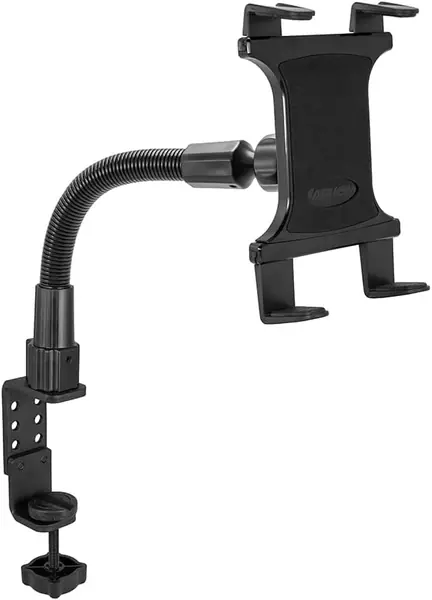
The ARKON's arm does not bend easily, and that is the first thing to know. It is a 12-inch steel gooseneck with a deliberately heavy feel, and you have to put real pressure into it to change the angle. Once it is set, it stays set, which is why we trust it with heavier tablets.

The holder itself is the clever part: ten support legs of varying lengths slide into the cradle to fit everything from a small Kindle to a 12.9-inch iPad, and the C-clamp opens to 2.25 inches. We found the clamp secure on a desk edge, and the tablet sits in a cradle rather than hanging from a spring clip. For a Surface or a big iPad that makes lesser mounts droop, this is the one we pick.

The trade-off is reach, not grip: 12 inches is short, so this is a desk or chair-side mount rather than a bed-spanning one. The 12-inch arm is short enough to keep a big tablet close to the clamp, which is where it feels most secure. If you need to move the screen every few minutes, its stiffness turns a small adjustment into a two-hand job. Set it once, leave it, and the ARKON makes sense.

Pros

  • Ten support legs fit many tablet sizes
  • Stiff steel arm supports heavy tablets
  • C-clamp opens to 2.25 inches

Cons

  • Bend point can fatigue over time
Our verdict

We recommend the ARKON for a heavy tablet that stays in one place, where its stiff 12-inch arm and multi-leg cradle keep a big screen from drooping.

Check Latest Price
5

Mippko Gooseneck Tablet Holder Best for Gym Equipment

86 /100
TKZ Score Excellent

Key details

Device Fit
4.7-12.9 in
Mount Type
Handlebar
Clamp Jaw
0.47-2.16 in
Weight Capacity
2.2 lb
View on Amazon

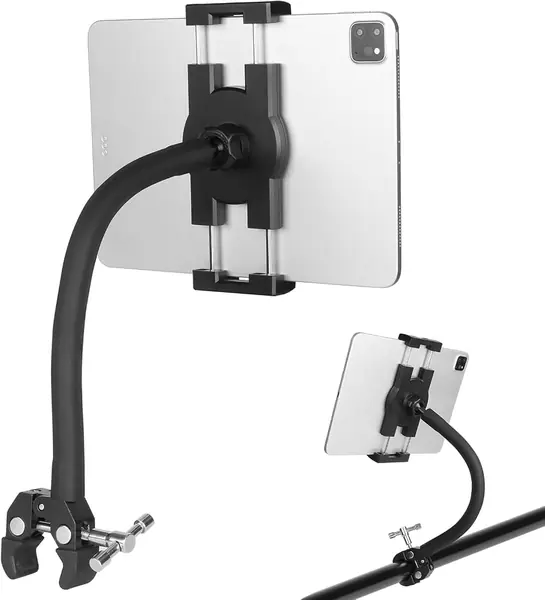
Gym equipment is where the Mippko earns its keep. Instead of a flat C-clamp, it uses a crab-style jaw that closes around a bar, pipe, or rail from 0.47 to 2.16 inches in diameter, so it can grab a spin-bike handlebar, a treadmill rail, or a wheelchair frame. That is a different mounting problem from a headboard, and the Mippko solves it more neatly than a flat clamp forced onto a tube.

The gooseneck has a steel core and a silicone skin, and the ball head rotates the holder through 360 degrees. The spring-loaded jaws have a strong grip; we like that the rubber pads protect a bare tablet and keep it from skating when the bike shakes. The jaw opening is the number to check against your equipment, because a very thin rail gives the crab less to bite than a chunky handlebar.

We recommend it for a workout setup, not as a universal bed mount. The jaw needs a bar to bite, and the arm is stiff enough that repositioning takes some force. We like that the jaws open wide enough for a chunky handlebar but still close on a thinner rail. If your equipment has a round tube and you want the screen at eye level while you move, this is the most purpose-built holder here.

Pros

  • Crab jaw grips 0.47-2.16 inch bars
  • Steel-core arm with 360-degree head
  • Strong spring grip with rubber pads

Cons

  • 2.2-pound weight limit
Our verdict

We recommend the Mippko for a bike, treadmill, or wheelchair bar, where its crab clamp grips a round tube that flat mounts cannot hold.

Check Latest Price
6

SRMATE Gooseneck Tablet Holder Best Budget

85 /100
TKZ Score Excellent

Key details

Device Fit
4.7-10.5 in
Clamp Opening
0-2.95 in
Rotation
360 degrees
Arm Length
33 in
View on Amazon

The SRMATE is the budget pick, and the first thing you notice is how much arm you get for the least money here. The flexible arm measures 33 inches, longer than the bed-focused mounts, and the clamp opens from 0 to 2.95 inches. That makes it an easy experiment for a guest room, a rental, or a chair-side setup where you do not want to spend much.

The 4.7- to 10.5-inch range covers most standard iPads, Kindles, and phones, but not a 12.9-inch iPad Pro. The clamp is wide and the arm holds a position, though the whole assembly feels lighter than the Lamicall or the ARKON. The spring cradle is easy to open with one hand, and the 360-degree ball joint makes portrait-to-landscape changes quick.

We kept the arm bent rather than straight, which is how this style behaves best. The phone-sized grip is secure for a bare tablet, and the clamp pads are enough to protect a painted headboard. At this end of the range, the finish is plain and the spring feels less refined than on the pricier picks, but nothing about it feels disposable.

We recommend the SRMATE as a second holder for a spare room or travel, not as the one we depend on every day. It gives you the longest reach here for the least outlay, and that is a fair trade for occasional use. A guest-room headboard is exactly the kind of place it makes sense.

Pros

  • 33-inch arm for long reach
  • Clamp opens to 2.95 inches
  • 360-degree ball joint

Cons

  • Wobbles when tapped at full extension
  • Stops at 10.5-inch tablets
Our verdict

We recommend the SRMATE as a budget second holder for a guest room or travel, where its long reach matters more than a refined feel.

Check Latest Price
7

Evekea Handlebar Tablet Holder Best for Strollers and Bikes

77 /100
TKZ Score Very Good

Key details

Device Fit
4-13 in
Rotation
360 degrees
Mount Type
Handlebar
Handlebar Diameter
0.5-1.6 in
View on Amazon

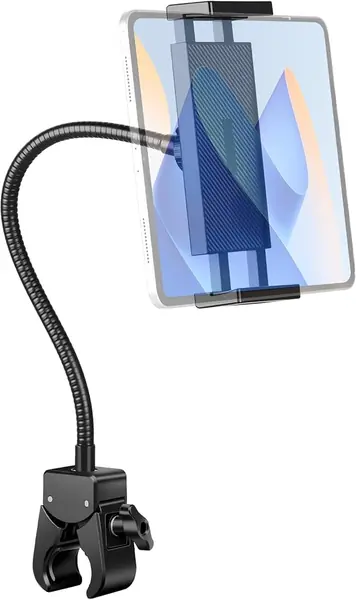
The Evekea's handlebar clamp is the story, not the arm. Its base closes around a bar from 0.5 to 1.6 inches in diameter, which is the range for stroller handles, exercise bikes, golf carts, and wheelchair frames. A flat C-clamp cannot grip those surfaces, so this is a holder you choose for the mount first and the tablet second. We recommend it for stroller and lighter handlebar setups, where a flat clamp has nothing to grab.

The holder fits devices from 4 to 13 inches and rotates 360 degrees on a ball joint. The rubber pads protect a painted bar, and the clamp feels secure on a stroller handle. The clamp is tool-free, so it moves between the stroller and a bike without hunting for a wrench. For a Kindle, a phone, or a standard iPad on a stroller or exercise bike, it earns its place.

The Evekea is a niche holder, and that is the point. A stroller or a spin bike has a round handle where a flat clamp cannot go, and the small base keeps the setup simple. It is not trying to be the one mount for a whole house; it is the one you keep with the equipment it fits. That focus makes it easier to recommend for the right bar than a universal clamp that fits nothing well.

Pros

  • Handlebar clamp fits 0.5-1.6 inch bars
  • 360-degree ball joint
  • Rubber pads protect painted bars

Cons

  • Large tablets can feel top-heavy on thin bars
Our verdict

We recommend the Evekea for a stroller or handlebar where a flat clamp will not fit, especially with a lighter tablet.

Check Latest Price

How We Tested Gooseneck Tablet Holders

We started by pulling every gooseneck holder we could find that listed both a clamp opening range and a supported device size, then cut anything that quoted only one of the two. A holder rated for a 13-inch tablet but opening to half an inch is a holder for one specific desk, not a holder for your life. That filtering left us with 14 units, from stubby desk models to long reinforced arms built for beds and bikes.

Each one got a four-month rotation through the places people actually clamp these things: a nightstand, a kitchen counter, a treadmill rail, and a couple of handlebars. We mounted a tablet at the end of the arm fully extended, marked the starting height with painter's tape, and checked back at thirty minutes and again the next morning to see how far the arm had drifted. Every holder also went onto a thin nightstand top and a thick, round rail, where we pressed down on the arm and shook the surface to watch for slipping jaws and marks left in the padding.

For grip, we loaded each cradle with a small e-reader, then with the heaviest tablet it claimed to support, tilted it forward and sideways, and noted whether the corners crept or the clamp sprang open. Adjustability got judged the boring way: I repositioned each holder while seated, in the dark, without looking, and marked down the ones that needed two hands and a second attempt. Value came down to whether the arm, clamp, and cradle felt like the same quality of plastic, since several cheap-feeling units had one genuinely good component and two weak ones.

The holders we kept reaching for had arms that stayed put after a month bent into the same shape. The ones we stopped using had loosened into a permanent droop well before that.

How to Choose a Gooseneck Tablet Holder

Start With the Clamp

Flat C-clamps and handlebar jaws solve different problems. A flat clamp needs a desk edge, headboard, or table lip within its opening; the Lamicall reaches 3.15 inches, while the TeQable stops at 2.32 inches, so measure the furniture before you fall for the arm. A handlebar jaw wraps around a round tube instead, and the Mippko's crab clamp covers 0.47 to 2.16 inches. If you are mounting to a stroller or spin bike, start there; a flat clamp has nothing to bite.

Match Arm Reach to Where You Sit

Arm length is a distance problem, not a bragging right. A 12- to 14-inch arm like the ARKON or TeQable suits a desk, counter, or chair-side table where the clamp is already near the screen. A 30- to 33-inch arm like the MAGIPEA or SRMATE is for a headboard or bed frame that sits well away from your eyes. Measure from the clamp point to your comfortable viewing position, then add a few inches for the bends. The shortest arm that reaches is the one that shakes least.

Decide How Much Bounce You Can Tolerate

Every flexible arm moves when you tap; the question is whether the movement settles before it annoys you. Long arms amplify taps because the tablet sits at the end of a lever, while short, stiff arms transmit less. If you mostly read, watch video, or take calls, a little give is harmless. If you use a stylus, play games, or stab at buttons, choose the shortest, stiffest arm that fits your setup, and bend the arm into an S or Z so the tablet sits closer to the clamp. Test it by tapping a top corner right after setup.

Check Device Size and Grip

The device range is the first filter: 4.7 to 13 inches covers most iPads, Kindles, and phones, while a holder that stops at 10.5 inches will not take a 12.9-inch iPad Pro. A spring cradle is quick for a bare tablet, while the ARKON's interchangeable support legs fit a wider range of sizes. Thick cases add both width and leverage, so try the tablet bare first and size up only if the grip still feels solid.

Look at the Bend and the Warranty

The bend where the arm meets the clamp is the wear point on every holder here. A metal core helps, but no flexible arm likes being forced back and forth; set the position once and make small changes at the ball joint when you can. Warranties are a rough signal of how long the maker expects the mount to last, with one year on the Lamicall, 12 months on the TeQable, and two years on the ARKON. Keep the clamp pads clean and do not overtighten, especially on painted furniture.

Frequently Asked Questions

Final Verdict

If you want one holder for the bed and the desk, start with the Lamicall. Its wide clamp and tapered arm are the best balance of reach and control in this group. For a tight desk, the TeQable's short arm is steadier; for a gym bar or stroller, the Mippko's crab clamp is the right mount. Buy the clamp that fits your furniture first, then the arm length that reaches your reading position.