Best Tablet Holders for Treadmills of 2026

A treadmill is a vibrating machine; a tablet is not. Clamp one to the other and it wobbles at a walk, tilts at a jog, and lets go the first time you pick up to a run. What you actually want is a holder that grabs hard, keeps the screen where your eyes already are, and doesn't make you stop the belt to change a song.

I spent three winters with mine propped on a rolled-up towel across the console, which works right up until the towel slides. Over the past four months, my team and I have lived with 14 holders — clamp-on arms, gooseneck mounts, and acrylic racks that sit on the machine — on treadmills, a spin bike, and a walking pad. The biggest split among them isn't price: it's clamp versus stand.

One thing new buyers miss: check the clamp against your actual handlebar before anything else. Treadmill rails are often oval or fatter than the round bars these jaws are drawn around, and a clamp that won't close is a non-starter no matter how good it looks. The picks below all stayed put at every pace we threw at them.

The Best Tablet Holders for Treadmills

1

KDD Tablet Holder Mount Best Overall
94 /100
TKZ Score Outstanding

Key details

Mount Type
Handlebar clamp
Device Fit
4.7–13 in
Fits Rails
0.55–1.33 in
Weight Limit
2 lb
View on Amazon

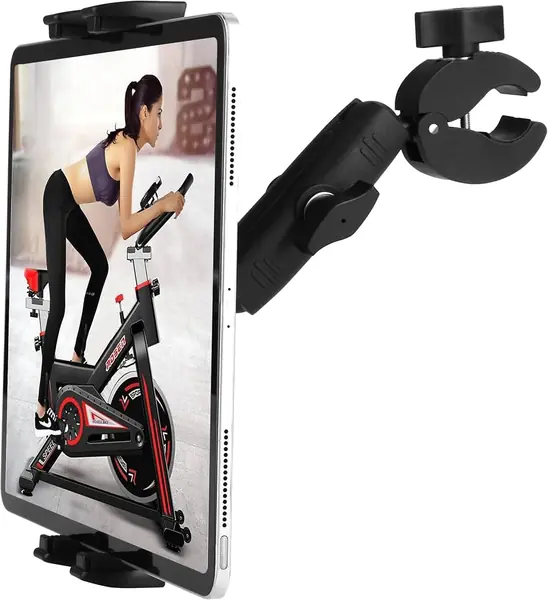
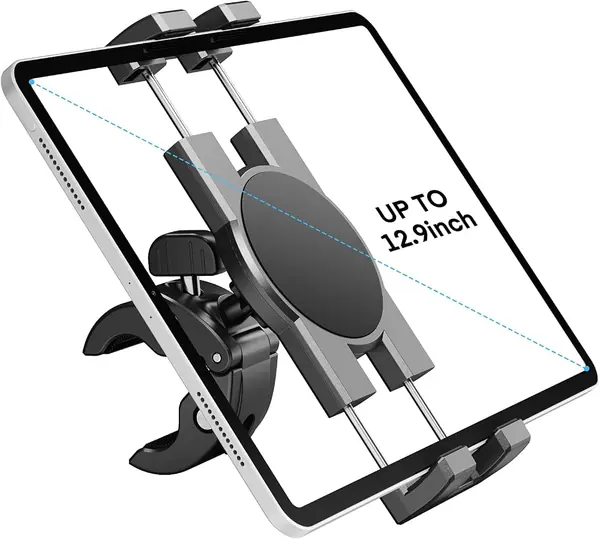
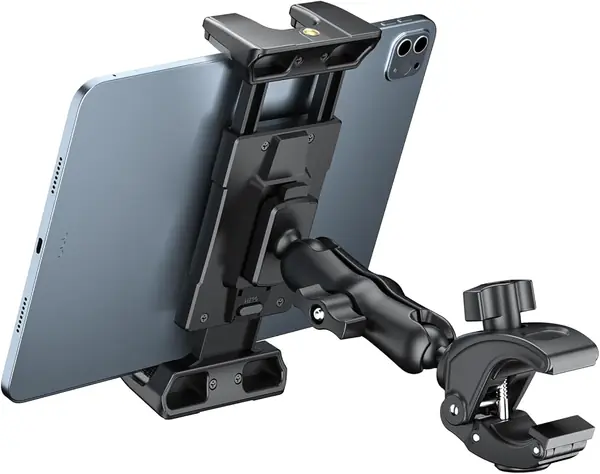
The KDD's clamp is the first thing that impressed us: the jaw is wide, rubber-padded, and closes on a treadmill rail without tools. It spans 0.55 to 1.33 inches, a range that covers many round and oval rails.

The cradle matters just as much. Four claws and a firm spring hold a 4.7- to 13-inch tablet, and the ball joint turns the screen from landscape to portrait without loosening the clamp. We found the grip steady when the belt changed speed; the tablet stayed where we set it. The 2-pound limit is generous for an iPad Air and adequate for a 12.9-inch Pro without a rugged case.

We also like the low-profile clamp knob. It is easy to reach when the mount sits low on the rail, so moving the holder between a treadmill and a spin bike takes a minute, not a toolbox. The knob is large enough to grip with sweaty hands, a small thing that matters mid-workout.

The one place it gives up ground is a flat console lip. The rubber jaw wants a tube to wrap, so a treadmill with a molded shelf is better served by the OHLPRO or an acrylic tray. If you only walk, that boundary may never matter.

The rubber pads are the detail that keeps us coming back: they bite a painted rail without leaving a mark, and they stop the clamp from walking when the treadmill starts. It is the difference between a mount you leave on the treadmill and one you stop using.

Pros

  • Wide rubber-padded handlebar clamp
  • Firm four-claw tablet cradle
  • Tool-free setup and ball-joint angle

Cons

  • Jaw stops at 1.33 inches
Our verdict

We recommend the KDD first because its padded clamp and four-claw cradle held a large tablet steady on a typical treadmill rail without tools.
Check Latest Price
2

CreaDream Aluminum Tablet Mount Best All-Metal Clamp

90 /100
TKZ Score Outstanding

Key details

Mount Type
Aluminum handlebar clamp
Device Fit
4.7–13 in
Fits Rails
0.63–1.77 in (16–45 mm)
Adjustment
180° arms, 360° ball
View on Amazon

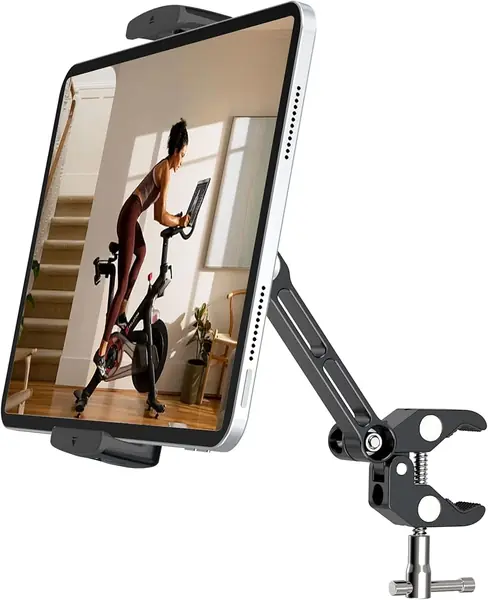
The CreaDream is the mount here that feels like a piece of bike hardware. Its arms and clamp are aluminum alloy, the joints are metal, and the rubber pads sit flat against the rail instead of sliding on it.

We prefer it for a treadmill that shakes. The long arm adjusts through 180 degrees at each joint, the ball turns 360 degrees, and the clamp can be locked down hard without the arm drooping. A 12.9-inch iPad stayed at the angle we set. The joints have separate tightening points, so the arm stays where you put it.

The jaw is the widest of the clamps we recommend, from 0.63 to 1.77 inches. That extra range matters on a thick, oval rail where the KDD stops short. It also fits phones and smaller tablets, so it can serve a household with mixed devices. On a thick rail, the extra jaw depth is the difference between a mount that sits flush and one that hangs on by a corner.

There is a trade-off: this clamp wants a round tube. On a flat console lip, the OHLPRO is the better tool. But for a solid rail and a heavy tablet, the metal body is the stiffest here, and that is what we are paying for. If you need a tray for a book, this is not it.

Pros

  • All-aluminum arms and clamp
  • Widest rail range here
  • Lockable arms and 360-degree ball

Cons

  • Costs more than plastic clamps
Our verdict

We reach for the CreaDream when a thick round rail and a heavy tablet make a plastic clamp feel like the weak link.

Check Latest Price
3

OHLPRO Tablet Clamp Mount Best for Flat Consoles

89 /100
TKZ Score Excellent

Key details

Mount Type
Tube or flat clamp
Device Fit
5–13 in
Fits Tubes
0.5–1.57 in
Fits Flat Surfaces
0–2 in
View on Amazon

The usual clamp assumes a round handlebar. The OHLPRO is the one here that also grabs a flat console lip, a shelf edge, or a square frame, thanks to a jaw that opens to two inches. That makes it the first one we try on a treadmill with a molded console.

We like the two ball heads. One tilts the screen up or down; the other turns it between portrait and landscape. The clamp body has soft silicone pads, and the whole thing installs without tools. On a flat lip, the jaw held without rocking; on a round rail, it behaved like a normal handlebar clamp. We tightened the flat jaw onto a console shelf and the silicone pads kept the finish clean.

It is a clamp, not a reading tray, so a paperback has nothing to rest on. The compact body leaves the console buttons reachable, which is not true of every tray. For a treadmill with a flat lip below the display, it is the most direct solution here.

Pros

  • Clamps tubes or flat console edges
  • Dual ball joints adjust both axes
  • Fits tablets up to 13 inches

Cons

  • Short 4-inch arm limits reach
Our verdict

We like the OHLPRO for treadmills with a flat console lip, where its two-way clamp does what round-rail mounts cannot.

Check Latest Price
4

Peastrex Handlebar Tablet Mount Best for Large Tablets

88 /100
TKZ Score Excellent

Key details

Mount Type
Handlebar clamp
Device Fit
4–13.5 in
Fits Rails
0.6–1.57 in
Weight Limit
2.2 lb
View on Amazon

A big tablet is a lever on a moving treadmill, and weak cradles show it at the corners. The Peastrex addresses that with a four-claw holder and a wide spring-loaded jaw, and it is rated for devices from 4 to 13.5 inches. That is the version we reach for when the tablet is the priority and the rail is round.

The handlebar clamp opens from 0.6 to 1.57 inches, which covers a wide spread of rails. The long arm has two ball joints, so you can push the screen up, down, or off to one side without unclamping it.

We like it best for a 12.9-inch iPad or a tablet in a chunky case. The cradle grips the long edges, the claws have a lip that stops the tablet sliding forward, and the nylon-and-glass-fiber body feels stiffer than its size suggests. On a run, the mount stayed put; the screen did not walk out of the cradle. The cradle opens wide enough to take a tablet with a slim case, and the claws do not cover the screen.

The long arm can put the screen close on a low handlebar, so check the reach before ordering. What we keep coming back to is the claw lip, which catches a tablet that might otherwise slide toward the belt. For a standard rail and a big screen, the extra security is worth the bulk.

Pros

  • Four-claw cradle with a retaining lip
  • Wide 0.6–1.57-inch handlebar clamp
  • Stiff nylon and glass-fiber body

Cons

  • Jaw tops out at 1.57 inches
Our verdict

The Peastrex is our pick for a big tablet: its four-claw cradle and wide handlebar clamp keep a 12.9-inch iPad planted.

Check Latest Price
5

Source One Acrylic Book Holder Best Simple Acrylic Rack

87 /100
TKZ Score Excellent

Key details

Mount Type
Hang-over acrylic
Device Fit
Tablets, books, e-readers
Tray Size
9 x 9 in
Hook Depths
1.5 and 2.5 in
View on Amazon

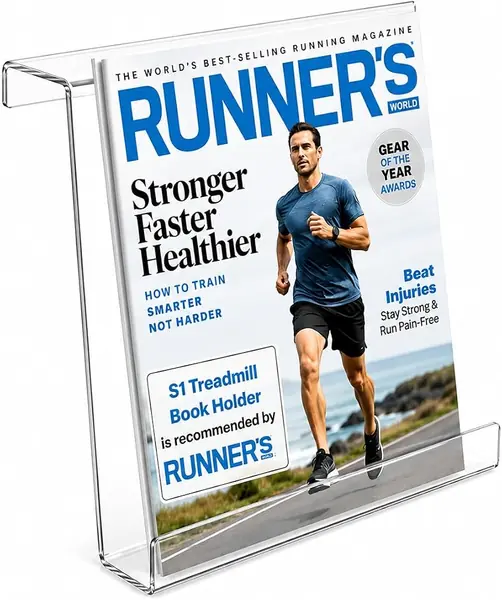
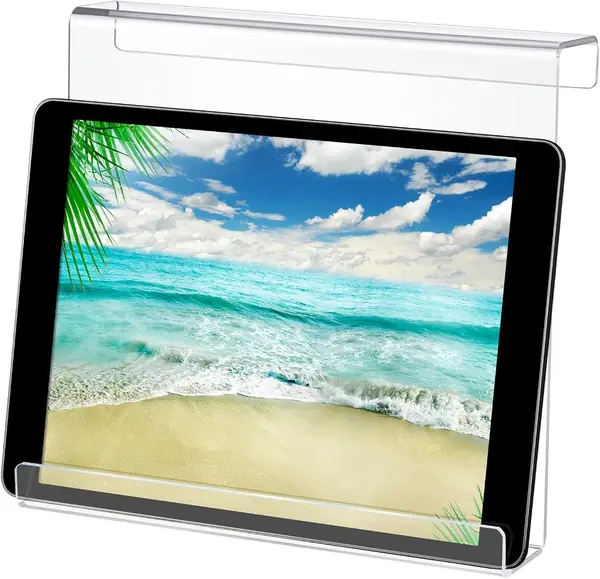
There is nothing to tighten on the Source One: it is a single piece of acrylic that hangs over the treadmill console. The 9 x 9-inch tray has two hook depths, about 1.5 and 2.5 inches, so it can sit on a thin screen or a deeper console lip. That is the entire installation.

We like it for walking sessions and for reading. The tray is deep enough for a paperback or a tablet, and the clear back lets you see the treadmill display through it. It lifts off in one hand when you want the console back. That simplicity is the point; there are no joints to loosen or pads to lose. The clear back is the reason we prefer it to a solid tray: you can still read the speed and incline.

The straight acrylic does not curve around a shaped console, so it can sit lopsided on a rounded top. The rim on ours needed a quick check for rough edges; a sharp one is worth returning. There is no angle adjustment, so the screen sits where the console puts it. For a flat-topped treadmill and a walker, it is still the easiest acrylic tray here.

Pros

  • Hangs on in seconds without hardware
  • Two hook depths fit different consoles
  • Holds a tablet, book, or e-reader

Cons

  • No rubber grip on glossy consoles
Our verdict

We keep the Source One around for walkers who want a simple, compact acrylic tray that lifts off in seconds.

Check Latest Price
6

Mippko Gooseneck Tablet Mount Best for Awkward Rails

86 /100
TKZ Score Excellent

Key details

Mount Type
Crab clamp with gooseneck
Device Fit
4.7–12.9 in
Fits Rails
0.47–2.16 in
Weight Limit
2.2 lb
View on Amazon

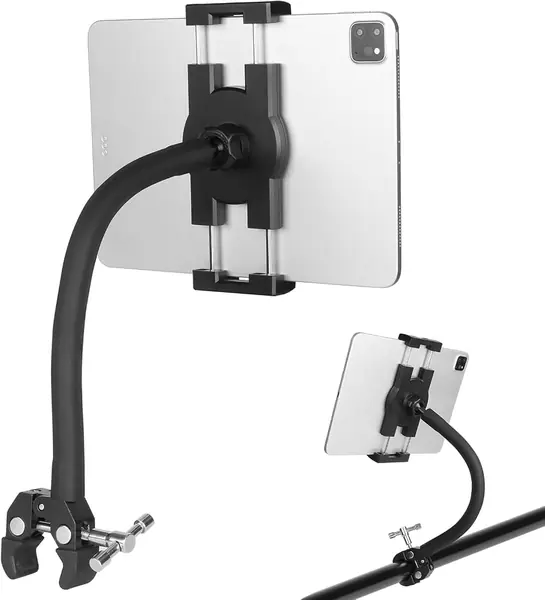
The Mippko's gooseneck is not a bend-it-with-one-finger arm. It takes two hands and a firm push to shape, which is exactly why we trust it to hold a tablet still once it is set.

The crab clamp is the other half of the appeal. Its jaw opens from 0.47 to 2.16 inches, the widest range here, so it can grab a square rail, a ledge, or a thick upright that a handlebar clamp slides off. The rubber jaw inserts protect the finish. The clamp body is aluminum, and the jaw inserts are rubber, so it grips a painted rail without chewing it.

We used it on a stair stepper and a treadmill with an angled support; the arm reached around the console instead of forcing the tablet into the middle. The 2.2-pound limit is fine for an iPad Air, and the ball head turns the screen without loosening the clamp. The arm's silicone surface is easy to wipe after a sweaty session.

We do not like the effort of repositioning it. The neck is stiff enough to fight you, and a heavy 12.9-inch iPad in a case is close to the limit. That is the trade for a mount that does not droop mid-run; if you adjust the screen often, a ball-joint clamp is easier.

Pros

  • Crab clamp opens to 2.16 inches
  • Stiff gooseneck reaches around consoles
  • Aluminum clamp with anti-skid pads

Cons

  • Crab jaw is stiff to open for large tablets
Our verdict

We recommend the Mippko when your treadmill has an odd-shaped rail that a standard handlebar clamp cannot grab.

Check Latest Price
7

Qsxou Acrylic Treadmill Holder Best for Thick Cases

85 /100
TKZ Score Excellent

Key details

Mount Type
Hang-over acrylic
Tray Size
8.5 x 9.5 x 3.3 in
Material
Acrylic
Warranty
2 years
View on Amazon

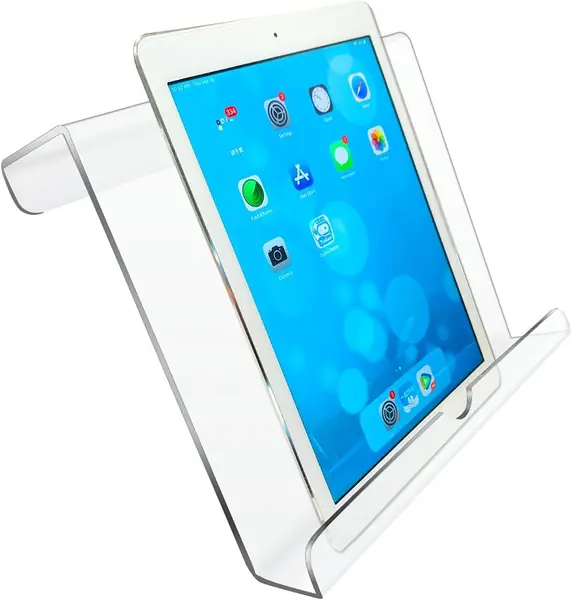
A tablet in a rugged case is the test that separates a useful acrylic tray from a shelf that only holds a bare iPad. The Qsxou's tray is 3.3 inches deep, which is enough to swallow a cased tablet and still leave the screen angled toward you.

The clear acrylic is the other reason we like it. You can see the treadmill display through the back, and the holder lifts off when you want the console uncovered. The 8.5 x 9.5-inch footprint is wide enough for a tablet plus a phone, though it takes up real space on a narrow console.

The 2-year warranty is longer than the Source One's, and the edges are smoother than the Source One's. It still depends on a console lip to hang from; there is no clamp, so a treadmill with a bare round rail is not its home.

The tray can slide on a glossy console, so a strip of grip tape under the hooks is the easy fix. For a cased tablet on a flat console, the depth is what earns it a place; the rest is ordinary acrylic.

Pros

  • 3.3-inch-deep tray fits cased tablets
  • Clear acrylic lets you monitor the console
  • Two-year manufacturer warranty

Cons

  • Slight haze can soften console view
Our verdict

We like the Qsxou for a tablet in a thick case, since its deep clear tray holds more bulk than the slim acrylic racks.

Check Latest Price
8

Jetec Acrylic Book Holder Best for Budget Reading

84 /100
TKZ Score Excellent

Key details

Mount Type
Hang-over acrylic
Device Fit
Tablets, books, magazines
Tray Size
9 x 8 x 1.5 in
Material
Acrylic
View on Amazon

The Jetec is a plain acrylic tray, and that is the whole pitch: no clamp, no arm, no adjustment. It hangs over a treadmill console and holds a tablet or a book at a fixed angle. We like it for walking because there is nothing to fiddle with once it is in place. It also costs less than the clamp mounts here.

The tray is 9 x 8 x 1.5 inches, so it is lower and narrower than the Qsxou. That keeps the tablet close to the console and leaves more of the display visible. The clear material lets you monitor the treadmill screen, and the low front lip does not block the console buttons.

The acrylic can crack if it takes a fall; that is the trade for a light, no-hardware tray. For a walker with a standard console, it is a sensible pick.

Pros

  • Low-profile tray keeps console visible
  • Holds tablets and both book types
  • Lifts off without tools

Cons

  • Wide tray can overhang a narrow console
Our verdict

We see the Jetec as a low-cost reading tray for walkers, not a mount for fast running or a heavy tablet.

Check Latest Price
9

Tech Health NordicTrack Holder Best for NordicTrack Consoles

83 /100
TKZ Score Excellent

Key details

Mount Type
Adhesive holder
Device Fit
Phone and tablet
Weight Limit
4 lb
Fits
NordicTrack and smooth surfaces
View on Amazon

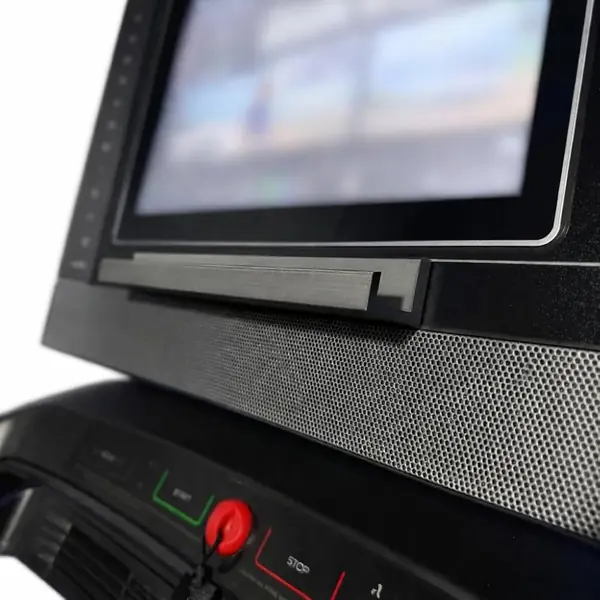
The Tech Health holder is not a universal clamp. It is a small adhesive shelf made for specific NordicTrack consoles and smooth mounting surfaces, and that narrow focus is why it works where a bulkier clamp gets in the way. That specificity is the point.

We like the low profile. The shelf holds a phone and a tablet at the same time, keeps both in view, and does not cover the console's buttons. The double-sided tape is the mounting system; there is no jaw to tighten or arm to swing. The adhesive tape is separately sourced, so surface prep matters more than the plastic shelf.

The catch is the version list. There are three sizes for different NordicTrack generations, and the standard holder is not a one-size-fits-all part. Match the model and console shape before ordering, and clean the surface before you stick it down. A mismatch will not sit flat.

The shelf is best for a tablet; a bare phone can tilt forward on the shallow ledge, so use the tablet slot for a slate and keep a case on the phone. For the right NordicTrack and a tablet-first setup, the tidy footprint is worth it.

Pros

  • Low-profile adhesive shelf for NordicTrack
  • Holds phone and tablet together
  • Keeps console buttons visible

Cons

  • Short 30-day warranty
  • Bare phone can tilt on shallow ledge
Our verdict

We recommend the Tech Health holder only for the NordicTrack console version it matches, where its adhesive shelf keeps a tablet in view.

Check Latest Price

How We Tested the Best Treadmill Tablet Holders

We started by pulling every holder sold for treadmills, spin bikes, ellipticals, and strollers, then cut anything that couldn't span a phone in a case up to a 12.9-inch tablet, plus anything whose listing never named a handlebar diameter. That left two clear families: mounts that clamp to the machine on a rigid or flexible arm, and acrylic racks that rest on the console or a shelf.

Fourteen of them came home with us for four months. They lived on two treadmills (one in a garage, one a folding model in a spare room), a spin bike, an elliptical, and a walking pad at a standing desk, through long walking sessions, 10 to 12 percent incline climbs, and out-of-the-saddle intervals.

We loaded each with a heavy tablet, then with a phone in a thick case, ran two minutes at 6 mph, and taped the starting position so we could see any drift. We timed one-handed mounting, changed a song mid-walk at 3 mph, and checked whether the screen covered the console buttons or the safety key — and whether the tablet ended up below eye level or somewhere we could actually read from. After sweaty sessions we wiped each one down to see if the grip pads turned slick. Anything with a locking collar or a double-nut joint held still; single ball joints crept. Value got the last word: a few of the least expensive holders outlasted pricier mounts, and one chunk of metal with a sloppy clamp was still worse than a well-cut acrylic rack.

How to Choose a Treadmill Tablet Holder

Match the Mount to Your Treadmill

Look at what the holder has to grab. A round handlebar calls for a clamp like the KDD or CreaDream; a flat console lip calls for an acrylic tray or the OHLPRO's flat jaw. A simple treadmill book holder is just an acrylic tray with hooks, and it is the easiest choice when you only walk and want nothing to tighten. Measure the rail diameter or the console lip before ordering; an inch of difference can decide whether the mount sits flat or wobbles.

Fit the Tablet, Case and All

Screen size is only half the fit. A 12.9-inch iPad in a folio can be thicker than a bare tablet and heavier than a small laptop, so check the clamp's device range and weight limit together. Deep trays like the Qsxou's 3.3-inch opening swallow a case; shallow acrylic lips do not. For a heavy tablet, prefer a four-claw cradle or a metal clamp over a slim tray. If you use a case with a stand, remove it before clamping; the added thickness can push the jaws to their limit.

Decide How Much Vibration It Must Handle

Walking and running put different loads on a mount. A rigid clamp with rubber pads keeps a tablet from walking out of the cradle; a gooseneck adds reach but can flex, and a stiff neck is harder to adjust on the fly. Acrylic trays rely on gravity and a console lip, so they are best for walkers and steady paces. If you run, tighten every joint, keep the tablet close to the console, and check the clamp after the first few sessions.

Keep the Console and Safety Controls Clear

Clear acrylic is popular because it lets you see the treadmill display through the holder, but clarity varies and a frosted panel can blur the numbers. More important, the holder should not cover the emergency stop, the safety key, or the speed and incline buttons. Set the tablet off to one side if the console is crowded, and leave the mount off when you fold the treadmill. A holder that blocks a control is not worth the distraction.

Frequently Asked Questions

Final Verdict

The KDD is the holder we recommend first because it fits the common round treadmill rail, clamps without tools, and holds a tablet firmly enough for running. If your rail is unusually thick, the CreaDream's aluminum jaw and longer reach are the better buy. If you only walk and want a tray you can lift off, the Source One's compact acrylic design is simpler than any clamp.