Logitech M240 Silent Best Overall
Key details
- Connectivity
- Bluetooth, no receiver
- Battery Life
- 1 AAA, up to 18 months
- Buttons
- 3
- Weight
- 2.6 oz
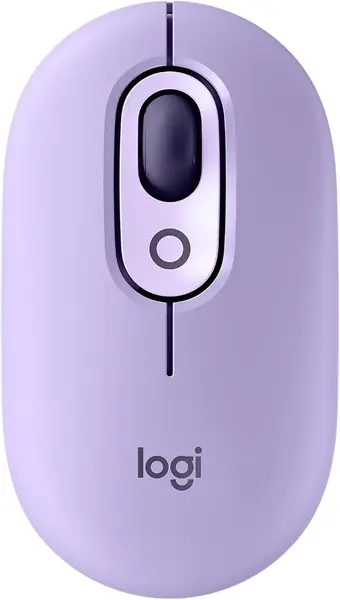
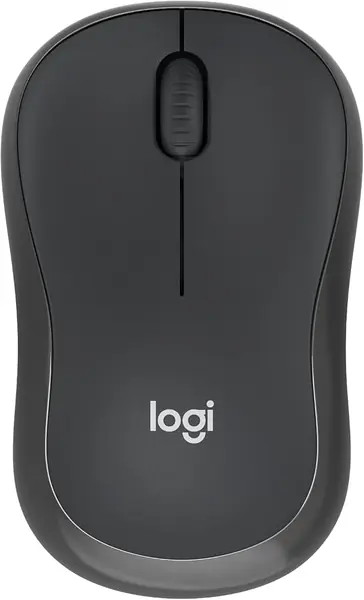
The first job of an iPad mouse is to connect to an iPad, and that means Bluetooth with nothing to plug in. The Logitech M240 Silent handles it in about ten seconds: hold the pair button, tap the mouse in Settings, and the cursor is live. At 73.8 g with a shell small enough to vanish into the pocket of a bag that already holds a tablet, it's the mouse we hand to most people first.
Then there's the noise, or the lack of it. Logitech rates the switches at 90% quieter than a standard mouse, and the click still feels like a click rather than a squash. In the places an iPad actually gets used — a library table, a lecture hall, a shared desk — that's the difference between a mouse everyone hears and one nobody notices. The battery is the other quiet win: a single AAA rated for 18 months, with auto sleep picking up the slack, so you never pack a charging cable for it and you swap a battery about as often as you replace a phone case.
What we don't love is the size. The compact shell is the entire point for travel, but a larger hand ends up with fingers curled under instead of resting on top. There are also only three buttons — left, right, and a clickable wheel — so no back and forward keys when you're moving through Safari. Pairing is the one thing worth watching: iPadOS 17 is on its supported list, yet a unit that never shows up in Settings is worth exchanging rather than troubleshooting. Everything else about it is unremarkable in the best possible way.
Pros
- Pairs over Bluetooth with no receiver
- Up to 18 months on one AAA
- Quiet clicks for shared spaces
Cons
- Compact shell cramps larger hands
- No side buttons for back and forward
Our default pick: it pairs with nothing to plug in, clicks quietly enough for a library, and runs 18 months on one AAA in a shell that disappears into a bag.