Best Wireless Earbuds for Office Work of 2026

An open-plan office asks a lot of earbuds: eight hours in your ears, a dozen video calls, and enough hush to hear yourself think while someone two desks over reheats fish. The pair that sounds best on your commute is often the one that aches by 2 p.m. Over the past three months we've worn 12 pairs through meetings, keyboard clatter, and a vent that never stops, and the keepers share three habits: comfort past hour four, a connection that holds when you step away from your desk, and mics that make you sound like a person instead of a drive-through speaker.

For office work, the microphone matters more than the driver. Noise cancellation has two jobs here — hushing the room and letting your voice through on calls — and plenty of pairs do the first well and the second badly. App-based EQ is worth ten minutes of fiddling; the live-translation modes a couple of these advertise are a bonus, not a reason to buy. The pairs I kept reaching for are below, budget picks and flagships alike.

The Best Wireless Earbuds for Office Work

1

Soundcore P31i Best Overall
91 /100
TKZ Score Outstanding

Key details

Battery Life
10 hrs; 50 hrs with case
Noise Cancelling
Adaptive, up to 52 dB
Mics
6 with AI noise reduction
Ear Tips
XS, S, M, L
View on Amazon

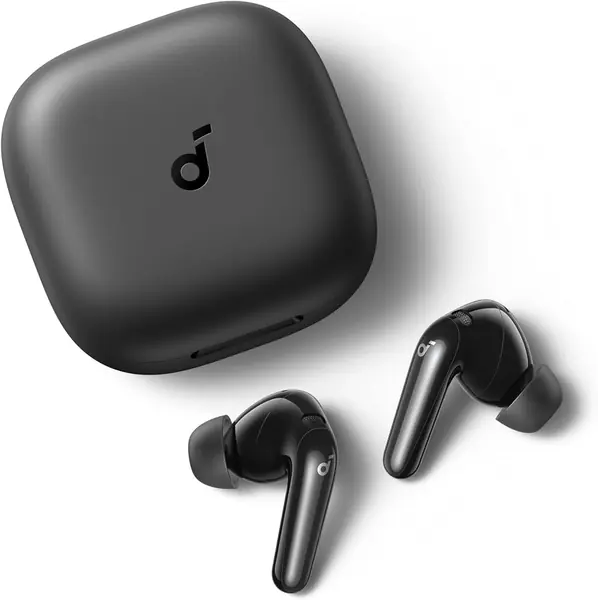
Six microphones, an AI noise-reduction algorithm, and a wind filter — that's the part of the spec sheet an office buyer should read first, and it's why we hand the Soundcore P31i to anyone whose day is mostly calls. The microphone array does more for you than the driver ever will: it's the difference between sounding like you're at a desk and sounding like you're in a stairwell. Adaptive noise cancelling rated to cut up to 52 dB handles the other half of office life, the colleague on speakerphone two rows over.

Battery is sized for a workday rather than a commute. Soundcore quotes 10 hours on a charge and 50 with the case, dropping to 8 and 40 with noise cancelling running, so the buds outlast a full day of meetings and the case covers the rest of the week. LDAC and Hi-Res certification come along for the ride. We care more that the four tip sizes, XS through L, give most ears a real chance at a seal, because a leaky seal undoes good noise cancelling faster than anything else.

Comfort holds up over a long day, and this is the pair in the group we worry about least at hour six. Bluetooth stability is where it gives ground: set it up with your laptop and your phone in the first week, run a real call on each, and lean on the return window if it stutters.

One extra worth knowing about: real-time translation across more than 100 languages. If your team spans time zones and languages, that's an unusual thing to find on a pair at this end of the price range. If it doesn't, ignore it — the microphones and the noise cancelling are the reason this one is here.

Pros

  • Six mics with AI voice cleanup
  • Adaptive ANC rated to 52 dB
  • Eight hours per charge with ANC on
  • Four tip sizes for a real seal

Cons

  • Bluetooth stability is the weak spot
Our verdict

We recommend the P31i to anyone whose office day is mostly calls: six mics, adaptive noise cancelling, and a full workday of charge at the budget end of this list.
Check Latest Price
2

Apple AirPods 5 Best for iPhone Users

90 /100
TKZ Score Outstanding

Key details

Noise Cancelling
Active with Adaptive Audio
Case
Wireless charging
Chip
Apple H2
Features
Live Translation, Conversation Awareness
View on Amazon

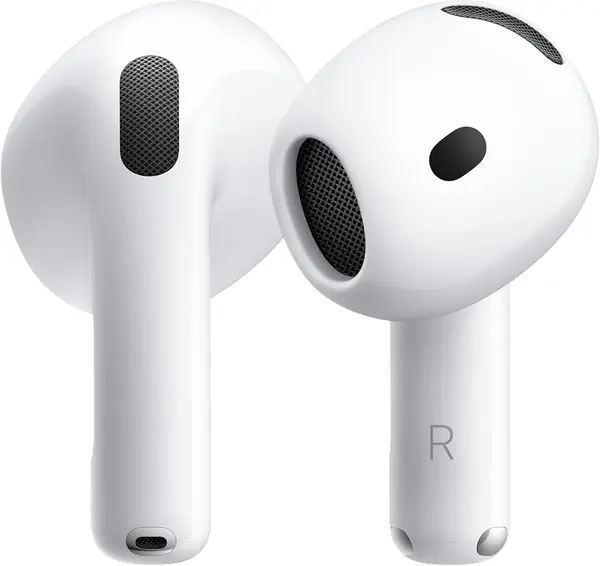
If your workday lives inside an iPhone and a Mac, the AirPods 5 quietly delete a dozen small frictions. They connect before you've finished opening the case, hand audio between phone and laptop as you move between them, and Conversation Awareness drops the volume the moment you start talking to someone standing at your desk. Adaptive Audio slides between noise cancelling and transparency without you picking a mode, which is exactly the behavior an office that alternates between loud and interrupted calls for.

We rate the AirPods 5 the best office experience in this group for anyone already inside Apple's ecosystem, and an expensive mistake for anyone who isn't. The H2 chip's tricks, Live Translation included, run through Apple Intelligence on a paired iPhone. On a Windows laptop you're paying premium money for good noise cancelling and not much else.

Two things to check before you commit. Fit is the weakest part of this pick — the shell is the same for every ear, and this is the pair here most likely to feel loose by the end of a long call. Battery is the other: Apple doesn't publish a playback figure for these, so treat it as unproven until you've run your own day on a charge. The wireless charging case is a genuine convenience on a desk that already has a pad on it.

Pros

  • Instant handoff between iPhone and Mac
  • Conversation Awareness lowers volume automatically
  • Improved ANC with Adaptive Audio

Cons

  • Fit is the least secure here
  • No published playback figure
Our verdict

For a desk built on an iPhone and a Mac, these are the smoothest earbuds here; outside Apple's ecosystem, the premium buys you very little.

Check Latest Price
3

Samsung Galaxy Buds Core Best for Samsung Phones

89 /100
TKZ Score Excellent

Key details

Battery Life
Up to 35 hrs with case
Noise Cancelling
Active noise cancellation
Bluetooth
5.4
Water Resistance
Water repellent
View on Amazon

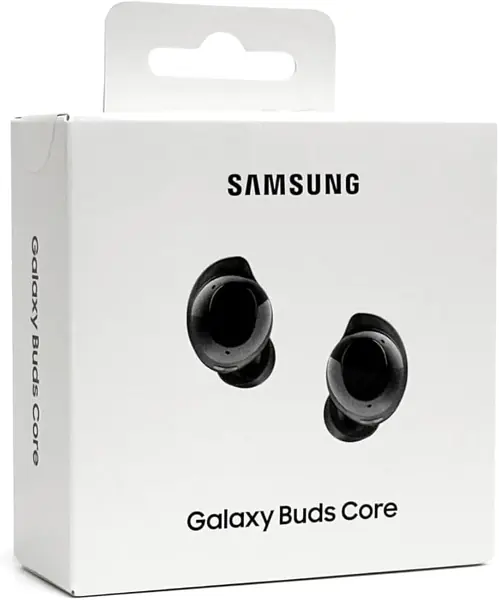
Set the Samsung Galaxy Buds Core next to the AirPods 5 and the interesting difference isn't the money, it's the shape. The Core is the pair that stays put — fit is the strongest thing about it, and on a Galaxy phone it pairs, switches, and answers calls without any ceremony.

You get genuine active noise cancelling, up to 35 hours with the case, Bluetooth 5.4, and touch controls backed by an app. The buds are small enough to disappear in the ear, which matters more at four in the afternoon than anything printed on the box.

For a Samsung desk we rate it above the AirPods 5 and just behind the P31i, and the gap is call hardware: Soundcore puts six microphones in its pair, Samsung puts its effort into fit and quiet. Battery is the soft spot — the charge is the number that doesn't hold for everyone, and there are sets that stop taking one. Connection is the other: if you split the day between a Galaxy phone and a Windows laptop, test that pairing in week one.

Pros

  • Most secure fit in this group
  • Effective active noise cancelling
  • 35 hours total with the case

Cons

  • Charge doesn't hold for every set
  • Pairing can need a second attempt
Our verdict

The fit is the best in this group and the noise cancelling is genuinely good — Galaxy owners get the strongest desk pair for midrange money.

Check Latest Price
4

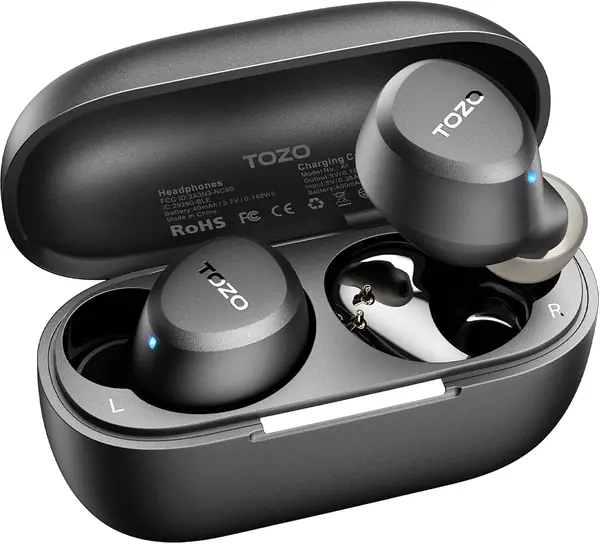
TOZO A1 Best for Small Ears

88 /100
TKZ Score Excellent

Key details

Battery Life
7 hrs; 32 hrs with case
Noise Cancelling
Passive only
Water Resistance
IPX5
Weight
3.7 g per earbud
View on Amazon

There is no noise cancelling in the TOZO A1, and we're recommending it for office work anyway, because the reason to buy it has nothing to do with silence. Each bud weighs 3.7 grams and the shell is shaped for small ears, which makes this the pair to try first if earbuds usually start aching somewhere around lunch.

The rest is honest budget work: 7 hours on a charge and 32 with the case, Bluetooth 5.3, IPX5, and two microphones with AI call processing so you don't sound underwater on a standup. The app carries 32 EQ presets, and the case is small enough to live in a desk drawer without anyone noticing it.

What you accept is the room: no isolation, no transparency mode, nothing between you and an open-plan floor. Reliability is the shakier half of the package too — a single bud that stops working is the failure that turns up. We treat the A1 as a comfort-first, calls-second pair for a quiet office or a home desk, and as the spare set for anyone who already owns a noise-cancelling pair for the loud days.

Pros

  • 3.7 grams per bud, built for small ears
  • Seven hours a charge, 32 with the case
  • Two mics with AI call processing

Cons

  • No noise cancelling or transparency
  • One bud failing is the recurring fault
Our verdict

We recommend the A1 to anyone whose ears ache after a few hours — 3.7-gram buds built for small ears, as long as your desk is quiet.

Check Latest Price
5

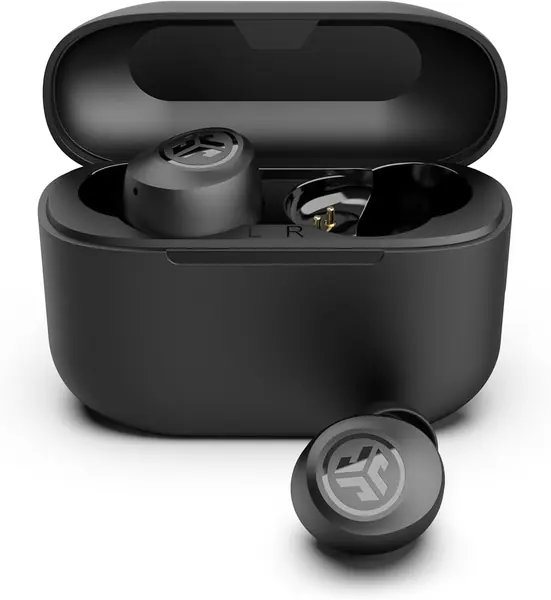
JLab Go Air Pop+ Best Budget

87 /100
TKZ Score Excellent

Key details

Battery Life
9+ hrs; 26+ hrs with case
Noise Cancelling
None; Be Aware mode
Warranty
Two years
Case Size
Smaller than a credit card
View on Amazon

Nine hours per bud is the number that puts the JLab Go Air Pop+ in an office roundup rather than a gym bag. One charge covers a full shift, and 26 more hours wait in a case smaller than a credit card, so a forgotten cable costs you nothing until the following week.

We rate it the budget pick for a simple reason: it is the least expensive pair here to come with a two-year warranty, and it does the things a desk actually needs. The buds connect to each other automatically when you lift them out, Bluetooth 5.3 handles the link, Google Fast Pair speeds up an Android setup, and the app covers EQ and touch-control remapping.

What it doesn't do is quiet the room. There's no noise cancelling — the listing says so plainly — and Be Aware mode does the opposite, letting the office in when you need to hear it. We point the Go Air Pop+ at home offices, quiet corners, and anyone who wants a second pair living in a bag, not at a floor where the phone never stops.

Pros

  • Nine-plus hours on a single charge
  • Two-year warranty at the bottom of the list
  • Case smaller than a credit card

Cons

  • No noise cancelling at all
Our verdict

The budget pick earns its spot on nine hours per bud and a two-year warranty — just don't expect it to quiet an open-plan room.

Check Latest Price
6

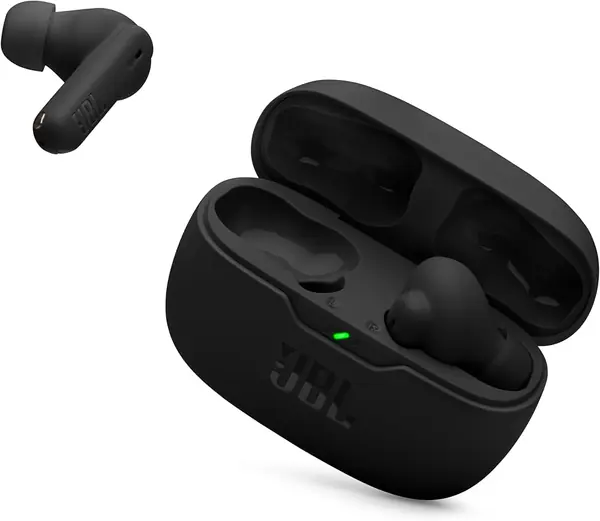
JBL Vibe Beam 2 Best for Constant Interruptions

86 /100
TKZ Score Excellent

Key details

Battery Life
10 hrs; 40 hrs with case
Noise Cancelling
Active with Smart Ambient
Mics
4, two per earbud
Bluetooth
5.3
View on Amazon

The JBL Vibe Beam 2 has the softest noise cancelling of the active pairs here, and that belongs at the top of the review rather than buried at the bottom, because it's the first thing you notice in a loud room. The app helps a little, a good seal helps more, and neither gets it to where the P31i or the AirPods 5 sit.

What it does better than anything else on this list is the handoff between focus and conversation. Smart Ambient and TalkThru are a tap away: TalkThru drops the music and pipes your own voice back so you can answer a question without pulling a bud out, then puts everything back the way it was. Four microphones, two per earbud, cover calls, and 10 hours on a charge with 40 in the case covers the day.

We still send most people to the P31i for the call hardware. But if your desk is the kind where somebody leans over every twenty minutes, TalkThru is the feature you'll actually touch — a one-tap version of what the AirPods 5 do automatically. Buy it for the interruptions.

Pros

  • One-tap TalkThru for quick conversations
  • Ten hours per charge, 40 with the case
  • Four mics for voice pickup

Cons

  • Weakest ANC of the active pairs
  • Sound quality splits verdicts
Our verdict

Buy it for TalkThru and the constant interruptions, not for the noise cancelling — it is the weakest of the active pairs here.

Check Latest Price
7

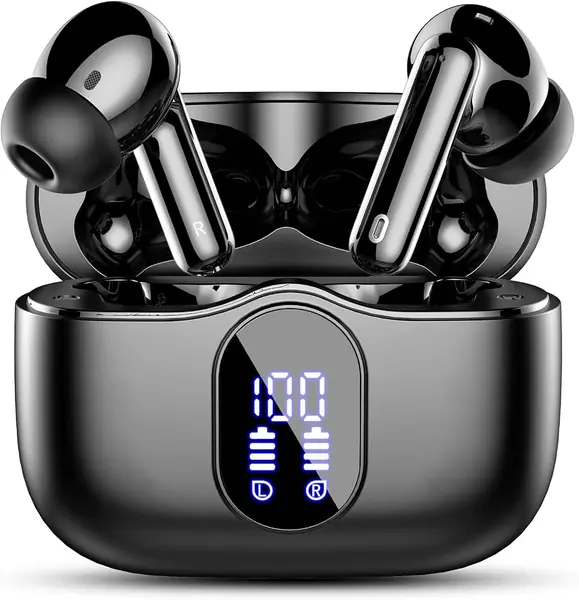
Btootos A90 Pro Budget Call Clarity

85 /100
TKZ Score Excellent

Key details

Battery Life
6–8 hrs; 36 hrs with case
Noise Cancelling
ENC for calls
Bluetooth
5.4
Case
LED battery display
View on Amazon

A battery readout on the lid of the case. It sounds like a trivial thing to lead with until you've squinted at a pair of earbuds at ten to three and wondered whether they'll survive the next call — the Btootos A90 Pro puts the charge level in LEDs on the outside, and it's the sort of small desk-useful detail that pricier pairs skip.

The rest of the package is Bluetooth 5.4, 14.2 mm drivers, 6 to 8 hours a charge with 36 in the case, IP7 water resistance, and touch controls. The noise handling is aimed at your voice rather than the room: an ENC array cleans up what the other end of the call hears, which is what a budget pair can realistically do well.

Fit is where it wobbles. The buds are on the large side, so smaller ears are the group most likely to find them loose, and Bluetooth is the other unsettled area — pair it with everything you own in the first week and keep the box until the connection holds.

For a fixed budget, the A90 Pro earns its place: clear voice pickup, a case that reports its own charge, and enough of it to finish a day. The two-year warranty is what we didn't expect at this end of the list, and it's the reason we're comfortable pointing you at a brand you haven't heard of.

Pros

  • Charge level visible on the case
  • ENC aimed at call clarity
  • Two-year warranty on a budget pair

Cons

  • Large buds loosen on smaller ears
  • Pairing can drop out
Our verdict

A fixed-budget pick for call-heavy days: ENC voice cleanup, a charge readout on the case, and a two-year warranty behind an unfamiliar name.

Check Latest Price
8

Beats Solo Buds Best for Moving Between Rooms

84 /100
TKZ Score Excellent

Key details

Battery Life
Up to 18 hrs
Mics
One per earbud, noise-learning
Ear Tips
XS, S, M, L
Fast Charge
5 min for 1 hr
View on Amazon

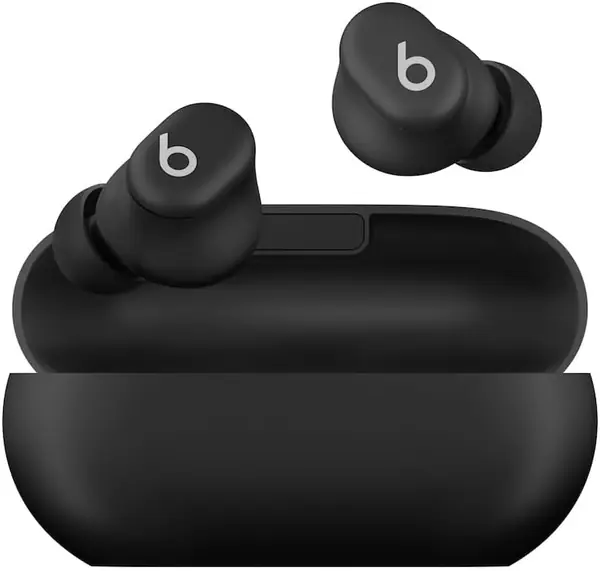
Both of these come from Apple and they don't overlap at all. Where the AirPods 5 are an ecosystem product, the Beats Solo Buds are a hardware one: the smallest case Beats has made, magnetic buds that snap into it, four tip sizes, and a microphone in each earbud backed by a noise-learning algorithm.

That microphone is the office argument. Beats engineered the Solo Buds around voice, and on a call the pickup is the part that holds up best. The 18-hour figure is the whole allowance, though — the case carries the buds and doesn't charge them, so a desk drawer and a USB-C cable are part of ownership.

Beats doesn't claim noise cancelling here, which is the honest reason to look elsewhere if you need an open-plan room to go quiet. Fit is the other split: this is the loosest pair in the group, and the one most likely to want a different tip size than the one already fitted.

What's left is a genuinely pocketable pair with strong call quality and a fast-charge trick that buys an hour of playback in five minutes. If your day moves between meeting rooms, a train, and a client's office, the compactness earns its keep. If you're anchored at one desk in a noisy room, the P31i does more of what you need for less.

Pros

  • Smallest, most pocketable case here
  • Microphone built for voice pickup
  • Five minutes for an hour of playback

Cons

  • No noise cancelling
  • Case adds no backup charge
Our verdict

A pocketable, voice-first pair for a day of moving between rooms; it is the wrong buy for one desk in a loud open office.

Check Latest Price

How We Chose and Tested the Best Wireless Earbuds for the Office

We built the shortlist by reading spec sheets for battery claims, app-based EQ, and noise cancellation modes, then cutting anything that looked like a hassle to live with at a desk. We bought 12 pairs across the price range and used them as our only earbuds for three months, with every pair getting at least two full eight-hour workdays plus a commute and a walk to a meeting room.

Comfort was checked the boring way. I noted where each pair pressed after hour three, whether my jaw felt tight by the end of the day, and how many times I had to reseat them mid-call. For call quality, we recorded the same voice memo from the same corner of the office on every pair, then joined real team meetings and asked the people on the other end whether keyboard clatter and the vent noise came through.

Noise cancellation got graded beside that vent and in a loud kitchen, cycling every mode on the pairs that had them, transparency included, to hear how much of a coworker's question actually made it through. Battery life was logged from a full charge at normal listening volume, along with how much playtime a ten-minute top-up in the case bought. For connectivity, we paired each pair to a laptop and a phone and walked two rooms away mid-meeting, counting dropouts and re-pairing attempts. Where a pair advertised live translation, we ran a handful of phrases through it in a quiet room and a noisy one.

Value decided more than one tie. A few budget pairs matched the expensive ones on everything but call clarity, and one flagship lost its spot because I kept reaching for a cheaper pair instead.

How to Choose Wireless Earbuds for the Office

Start With the Microphones, Not the Sound

Every pair here will play music well enough for a Tuesday. What separates them is what the other end of a call hears. Look for two or more microphones per earbud plus some form of AI or ENC processing on the voice signal; the Soundcore P31i's six-mic array is the most elaborate version of that idea on this list.

Watch the vocabulary, because noise cancelling gets used for two different things. On a budget listing it often means the microphone array cleans up your voice while the room stays loud — that's what the Btootos A90 Pro offers. Real ANC, the kind that quietens the room for you, is a separate system and gets named as active noise cancellation.

Decide Whether You Want Silence or Interruption

Active noise cancelling is the right answer for a room you can't control: an open plan, a shared office, a desk under an air handler. If you're interrupted constantly, transparency modes earn more of their keep. TalkThru on the JBL Vibe Beam 2 drops the music and lets you answer without pulling a bud out; Adaptive Audio on the AirPods 5 does a version of that on its own.

On a collaborative floor we prefer a good transparency mode and average noise cancelling to the reverse. Somewhere nobody talks to you, flip it.

Fit and Weight Decide Whether They're Still In at 4 p.m.

An eight-hour day is a different test from a commute. Four tip sizes give you a chance at a seal; the shell shape decides whether it lasts past lunch. If earbuds usually ache, weight is the number to check first — the TOZO A1's 3.7 grams per bud is the lightest here, and the gap between four grams and six is obvious by mid-afternoon.

A sealed in-ear design also keeps your music out of the next desk's airspace, which is its own office courtesy.

Check the Handoff Before You Order

At a desk the case matters less than it does on a commute: a cable is never far away, so playback per charge counts for more than the case total. Eight hours with noise cancelling running is the figure to look for.

The spec that decides more office setups than any other is multipoint — two devices connected at once, so a call on your laptop doesn't mean re-pairing your phone. Most pairs on this list don't state it, so check the listing before you order rather than after. If it's missing, plan on one device at a time.

Frequently Asked Questions

Final Verdict

The Soundcore P31i is the pair we point an office buyer at first. Six microphones, adaptive noise cancelling rated to 52 dB, and eight hours of playback with the cancelling switched on is a combination nothing else here puts together at the budget end of the list, and it's the one pick that doesn't ask you to give up call quality to get quiet.

If you work entirely inside Apple's ecosystem, the AirPods 5 buy you a handoff and a Conversation Awareness that the Soundcore can't imitate, and that's worth the premium to some people. On a Galaxy phone, the Buds Core gets you the best fit here for midrange money. Everyone else starts with the P31i.