Best Wired Headphones for Calls of 2026

You know the sound: you join a call, your voice lands at the other end like it's coming from inside a shoebox, and everyone spends ten minutes chasing the echo. The fix usually isn't a new laptop or a faster internet plan; it's a headset with a microphone built for talking rather than for picking up the whole room. Wireless is fine until the battery quits mid-presentation, which is why the corded ones keep landing back on our desks.

I've spent the past six months with 14 of these, and the pattern is stubborn: the microphone matters far more than driver size, and a mute button you can find without looking beats most of what's printed on the box. Fit, cord length, and how well the noise cancellation handles a shared office decide whether you're still wearing one at hour six, and whether the plastic still feels solid after months of being coiled into a bag. What follows covers a fixed desk, a hybrid week, and a tote that gets hauled between them.

The Best Wired Headphones for Calls

1

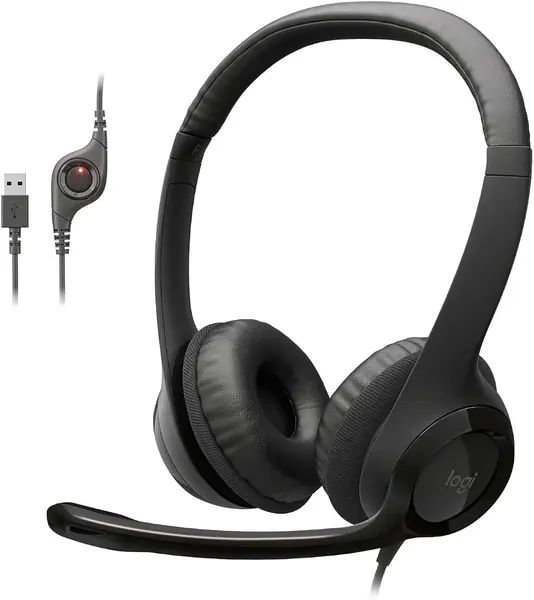
Logitech H390 Best Overall
89 /100
TKZ Score Excellent

Key details

Connection
USB-A
Microphone
Rotating noise-cancelling boom
Weight
7.04 oz
Controls
In-line volume and mute
View on Amazon

If your calls happen at a desk with a USB-A port, the Logitech H390 is where we start. Nothing to pair, nothing to charge, no software to install — you plug it in and the far end gets a voice instead of a room. The boom swings down to the corner of your mouth and folds back against the headband between calls, which is the detail that makes it work on a shared desk or at the kitchen table. We keep recommending it because the two things that decide a call, your voice out and everyone else's voice in, are the two things it does well.

The 30mm drivers will not impress anyone on paper, and they do not need to. Speech comes through clear and loud, music is perfectly listenable, and the in-line pod puts volume and mute right where your hand already rests. A physical mute button on the cable, rather than a keyboard shortcut in another window, is the difference between muting on time and muting two seconds late.

Then there is the clamp. The cushions are on-ear and they press, so by the third back-to-back meeting we were aware of our ears; if you wear glasses, the arm of the frame becomes the pressure point. Extending the headband and taking it off between calls helps, and a 45-minute call sits well inside its comfort zone. For an eight-hour day, the Jabra Evolve 10 is the gentler shape.

The leatherette cushions wipe clean instead of holding onto a summer of meetings, and the warranty runs two years — a year longer than the shortest coverage in this guide.

Pros

  • Boom mic rejects room and keyboard noise
  • Volume and mute on the cable
  • Clear, loud speech at both ends

Cons

  • USB-A plug only
  • Cable and mute button are the weak points
Our verdict

What makes the H390 our pick for a USB-A desk is the mic: it swings to your mouth, rejects the room behind you, and mutes with a button your hand finds on its own.
Check Latest Price
2

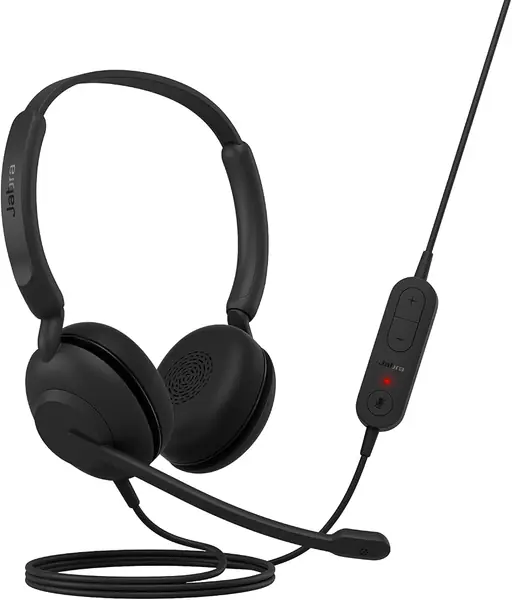
Jabra Evolve 10 Best Budget USB Headset

88 /100
TKZ Score Excellent

Key details

Connection
USB-A
Microphone
Noise-cancelling, reversible boom
Weight
4.99 oz
Controls
In-line call and volume
View on Amazon

Set the Evolve 10 next to the H390 and the difference is weight and attitude: 141.5 grams against 7 ounces, and cushions that rest on the ear instead of pressing into it. We noticed it most in the last hour of a long afternoon, which is exactly when a pair stops being invisible and becomes a thing clamped to your head.

What earns it a place is the price. This is the budget pick of the group, and nothing about it feels stripped: the boom flips to either side so a left-handed setup works, the cable carries call and volume controls, and the mic is noise-cancelling by design. For a first pair, a spare for the kitchen table, or a team ordering ten at once, it is the easiest yes here.

Two details we did not expect. The on-ear cups let the room in, which is either a dealbreaker or the reason you will like them if you need to hear a colleague. And the plastic is more than half recycled with TCO certification — the sort of thing that matters when a company buys these by the dozen.

Pros

  • 141.5 grams, comfortable for long days
  • Boom flips to either side
  • More than half recycled plastic, TCO certified

Cons

  • Mic passes some room noise on loud calls
Our verdict

For long call days, the Evolve 10 is the budget pick we point to: light at 141.5 grams, soft on the ears, and less than half the price of the Evolve 20.

Check Latest Price
3

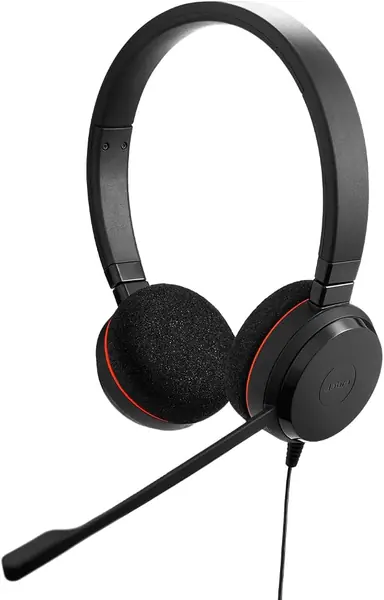
Jabra Evolve 20 (2025) Best Dual-Ear for Long Calls

87 /100
TKZ Score Excellent

Key details

Connection
USB-A/USB-C
Controls
In-line call and volume
Earcups
Dual-ear, closed
Speakers
28mm
View on Amazon

The reason to buy the Evolve 20 over the others here is the connection: it works over USB-A and USB-C, so one pair covers the old dock at the office and the USB-C laptop at home. If you have ever hunted for a dongle five minutes before a meeting, that flexibility is the whole pitch.

Two ears instead of one, 132 grams on the head, and closed cups that keep the office out of your ears. The 28mm speakers are the smallest of the pairs here that quote a driver size — audible in music, much less so in voice, where callers come through crisp.

What it is not is a phone pair. There is no 3.5mm plug and nothing to plug into a handset, so if your calls happen on a mobile rather than a laptop, the Callez's USB-C plug is the better shape. For a desk that moves between two machines, it is the most flexible buy in the guide.

Pros

  • USB-A and USB-C in one pair
  • Dual-ear fit for eight-hour days
  • In-line call and volume controls

Cons

  • The most expensive USB-C option here
Our verdict

Buy the Evolve 20 if one pair has to move between a USB-A dock and a USB-C laptop; the dual-ear fit is the part that lasts an eight-hour day.

Check Latest Price
4

Callez USB-C Headset Best for USB-C Phones

86 /100
TKZ Score Excellent

Key details

Connection
USB-C
Microphone
Noise-cancelling boom
Controls
In-line volume, mute, call answer
Warranty
24 months
View on Amazon

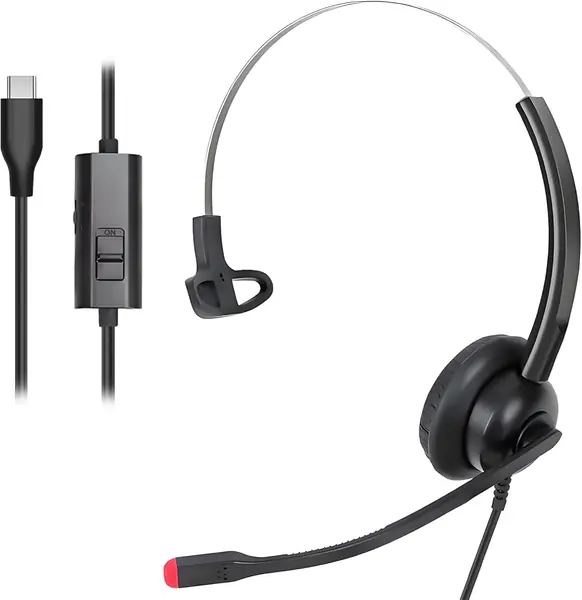
The Callez is for the person whose laptop has two USB-C ports and nothing else. It is USB-C from end to end, no adapter to lose, with a boom mic on a flexible arm and an in-line pod that handles volume, mute, and answering a call when it is plugged into a phone.

At 2.3 ounces it is light enough to forget you are wearing it, and the protein memory foam cushions are a step above the flat pads on cheap office pairs. We also like the cover: 45 days to send it back and 24 months of warranty after that, which is generous at this price.

The honest limit is time — we have not lived with this one long enough to know how the boom hinge and the cable hold up, so it is here on design and specifications rather than a long record. Check one thing before ordering: that your device actually carries audio over USB-C. The iPhone 15 and later do, most recent Android phones do, and some budget tablets and older laptops do not.

Pros

  • Native USB-C plug, no adapter to lose
  • 24-month warranty and 45-day returns
  • Light at 2.3 ounces with memory foam

Cons

  • USB-C only
Our verdict

If your laptop and phone are both USB-C, the Callez is the straightest path to a clear call: one plug, a boom mic, and a mute within reach.

Check Latest Price
5

LUDOS OMNITONE Best Wired Earbuds for Calls

85 /100
TKZ Score Excellent

Key details

Connection
3.5mm
Microphone
In-line mic
Weight
1.41 oz
Warranty
5 years
View on Amazon

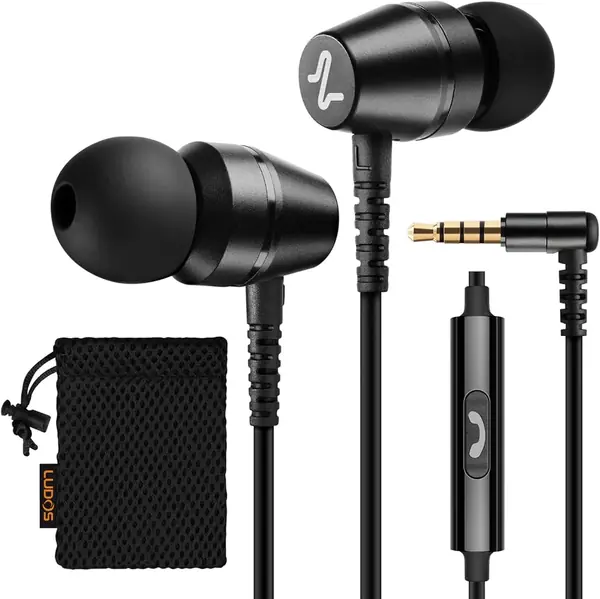
Cheap earbuds die. The cable gives out at the plug, one side goes quiet, and the pair you bought for calls becomes a pair for one ear. LUDOS backs the OMNITONE for five years, the longest warranty in this guide by a wide margin, and that is the main reason it is here.

The rest is sensible. A 3.5mm plug works in a laptop, a tablet, a Switch, or an older phone; the in-line mic handles calls with a button for answering them; and a metal case plus a drawstring bag is more storage than most earbuds come with. For a bag, a glovebox, or a drawer of spares, that is the whole job done.

Fit is the catch. The buds sit large and work loose on smaller ears — fine for a 20-minute call, irritating by the third hour, and a set of foam tips is the cheap fix. What did surprise us is how little of the price you feel elsewhere: the metal case, the pouch, and a cord that does not knot in a bag.

Pros

  • Five-year warranty, the longest here
  • Metal case and pouch included
  • Passive isolation with nothing to charge

Cons

  • Phones without a headphone jack need an adapter
Our verdict

Call-capable earbuds that live in a bag usually die young, which is why the OMNITONE's five-year warranty is the reason to pick it over any other pair here.

Check Latest Price
6

Lenovo USB-A Headset Gen 2 Best for Long Desk Shifts

83 /100
TKZ Score Excellent

Key details

Connection
USB-A
Microphone
Dual-sided boom
Weight
4.94 oz
Earcups
Replaceable
View on Amazon

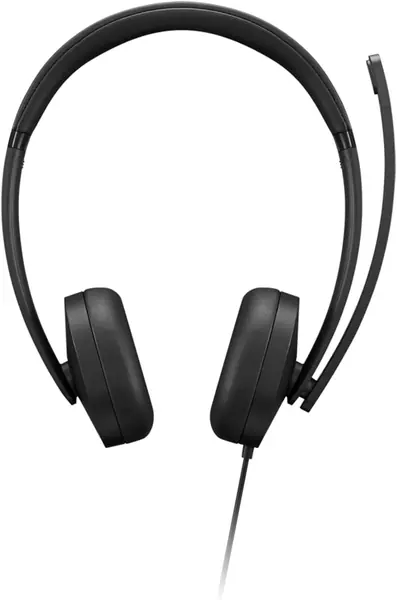
Earcups are the part that goes first on an office pair: the coating flakes, the foam flattens, and the rest of the plastic is still perfectly good. The Lenovo Gen 2 is the one here that lets you do something about it, with cushions that come off and go back on so the whole thing is not thrown out over one worn part.

Office-first shows up elsewhere too: 140 grams, a dual-sided boom that picks up your voice from either side of your head, and a small control box with volume, mute, and call buttons where your hand falls. Sound is clear rather than rich, which is the right call for meetings, and the mic's noise cancelling runs through Lenovo's Accessories and Device Manager app rather than the boom alone — install it and confirm the pair shows up before your first meeting.

At this price it is the sensible desk buy: plug in, install the app, and the thing disappears into a workday. There is no 3.5mm option and nothing here for a phone, so it is built for a computer first, which is what most of us need anyway.

Pros

  • Replaceable earcups extend the life
  • 140 grams, comfortable through a shift
  • In-line box with volume, mute, call

Cons

  • USB-A only; USB-C laptops need an adapter
Our verdict

Replaceable earcups are the reason to pick the Lenovo Gen 2 over the Logitech, and its 140-gram frame is the reason it disappears on a long shift.

Check Latest Price
7

AOC ACW2220 Calls Plus Music

82 /100
TKZ Score Excellent

Key details

Connection
USB-A/USB-C
Microphone
Boom mic with mute
Warranty
1 year
Drivers
40mm
View on Amazon

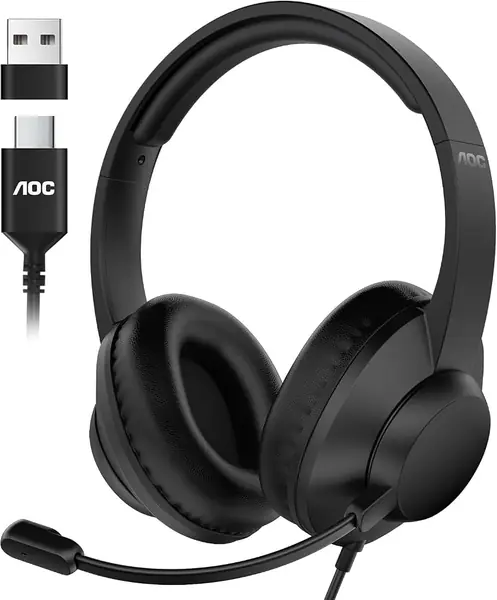
Forty millimeters is the largest driver in this guide — the Logitech and Jabra pairs run 28 to 30 — and it is the reason the AOC sounds like something other than a conference call. The boom sits on a 90-degree hinge with the mute built into the arm, and the pair connects over USB-A or USB-C.

The design is call-center practical: protein memory foam cushions, plug-and-play USB with nothing to install, and drivers that handle a training video as easily as a colleague. It is a desk pair, and it reads as one.

The part we cannot vouch for is age. We have not lived with this one long enough to speak to a year of daily use, and its warranty runs a single year, which is on the short side for something that sits on a desk all day.

So it comes down to what you want one pair to do. If you take calls and then keep the same pair on for music or a video, the AOC's bigger drivers make it the most versatile option here. If calls are the whole job, the H390's tighter focus on the mic is the safer buy.

Pros

  • 40mm drivers handle music and calls
  • Boom mic with mute on the arm
  • Plug-and-play USB with nothing to install

Cons

  • No in-line box; mute sits on the boom
Our verdict

Get the AOC if one pair has to cover calls and music both: 40mm drivers, a boom mic with mute, and a choice of USB-A or USB-C.

Check Latest Price

How We Tested Wired Headsets for Calls

We started by pulling every wired headset we could find that someone might plausibly buy for work: USB-A and USB-C office sets, dual-ear and single-ear, and a few 3.5mm earbuds for people who would rather not wear a headband at all. We filtered by connection type, by whether the cable carried controls within reach, and by whether the microphone sat on a boom arm or in the cord itself, then narrowed the field to 14 units.

For six months, those 14 lived on our desks and in our bags. They covered the Monday standup, the three-hour afternoon call, the kitchen-table meeting with a dishwasher running two rooms away, and the calls taken while pacing a hallway. Each week we recorded a fresh test clip and played it back through speakers rather than headphones, since that's closer to how the person on the other end hears you.

We reached for mute and volume without looking and noted which controls we got wrong. Each cable got measured against a laptop-to-outlet run, and each headset got worn for a four-hour stretch so we could see where it pressed. Everything was coiled into bags and pulled out daily; we tracked whether boom arms sagged and whether plugs loosened after repeated insertions. On value, we compared what each unit gave beyond the cheapest one that worked — a cleaner mic, replaceable pads, a longer cord.

One clarification: none of these silence noise in your ears the way active noise-cancelling headphones do. The noise cancellation advertised here is on the microphone, and we graded it by how much of a nearby conversation survived on the recording.

How to Choose Wired Headphones for Calls

Start With the Jack, Not the Spec Sheet

Three connection families cover this category, and they barely overlap. USB-A is the safe desk choice on an older laptop or a docking station. USB-C is what a newer laptop and an iPhone 15 or later want. A 3.5mm plug goes into anything with a round hole, from a Switch to an older handset, but it depends on that jack carrying a microphone signal as well as sound.

The traps are worth knowing before you order. A USB-A pair on a USB-C-only laptop needs an adapter, and a single 3.5mm plug needs a combo jack — a desktop with separate pink and green ports needs a splitter, which is why a mic can seem dead on one machine and fine on another. Some budget tablets have USB-C ports that carry power but not audio. Plug in a pair you know works and see what the device does before you blame the headphones.

Noise Cancelling Usually Means the Microphone

In a headset listing, noise cancelling almost always describes the mic, not what you hear. That is the right priority for calls: the person on the other end is the one suffering through your kitchen, and a boom that aims a capsule at your mouth rejects far more of the room than a mic sitting on the cable at your collarbone.

If you want quiet on your side of the call, that comes from closed dual-ear cups rather than electronics at these prices — and the trade-off is that you stop hearing a colleague walk up behind you. Decide which end of the call you are protecting, then buy for it.

Comfort Is a Weight and Clamp Problem

Two things predict how a pair feels at hour four: its weight and how hard it presses. The options here run from about 40 grams for earbuds to 7 ounces for the Logitech, and the difference shows up late in the day. On-ear cups press the ear flat; over-ear cups surround it. Neither is better in the abstract, but on-ear cups plus a firm headband are what makes glasses wearers reach for something else.

Our rule: if you sit in calls for more than a couple of hours, favor something around 150 grams or less with pads that surround the ear, and check whether the cushions can be replaced, because they wear out long before anything electrical does.

Buy for the Part That Fails First

Drivers rarely die. Cables go at the strain relief, mute buttons stick, and earcup coating flakes onto your ears. That makes the warranty worth reading as a signal of expected life rather than as fine print: the coverage in this guide runs from a single year to five.

A few habits stretch it further. Leave a slack loop at the plug so the strain relief takes the pull, unplug by the plug rather than the cord, and stop wrapping the cable around the earcups, which puts a hard bend exactly where the wire enters the housing.

Frequently Asked Questions

Final Verdict

The Logitech H390 is the pair we recommend first, for an unglamorous reason: the boom reaches your mouth, the mute sits under your thumb, and there is nothing to install or charge before a call.

If you wear glasses or sit in meetings all day, the Jabra Evolve 10's lighter clamp is the better fit. If every port in your life has gone USB-C, start with the Callez instead.