Best USB-C Cables of 2026

Almost every home has a drawer like mine: a nest of identical black cables, half of which will fast-charge a laptop and half of which will barely keep a phone alive overnight. The difference isn't visible from the outside — it's the wire inside, the wattage rating, and how well the connector is anchored to the jacket. Two cables can look identical and behave nothing alike.

I eventually labeled mine with masking tape, which tells you how long I put up with guessing. Over the past four months, our team has run 18 cables through the places they actually get used: nightstands, back seats, backpacks, and a desk that feeds three devices before 9 a.m. Two things I'd tell a first-time buyer — a cable's wattage ceiling caps what your charger can deliver no matter how big the brick is, and multi-packs are usually the same cord for a fraction of the price per cable.

The picks below are the ones that held up, whether you need to charge a laptop, live out of a car, or replace the cord someone borrowed and never returned.

The Best USB-C Cables

1

Anker USB-C to USB-C 60W 5-Pack Best Overall
97 /100
TKZ Score Outstanding

Key details

Length
6 ft
Pack Size
5 cables
Wattage
60W
Data Speed
5 Gbps
View on Amazon

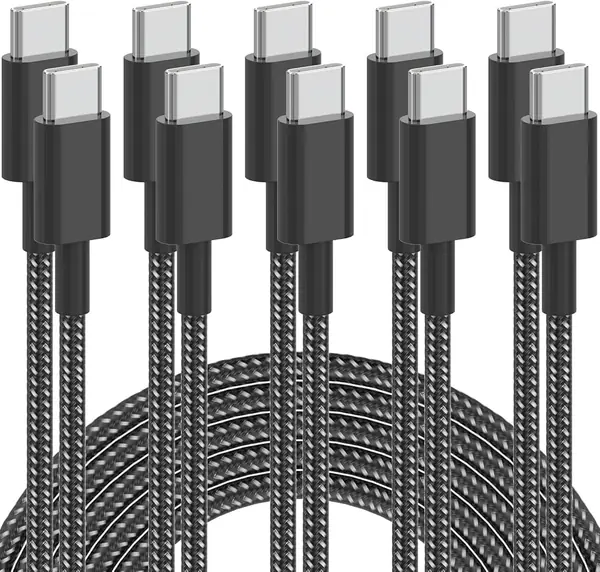
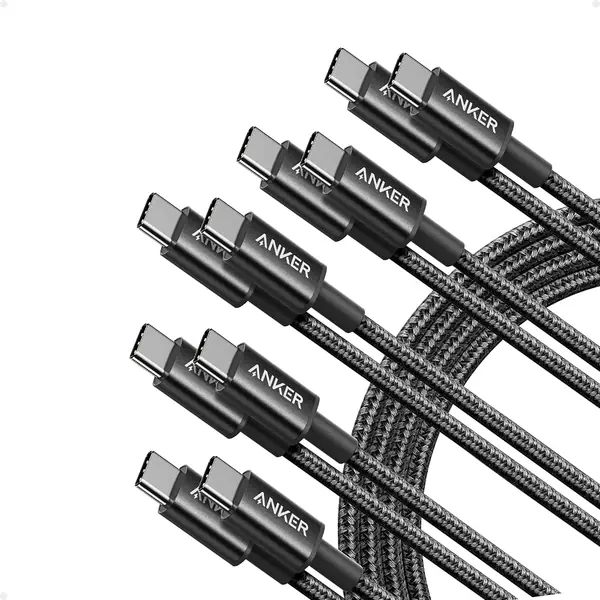
Five 6-foot cables in one box is why this pack is our top pick, and the reasoning is practical rather than clever: cables vanish, get borrowed, and die in car doors, and one box ends the shortage. Each is nylon-braided and carries 60W over USB-C Power Delivery, enough to fast-charge an iPhone, a Galaxy, or an iPad at full speed and enough to keep a MacBook Air topped up overnight. Data moves at 5Gbps, so they double as file-transfer cables, which is unusual in a pack this size.

Six feet is the part we appreciate most in daily use: long enough to reach a floor outlet from the couch, short enough that it doesn't become a nest behind the nightstand. The braid is tight, the connector housings are reinforced, and there's little memory when you uncoil one, so it goes back in a bag without turning into a spring.

Sixty watts is the ceiling, and that's the one place this pack gives ground: a 16-inch MacBook Pro or a high-wattage gaming laptop will charge, but not at full speed. If a big laptop is the point, the UGREEN 100W pair is the better buy. If you simply want more cables for less money, the Plnhixt five-pack undercuts it and works fine — you're just dropping to 480Mbps data and a much shorter track record.

Pros

  • Five 6-foot cables in one purchase
  • 60W PD covers phones, tablets, and a MacBook Air
  • 5Gbps data makes them file-transfer cables too

Cons

  • Cables can stop charging after a few months
Our verdict

Five braided 6-foot cables with 60W PD and 5Gbps data — the pack we recommend to anyone who wants every room and bag covered at once.
Check Latest Price
2

UGREEN 100W USB-C to USB-C 2-Pack Best for Laptops

96 /100
TKZ Score Outstanding

Key details

Length
3.3 ft
Pack Size
2 cables
Wattage
100W
Data Speed
480 Mbps
View on Amazon

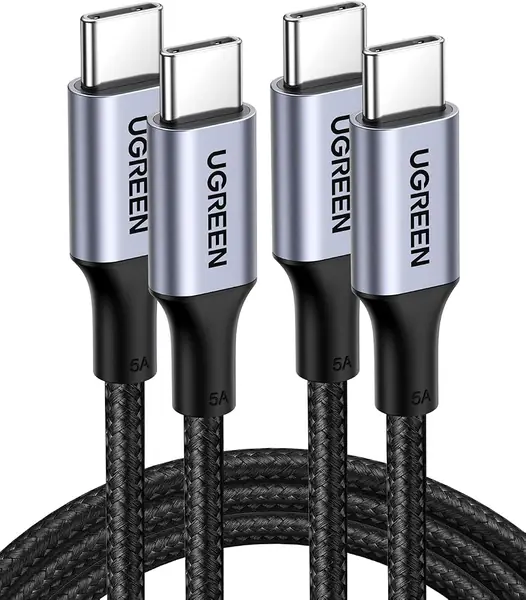
Three feet three inches is short for a USB-C cable, and that's the first thing to like about this pair: it's sized for a laptop on a desk with the charger sitting right beside it, so there's no coil of slack to manage. For desk duty it's the pair we recommend. The cables carry 100W over PD 3.0 and include a built-in E-marker chip, which tells the charger exactly how much current to send.

That chip is the detail worth understanding. Without an E-marker a cable is capped at 3A, which is why so many cheap cords stall a laptop around 60W; with one, charger and laptop can negotiate higher current and voltage and reach 100W. It's the difference between a MacBook Pro charging at its full rate and creeping along, and it means the cable won't be the bottleneck when you upgrade laptops.

The length is also the limit. It won't run from a couch to an outlet, and it's wrong for a car — that's a job for a 6-footer. On a desk, or in a bag beside a power bank, the short run is tidier: nothing to knock off the table. The aluminum housings feel better made than the molded plastic ends on cheaper cables, which is a detail you notice every time you plug one in.

Pros

  • 100W PD backed by an E-marker chip
  • 3.3-foot run stays tidy on a desk
  • Two cables and aluminum housings

Cons

  • Stiff braid can kink near the plug
  • 480Mbps data, so transfers are slow
Our verdict

For laptop charging at a desk, this is the pair we point people to: 100W with an E-marker chip in a short, tidy 3.3-foot length.

Check Latest Price
3

Anker USB-A to USB-C 2-Pack Best for USB-A Ports

95 /100
TKZ Score Outstanding

Key details

Length
6 ft
Pack Size
2 cables
Wattage
15W
Connector
USB-A to USB-C
View on Amazon

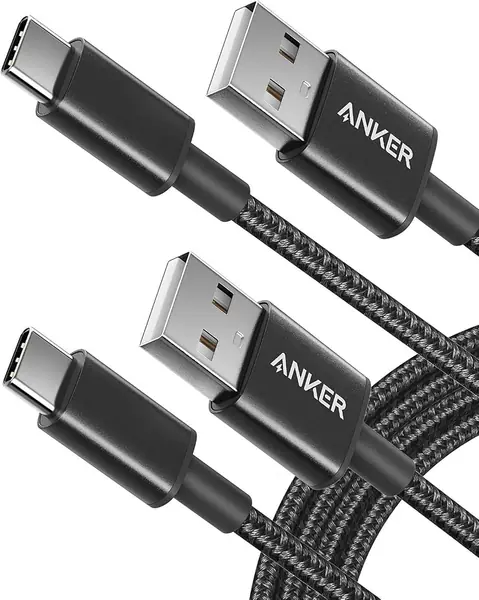
Not every outlet has caught up. Rental cars, hotel lamps, older wall bricks, and plenty of desk setups still hand out a rectangular USB-A port, and this two-pack is the cable that meets them: six feet of nylon braid with the same strain relief Anker puts on its USB-C packs.

We keep one plugged into the car, and that's where the design earns its place: six feet reaches from a console port to a windshield mount with slack to spare, and CarPlay and Android Auto both run over it. The plug seats with a click and stays seated over speed bumps, which is the failure that actually matters in a vehicle. As a spare for the glovebox and the desk drawer, it's the most useful cable in the house.

What it isn't is a laptop cable. If every charger you own has a USB-C port, buy one of the C-to-C picks here instead and keep the extra speed; this one exists for the ports you already have. With two in the pack, one in the glovebox and one in a drawer is an easy call.

Pros

  • Fits USB-A ports in cars and older bricks
  • 6-foot braid with solid strain relief
  • Works with CarPlay and Android Auto

Cons

  • 15W ceiling, with no Power Delivery
Our verdict

Buy this pair if your car, nightstand, or desk still has a USB-A port — six feet of braided cable that seats firmly and handles CarPlay.

Check Latest Price
4

FEEL2NICE USB-C to USB-C 60W 3-Pack Best White Cable

94 /100
TKZ Score Outstanding

Key details

Length
6 ft
Pack Size
3 cables
Wattage
60W
Color
White
View on Amazon

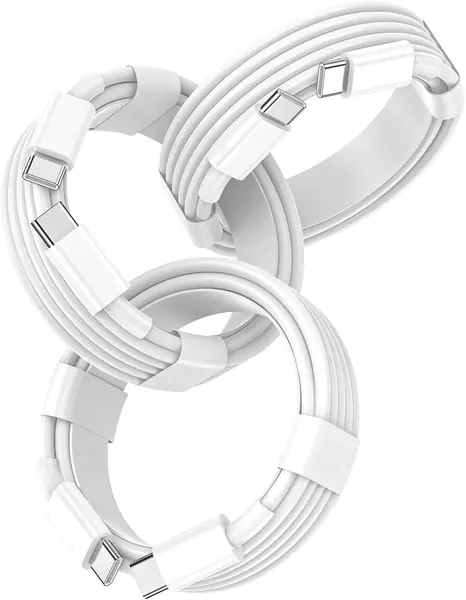
The white jacket is the whole pitch. This looks like the cable Apple used to ship in the box — smooth TPE, glossy white, the same thickness — and it carries 60W over PD 3.0, which is as fast as an iPhone or an iPad will take power anyway.

Three of them, all six feet, each with a smart chip guarding against over-voltage, overheating, and short circuits. The TPE finish stays smooth rather than going shiny at the bends, and the connector ends have a rubber collar that takes the wear instead of the jacket.

We like these best for the rooms where a cable is on display: a white cord on a white nightstand reads as intentional, where a black braid reads as clutter. The soft jacket is closer to Apple's own cord than any braided pick here, and 60W covers an iPhone, an iPad Air, and a MacBook Air — though a 16-inch MacBook Pro wants one of the 100W or 240W options. Light, thin, and easy to coil, this is the pack that disappears into a bag.

Pros

  • White TPE matches Apple's own cable
  • 60W covers iPhone, iPad Air, and MacBook Air
  • Three 6-foot cables in one box

Cons

  • White jacket shows dirt and grime
Our verdict

The pick for Apple owners who want the original-cable look: three 6-foot, 60W cords in white that feel like the one in the box.

Check Latest Price
5

Plnhixt USB-C to USB-C 60W 5-Pack Best Budget Multi-Pack

93 /100
TKZ Score Outstanding

Key details

Length
6 ft
Pack Size
5 cables
Wattage
60W
Data Speed
480 Mbps
View on Amazon

It's the cheapest five-pack here, and it does the same basic job as our top pick: five 6-foot braided cables rated for 60W over PD 3.0, a cable tie in the box, and a lifetime warranty. If you want to fill every room, bag, and glovebox without thinking hard about it, this is the arithmetic that makes the most sense.

The braid is the visible difference: 48-strand cotton yarn rather than smooth nylon, for a softer, more matte look, with slimmer connector housings. Both packs are rated for the same 60W, so a phone or an iPad charges at the same speed from either. The Anker pack pulls ahead on data, though, and that gap is the one real trade.

A loose fit at the port is the caveat worth knowing: check that each plug seats with a click when the box arrives, and put the snug ones in the car and the looser ones on a nightstand where the phone isn't moving. The track record is thinner than the big brands', which is the real reason this sits below our top pick — but at this price, replacing one dud still costs less than a name-brand pair.

Pros

  • Five 6-foot braided cables for the least money
  • Same 60W PD rating as the top pick
  • Cable tie and lifetime warranty included

Cons

  • 480Mbps data, so transfers are slow
Our verdict

The value pick: five 6-foot 60W braided cables for less than any other five-pack here, ideal for filling every room.

Check Latest Price
6

LISEN 240W USB-C to USB-C 2-Pack Budget Laptop Power

92 /100
TKZ Score Outstanding

Key details

Length
6.6 ft
Pack Size
2 cables
Wattage
240W
Data Speed
480 Mbps
View on Amazon

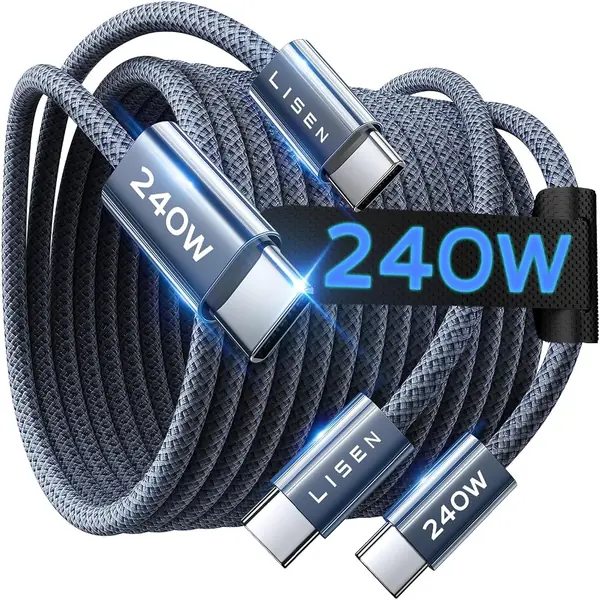
Two hundred and forty watts is the headline, and it's real: this pair supports PD 3.1 Extended Power Range with an E-marker 3.0 chip, which puts it among the few cables here that can feed a 16-inch MacBook Pro or a high-end creator laptop at full speed. Two 6.6-foot nylon-braided cables, and the least you'll pay for that much power in this set.

The catch is that 240W only happens when the whole chain agrees. You need a charger that outputs EPR voltage and a device that asks for it; plug this into a 20W phone brick and you get 20W, exactly as you would from a cheaper cable. Most phones top out between 25W and 45W, so the headroom here is really about laptops.

The E-marker does the quiet work. It tells the charger what the cable can carry, so a 240W-capable cord is safely stepped down for a phone, and it's why the oxygen-free copper cores matter — thicker, purer conductors move high current without warming the plugs. Day to day, that means one cable moving between a phone, a tablet, and a laptop without you checking which is which.

We rate this as the laptop cable to buy when money is tight: 240W of headroom and 6.6 feet of reach for less than any other laptop-capable pick here. Keep it on a desk or in a bag. A car mount that gets knocked around is not where a 240W cable earns its keep.

Pros

  • 240W PD 3.1 EPR with an E-marker chip
  • Two 6.6-foot cables at the lowest price here
  • Oxygen-free copper cores carry high current

Cons

  • 12-month warranty, the shortest here
  • Plugs can sit loosely in some ports
Our verdict

The cheapest way into 240W charging: a two-pack of 6.6-foot cables for laptops, provided your charger and device support EPR.

Check Latest Price
7

Samsung USB-C to USB-C Cable, 1 m Best for Bag and Pocket

91 /100
TKZ Score Outstanding

Key details

Length
1 m
Pack Size
1 cable
Connector
USB-C to USB-C
View on Amazon

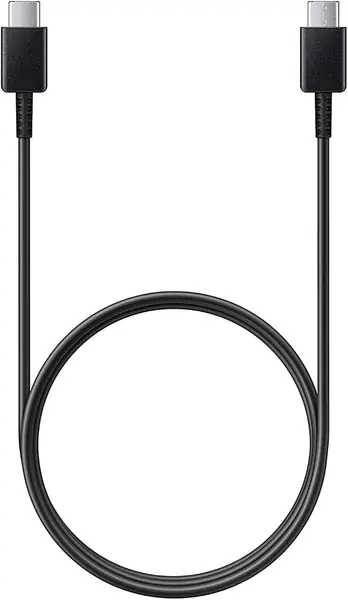
One meter is the length that disappears: short enough to coil into a jacket pocket, long enough to run from a console port to a phone mount. If your bag or your car has a permanent tangle in it, this is the cable that replaces it.

It's a plain black USB-C to USB-C cable — plastic jacket, no braid, no branding drama — rated for Samsung's fast charging on Galaxy phones and for 480Mbps data. The connector housing is short and squared off, so it sits flush against a phone instead of levering against the case.

Value is where it gives ground: one cable at multi-pack money, and the price only makes sense if a 1-meter length is exactly what you need. We keep ours for the job a short cable does better than any 6-footer — a power bank in a jacket pocket, or a console cubby where a longer cord just tangles.

Pros

  • 1-meter length stows in a pocket
  • Rated for Samsung fast charging on Galaxy phones
  • Squared housing sits flush against a cased phone

Cons

  • One cable at multi-pack prices
  • Some units ship as generic, not Samsung
Our verdict

Buy it for the length: a 1-meter USB-C to USB-C cable that charges a Galaxy phone fast and stows in a pocket.

Check Latest Price

How We Tested the Best USB-C Cables

We started with spec sheets rather than star ratings. We kept cables that clearly stated a wattage ceiling, noted whether each one was C-to-C or A-to-C, recorded the exact length and how many came in the pack, and dropped anything that couldn't tell us what it was rated for. That left 18 cables — single cords plus the contents of several multi-packs — which we used for four months.

Testing happened where cables actually live. Each one spent a week on a nightstand charging a phone overnight, on a desk feeding a laptop and a tablet, in the older USB-A port of a car on commutes, and coiled in a backpack for weekend trips. We plugged a small inline power meter between cable and device to see what each one actually pulled, and timed how long a dead phone took to hit 50 percent on the same charger so the comparison stayed fair.

Durability got the ugly treatment. We coiled and uncoiled every cable around our hands dozens of times, bent the ends back and forth, pulled them out by the cord instead of the plug, and left a few in a car through a stretch of cold mornings to see whether the jacket stiffened or stayed flexible. We noted where the braid or strain relief frayed first, and one cable stopped carrying a charge entirely before the four months were up.

Fit and compatibility we checked the boring way: plugged each connector into a phone in a thick case, a laptop, a handheld, and a loose car port, and paid attention to which ones seated firmly and which wobbled. We measured every cable against its advertised length and counted what arrived in each pack — the numbers matched most of the time, but not always. We also tracked which cords moved files without complaint and which were charge-only, since a slow charge is annoying and a failed transfer is worse.

How to Choose a Usb-C Cable

Match the Wattage to the Device

Sixty watts is the sweet spot for phones and tablets. It's what the Anker five-pack and the FEEL2NICE cords deliver, and it's enough to run an iPhone, a Galaxy, or an iPad at their maximum rate and to keep a MacBook Air charging overnight. Step up to 100W for a 14- or 16-inch MacBook Pro, which is what the UGREEN pair carries. Above that, 240W over PD 3.1 Extended Power Range only matters for high-end creator laptops.

The trap is paying for wattage you can't use. A 240W cable in a 20W phone brick charges at 20W; a 60W cable in front of a 140W charger caps the entire chain at 60W. Cable, charger, and device negotiate, and the lowest rating wins.

USB-C to USB-C or USB-A to USB-C?

Look at the port on your charger first. A C-to-C cable needs a USB-C charger; an A-to-C cord plugs into the rectangular port still found on rental cars, hotel lamps, and older wall bricks. The A-to-C version is the slower one — the Anker pair tops out at 15W with no Power Delivery — so it's a phone and tablet cable rather than a laptop one.

Buy one cable to do everything and it should be C-to-C. Buy for a car stereo with a USB-A jack, and the A-to-C cord — still a Type-C cable at the phone end — is the one that fits.

Choose a Length for Where the Cable Lives

Length is a placement decision, not a quality one. A 1-meter cable is a bag and pocket cable: right for a power bank or a console cubby, hopeless from a couch to an outlet. Three feet suits a desk with the charger beside the laptop. Six feet is the default for a nightstand or a sofa, and 6.6 to 10 feet reaches across a room.

Longer cables also take more abuse, since every extra foot is another loop to catch on a chair leg. If you need reach, buy a multi-pack so a damaged cable is a swap instead of a purchase.

Data Speed: 480Mbps Is Fine Until It Isn't

Most cables in a multi-pack move data at 480Mbps, which is fine if you only charge. It becomes a nuisance when you pull a photo library off a phone or move video to an SSD — the transfer that takes a minute at 5Gbps takes ten at 480Mbps.

The Anker five-pack is the one here that lists 5Gbps; the Plnhixt, LISEN, UGREEN, and Samsung cables are all 480Mbps. If the cable's job is charging and CarPlay, ignore the difference. If it doubles as your file-transfer cable, it's the spec to check.

How These Cables Fail, and What to Check

Failures cluster in two places: where the jacket meets the plug, and inside the plug itself. Stiff jackets kink at the strain relief; soft ones wear through. A tight braid and a reinforced collar buy time, but nothing survives being pulled out by the cord, so pull the plug housing instead.

Fit matters as much as build. A plug that sits loosely will drop a connection mid-charge, so seat each new cable in the port it will live in and check for a click before you rely on it. That's the argument for a multi-pack: you find out which plugs fit your devices before you need them.

Frequently Asked Questions

Final Verdict

The Anker 60W five-pack is the cable purchase most people should make: five 6-foot braided cables that fast-charge a phone, top up a MacBook Air, and move files at 5Gbps, at the lowest cost per usable cable in this set.

Change the requirement and the pick changes with it. If a laptop at a desk is the main job and 100W matters, take the UGREEN pair. If the ports you plug into are still rectangular, take the Anker A-to-C pair — that's the whole decision.