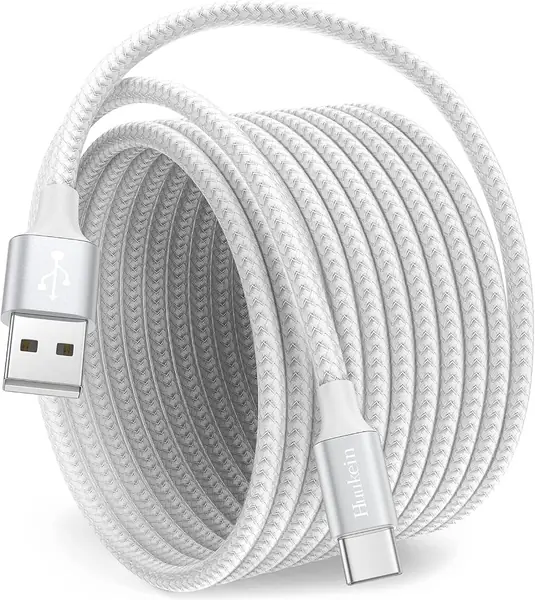
Best Long USB-C Cables of 2026

A long USB-C cable solves one problem and quietly creates two more. The extra reach that lets you charge from the couch is the same extra length that can shave a little speed off a fast charge, and the cord that coils neatly on your desk turns into a knot at the bottom of your bag. What you actually want is a cable long enough to reach where you really sit, rated high enough that the distance doesn't cost you, with a connector that won't fray the first time it gets yanked off the nightstand.

I've had a 10-foot cord snaked from behind a dresser to my pillow for years, and I've replaced it more times than I'd like to admit. Over the past four months, my team and I compared 16 long USB-C cables, from 6-foot braided cords to a 20-footer that crosses a whole room. The thing most shoppers miss is that the wattage number on the package matters more than the length — a long cable rated for 60W is never going to fast-charge a laptop, no matter how good the braid looks. Below are the ones that held up, reached far enough, and didn't slow anything down in the process.

The Best Long USB-C Cables

1

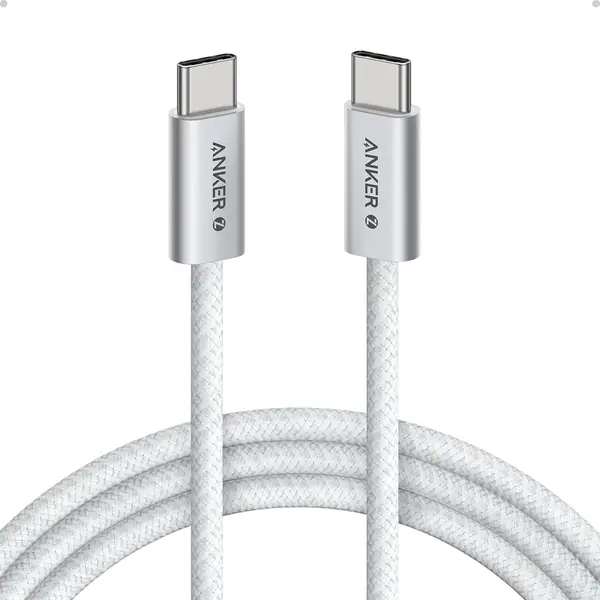
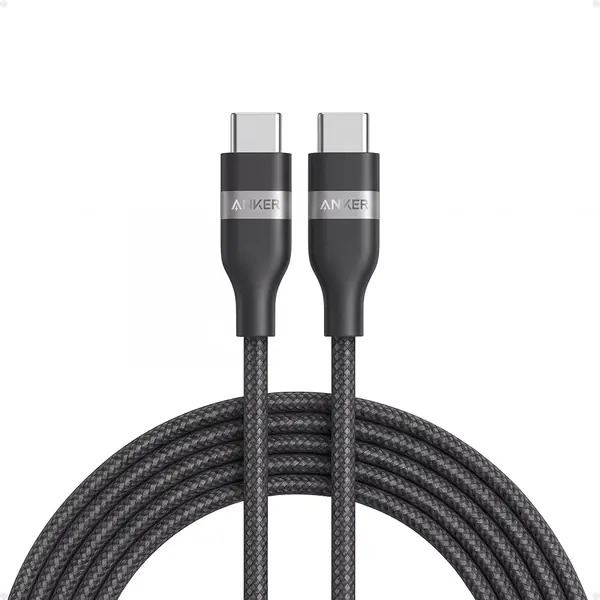
Anker Nano 240W USB-C Cable Best Overall
96 /100
TKZ Score Outstanding

Key details

Length
10 ft
Max Power
240W
Connector
USB-C to USB-C
Bend Rating
30,000+ bends
View on Amazon

The Anker Nano is the cable that ended up staying plugged in at our desk. The 10-foot length reaches from a floor outlet to the couch without a taut, trip-wire feel, and the upcycled braid has a soft, almost fabric-like hand that coils easily. We noticed the difference most when we moved it from a laptop to a phone: the 240W rating is overkill for a phone, but it means one cable can top up a 16-inch MacBook Pro and then charge an iPhone without swapping cords.

What earns it the top spot is the combination of reach and real PD headroom. It is USB-IF certified, rated for 30,000 bends, and built with the kind of strain relief that does not fight you when you bend it behind a nightstand. We also appreciate that Anker sells the same cable in shorter lengths, so the 10-foot version is a deliberate choice rather than the only option.

The limits are simple: data transfer is USB 2.0 at 480Mbps, so it is a charging cable first, not a way to move big files quickly. It also costs more than the budget multi-packs here. For a single cable that has to handle a laptop, a phone, and a long run across a room, we think that trade is easy to make.

Pros

  • 240W PD charging for laptops and phones
  • 10-foot reach with a soft, tangle-resistant braid
  • 30,000-bend durability rating
  • USB-IF certified construction

Cons

  • Data transfer limited to 480Mbps
  • Pricier than the budget multi-packs
Our verdict

The Anker Nano is our top pick because it combines a true 10-foot reach with 240W charging and a soft, durable braid that suits both laptop and phone duty.
Check Latest Price
2

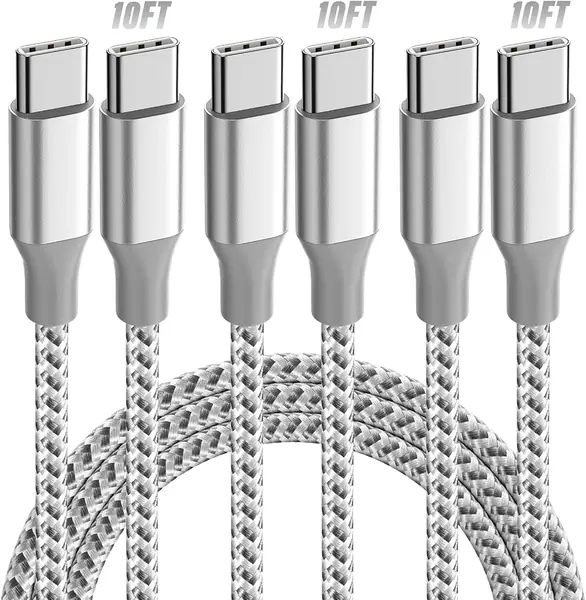
KYEHD 3-Pack 10-Foot USB-C Cable Best Budget Multi-Pack

95 /100
TKZ Score Outstanding

Key details

Length
10 ft
Max Power
60W
Data Speed
5 Gbps
Pack Size
3 cables
View on Amazon

The KYEHD pack makes sense the moment you count the cables: three 10-foot USB-C to USB-C cords for less than one premium cable. We like that for the unglamorous jobs — one by the bed, one in the car, one in a bag — without moving the same cable from room to room. The 60W rating is enough for a phone, tablet, or a thin laptop, and the braided jacket feels more substantial than the price suggests.

Where it gives ground is power. A 60W cable will charge a MacBook Air or most phones at a useful rate, but it will not feed a 16-inch MacBook Pro at full speed. The data rating is listed at 5Gbps, which is quicker than most charging cables here, though that is not why we pick it. We treat this as a charging-first pack and test each cable with a known charger before trusting it in a bag.

If your devices are phones, tablets, and smaller laptops, this is our value pick: the length is genuinely useful, the plugs are aluminum, and the cost per cable is hard to argue with. If you need one cable to charge a big laptop, spend the money on a 100W or 240W cable instead.

Pros

  • Three 10-foot cables in one pack
  • 60W PD charging for phones and tablets
  • Braided nylon and aluminum connectors
  • Low cost per cable

Cons

  • 60W limits charging for large laptops
Our verdict

If you want long cables in several rooms, the KYEHD three-pack is our value pick: three 10-foot 60W USB-C cables that cover phones, tablets, and smaller laptops.

Check Latest Price
3

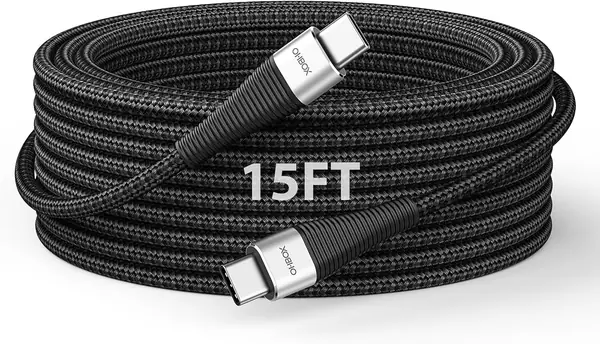
ohbox 15-Foot 100W USB-C Cable Best for Extra-Long Runs

94 /100
TKZ Score Outstanding

Key details

Length
15 ft
Max Power
100W
Connector
USB-C to USB-C
Data Speed
480 Mbps
View on Amazon

The ohbox cable solves the outlet that is on the wrong side of the room. At 15 feet it reaches from a wall jack to a couch, bed, or conference table without an extension cord, and unlike most extra-long cables we tried, it keeps 100W USB-C Power Delivery. That makes it a real laptop cable, not just a phone charger with extra slack.

The braided jacket is flexible enough to route around a sofa leg, and the USB-C to USB-C connectors mean you can use it with the same PD brick that charges your laptop. The catch is consistency. Test this one thoroughly in the first week, because intermittent charging and cables that cut in and out have been the recurring frustration with long high-power cords, and this model has not escaped it entirely.

When it works, it is the most useful cable here for a laptop on a long run. Data speed is 480Mbps, so keep a shorter drive cable for file transfers. If your run is closer to 10 feet, the Anker Nano is the more polished cable; the ohbox earns its place when 10 feet is not enough.

Pros

  • 15-foot reach with 100W USB-C charging
  • USB-C to USB-C for PD laptop bricks
  • Flexible braided jacket for routing
  • Useful for couch, bed, or conference table

Cons

  • Charging can be intermittent on some units
  • 480Mbps data speed only
Our verdict

For laptop charging across a long room, the ohbox 15-foot cable is our pick: it keeps 100W USB-C power over a run that ordinary cables cannot reach.

Check Latest Price
4

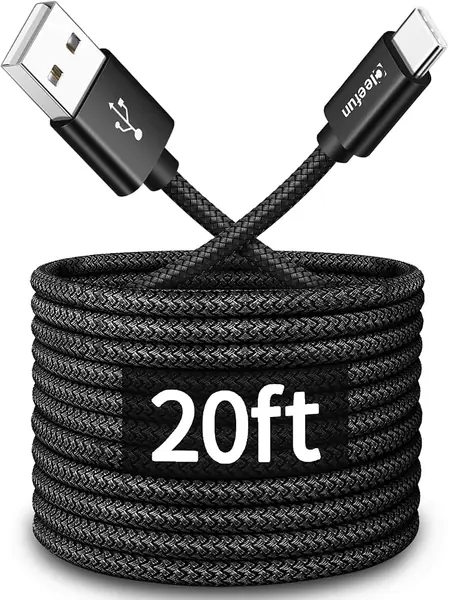
CLEEFUN 20-Foot USB-A to USB-C Cable Best for Maximum Reach

93 /100
TKZ Score Outstanding

Key details

Length
20 ft
Max Power
15W
Connector
USB-A to USB-C
Jacket
Nylon braided
View on Amazon

Twenty feet is not a cable you buy for speed. It is a cable you buy because the outlet is behind the bed, across the ward, or on the other side of a hospital room, and you want to keep using the phone while it charges. The CLEEFUN does that job with a nylon-braided cord that feels sturdier than its light build suggests.

The important limitation is written into the connectors: this is USB-A to USB-C, with a 15W ceiling. That is fine overnight or for a tablet that sits still, but it will not fast-charge a modern phone the way a USB-C PD cable does, and it is not the cable for a laptop. Do not count on it for a controller or camera link over the full 20 feet; long data runs are where this cable is least reliable.

If your priority is maximum reach from an older USB-A charger, this is the cable we keep coming back to. If you have a USB-C PD brick, the ohbox 15-foot cable gives you most of the reach and much more power.

Pros

  • 20-foot reach from a USB-A charger
  • Braided nylon jacket resists snags
  • Useful for bedsides, hospital rooms, and cameras
  • Works with older USB-A power bricks

Cons

  • 15W ceiling is slow for modern phones
  • Long data runs can be unreliable
Our verdict

When the outlet is genuinely far away, the CLEEFUN 20-foot cable is our reach-first pick, provided you can live with USB-A charging speeds.

Check Latest Price
5

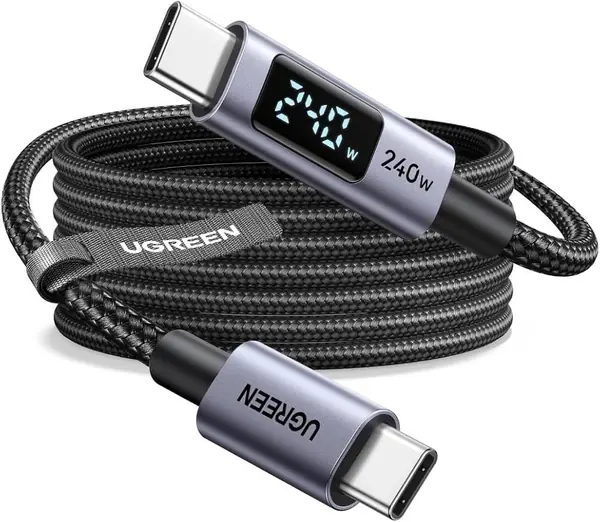
UGREEN 240W USB-C Cable Best for Charge Monitoring

92 /100
TKZ Score Outstanding

Key details

Length
6.6 ft
Max Power
240W
Data Speed
480 Mbps
Display
Watts, amps, volts
View on Amazon

The UGREEN cable has a small screen on the connector that cycles through watts, amps, and volts. That sounds like a gimmick until you are trying to work out whether a new charger, a power bank, or a long cable is the thing limiting your laptop. We found it genuinely useful for that, and the 240W rating means the cable itself is rarely the bottleneck.

At 6.6 feet, it is long enough for a desk or a couch-side outlet but not a whole-room run. The braided jacket and aluminum ends feel premium, and the 480Mbps data rate is normal for a charging-first cable. The display is the dividing line: it cycles constantly and cannot be switched off, and it can wash out in bright light. If you like seeing the numbers, that is a fair trade; if you want a quiet cable for a bedroom, it is not.

This is the one we choose for a desk setup where the cable stays put and the readout answers a real question. For pure couch charging, the Anker Nano is softer and simpler; for a two-pack, the LISEN costs less per cable.

Pros

  • Live wattage, amperage, and voltage display
  • 240W PD charging for laptops
  • Braided jacket and aluminum ends
  • 6.6-foot length suits desk or couch

Cons

  • Display cycles constantly and cannot be turned off
  • Screen can wash out in bright light
Our verdict

The UGREEN 240W cable is for anyone who wants to see the charge rate: a bright little display, solid 240W power, and a sensible 6.6-foot length for a desk.

Check Latest Price
6

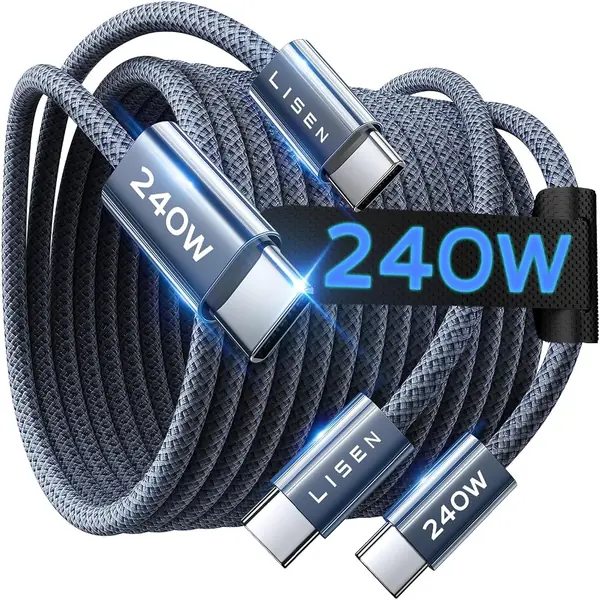
LISEN 240W USB-C Cable 2-Pack Best Two-Pack for Laptop Power

91 /100
TKZ Score Outstanding

Key details

Length
6.6 ft
Max Power
240W
Connector
USB-C to USB-C
Pack Size
2 cables
View on Amazon

Two 240W cables in one pack is the reason to look at the LISEN set. We like the division of labor: one stays at the desk, one lives in a laptop bag, and neither has to be unplugged and rerouted every time you move. The 6.6-foot length is enough for a couch-side outlet, and the braided jacket and metal connectors feel sturdier than the price tier suggests.

The E-Marker chip and 5A rating support high-power PD, so a MacBook Pro or a gaming laptop can pull serious wattage through it. The weak point is the plug fit. Over months of plugging and unplugging, a loose connection can show up as a cable that charges only at an angle or drops out when the phone moves. We treat these as desk-and-bag cables rather than the one you yank out of a car holder every day.

Data transfer is 480Mbps, so this is not a workhorse for moving files. If you want the most reliable feel from a premium cable, the Anker Nano is the better single-cable buy; if you want two long high-power cables to leave in two places, the LISEN pack makes more sense.

Pros

  • Two 6.6-foot 240W cables
  • E-Marker chip supports high-power PD
  • Braided jacket and metal connectors
  • Good value for laptop charging

Cons

  • Plug fit can loosen over time
  • 480Mbps data speed only
Our verdict

The LISEN two-pack is our value route to 240W charging: two 6.6-foot USB-C cables for laptop bags and desk drawers, with plug fit as the trade-off.

Check Latest Price
7

Anker Zolo 240W USB-C Cable Best for Tight Phone Cases

90 /100
TKZ Score Outstanding

Key details

Length
6 ft
Max Power
240W
Bend Rating
10,000+ bends
Connector Profile
5.8 mm
View on Amazon

The Anker Zolo is the cable we hand to someone with a chunky phone case. Its connector is just 5.8mm thick, so it slips into openings that swallow the molded ends of ordinary cables. That sounds like a small thing until you are charging through a case that has a narrow port cutout, and then it is the only thing that matters.

The rest of the package is strong too: 240W charging, a soft braided jacket, and a 6-foot length that works at a desk or bedside. It is rated for 10,000 bends, which is lower than the Nano's 30,000, but the cable is also easier to coil into a small bag. USB 2.0 data speed is the usual limitation.

Six feet is the boundary to know. It is long enough to reach from a nightstand to a pillow, but not from a wall outlet to the far end of a couch. If you need that extra reach, the 10-foot Nano is the better fit.

The Zolo is the one we reach for when the case opening is the problem rather than the distance. The slim plug is a genuinely useful piece of design, not a spec-sheet novelty, and it makes a 240W cable feel easier to live with than its bend rating alone suggests.

Pros

  • Slim 5.8mm connector clears many cases
  • 240W charging for phones and laptops
  • Soft braid coils easily for travel
  • 6-foot length works at desk or bedside

Cons

  • 6 feet may be short for across-room use
  • 480Mbps data speed only
Our verdict

If your phone case blocks ordinary plugs, the Anker Zolo is our pick: a slim 5.8mm connector on a soft 6-foot 240W cable that still handles laptops.

Check Latest Price
8

Huukein 10-Foot USB-A to USB-C Cable Best for Basic USB-A Charging

89 /100
TKZ Score Excellent

Key details

Length
10 ft
Max Power
15W
Connector
USB-A to USB-C
Data Speed
480 Mbps
View on Amazon

The Huukein is the cable for the charger you already own. It is USB-A to USB-C, so it plugs into the older rectangular wall bricks and car outlets that are still in a lot of homes and vehicles, and the 10-foot length gets the phone from the outlet to the bed without an extension cord.

You are giving up speed. The cable is rated at 15W, so a modern phone will charge, but not at the fast rate a USB-C PD charger delivers. We treat it as an overnight or desk cable: fine when the phone has hours to sit, less useful when you need a quick top-up before leaving. The braided jacket and snug connector fit are the bright spots; the connector clicks in and stays put, which is not guaranteed at this end of the price scale.

The other caveat is data. CarPlay and Android Auto can run over a long cable, but a 10-foot run is more sensitive to a loose connection than the short cable that came with the car, and this one has shown dropouts in that role. For plain charging from a USB-A brick, it is a sensible spare; for a fast-charging household, put the money into a USB-C PD cable instead.

We keep one in the car for emergency charging rather than as a daily cable. That is the honest role for a 15W cord now: useful, inexpensive, and best when you do not need speed.

Pros

  • 10-foot reach for bed, desk, or car
  • Works with older USB-A chargers
  • Braided jacket with a snug connector fit
  • Low-cost single cable

Cons

  • 15W charging is slow for modern phones
  • Can lose connection in CarPlay use
Our verdict

The Huukein is our budget single-cable pick for older USB-A chargers: a 10-foot braided cord that reaches the bed, desk, or car, as long as 15W charging is enough.

Check Latest Price

How We Tested the Best Long USB-C Cables

We started by pulling every long USB-C cable we could find with real review volume and filtering by connector type, rated wattage, and length options, then cut the list down to 16 cables ranging from 6 feet to 20 feet, including a few multi-packs.

For four months, those cables lived where long cables actually live: across a living room floor to a couch, from an outlet behind a bed, in a car for CarPlay, and stuffed in a backpack for weekend trips. We charged a drained phone and a drained laptop on each one and noted whether the device reported the same wattage the cable was rated for, or whether it dropped into a slower trickle.

Durability got the rougher treatment. Each cable was wrapped and unwrapped daily the way you would at a desk, tugged sideways while still plugged in to see how the strain relief held, and checked for kinks after two weeks at the bottom of a bag. The braided jackets were compared for flexibility and for how much lint and dust they collected, which matters more than you'd expect on the white and light-colored ones.

We also looked at the small stuff: whether the connector housing was slim enough to fit a phone case, whether a screen or light on the plug stayed readable and accurate after a few weeks of use, and whether the multi-packs were genuinely cheaper per cable than buying singles.

How to Choose a Long Usb-C Cable

Start With the Run, Not the Length Record

Measure the distance from outlet to where you actually use the device, then add a foot of slack. A 6-foot cable is fine for a nightstand or desk; 10 feet covers most couches and beds; 15 to 20 feet is for a jack on the opposite wall or a shared table. Extra length brings more resistance, more clutter, and a higher chance of snags. We prefer the shortest cable that lets you sit naturally, then move up only when the outlet forces it.

Match the Connector to Your Charger

USB-C to USB-C is the one to buy if you have a USB-C Power Delivery brick, because it can carry laptop-level wattage and fast phone charging. USB-A to USB-C is for older rectangular chargers and many car outlets; it usually tops out around 15W, which is fine overnight but slow for a modern phone. Look at the charger, not just the phone: a Type-C cable cannot add features the power adapter does not support. If you are replacing one cable, match the end that goes into the wall.

Buy Wattage for Your Biggest Device

Phone charging is easy; laptop charging is where long cables separate. A 60W cable will keep a phone, tablet, or thin laptop happy. A 100W cable is the safer floor for a 14-inch laptop, while 240W covers a 16-inch MacBook Pro or a gaming laptop with headroom. The rating is a ceiling, not a guarantee: the charger and the device both have to support that level. If you want one cable for everything, buy for the hungriest device you own.

Durability and Feel Matter More Over Long Runs

A long cable gets dragged across floors and bent around furniture, so the jacket and strain relief do more work than the wire itself. A braided jacket resists snags, but it can also be stiff; a soft silicone-like braid is nicer on a couch or beside a bed. Check the bend rating if the cable will live in a bag, and look at the connector housing for a slim profile if your phone case has a tight opening. We favor cables that coil easily over armored ones that fight back.

Do Not Assume Fast Data

Most long USB-C cables in this group are USB 2.0 at 480Mbps: fine for charging, slow for moving photos or video. If you need the cable for a drive, a dock, or a camera tether, look for a stated data rate and do not assume that a high wattage rating brings fast data with it. The two specs are separate. For a charging cable, 480Mbps is acceptable; for a work cable, it is the first thing to check.

Frequently Asked Questions

Final Verdict

Most people should start with the Anker Nano. The 10-foot length covers a couch or bedside outlet, the 240W rating handles a laptop as readily as a phone, and the soft braid is pleasant enough to live with every day.

If you need several cables for different rooms, the KYEHD three-pack is the value move; if the outlet is truly across the room, step up to the ohbox 15-foot cable. The right answer is the shortest cable that reaches, with enough power for your biggest device.