Best USB-C Cables for Data Transfer of 2026

Every USB-C cable in my drawer looks the same, and that is exactly the problem. Two cords with identical connectors can differ enormously in how fast they move a file — one turns a 60-gigabyte photo library into an overnight chore while the other finishes before the coffee is ready. The plug isn't what separates them; the internal wiring and the little chip that negotiates power are, which is why the free cable that came in the box with your phone can be the slowest one you own.

Over four months, my team and I put 14 cables through the jobs I actually use them for: pulling footage off portable SSDs, driving an external monitor, topping up a laptop, and living in bags and car consoles between trips. Charging speed and transfer speed get the headlines, but length and flexibility decide whether a cable stays within reach, and a slightly loose connection will undo every spec printed on the jacket. The picks below are the ones that held their speed instead of quietly dropping to a trickle.

The Best USB-C Cables for Data Transfer

1

Anker 515 USB4 Cable Best Overall
94 /100
TKZ Score Outstanding

Key details

Power
240W
Length
3.3 feet
Data Speed
40 Gbps
Connector
USB-C to USB-C
View on Amazon

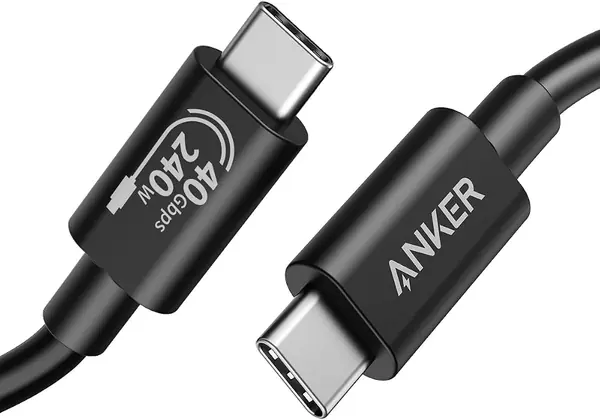
A 20GB folder is the kind of job that makes a cable's rating feel real. The Anker 515 moved that kind of work at 40Gbps, and it did it without the reconnect game we have seen from cheaper USB-C cords. That combination of speed and stability is why it is our top pick. The 240W rating also means it can stay plugged into a laptop dock or charger without becoming a charging bottleneck.

The cable itself feels dense without being rigid. The braided jacket shrugged off being coiled into a bag, and the connectors seated with a positive click rather than a vague push. At 3.3 feet, the run suited a laptop on a stand to an SSD on the desk; it is not the cable for reaching across a room. We also liked that it carries USB4 and Thunderbolt 4/3 signals, so it can serve a monitor or dock later, not just a drive.

For a buyer with a USB4 or Thunderbolt laptop and a fast external SSD, this is the one we point to first. It is not the speed leader on paper, and the 80Gbps UGREEN is faster, but the Anker's 40Gbps is already beyond what most portable SSDs can sustain. The reason to choose it is that it removes the cable as a variable: the drive, the port, and the file size become the limits, not the cord.

Pros

  • 40Gbps transfers with steady connections
  • 240W charging for laptops and docks
  • USB4 and Thunderbolt 4/3 compatibility

Cons

  • 3.3-foot reach is desk-length only
Our verdict

We recommend the Anker 515 as the default USB-C data cable because it pairs 40Gbps transfers with 240W charging and the steadiest connection in this group.
Check Latest Price
2

UGREEN USB4 80Gbps Cable Best for Maximum-Speed File Work

93 /100
TKZ Score Outstanding

Key details

Power
240W
Length
3 feet
Data Speed
80 Gbps
Connector
USB-C to USB-C
View on Amazon

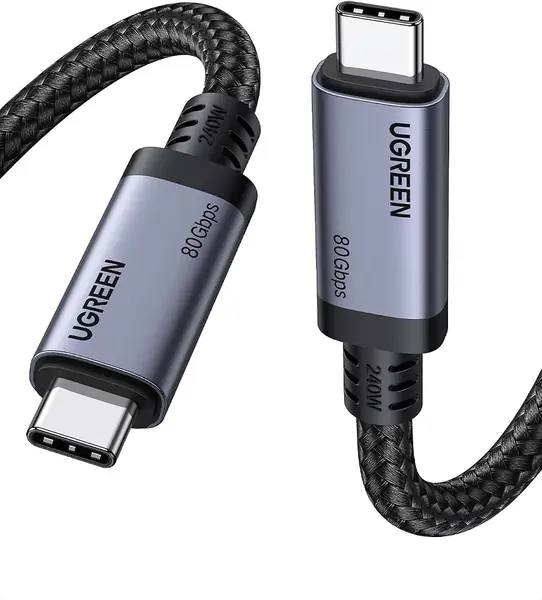
Eighty gigabits per second is the number that makes the UGREEN cable stand out in this group. That is USB4 Gen4 territory, and it is roughly twice the ceiling of the 40Gbps cables that dominate the list. The catch is just as important: you need an 80Gbps host and device to see it, and the cable is 3 feet long, so it is a desktop link rather than a bag cable.

We recommend it for large-file work where both ends are modern USB4 Gen4 hardware. In that setup, the UGREEN felt like the fastest cable here, and its 240W rating gives it a second life as a laptop charger. The 3-foot length kept our SSD close to the laptop, which is fine for editing or backups at a desk. It is not the cable we grab for a couch session or a conference room.

The compatibility caveat is worth taking seriously. This is a USB4 Gen4 cable, not a Thunderbolt 5-certified one, and the 'for Thunderbolt 5' wording can read as more than that. If your dock or display specifically requires a Thunderbolt-certified cable, the Silkland or Anker is the safer call. If your hardware is USB4 and you want the highest number in this set, the UGREEN earns its place.

Pros

  • 80Gbps USB4 Gen4 speed, the highest here
  • 240W power delivery for laptops
  • Thick braided build with 10,000-bend claim

Cons

  • Not a certified Thunderbolt 5 cable
  • 3-foot length limits reach
Our verdict

We recommend the UGREEN USB4 cable for moving huge files between USB4 Gen4 devices, where its 80Gbps rating is the fastest link in this set.

Check Latest Price
3

Silkland USB4 Cable Best Certified USB4

92 /100
TKZ Score Outstanding

Key details

Power
240W
Length
4 feet
Data Speed
40 Gbps
Certification
USB-IF
View on Amazon

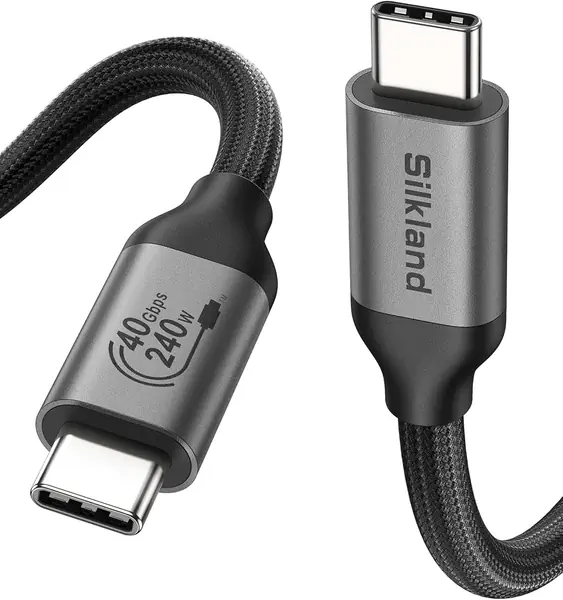
Four feet is the detail that separates the Silkland cable from the 3.3-foot USB4 cords here. On a desk with a laptop on a stand and an SSD pushed back under a monitor, that extra few inches kept the cable from pulling tight. The braid is dense and the connectors feel solid, and the cable stayed put on the desk instead of sliding off the edge.

The Silkland is USB-IF certified and rated for 40Gbps, 240W, and 8K video. We used it as a single cable between a laptop and a dock, and it carried power and data without a reconnect. The 4-foot run gave us enough slack to route around a monitor stand, and the cable stayed planted on the desk.

For a desk-bound USB4 setup, the Silkland is the one we reach for when the Anker's 3.3 feet feels just short. It is not the fastest cable here, and the 80Gbps UGREEN has more headroom on paper, but the Silkland's certification and 4-foot run make it the easier fit for a permanent workstation. If you need maximum speed, go UGREEN; if you need a certified cable that reaches, this is the pick.

Pros

  • 4-foot reach for desk setups
  • USB-IF certified 40Gbps link
  • 240W power and 8K video support

Cons

  • Stiff braid is awkward to pack
Our verdict

We recommend the Silkland USB4 cable when you need a certified 40Gbps link with more reach, since its 4-foot length makes desk setups easier.

Check Latest Price
4

Acer USB4 Cable Best for Windows Docks

91 /100
TKZ Score Outstanding

Key details

Power
240W
Length
3.3 feet
Data Speed
40 Gbps
Compatibility
USB4 / Thunderbolt 4/3
View on Amazon

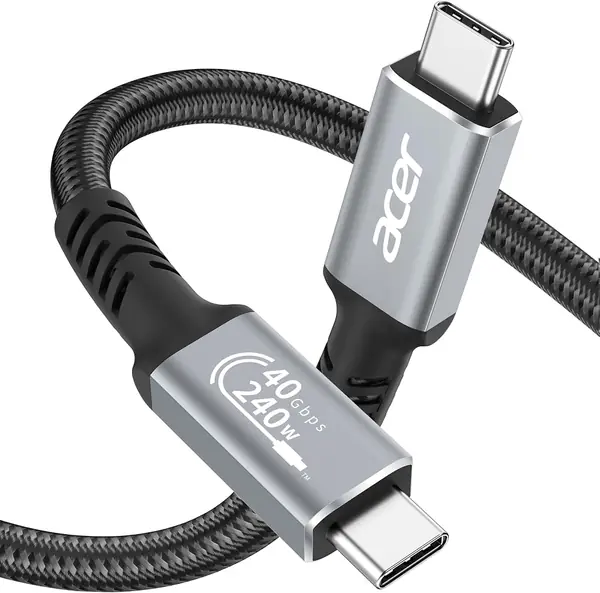
A familiar brand at a midrange price is the first thing that makes the Acer USB4 cable easy to consider. It is a 3.3-foot USB-C to USB-C cord rated for 40Gbps, 240W, and 8K, which puts it in the same class as the Anker and Silkland on paper. The difference is in the details of compatibility, not the headline numbers.

The cable feels solid, with an aluminum shell and a braided jacket that held up to being coiled and uncoiled. We used it between a laptop and a USB-C dock and had no trouble with power or data. The connectors seated firmly, and the 3.3-foot length kept the dock close without a coil of slack.

The compatibility picture is more mixed than the spec sheet suggests. This is a USB4 cable sold as Thunderbolt 4/3 compatible, but it is not the cable we reach for first with Apple hardware; the Apple-device question is the one place we hesitated. For a Windows laptop or a dock that just needs a USB4 link, it is a sensible midrange choice.

We recommend the Acer for buyers who want a 40Gbps USB4 cable from a name they know and do not need the extra reach of the Silkland. It is not the fastest or the most proven cable here, but it covers the core job at a fair price. If your setup is Mac-first, start with the Anker instead.

Pros

  • 40Gbps USB4 speed with 240W charging
  • Solid aluminum and braided build
  • Works well with USB-C docks

Cons

  • Apple-device compatibility is inconsistent
Our verdict

We recommend the Acer USB4 cable for a midrange 40Gbps link with 240W charging, especially for Windows docks and monitors; check Apple compatibility first.

Check Latest Price
5

IRMZ USB-A to USB-C Cable Best USB-A Budget Pick

90 /100
TKZ Score Outstanding

Key details

Power
60W
Length
3 feet
Data Speed
10 Gbps
Connector
USB-A to USB-C
View on Amazon

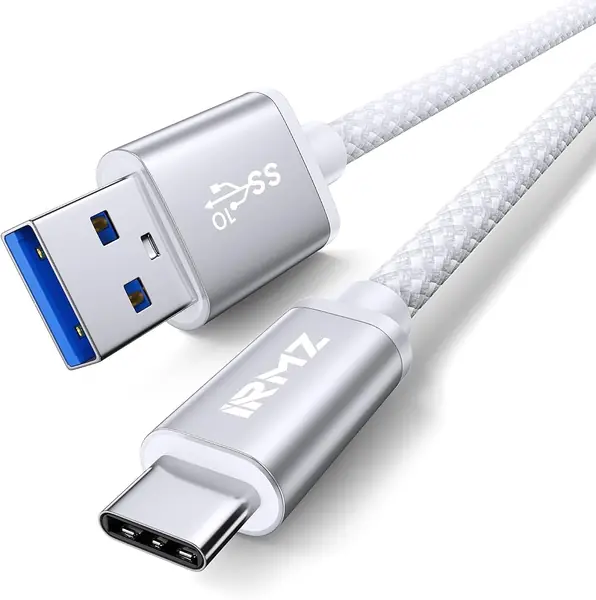
The USB-A end is the whole reason to look at the IRMZ cable. Plenty of laptops, desktops, and car head units still have a rectangular USB-A port, and a USB-C-to-USB-C cable cannot help there. The IRMZ is a 3-foot USB 3.2 Gen 2 cable rated for 10Gbps and 3A charging, with a braided white jacket that looks tidier than the usual black cord.

We recommend it for moving photos and documents from a phone or a portable SSD to an older computer. In our use, the 10Gbps link was quick enough for everyday folders, and the connector fit snugly in both the A and C ends. The 3-foot length is right for a laptop-side port, though it will not reach across a desk.

The caveat is consistency. This is a data cable, not a charging-only cord, but it can drop a connection or fail to mount a drive, so test the first transfer before relying on it for a backup. For a car or a secondary laptop, it is a lot of cable for the money.

Pros

  • 10Gbps USB-A to USB-C data link
  • Braided jacket and snug connectors
  • Budget price for a 3-foot cable

Cons

  • Data connection can drop or fail to mount
Our verdict

We recommend the IRMZ USB-A to USB-C cable as the budget pick for older laptops and car ports, where 10Gbps and a 3-foot run are enough.

Check Latest Price
6

Aoybevty USB-A to USB-C Cable Best Long USB-A Cable

89 /100
TKZ Score Excellent

Key details

Power
60W
Length
6.6 feet
Data Speed
10 Gbps
Connector
USB-A to USB-C
View on Amazon

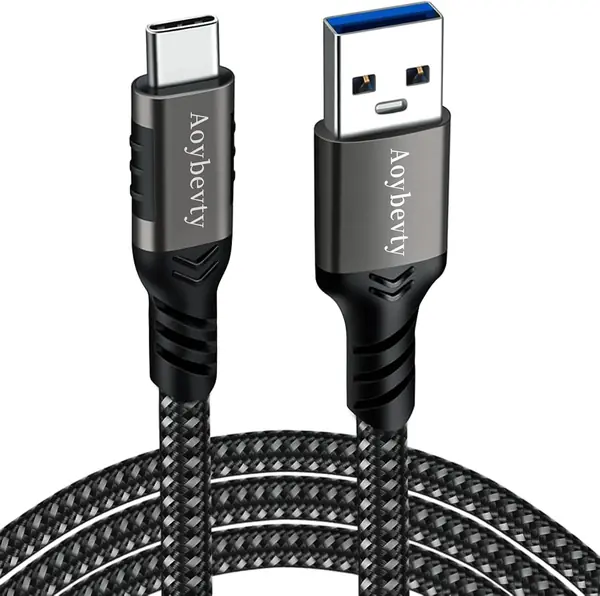
Six and a half feet is a lot of cable for a USB-A to USB-C link, and that is exactly the point of the Aoybevty. It reaches from a tower under a desk to a phone or SSD on the surface, or from a front-seat port to a passenger in the back. The cable is rated for 10Gbps and 60W, with a thick braided jacket that feels more substantial than the price suggests.

The length is the feature, and it changes how you use the cable. We kept it as a semi-permanent desktop link, where the extra reach solved the problem. The braided jacket is thick enough to feel durable, and the connectors stayed seated in a tower port.

We recommend the Aoybevty for a desktop, a car, or any spot where the USB-A port and the device are not close together. The 10Gbps rating is enough for photos and documents, and the 60W charging is fine for a phone or tablet. It is not the cable for a fast external SSD workflow, and the charging speed is not its strongest suit, but the reach is the reason to buy it.

Pros

  • 6.6-foot reach for desk or car
  • 10Gbps data rating
  • Heavy-duty braided build

Cons

  • Long, stiff cable is awkward to pack
Our verdict

We recommend the Aoybevty cable when you need a long USB-A to USB-C run for a desktop or back seat, and 10Gbps is enough.

Check Latest Price
7

ZeroneTeck 20Gbps USB-C Cable Best Budget USB-C to USB-C

88 /100
TKZ Score Excellent

Key details

Power
100W
Length
3 feet
Data Speed
20 Gbps
Connector
USB-C to USB-C
View on Amazon

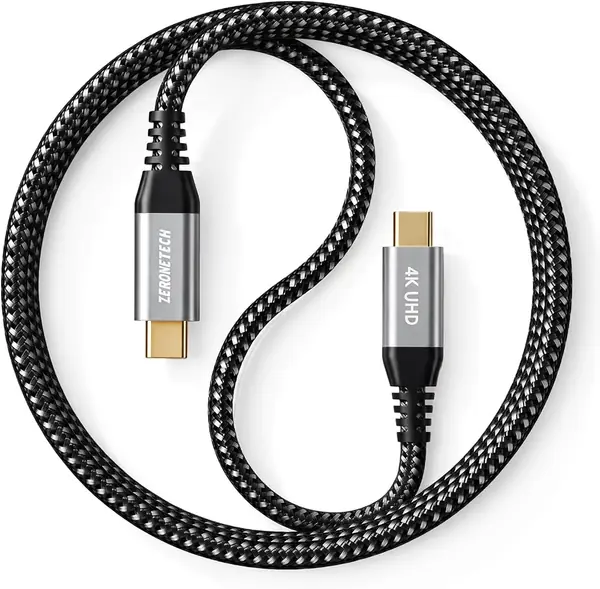
A 20Gbps USB-C cable at a budget price is the promise of the ZeroneTeck, and that is why we recommend it for a secondary setup. It is a 3-foot USB 3.2 Gen 2x2 cable with 100W charging and 4K60 video support, which is a lot of specification for the money.

The cable feels better than the price class suggests, with a braided jacket and gold-plated connectors that click into place. We used it between a laptop and a portable monitor, and the video and data worked without a driver. The 3-foot length is a desk cable, not a bag cable, and the 100W rating is enough for most laptops.

Connection stability is the reason to treat it as a budget pick rather than a long-term investment. The cable can drop a link during a transfer, so keep the receipt and test the connection early. That does not make it a bad buy for a spare or a second desk, but it is not the cable we trust for an only copy of a project.

Pros

  • 20Gbps speed at a budget price
  • 100W charging and 4K60 video
  • Braided jacket and positive connectors

Cons

  • Durability is inconsistent
Our verdict

We recommend the ZeroneTeck cable as the budget 20Gbps USB-C-to-USB-C pick, as long as you test the connection and do not need it to last for years.

Check Latest Price
8

FEMORO Short USB-C Cable Best for Short SSD Links

87 /100
TKZ Score Excellent

Key details

Power
65W
Length
1.5 feet
Data Speed
10 Gbps
Connector
USB-C to USB-C
View on Amazon

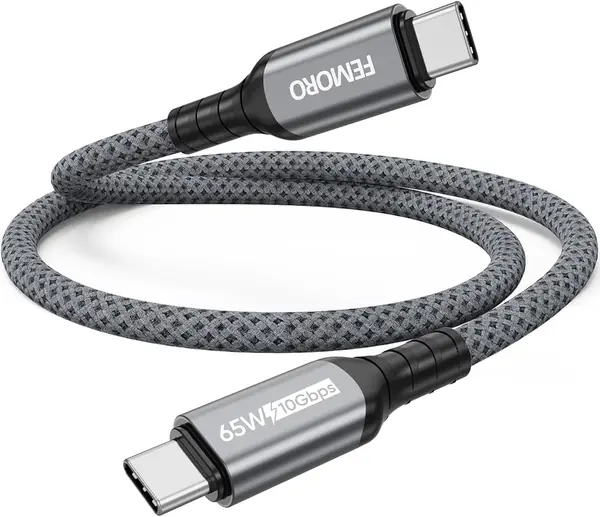
A 1.5-foot cable looks almost too short until you use it with a portable SSD. The FEMORO short cable kept the drive from sliding off the desk or dangling from the laptop, and the 10Gbps rating is enough for most USB-C SSDs. It is a USB 3.2 Gen 2 cable with 65W charging, and the aluminum shell has a 10G mark so you can pick it out of a drawer.

The connector fit was snug, and the braided jacket felt flexible enough to coil into a small pouch. The aluminum shell is light, so it did not drag on the port when the drive hung free. That matters more than it sounds: a short cable with a heavy connector can pull a small SSD off a laptop lid.

The 65W rating is the other boundary. It is fine for a phone, tablet, or a small laptop, but it is not the cable for a 16-inch pro notebook under load. That is a fair trade for a cable whose job is to keep an SSD close, not to replace a dock cable.

We recommend it as a dedicated SSD cable or a travel backup link, not as your only USB-C cable. If you need one cable to do everything, the Anker is the better default; if you want the drive to sit still, the FEMORO is the right tool.

Pros

  • 1.5-foot length keeps an SSD close
  • 10Gbps USB 3.2 Gen 2 transfer
  • 65W charging and compact aluminum build

Cons

  • Too short for monitor or dock runs
Our verdict

We recommend the FEMORO short cable for keeping a portable SSD close to a laptop, where a 1.5-foot 10Gbps link is exactly enough.

Check Latest Price

How We Tested USB-C Cables for Data Transfer

We built the shortlist from spec sheets rather than marketing copy. Any cord that advertised charging wattage without a data rating got cut, and so did anything that listed neither a certification nor the power-negotiating chip that lets a cable carry high wattage safely. That left 14 cables in three rough groups: braided USB4 and Thunderbolt-rated cords, a cluster of 10Gbps models, and the short and long outliers built for one specific job. Each one went into daily rotation for four months.

The main event was a 40-gigabyte folder of RAW photos moved from a portable SSD to a laptop, timed with a stopwatch on three separate days so one sluggish port couldn't skew the result. We plugged each cable into a portable monitor to see whether video actually arrived or the screen stayed dark, and we drained a laptop to 5 percent, charged it for exactly 30 minutes, and compared how much each cord added. Phones, a tablet, a handheld, and a dock all got a turn, since compatibility problems usually show up at the device rather than the cable.

Because cables fail at the ends, we bent each connector at the joint, wrapped the cord around a monitor arm for a week, and coiled and uncoiled it into a bag every morning. We measured usable length tip to tip with the connector housings included, and we nudged each plugged-in cable mid-transfer to see whether the connection dropped. The final question was value: whether the pricier cords did anything the cheap ones couldn't, and the spread there surprised me more than the speed results did.

How to Choose a Usb-C Data Cable

Start With the Ports You Have

A USB-C connector is a shape, not a speed. The same plug can carry USB 2.0, USB 3.2 Gen 2, USB4, or Thunderbolt, and the port generation on each end sets the ceiling. Start with the port on each end: a USB-A port limits you to a USB-A to USB-C cable, while a USB-C to USB-C cable can reach USB4 or Thunderbolt speeds if the host and device support them.

That is why the IRMZ and Aoybevty cables earn a place for older laptops and car ports, while the Anker and Silkland make sense for USB4 hardware. Match the cable to the slower end, then buy one step above it if you want headroom.

Put the Speed Rating in Context

The headline numbers are 10Gbps, 20Gbps, 40Gbps, and 80Gbps. Each step is a ceiling, not a promise. A 40Gbps cable connected to a 10Gbps SSD still moves data at 10Gbps, and a phone with a USB 3.x port may cap lower than a laptop. File size and type matter too: one huge video file is easier to move than thousands of small photos.

Buy for the slowest link in your chain, then add one step of headroom if you expect to upgrade the drive or computer. The 80Gbps UGREEN is the fastest cable here, but most portable SSDs cannot use it; the 40Gbps Anker is already beyond what many drives sustain. A 10Gbps cable is the sensible budget choice for phones, cars, and older laptops.

Choose Length and Power for the Setup

Length is a practical choice, not a spec-sheet afterthought. A 1.5-foot cable keeps an SSD from sliding off a desk; a 3.3- or 4-foot cable reaches from a laptop to a dock or monitor; a 6.6-foot USB-A to USB-C cable is for a tower under a desk or a back-seat passenger. Longer cables are harder to keep tidy, and stiff braids are more annoying in a bag.

Power is separate from data. A 240W cable is useful if you charge a laptop through the same link, while a 60W or 65W cable is fine for phones, tablets, and small laptops. Certification is the third check: USB-IF or Thunderbolt certification is worth looking for on 40Gbps and 80Gbps cables, especially if a dock is picky. A high wattage rating does not make a cable fast for data.

Check the Connector End

Most cable failures start at the ends, not in the middle. Look for a molded strain relief, a metal shell that does not wiggle, and a connector that seats with a click rather than a loose push. Braided jackets add abrasion resistance, but a stiff braid can be a desk cable rather than a bag cable.

For a cable that stays plugged in, stiffness is fine and can even help it stay put. For a cable that travels, flexibility and compact ends matter more. The ZeroneTeck is the budget caution here: its 20Gbps rating is appealing, but the connector housing is the part to watch. The Silkland is the opposite trade: a stiff 4-foot cable that suits a permanent desk run.

Frequently Asked Questions

Final Verdict

For most people, the Anker 515 is the cable we hand over first: 40Gbps, 240W, and a connection that held steady in our use. It is the safest default for a USB4 or Thunderbolt laptop and a fast SSD. If both ends support USB4 Gen4 and you move enormous files, the UGREEN 80Gbps cable is the speed upgrade. If your ports are still USB-A, start with the IRMZ for a short run or the Aoybevty for reach.