Best Teleprompters of 2026

A teleprompter is really one trick: beam-splitter glass angled in front of the lens reflects a scrolling script that only the person on camera sees. Done well, viewers assume you memorized ten minutes of copy; done badly, they watch your eyes slide left to right like you're reading a ransom note. Between the glass, the hood that blocks glare, and the app doing the scrolling, there's more variation between models than the category suggests. We've spent the past six months with nine of them, set up on a home office desk and in a small shooting space.

The surprise was that the glass is rarely the weak link. What separates a teleprompter you keep from one that gets shelved is the software behind it and whether it fits the camera you already own — a phone clamped to a tripod has very different needs than a mirrorless body on a baseplate. Fit it wrong and you're shimming and re-tightening on every shoot. The picks below earned their spots on how naturally they let you talk to a lens.

The Best Teleprompters

1

Elgato Prompter Best Overall
88 /100
TKZ Score Excellent

Key details

Weight
1.52 lb
Script Source
Any Mac or PC window
Camera Support
DSLR, webcam, or phone
Built-in Screen
9-inch FHD
View on Amazon

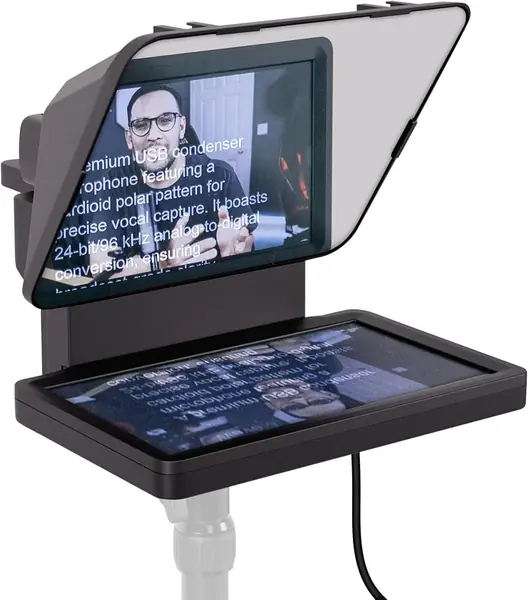
The screen is the whole idea. Instead of clamping a tablet or a phone behind the glass, the Elgato Prompter carries its own 9-inch FHD display and takes its picture from your Mac or PC, showing any window you can drag onto it: a document, a browser-based prompter, or a chat feed. We think that is the cleanest arrangement for anyone who records at a desk. Your iPad stays free for notes, nothing has to be re-clamped between takes, and your eyes sit on the lens rather than on a monitor pushed off to the side.

Camera support is unusually broad. A DSLR, a mirrorless body, a webcam, or a phone all mount behind the glass, and the frame clears wide lenses that would vignette inside a narrower hood. At 1.52 pounds it moves between a desk and a studio shelf without a fight, and anyone with a Stream Deck gets hardware control on top. We ended up using it for video calls as often as for scripts, because reading a client's questions off the glass while looking into the lens changes how the call lands.

One physical quirk is worth knowing about. In a bright room the display can bounce its own light into the lens and leave a pale wash across the frame; dark mode on the display, a little less overhead light, and a hood angled away from the window clear it up. It is a lighting problem rather than a hardware fault, and it shows worst in the white-walled, big-windowed rooms where any glass struggles.

Pros

  • Built-in screen means no tablet gets sacrificed
  • Mounts a DSLR, webcam, or phone
  • Any window or app becomes the script

Cons

  • Needs a Mac or PC to feed the screen
  • Camera Hub app is the weak link
Our verdict

We point desk-based creators to the Prompter: the built-in screen frees your tablet and any camera you already own will mount behind the glass.
Check Latest Price
2

NEEWER X14 III Best for Tablet Rigs

87 /100
TKZ Score Excellent

Key details

Weight
5.2 lb
Glass Size
14 inches
Tablet Width
Up to 8.7 inches
Reading Distance
10 ft / 3 m
View on Amazon

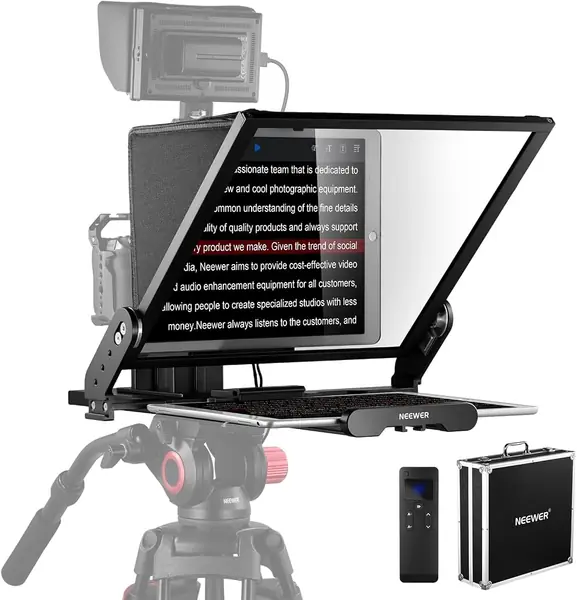
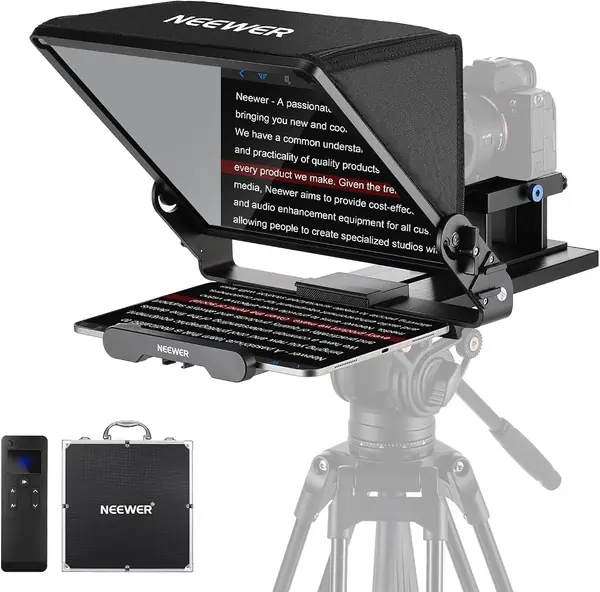
Nothing in the box needs assembling. The X14 III arrives as one folded piece of metal: open the frame, lock it, and you have a 14-inch prompter. The only work left is clamping your tablet into the cradle and dropping the camera onto the quick-release plate, which follows the Manfrotto 501PL pattern and locks from the top without an alignment ritual. On a shoot day that is several minutes back in your pocket.

What we appreciate most is the 45-degree tilt on the U-bracket. Most prompters assume your camera sits at chest height and your script at the same level; this one angles the glass down so you can read standing up without folding yourself in half, then swings back for seated work. The glass is 14 inches with 71% light transmission and a stated 10-foot reading range, which covers a normal interview distance with room to spare, and the RT113 remote handles speed, pause, and page turns.

The fussy part is getting a script in. Loading a file through the NEEWER app is slower than it should be, and we paste text straight into the app instead, which sidesteps the whole business. Test the remote on the first day as well; Bluetooth pairing is the piece that can take a second attempt.

Pros

  • No assembly, open the frame and shoot
  • 45-degree tilt meets a standing eye line
  • Metal frame with a Manfrotto-style quick plate

Cons

  • Cradle maxes out at 8.7 inches wide
Our verdict

If your script lives on a tablet, the X14 III earns the spot: it comes out of the case ready to shoot and tilts to a standing eye line.

Check Latest Price
3

Desview T12S Best for Location Shoots

86 /100
TKZ Score Excellent

Key details

Weight
6.61 lb
Tablet Fit
Up to 12.9 inches
Setup
Tool-free assembly
Build
Aluminum, flight case
View on Amazon

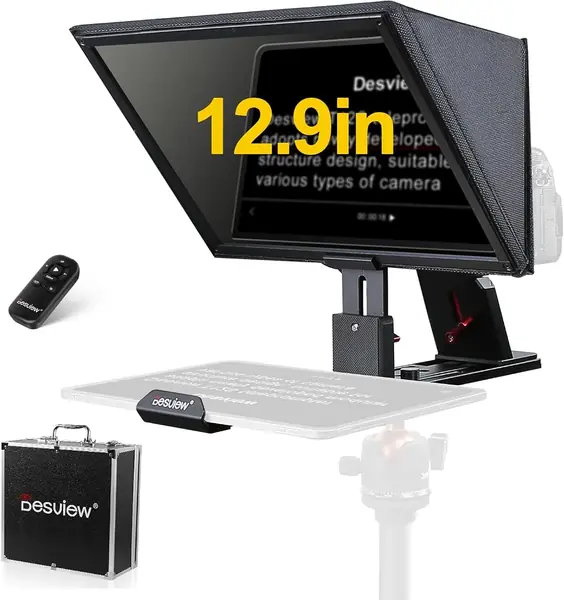
The fitted aluminum case tells you what this prompter is for. The T12S is built around an aviation-grade aluminum body and ships in a custom-cut flight case, so it belongs in a van, a trunk, or an equipment cage rather than a tote bag. It reads as gear rather than as an accessory, and the rigidity is the reason: a prompter that flexes is a prompter you re-aim between takes.

The parts that matter are well chosen. The beam splitter is color-neutral with an anti-reflective coating, the difference between readable text and a ghost of your own script, and the mirror is sized for tablets up to 12.9 inches, so a full-size iPad Pro sits behind it without drama. Setup is tool-free, with the frame unfolding and locking instead of a hunt for thumbscrews, and the Bluetooth remote and Desview app handle speed and paging. For a two-week shoot with a crew, this is the one that goes in the case.

The Desview app has done everything we have asked of it so far, though a continuous, page-turning read of a long script is a harder test than an afternoon of pickups. That is the one part of the T12S we are still watching; the hardware has given us nothing to doubt.

Pros

  • Aluminum body with a fitted flight case
  • Anti-reflective, color-neutral beam splitter
  • Tool-free setup on location

Cons

  • 3 kg frame and case keep it vehicle-based
Our verdict

Crews who move between locations get the most from the T12S: aluminum body, fitted flight case, and a 12.9-inch mirror that unfolds without tools.

Check Latest Price
4

Desview T3 Best Budget

84 /100
TKZ Score Excellent

Key details

Weight
2.2 lb
Tablet Fit
Up to 10 inches
Glass Coating
70/30, 26-layer
Wide-Angle Support
24mm and wider
View on Amazon

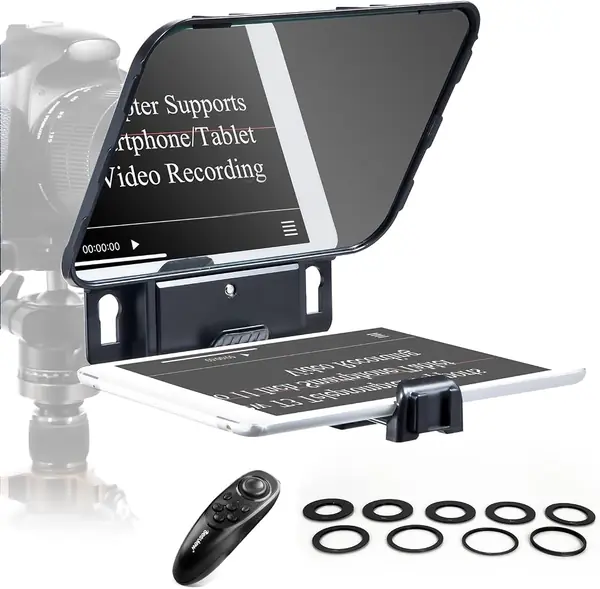
The coating is where Desview spent the money. The T3's beam splitter is a 70/30 design with a 26-layer optical coating rated to 97% light transmission and 7H hardness, which is more glass treatment than the rest of the budget end of this set carries. In practice that means text that stays readable against a bright background and a surface that shrugs off the scratches a kit bag hands out.

The camera side is unusually flexible for a small unit. A 24mm-or-wider lens shoots through it without vignetting when the camera is horizontal, step-up rings for common filter threads come in the box, and phones share the same front clamp as tablets. The Bluetooth remote pairs with the free Desview app for start, stop, and scroll speed.

Controls are the ordinary Bluetooth arrangement, and the app is basic: a long import takes longer than pasting text straight in, which is what we do. Neither is a reason to skip the unit; both are reasons to load your script before the clock starts.

The upgrade path from here is clear. Shoot most weeks and a metal frame with a larger mirror earns its cost; shoot now and then from a phone or a 10-inch tablet and the T3 covers everything the pricier units do apart from size.

Pros

  • 26-layer coating rated to 97% transmission
  • Clean at 24mm and wider, no vignetting
  • Step-up rings and a Bluetooth remote included

Cons

  • Cradle suits tablets up to 10 inches
  • Plastic frame feels hollow
Our verdict

We recommend the T3 to anyone testing whether prompting fits their workflow: real coated glass, a phone-and-tablet clamp, and a frame light enough for a shelf.

Check Latest Price
5

GVM 12-Inch Teleprompter Best for Small Studios

83 /100
TKZ Score Excellent

Key details

Weight
5.7 lb
Glass Size
12 inches
Setup
Folds flat, no assembly
Device Width
Up to 8.6 inches
View on Amazon

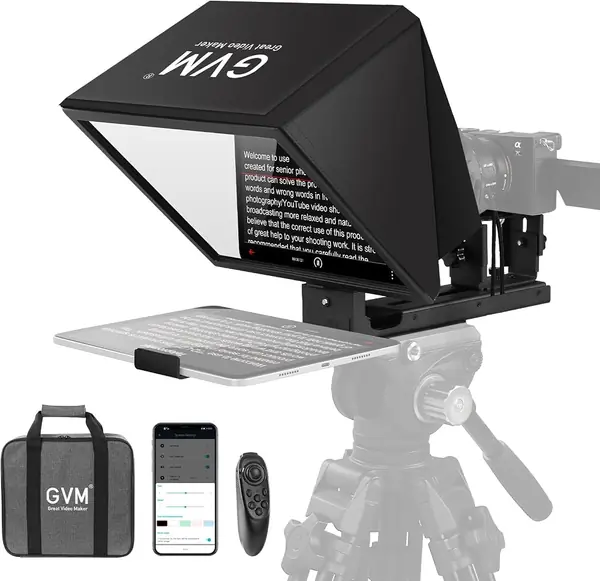
A prompter that folds flat is a prompter you actually use. The GVM is an all-in-one aluminum unit that collapses and drops into its included carry bag, with no hood to reattach, no bag of thumbscrews, and nothing to lose behind the couch. That single decision is why we reach for it ahead of a plastic kit that has to be rebuilt every session. The glass is 12 inches with an anti-reflective coating, and at 5.68 pounds the whole thing moves from desk to shelf in one hand.

The frame is the feature, but the glass does its job: 12 inches reads comfortably at desk distance, text holds up under normal room light, and the hood keeps most stray light off the mirror. What it will not do is grow with your kit. This is a small-studio unit, happiest on a shelf tripod with a phone or a standard tablet behind the glass, and happiest again when it can live in the same corner between shoots. Set it up once and it is a two-second open and close.

Pros

  • Folds flat into an included carry bag
  • Aluminum all-in-one, no assembly
  • 12-inch glass with anti-reflective coating

Cons

  • Cradle stops at 8.6 inches wide
Our verdict

We like the GVM for a spare room or a small studio: it folds into its own bag and opens ready to shoot with nothing to assemble.

Check Latest Price
6

NEEWER X17 II Best for Stage and Teaching

82 /100
TKZ Score Excellent

Key details

Weight
6.6 lb
Glass Size
17 inches
Tablet Width
Up to 9.3 inches
Reading Distance
13 ft / 4 m
View on Amazon

Thirteen feet is the number that separates this one. The X17 II's 17-inch beam splitter is rated to reflect script clearly out to 4 meters, which means a presenter can stand well back from the camera and still read. That is the setup for a stage, a lecture hall, or a two-person shot where nobody is hunched over a monitor.

It also arrives assembled. The frame is all metal, the camera mount is a Manfrotto 501PL-compatible plate that locks from the top without alignment, and the platform adjusts between 2.2 and 3.5 inches so the lens lines up with the glass. Sun hoods on both sides keep stray light off the mirror, the stated load capacity is 44.1 pounds, and the cradle takes tablets and phones up to 9.3 inches wide.

Our reservation is room, not quality. A 17-inch mirror on a 6.6-pound frame wants a substantial tripod and a corner that is not also the dining table, and it folds down to a 16.9-inch length rather than disappearing into a drawer. Where the camera lives on a stand and sits well back, that is a fair trade; in a spare bedroom, the 14-inch NEEWER does the same job in less space.

Pros

  • 17-inch glass reads out to about 13 feet
  • Ships assembled with a Manfrotto-style plate
  • All-metal frame rated to 44.1 pounds

Cons

  • Cradle tops out at 9.3 inches wide
Our verdict

A stage or a lecture hall is where the X17 II earns its keep: 17 inches of glass and a reading range out to about 13 feet.

Check Latest Price
7

SMALLRIG 3646 Best for Rail-Based Rigs

81 /100
TKZ Score Excellent

Key details

Weight
1.98 lb
Tablet Fit
Up to 11 inches
Mount
15mm LWS, baseplate extra
Lens Diameter
49 to 95 mm
View on Amazon

This is the one in the set that will not help a phone-only creator. The SMALLRIG 3646 is built for an iPad or a tablet up to 11 inches, mounts on 15mm rails, and there is no phone clamp in the box. If your camera rig already runs on a rail system, though, it is the neatest prompter here.

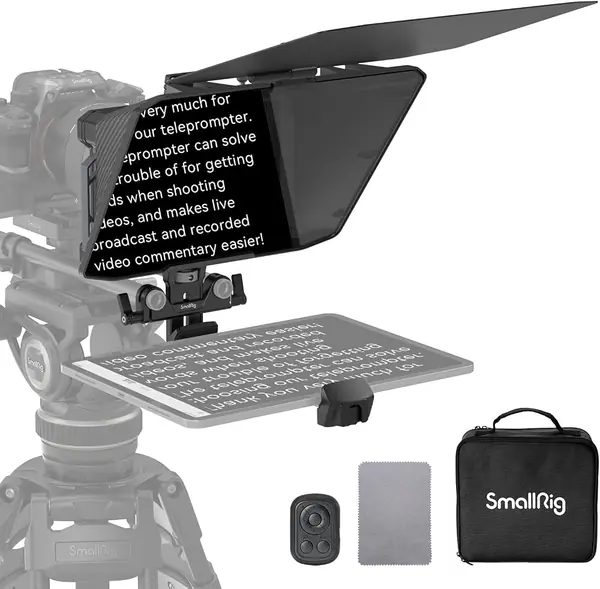
The mounting is the good part. The unit slides onto a 15mm LWS baseplate, which SMALLRIG lists separately as part 2092B or 3067, and covers the lens with a silicone boot that fits front diameters from 49mm to 95mm. The hood releases for cleaning and carries a top flag for glare, and the SmallGoGo app pulls text out of PDFs, Word files, images, and TXT so a script you already have does not need retyping.

What we noticed is how little of a shoot day it costs. On rails, installation is a matter of seconds, since the whole thing is 898 grams and clamps over the lens instead of hanging off a stand, and teardown is the same in reverse. The catch is that the prompter is only as good as the rig under it: it assumes rails and it assumes a camera, and neither comes in the box.

Pros

  • Clamps over the lens on rails in seconds
  • Fits lenses with 49 to 95mm fronts
  • App imports PDF, Word, and images

Cons

  • No phone mounting in the box
  • 15mm LWS baseplate sold separately
Our verdict

We recommend it to anyone already shooting on 15mm rails: it clamps over the lens in seconds and leaves phone work to a different prompter.

Check Latest Price

How We Tested These Teleprompters

Our shortlist started as a spreadsheet of every teleprompter we could find that would hold a phone, a tablet, or a camera body without a drawer full of adapters. We crossed off anything with a plastic camera plate, a tablet limit that would squeeze a common 11-inch screen, or an app that couldn't take a remote, then weighed what came in the box against what each one cost.

Nine units ran for six months in the places these things actually live: a home office desk with a webcam, a two-camera DSLR setup for client work, and a phone on a tripod for short social clips. We assembled each one out of the box on a timer, solo, and noted where the instructions stalled or a bolt needed a second pair of hands.

Under the lights, we watched for hotspots — a ceiling fixture or a window washing out half the script — and whether the hood and side flags did anything about it. We loaded the same long script into every app and checked mirroring: whether the text flipped cleanly, whether the scroll stuttered, and whether a second screen could keep a preview or chat visible while the script ran on the glass. Then we mounted real cameras and looked for sag at the plate and wobble at the tripod head.

Fit got its own pass, swapping a phone, a 10-inch tablet, and a mirrorless body with a lens in and out of each rig while we timed the changeover. Finally we broke every unit down, packed it into its case if it had one, and carried it to a shoot. The ones that still felt solid on the third trip are the ones below.

How to Choose a Teleprompter

Start With What Shows the Script

A beamsplitter is only half the product; the other half is the screen behind it. Most units in this set ask you to hand over a phone or tablet for the length of the shoot, and the Desview T3 and the GVM 12-Inch both clamp a device behind the glass and leave it there until you are done.

The Elgato Prompter puts a 9-inch display in the frame instead and drives it from your computer, which keeps the tablet free but ties you to a desk. Our rule: record at a computer and the built-in screen is worth the money; record anywhere else and a tablet-based unit is the more portable answer.

Match the Cradle to Your Tablet

The figure that decides more purchases than any other is the cradle opening, and it is usually published as a width rather than a screen class. A 12.9-inch iPad Pro is roughly 8.5 inches across, so the NEEWER X14 III opens to 8.7 inches and takes it while the GVM's 8.6 inches is a squeeze.

Measure the long edge of the tablet you own, add a quarter inch if it lives in a case, and compare that number against the listing's width figure. The diagonal on the box is the least useful number in the decision.

Let Glass Size Set Your Reading Distance

Glass is measured on the diagonal and it maps directly to how far back you can stand. A 12- or 14-inch mirror is comfortable from arm's length out to a few feet, while the 17-inch NEEWER X17 II is rated to about 13 feet for stage and lecture work.

Standing further back usually means a longer lens, which is why wide-angle behavior matters at the other end: the Desview T3 is built to shoot clean at 24mm and wider, and prompters with a tight hood vignette sooner. Buy the smallest glass that covers your usual camera distance.

Weigh Assembly and Mounting Style

Three mounting styles turn up here: a unit that unfolds ready to shoot (the NEEWER X14 III, the GVM), a hood that clamps over the lens on rails (the SMALLRIG 3646), and a conventional frame you build from folded (the Desview T3). The rail unit is the fastest on a set, but only for someone who already owns a 15mm baseplate, which SMALLRIG sells separately.

Whichever you pick, the prompter sits between your tripod and your camera, so the tripod carries both. Check its rating once the prompter's weight is in the stack.

Test the Remote, Then Control the Light

Every unit here ships with a Bluetooth remote and its maker's app, and the remote is the part to test first: pairing, scroll speed, and page turns are where the friction shows up, and a remote that needs re-pairing mid-shoot is worse than no remote at all.

Light is the other variable. A mirror in front of a lens can bounce the display's own brightness back into the frame, so hoods, side flags, and dark mode are working tools rather than accessories. Set the rig up once in your brightest room before you trust it on a shoot day.

Frequently Asked Questions

Final Verdict

We send desk-based creators to the Elgato Prompter, because the built-in screen solves the problem the others hand back to you: your tablet stays yours, your camera mounts as it is, and your eyes stay on the lens.

If you shoot away from a desk, the NEEWER X14 III is the better buy, with no assembly, a 45-degree tilt, and a metal frame that takes a knock. And if you are still unsure whether prompting suits the way you work, the Desview T3 is the low-commitment way to find out, with genuinely well-coated glass.