Best Teleprompters for iPad of 2026

The first time you shoot a script off a phone taped to a tripod, the problem announces itself: your eyes drift down, the take dies, and the delivery goes flat. A teleprompter fixes that by putting your words between you and the lens, so you can look into the camera while reciting something you wrote yesterday. On screen, the difference is not subtle.

The mechanism is a half-mirrored pane tilted in front of the lens. Your camera sees straight through it; the script scrolls across the surface at an angle only you can read. My team and I spent eight months setting up and shooting with 12 teleprompters, from a folding 9.7-inch unit to an 18-inch rig, and the glass itself was rarely what decided whether we kept using one.

Two things surprised me. Remote control matters more than app control, since a tablet running a teleprompter app still swallows notifications and stray taps mid-take. And the largest glass you can afford isn't automatically the right call — a 14- or 18-inch panel reads beautifully from 10 feet away but is a lot to pack and balance on a light tripod. The picks below reflect all of that.

The Best Teleprompters for iPad

1

NEEWER X12 Best Overall
87 /100
TKZ Score Excellent

Key details

Tablet Fit
Up to 9.84 x 8.68 in
Beamsplitter
14 in, 75% transmission
Control
RT-110 remote + app
Carry Case
Included
View on Amazon

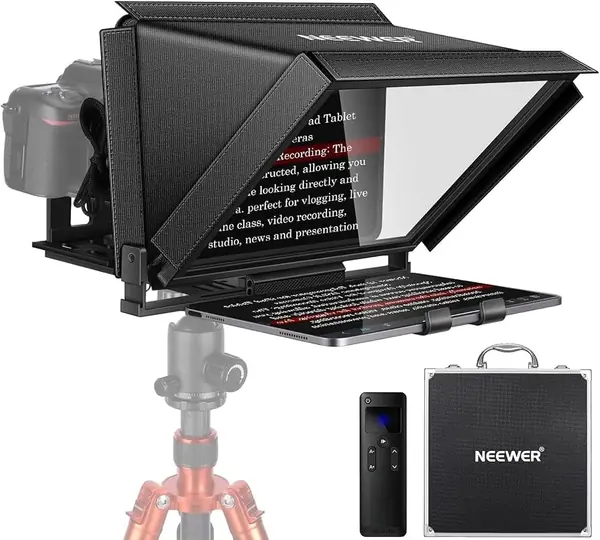
The clamp opening on the X12 is stated plainly — 9.84 by 8.68 inches — and that number does more work than any other spec on this page. An iPad Air or an 11-inch iPad Pro drops in in landscape with room to spare, which is the orientation you want, because a script reads better wide than tall. The 12.9-inch Pro is the tablet to check before ordering: at roughly 11 inches across in landscape, it runs past what this holder is rated for.

What makes it our default is that nothing else needs buying. Fourteen inches of beam splitter glass at 75 percent light transmission, a hood that adjusts against room light, the RT-110 remote, the app, a folding frame, and a carry case all arrive together at a mid-pack price. We've handled prompters that show up as a bag of brackets and a hope; this one folds out and holds its shape, and the glass is big enough that you're reading sentences rather than hunting for them.

The app and remote are where to spend your first ten minutes. Pair the remote, load a real script, and scroll the whole thing once before a take — this is the piece of any teleprompter kit that needs proving. When the pairing holds, nudging the speed mid-sentence without breaking eye contact is the entire reason to own one of these instead of memorizing.

Our setup tip: mount it once, mark the clamp position on the tablet with a strip of tape, and your iPad lands in the same spot every session. The script then sits at the same size on the glass take after take, which is the difference between a prompter you trust and one you re-fiddle with.

Pros

  • Clamp takes an 11-inch iPad Pro in landscape
  • 14-inch glass with adjustable hood included
  • Remote, app, folding frame, and case all in the box

Cons

  • Hood sides can edge into wide-angle shots
  • Carry case feels flimsy for the price
Our verdict

We tell most iPad owners to start here: the largest clamp opening among the folding kits, 14-inch glass, and a remote and case in the box.
Check Latest Price
2

SMALLRIG 3646 Best for Camera Rigs on Rails

86 /100
TKZ Score Excellent

Key details

Tablet Fit
iPad up to 11 in
Weight
1.98 lb
Lens Fit
49-95mm diameter
Mounting
15mm LWS baseplate required
View on Amazon

Add the cost of rails before comparing this one to the rest. The SMALLRIG 3646 has to ride a 15mm LWS baseplate — SMALLRIG points to its 2092B or 3067 — which is sold separately, and there is no phone mount in the box. Neither is an oversight. This is a prompter for someone whose camera already sits on a rail system.

For that buyer it's the best-built unit in this group. The body is aluminum, ABS, and polycarbonate; the lens hood releases for cleaning; a top flag cuts glare and ghosting in bright rooms; and the silicone boot stretches over lenses from 49mm to 95mm, which covers most mirrorless glass without stacking step rings. At 898 grams it's light for something this rigid, and it locks onto the rails instead of hanging off the lens.

The SmallGoGo app pulls text out of PDFs, Word files, and TXT and makes it editable, which matters when a client sends a script as a document rather than plain text. Our habit is to import at the desk and drive it from the remote on the day, since the tablet mounted up front is not somewhere you want to be tapping mid-sentence.

Pros

  • Best build quality in this set
  • Silicone boot fits 49-95mm lenses without step rings
  • Light for its size at 898 grams

Cons

  • No phone mount included
  • App and remote feel like afterthoughts
Our verdict

We recommend it to anyone already shooting on rails — it's the best-built prompter here, provided you own or buy a 15mm baseplate.

Check Latest Price
3

NEEWER X14 III Best No-Assembly Setup

85 /100
TKZ Score Excellent

Key details

Tablet Fit
Up to 8.7 in wide
Beamsplitter
14 in, 71% transmission
Reading Distance
Up to 10 ft
Mount
Manfrotto 501PL plate
View on Amazon

The X14 III costs more than our top pick and answers with two things: it arrives fully assembled, and its head tilts 45 degrees. Nothing in the box needs building before the first shoot, which is not true of everything on this page.

Both differences matter more than they sound. Assembly-free means the setup ritual collapses to tripod plate, iPad, script. The tilt is what we appreciated most: you can set the glass at an angle that suits your own eye line rather than your tripod's height, which is the difference between reading comfortably and hunching through a long take.

The rest of the kit is aimed at people moving between setups. The camera mount takes a Manfrotto 501PL-style quick-release plate and locks from the top without alignment, so a body transfers between prompter and tripod in seconds. The all-metal frame carries 14 inches of glass at 71 percent transmission with a stated 10-foot reading range, and the RT113 remote handles play, pause, speed, and page turns over Bluetooth. If you shoot in short bursts and tear down between them, the extra money buys back time every session.

Pros

  • Ships assembled
  • 45-degree tilt sets the glass to your eye line
  • Quick-release plate transfers the camera in seconds

Cons

  • Clamp opening is 8.7 inches, so big iPads go portrait
  • Costs noticeably more than our top pick
Our verdict

We point fast movers here: it arrives assembled, tilts to your eye line, and swaps onto a tripod plate in seconds, if you'll pay for the convenience.

Check Latest Price
4

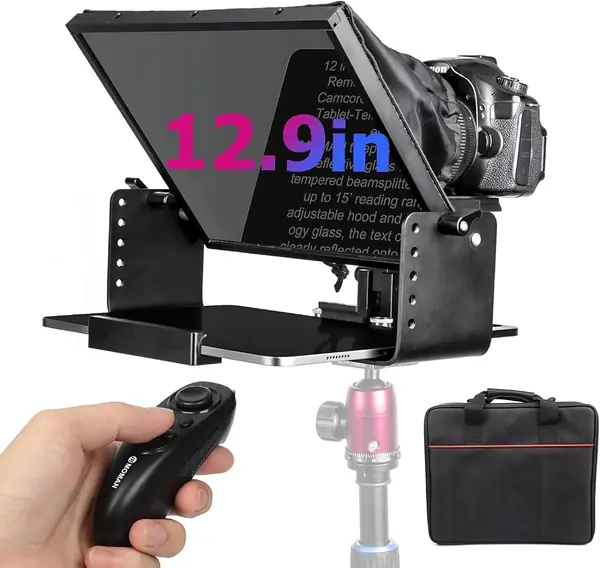
Moman MT12 Best for a 12.9-Inch iPad Pro

81 /100
TKZ Score Excellent

Key details

Tablet Fit
Up to 12.9 in
Beamsplitter
12 in tempered glass
Reading Distance
Up to 15 ft
Body
One-piece metal
View on Amazon

If your iPad is the 12.9-inch Pro, start here. Moman builds the MT12's adjustable clamp around that tablet rather than treating it as the outer limit, and the 12-inch tempered beam splitter is rated for a 15-foot reading range — enough that you can step back from the tripod and still see sentences instead of single words.

The frame is a one-piece metal structure that carries both the tablet and the camera, with an adjustable hood for bright rooms. That rigidity is what you're paying for: the iPad sits in the clamp at the same angle every time, so your eye line doesn't drift between takes, and the prompter doesn't wander on the head while you're mid-paragraph.

Moman's Prompter app adds a countdown before the script rolls and lets you set text size and color. Turn the countdown on. It gives you a beat between pressing start and needing to speak, which is exactly where most flubbed takes begin.

Pros

  • Clamp designed around a 12.9-inch iPad
  • 15-foot reading range from tempered glass
  • One-piece metal body holds the rig steady

Cons

  • Remote pairing is fussy outside iOS
  • Six pounds of metal to mount and carry
Our verdict

We buy this one for the big iPad: the clamp is built around a 12.9-inch Pro, and the 12-inch glass keeps a whole sentence in view from across a room.

Check Latest Price
5

Desview T5 Best Budget Tablet Prompter

80 /100
TKZ Score Excellent

Key details

Tablet Fit
Tablets under 11 in
Beamsplitter
Coated glass
Control
Bluetooth remote + app
Devices
Phone, tablet, DSLR
View on Amazon

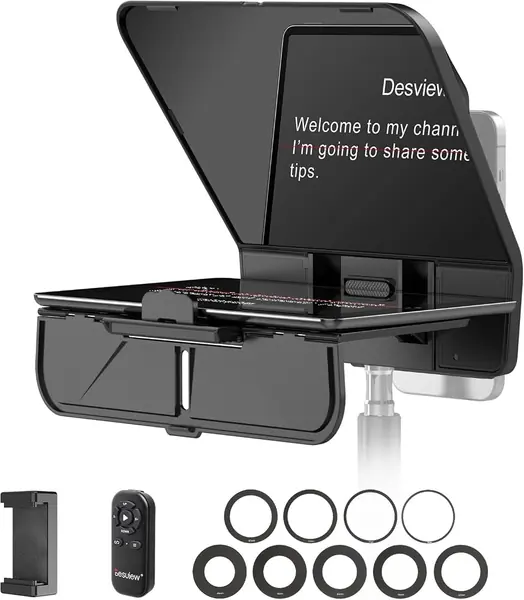
The T5 is the cheapest kit here that still takes a tablet, a phone, and a camera, and it does something the big rigs don't: the phone holder pulls out and turns, so you can switch between horizontal and vertical shooting without unclamping anything. For short-form work that gets shot both ways in the same session, that saves real fiddling.

For a creator who shoots mostly on a phone and reaches for the iPad when a script runs long, that flexibility is worth more than another inch of glass. The coated glass is where the money went — the script reads cleanly, and the foam light seal does its job of keeping room light off the screen — and the whole thing stays light enough to live on a small tripod.

Desview's app handles script import and font size, and the Bluetooth remote pairs to it directly. Keep a two-line test script saved in the app so you can confirm the remote is awake before you start talking, rather than discovering it mid-sentence.

Pros

  • Takes phone, tablet, and DSLR at a budget price
  • Phone holder rotates between horizontal and vertical
  • Coated glass with foam light seal

Cons

  • Glass picks up reflections at some angles
  • Clamp is tight for full-size iPads
Our verdict

We keep it as the budget pick for phone-first creators who mount an iPad occasionally — it's the most prompter for the least money here.

Check Latest Price
6

GVM 12-Inch Best for Travel and Storage

79 /100
TKZ Score Very Good

Key details

Tablet Fit
Up to 8.6 in (22 cm)
Beamsplitter
12 in
Frame
Collapsible aluminum
Carry Bag
Included
View on Amazon

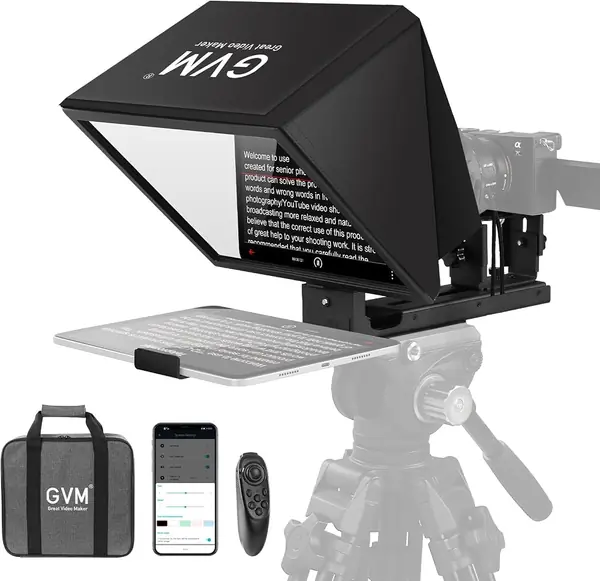
"Installation free" is doing some work in this listing. The 12-inch GVM arrives assembled and folds in one motion, but the joints and the camera bracket still want an Allen wrench when you set the height and square up the glass. Budget a tool and a few minutes of adjustment, not an afternoon — and keep the wrench in the bag, because you'll want it again.

What you get is a collapsible aluminum frame, 12 inches of anti-reflective coated glass, a clamp rated to 8.6 inches (22 cm) of device, a wireless remote paired with GVM's app, and a carry bag. Mostly metal with plastic knobs, which is the right way round for something that lives in a bag between shoots.

The fold is what earns it a place here: this is the one that goes from bag to working in a single motion, and it does that at a budget price. As a second prompter for travel, or a first one for someone working with a phone or an iPad mini, it's easy to justify.

Pros

  • Folds from bag to working in one motion
  • Mostly metal frame with a low price
  • 12-inch coated glass and wireless remote included

Cons

  • Holder tops out at 8.6 inches, so iPads go portrait
Our verdict

We like it as a second prompter or a travel kit — the fold is genuinely fast, as long as your iPad can sit upright in an 8.6-inch clamp.

Check Latest Price
7

GVM 18-Inch Best for Stage and Lectern

78 /100
TKZ Score Very Good

Key details

Tablet Fit
Up to 12.9 in
Beamsplitter
18 in
Control
Bluetooth remote + app
Coating
Multilayer dielectric
View on Amazon

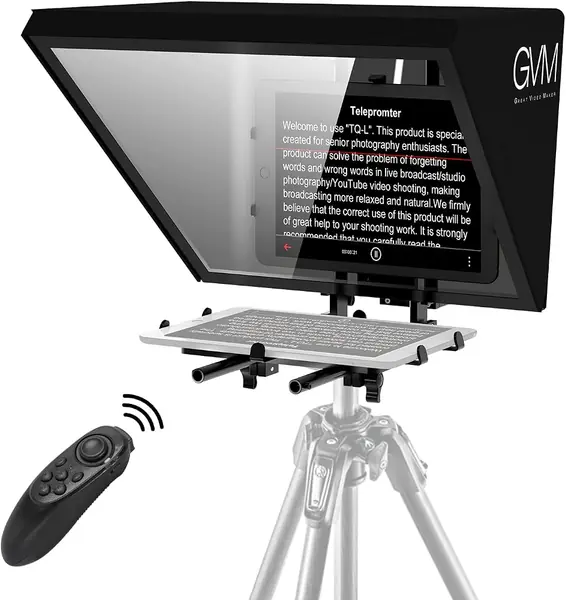
Eighteen inches of glass is a different category of tool, and the TQ-L is unapologetic about it. This is the prompter for a lectern, a stage, or a room where you're standing back from the camera and still need a whole paragraph in front of you rather than two words at a time.

The mirror is a colorless beam splitter with a multilayer dielectric coating, which is the specification that matters at this size — bigger glass with weak transmission is a worse trade than a smaller, brighter panel, and GVM claims no light loss here. The clamp holds tablets up to 12.9 inches, so the largest iPad Pro goes in without an argument.

The Bluetooth remote and GVM app control speed, font size, and background color, and the bracket takes SLR, camcorder, and mirrorless bodies. It runs the same app as GVM's smaller unit, so if you already own one of those, there's nothing new to learn on shoot day.

What we keep coming back to is that size is the argument. You cannot fake an 18-inch reading surface with a 10-inch one when you're standing away from the lens, and that's the only case where this model makes sense. For church, conference, and corporate stage work it's the right purchase; for a desk and a webcam it's a great deal of prompter for very little script.

Pros

  • 18-inch glass readable from well back
  • Clamp fits tablets up to 12.9 inches
  • Takes SLR, camcorder, and mirrorless bodies

Cons

  • Sixteen pounds before a camera goes on
  • Premium price for a niche size
Our verdict

We recommend it for stages and lecterns where you stand well back — the 18-inch glass is the point, and the price is the price.

Check Latest Price
8

LENSGO TC7 Best for Backpack Kits

77 /100
TKZ Score Very Good

Key details

Tablet Fit
Phones and tablets
Beamsplitter
9.7 in
Weight
15.9 oz
Wide-angle
Down to 17mm
View on Amazon

The TC7's party trick is the hinge: the glass folds down into the frame in one motion, so it packs flat in a backpack and comes out already assembled. It's the cheapest prompter here, and for a phone or a small tablet it's also the easiest to justify.

The kit is more complete than the price suggests — 9.7 inches of glass, a phone clip, nine camera adapter rings covering 49-82mm, a Bluetooth remote, and support for wide lenses down to 17mm without vignetting. At 450 grams it barely registers on a light tripod head, which is exactly what you want from a prompter you carry rather than install.

Setup is the other place it punches above its price. The rings screw onto most kit lenses, the glass sits at a fixed 45 degrees, and there's nothing to adjust once it's on the tripod. For a solo creator filming alone in a small room, that's the whole job done.

The app covers the basics — text, size, scroll speed — and stops there, which is fine, because the TC7's job is short takes and one-person shoots. Set the font large and the scroll slow, and it does the one thing a prompter has to do.

Pros

  • Folds flat into a backpack in one motion
  • Works with wide lenses down to 17mm
  • 450 grams with nine adapter rings included

Cons

  • Plastic tablet cradle is the weak point
  • Bluetooth remote is unreliable
Our verdict

We treat it as the backpack prompter: the cheapest kit here, it folds flat in one motion and suits a phone or an iPad mini rather than a big tablet.

Check Latest Price

How We Tested Teleprompters for iPad

We started with a list of roughly 40 teleprompters sold for iPads and tablets, then cut anything that couldn't hold a 10.9-inch tablet securely, anything that shipped without the hardware needed to marry a camera to the glass, and anything priced like a broadcast-studio unit. That left 12, which we set up and shot with over eight months.

Most of the testing happened where these things actually live: a spare-bedroom desk with a key light two feet from the glass during weekday recordings, plus a few weekend shoots near a bright window where reflections get ugly. I ran the same 300-word script through every unit and watched where my eyes landed on camera, whether the text ghosted or doubled, and how much of my face the glass covered.

Setup got timed with a stopwatch, assembled solo from the case, because a rig you dread building is a rig that stays in the closet. We checked fit against a 10.9-inch iPad, a 12.9-inch iPad Pro, and a phone, then mounted each to a mirrorless camera and a camcorder to see which baseplate or quick-release plate the frame actually accepted. Remotes were walked to the far end of the room to find the edge of their range, and app control was judged on whether scrolling continued after a notification dropped in.

Durability came from repetition rather than abuse: eight months of builds and teardowns, tossed into a backpack for client shoots, checking for stripped threads, glass that collected fingerprints no matter what we wiped it with, and hinges that loosened. Value came last — what was in the box, and what we had to buy separately to make it work.

How to Choose a Teleprompter for Your Ipad

Read the Fit Spec, Not the Screen Size

Some listings quote a device width in inches or millimeters, others quote a maximum screen size, and the two are not interchangeable: a prompter advertised for tablets up to 10 inches may mean a 170mm clamp, which is narrower than an iPad mini. Measure your iPad's long edge — about 11 inches on a 12.9-inch Pro, about 9.7 on an Air or an 11-inch Pro — and compare it with the largest opening the holder actually states.

If that long edge doesn't clear, the iPad can still go in upright, but you're reading a narrow column of text on a wide piece of glass. The NEEWER X12 publishes its opening; several rivals only publish a diagonal, which tells you much less.

Glass Size Buys You Distance

A beam splitter puts the script between you and the lens, and the bigger the panel, the further back you can stand while sentences stay whole instead of breaking into single words. Light transmission matters just as much: the working range here is roughly 70 to 75 percent, and a hood you can close down is what keeps a bright room from washing the text out.

At a desk, 12 to 14 inches is plenty. If you present from a lectern or a stage and stand well back from the camera, go big — the 18-inch GVM is the pick here built for that distance, and the 12-inch units will feel cramped by comparison.

Budget for the Rest of the Rig

A teleprompter is one component of a mounting system, and the box doesn't always include the rest of it. Check for a 1/4-inch thread or a quick-release plate on the base, the camera bracket, and the lens adapter rings. The SMALLRIG 3646 is the cautionary example: it needs a 15mm LWS baseplate before it does anything at all, and there's no phone mount, so the real cost is the prompter plus rails.

Ring sets in the 49-82mm and 49-95mm range cover most kit and mirrorless lenses. If your widest lens has a fat front element, confirm the ring size before ordering rather than after.

Treat the App and Remote as Their Own Purchase

Every kit here bundles an app, and the app is consistently the least dependable part of the package. Do a dry run with the real script: pair the remote, scroll the whole document, pause, change speed, and check that your font size survives a reload. On an iPad, confirm you're installing the iOS build and not reading about features the tablet version lacks.

A physical remote earns its place on exactly this basis — it keeps working when the wireless connection is being difficult. Keep a printed backup of any script you can't afford to lose mid-take.

Decide Whether It Lives on the Tripod

Weight and folded size separate the prompter you use from the one you avoid. A 16-pound, 18-inch frame needs a head rated for it and a place to stay between takes; a two-pound folding unit goes into a bag and comes out for a five-minute record.

If you shoot in the same room every week, mount the big one and leave it. If you move between locations, the fold, the case, and whether the frame needs a tool are the specs that will actually affect your mornings.

Frequently Asked Questions

Final Verdict

The NEEWER X12 is the one we point most people to. Its clamp takes an iPad Air or an 11-inch Pro in landscape, the 14-inch glass is easy to read at desk distance, and the remote, app, and case arrive together at a mid-pack price — no second purchase required.

If you shoot on a camera that already rides a rail rig, the SMALLRIG 3646 is the better-built tool and worth adding a baseplate for. And if your iPad is the 12.9-inch Pro, check the clamp before anything else: the Moman MT12 is the pick built around that size.