Best Tablet Cases of 2026

A tablet case has one job: take the hit so the tablet doesn't. The trouble is that the cases that protect hardest turn a slim device into a brick, and the thin ones that feel great in the hand can pop a corner the first time the tablet slides off the couch. The difference is almost never the price tag — it's how snugly the shell hugs the edges, how well the magnets hold, and whether the stand stays where you put it.

Over the past four months, my team and I have lived with 18 cases across iPads, Fire tablets, and Galaxy Tabs — leather-look folios, slim shells with translucent backs, and full-body armored models with built-in screen protectors. Auto sleep/wake sounds like a gimmick until a cover misses the magnet and you find a dead tablet in your bag; a hand strap you never use is just bulk.

Below, the picks are sorted by how people actually carry a tablet rather than by spec sheet — each one protects the device and then gets out of the way.

The Best Tablet Cases

1

DTTO iPad 11th/10th Gen Case Best Overall

96 /100
TKZ Score Outstanding

Key details

Fits
iPad 11th gen 11-inch (2025) and 10th gen 10.9-inch (2022)
Weight
14.1 oz
Pencil Storage
Built-in slot with charging hole behind it
Also Included
Hand strap, card pocket, multi-angle grooves
View on Amazon

A hand strap, a slot for the Apple Pencil, and a front pocket for a passport or a couple of cards: the DTTO folio piles on the features usually reserved for cases that cost noticeably more, and it does it without the armored look of a rugged shell. The outside is a soft-touch synthetic leather with tidy stitching, and the tablet presses into a frame that grips it at the corners instead of clipping over the glass.

The hand strap is the part we kept coming back to. Slip a hand through it and the iPad hangs at reading height with no wrist strain, which is the difference between using the tablet on a train and balancing it on a knee. The two grooves in the cover give a steep typing angle and a shallower viewing one, the front pocket takes a boarding pass without bulging, and the magnetic edge keeps the lid shut inside a bag. Of the folios here, this is the one that behaves like a small bag for the tablet rather than a lid on it.

Fit is the thing to get right: it is cut for the 11-inch A16 iPad and the 10.9-inch 10th generation, and the listing spells out the model numbers, which matters because those two share nothing with the older 10.2-inch models. The pencil slot holds a USB-C Pencil or a first-gen Pencil, with a hole behind it so the pencil charges while stored. After a few months of daily handling, the stitching and the corner grips are the two things we watched; both have held, and the corner clip is usually where a folio at this level starts to go.

Pros

  • Interior hand strap makes one-handed reading easy
  • Pencil slot with a charging hole behind it
  • Front card pocket and multiple viewing angles

Cons

  • Heavier than slim folios at 400 g
Our verdict

We recommend the DTTO to anyone with an 11-inch A16 or 10.9-inch iPad who wants real carrying features without the bulk of a rugged shell.
Check Latest Price
2

ProCase iPad 10.2 Case Best for 10.2-Inch iPads

95 /100
TKZ Score Outstanding

Key details

Fits
10.2-inch iPad 7th, 8th, and 9th gen
Weight
5 oz
Keyboard
Not compatible with Smart Keyboard
Back Panel
Translucent frosted hard shell
View on Amazon

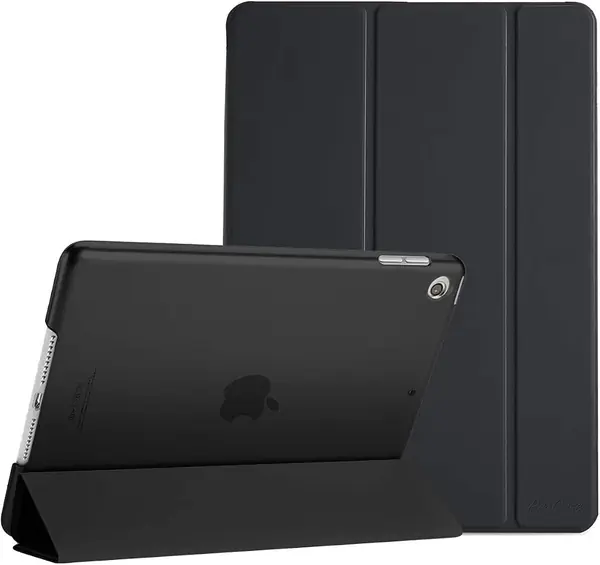
If the iPad in your bag is a 10.2-inch model — the 9th generation from 2021, or the 8th or 7th before it — this is the case to look at first. ProCase cuts it to those three generations and lists the model numbers, and it is the least expensive way here to put a cover, a folding stand, and auto wake/sleep on an older tablet.

The design is deliberately plain. A thin hard back in a translucent frost lets the Apple logo show through, the front cover folds into a viewing stand, and magnets handle wake and sleep. At five ounces it disappears into a tote, every port and button is cut clear, and the cover wraps snugly enough that it will not take Apple's Smart Keyboard.

Longevity is where we temper the recommendation. The back panel is thin enough to flex, and a case this light trades drop protection for its low profile; corner clips are the part that goes first on any folio built to this level. For a tablet that sits on a sofa and rides in a bag, that is a fair trade and an easy recommendation. For one that travels in a school backpack next to a water bottle, spend more and get the SEYMAC. Either way, the frosted back is the quietly good detail: it hides fingerprints and scuffs far better than the clear shells most budget folios use.

Pros

  • Cut specifically for 10.2-inch 7th, 8th, and 9th gen iPads
  • Only five ounces, so it disappears in a bag
  • Frosted back resists fingerprints and scratches

Cons

  • Thin back gives up drop protection
Our verdict

We recommend the ProCase 10.2 to owners of a 7th-, 8th-, or 9th-generation iPad who want a light, inexpensive cover and treat the tablet gently.

Check Latest Price
3

MoKo iPad 11th/10th Gen Case Best Budget iPad Cover

94 /100
TKZ Score Outstanding

Key details

Fits
iPad 11th gen 11-inch (2025) and 10th gen 10.9-inch (2022)
Weight
7.85 oz
Stand
Magnetic fold, two viewing angles
Pencil
Open side cutout for charging
View on Amazon

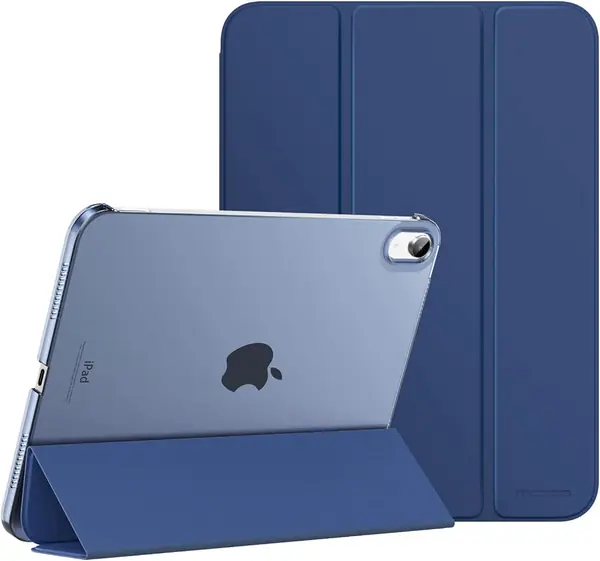
The MoKo is the least expensive way here to put a folding stand on an 11-inch A16 iPad or a 10.9-inch 10th-generation model. A translucent hard back, a microfiber-lined front cover, magnets that wake the screen when you open it: it is Apple's Smart Cover recipe without Apple's price, and for a tablet that mostly lives on a desk that covers most of what you need.

It is thin, too. Under eight ounces means the whole case adds less than a paperback, the side is left open so a USB-C Pencil charges without coming off, and the cutout around the power button keeps Touch ID working. The shell shows the tablet's color through it rather than hiding it, which is the small pleasure of a translucent back.

The stand is where it gives ground. The magnetic fold holds fine on a hard table; on a duvet or a lap it slides, and the cover's magnets are light enough that the flap can drift open inside a bag. For desk and counter use we did not mind. It is, though, exactly why the DTTO sits above it: a hand strap answers the lap problem that a magnetic fold never will.

Pros

  • Lowest price here for the newest iPad generations
  • Open side lets a USB-C Pencil charge in place
  • Light enough to forget in a bag

Cons

  • Magnetic stand slides off soft surfaces
Our verdict

The MoKo is the value pick for 11-inch A16 and 10.9-inch iPads: a genuine Apple-style cover and stand for the least money here.

Check Latest Price
4

MoKo Fire HD 10 Case Best for Fire HD 10

93 /100
TKZ Score Outstanding

Key details

Fits
Fire HD 10 and 10 Plus, 10.1-inch (11th, 13th gen, 2026)
Weight
8.73 oz
Grip
Interior hand strap
Angles
Two, viewing and typing
View on Amazon

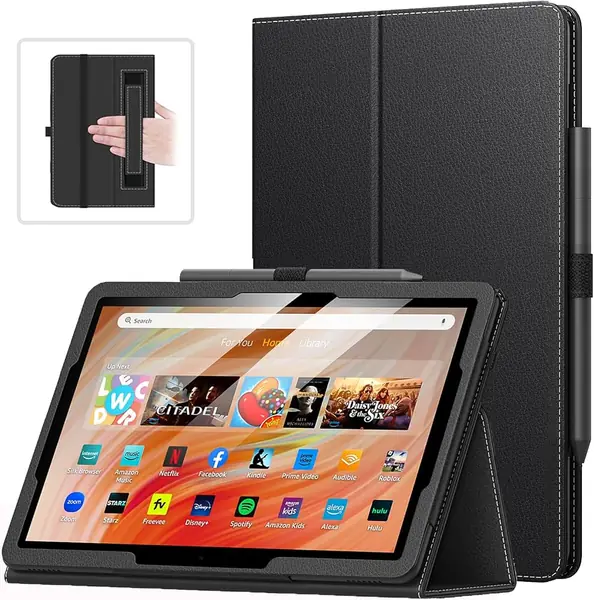
The first time we read a chapter holding the Fire HD 10 one-handed, the strap inside the front cover earned its place: slide a hand through and the tablet hangs at reading height with no wrist ache, which is exactly the use Amazon built this thing for. It is a small addition that the iPad folios here mostly skip, and it costs nothing in bulk.

Everything else is straightforward and well executed. Two folding angles cover typing and watching, a loop holds a stylus where you can find it, and magnets handle wake and sleep. The outside has a leathery texture and stitching that reads more like a paper notebook than a gadget case, which suits a tablet that lives on a nightstand. Our reservation is the strap itself: it fixes the tablet at one angle, so portrait reading is comfortable and landscape is better served by the fold-out stand. Fit covers the 10.1-inch Fire HD 10 and 10 Plus across the 11th and 13th generations and the 2026 model, so check the generation — Fire tablets look nearly identical year to year.

Pros

  • Interior hand strap built for one-handed reading
  • Two folding angles for typing and watching
  • Notebook-style finish with tidy stitching

Cons

  • Fixed strap angle limits how you hold it
  • Heavier than slim iPad covers at 8.73 ounces
Our verdict

For Fire HD 10 owners, the hand strap alone justifies this case — it is the most comfortable way here to read one-handed.

Check Latest Price
5

Fintie Galaxy Tab A9+ Case Best for Galaxy Tab A9+ and A11+

92 /100
TKZ Score Outstanding

Key details

Fits
Galaxy Tab A11+ and A9+, 11-inch
Weight
12.3 oz
Stand
Multi-angle ridges in the cover
Pocket
Front card and note pocket
View on Amazon

Set beside the SEYMAC armor we recommend for the same Galaxy Tabs, the Fintie is the one that slides into a briefcase. It is a synthetic leather folio for the 11-inch Tab A11+ and A9+, with a hard shell inside, a card pocket across the front, and ridges in the cover that hold the tablet at several angles.

The ridges are the good part. Several rests take you from near-upright for a video call to laid back for typing, and the tablet snaps into the shell rather than being strapped in, so it comes out cleanly when you want it bare. Auto wake and sleep works, the stitching is tidy, and the two-tone turquoise-and-brown finish looks like more money than the case is.

Stability is fine on a table and less so on a duvet: the ridges hold the tablet, but the cover is light and the whole assembly can tip if you push the top of the screen. The front pocket takes a couple of cards or a folded note without a bulge, and the suede-textured lining keeps fingerprints off the display when the cover is closed.

What it will not do is fit a Galaxy Tab S. This is cut for the A11+ and A9+ by model number, and Samsung's 11-inch tablets are close enough in size that the mistake is easy to make. For an A-series tab we think it is the neatest Samsung folio here; for an S9 FE or S10 FE, the SEYMAC is the one built for it.

Pros

  • Ridged cover holds several firm viewing angles
  • Front pocket takes cards and folded notes
  • Tablet snaps in without straps or frames

Cons

  • Can tip on a duvet or other soft surface
  • Does not fit Galaxy Tab S models
Our verdict

Galaxy Tab A9+ and A11+ owners should get the Fintie for a slim, sharp-looking folio with a firm stand and a card pocket.

Check Latest Price
6

SEYMAC stock iPad Rugged Case Best Heavy-Duty iPad Case

91 /100
TKZ Score Outstanding

Key details

Fits
iPad 11th gen 11-inch (2025) and 10th gen 10.9-inch (2022)
Weight
12.7 oz
Carry
360-degree rotating hand strap plus shoulder strap
Protection
Two-layer shell with built-in screen protector
View on Amazon

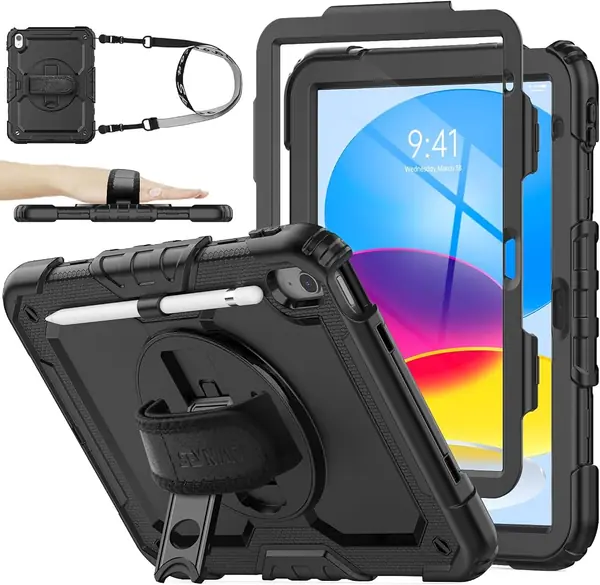
For a tablet that goes to school, onto a job site, or into the back seat of a car, this is the one we hand over. SEYMAC builds a two-layer shell with a built-in screen protector, a 360-degree rotating hand strap on the back, and a detachable shoulder strap, and it covers more of the iPad than any folio here.

The screen protector is the real difference. It sits over the glass, keeps touch response intact in our use, and means a dropped stylus or a bag full of keys does not end in a scratched display. Port plugs keep dust out of the charging port, and there is a pencil holder on board.

The stand rotates, so the iPad can stand in portrait as well as landscape — no grooves to choose between — and the hand strap doubles as a grip while you carry it around a room. The front frame clicks around the perimeter; press until every corner is seated, because a half-clicked corner is exactly where a case like this separates in a drop.

SEYMAC backs it with a six-month replacement service for defects, which is more coverage than the folios here offer. It is overkill for a tablet that never leaves a desk — that is the DTTO's job — but for a device with a rough commute, it is the safest money in this guide.

Pros

  • Built-in screen protector covers the glass
  • Rotating stand and hand strap in one piece
  • Shoulder strap for carrying hands-free

Cons

  • Bulkier and heavier than any folio here
Our verdict

Nothing here protects an iPad like this: if the tablet is going to be dropped, carried, or handed to a kid, the SEYMAC is the one to buy.

Check Latest Price
7

SEYMAC stock Galaxy Tab Case Best Heavy-Duty Galaxy Tab Case

90 /100
TKZ Score Outstanding

Key details

Fits
Galaxy Tab S10 Lite, S10 FE, S9 FE, and S9
Weight
1.12 lb
Carry
Rotating kickstand, hand strap, shoulder strap
Protection
Silicone shell, screen protector, port covers
View on Amazon

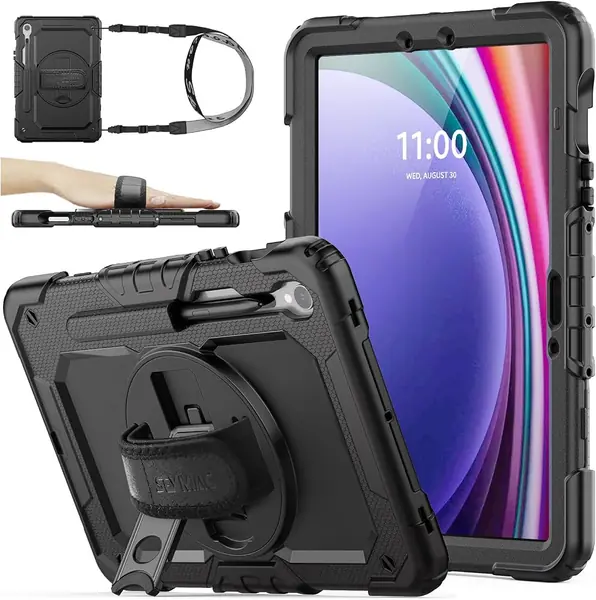
Half a kilogram is a lot of case. SEYMAC's armor for Samsung's 10.9- and 11-inch Galaxy Tabs is the heaviest thing in this roundup, and it turns a slim tablet into something closer to a clipboard. That trade is the whole point: the weight is silicone, a hard inner frame, port covers, and a built-in screen protector.

What it buys is coverage. The silicone outer absorbs knocks, the screen protector saves you buying glass separately, and the port covers keep the USB-C clean — a real consideration for a tablet used standing up in a stockroom or a clinic.

The 360-degree kickstand rotates for portrait and landscape, the hand strap makes one-handed reading possible on a tablet this size, and the detachable shoulder strap turns the whole thing into something you carry like a bag. Of everything here, it is the only Samsung case that works as a carry system rather than a cover.

The one thing to know before you commit: the power button sits under a layer of silicone, and the side fingerprint reader takes a firmer, flatter press than it does on a bare tablet. For a shared, handled, or job-site device we think the bulk and the press are worth it; for a tablet that never leaves a desk, the Fintie is the better answer.

Pros

  • Screen protector and port covers in one case
  • Rotating kickstand works in portrait and landscape
  • Hand strap plus detachable shoulder strap

Cons

  • Multi-piece install takes patience
Our verdict

SEYMAC's Galaxy Tab armor is the pick for a tablet that gets handled rough — screen, ports, and corners all covered at once.

Check Latest Price
8

Fintie iPad 11th/10th Gen Case Best for Prints and Color

89 /100
TKZ Score Excellent

Key details

Fits
iPad 11th gen 11-inch (2025) and 10th gen 10.9-inch (2022)
Weight
1 lb
Pocket
Front document pocket
Pencil Storage
Built-in holder with charging hole
View on Amazon

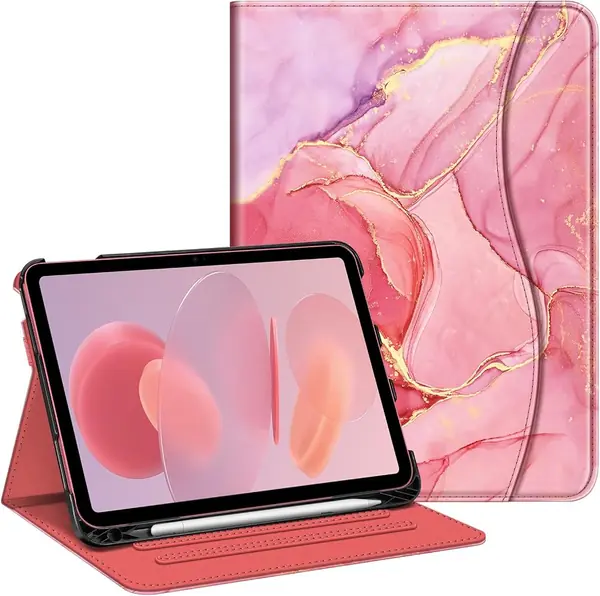
The reason to pick the Fintie over the DTTO is the finish. It comes in a long run of prints and solids — marble pink among them — and the synthetic leather takes the pattern well enough that it does not look pasted on. If a case is part accessory for you, this is the one here that behaves like one, and it is not only decoration: multi-angle ridges, a pencil holder with a charging hole behind it, a document pocket, and magnets for wake and sleep.

Functionally it is close to the DTTO and a step behind it. The tablet clips in at the corners rather than sliding into a frame, so the fit is snug from day one and the cover closes flat, and the pencil holder takes a USB-C Pencil or a first-gen Pencil with a hole behind it so the pencil charges in place — the detail budget folios usually get wrong. What we cannot call it is light: at a pound it is the heaviest folio in this group, and it is the one case here where you notice the tablet in a small bag. Buy it for the print and the firm stand; the heft is the trade.

Pros

  • Wide range of prints and solid colors
  • Pencil holder with a hole for charging
  • Front pocket plus multi-angle ridges

Cons

  • Corners can loosen and let the tablet slip
Our verdict

Choose the Fintie for its prints and its pencil holder — it is the best-looking folio here and still a solid one.

Check Latest Price

How We Tested 18 Tablet Cases Over Four Months

We started with roughly 60 listings spanning iPads, Fire HD tablets, and Galaxy Tabs, then filtered by model fit first, since a case built for the wrong generation is a return waiting to happen. Price spread, format, and a mix of folios, slim translucent-back shells, and full-body armored cases with screen protectors rounded out the shortlist. Eighteen made the cut, and every tablet in my house got one.

Installation came first. I seated each tablet, ran a finger around all four corners to feel for gaps, plugged in a charging cable to check the cutouts lined up, and closed the cover 20 times in a row to count how often it actually triggered sleep and wake. Then we just lived with them: propped on a kitchen counter for recipes, on the couch for streaming, in a coffee shop for notes, balanced one-handed on the train, and tossed into a tote and a kid's backpack.

For protection, we dropped each case from counter height onto hardwood, corner-first and flat, then checked whether the tablet was still seated and whether the shell cracked or scuffed. We set every stand at every angle and typed on the screen to see which ones crept or sagged, folded the cover back to test whether the magnets held it flat against the rear, and carried each one around a room one-handed to judge the grip. Extras like hand straps, pencil loops, and shoulder straps got used for real or they didn't — and the ones that didn't just added weight to a bag.

How to Choose a Tablet Case

Start With the Model Number, Not the Screen Size

Screen size in a listing is a starting point, not a promise. Apple sold three visually similar iPads across four years: the 10.2-inch 7th through 9th generations, the 10.9-inch 10th generation, and the 11-inch A16 11th generation. A case cut for one will not seat on another, and the mismatch shows up as corners that will not clip or a camera hole in the wrong place.

Check the model number — A3354, A3355, A3356 for the 11-inch A16, A2696, A2757, A2777 for the 10.9-inch — in Settings under General, About, or in the small print on the back. Samsung buyers face the same trap: the Fintie folio here fits the A11+ and A9+, not the S-series, even though all three are 11 inches.

Decide How Much Armor You Actually Need

There are two families in this group, and the choice comes down to where the tablet goes. A folio — synthetic leather over a hard shell — protects the back and edges, folds into a stand, and adds a few ounces. A full-body shell with a built-in screen protector, like the two SEYMAC cases, covers the glass too, seals the ports, and adds real weight.

Our rule: if the tablet leaves the house in a bag with keys in it, or gets handed to a child, the shell earns its bulk. If it moves between desk, sofa, and kitchen counter, a folio does everything you need and stays pleasant to hold.

Look at How the Stand Holds, Not Just That It Stands

Three designs show up here, and they fail in different places. Ridges cut into the cover give a firm, fixed angle that will not drift, but the tablet can slide out of the ridge if the case is nudged. A magnetic fold is the thinnest option and works beautifully on a table; on a duvet, a lap, or a train tray it slides. A rotating kickstand handles portrait as well as landscape, at the cost of bulk.

If you read in bed, none of the three is the answer — look for a hand strap instead, which is a large part of why the MoKo Fire HD 10 and the DTTO earn their places.

Check Pencil Storage Before You Buy

An Apple Pencil charges through the side of the tablet, so a case that covers that edge or wraps the pencil in a closed pocket stops it charging. The good ones leave a hole behind the slot or leave the magnetic edge exposed entirely: the DTTO and Fintie folios have that hole, and the MoKo smart cover leaves the side open.

A plain loop holds a stylus but does nothing for charging. If you use a Pencil daily, put the charging path ahead of the pocket or the print you like.

Frequently Asked Questions

Final Verdict

Most people should buy the DTTO. For 11-inch A16 and 10.9-inch iPads it covers the widest set of everyday needs — a hand strap for reading in bed, a pencil slot that still charges, a pocket for a boarding pass, and a stand that works on a table — without turning the tablet into a brick.

If the tablet is going to be dropped, carried around a site, or handed to a child, pay for the SEYMAC shell instead, and Samsung owners get the same treatment from the Galaxy Tab version. Anyone with an older 10.2-inch iPad should start with the ProCase and keep expectations light.