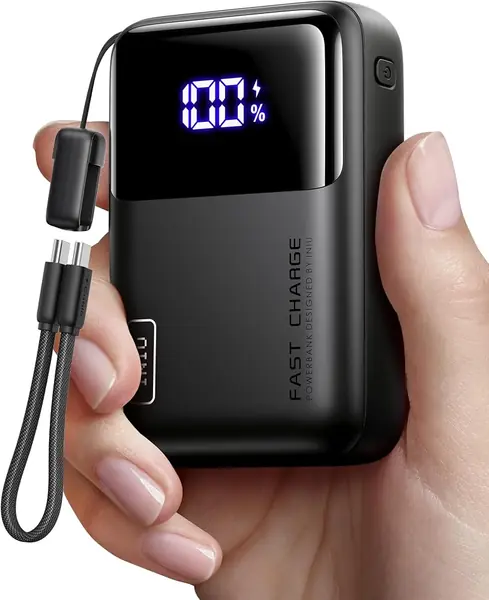
Best Power Banks for Laptops of 2026

A four-hour delay at a gate taught me that the number printed largest on a laptop power bank's box matters least. Mine boasted 20,000mAh and still let my 14-inch laptop slide toward zero while I finished a deck. What a good one buys you is an outlet that fits in your bag — enough sustained wattage to charge a laptop while you're typing on it, not just while it's asleep.

My team spent six months carrying 10 of these, from slim 65W packs to a 300W brick, and capacity was rarely what separated them. Wattage per port, and how many ports hold it at once, decides whether your laptop charges or just drains more slowly. The FAA also caps carry-on lithium batteries at 100 watt-hours, roughly 27,000mAh, so the largest packs draw a second look at security.

The nicest surprise was the screens — a readout of minutes remaining beats four blinking dots. A couple of picks won their spot on weight alone, and everything below does what its label promises.

The Best Power Banks for Laptops

1

Anker 737 24K Best Overall
91 /100
TKZ Score Outstanding

Key details

Battery Capacity
24,000mAh
Weight
1.4 lb
Ports
3
Max USB-C Output
140W
View on Amazon

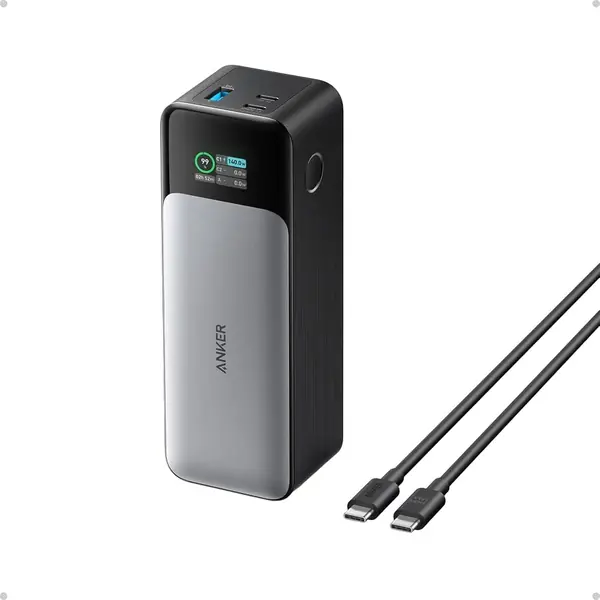
The 737 is the pack we recommend first because it gets the laptop part right: a 140W USB-C PD 3.1 port, a 24,000mAh battery, and a display that shows how much power is moving. That 140W ceiling matters for a 14-inch MacBook Pro or a high-power Windows laptop; it can hold a fast charge instead of falling back to a slow trickle. The 24,000mAh capacity is enough for a full laptop top-up plus a phone, which is the real test of a travel pack.

Three ports give you room for a laptop, phone, and earbuds, and the included 140W USB-C cable is not an afterthought—a lesser cable would cap that port well below its rating. The smart display is the feature we ended up using most: it shows input and output wattage and estimates recharge time, so you know whether the laptop is actually pulling the power you paid for.

The cost is bulk. At 1.4 pounds and about 6 by 2 by 2 inches, this is a backpack or laptop-bag pack, not something you forget in a jacket pocket. The 24-month warranty and travel pouch are the right supporting details. For most people with a USB-C laptop, the 737 is the most complete package here.

Pros

  • 140W USB-C charges high-power laptops fast
  • 24,000mAh capacity with three ports
  • Smart display shows wattage and recharge time

Cons

  • Some units stop accepting a charge over time
Our verdict

We recommend the Anker 737 as our default laptop power bank: 140W USB-C, 24,000mAh, and a display that makes its output easy to trust.
Check Latest Price
2

Anker Prime 26K Best for High-Power Laptops

90 /100
TKZ Score Outstanding

Key details

Battery Capacity
26,250mAh
Weight
1.32 lb
Max USB-C Output
140W
Total Output
300W
View on Amazon

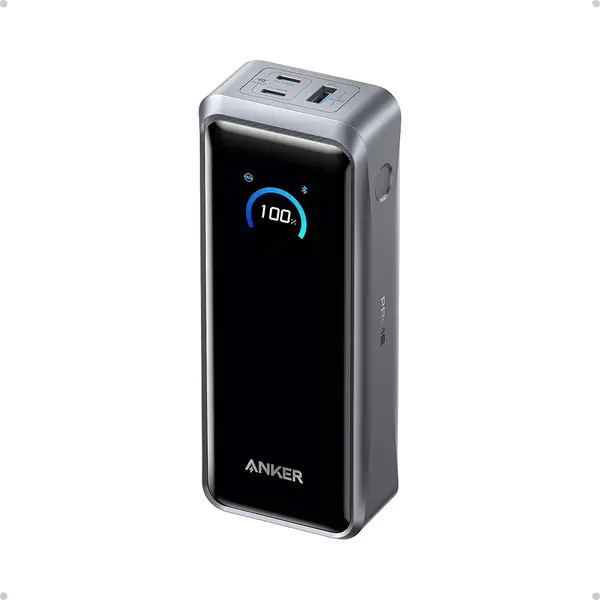
A two-laptop workday is the scenario the Prime is built for. Its 300W total output is split across two USB-C ports and one USB-A, with up to 140W on a single USB-C connection, so it can keep a pair of MacBook Pros running at full speed rather than divvying out a laptop-sized trickle. The 26,250mAh battery is rated at 99.75Wh, which keeps it under the usual 100Wh carry-on limit.

We see the Prime as a specialist, not the default. If you routinely travel with a 16-inch workstation, or you're the person on the trip who ends up charging everyone else's laptop, the extra output is worth the premium. For a single ultrabook, the 737 does the same job with less weight and less money.

The 250W dual-port input is the sleeper feature: with two compatible chargers, it refills much faster than the single-input packs here. The smart display and app control let you see and adjust what each port is doing, which is genuinely useful when you're sharing power.

The 99.75Wh rating is the detail that matters at the airport: it is close to the 100Wh ceiling but still inside it, so you don't have to choose between a big battery and a carry-on. That is part of what the premium buys.

Pros

  • 300W total output for two laptops
  • 99.75Wh flight-safe capacity
  • 250W dual-port input

Cons

  • 600 grams and bulky
  • Charging base sold separately
Our verdict

We recommend the Anker Prime for two-laptop travelers and 16-inch workstation owners who need 300W total output in a carry-on-legal pack.

Check Latest Price
3

INIU 25K 100W Best Value

89 /100
TKZ Score Excellent

Key details

Battery Capacity
25,000mAh
Weight
15.8 oz
Ports
3
Max USB-C Output
100W
View on Amazon

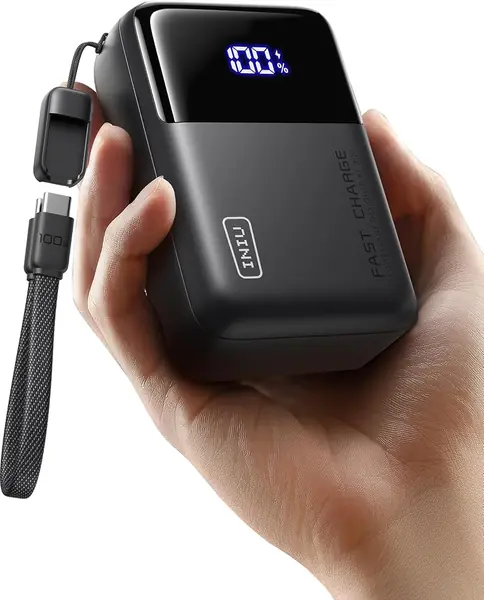
The INIU 25K is the value pick because it gives you the two things a laptop traveler actually needs—25,000mAh and a 100W USB-C port—without the flagship price. For a MacBook Air, most 13- and 14-inch ultrabooks, and even a 14-inch MacBook Pro, 100W is enough to charge at a useful rate. It also carries a three-year warranty, the longest in this group.

Three ports and a detachable 0.4-foot USB-C cable cover a laptop, phone, and one more device. We like that the cable is detachable: built-in cables are convenient, but when one fails you lose the pack's main selling point. The 25,000mAh body is compact for its capacity at 15.8 ounces, and the airline-safe rating means it can go in the cabin with you. A small digital display shows the remaining charge, which is more useful than four blinking dots.

The limit is the 100W ceiling. A 16-inch MacBook Pro or a gaming laptop that can pull 140W will charge more slowly here, especially under load. For a 13- or 14-inch laptop, this is the best balance of capacity, speed, and price in the group.

Pros

  • 25,000mAh capacity with 100W USB-C
  • Compact at 15.8 ounces
  • Three-year warranty

Cons

  • Long-term reliability is not as proven
Our verdict

We recommend the INIU 25K as the value pick for 13- and 14-inch laptops; its 100W port and three-year warranty are a strong combination.

Check Latest Price
4

EcoFlow 25K 170W Best Budget High-Output

88 /100
TKZ Score Excellent

Key details

Battery Capacity
25,000mAh
Weight
20 oz
Total Output
170W
USB-C Ports
2 × 140W
View on Amazon

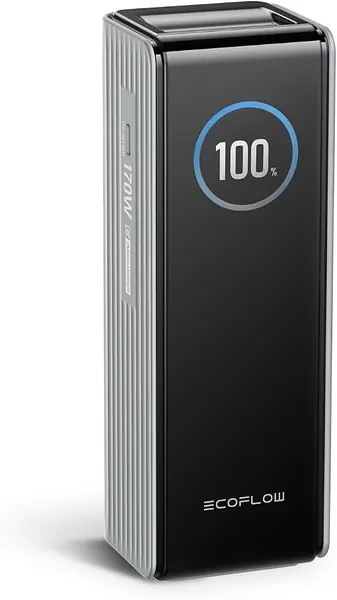
The EcoFlow 25K is the budget route to 140W USB-C. It has two USB-C ports that can each deliver up to 140W, plus a 33W USB-A port, for 170W total across three devices. The 25,000mAh battery puts it in the same carry-on class as the top pick, and the TFT display shows remaining battery, power status, and charging details.

Two 140W ports are unusual at this price. That means you can fast-charge a 14-inch MacBook Pro and still have a second high-power port for a tablet or another laptop, provided the total stays under 170W. The display is genuinely informative rather than a row of blinking lights, and the 25,000mAh capacity is enough for a full laptop charge plus a phone.

We think this is the pick for a second laptop bag, a backup pack, or a budget-conscious buyer who needs 140W but doesn't want to pay flagship money. It is the pack we leave in a travel bag rather than trust for a daily work laptop. If this is your only pack for daily work, spend more; if it's a backup, the value is hard to ignore.

Port sharing is the thing to watch. The 170W total is not 140W plus 140W plus 33W at the same time; plug in a laptop, phone, and tablet and the pack divides what it has. For a single laptop, the 140W port is the headline. For a family charging session, it is still a lot of power for the size.

Pros

  • Two 140W USB-C ports
  • 170W total output with smart display
  • Budget-friendly high-output option

Cons

  • 20 ounces and bulky
  • Long-term reliability is less proven
Our verdict

We recommend the EcoFlow 25K for budget-minded buyers who need 140W USB-C and can treat it as a travel spare rather than a daily workhorse.

Check Latest Price
5

Baseus Blade 20K Best Slim Profile

87 /100
TKZ Score Excellent

Key details

Battery Capacity
20,000mAh
Ports
4
Max USB-C Output
100W
Thickness
0.78 in
View on Amazon

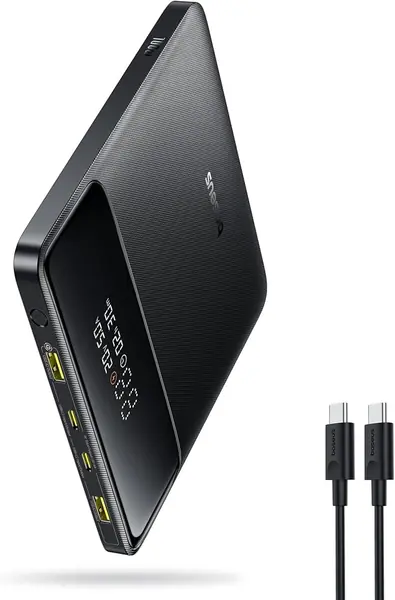
The Blade's flat shape is the reason to consider it. At 0.78 inch thick and about 5.3 inches square, it slides into a laptop sleeve or the flat pocket of a briefcase instead of forming a lump behind your laptop. That sounds minor until you've carried a cylindrical power bank in a slim bag; the Blade is the portable charger here that feels designed for that bag.

We like it for business travelers and anyone who carries a laptop sleeve rather than a backpack. The 20,000mAh battery, 100W USB-C PD, and four ports cover a laptop, phone, and accessories, and the 24-month warranty is a reasonable safety net. The digital display and low-current mode for earbuds are the kind of details that make it easier to live with.

The Blade is at its best when the alternative is a round pack rolling around in a laptop bag. It also charges at up to 60W from a wall charger, so a lunch stop can put a useful amount back. For a laptop that charges at 65W or 100W, the flat shape is a real day-to-day advantage.

Pros

  • Flat shape fits laptop sleeves
  • 100W USB-C and four ports
  • 24-month warranty

Cons

  • Wide body won't fit a pocket
  • Some units fall short of 100W
Our verdict

We recommend the Baseus Blade for travelers who want a flat 100W pack that disappears into a laptop sleeve, not a pocket.

Check Latest Price
6

Paopaoyu AC 27K Best with AC Outlet

86 /100
TKZ Score Excellent

Key details

Battery Capacity
27,000mAh
Ports
4
AC Output
100W
USB-C Output
65W
View on Amazon

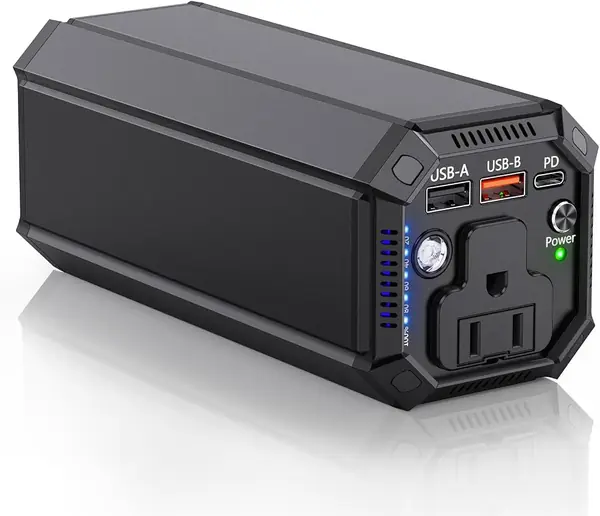
The Paopaoyu is for the laptop that still charges from a wall brick. Its 100W AC outlet can run a 65W or 90W laptop adapter without a USB-C handshake, and the 27,000mAh battery is rated at 98Wh—under the 100Wh carry-on limit but close to it. There are four outputs total, including a USB-C PD port and a USB-A port.

The AC outlet is the whole reason to choose it. If your work laptop has a barrel plug or a proprietary charger, this lets you leave the wall behind for a few hours instead of carrying a second laptop battery. The carry case and flashlight are useful travel extras, but they aren't the reason to buy.

The USB-C PD port tops out at 65W, so this is not the pack for a USB-C-only ultrabook; the 100W and 140W packs here are faster and lighter. The AC inverter adds bulk and a fan, so it is a bag pack.

We recommend the Paopaoyu for the specific traveler whose laptop still needs an AC brick, because the alternative is no backup at all. If your laptop charges over USB-C, skip it. The niche is narrow, but within that niche, the 100W outlet and 98Wh capacity make it the most useful pack here.

Pros

  • 100W AC outlet for barrel chargers
  • 27,000mAh and 98Wh flight-safe capacity
  • Four output ports including USB-C PD

Cons

  • One-year warranty is the shortest here
Our verdict

We recommend the Paopaoyu for anyone whose laptop still charges from an AC brick; its 100W outlet is the rare feature here.

Check Latest Price
7

AsperX 165W Best for Cable-Free Travel

85 /100
TKZ Score Excellent

Key details

Battery Capacity
20,000mAh
Weight
1.47 lb
Total Output
165W
Built-in Cable
Retractable USB-C
View on Amazon

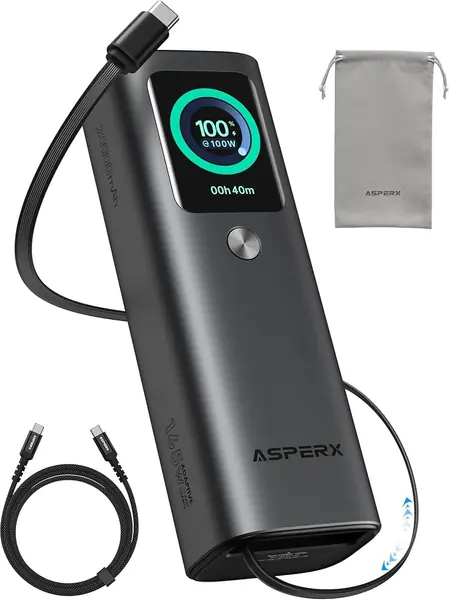
The AsperX makes its case with a retractable 100W USB-C cable built into an aluminum body. That cable is the travel feature: no loose cord to pack, no connector to lose, and the pack can charge a laptop from the cable or the separate 100W USB-C port. A third USB-A port adds 30W for a phone or earbuds. The body is 6.18 by 2.09 by 1.61 inches, so it fits a laptop bag without much fuss.

The 165W total output is enough to run a laptop and a phone together, and the color TFT display shows the kind of detail we want—battery level, wattage, and remaining time. The aluminum shell feels more substantial than the plastic packs here, and the 24-month warranty is a plus.

We recommend it for cable-free travel, with one important limit: the single-port ceiling is 100W, not 140W. A 14-inch MacBook Pro will charge well, but a 16-inch workstation won't get the same speed as it does from the Anker 737 or Prime. The 20,000mAh capacity is also a step below the 25,000mAh picks.

The aluminum and retractable cable are the reasons to pay for it. If you want the convenience of a built-in cable and a display, the AsperX is a strong midrange pick; if you want the lightest 25K pack, look at the INIU.

Pros

  • Retractable 100W USB-C cable
  • 165W total output across three ports
  • Aluminum body and color TFT display

Cons

  • 666 grams is heavy for 20,000mAh
Our verdict

We recommend the AsperX for travelers who want the convenience of a built-in cable and a bright display in a sturdy aluminum pack.

Check Latest Price
8

INIU 20K 65W Best for Ultraportable Laptops

84 /100
TKZ Score Excellent

Key details

Battery Capacity
20,000mAh
Weight
13.4 oz
Ports
3
Max USB-C Output
65W
View on Amazon

The INIU 20K is the pack that disappears into a small bag. It measures about 4.3 by 2.7 by 1.1 inches and weighs 13.4 ounces, so it fits in a purse or a slim tech pouch that a 25,000mAh pack would dominate. The 20,000mAh capacity is still enough for a full ultrabook charge plus a phone.

The 65W USB-C port is the right speed for a MacBook Air, most 13-inch ultrabooks, and a Steam Deck. Three ports and a detachable lanyard cable cover a laptop, phone, and earbuds, and the three-year warranty is the longest here. The digital display takes the guesswork out of the remaining charge, and the included pouch keeps the cable together.

The 65W ceiling is the line to accept. A 16-inch MacBook Pro or a gaming laptop will charge, but not at the speed the 100W and 140W packs here can manage. If your laptop came with a 65W or smaller USB-C charger, this is the sweet spot; if it came with a 96W or 140W charger, step up.

We recommend the INIU 20K for ultraportable laptops and tight bags, where its size and weight matter more than peak wattage. It is the one we reach for when the bag is already full.

Pros

  • Compact 20,000mAh at 13.4 ounces
  • 65W USB-C and three ports
  • Three-year warranty

Cons

  • Some units stop charging over time
Our verdict

We recommend the INIU 20K for ultraportable laptops and tight bags, where its 65W output and 13.4-ounce body make the right trade-off.

Check Latest Price

How We Chose and Tested the Best Laptop Power Banks

We rounded up every laptop power bank we could find that advertised at least 65W over USB-C, then cut anything with a single port or a capacity above the 100-watt-hour carry-on limit. That left 10 units, which we tested over six months.

Each one moved into a backpack and stayed there — through security lines, airport gates, train rides, cafe tables with no outlet in reach, a camping weekend, and a three-day outage at home. The core test was simple: run a 14-inch laptop down to 10 percent, charge it back to full, and time the whole thing. Then we did it again with the laptop awake, on a video call with a download running, watching whether the battery percentage climbed, held, or fell.

Ports got checked in pairs. We plugged in a laptop and a phone together and watched the readout to see whether the laptop's wattage dropped. Each bank was weighed on a kitchen scale, sized against a laptop sleeve, and then carried all day to see what it did to a shoulder. The models with built-in or retractable cables answered a practical question: a week in, were we still packing a separate cord?

Battery life and durability took the long route. Every bank was drained and refilled dozens of times, and we re-ran the same laptop charge at the end of six months to see whether capacity had faded. They rode in bags with keys and a water bottle, and two were dropped off a table onto carpet. For value, we weighed cost against the usable watt-hours we actually measured going into the laptop, not the capacity on the label.

How to Choose a Laptop Power Bank

Start with your laptop's USB-C wattage

Start with the wattage your laptop can accept, not the number of ports on the pack. A 65W USB-C pack is fine for a MacBook Air or most 13-inch ultrabooks; a 14-inch MacBook Pro benefits from 100W; a 16-inch workstation or gaming laptop can pull 140W. The trap is a pack that advertises 100W total across several ports; check the single-port ceiling before you buy. The Anker 737's 140W port and the INIU 25K's 100W port are useful benchmarks.

Capacity and the 100Wh flight rule

Battery capacity is about how much of a charge you get, while watt-hours decide whether you can fly with it. A 20,000mAh pack is roughly 74Wh, 25,000mAh is around 90Wh, and 27,000mAh is about 98Wh; all of those can usually go in the cabin under the 100Wh limit. Most laptops have 50Wh to 100Wh batteries, so a 25,000mAh pack is roughly one full charge, less under heavy load. Choose 20,000mAh for an ultrabook, 25,000mAh for a laptop plus phone, and an AC model only if you need the outlet.

Weight, shape, and the cable you'll actually carry

Weight and shape decide whether the pack comes with you. Laptop-class packs commonly run 1.3 to 1.5 pounds; a flat model such as the Baseus Blade slides into a laptop sleeve, while a rounder pack becomes a lump in a slim bag. A built-in cable saves clutter but cannot be replaced when it wears out; a detachable cable adds a small bag item but is easier to swap. We treat a built-in cable as a convenience, not a durability feature. If your bag is tight, pack the shape you can live with.

Recharge speed is part of the purchase

Recharge speed is the spec people forget. A 25,000mAh pack can take several hours from a small phone charger; a 60W or 100W USB-C charger cuts that down, and the Anker Prime's 250W dual-port input is in another class. Most packs do not include a charger, so budget for one that matches the input. The cable matters too: a 140W port needs a 5A USB-C cable rated for that wattage, not the thin charge cable in your drawer.

AC outlets, displays, and warranties

An AC outlet is worth paying for only when your laptop has no USB-C charging, such as a barrel-plug business laptop. The Paopaoyu's 100W outlet can run a 65W or 90W adapter, but the AC hardware adds bulk, fan noise, and usually a lower USB-C wattage. A display is more broadly useful: it tells you the actual wattage and remaining charge. Warranty length varies from one to three years, and a longer one is worth factoring in for a battery that will degrade.

Frequently Asked Questions

Final Verdict

Most people should buy the Anker 737. It has the combination that matters for laptop travel: a 140W USB-C port, a 24,000mAh battery, a display that shows what the port is actually delivering, and a carry-on-friendly size. The 1.4-pound weight is the price, and it is worth paying for a pack that can rescue a 14-inch MacBook Pro rather than merely slow its drain.

If you routinely carry two laptops or a 16-inch workstation, the Anker Prime's 300W output is the better tool. If you want the value balance, the INIU 25K's 100W port and three-year warranty cost less and cover most ultrabooks. The right choice changes with your laptop's wattage and your bag, not with the mAh number alone.