Best Microphones for Video of 2026

Viewers will forgive a soft frame and a jump cut. They will not forgive audio that sounds like a drive-thru speaker, and that's a format decision before it's a brand decision. A clip-on wireless kit lets you move around the room, but then you're managing batteries, a receiver, and whether it paired with your phone; a desktop USB mic sounds warm and full and keeps you chained to the desk. What fixes both is the same: a mic that connects on the first try, holds your voice above the room, and is still running on hour five.

The specs shoppers compare hardest are rarely the ones that decide it, something I've learned from too many takes recorded in a spare bedroom. My team and I spent the past six months recording with 12 microphones, wireless kits and desktop models alike, and the ones worth keeping all faded from my attention the same way: they paired on the first attempt, they didn't clip when I laughed, and they came with the cables for both a phone and a camera. Here's what survived.

The Best Microphones for Video

1

DJI Mic Mini Best Overall
96 /100
TKZ Score Outstanding

Key details

Battery With Case
Up to 48 hours
Transmitter Weight
0.35 oz
Range
400 m
Form Factor
Clip-on wireless lavalier
View on Amazon

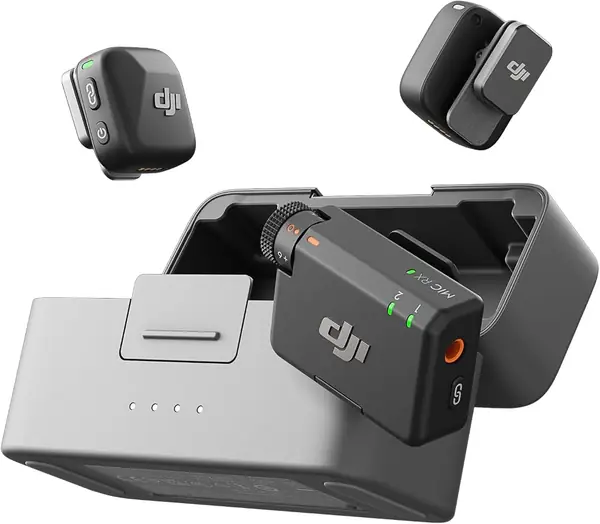
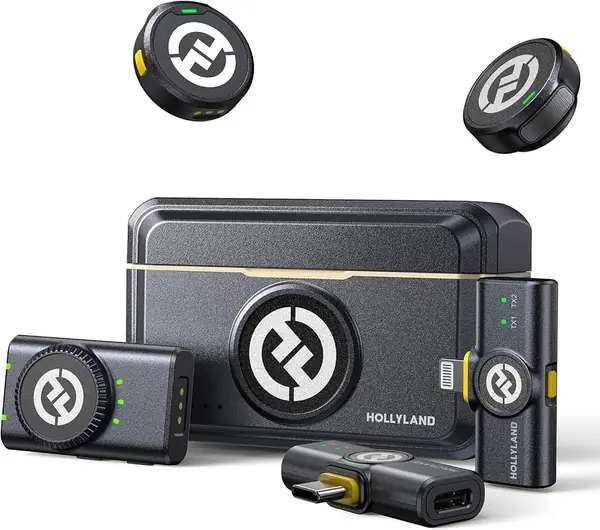
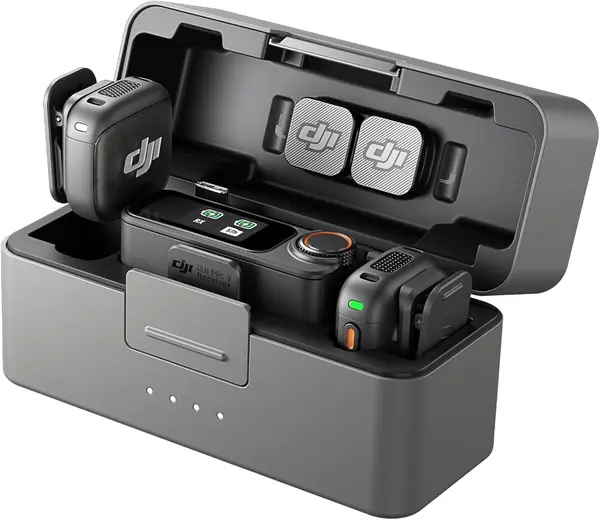
Two transmitters, a receiver, and a charging case, at well under half what the DJI Mic 3 costs — that arithmetic is why the Mic Mini became our default for video. Nothing about the saving shows up in the parts that matter. Each transmitter weighs 10 grams, so it hangs on a T-shirt collar without dragging it sideways, and the case means the whole kit comes out of the bag full.

On a shoot, the two noise-cancelling levels do genuinely different jobs: Basic for a quiet room, Strong for a street, and automatic limiting steps in when a laugh spikes the level. The 400 m range is more than any interview needs, and it is what lets you set the receiver on a tripod and walk away from it, which we did more often than we expected to.

One more thing we appreciated: the transmitters pair straight to DJI's Osmo cameras and gimbals without the receiver at all. On a gimbal-heavy day that is one less box and one less cable to rig, and we ended up leaving the receiver in the case for those shoots.

Pros

  • 10 g transmitters clip on without dragging a collar
  • Up to 48 hours of recording with the charging case
  • Two noise-cancelling levels plus automatic limiting

Cons

  • Ships with a USB-C phone adapter, not Lightning
Our verdict

Buy this one if you film yourself and want to stop thinking about audio: two 10-gram transmitters, a charging case, and noise cancelling for less than the premium kits here.
Check Latest Price
2

Hollyland Lark M2 Best for Camera and Phone

95 /100
TKZ Score Outstanding

Key details

Battery With Case
Up to 40 hours
Transmitter Weight
0.32 oz
Range
300 m
Included Receivers
Camera, USB-C, Lightning
View on Amazon

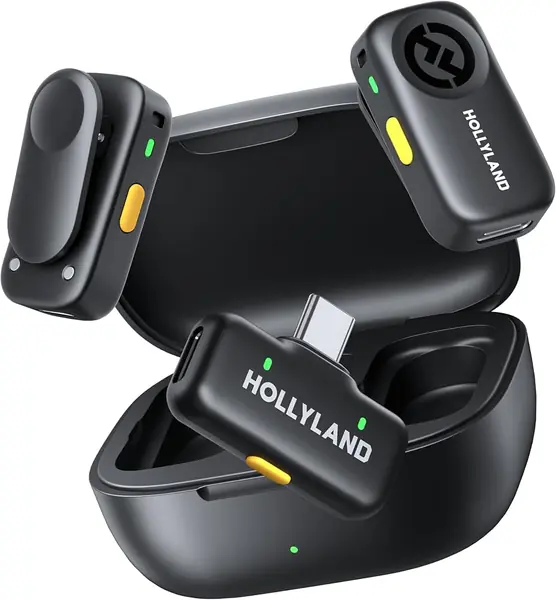
Three receivers come in the Lark M2 box — one for a camera, one USB-C, one Lightning — and between them they cover nearly every device a solo shooter carries. What that buys you is the end of the adapter hunt: no digging through a pouch for the right dongle, no discovering at call time that the one you need is on the kitchen table at home.

What sold us is how little the hardware asks of you. The transmitters weigh 9 grams and hold with a magnet, so you can stick one to a collar, a cap brim, or a strap instead of clipping fabric. Audio is captured at 48kHz/24-bit with a 70 dB signal-to-noise ratio, and the case carries the pair to about 40 hours of use, with each transmitter running around ten hours on its own with noise cancelling off.

The camera receiver switches between mono and stereo with a button on the side, which is the difference between one mixed track of two people and two separate channels you can balance later; we shot two-person interviews in stereo and never went back. Range is rated at 300 m — again, farther than you need, but a stable signal is worth having when a subject wanders off.

Pros

  • Camera, USB-C, and Lightning receivers in the box
  • 9 g magnetic transmitters hide easily on clothing
  • About 40 hours of use with the charging case

Cons

  • Costs more than our top pick
Our verdict

The kit to buy when your shoots move between a mirrorless camera, an Android phone, and an iPhone — three receivers in the box cover all of them.

Check Latest Price
3

DJI Mic 3 Best for Multi-Person Shoots

94 /100
TKZ Score Outstanding

Key details

Battery
Up to 28 hours
Gain Control
Adaptive
Noise Cancelling
Two levels
Transmitters Supported
Up to 4
View on Amazon

A receiver that pairs with up to four transmitters is a lot of microphone, and DJI knows it. The Mic 3 is built for the shoot where three or four people talk in turn and hiring a sound recordist is not in the budget: a wedding with three toasts, a panel, a family interview, the group video you agreed to direct for a friend.

Around that capacity sit features that matter more than the spec sheet suggests. Adaptive gain holds a whisper and a shout inside the same take without you riding a dial, and dual-band transmission is aimed squarely at the crowded rooms — conference halls, receptions, street fairs — where a single-band system starts dropping words. Three voice tones and two noise-cancelling levels let you shape the sound before it ever reaches an editor.

Our verdict is that it is the strongest multi-person tool in this group and the wrong purchase for most readers of this page. If you record alone, the Mic Mini covers the same ground for a third of the outlay; if you regularly put four people on camera, nothing else here comes close to the channel count.

Pros

  • Pairs with up to four transmitters
  • Adaptive gain handles whispers and shouts
  • Dual-band transmission resists crowded venues

Cons

  • The priciest mic in this set
  • 28-hour case runtime, versus 48 on our top pick
Our verdict

For panel interviews and multi-person shoots, nothing else here handles four transmitters on one receiver — a serious tool that most solo creators will never need.

Check Latest Price
4

Blue Yeti Best for Desk and Voiceover

93 /100
TKZ Score Outstanding

Key details

Connection
USB
Frequency Response
20 Hz–20 kHz
Weight
3.5 lb
Pickup Patterns
Four
View on Amazon

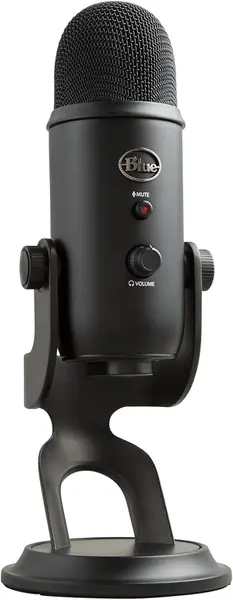
The Yeti never leaves the desk, and that is the honest way to describe it. Put it a few inches from your face with the cardioid pattern selected and it turns a spare bedroom into a passable voice booth — no pairing, no receiver, no battery to remember, and no software standing between you and the recording.

Four patterns do four jobs. Cardioid for one voice, bidirectional for two people facing each other across a table, omnidirectional for a group around a room, and stereo for anything where width matters. The onboard controls — gain, mute, headphone volume, and the pattern dial — are why it stays on a stand instead of in a drawer: every adjustment is a knob, not a settings panel.

If your work is voiceover, streaming, or a talking-head channel filmed at a desk, it is the simplest good-sounding option here. The stand pivots to aim the capsule at your mouth, and the whole thing threads onto a boom arm when you want it off the desktop surface — at 3.5 lb it stays put when you swing it.

Pros

  • Four pickup patterns from one microphone
  • Gain, mute, and headphone volume on the body
  • Plug-and-play USB with no battery to charge

Cons

  • Picks up keyboard, chair, and room tone
  • Doesn't last like its metal body suggests
Our verdict

If your videos are filmed sitting down, this is the desk mic we reach for: four pickup patterns, onboard gain and mute, and one USB cable to a laptop.

Check Latest Price
5

Hollyland Lark A2 Best Budget Wireless

92 /100
TKZ Score Outstanding

Key details

Battery With Case
Up to 42 hours
Transmitter Weight
0.3 oz
Form Factor
Clip-on wireless lavalier
Audio
48kHz/24-bit
View on Amazon

We did not expect auto-limit to be the feature we cared about. It works like a hand on a fader: when someone laughs, shouts, or suddenly leans into the mic, the Lark A2 pulls the level back instead of letting the take clip, and there is a safety track in reserve if it guesses wrong. For an interview where you get one pass at a line, that is worth more than a slightly better spec.

Everything else at this price is competent. The transmitters weigh 8.5 grams, audio is captured at 48kHz/24-bit with a 68 dB signal-to-noise ratio, and each transmitter runs about seven hours, or nine with AI power saving; the case takes the set to roughly 42 hours. In our book that makes it the value pick of the wireless group.

Set-up is where the A2 earns its keep: the transmitters link to the receiver when they come out of the case, with no pairing menu to work through. The magnets hold through a shirt, so you can skip the clip on a collar or a cap, and furry windshields are in the box for the days you shoot outside.

Pros

  • Auto-limit stops loud moments from clipping
  • 8.5 g magnetic transmitters
  • About 42 hours with the charging case

Cons

  • USB-C receiver only; no camera or Lightning output
  • Charging faults on some units
Our verdict

The wireless kit we point budget shooters to: auto-limit protection, 8.5-gram transmitters, and a case that keeps them running all weekend.

Check Latest Price
6

FIFINE AmpliGame AM8 Best Hybrid USB/XLR

91 /100
TKZ Score Outstanding

Key details

Connection
USB-C and XLR
Frequency Response
50 Hz–16 kHz
Element
Dynamic, cardioid
Monitoring
Headphone jack
View on Amazon

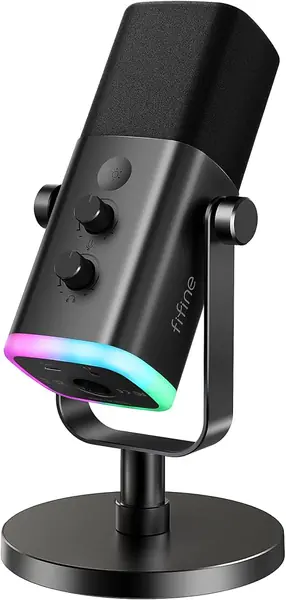
There is an XLR socket on the back of the AM8, and it is the reason this mic is on the list. You can start on the USB-C cable, and the day you buy an audio interface the same microphone plugs into it — no second mic, no relearning how a capsule behaves under your voice.

It is a dynamic mic rather than a condenser, which is the right call for an untreated room: dynamic capsules are less sensitive, so the laptop fan, the chair, and the hallway outside land lower in the recording, and the cardioid pattern favors a voice a few inches away. The 50 Hz–16 kHz range is narrower than the condensers here, and for close speech that is a trade we are happy to make. It is also a close-in mic — good at a desk, thin at the far end of a conference table.

We think it is the best-value desk mic in this group for anyone who streams now and might podcast properly later. The headphone jack has its own volume control so you can monitor yourself without latency, the mute button sits where your hand goes, and there are 3/8-inch and 5/8-inch threads built into the base for a boom arm. The RGB ring has three modes and more than ten colors — your call.

Pros

  • USB now, XLR when you add an interface
  • Dynamic capsule keeps the room out of the take
  • Headphone monitoring with a volume knob

Cons

  • XLR cable sold separately
  • Some units fail within months
Our verdict

For a desk that might grow into a real audio setup, the AM8 is the smart buy: USB today, XLR when you add an interface, with monitoring built in.

Check Latest Price
7

FIFINE K669B Best for First-Time Creators

90 /100
TKZ Score Outstanding

Key details

Connection
USB-A or USB-C
Frequency Response
20 Hz–20 kHz
Weight
5.6 oz
Element
Cardioid condenser
View on Amazon

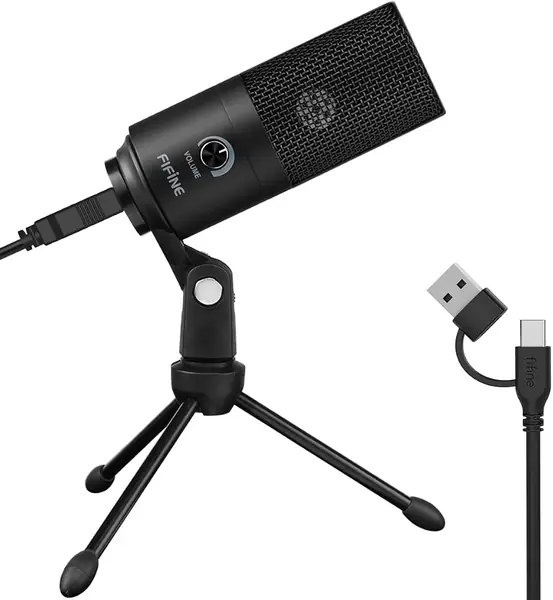
The K669B is the least expensive microphone in this guide, and it does the one thing a new channel needs: a cardioid condenser a few inches from your mouth, in a metal body, with a tripod stand in the box.

Nothing about it is fussy. The cable is USB-B at the mic end and USB-A or USB-C at the computer end, so it works with a laptop that has no old-style ports, and there is no software to install before your first recording. The volume knob on the front is the entire control surface, which is either refreshing or limiting depending on how much you like tweaking.

It also turns out to be more versatile than the price suggests: meetings, voiceover, a gaming session on a PS4 or PS5, and streaming all run off the same plug-and-play setup. The short tripod keeps the capsule off the desk surface, which helps a condenser more than it sounds like it should.

Our take: buy it as a first microphone, not as a last one. It is the cheapest way to find out whether you enjoy recording yourself, and when the channel starts paying for itself you will know which upgrade you want — a wireless kit for shooting away from the desk, or a hybrid like the AM8 if you stay put.

Pros

  • Metal body and tripod stand included
  • Works over USB-A or USB-C with no software
  • Simple gain knob and clear close voice

Cons

  • Hears the room on every take
  • Longevity is the weak spot
Our verdict

The least expensive mic here that still sounds like a real microphone — right for a first channel, wrong as your only upgrade.

Check Latest Price

How We Tested the Best Microphones for Video

We built the shortlist by reading spec sheets and customer reviews for every clip-on wireless kit and desktop USB microphone in a similar price band, then cutting anything that didn't ship with the adapter for both a phone and a camera — compatibility is where these kits quietly fall apart. That left 12 microphones, which we used for six months.

Every unit got the same treatment. We set each up from the box to a first recording on a phone, then again on a mirrorless camera, counting the menus we had to dig through and whether we needed the manual. We recorded a scripted paragraph, an unscripted laugh, and a line delivered while walking, then listened back on headphones and on a laptop speaker and noted who each one suited: someone pacing a room or someone planted at a desk.

Real-life conditions mattered more than a quiet room. We stood at a kitchen counter with the refrigerator running, walked a sidewalk with traffic passing, and recorded in both a carpeted bedroom and a bare-walled office. We clipped transmitters to a t-shirt collar and a jacket lapel, switched on each noise-reduction mode next to a box fan, and listened for how much of the voice it took with it. Noise floor got its own check: thirty seconds of silence, played back loud.

We tested battery claims by charging to full and recording until the low-battery warning appeared, noting which ones finished a six-hour shoot day. For connectivity, we walked to the far end of a yard with a phone in a pocket and a wall in between, watching for dropouts and whether the unit re-paired on its own. Durability meant dropping each case from waist height onto concrete and carrying the transmitters loose in a bag with keys. We emptied every box to see what came with it, then repeated the same take in week one and week twenty, listening for hiss, clicks, or a pairing gone unreliable.

How to Choose a Microphone for Video

Start With Where You Stand

Two people can spend the same money and get completely different results, because placement does more than any spec on the box. If you move while you film — walking a market, shooting in the yard, talking to a gimbal — a clip-on wireless transmitter puts the capsule at your collar and keeps the cable out of the frame. If you sit, a desktop mic on a stand parks the capsule a few inches from your mouth and never needs charging.

Decide which of those describes most of your week and a large part of this list falls away on its own. The wireless kits are for movement; the USB and hybrid mics are for a chair.

Check the Receiver, Not Just the Microphone

Wireless kits live or die on the receiver, and that is where a bargain goes wrong. A USB-C receiver plugs into a recent iPhone, an Android phone, or a laptop — it does not fit a Lightning iPhone, and it does not plug into a camera that only offers a 3.5mm mic input.

If your shoots mix a camera and a phone, buy the kit that ships both. The Hollyland Lark M2 includes camera, USB-C, and Lightning receivers; the cheaper Lark A2 is USB-C only. Work out which receiver you need before you compare prices, because the two versions can look identical in photographs.

Range Numbers Oversell; the Charging Case Doesn't

Our wireless picks are rated for 300 to 400 meters of transmission, which is farther than you will ever stand from a subject whose face you can still see. Treat range as reassurance, not a reason to choose one kit over another.

Battery is the figure that reaches you every week. A transmitter runs somewhere between seven and ten hours depending on noise-cancelling settings, and the charging case is what turns that into a shooting week. Count the hours you actually record in a day, then check that the case — not just the transmitter — covers it.

How Much Noise Cancelling You Actually Want

Noise cancelling is the most oversold feature in this category. It can lift a voice out of a windy street, but pushed hard it thins the voice and makes a room sound artificial, so two settings you can switch between beat one aggressive mode you have to live with.

What we value more is the safety net: automatic limiting on the DJI Mic Mini, AI Auto-Limit on the Hollyland Lark A2, adaptive gain on the DJI Mic 3. Those keep a laugh or a shout inside the take, which is the one audio problem an editor cannot fix afterward.

USB or XLR at the Desk

If you record seated, the connection question is really an upgrade question. A USB mic is one cable and no interface — the Blue Yeti and the FIFINE K669B are that, and you can be recording ten minutes after opening the box. A hybrid like the FIFINE AmpliGame AM8 gives you USB today and XLR the day you buy an interface, with headphone monitoring built in so you hear what the audience will.

Buy USB if you want to be recording tonight; buy a hybrid if you expect to care about audio in a year.

Frequently Asked Questions

Final Verdict

For most people filming themselves, the DJI Mic Mini is the one to buy: two 10-gram transmitters, two levels of noise cancelling, automatic limiting, and a charging case that carries the whole kit through a shooting week — for far less than the premium systems here. It is the least fuss we have found in a wireless kit at any price in this group.

Two requirements change that answer. If your shoots move between a mirrorless camera and a Lightning iPhone, the Hollyland Lark M2's three receivers save you an adapter hunt. And if you record sitting down, skip wireless entirely: put a Blue Yeti on the desk and spend the difference on a boom arm.