Best iPad Alternatives of 2026

A tablet earns its spot in the gaps of your day — on the couch, at the kitchen counter, in the back seat on a long drive. It's also where cheap hardware shows its seams first: apps that take a breath to open, a screen that washes out at an angle, a battery that dies before the flight lands. The picks below close those gaps without asking you to pay laptop money.

My team and I spent six months living with 12 tablets, from an 8.7-inch model that slips into a jacket pocket to a 12.1-inch panel that's basically a small TV. Speed and battery separated the field fastest; reliability came next, meaning whether a device still felt quick in month five, whether a pen or folio case came in the box, and whether the Wi-Fi bands behaved for the region it shipped from. And a bigger screen is not automatically the better buy — once the tablet lives on your lap, how the software handles split-screen matters more than diagonal inches. The list below is where those trade-offs sorted out.

The Best iPad Alternatives

1

Samsung Galaxy Tab A11+ Best Overall
91 /100
TKZ Score Outstanding

Key details

Memory
6GB RAM, 128GB
Display
11 in, 1920 x 1200, 90Hz
Weight
1.1 lb
Battery
7040mAh, 15 hours
View on Amazon

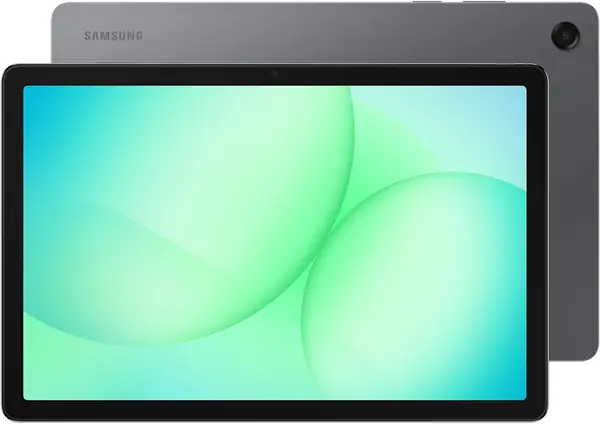
The Galaxy Tab A11+ is the tablet we hand to someone who wants an iPad alternative without turning the purchase into a research project. Its 11-inch 1920 x 1200 screen runs at 90Hz, so scrolling and menus feel smoother than the 60Hz panels common at this end of the market, and the wide screen leaves room for split-screen apps. Samsung pairs it with 6GB of RAM, 128GB of storage, and a microSD slot, which is a practical starting point for a family tablet or a second screen for streaming.

The MediaTek octa-core chip is not a gaming chip, but it has enough headroom for browsing, video, email, and casual games. We were glad to see Android 16 and a two-year manufacturer warranty at this price; those are the boring details that make a tablet easier to live with. The Dolby Atmos speakers are a nice bonus for movies, and the 1.1-pound body is light enough to hold for an hour.

Battery life is the one place we temper expectations. Samsung lists 15 hours, and the 7040mAh cell is sized for a full day of mixed use, but some units have stopped accepting a charge around 80%. We treat that as a reason to buy from a seller with a straightforward return window, not a reason to avoid the tablet entirely.

Compared with the Lenovo Idea Tab, the A11+ gives up display sharpness and the included pen but gains a lower entry point, newer Android, and a two-year warranty. For most people, that is the right trade.

Pros

  • Smooth 90Hz 11-inch display
  • 6GB RAM and 128GB storage
  • Android 16 with two-year warranty

Cons

  • LCD resolution trails 2.5K rivals
  • No pen or case included
Our verdict

The Galaxy Tab A11+ is the default Android tablet we point most people to: it has the right screen, speed, storage, and warranty balance, with battery charging as the one caveat to watch.
Check Latest Price
2

Lenovo Idea Tab Best for Students

90 /100
TKZ Score Outstanding

Key details

Memory
8GB RAM, 256GB
Display
11 in, 2560 x 1600, 90Hz
Weight
1.1 lb
In The Box
Pen and folio case
View on Amazon

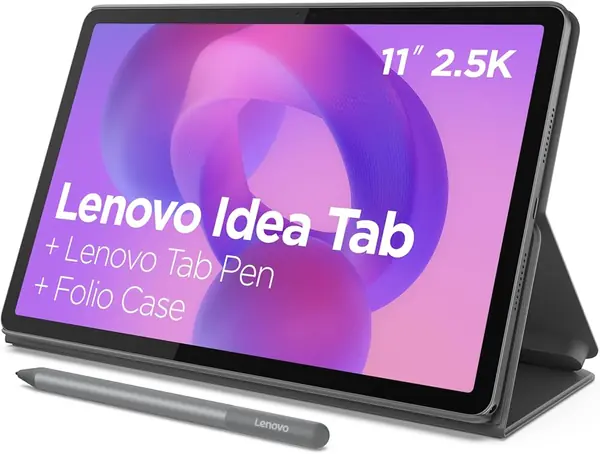
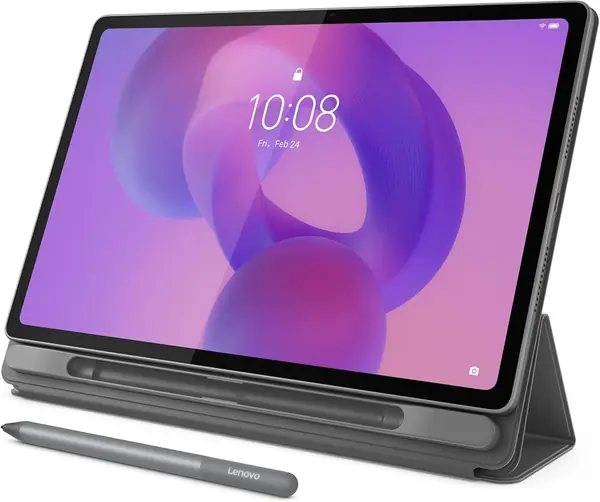
The first thing we notice about the Lenovo Idea Tab is not the tablet but the box: Lenovo includes the Tab Pen and a folio case, which is exactly the kind of bundled accessory that makes a midrange tablet feel complete. The 11-inch 2.5K IPS screen runs at 90Hz and is sharp enough for PDFs, textbooks, and split-screen notes. With 8GB of RAM and 256GB of storage, it has more headroom than most of the budget tablets here for keeping apps and files on board.

We think the Idea Tab earns its place as the student pick because the pen is not an afterthought. The included learning apps, the folio stand, and the 500-nit screen add up to a tablet that works for notes, reading, and lectures. The MediaTek Dimensity 6300 is not a gaming chip, but it handles browsing, documents, and streaming without the stutter that makes cheap tablets frustrating.

The practical caveats are battery life and Wi-Fi. The 26.7Wh cell is fine for a day of classes, but heavy video use will send you looking for a charger, and Wi-Fi dropouts can appear, so test the connection at home before the return window closes.

Against the Galaxy Tab A11+, the Idea Tab gives you a sharper display, twice the storage, and the pen and case. If you will actually use the pen, that is the better spend; if not, the Samsung is the easier default.

Pros

  • Sharp 2.5K 90Hz display
  • 8GB RAM and 256GB storage
  • Pen and folio included

Cons

  • No wall charger in the box
Our verdict

We pick the Idea Tab for students who want a sharp 2.5K screen, 256GB of storage, and a pen and folio included without stepping up to iPad pricing.

Check Latest Price
3

Lenovo Idea Tab Plus Best Large Screen

87 /100
TKZ Score Excellent

Key details

Memory
8GB RAM, 128GB
Display
12.1 in, 2560 x 1600, 90Hz
Weight
1.2 lb
In The Box
Pen and folio case
View on Amazon

A 12.1-inch screen is the entire argument for the Lenovo Idea Tab Plus. The 2.5K panel runs at 90Hz, and the extra diagonal makes split-screen work feel less cramped than on an 11-inch tablet: you can keep a document on one side and a browser on the other without both feeling like phone apps. We think that makes it the best large-screen alternative here for students who want a laptop-like canvas without a keyboard.

Lenovo pairs the display with 8GB of RAM, 128GB of storage, and a MediaTek Dimensity 6400, plus the Tab Pen and folio case in the box. The tablet weighs 1.2 pounds, which is light for its size but still noticeable when you hold it one-handed for a long reading session. The quad speakers and 600-nit panel are welcome for video, though this is an LCD, not an OLED.

Performance is good for light work and streaming, but the Android 15 interface is not as polished as Samsung's One UI, and the speed is not a match for a premium tablet. We treat that as a learning curve rather than a dealbreaker if you mostly use a handful of apps.

Buy it when the screen is the point: reading comics, watching video, or working in split screen. If you need a tablet for one-handed reading on a commute, the 8.7-inch Samsung Galaxy Tab A11 is the more sensible shape.

Pros

  • Large 12.1-inch 2.5K display
  • Pen and folio case included
  • 8GB RAM and 128GB storage

Cons

  • Heavy and wide for one-handed use
  • Android interface less polished than Samsung's
Our verdict

We choose the Idea Tab Plus when a 12.1-inch screen is the point: it gives you a big 2.5K canvas for split-screen work and video, and it still includes the pen and case.

Check Latest Price
4

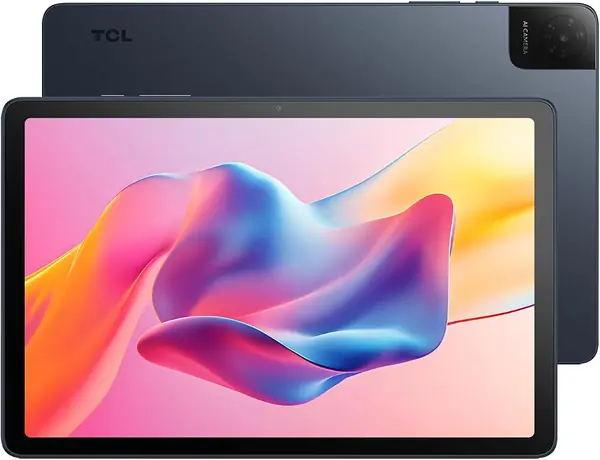
TCL Tab 10 Gen 4 Best Budget Display

85 /100
TKZ Score Excellent

Key details

Memory
4GB RAM, 128GB
Display
10.1 in, 1920 x 1200
Weight
0.87 lb
Battery
6000mAh, 18W
View on Amazon

The TCL Tab 10 Gen 4 is the budget tablet that does not look or feel like a budget tablet. Its 10.1-inch display is 1920 x 1200, which is sharper than the 1280 x 800 panels on several cheap tablets here, and the metal body gives it a sturdier feel than the plastic shells we are used to at this end of the market. At 0.87 pounds, it is light enough to hold for a movie or a long reading session.

We like it most as a streaming machine: the dual speakers, full-HD screen, and 6000mAh battery make it a sensible companion for Netflix, YouTube, and casual browsing. The 4GB of RAM is the limit. It handles one app at a time well enough, but split-screen work and heavy browser tabs will expose the difference between this and the 8GB Lenovo tablets.

TCL ships Android 15, and the 18W charging is a useful step up from the slow chargers common on cheap tablets. The 128GB of storage is generous for the price, and the microSD slot gives you room to add more. We do not count on this as a productivity tablet; it is for watching, reading, and light browsing.

Compared with the Galaxy Tab A11+, the TCL gives up RAM, software polish, and warranty length, but it keeps a full-HD screen and a metal body for less money. If your tablet mostly lives on a couch or a kitchen counter, that trade makes sense.

Pros

  • Full-HD 10.1-inch display
  • Metal body feels sturdier
  • 128GB storage and microSD slot

Cons

  • 4GB RAM limits multitasking
Our verdict

We like the TCL Tab 10 Gen 4 as the budget streaming pick: its full-HD screen and metal body feel more expensive than the tablet's place in this group.

Check Latest Price
5

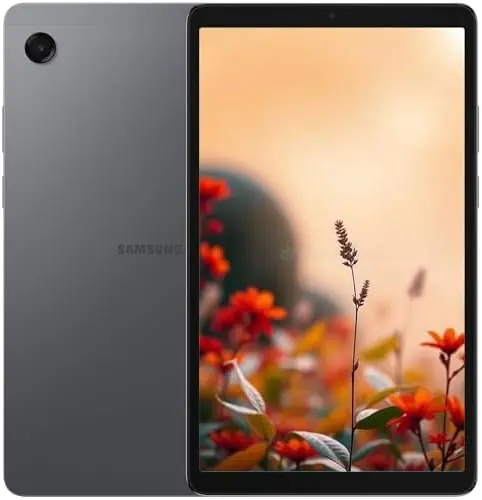
Samsung Galaxy Tab A11 Best Compact

84 /100
TKZ Score Excellent

Key details

Memory
4GB RAM, 64GB
Display
8.7 in, 1340 x 800, 90Hz
Battery
5100mAh, 12 hours
Warranty
No U.S. warranty
View on Amazon

The Galaxy Tab A11 is the smallest tablet we recommend here, and that is its whole appeal. The 8.7-inch 1340 x 800 screen with a 90Hz refresh is sized for one-handed reading, a jacket pocket, or a bag that already has a laptop in it. Samsung's One UI on Android 15 is familiar and easy to set up, and the microSD slot takes up to 2TB of extra storage.

We recommend it as a compact import with an asterisk. This is the international version, so it carries no U.S. warranty, and the setup process may not offer your country as an option. That is a real trade-off for a family tablet, but it is also the reason the A11 is the lowest-priced Samsung tablet in this group.

The MediaTek Helio G99 and 4GB of RAM are enough for reading, streaming, email, and light games; they are not enough for heavy multitasking. The 5100mAh battery is rated for 12 hours, which is fine for a reader but not for a video-heavy day.

If you want a warranty and a more current Android build, the Galaxy Tab A11+ is the safer buy. The A11 makes sense when the 8.7-inch shape is the priority and you can accept the import terms.

Pros

  • Compact 8.7-inch 90Hz screen
  • Samsung One UI on Android 15
  • MicroSD expansion up to 2TB

Cons

  • Charger not included
Our verdict

We rate the Galaxy Tab A11 as the compact pick for readers and travelers who want an 8.7-inch tablet and accept the import terms.

Check Latest Price
6

TECLAST P35 Best for Basic Streaming and Reading at the Lowest Cost

83 /100
TKZ Score Excellent

Key details

Memory
3GB physical, 32GB
Display
10.1 in, 1280 x 800
Battery
6000mAh, 10-12 hours
DRM
Widevine L1
View on Amazon

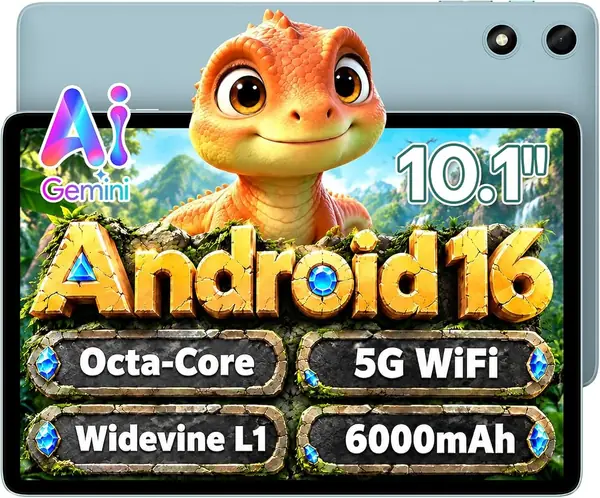
The TECLAST P35 is the cheapest tablet here, and the feature that makes it interesting is Widevine L1 support. That is the DRM tier that lets a tablet stream protected HD video from the major services, and it is often the first thing a budget tablet drops. The 10.1-inch 1280 x 800 IPS screen is not sharp by the standards of the Lenovo tablets, but it is adequate for YouTube, a Kindle app, or a kids' show on a road trip.

The rest of the spec sheet is a study in compromises. TECLAST advertises 16GB of RAM, but only 3GB is physical; the other 13GB is virtual expansion, which does not do the same job when you have several apps open. Storage is 32GB, so a microSD card is close to mandatory if you download movies or keep a music library. The 6000mAh battery is rated for 10 to 12 hours of video playback, and the tablet includes GPS, which is uncommon at this price.

We recommend the P35 only for basic streaming, reading, and browsing. It is the tablet we point to when the budget is tight and the job is simple, not when you need split-screen productivity or a pen. The small physical RAM and storage are the reasons to step up to the TCL Tab 10 Gen 4 or the Galaxy Tab A11+ if you can.

Pros

  • Widevine L1 HD streaming
  • Built-in GPS
  • Lowest-cost entry point

Cons

  • Only 3GB physical RAM
  • 32GB storage fills quickly
Our verdict

We keep the TECLAST P35 in the roundup only for basic streaming and reading on the tightest budget, as long as you accept 3GB of physical RAM and 32GB of storage.

Check Latest Price

How We Tested 12 Tablets Over Six Months

We started with a running list of more than 40 tablets and cut it down using screen resolution, memory and storage tiers, battery capacity, and whether a given listing was a U.S. version or an international one. That filtering left 12 units, which we bought at retail rather than accepting samples, so the packaging and the paperwork inside matched what a shopper actually receives.

Each tablet went into a rotation of real rooms and real bags. One sat on a kitchen counter for recipes and video calls, one lived on a dorm desk through a semester, one rode in a back seat on weekend drives, and the smallest went into a jacket pocket for a week to see whether it ever came back out. We timed cold app launches and counted stutters while running split-screen video alongside a browser, then ran a looping video at 50 percent brightness until each battery gave out and logged the hours. Connectivity got checked on hotel and airport Wi-Fi, plus a cellular signal test wherever a model supported one.

Size was judged by hand rather than by spec sheet: we carried the 12.1-inch model in a tote and the 8.7-inch one in a coat pocket and noted which one we reached for. On interface, we watched how much preinstalled software stood between us and the home screen, whether the bundled pen and folio case were worth carrying, and whether expandable storage was a real slot or an afterthought. Region compatibility took the longest — we compared bands, warranty terms, and app availability on the international listings instead of assuming they'd behave like domestic stock. Reliability came from the calendar: we re-ran the same speed tests in month five to see which devices still felt new.

How to Choose an Ipad Alternative

Pick the screen size before the spec sheet

An 11-inch tablet is the closest thing to a default: big enough for split-screen apps and video, small enough to carry in a tote. An 8.7-inch model is better for one-handed reading and travel, while a 12.1-inch screen is the choice for a laptop-like canvas. Resolution matters as much as size. A 1920 x 1200 panel keeps text crisp; a 1280 x 800 panel is fine for video but shows its limits with PDFs and small type. We prioritize a 90Hz refresh if you scroll a lot.

Look past the RAM headline

Tablet marketing loves a big memory number, but the figure that matters is physical RAM. A 3GB or 4GB tablet can handle one app at a time; 6GB or 8GB is the safer target for split-screen work and browser tabs. Virtual RAM, sometimes added to the headline, is not the same as physical memory. Storage is the other half: 64GB is a minimum, 128GB is comfortable, and a microSD slot lets you add cheaper storage later. The TECLAST P35 is the clearest example here: its 16GB headline includes 13GB of virtual expansion, so treat it as a 3GB tablet.

Decide whether the pen and case are part of the deal

A bundled pen changes the value of a tablet, but only if it is the kind of pen you need. An active stylus with pressure support is useful for notes and sketching; a capacitive stylus is mostly a finger substitute. The Lenovo Idea Tab and Idea Tab Plus include the Tab Pen and a folio case, which makes them easier to recommend for students. The Samsung tablets here do not include either, so add the cost of the accessories you want before you compare.

Check warranty and import status

A tablet is a long-lived purchase, and warranty coverage is part of the price. Domestic models are the safer choice for families and anyone who wants a straightforward repair or return. Import versions can save money, but they may arrive without a U.S. warranty and with setup quirks, including limited country selection. The Samsung Galaxy Tab A11 is the example here: it is a genuine Samsung tablet, but the import version comes without a domestic warranty and may not offer your country during setup. If that trade-off makes you uneasy, buy the domestic version or step up to the A11+.

Treat battery and charging as a package

Battery hour ratings are optimistic, and charging support is often the bigger difference. A tablet with a 6000mAh battery and 18W charging is easier to live with than one that trickles along on a basic charger. Check whether a charger is in the box: several tablets here include only a cable, so you may need to supply a USB-C charger. We also watch for charging complaints in the return window; a tablet that stops accepting a charge is a return, not a repair project.

Frequently Asked Questions

Final Verdict

We recommend the Samsung Galaxy Tab A11+ as the default iPad alternative for most people. It has the screen size, 90Hz smoothness, storage, Android 16, and two-year warranty that make a tablet easy to live with, and it costs less than the Lenovo models that beat it on display sharpness.

If you will use a pen for notes, the Lenovo Idea Tab is the better spend; if you want a 12.1-inch canvas for split-screen work, the Idea Tab Plus is the one. The Samsung Galaxy Tab A11 is the compact choice, provided you accept the import warranty. Start with the A11+ unless one of those specific needs changes the decision.