Best Kids Tablets of 2026

Handing a tablet to a kid is a trust exercise with a battery inside. You want something they can actually use — games, shows, a drawing app that doesn't fight them — without wondering what else they can reach once you look away. A good kids tablet answers that during setup: a child profile that's genuinely separate, time limits that actually hold, and a case that survives being carried by one corner. Get those three wrong and the device turns into a chore you're managing all day.

My team and I spent the past eight months with 12 kids tablets, from 7-inch toddler models to 10-inch ones a fifth grader won't feel babied by. Two things surprised me. The RAM number on the box is often partly virtual memory, so it says less than you'd think about real speed. And the case matters as much as the chip — a tablet that slides out of its bumper has a cracked corner in its future. Here's what held up.

The Best Kids Tablets

1

Evermyth 10-Inch Kids Tablet Best Overall
88 /100
TKZ Score Excellent

Key details

Screen
10 in, 1280 x 800 IPS
Storage
64GB, expandable to 1TB
Weight
1.1 lb
System
Android 16
View on Amazon

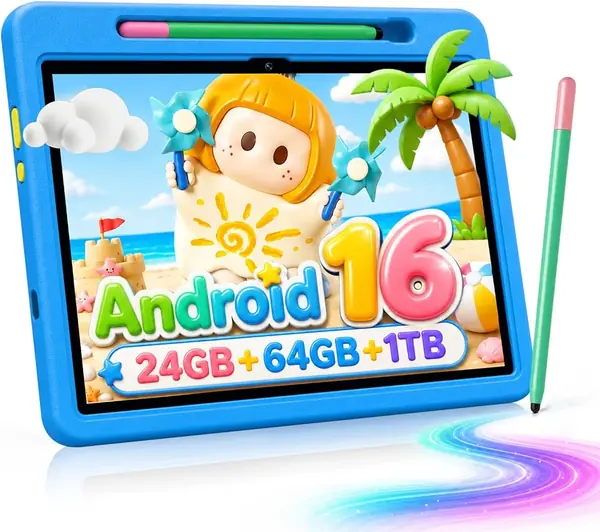
Case, stylus, charger, and a screen that stays readable when it's propped at an angle in the back seat — the Evermyth arrives as a complete kit instead of a tablet you then have to dress. That's a large part of why it's our top pick. The stylus is the piece we didn't expect to matter as much as it does: a child still learning letters drags it through a drawing app with more control than a finger, and it clips into the case instead of vanishing under a seat.

At 1.1 pounds it's light enough for a five-year-old to carry one-handed, and noticeably easier to hold than the two-pound EDUAITABLET. The 10-inch 1280 x 800 IPS panel is bright enough for video and sharp enough that a picture book doesn't look fuzzy, and the case's 180-degree stand folds into a stable prop for the kitchen table. The case wraps the corners, too, which is what you want on a device that spends half its life on the floor.

What puts it on top sits underneath: Android 16 with full Play Store access, so it isn't locked to a single curated store. You install the apps you actually want, then hand over a child profile with time limits and content filters already set. The 64GB of storage takes a real download library, and a microSD card up to 1TB covers long trips. Two practical notes: the hardware list shows USB-C only, so quiet time means Bluetooth headphones or an adapter, and 6000mAh is the same cell as the rest of this group, so plan on a nightly charge.

One small thing that isn't small on the first night: the box includes the charger, the cable, and a card ejector, so there's no scavenger hunt before bedtime.

Pros

  • Case, stylus, and charger included
  • Android 16 with full Play Store access
  • Light 1.1-pound body for a 10-inch screen
  • 64GB storage with 1TB microSD expansion

Cons

  • The most expensive tablet in this roundup
Our verdict

For most families this is the kids tablet we point to first: full Play Store access, a 10-inch screen, and a case and stylus already in the box.
Check Latest Price
2

COLORROOM 10.1-Inch Kids Tablet Best for Older Kids

85 /100
TKZ Score Excellent

Key details

Screen
10.1 in, 1280 x 800
Storage
64GB, microSD to 512GB
Battery
6000mAh
Audio
Dual speakers, 3.5mm jack
View on Amazon

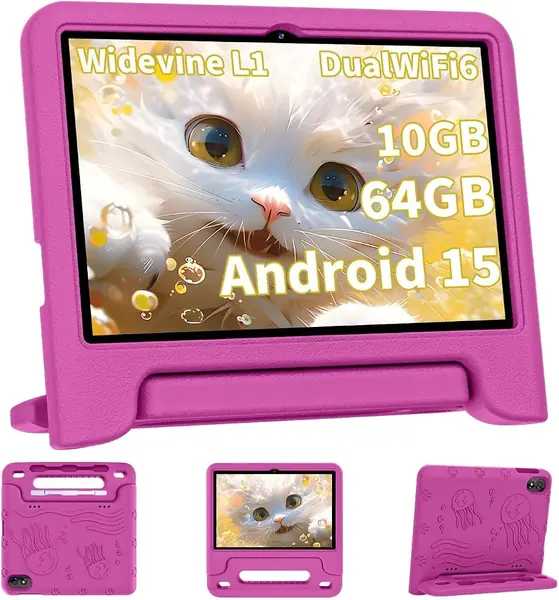
There's a moment around second grade when a 7-inch tablet stops being a tablet and becomes a toy, and the Colorroom is built for the far side of it: a 10.1-inch 1280 x 800 screen, dual stereo speakers, and a 3.5mm headphone jack that the Evermyth's hardware list leaves out. That jack is the difference between a quiet row on a flight and a tablet the whole row behind you can hear.

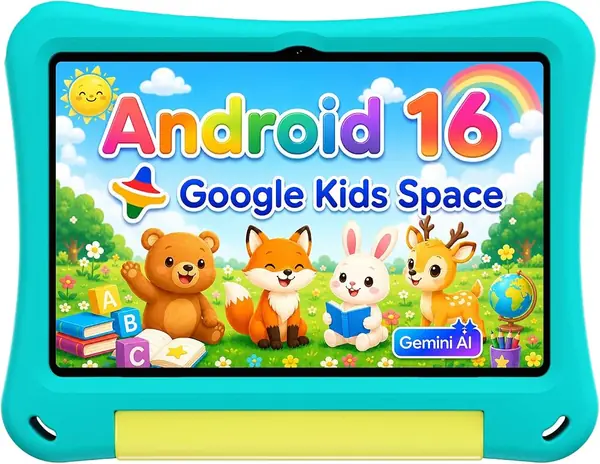
The software is what parents will actually deal with. Google Kids Space comes preloaded with educator-endorsed apps aimed at ages three and up, and the parental controls let you approve downloads, set screen time, and keep the browser on a short leash. Storage is 64GB with a microSD slot that takes up to 512GB — enough for a season of shows plus a few games without juggling.

The speakers fire from the back, so the sound is louder for the person behind your child than for your child; headphones solve it, which is exactly what the jack is for. The memory figure needs translating too: it's sold as 10GB, but that's 4GB of real RAM plus 6GB of virtual expansion, so treat it as a 4GB tablet that multitasks reasonably. For streaming, drawing, and lighter games that's plenty, and it's why the Colorroom holds the older-kid slot.

Pros

  • 10.1-inch screen with a headphone jack
  • Google Kids Space with granular parental controls
  • 64GB storage plus microSD expansion

Cons

  • Battery life and the charging port are the weak points
Our verdict

The bigger-kid pick: a 10.1-inch screen, a headphone jack, and parental controls detailed enough to follow a child from preschool into homework years.

Check Latest Price
3

Aheadthink 7-Inch Kids Tablet Best for Toddlers

82 /100
TKZ Score Excellent

Key details

Screen
7 in, 1024 x 600
Storage
32GB
System
Android 12
Case
Shockproof with stand
View on Amazon

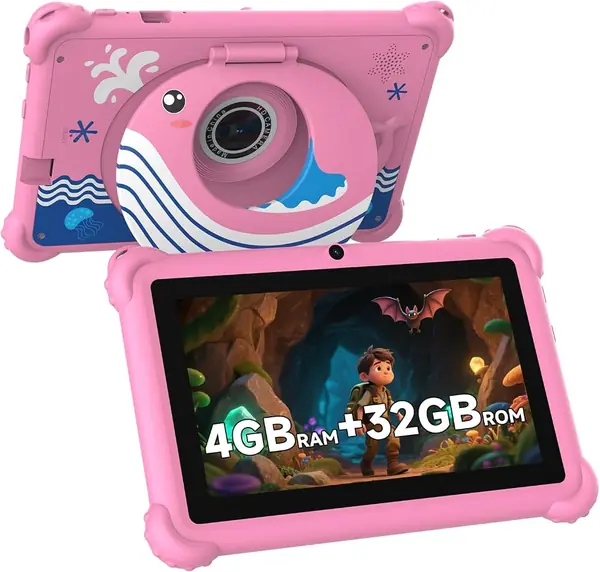
A two-year-old doesn't need ten inches of glass; they need something small enough to grip with both hands and tough enough to survive being sat on. This 7-incher is that tablet — the smallest and least expensive pick here — and it's the one we reach for when the child is under four.

The spec sheet is modest and mostly enough: a 1024 x 600 IPS screen, 32GB of storage, 4GB of RAM, dual cameras. Resolution is the honest trade — video and learning apps look fine, small text in a reading app does not, and a child moving into chapter books will outgrow it within a year. We think that's the right trade here: nothing about this tablet is going to be the reason a preschooler gets frustrated, and nothing about it costs much to replace.

The bundled iWawa app is where the controls live: password-protected settings, one-touch lock, screen-time limits, and an approved-content list you adjust as the child grows. Setup took us less time than making coffee, and the layout is simple enough that a preschooler finds their own apps without help. The transparent case has a built-in stand, so it props up for video without a separate accessory.

Pros

  • Small and light enough for toddler hands
  • Shockproof case with a built-in stand
  • Password-protected limits in the bundled app

Cons

  • The touchscreen can stop responding within weeks
  • Runs Android 12, the oldest software here
Our verdict

The toddler tablet we hand over without ceremony: small, light, inexpensive, and wrapped in a case that expects to be dropped.

Check Latest Price
4

EDUAITABLET 10.1-Inch Kids Tablet Best for Rough Handling

81 /100
TKZ Score Excellent

Key details

Screen
10.1 in, 1280 x 800
Storage
32GB
Weight
2 lb
Battery
6000mAh
View on Amazon

Two pounds is heavy for a kids tablet, and this one is heavy on purpose. The EDUAITABLET wears a thick EVA shell with a foldable stand, and the bulk buys protection: this is the pick we hand over without flinching when the floor is tile.

Behind the case is a 10.1-inch 1280 x 800 IPS tablet running Android 16 on an octa-core T7200, with 32GB of storage, a headphone jack, and a 6000mAh battery the listing rates at about 12 hours of average use. Brightness is the spec to know: 250 nits is fine at the kitchen table or in the back seat, and it washes out in direct sun, so this isn't the poolside tablet.

Setup is where it earns its place. The parental controls are part of the build rather than bolted on, the kids space arrives populated, and the profile settings are simple enough to explain to a grandparent in two lines. It's also teal in a category that runs on pink and blue. Fold the stand back and it becomes a small kitchen TV, which is the use we got the most out of and the shape the EVA shell is clearly designed around.

Pros

  • Thick EVA case with a foldable stand
  • Android 16 on a 10.1-inch screen
  • One-year limited warranty

Cons

  • 32GB of storage is half what the top pick offers
Our verdict

A two-pound tank of a tablet for a kid who drops things, with a foldable stand that turns it into a kitchen-counter television.

Check Latest Price
5

ZZB 10-Inch Kids Tablet Shared Family Tablet

80 /100
TKZ Score Excellent

Key details

Screen
10 in, 1280 x 800
Storage
32GB, expandable to 1TB
Weight
1 lb
Battery
6000mAh
View on Amazon

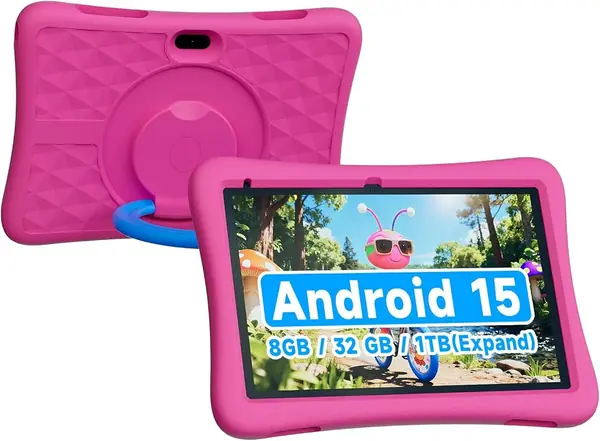
Ten inches of screen for less than any other tablet here — that's the ZZB's whole pitch, and it mostly delivers on it. The 1280 x 800 panel is big enough for two kids to watch together, Android 15 runs the current app library, and the chunky EVA case does the same job as the cases on tablets that cost more. At a pound it's easy to carry, and the 8MP rear camera is the better of the two, which is the right way around for a kid who photographs the dog.

The spec sheet needs translating in two places. The 8GB of RAM is 3GB built-in plus 5GB of virtual expansion, so plan around 3GB when you're deciding how many games can stay open at once. And the battery is the piece to plan around: 6000mAh is the same headline figure as most of this group, but a long video session is where it gives ground, so this is a charge-every-night tablet that does best on the cable it shipped with rather than whatever is loose in a drawer. For a second screen that lives in a bag and gets handed back at the end of a drive, that's a trade we can live with.

Pros

  • Cheapest 10-inch tablet in this roundup
  • Android 15 on a 1280 x 800 screen
  • Light one-pound body with an EVA case

Cons

  • 32GB of storage fills up fast
Our verdict

The cheapest route to a 10-inch kids tablet, best as a second screen for a household that already knows how kids treat them.

Check Latest Price

How We Tested 12 Kids Tablets

We started with a long list of roughly 40 kids tablets and cut it down by reading listings and owner reviews for the things that decide the purchase: whether a protective case came in the box, whether parental controls were built into the system or bolted on, whether storage could be expanded, and whether the panel was a 7-inch or a 10-inch screen. That left 12 tablets across sizes and colors, which we ran for eight months.

Testing happened where these devices actually live: at the kitchen table during homework, in the back seat on a two-hour drive, in a restaurant booth, and on the rug at bedtime. We set each one up the way a parent would, building a child profile from scratch and timing how long it took, then tried to break the controls — scheduling a bedtime lockout, blocking an app mid-session, and adding something from the parent side to see whether it showed up for the kid.

We ran video until the battery quit and compared the hours we got against the claim on the box, and we watched how long apps took to open, whether switching between two of them stuttered, and how fast the screen woke. Durability got the ugly version of the test: a drop from coffee-table height onto hardwood, a wipe with a damp cloth, and a ride in a backpack next to a water bottle. We also judged the smaller stuff — how the case felt in hand, whether the screen stayed readable at an angle in a car, and whether the box included anything genuinely useful.

What separated the group wasn't raw specs. It was whether a kid could hand the tablet back to a parent without a password prompt popping up, and whether the whole thing still looked presentable after eight months on a family room floor.

How to Choose a Kids Tablet

Size Comes Before Speed

A 7-inch tablet is a toddler device: light enough to hold with two hands, small enough to wedge into a diaper bag, and inexpensive enough that a cracked corner isn't a disaster. From about six or seven, the 10-inch models earn their bulk, because a 10.1-inch 1280 x 800 screen is the difference between squinting at a reading app and actually reading it.

Weight is the number most shoppers skip. The Evermyth is 1.1 pounds and the EDUAITABLET is 2 pounds, and a child under five feels that gap within a minute of holding one.

Storage and the Expandable-Memory Fine Print

Thirty-two gigabytes covers apps and a couple of downloaded movies. It does not cover a child who wants a season of four different shows for a flight, which is why 64GB is the comfortable floor for a tablet that travels.

Two spec-sheet habits are worth knowing. Expandable storage means a microSD card, and you should confirm what ships in the box. And RAM figures are often partly virtual: the Colorroom's 10GB is 4GB of real memory plus 6GB of expansion, and the ZZB's 8GB is 3GB plus 5GB. Buy on the real figure.

Battery Claims and the Charging Port

Almost every tablet here lists a 6000mAh battery, and none of them runs a full day of video at full brightness. Treat the listed hours as a ceiling and plan on a nightly charge.

The part that actually fails is the port. Repeated cable yanking wears the connector, and a tablet that won't charge is finished. Charge it on a stand so the cable isn't bearing the tablet's weight, use the cable it came with, and check that the plug still seats firmly before the return window closes.

Set Up the Controls Before You Hand It Over

Parental controls are a setup job, not a feature you get to later. Every pick here runs a kids environment — Google Kids Space on the Colorroom and the ZZB, UKIDOZ on the Evermyth, iWawa on the Aheadthink — and each one creates a child profile, caps screen time, and approves apps before the tablet reaches small hands.

Then decide on the store. A tablet with full Play Store access is more flexible than a single curated library, but it also makes you the filter, so set the approval list while you still have the box and the receipt.

Cases, Stands, and What Survives a Drop

Every tablet here ships with a case, so that is one less thing to buy, but they aren't equivalent. The EVA foam shells on the EDUAITABLET and the ZZB are the most protective and the bulkiest. The slimmer cases on the Evermyth and the Colorroom add corner protection and a stand without turning the tablet into a brick.

A stand earns its place more than it sounds: it's what lets a kid watch something at the table without propping the tablet against a cup. Check that the cutout around the charging port leaves room for the plug without bending the cable.

Frequently Asked Questions

Final Verdict

The Evermyth is the tablet we recommend for most families with kids between three and twelve: the screen size they end up wanting, full Play Store access, 64GB of storage, and a case, stylus, and charger in the box, without the charging and touchscreen trouble that pulls the cheaper picks down.

Two exceptions earn their own place. Under five, the 7-inch Aheadthink is lighter and easier to hold. From about eight, the Colorroom's headphone jack and bigger screen make it the better shared device.