Best Tablets for Video Editing of 2026

The first time I cut a video on a tablet, it was to avoid hauling a laptop through three airports, and I expected to hate it. The good ones surprised me by disappearing into the work: bright enough to judge a color grade on a hotel balcony, fast enough that a 4K timeline didn't stutter under my finger, and steady enough to finish an export without begging for a charger.

I've edited my own footage on tablets for years; for the past eight months, my team and I have run 10 current models through real deadlines, from travel videos to a wedding cut. The lesson that keeps repeating is that the app matters as much as the chip. The same editing suite can arrive full-featured on one tablet and stripped-down on another, and that difference decides more edits than raw speed ever does.

A couple of these were bought as gifts by people on my team, which became an accidental test of how quickly a new tablet goes from box to first project. The picks below are the ones we kept reaching for after the deadline passed.

The Best Tablets for Video Editing

1

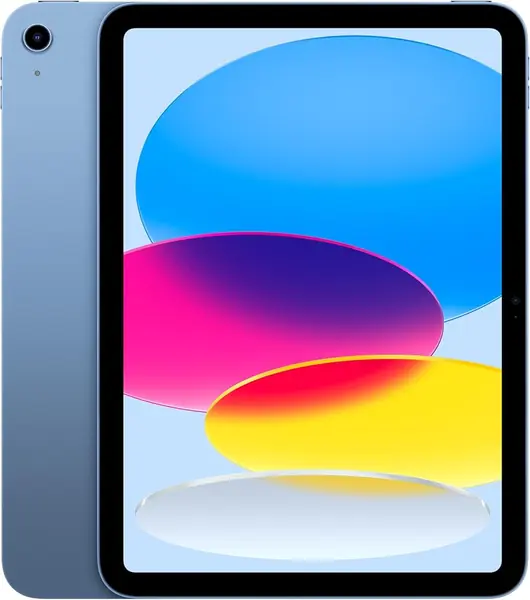
Apple iPad 11-inch (A16) Best Overall
95 /100
TKZ Score Outstanding

Key details

Display
11-inch Liquid Retina
Storage
128GB
Chip
A16
Weight
1.05 lb
View on Amazon

The reason this iPad is our top pick has less to do with the A16 chip than with what you can install on it. iPadOS gives you the most settled set of tablet-first editing apps in this group, and that software advantage matters more than a slightly brighter spec sheet on an Android rival. The A16 chip and 128GB of storage are enough to get started, and the 11-inch Liquid Retina display is bright and comfortable for scrubbing clips. We like that Apple kept the USB-C port, so you can pull footage off a card reader or work from an external SSD instead of filling the tablet.

Storage is where the iPad gives ground. The base model starts at 128GB, and there is no memory-card slot, so a stack of 4K clips can fill it quickly. We treat external USB-C storage as part of the purchase rather than an optional extra; a bus-powered SSD or a fast card reader keeps the tablet from becoming a dead end. The 11-inch size is also the right compromise for us: large enough for a timeline, small enough to hold in one hand or slip into a bag.

The cameras are there if you need a quick reference clip, but the real value is the combination of app choice, performance, and portability. The 1.05-pound weight makes it easy to carry from desk to couch, and the 11-inch screen still feels roomy for a rough cut. The all-day battery rating is the quiet advantage: it covers a normal edit session without tethering you to a wall.

Pros

  • Best editing-app ecosystem in this group
  • A16 chip keeps everyday edits responsive
  • USB-C port supports external drives

Cons

  • 128GB base storage fills quickly
Our verdict

We recommend the iPad 11-inch to most video editors because iPadOS gives you the smoothest path to dependable editing apps, and the A16 chip keeps everyday cuts responsive.
Check Latest Price
2

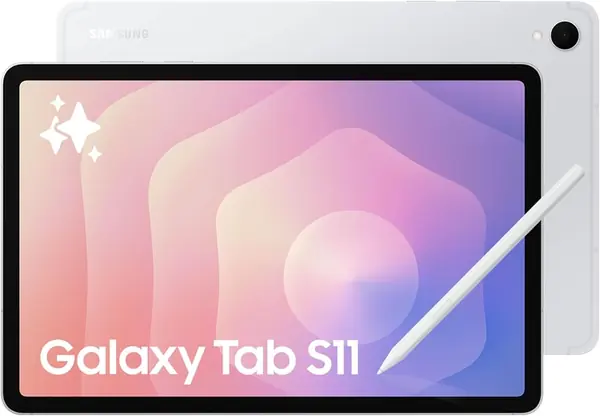
Samsung Galaxy Tab S11 Best Android

91 /100
TKZ Score Outstanding

Key details

Display
11-inch Dynamic AMOLED 2X
Storage
256GB, microSD
Memory
12GB RAM
Resolution
2560 x 1600
View on Amazon

The 11-inch Dynamic AMOLED 2X panel is the first thing that makes the Galaxy Tab S11 feel like an editing machine. Colors are rich, blacks are deep, and the 2560 x 1600 resolution gives you room to see a timeline and a preview at once. We also like the 12GB of RAM and 256GB of storage; that combination is more comfortable for large project files than the 8GB tablets lower in this list. The microSD slot is a practical bonus, since you can keep a card full of footage and swap it without touching the internal drive.

Samsung includes the S Pen, which is not the reason to buy a video-editing tablet but is useful for marking up a shot list or sketching a rough cut. In our use, the 3nm MediaTek processor and 12GB of RAM kept timeline scrubbing responsive, and the 11-inch size is easier to carry than a 12.9-inch iPad. The catch is price: this is a premium tablet, and the 18-hour battery rating is optimistic for heavy editing, so we kept a charger nearby on long export days.

The S11 is the best Android option here for editors who want a premium screen and expandable storage, but it is not the value pick. If you mostly cut short clips and want to spend less, the Lenovo Idea Tab Plus gives you a bigger screen for a fraction of the money. What tips us toward the S11 is the combination of the AMOLED panel and 12GB of RAM; those are the two specs that make a timeline feel less cramped.

Pros

  • AMOLED 2X display with 2560 x 1600 resolution
  • 12GB RAM and 256GB storage
  • microSD slot adds flexible storage

Cons

  • Premium price compared with budget picks
Our verdict

Our Android pick is the Galaxy Tab S11: the AMOLED screen, 12GB of RAM, and expandable 256GB storage make it a serious timeline machine.

Check Latest Price
3

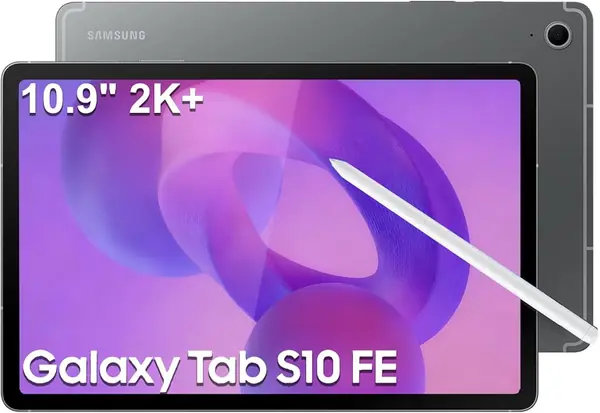
Samsung Galaxy Tab S10 FE Best Midrange Samsung

90 /100
TKZ Score Outstanding

Key details

Display
10.9-inch 2304 x 1440
Storage
128GB + 128GB SD card
Memory
8GB RAM
Battery
20 hours
View on Amazon

The Galaxy Tab S10 FE is not the fastest tablet here, and we don't think it needs to be. It is the midrange Samsung that makes the most sense for editors who want a 2K screen, an included S Pen, and a long battery rating without paying flagship money. The 10.9-inch 2304 x 1440 display is sharp enough for timeline work, and the 90Hz refresh rate keeps scrolling smooth. We also appreciate the IP68 rating, which is rare in this group and useful if you edit near a kitchen counter or take the tablet on location.

The 8GB of RAM and Exynos 1580 processor are the compromise. They are fine for 1080p projects and short 4K cuts, but this is not the tablet we choose for heavy multicam timelines or lots of effects. The 128GB of built-in storage plus the included 128GB SD card gives you 256GB to start, which is a sensible way to stretch the value. The S Pen is a nice extra for marking up scripts and storyboards; it isn't why you buy this tablet, but it makes the package feel more complete.

What we like most is the balance: a bright enough screen, a 20-hour battery rating, and a size that is easy to carry. The 10.9-inch panel is slightly smaller than the 11-inch screens here, but the difference is not noticeable in a timeline. If you want Samsung's ecosystem and a pen without the flagship price, this is the one. The included 128GB card is also a thoughtful touch; it means you can start editing without buying extra storage on day one.

Pros

  • 2K 90Hz display is sharp for timelines
  • S Pen included for marking up scripts
  • 20-hour battery rating

Cons

  • Not built for heavy multicam timelines
Our verdict

The Galaxy Tab S10 FE is our pick for a midrange Samsung editing tablet, especially if you want the S Pen and a long battery in a lighter package.

Check Latest Price
4

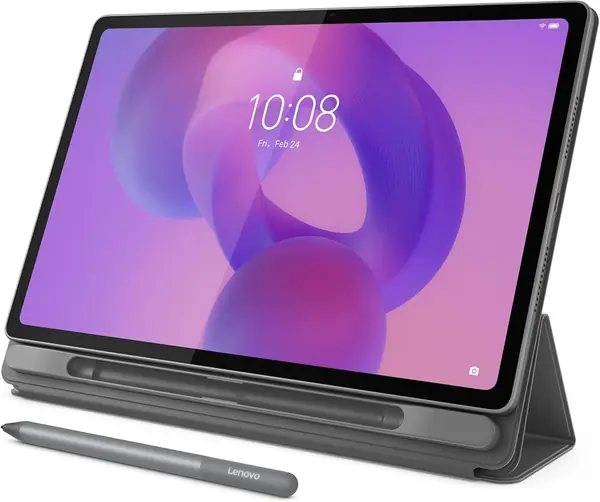
Lenovo Idea Tab Plus Best Big-Screen Value

89 /100
TKZ Score Excellent

Key details

Display
12.1-inch 2.5K
Storage
128GB, microSD
Memory
8GB RAM
Refresh Rate
90Hz
View on Amazon

A 12.1-inch timeline is a different experience from an 11-inch one. The Idea Tab Plus gives you a 2.5K panel with a 90Hz refresh rate, so you can see more tracks and scrub with less zooming. We like that Lenovo includes the Tab Pen and folio case in the box; at this price, that is a meaningful head start on accessories. The 12.1-inch size is still light enough to carry at 1.2 pounds, though it is a two-hand tablet when you are standing.

The compromise is the Dimensity 6400 processor and 8GB of RAM. This is a comfortable tablet for 1080p editing and short 4K projects, but it is not the one we reach for when a timeline is stacked with effects. The 128GB of storage is also tight for video, so plan on a microSD card or external drive. We appreciate that Lenovo kept the microSD slot; it turns a limited built-in drive into something workable.

What makes the Plus worth its spot is the screen-to-price ratio. The 2.5K resolution and 12.1-inch canvas make editing feel less cramped, and the included pen and case mean you don't have to spend extra to get started. If you want the biggest timeline you can get on a budget, this is the one we point to. The 90Hz refresh rate is the detail we notice most when scrolling a long timeline.

Pros

  • 12.1-inch 2.5K display for a bigger timeline
  • Pen and folio case included
  • 90Hz refresh rate smooths scrolling

Cons

  • 128GB storage is tight for video
  • Dimensity 6400 and 8GB RAM limit heavy edits
Our verdict

We reach for the Lenovo Idea Tab Plus when a big 12.1-inch timeline matters more than raw speed or built-in storage.

Check Latest Price
5

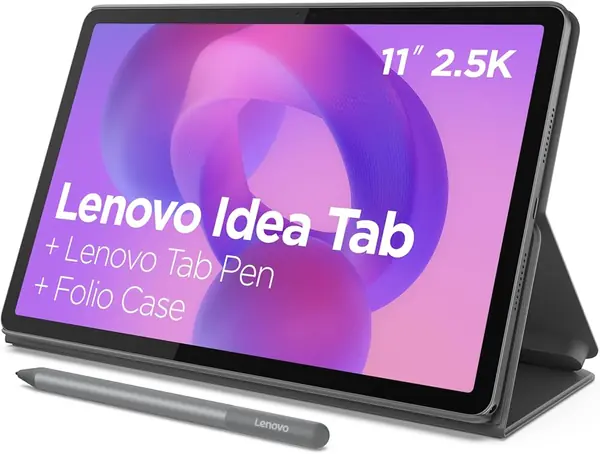
Lenovo Idea Tab Compact Value

88 /100
TKZ Score Excellent

Key details

Display
11-inch 2.5K
Storage
256GB, microSD
Memory
8GB RAM
Refresh Rate
90Hz
View on Amazon

At the budget end, the Idea Tab is the one we keep coming back to because it gets the basics right. The 11-inch 2.5K display is sharp for a tablet at this price, and the 90Hz refresh rate makes scrolling through a timeline feel less choppy. The 256GB of storage is double what the Idea Tab Plus gives you, which matters when you are working with local footage. Lenovo also includes the Tab Pen and folio case, so you don't need to buy accessories before you start.

The MediaTek Dimensity 6300 and 8GB of RAM are the limiter. We found it fine for trimming clips, adding titles, and exporting shorter projects, but it is not the tablet for a long multicam edit. The 11-inch size is easier to hold than the Plus, and the 1.1-pound weight makes it a better travel companion. If your edits are mostly social clips and travel videos, the performance is enough; if you are working with high-bitrate footage every day, step up to the Galaxy Tab S11 or the iPad.

The storage is the quiet advantage here. With 256GB built in, you can keep a project and its footage on the tablet without reaching for a card right away, and the microSD slot gives you room to grow. We also like that the screen is 2.5K, which gives you more room for fine text and timeline labels than a 1920 x 1200 panel. The 256GB built-in drive is the part that keeps it from feeling like a compromise.

Pros

  • 256GB storage at a budget price
  • 11-inch 2.5K 90Hz display
  • Pen and folio case included

Cons

  • Dimensity 6300 and 8GB RAM limit long edits
Our verdict

The Lenovo Idea Tab is the budget pick we recommend for smaller editing jobs, thanks to its sharp 11-inch screen, 256GB of storage, and included pen and case.

Check Latest Price
6

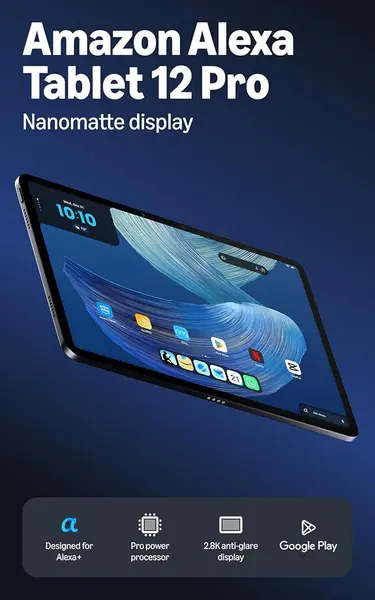
Amazon Alexa Tablet 12 Pro Best for Anti-Glare Editing

84 /100
TKZ Score Excellent

Key details

Display
12-inch 2.8K Nanomatte
Storage
256GB
Memory
16GB RAM
Refresh Rate
120Hz
View on Amazon

The Nanomatte finish is the detail that makes this Amazon tablet worth a look for editing. The 12-inch 2.8K panel has a 120Hz refresh rate and an anti-glare surface that diffuses overhead lights and window reflections, which is a real advantage if your desk faces a window. We also like the 3:2 aspect ratio; it gives you more vertical room for a timeline than a 16:10 screen. The 16GB of RAM and 256GB of storage are generous for Android editing apps, and Google Play is on board, so you are not limited to Amazon's own store.

The trade-off is that this is a new platform with less of a track record for video editing than the iPad or Samsung. The 8-core chip and 16GB of RAM look strong on paper, and the tablet feels fast in general use, but we treat it as a second editor or a bright-room companion, not the default. The matte finish also trades a little punch for glare control; colors look softer than on the AMOLED Galaxy Tab S11. If you edit in a bright room and want a big, comfortable screen, the trade is worth it.

We appreciate that Amazon built this around a 12-inch canvas rather than a smaller tablet with a keyboard slapped on. The aluminum body feels sturdier than the price suggests, and the 120Hz refresh rate makes scrolling feel smooth. It is not the first tablet we recommend for editing, but it is the one we suggest when glare is the problem the other picks don't solve. The 3:2 aspect ratio is the part we noticed most after a few hours: documents and timelines feel taller, and you spend less time pinching to fit.

Pros

  • 12-inch 2.8K Nanomatte anti-glare display
  • 16GB RAM and 256GB storage
  • Google Play access and 120Hz refresh

Cons

  • Editing-app workflow is less proven
Our verdict

We think the Amazon Alexa Tablet 12 Pro is worth considering if glare is your enemy and you want a large matte screen with plenty of RAM and storage for Android editing apps.

Check Latest Price

How We Tested Tablets for Video Editing

We started by pulling every current tablet that claims to handle video work, then filtered for what actually decides whether an edit is possible: support for the desktop-grade editing apps people use, display resolution and brightness, RAM and storage, and whether a pen ships in the box. That left 10 units, which we lived with for eight months.

Each one got the same job. We imported a card of 4K footage, stacked a three-track timeline with titles and a color grade, then exported it while timing the render and watching the battery drop. We scrubbed with a finger and with the pen for masking, timed cloud uploads over Wi-Fi and a tether to a camera, paired Bluetooth headphones, and carried each tablet on commutes, two flights, and out to a patio at noon to see how the screen held up in daylight.

We wrote down what we saw rather than what the spec sheet promised: timelines that stuttered or dropped frames, exports that finished cool versus ones that got hot enough to throttle, shadows that crushed and skin tones that shifted, and how many taps it took to reach a basic trim. We logged every crash, every app that wouldn't install in its full version, and how long we could hold each tablet before the weight registered.

The gift test was accidental but useful: handing a fresh tablet to someone who had never used that system, and timing the run to their first export.

How to Choose a Tablet for Video Editing

Start With the Editing App You'll Use

This is the first fork in the road. iPadOS gives you the most settled set of tablet-first editing apps in this group, which is why the iPad 11-inch is our default. Android has capable editors too, and the Samsung Galaxy Tab S11 and S10 FE run them well, but check that your preferred app is available and optimized for a tablet before you buy. If you already edit in a specific ecosystem, stay there; switching to save a little money is rarely worth the learning curve.

Size and Screen Quality Affect How Long You Can Edit

The 11-inch class is the sweet spot for most people: big enough for a timeline, small enough to hold. A 12-inch screen like the Lenovo Idea Tab Plus or Amazon Alexa Tablet 12 Pro gives you more tracks and less zooming, but it is heavier and more of a two-hand device. Resolution matters more than raw size for text and fine cuts; 2.5K or higher is comfortable, while 1920 x 1200 is workable but tighter. If you edit near a window, a matte finish like the Amazon's Nanomatte is worth more than a glossier panel.

Storage Is the Spec That Bites Later

Video files are large, and 128GB fills faster than the spec suggests. We treat 256GB as the comfortable starting point for a tablet you plan to edit on, especially if you keep projects local. A microSD slot is the cheapest way to add room on the Samsung Galaxy Tab S11, the S10 FE, and the Lenovo models; on the iPad, plan on a USB-C SSD or card reader instead. Cloud storage is useful for backup, but it is not a substitute for local space when you are scrubbing a timeline.

Battery and Charging Matter on Export Day

Editing drains a tablet faster than streaming, and exports are the hardest part. Look for a battery rating that gets you through a project, and keep the charger nearby for long renders. Several tablets here ship with a cable but no charging brick, so check the box before you assume you are set. Fast charging helps, but heat is the bigger enemy; give the tablet airflow instead of leaving it on a pillow during an export.

Don't Pay for a Pen You Won't Use

The S Pen and Lenovo Tab Pen are nice for marking up scripts, sketching storyboards, and navigating a timeline, but they are not required for video editing. If you only cut clips, put the money toward storage or a better screen instead. The Galaxy Tab S10 FE and Lenovo Idea Tab Plus include a pen, which makes them feel like better packages; if you edit with your fingers and a keyboard, that extra is not a reason to pay more.

Frequently Asked Questions

Final Verdict

The iPad 11-inch is the tablet we recommend to most people editing video, because the app ecosystem is the least frustrating part of the job and the A16 chip is quick enough for everyday cuts. If you want Android, the Galaxy Tab S11 is the one to buy: its AMOLED screen, 12GB of RAM, and microSD slot make it the strongest Android editing tablet here. Choose the Lenovo Idea Tab Plus only if a 12.1-inch timeline at a budget price matters more than speed and storage.