Best Gimbals for iPhone 17 Pro Max of 2026

The iPhone 17 Pro Max shoots genuinely beautiful video, and then makes you work for it. It's a big, heavy slab of glass, and the longer the lens, the more your hands show up in the footage. A gimbal fixes that by holding the phone level no matter how unevenly you walk — but the good ones go further, tracking a subject across the frame, panning a full circle for a room tour, and turning into a tripod when you need both hands back.

I've filmed school plays, farmers markets, and one deeply uncooperative dog on phone gimbals, and my team just spent seven months living with ten of them, from pocket-sized folders to rigs with built-in extension rods. The spec first-time buyers undervalue is app compatibility. A gimbal's tracking is only as good as the software running it — some hand off to your phone's native camera, others lock you into their own app — and that difference decides whether the thing ever leaves your bag.

What separates the keepers is unglamorous: how fast it unfolds, whether the motors hold a heavy phone steady through a ten-minute walk, and whether the battery survives a full day out. These did all three.

The Best Gimbals for iPhone 17 Pro Max

1

Insta360 Flow 2 Pro Best Overall
90 /100
TKZ Score Outstanding

Key details

iPhone Fit
iPhone 12–18, incl. 17 Pro Max
Payload
10.6 oz
Weight
13.6 oz
Built-in
Tripod and selfie stick
View on Amazon

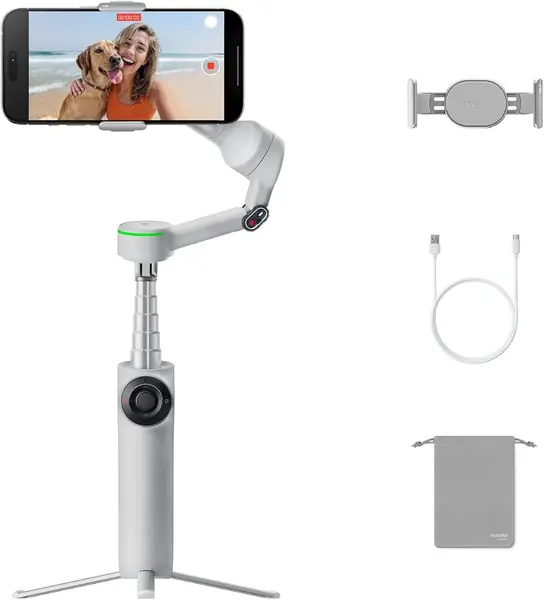
Apple DockKit is the reason the Flow 2 Pro is our first choice for the iPhone 17 Pro Max. It is the gimbal here that names the phone in its compatibility range, and its tracking works inside more than 200 iOS apps rather than only inside Insta360's own camera. That matters if you move between the native camera, social apps, and a client's preferred app without relearning the controls each time.

The 360° pan is the feature we keep returning to. It lets the head rotate continuously, so a subject can circle you without running out of travel, and the multi-person tracking is useful for family shots and small groups. We also appreciate the built-in tripod and selfie stick: they turn the gimbal into a stand for a two-person shot without adding another piece of gear to the bag.

At 385 g, the Flow 2 Pro is heavier than the Osmo Mobile 7, so it is a bag gimbal rather than a pocket one. The 300 g payload is the number to check against the iPhone 17 Pro Max and a thick case; a clip-on lens leaves little margin. The folding hinge and clamp are the parts to inspect before you pack it loose.

Pros

  • Tracks in 200+ apps with DockKit
  • 360° pan and multi-person tracking
  • Built-in tripod and selfie stick
  • 300 g payload for large phones

Cons

  • Heavier than the Osmo Mobile 7
Our verdict

We recommend the Flow 2 Pro first for the iPhone 17 Pro Max because Apple DockKit tracking works inside the apps you already shoot with, not just Insta360's.
Check Latest Price
2

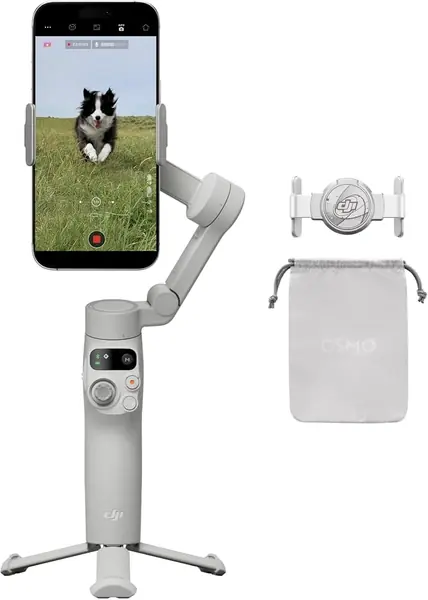
DJI Osmo Mobile 8 Best Creator Bundle

89 /100
TKZ Score Excellent

Key details

iPhone Fit
iPhone and Android
Battery
10 hours
Built-in
Extension rod and tripod
Folded Size
7.5 × 3.7 × 1.8 in
View on Amazon

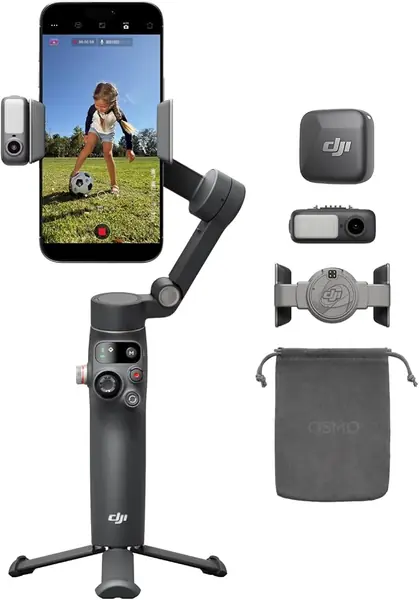
Open the Osmo Mobile 8 box and the gimbal is only half the story; the other half is the included Mic Mini transmitter and the multifunctional module that add audio and lighting to the rig. That bundle is why we recommend this version over a bare gimbal for solo creators. A clip-on mic and a light on the rig solve two problems that usually send us back to a separate bag.

The 360° pan and built-in extension rod are just as practical. We like the rod for group selfies and high-angle shots, while the tripod lets the gimbal stand on a table or a wall. Tracking runs through DJI's Mimo app, and that is the trade-off: the best features live in one place, so you need to be comfortable shooting there. If you prefer the native camera or another app, the Insta360 Flow 2 Pro is the easier fit.

Audio and lighting are the reason to choose this kit, but they do not erase the app dependency. Early unit failures are also a caveat worth knowing; keep the return window in mind and test the motors, charging, and mic link in the first few days. The magnetic clamp is quick to seat and the folding body is easy to stow, but this is a kit you pack deliberately rather than toss in a pocket.

Pros

  • Includes Mic Mini transmitter
  • 360° pan and extension rod
  • Built-in tripod for low angles
  • 10-hour battery

Cons

  • Mimo app required for key features
  • Early unit failures are a caveat
Our verdict

We recommend the Osmo Mobile 8 kit to solo creators who want one rig for stable video, wireless audio, and fill light, provided they are happy shooting in DJI's app.

Check Latest Price
3

Hohem iSteady V3 Ultra Best Remote Control

88 /100
TKZ Score Excellent

Key details

iPhone Fit
iPhone 13–18 Pro Max
Battery
9 hours
Payload
14.1 oz
Remote
Detachable touchscreen, 33 ft
View on Amazon

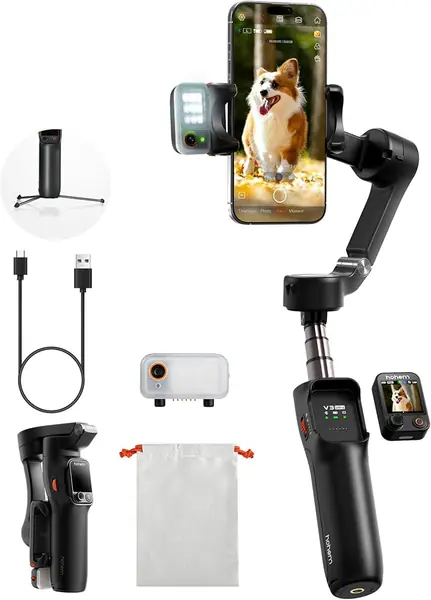
The detachable touchscreen remote is the first thing we reach for on the V3 Ultra. It is a small screen and control pad that pops off the handle, so you can frame a solo shot without walking back to the phone. The 1.22-inch screen is not a monitor replacement, but the physical controls and the built-in fill light make the rig feel more self-contained than a bare gimbal.

The 8-inch extension rod and tripod are the other useful pair. They let you go from a low product angle to a higher group shot without adding a separate stand, and the fill light adjusts brightness and color temperature remotely. We like that combination for indoor tutorials and evening clips, where a phone alone tends to go flat.

The trade-off is weight: at 15.1 ounces, the V3 Ultra is one of the heavier gimbals here. The magnetic AI tracker is a separate piece, so it needs a dedicated pocket when you pack up. The 400 g payload is generous for a large phone, though, and the 9-hour battery covers a day of short takes.

Pros

  • Detachable touchscreen remote
  • Built-in fill light
  • 8-inch rod and tripod
  • 400 g payload

Cons

  • Heavier than most picks
  • Magnetic tracker is easy to misplace
Our verdict

We recommend the V3 Ultra to solo shooters who want a detachable touchscreen remote and a fill light in one rig, and can accept the extra weight.

Check Latest Price
4

DJI Osmo Mobile 7 Best Value

87 /100
TKZ Score Excellent

Key details

iPhone Fit
iPhone and Android
Battery
10 hours
Payload
10.6 oz
Weight
10.6 oz
View on Amazon

At 300 grams, the Osmo Mobile 7 is the one we pack when the bag is already full. It folds into a small shape, has a built-in tripod, and still manages a 10-hour battery. That combination is more useful for travel than a longer feature list, and it is why this is our value pick rather than a stripped-down compromise.

The 300 g payload is the spec to check against the iPhone 17 Pro Max and a thick case. There is not much headroom for add-on lenses or a heavy clamp, so balance the phone before you power on and keep the load close to the listed limit. DJI's ActiveTrack 7.0 and ShotGuides live in the Mimo app, and the gimbal can also pass power to the phone, which is a quiet win on a long day.

What you give up is the extension rod. The Osmo Mobile 8 and the Flow 2 Pro are the better choices for group selfies or high-angle shots, while this one stays compact and simple. The magnetic clamp makes mounting quick, and the anti-slip handle is a small thing that matters on a long walk. The built-in tripod is the part we use most: it turns a quick interview or a timed family shot into a one-person job.

Pros

  • Light 300 g body
  • Built-in tripod
  • 10-hour battery
  • Can charge your phone

Cons

  • No extension rod
  • 300 g payload leaves little headroom
Our verdict

We recommend the Osmo Mobile 7 as the value pick for travel and everyday clips, provided your phone and case stay within its 300 g payload.

Check Latest Price
5

AOCHUAN Smart X3 Best for 360° Panning

79 /100
TKZ Score Very Good

Key details

iPhone Fit
iPhone 11–18 Pro Max
Extension Rod
20 in
Pan Range
360°
Remote Range
33.8 ft
View on Amazon

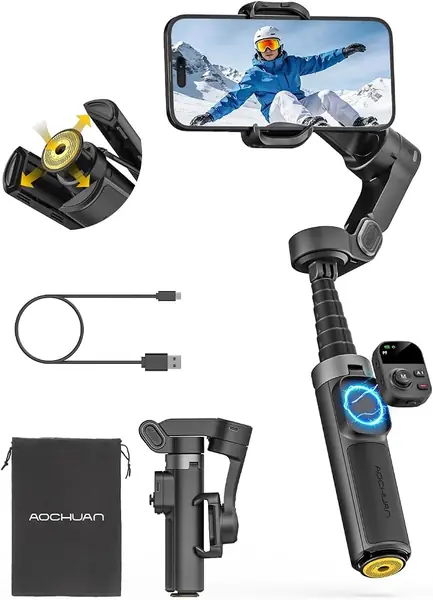
A 20-inch rod and 360° pan are the two reasons the Smart X3 earns a look. The rod extends high enough for a group shot or a better angle over a crowd, and the pan head keeps rotating without hitting a stop, so a subject can walk around you while the phone stays pointed. We like that combination for travel footage and family videos, where the alternative is usually a mini tripod and a lot of repositioning.

The magnetic remote is the second convenience. It detaches from the handle and gives you a way to start and stop recording without touching the phone, and the one-touch tripod opens faster than the folding-leg designs we have used. At 14.4 ounces it is not a pocket tool, but it folds into a shape that fits a daypack. The compact handle is the part we noticed most: the remote sits close, so larger hands may want to grip lower.

There is no payload rating published, which is the main reason we stop short of calling this a heavy-phone pick. Mount the iPhone 17 Pro Max bare first, check that the head settles without drift, then repeat with your usual case. The 33.8-foot remote range is generous for solo work, and the one-touch tripod is the feature that makes the rod useful in a hurry.

Pros

  • 360° infinite pan
  • 20-inch extension rod
  • Magnetic remote with 33.8 ft range
  • One-touch tripod

Cons

  • No payload rating published
Our verdict

We recommend the Smart X3 for travelers who want 360° panning and a long rod at a lower cost, not for heavy-phone confidence.

Check Latest Price
6

AOCHUAN M3 Promini Best for Budget AI Tracking

76 /100
TKZ Score Very Good

Key details

iPhone Fit
iPhone 11–18 Pro Max
Extension Rod
27 in
Tracking
AI tracking without app
Fill Light
RGB, 7 color temperatures
View on Amazon

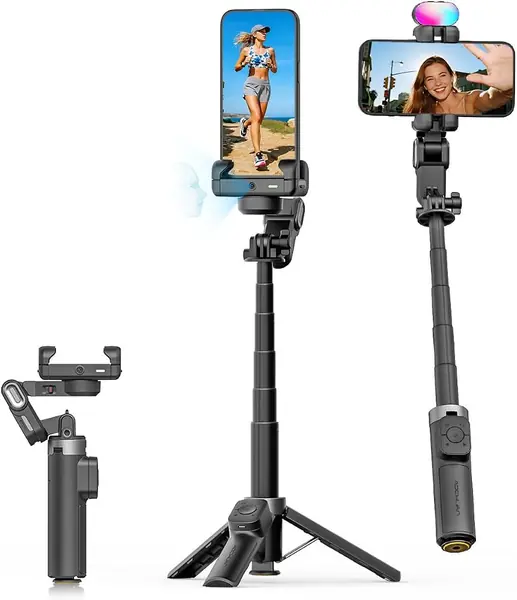
The M3 Promini is built around AI tracking that works without opening the app. That is the feature that makes it interesting for quick family clips: you can set the phone in the clamp, let the gimbal follow a face, and use gesture control for a hands-free start. We like that it keeps the process simple, because the app is usually where a casual shooter loses patience.

The 27-inch extension rod and RGB fill light make it a more complete travel kit than its size suggests. The rod gets the phone above a table or a crowd, and the fill light has seven color temperatures and three brightness levels, which is more control than we expect at this end of the range. The magnetic remote is another useful extra; it detaches from the handle so you can adjust the shot without walking back.

Our reservation is the missing payload rating. The M3 Promini lists the phone models it supports, but not a maximum weight, so a large phone with a thick case needs a careful balance check before you trust it on a moving shot. The 12.16-ounce body is easy to carry, and the folding design fits a small bag. The feature count is generous for the price; the missing payload number is the one gap.

Pros

  • AI tracking without the app
  • 27-inch extension rod
  • RGB fill light
  • Magnetic remote

Cons

  • No payload rating published
Our verdict

We recommend the M3 Promini for casual creators who want AI tracking, a long rod, and a fill light in a low-cost kit, with a payload check first.

Check Latest Price

How We Tested iPhone Gimbals

We started with every phone gimbal we could find that lists the iPhone 17 Pro Max among supported phones, plus a payload rating that accounts for a large phone in a case. From there we cut anything with a firmware history of breaking on new iOS releases, then narrowed to ten units across budget and premium tiers — all bought at retail, so we tested the same box a shopper gets.

Testing ran seven months, in the places these actually get used: a Saturday farmers market, a fifth-grade concert, a two-week trip, and a lot of evening dog walks. Every gimbal shot the same five sequences — a walking follow shot, a one-handed selfie walk, a full circle around a subject, a slow room pan, and a dusk shot in low light — and we watched the footage back on a large screen, frame by frame, looking for jitter, horizon drift, and focus hunting.

Ease of use came down to a stopwatch: how long from unzipping the case to a stable, balanced shot, first with me and then with a friend who had never touched a gimbal. App compatibility got the hardest look, since tracking is the whole point — we ran subject lock in the native camera app where supported and in each maker's app, and noted whether the lock held when someone crossed between lens and subject. Battery life we timed by running continuous tracking until shutdown; connectivity by walking a paired remote away from the phone and counting dropouts.

Durability meant living without the case: the gimbals rode loose in backpacks, got folded and unfolded several times a day, and we checked joints for play and motors for new noise at the three-month mark. Value came last — whether a given gimbal replaced a tripod, a light, or a second pair of hands, or just added one more charger to the bag.

How to Choose a Gimbal for Iphone 17 Pro Max

Fit and Payload Come Before Features

Start with the clamp and the payload, not the shooting modes. A gimbal can be labeled for iPhone and still feel marginal with a large phone in a thick case, so check the listed maximum weight and the clamp opening. The Insta360 Flow 2 Pro lists a 300 g payload and names the iPhone 17 Pro Max; the DJI Osmo Mobile 7 matches that 300 g rating in a lighter body. Leave a little margin for a case or a clip-on lens, and balance the phone before you blame the motors.

Balance Is the Real Stabilization Setting

Motors can only correct so much. If the phone sits nose-heavy or the clamp is too far out, the gimbal works harder, drains faster, and can drift or shut down. Balance the phone with the gimbal off, then power on and let the head settle. A 300 g payload is not a target; it is a ceiling. The Hohem V3 Ultra's 400 g rating gives more room for a large phone and a case, though it also comes in a heavier body. We prioritize a comfortable margin over the smallest possible gimbal.

Choose the App You Will Actually Use

Tracking is only useful if it works in the app where you shoot. The Flow 2 Pro uses Apple DockKit to track across more than 200 iOS apps, the widest app coverage here. DJI and Hohem put their best tracking, audio, and lighting controls inside their own apps. If you shoot mostly in the native camera or social apps, start with DockKit. If you are happy to shoot, edit, and control the gimbal in one app, a DJI or Hohem model can be the more complete tool.

Match Built-In Tools to Your Shots

A built-in tripod is the accessory we use most; it turns a solo shot into a two-person job. An extension rod matters for group selfies and high angles, and a detachable remote or touchscreen helps when you are filming alone. The Osmo Mobile 7 keeps the tripod but drops the rod; the Osmo Mobile 8 and Smart X3 add the rod, while the V3 Ultra adds a remote and fill light. Buy the tool you will actually deploy, not the longest feature list.

Pack for Weight and Battery

Folded size is not the same as pocket size. A gimbal that folds to 7 inches still needs a bag once the phone is mounted, and a 300 g body is noticeably easier to carry than a 385 g or 428 g one. Several models list 9 or 10 hours of battery, but high-resolution shooting and phone charging cut into that. If you shoot all day, carry a power bank and a cable; if you shoot short clips, prioritize the lighter body.

Frequently Asked Questions

Final Verdict

The Insta360 Flow 2 Pro is our first recommendation for the iPhone 17 Pro Max because it combines named phone compatibility with Apple DockKit tracking that works across the apps we already use. It is not the lightest gimbal here, but the 360° pan, built-in tripod, and selfie stick cover the shots that usually need a second pair of hands.

If you want a lighter, simpler travel kit, the DJI Osmo Mobile 7 is the alternative; just check its 300 g payload against your phone and case.