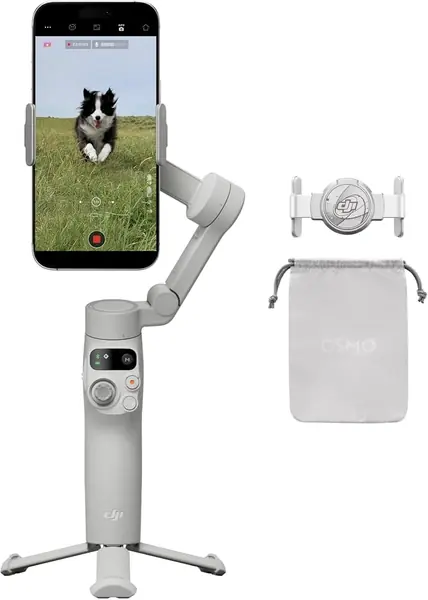
DJI Osmo Mobile 8 Best Overall
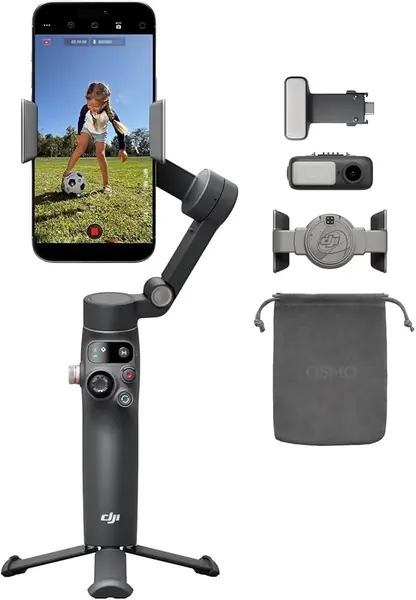
The piece that separates this kit from every other gimbal here is a small module that clips on above the phone. It takes over the tracking, receives audio from a DJI Mic Mini, and adds light, so one handle covers what usually means a separate lav receiver and a clip-on lamp. We stopped taking the module off after the first day, because packing one thing instead of three is the whole argument.
Setup is the quickest in this group. Unfold the handle and it powers on, the magnetic clamp grabs the phone, and DJI's Mimo app usually opens on its own. The head also pans a full 360 degrees, which matters more than the number suggests: with the built-in tripod legs out, the gimbal follows you around a room instead of stopping at the end of its travel. The extension rod covers high and low angles without a second selfie stick in the bag.
DJI's catch is software. Tracking, ShotGuides, and most of the creative modes live inside Mimo rather than your phone's own camera app, and Android pairing is where the friction starts - some phones connect cleanly, others fight the app, and the permission requests are aggressive. Install Mimo and pair your phone before you commit to any DJI gimbal. Longevity is the other caveat: there are units that stop powering on within weeks, so buy somewhere with an easy return.
At 380 grams it is the heaviest DJI here, and it costs more than everything in this group except the M7. The two-year warranty is the longest of any pick, though, and the module is what you are paying for: if you already own a light and a wireless mic you like, the Osmo Mobile 7 covers the stabilization for much less.
Pros
- Tracking, mic audio, and light in one module
- 360-degree pan with built-in tripod and rod
- Fastest setup here: unfold, clamp, shoot
Cons
- Heaviest DJI here at 380 g
- Tracking only works inside DJI's app
We recommend the Osmo Mobile 8 to anyone filming solo who wants light and audio handled by the same rig - it's the most complete Android gimbal in this group.