Best Tablets for Reading Comics of 2026

My longboxes live in a closet now. Somewhere around my third move, I gave up bagging and boarding and started reading comics on a screen, and I have not missed the tape and tweezers once. What I did miss at first was the look of the thing — flat colors, blacks that went gray, a glossy panel reflecting my own face back at me. A tablet that is great for email can be a genuinely bad comic reader, and getting the screen right is what lets a single panel fill the display the way the artist drew it.

Over the past eight months, my team and I have read on 12 tablets, from an 8-inch model that fits in a coat pocket to a 14-inch slab with a paper-like finish. Two things we learned the hard way: comic files are enormous — a collected edition can run several hundred megabytes — so storage and expandable storage matter more here than they do for someone reading novels, and page-turn speed comes down to the display's refresh rate as much as the chip inside it.

We also noted what actually came in the box, since a couple of these ship with a stylus and a folio case, and whether each tablet was worth its price against the screen and storage it delivered. The picks below are the ones I would hand to a comics reader without a caveat.

The Best Tablets for Reading Comics

1

Samsung Galaxy Tab A11+ Best Overall
91 /100
TKZ Score Outstanding

Key details

Storage/RAM
128GB / 6GB
Battery
7040mAh
Resolution
1920 x 1200
Screen Size
11 inches
View on Amazon

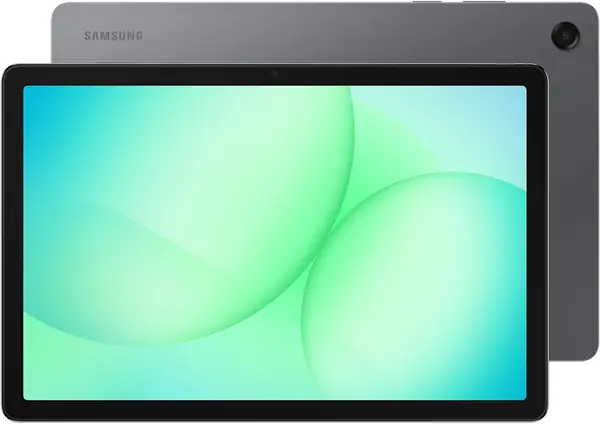
Eleven inches is the size we keep coming back to for comics. A full page fits without shrinking the lettering into a gray smear, and the tablet still feels like something you can hold in bed. The Galaxy Tab A11+ gets that balance right with an 11-inch, 1920 x 1200 LCD and a 90Hz refresh rate. The 16:9 panel leaves side bars around a typical comic page, but the page itself is large and scrolling through guided view feels smooth. We also like that the screen is bright enough for a lamp-lit room without washing out the colors.

What makes it our top pick is the lack of a dealbreaker. It runs Android, so you can install the comic apps you already use, and the 128GB of storage is backed by a microSD slot for a library that grows. The 6GB of RAM kept page turns and app switching comfortable in our reading sessions. The Lenovo Idea Tab has a sharper 2.5K panel, and readers who chase the finest linework should look at it. But at this size, 1920 x 1200 is sharp enough for full-page comics, and the Samsung leaves more room in the budget for storage and a stand case.

Battery life is rated at up to 15 hours, which is plenty for a week of short reading sessions, though a charge ceiling at 80% can show up; test a full cycle during the return window. The quieter advantage is the two-year warranty, which is longer coverage than the other budget-focused picks here and worth having on a device you plan to keep by the couch.

Pros

  • Large 11-inch 90Hz screen
  • Android apps and microSD storage
  • Two-year warranty adds peace of mind

Cons

  • Charge can stop at 80%
Our verdict

We recommend the Galaxy Tab A11+ first for comics because its 11-inch screen, Android apps, expandable storage, and two-year warranty make it the easiest full-page reader to live with.
Check Latest Price
2

Lenovo Idea Tab Best Display for Comics

90 /100
TKZ Score Outstanding

Key details

Storage/RAM
256GB / 8GB
Resolution
2560 x 1600
Screen Size
11 inches
Weight
1.1 lb
View on Amazon

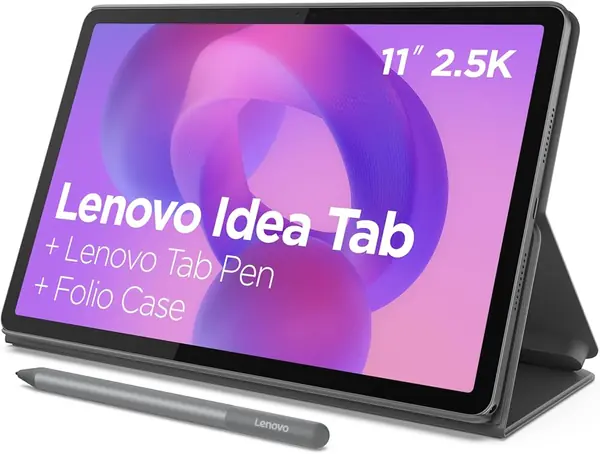
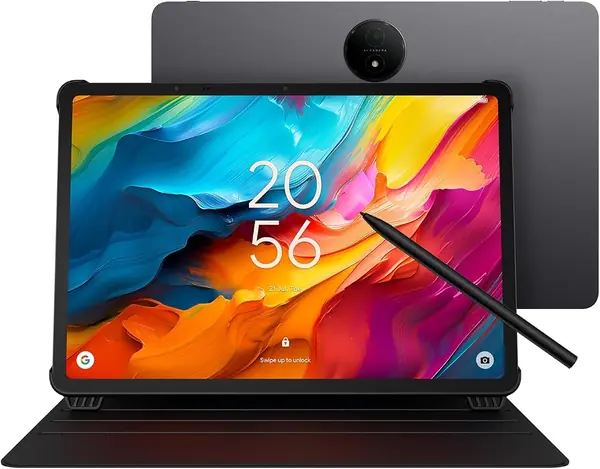
The Idea Tab's 2560 x 1600 panel is the sharpest 11-inch screen here, and that is the whole argument for it: dense comic lettering, thin linework, and double-page spreads stay crisp instead of softening at the edges. Lenovo also includes the Tab Pen and folio case, so it arrives ready to annotate a panel or prop up for a reading session. We think it is the right choice for readers who care more about image quality than saving every dollar.

The rest of the hardware supports the role. There is 8GB of RAM and 256GB of storage, plus a microSD tray for expansion, and the 90Hz refresh keeps scrolling and guided view fluid. The 500-nit screen is bright enough for indoor reading. In our sessions, page turns and zooming felt quick, and the pen was handy for circling a panel or making a note in a comic you are studying. The glass is still glossy, so a lamp can reflect in a dark page; a matte screen protector is a sensible add-on.

Battery life is the one place we wanted more. The 26.7Wh cell is fine for a day of reading but not a multi-day companion. That is a real trade-off, but it does not undo the reason to choose this one: the sharpest page in the group, with the accessories already in the box.

Pros

  • Sharpest 11-inch panel here
  • 256GB storage and microSD tray
  • Pen and folio case included

Cons

  • Wi-Fi can drop
Our verdict

We recommend the Lenovo Idea Tab for comics readers who want the sharpest 11-inch page and a pen and case in the box, and who can accept average battery life.

Check Latest Price
3

TCL NXTPAPER 14 Best Large-Screen Comics Reader

87 /100
TKZ Score Excellent

Key details

Storage/RAM
256GB / 8GB
Battery
10,000mAh
Display
14.3-inch 2.4K NXTPAPER 3.0
Included
Stylus and flip case
View on Amazon

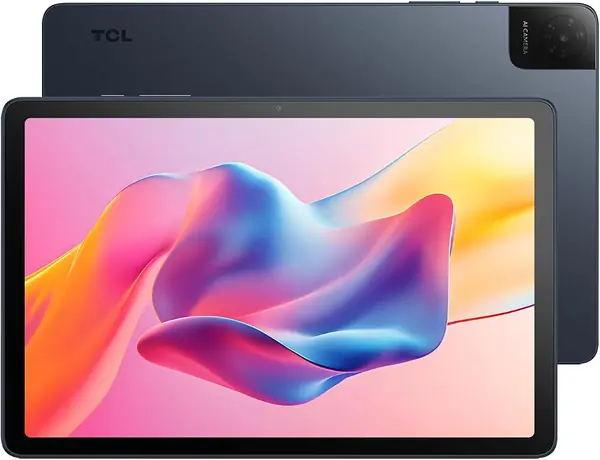
The first thing you notice about the NXTPAPER 14 is how much comic you get at once. The 14.3-inch 2.4K panel is close to a small poster, and the matte NXTPAPER 3.0 finish knocks down glare from a lamp or window. Color paper mode is the setting we kept coming back to for long reading sessions: it takes the hard white edge off the page without turning the art into a dull wash.

That size changes how you read. Double-page spreads are legible without pinching, and the 16:10 shape gives a full page room to breathe. We like it best on a lap desk or kitchen table, where the tablet can sit at an angle; this is not a one-handed bed reader. The included stylus and flip case make it easy to mark a panel or prop it up, and the 10,000mAh battery is sized for a long afternoon.

We think it is the best pick here for full-page, at-home comics, especially if you read at a table. The 60Hz panel and Helio G99 are not gaming-fast, and heavy apps can lag, but page turns and zooming stayed usable in our reading. Battery life is the bigger question: it can fall short of a full day if you keep the screen bright. If you want a big page and do not mind a tablet that stays home, this is the one.

Pros

  • Huge 14.3-inch 2.4K screen
  • Matte paper-like finish cuts glare
  • Stylus and flip case included

Cons

  • Battery life can fall short
Our verdict

We recommend the NXTPAPER 14 for readers who want a huge, glare-resistant page for tabletop comics; its matte 14.3-inch screen and included stylus make double-page spreads feel effortless.

Check Latest Price
4

TCL TAB 10 Gen 4 Best Budget Matte Screen

86 /100
TKZ Score Excellent

Key details

Storage/RAM
128GB / 4GB
Resolution
1920 x 1200
Screen Size
10.1 inches
Weight
0.87 lb
View on Amazon

A matte screen is the quiet luxury for comic reading: no overhead lamp bouncing back at you, no constant angle adjustments. The TCL TAB 10 Gen 4 brings that idea down to budget-tablet money with its inked reading mode and color paper mode. In normal mode it is a straightforward Android tablet; switch modes and the white page softens, which made long manga sessions easier on our eyes.

The 10.1-inch 1920 x 1200 panel is not the sharpest here, but it is sharp enough for manga and standard comic pages, and the 16:10 shape leaves less wasted space than a 16:9 screen. At 0.87 lb, it is light enough to hold one-handed for a chapter or two. The metal body gives it a sturdier feel than the budget price suggests, and the 128GB of storage plus microSD slot gives you room for a large library.

We also appreciate the 6000mAh battery and 18W charging, which are sized for a day of reading rather than a power-user workload. The 10.1-inch screen is bright enough indoors, and the dual speakers are fine for video, though comics do not ask much of them.

We recommend it for readers who want a low-glare screen and do not need tablet-level multitasking. Keep it to one reading app at a time and it does the job; the 4GB of RAM is not built for a browser with twenty tabs behind your comic.

Pros

  • Matte reading mode cuts glare
  • Light 0.87 lb body
  • 128GB storage and microSD

Cons

No notable drawbacks to flag.

Our verdict

We recommend the TCL TAB 10 Gen 4 as the budget pick for glare-free comic reading; its matte mode and light body suit long sessions, provided you keep to one app at a time.

Check Latest Price
5

Amazon Fire HD 8 (Like-New) Travel Panel View

85 /100
TKZ Score Excellent

Key details

Storage/RAM
32GB / 3GB
Battery
Up to 13 hours reading
Display
8-inch HD
Expandable Storage
Up to 1TB
View on Amazon

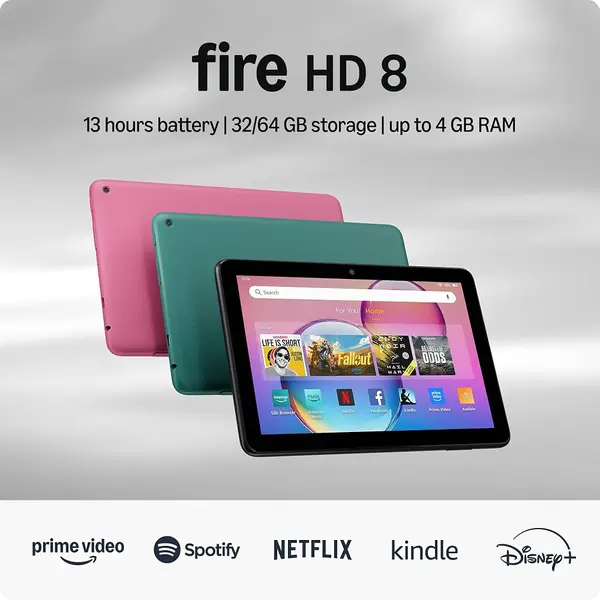
An 8-inch tablet is not the obvious choice for comics. Full pages shrink, lettering gets small, and you end up reading in guided view. But that is exactly how a lot of people read comics on a phone already, and the Fire HD 8 does it for very little money. The 8-inch HD screen is clear, the tablet is light enough to hold for a long session, and the battery is rated for up to 13 hours of reading.

We think it earns a place as the travel or bedside backup, not the main reader. The 32GB of storage expands to 1TB, so you can carry a lot of issues, and the Like-New version comes with the same limited warranty as a new device. The catch is Fire OS: it runs Amazon's app store, not Google Play, so check that your comic service is available before you buy. If it is, this is a cheap way to keep a few volumes on hand.

Pros

  • Low price for a portable reader
  • Light 8-inch body
  • Long battery and 1TB expansion

Cons

  • Small, low-resolution screen
  • Fire OS limits comic apps
Our verdict

The Fire HD 8 is the budget travel reader for panel-by-panel comics; it is small and inexpensive, but check that your comic app works on Fire OS before buying.

Check Latest Price

How We Tested Tablets for Comics

We started by gathering every tablet we could find with a color display of at least 8 inches and a price that did not require financing, then cut anything that looked unlikely to survive a morning commute on one charge. That left 12 tablets, which we read on for eight months rather than a single afternoon.

Each one lived where comics actually get read: a crowded train car where I read one-handed while holding a strap, a couch on Sunday mornings where I plowed through entire collected editions in one sitting, and bed at 11 p.m. at the lowest brightness setting. We loaded the same oversized file onto every tablet and timed how long it took to open, then flipped pages as fast as each reader allowed and watched for ghosting or a stutter where the next panel should have been.

For the screen itself, we read the same rain-soaked noir issue and the same saturated superhero spread on all 12 and compared how the blacks held and whether the colors went neon. On a park bench in direct sun we noted which displays turned into mirrors and which matte finishes stayed readable, then checked brightness at the top end and eye comfort at the bottom.

Battery testing meant running each one from full to dead with Wi-Fi off, which doubled as our connectivity check — we wanted to see whether downloaded issues survived in airplane mode and whether a tablet held a signal on the far side of the apartment. Build got judged by feel: whether the back flexed under a thumb, whether the thing went top-heavy after 45 minutes in one hand. And we weighed price against the screen size and storage each one actually delivered, including whether a stylus and case came along for the ride.

How to Choose a Tablet for Reading Comics

Screen Size and Aspect Ratio

Ten to eleven inches is the sweet spot for full comic pages: large enough that dialogue stays readable without zooming, small enough to hold in bed. A 14-inch tablet like the TCL NXTPAPER 14 is wonderful for double-page spreads on a desk, but it is a two-hand or lap device. An 8-inch tablet like the Fire HD 8 is best treated as a guided-view reader. Aspect ratio matters too: 16:10 leaves less wasted space around a comic page than 16:9, while a 3:2 screen is closer still to a printed page.

Pick the size around where you read. If you read in bed, stay near 11 inches. If you read at a table and want the page to feel like a poster, go larger. If you only read panel by panel, a small tablet can work.

Resolution, Color, and Glare

On a 10- or 11-inch screen, 1920 x 1200 is the practical floor for comics: sharp enough for standard pages, though dense lettering and thin linework look better at 2.5K. The Lenovo Idea Tab's 2560 x 1600 panel is the crispest 11-inch screen in this group, while the Samsung Galaxy Tab A11+ shows that 1920 x 1200 is still perfectly readable at this size. Color matters as much as sharpness: a glossy LCD gives the most punch, but it also mirrors a lamp.

A matte or paper-like finish reduces glare and makes long reading easier, at the cost of a slightly softer, less vivid image. The TCL TAB 10 Gen 4 and NXTPAPER 14 are the picks here for that trade. Color E Ink is another option, but at 7 inches it is too small and too muted for full-page comics.

Storage and App Access

Comic files are big: a single issue can run from tens of megabytes to a few hundred, and a collected volume or graphic novel can pass a gigabyte. Look for 128GB of storage or a microSD slot, ideally both. The Samsung Galaxy Tab A11+ and Lenovo Idea Tab both give you 128GB or more plus expansion; the Fire HD 8 starts at 32GB but accepts a card up to 1TB.

App access is the other half. Android tablets with Google Play run the widest range of comic services. Fire OS uses Amazon's app store, so check that your reader is available before you buy; if it is not, the tablet is the wrong shape for your library no matter how good the screen looks.

Weight, Battery, and Accessories

A comic reader spends a lot of time in your hands, so weight matters more than a spec sheet suggests. The TCL TAB 10 Gen 4 is the lightest pick here at 0.87 lb; the 11-inch Samsung and Lenovo are both around 1.1 lb, which is still comfortable with a stand case. A folio case that props the tablet up is more useful for comics than a pen.

Battery life should cover a week of short sessions, not just a single sitting. The Samsung is rated up to 15 hours, the Fire HD 8 up to 13 hours of reading, and the NXTPAPER 14 has a 10,000mAh battery that can still fall short on a bright day. Skip the pen unless you annotate; the Lenovo and NXTPAPER 14 include one, but reading does not require it.

Frequently Asked Questions

Final Verdict

The Samsung Galaxy Tab A11+ is the tablet we recommend first for comics. Its 11-inch screen is big enough for a full page, Android gives you the apps, and the microSD slot and two-year warranty make it a low-drama long-term pick. If you want the sharpest page, the Lenovo Idea Tab's 2.5K panel and included pen are the upgrade. If you read double-page spreads at a table, the 14.3-inch NXTPAPER 14 is the one to choose.