Best Headphones for Office Work of 2026

Office headphones come with a tradeoff baked in. The pair that makes your music sound huge is often the pair that makes you sound like you're calling from a wind tunnel, and the headset with the great microphone tends to sound thin. I've spent years bouncing between those two camps.

That gap has narrowed. Over the past six months, my team and I have worn 12 sets through full workdays — back-to-back video calls, open-plan chatter, and the 4 p.m. stretch when you realize you haven't taken them off since breakfast. We judged them the way a workday does: does your head ache at hour seven, does the person on the other end ask you to repeat yourself, does the battery quit mid-meeting.

One thing first-time buyers get backward: on a work headset, the microphone matters more than the driver. Nobody on the call can hear your bass response. The picks below run from wired workhorses to noise-cancelling over-ears, and every one survived an eight-hour day to get here.

The Best Headphones for Office Work

1

Angteela M112 Best Overall
92 /100
TKZ Score Outstanding

Key details

Connectivity
Bluetooth 5.4, USB dongle
Noise Control
Hybrid ANC and ENC
Battery Life
35 hours
Microphone
Flip-to-mute boom
View on Amazon

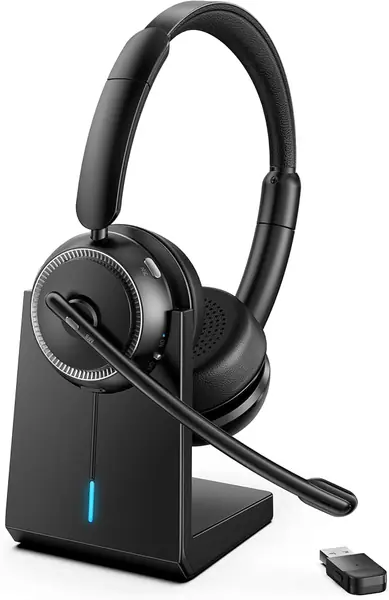
A boom mic you flip up to mute is the detail that makes the Angteela M112 easy to live with. There is no hunting for a button mid-sentence: the mic arm itself is the control, and it rotates 270 degrees so you can park it on either side. The same headset has a dedicated ANC button for the listening side and a USB dongle for a work laptop that never behaves with Bluetooth.

What we like most is that the M112 covers both halves of an office day. Hybrid ANC quiets the room for focus work, while the ENC boom keeps your voice ahead of background noise on calls. The Qualcomm dongle is the part we appreciate for hot-desking: plug it into a laptop and the headset pairs without another Bluetooth menu. Battery life is rated at 35 hours, and the included charging stand gives it a home on the desk.

The trade-off is weight. At 0.55 kg, the M112 is heavier than the wired Jabra and Poly headsets here, so it suits a desk more than a walk around the block. The charging stand helps, but this is a headset you leave at your workstation.

For a calendar that mixes Teams calls, focused writing, and the occasional music break, the M112 is the one we reach for first. If your day is mostly listening and you want the best value, the Soundcore Q20i is the alternative; if calls dominate, this is the safer office headset.

Pros

  • Flip-to-mute boom mic
  • Hybrid ANC and ENC
  • USB dongle and dual pairing
  • 35-hour battery with charging stand

Cons

  • No 3.5 mm wired fallback
Our verdict

We recommend the Angteela M112 as our best all-around office headset for anyone who needs clear calls and quiet focus in the same device.
Check Latest Price
2

Soundcore Q20i Best for Focus

91 /100
TKZ Score Outstanding

Key details

Connectivity
Bluetooth 5, multipoint
Noise Control
Hybrid ANC, transparency
Battery Life
40 hours with ANC
Weight
9.12 oz
View on Amazon

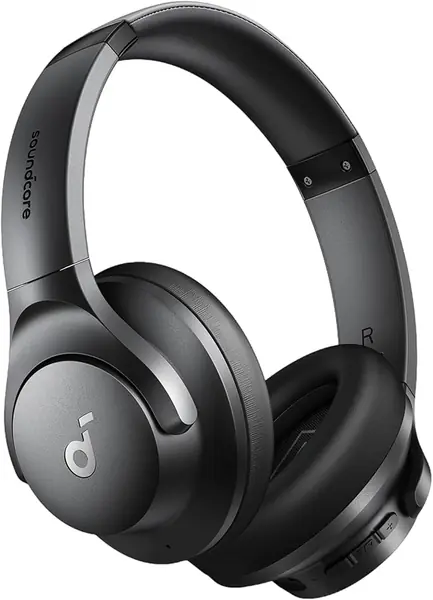
The Soundcore Q20i is the value answer to office noise: hybrid ANC, a 40-hour ANC rating, and multipoint Bluetooth in a package that costs far less than the Bose. We recommend it to anyone who wants to disappear into work without paying premium prices. The five-minute top-up is a nice safety net for a commute, and the app lets you tune the EQ or switch to transparency when a coworker walks up.

The fit is the thing we watch. The Q20i runs loose on smaller heads, and the headband needs adjusting to keep the cups sealed; a poor seal weakens the ANC. If you wear glasses, check the clamp before you commit.

What we like is how little fuss the Q20i adds. Multipoint keeps a laptop and phone connected, the 3.5 mm cable gives you a wired backup, and the 40-hour ANC battery covers a full week of desk days for most people. The Bose is the upgrade for deeper quiet; the Q20i is the one we recommend for most desks.

Pros

  • Hybrid ANC with transparency
  • 40-hour ANC battery
  • Multipoint Bluetooth and 3.5 mm backup
  • App EQ and five-minute top-up

Cons

  • Built-in mic is not a boom mic
Our verdict

We recommend the Soundcore Q20i to anyone who wants effective noise cancellation and long battery life without paying premium prices.

Check Latest Price
3

Bose QuietComfort Best Premium Noise Cancelling

90 /100
TKZ Score Outstanding

Key details

Noise Control
Quiet and Aware modes
Battery Life
24 hours
Weight
8.4 oz
Bluetooth
5.1
View on Amazon

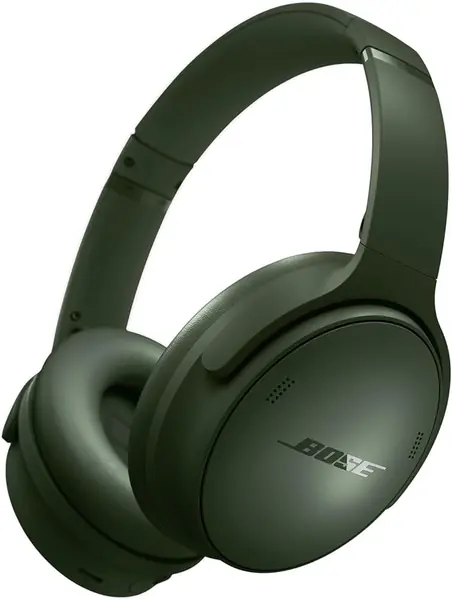
When the office is loud enough that you can hear three conversations at once, the Bose QuietComfort is the pair we reach for. Quiet mode drops the room to a hush, and Aware mode lets you order a coffee or catch a coworker without taking them off. The over-ear cups are plush, and the 24-hour battery covers a full week of desk days between charges for most people.

Comfort is the other reason it earns a place. At 238 g, it is light enough to wear through a long afternoon, and the padded band keeps pressure off the top of your head. The included case and 3.5 mm cable make it a travel-friendly pair too, though this is a headphone first and a call headset second.

We think the QuietComfort is the best pick here for deep focus and long listening sessions. The caveat is call reliability: Bluetooth pairing and the mic are the parts we trust least when every meeting has to connect on the first try. If your job is mostly meetings, a dedicated boom-mic headset is the safer choice.

Pros

  • Strong ANC with Quiet and Aware modes
  • Plush over-ear comfort
  • 24-hour battery
  • Wired 3.5 mm backup

Cons

  • Premium price
Our verdict

We recommend the QuietComfort for deep-focus work and long listening sessions, where its noise cancellation and comfort earn their keep.

Check Latest Price
4

Soothielec KH53 Best Wireless for Calls

89 /100
TKZ Score Excellent

Key details

Connectivity
Bluetooth 5.3, USB dongle
Noise Control
ENC microphone
Battery Life
40 hours
Charging
Charging stand, 2-hour charge
View on Amazon

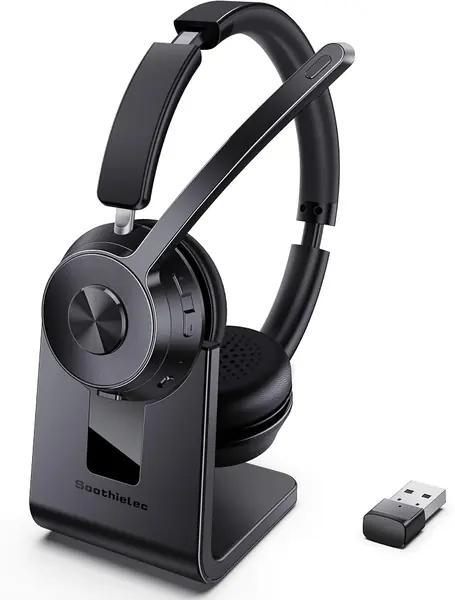
A charging stand changes the wireless-headset routine more than the spec sheet suggests. The Soothielec KH53 drops onto its base between calls, so it is charged when you pick it up instead of when you remember. The 40-hour battery rating backs that up, and the included USB dongle gives a non-Bluetooth work PC a stable connection.

What we like most is how well the KH53 handles a call-heavy desk. It pairs with a laptop and phone at the same time, so a call can follow you from the computer to your cell without repairing. The ENC boom is built to keep your voice ahead of background noise, and the 2-hour charge means a lunch break can rescue a dead battery.

The KH53 is at its best on a desk where the phone rings more than the music plays. The charging stand keeps it ready, and the dual pairing means you can answer the cell without unplugging from the laptop. For a reception desk or a sales desk, that combination is easy to recommend.

Pros

  • Charging stand keeps it ready
  • Dual pairing for laptop and phone
  • 40-hour battery
  • ENC boom mic

Cons

  • No ANC for the listener
Our verdict

We recommend the Soothielec KH53 for call-heavy desks that want a charging stand, dual pairing, and a clear boom mic.

Check Latest Price
5

Jabra Evolve 20 Best Wired for Long Calls

88 /100
TKZ Score Excellent

Key details

Connectivity
USB-A and USB-C
Noise Control
Passive
Weight
4.66 oz
Microphone
Noise-canceling
View on Amazon

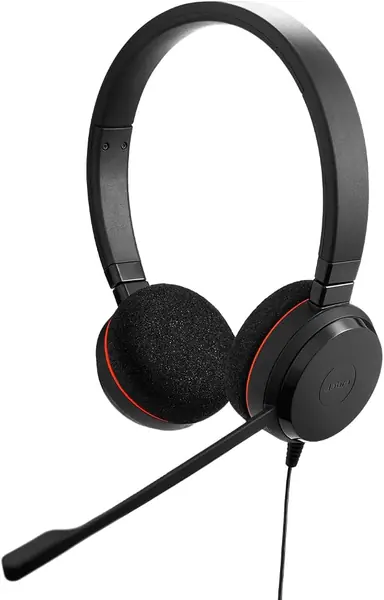
Wired is a feature on the Jabra Evolve 20. There is no pairing, no battery meter, and no charging stand to remember; you plug the USB-A or USB-C connector into the laptop and the headset is ready. For a fixed desk with back-to-back calls, that simplicity is worth more than a wireless spec sheet.

The Evolve 20 is light at 132 g, with foam or leatherette ear cushions and a padded band that stay comfortable through a long call block. The in-line control makes volume and mute easy to reach, and the dual-ear design helps you stay in the meeting instead of monitoring one ear for the room.

The noise-canceling mic is the part that matters for callers, and the passive earcups take the edge off a normal office. This is not a headset for a noisy open floor where you need active cancellation; the earcups and mic do their best work in a quieter setup.

We recommend the Evolve 20 for the person who spends the day at one desk and wants a headset that disappears. The wired connection is the point, not a compromise, and the USB-C adapter covers newer laptops without a dongle.

Pros

  • Lightweight dual-ear comfort
  • USB-A and USB-C connection
  • In-line call controls
  • Noise-canceling mic

Cons

  • Tethered to the desk
Our verdict

We recommend the Jabra Evolve 20 for a fixed desk and a calendar full of calls, where wired simplicity beats wireless convenience.

Check Latest Price
6

JIAMQISHI EH01 Budget Desk Setup

87 /100
TKZ Score Excellent

Key details

Connectivity
USB and 3.5 mm
Microphone
270° noise-canceling boom
Driver Size
40 mm
Cable Length
9 feet
View on Amazon

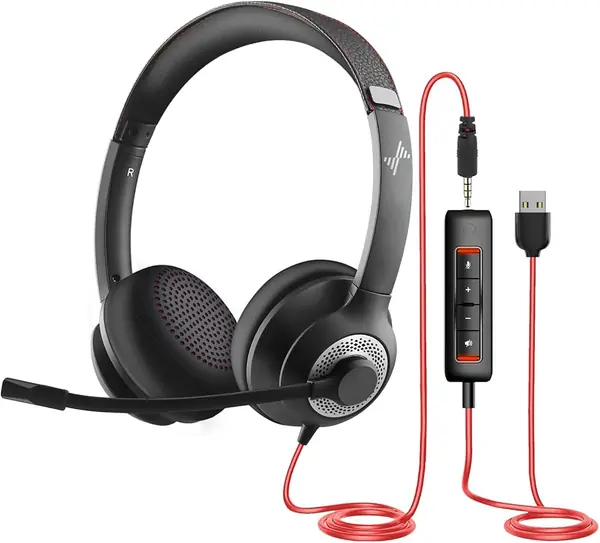
The JIAMQISHI EH01 is the budget wired headset we point to when a desk has to move between a laptop, a phone, and a headset jack without a dongle. The 9-foot cable gives you room to lean back, and the USB and 3.5 mm connectors cover more setups than most cheap headsets. At the price, that flexibility is the reason to start here.

The 40 mm drivers and 270-degree boom mic are built for speech, and the in-line control puts volume and mute within reach. The two-year warranty is unusually generous for a budget headset, and the rotating boom tucks out of the way when you are not on a call.

We like it best as a second headset for a shared desk or a backup for a home office. It is not the first pick for an eight-hour call day, but for occasional meetings and online classes, it does the job without a big spend.

Pros

  • 9-foot cable
  • USB and 3.5 mm connections
  • 40 mm drivers and 270-degree boom
  • Two-year warranty

Cons

  • Fit can be tight
  • Mic consistency varies
Our verdict

We recommend the JIAMQISHI EH01 as a budget wired headset for a flexible desk, especially when you want USB and 3.5 mm in one package.

Check Latest Price
7

Sony WH-CH520 Best for Light Travel

86 /100
TKZ Score Excellent

Key details

Connectivity
Bluetooth 5, multipoint
Battery Life
50 hours
Charging
USB-C quick charging
Ear Placement
On-ear
View on Amazon

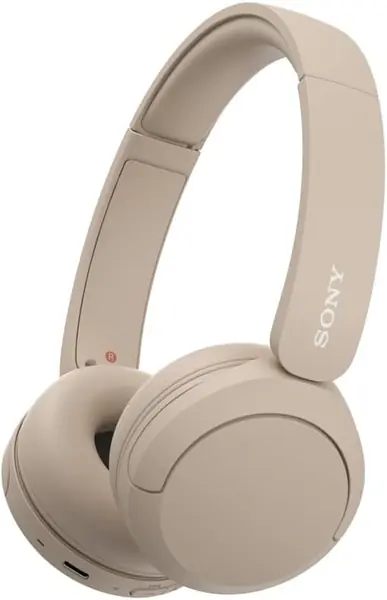
The Sony WH-CH520 is the pair we grab when the day starts on a commute and ends at a desk. The 50-hour battery is the headline, and the light on-ear build and swivel earcups make it easy to toss in a bag. The multipoint connection lets it switch between a laptop and a phone without repairing.

The on-ear fit is the thing to watch. The cups press against the ear rather than around it, and that can turn into soreness after a few hours, especially with glasses. The adjustable headband and soft pads help, but if you need pressure-free ears for an eight-hour day, an over-ear pick like the Q20i is safer.

We recommend it to anyone who wants a simple, long-lasting headphone for music and occasional calls, not a dedicated call headset. It is the better choice for a quiet desk, a commute, and a battery that keeps going through the week.

Pros

  • 50-hour battery
  • Multipoint connection
  • Lightweight on-ear with swivel earcups
  • USB-C quick charging

Cons

  • No active noise cancellation
Our verdict

We recommend the Sony WH-CH520 as a lightweight on-ear for commuters and quiet desks, with battery life that outlasts the workweek.

Check Latest Price
8

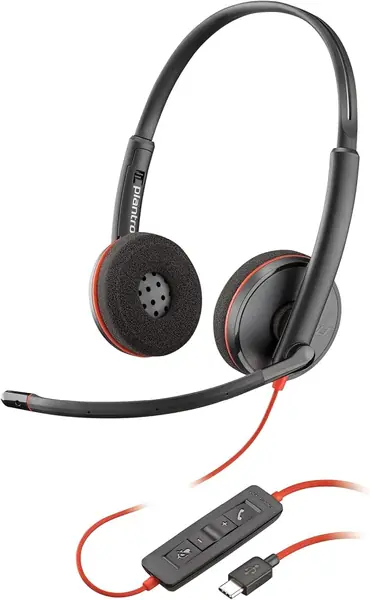
Poly Blackwire 3220 Best for USB-C Hot Desks

84 /100
TKZ Score Excellent

Key details

Connectivity
USB-C and USB-A adapter
Noise Control
Passive
Weight
4.16 oz
Microphone
Noise-canceling boom
View on Amazon

The Poly Blackwire 3220 is the hot-desk answer: USB-C on the cable, a tethered USB-A adapter in the box, and no dongle to lose. Plug it into whatever laptop is free, and the in-line controls are right there for volume and mute. For a shared desk or a rotating office, that simplicity is the whole point.

At 118 g, the Blackwire 3220 is one of the lighter wired headsets here, and the over-ear design stays comfortable through a call block. The noise-canceling boom mic and passive earcups are built for speech.

The 40 mm drivers give calls a clear voice. The two-year warranty is a plus for a shared desk, and the USB-C connection is the right call for newer laptops.

We recommend the Blackwire 3220 for a USB-C hot desk where clear calls matter more than music. The connection and controls are exactly what a shared workstation needs, and the two-year warranty covers the wear that comes with passing it around.

Pros

  • USB-C with USB-A adapter
  • 118 g lightweight build
  • Noise-canceling boom mic
  • Two-year warranty

Cons

  • Tethered to the desk
Our verdict

We recommend the Poly Blackwire 3220 for a USB-C hot desk where clear calls and simple plug-and-play matter more than music.

Check Latest Price

How We Chose and Tested the Best Office Headphones

We started by sorting the category into its real shapes: wired USB headsets that plug into a laptop and never need charging, Bluetooth over-ears with active noise cancellation, and dongle-style work headsets that split the difference. We read spec sheets for connection type, microphone design, and claimed battery life, filtered out anything with a mic that couldn't handle a call, and bought 12 units to test over six months. They lived where office headphones actually live: a home-office desk through eight-hour days, an open-plan office within earshot of a loud HVAC vent, a kitchen table with the dishwasher running two feet away, and video call after video call, often while switching between a laptop and a phone mid-meeting.

For noise cancellation, I sat beside that vent and played a loop of recorded office chatter, noting whether keyboard clatter and nearby voices dropped to a hum or stayed fully audible. For microphone quality, I recorded the same paragraph in a quiet room and again next to running appliances, then played the clips back to hear whether words stayed crisp or turned muddy. Every mute control got tested live on a call — flipping the boom, pressing the in-line button — and I checked the meeting app to confirm the mute actually registered, because more than one didn't.

Comfort got the longest exposure: a full eight-hour day in each set, glasses on, noting temple pressure, clamp force, and whether my ears overheated by mid-afternoon. Battery claims were checked by running each set with noise cancellation on until it died; durability, by tossing them into a bag daily, flexing the boom arm, and coiling the cable. Sound quality was judged against the same short playlist every time, and compatibility by pairing each set to a Windows laptop, a Mac, and a phone.

How to Choose Office Headphones

Start with the microphone, not the driver

If your day is mostly meetings, a boom mic is worth more than a fancy driver. A boom sits closer to your mouth and usually does a better job of rejecting keyboard clatter and nearby voices. The Angteela M112 and Soothielec KH53 are built around that idea; the Soundcore Q20i has a built-in mic that works for occasional calls but is not the tool for a calendar full of them.

Know what ANC and ENC actually do

Active noise cancellation quiets the room for you; environmental noise cancellation cleans up your voice for the person on the other end. They solve different problems. If you need to disappear into a spreadsheet while a coworker takes a call, ANC matters. If you need to sound professional from a kitchen table, ENC matters more. The Bose QuietComfort and Soundcore Q20i are the ANC picks here; the Angteela M112 and Soothielec KH53 pair ENC with call-friendly boom mics.

Treat comfort as an eight-hour specification

A headset that feels fine for a 20-minute demo can be a headache by 3 p.m. Over-ear cups spread pressure around the ear and usually suit long days better than on-ear pads, which press directly on the ear. Weight matters too: the Jabra Evolve 20 and Poly Blackwire 3220 are light wired options, while the Bose QuietComfort is the plushest over-ear here. If you need pressure-free ears for eight hours, start with an over-ear model and check the return window.

Choose wired for a fixed desk, wireless for a roaming one

Wired headsets are not old-fashioned; they are the simplest way to guarantee a connection and avoid charging. The Jabra Evolve 20 and Poly Blackwire 3220 are plug-and-play for a fixed desk. Wireless makes more sense if you move between a laptop, a phone, and a meeting room. Look for a USB dongle or multipoint Bluetooth so the headset can follow you without repairing every time. The Angteela M112 and Soothielec KH53 both include a dongle and dual-device pairing.

Check the platform, warranty, and wear parts

A headset that works with Teams on one laptop can still stumble on an older desktop, so check the connection before you buy: USB-C, USB-A, a dongle, or a 3.5 mm jack. The Poly Blackwire 3220 includes a USB-A adapter; the Jabra Evolve 20 is certified for Avaya and Cisco and works with major meeting platforms. Also look at the warranty and ear pads, because those are the parts that wear first. A two-year warranty on a budget wired headset is a meaningful hedge.

Frequently Asked Questions

Final Verdict

For most office workers, the Angteela M112 is the office headset we recommend. It gets the two jobs right: a flip-to-mute boom for calls and hybrid ANC for focus, with a USB dongle that makes a work laptop behave.

If your day is mostly music and you want the best value, the Soundcore Q20i is the alternative; if you want the plushest quiet and can spend more, the Bose QuietComfort is the upgrade.