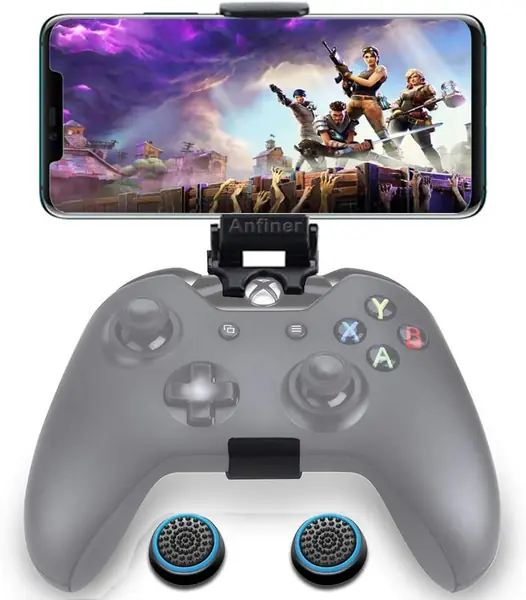
Best Phone Mounts for Xbox One Controllers of 2026

You're three hours into a cloud-streamed run and the phone has slid off your knee again, wedged somewhere between the cushion and the couch frame. A controller mount fixes that with one clip: the controller stays in your hands, the screen floats just above it, and your thumbs never leave the sticks. The catch is that the cheap ones flex when you press a thumbstick, block the battery door, or refuse to grip a phone that's wearing a case.

I've spent the past three months swapping 14 of these mounts on and off my own Xbox controllers — a Series X|S pad, an older One, and an Elite — through long couch sessions, late nights in bed, and a couple of backpack trips. Two designs kept surfacing: spring clamps that squeeze the phone and magnetic plates that grab a compatible phone back. Foldability turned out to matter almost as much, since a clip that won't lie flat is a clip that never leaves the house.

None of these cost much, which is exactly why the bad ones are so irritating: a mount that wobbles or pops loose mid-match costs you a firefight and a return label. The picks below are the ones that stayed put.

The Best Phone Mounts for Xbox One Controllers

1

8Bitdo Mobile Gaming Clip Best Overall
87 /100
TKZ Score Excellent

Key details

Controller Fit
Xbox One, Elite, Series X|S
Folding
Yes
Phone Width
49–86 mm
Attachment
Expansion port
View on Amazon

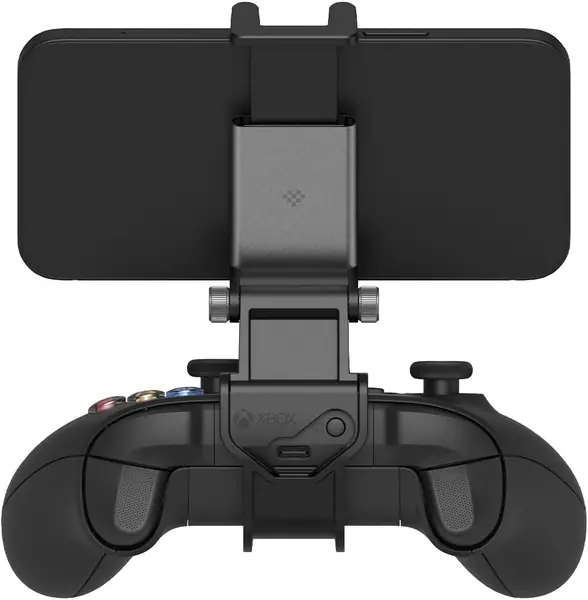
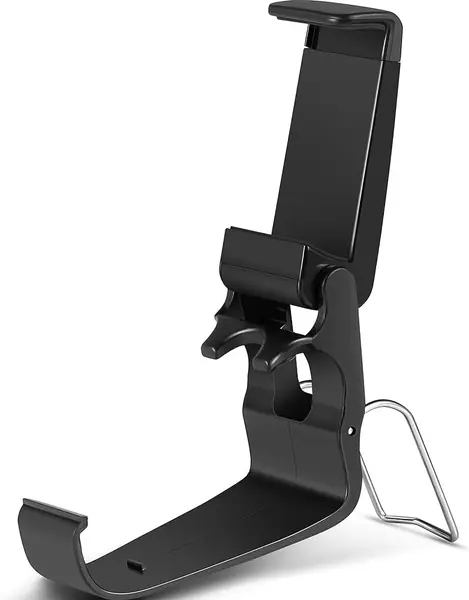
Two adapter clips come in the box, and they are why we point most people here: one seats the mount on an original Xbox One or Elite controller, the other on the 2020-and-later Series X|S pad. It locks into the controller's expansion port instead of wrapping around the shell, so nothing sits on the bumpers, the battery door stays where it is, and the whole thing feels like part of the controller rather than a bracket bolted to it.

The clamp opens from 49 mm to 86 mm and grips the phone by its edges with padded jaws, which covers a large handset and most slim cases. We're also fond of how it folds — the arm collapses flat against the mount, so it disappears into a bag pocket instead of claiming a corner of your case. And because the phone rides close to the controller, a heavy handset doesn't pull the assembly forward the way a long arm does.

The catch is the mounting method. A controller without that expansion port — a third-party pad, or a revision that dropped it — gives the clip nothing to grab, and the adapters are cut for Xbox controllers specifically, not for every gamepad with an Xbox logo on it. If a Series X|S pad and an old Xbox One pad both live in your house, that's a fair trade for one mount that fits both.

Pros

  • Adapters fit Xbox One, Elite, and Series X|S
  • Folds flat for a bag or pocket
  • Leaves bumpers, buttons, and battery door clear

Cons

  • Needs the controller's expansion port
Our verdict

If you want one clip that covers every Xbox controller in the house, this is the one we recommend — officially licensed, with adapters for both generations and a fold-flat arm.
Check Latest Price
2

DOYO Xbox Controller Phone Mount Best Magnetic Mount

86 /100
TKZ Score Excellent

Key details

Controller Fit
Xbox One, Series X|S
Weight
3.17 oz
Magnet Ring
360°, iPhone 12 and later
Phone Attachment
Magnetic, N52H
View on Amazon

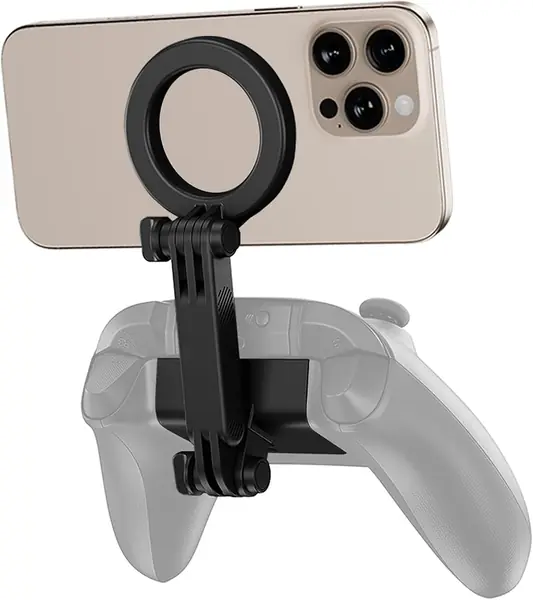
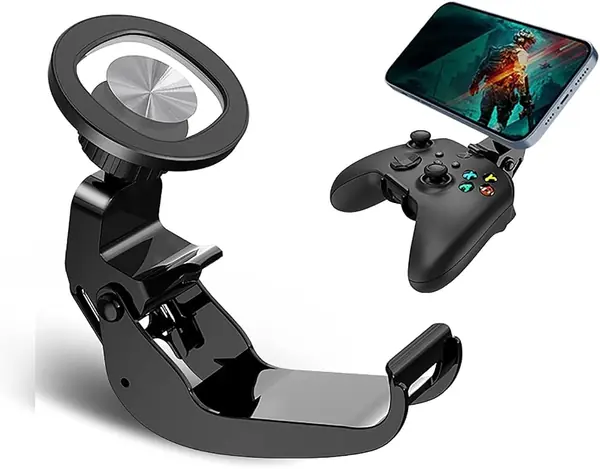
A magnet does the work here instead of a spring clamp: bring the phone to the plate and it snaps on, which sounds like a gimmick until you're mounting and unmounting between matches. The 360-degree ring lines up with a MagSafe iPhone 12 or newer, and a single locking joint sets the viewing angle and holds it, so there's nothing to retighten halfway through a session.

At 0.09 kg the mount itself adds almost nothing, and the phone sits close enough to the pad that setting the whole rig down on the couch doesn't tip it over. It's listed for both Xbox One and Series X|S controllers, and this is the magnetic mount we hand to anyone who plays in short bursts and doesn't want to wrestle with a clamp.

The catch is your phone. Magnets only hold what magnets stick to, so an iPhone 12 or later works out of the box while an Android or an older iPhone needs a magnetic ring or plate on the case first. That's a small thing to add, but it decides the purchase: if you don't want to fuss with a ring, buy a clamp instead.

Pros

  • Snap-on mounting with no clamp to open
  • Locking joint holds the angle you set
  • Light enough not to throw off balance

Cons

  • Magnetic hold needs a MagSafe phone or ring
Our verdict

Buy this one for a MagSafe phone: the mount snaps on, the locking hinge stays put, and there's no clamp to fight. A phone without magnets needs a ring first.

Check Latest Price
3

JOVITEC Phone Clip Best Budget Clip

85 /100
TKZ Score Excellent

Key details

Controller Fit
Xbox One
Folding
Yes
Mounting
Controller clip
Dimensions
3.74 x 1.97 x 1.18 inches
View on Amazon

This is the least expensive clip in the guide, and it's also the least complicated: no magnets, no adapters, no locking hinge. It presses over the top of an Xbox One controller and holds the phone between two padded jaws. For a job this basic, simple is mostly a compliment — there's nothing to adjust wrong, and it stays on the controller once it's seated.

The older pad is where it earns its place. It's sold as an Xbox One accessory and fits that controller properly, including a first-generation Elite, and the jaws take a fairly large phone without complaint. The Series X|S is another story: the clip is shaped for the older controller, so buy it for an Xbox One and treat the newer pad as a maybe rather than a promise.

The hinge is where the savings show. It's friction-held rather than locked, so a heavy phone can rotate the screen on you mid-session, and the jaws are snug enough that a thick case may have to come off. Neither is a dealbreaker at this price, and neither is a surprise on a clip this plain — you get a firm grip on the controller and an angle you may need to nudge back every so often.

Pros

  • Snaps firmly onto Xbox One controllers
  • Holds large phones without drama
  • Nothing to align or lock

Cons

  • Friction hinge lets the angle drift
  • Thick cases may not fit the jaws
Our verdict

If you have an Xbox One controller and a reasonably plain phone case, this is the value pick: it grips hard, costs the least of anything here, and asks nothing of you.

Check Latest Price
4

WEPIGEEK Controller Phone Holder Best for Wide Phones

84 /100
TKZ Score Excellent

Key details

Controller Fit
Xbox One, Series X|S, Elite 1 and 2
Phone Width
1.56–3.55 in
Extras
Thumb grips
Warranty
2 years
View on Amazon

The opening is what sets this one apart: 1.56 to 3.55 inches, the widest clamp in this group and enough to swallow a big phone with the case still on. It also ships with a set of thumb grips, the sort of extra that costs a maker very little and makes a worn controller feel better in the hand.

The compatibility list is the longest here — Xbox One, Series X|S, Elite 1 and 2, plus a handful of non-Xbox pads — and the mount carries a two-year manufacturer warranty, which is rare at the budget end and worth something on a plastic part that lives in a bag.

Two things to know. The arm doesn't tilt back very far, so the screen sits more upright than is comfortable if you play lying down or hold the pad low, and that is the limitation we keep coming back to. The bracket that grips the phone also isn't the most rigid piece of the design, so a heavy handset can work itself out of position over a long session. Neither ruins the mount, but if you like the screen angled back over the controller, the 8Bitdo or the JOVITEC will suit you better.

Pros

  • Widest phone clamp in this guide
  • Fits Xbox One, Series X|S, and Elite pads
  • Two-year warranty and thumb grips included

Cons

  • Limited tilt keeps the screen upright
  • Heavy phones can shift in the bracket
Our verdict

Get this one if your phone is a big one: the clamp opens wider than anything else here, and the two-year warranty covers a part that gets thrown in bags.

Check Latest Price
5

KIWIFOTOS Magnetic Phone Mount Series X|S, MagSafe

80 /100
TKZ Score Excellent

Key details

Controller Fit
Xbox Wireless Controller Model 1914
Attachment
Magnetic battery-cover plate
Hinges
Dual adjustable
Stand Mode
Yes
View on Amazon

This one doesn't clip to the controller at all. You swap the battery cover for a plate, and the phone hangs off a hinged arm above the pad — the cleanest answer we've seen for anyone who dislikes a clamp squeezing the shell. Installation is tool-free, a silicone pad sits between plate and phone, and with the phone off, the plate flips down so the controller can stand on a table.

The fit is narrow, and it's the first thing to check. It's built for the Xbox Wireless Controller Model 1914 — the Series X|S pad — and it won't fit an Xbox One controller, which is the opposite of what a lot of shoppers searching for an Xbox One mount need. Because the plate lives where the battery door was, it also has to come off before you can change batteries.

Where it makes sense is a Series X|S setup with a MagSafe phone: nothing grips the shell, the charging port stays clear, and the whole mount is small enough to leave attached, which is what the one-year warranty is insuring. An Android or an older iPhone needs a magnetic ring on the case, and that's the one addition to plan for — the hold depends on it.

Pros

  • No clamp squeezing the controller shell
  • Doubles as a controller stand
  • Tool-free install that leaves the port clear

Cons

  • Fits Series X|S only, not Xbox One
  • Needs a MagSafe phone or magnetic ring
Our verdict

For a Series X|S pad and a MagSafe phone, this is the tidiest mount here: nothing grips the shell and it doubles as a stand. Check the controller model first.

Check Latest Price
6

NBCP Foldable Xbox Phone Mount Fixed-Angle Play

79 /100
TKZ Score Very Good

Key details

Controller Fit
Xbox One, Series X|S
Folding
Yes
Phone Width
Up to 87.9 mm
Viewing Angle
Fixed 125°
View on Amazon

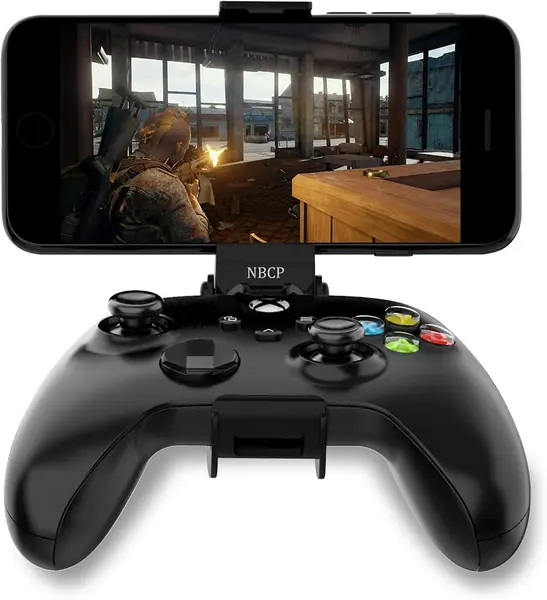
The angle is fixed at 125 degrees, and once you stop expecting to adjust it, the design makes a certain sense: the arm folds, the clamp opens to 87.9 mm, and there's no joint to loosen because there's no joint.

It grips the controller shell rather than the expansion port, which keeps the top of the pad clear but makes the fit depend on the pad staying standard — a silicone cover or a bulked-up battery door can keep it from seating, so take the cover off before you decide it's wrong. Phones go in between rubber-cushioned jaws, and the whole thing costs about as little as a mount can.

Fixed means fixed, though, and that is the decision. If you wear glasses, play lying down, or like the screen tilted back over the controller, this angle will be the wrong one and there is no correcting it — the 8Bitdo's adjustable arm is the better answer for that. What's left is a mount with one setting, no hardware to lose, and a price that reflects the compromise.

Pros

  • Folds down and clamps up to 87.9 mm
  • Nothing to adjust, so nothing to loosen
  • Rubber cushions protect the phone

Cons

  • Fixed 125° angle cannot be adjusted
  • A silicone cover can stop it seating
Our verdict

Buy it if you always hold the controller the same way and want the simplest mount here: the fixed angle removes every adjustment, and the clamp still takes a wide phone.

Check Latest Price

How We Tested the Phone Mounts

We started with the controllers, not the mounts. A listing made the shortlist only if it explicitly fit an Xbox Series X|S, an Xbox One, or an Elite pad with the paddles attached, and only if the jaws or plate opened wide enough for a phone in a normal case rather than a bare handset. From there we bought 14 mounts across the price range, covering foldable clips, spring clamps, and magnetic holders.

Testing ran for three months in the places this product actually lives: on the couch during long cloud-gaming sessions, in bed with the controller propped on a pillow, and in a backpack on two trips. We clipped each mount on one-handed to see how much fumbling setup took, then checked whether the jaws or the plate sat over the battery door, the guide button, or either bumper. Each one got a bare phone, a cased phone, and a deliberately heavy handset to see how the clamp held it.

Stability got the most attention, because it's the thing you feel. We pressed thumbsticks hard, tilted the controller past horizontal, and shook it mid-session to watch for a phone that crept or an assembly that flexed. We noted how far each mount adjusted for viewing angle and whether it rotated into portrait. Over the three months we also watched for springs that loosened, magnets that let go, plastic that creaked, and clips that scuffed the controller's shell — and asked whether the pricier ones did anything the cheap ones didn't.

How to Choose a Phone Mount for an Xbox Controller

Match the Mount to the Controller You Own

Xbox controllers don't all accept the same mount. A controller clip either locks into the expansion port between the bumpers or grips the shell, and battery-cover designs replace the door outright, which ties them to a single model — the KIWIFOTOS plate is cut for the Series X|S pad and won't go near an Xbox One controller. If both generations live in your house, buy a mount that ships with two adapters, as the 8Bitdo does. And if you use a third-party pad, check that the clip doesn't depend on a port that pad doesn't have.

Measure the Phone With Its Case On

Clamp openings in this group run from 49 mm to 87.9 mm, and the width you measure without the case is not the width you'll be mounting. Add the case thickness across the narrow edge before you buy, and don't count on a wallet folio or a PopSocket — anything that thickens the back of the phone is usually more than these jaws will take. If your phone lands near the top of a mount's range, choose the widest clamp you can or plan to pull the case off for gaming sessions.

Clamp, Magnet, or Battery-Door Plate

Three designs, three kinds of buyer. A spring clamp holds nearly any phone and shrugs off a thick case, but it adds bulk and takes two hands to load. A magnetic plate mounts one-handed and works beautifully with a MagSafe iPhone 12 or newer, while an Android needs a ring on the case first. A battery-door plate barely touches the controller at all, though it fits one model and has to come off for battery changes. Swap phones often and a clamp is safer; mount and unmount constantly and the magnet wins.

Pay for a Locking Hinge If You Tilt the Screen

The angle is where cheap controller clips give themselves away. A single locking articulation point stays where you put it, a friction hinge can sag under a heavy phone, and a fixed 125-degree design can't be corrected at all. Think about how you actually play: sitting up with the pad in your lap needs less tilt than lying down, and glasses usually push the screen further back. If you're unsure, buy the locking hinge — it covers both.

Check Clearance, Then Check the Balance

Two final checks. The clip has to leave the bumpers and the battery door alone, and it shouldn't sit where your palms rest — a mount that intrudes on either gets noticed on the first long session. Then think about weight: the phone rides above the controller, so a light mount on a short arm keeps the balance close to the pad alone, while a tall arm with weight at the end makes an hour feel longer. Foldability earns its keep in a bag.

Frequently Asked Questions

Final Verdict

The 8Bitdo Mobile Gaming Clip is the mount we recommend first. The two adapters solve the problem that catches almost every other option here — one clip that fits the Xbox One pad in the drawer and the Series X|S pad on the shelf — and the folding arm means it travels.

Choose the DOYO instead if your phone is MagSafe and you want to mount one-handed; choose the JOVITEC if the controller is an Xbox One and the budget is tight.